ArthurSonzogni/FTXUI

GitHub: ArthurSonzogni/FTXUI

一个用于构建跨平台终端用户界面的现代化 C++ 库,函数式风格驱动高效开发。

Stars: 9945 | Forks: 578

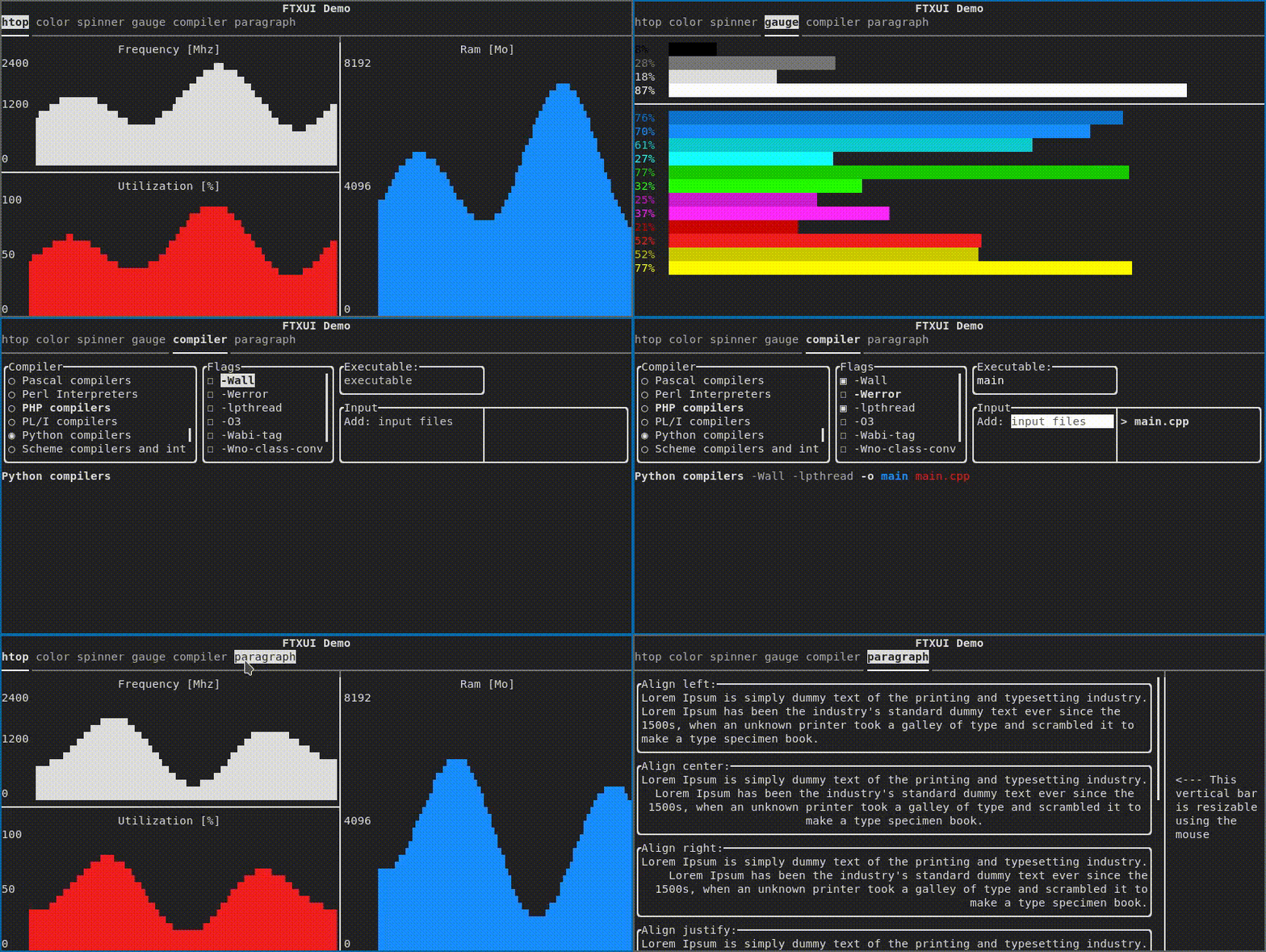
Demo image

latest packaged version(s)
文档 · 报告错误 · 示例 . 请求功能 · 提交拉取请求
文档: English | Français | Español | 繁體中文 | 简体中文 | 日本語 |

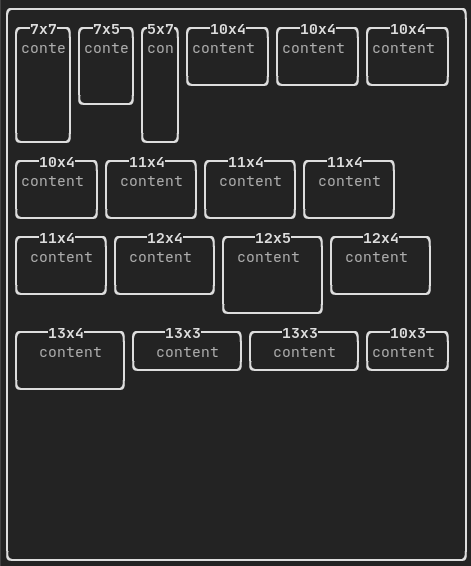
# FTXUI Functional Terminal (X) User interface 一个用于基于终端用户界面的简单跨平台 C++ 库! ## 功能 * 函数式风格。灵感来自 [1](https://hackernoon.com/building-reactive-terminal-interfaces-in-c-d392ce34e649?gi=d9fb9ce35901) 和 [React](https://reactjs.org/) * 简单优雅的语法(在我看来) * 键盘与鼠标导航。 * 支持 [UTF8](https://en.wikipedia.org/wiki/UTF-8) 和 [全宽字符](https://en.wikipedia.org/wiki/Halfwidth_and_fullwidth_forms)(→ 测试) * 支持动画。[演示 1](https://arthursonzogni.github.io/FTXUI/examples/?file=component/menu_underline_animated_gallery), [演示 2](https://arthursonzogni.github.io/FTXUI/examples/?file=component/button_style) * 支持绘制。[演示](https://arthursonzogni.github.io/FTXUI/examples/?file=component/canvas_animated) * 无依赖。 * [C++20 模块支持](https://arthursonzogni.github.io/FTXUI/cpp20-modules.html) * **跨平台**:Linux/MacOS(主要目标)、WebAssembly、Windows(感谢贡献者!)。 * 通过 [示例](#documentation) 和 [教程](#documentation) 学习 * 多个软件包: - CMake [FetchContent]([https://bewagner.net/programming/2020/05/02/cmake-fetchcontent/](https://cmake.org/cmake/help/latest/module/FetchContent.html))(首选) - [Bazel](https://registry.bazel.build/modules/ftxui) - [vcpkg](https://vcpkg.link/ports/ftxui) - [Conan](https://conan.io/center/recipes/ftxui) [Debian 包](https://tracker.debian.org/pkg/ftxui) - [Ubuntu 包](https://launchpad.net/ubuntu/+source/ftxui) - [Arch Linux](https://aur.archlinux.org/packages/ftxui/) - [OpenSUSE](https://build.opensuse.org/package/show/devel:libraries:c_c++/ftxui) - [XMake](https://xmake.io) 仓库 [软件包](https://github.com/xmake-io/xmake-repo/blob/dev/packages/f/ftxui/xmake.lua) - [Nix](https://github.com/ArthurSonzogni/FTXUI/blob/main/flake.nix) * 良好实践:文档、测试、模糊测试、性能测试、自动化 CI、自动化打包等... ## 文档 - [CMake 入门](https://github.com/ArthurSonzogni/ftxui-starter) - [Bazel 入门](https://github.com/ArthurSonzogni/ftxui-bazel) - [文档](https://arthursonzogni.github.io/FTXUI/) - [示例(WebAssembly)](https://arthursonzogni.github.io/FTXUI/examples/) - [使用 CMake 构建](https://arthursonzogni.github.io/FTXUI/#build-cmake) - [使用 Bazel 构建](https://arthursonzogni.github.io/FTXUI/#build-bazel) ## 示例 ``` vbox({ hbox({ text("one") | border, text("two") | border | flex, text("three") | border | flex, }), gauge(0.25) | color(Color::Red), gauge(0.50) | color(Color::White), gauge(0.75) | color(Color::Blue), }); ``` ![image](https://static.pigsec.cn/wp-content/uploads/repos/2026/04/c453c5e856003902.png) ## 简要画廊 #### DOM 该模块定义了一组层次化的 Element。一个 Element 管理布局并能响应终端尺寸变化。 它们在 [](https://arthursonzogni.github.io/FTXUI/elements_8hpp_source.html ) 中声明

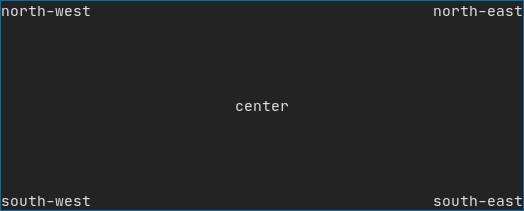
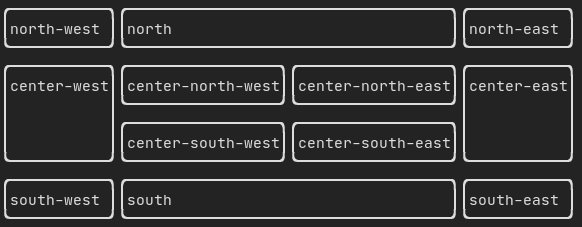
布局 Element 可以组合在一起: - 水平排列使用 `hbox` - 垂直排列使用 `vbox` - 在网格中使用 `gridbox` - 使用 `flexbox` 沿一个方向自动换行 Element 可以通过 `flex` 修饰器变为弹性布局。 [示例](https://arthursonzogni.github.io/FTXUI/examples_2dom_2vbox_hbox_8cpp-example.html) 使用 `hbox`、`vbox` 和 `filler`。 ![image](https://static.pigsec.cn/wp-content/uploads/repos/2026/04/ffaf991fa0003904.png) [示例](https://arthursonzogni.github.io/FTXUI/examples_2dom_2gridbox_8cpp-example.html) 使用 gridbox: ![image](https://static.pigsec.cn/wp-content/uploads/repos/2026/04/74f217ebd2003905.png) [示例](https://github.com/ArthurSonzogni/FTXUI/blob/master/examples/dom/hflow.cpp) 使用 flexbox: ![image](https://static.pigsec.cn/wp-content/uploads/repos/2026/04/f4c6d47b4d003906.png) [查看](https://arthursonzogni.github.io/FTXUI/examples_2dom_2hflow_8cpp-example.html) 以及这个 [演示](https://arthursonzogni.github.io/FTXUI/examples/?file=component/flexbox)。
样式 Element 可以使用以下函数进行装饰: - `bold` - `italic` - `dim` - `inverted` - `underlined` - `underlinedDouble` - `blink` - `strikethrough` - `color` - `bgcolor` - `hyperlink` [示例](https://arthursonzogni.github.io/FTXUI/examples_2dom_2style_gallery_8cpp-example.html) ![image](https://static.pigsec.cn/wp-content/uploads/repos/2026/04/4d1e669114003908.png) FTXUI 支持管道操作符。这意味着:`decorator1(decorator2(element))` 和 `element | decorator1 | decorator2` 可以混用。

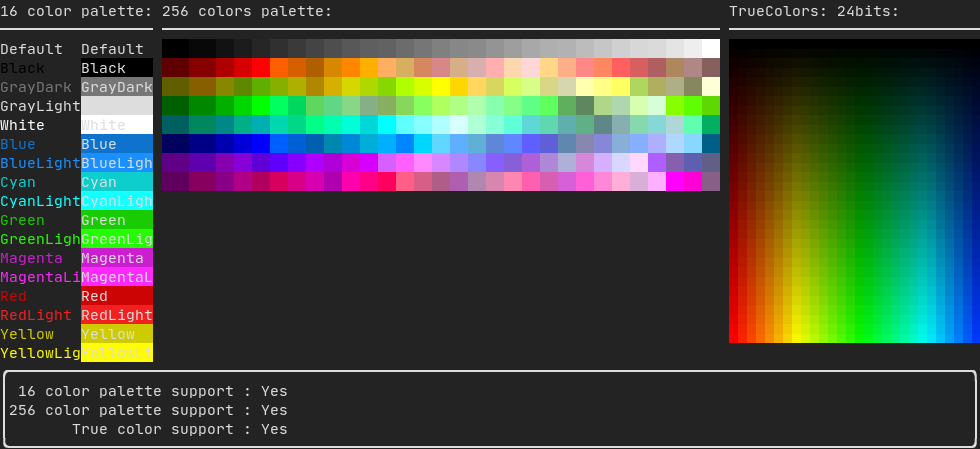
颜色 FTXUI 支持所有颜色调色板: 颜色 [画廊](https://arthursonzogni.github.io/FTXUI/examples_2dom_2color_gallery_8cpp-example.html): ![image](https://static.pigsec.cn/wp-content/uploads/repos/2026/04/fe6159e63d003909.png)
边框与分隔线 使用修饰器 `border` 和元素分隔函数 `separator()` 来划分界面: ``` auto document = vbox({ text("top"), separator(), text("bottom"), }) | border; ``` [演示](https://arthursonzogni.github.io/FTXUI/examples_2dom_2separator_8cpp-example.html): ![image](https://static.pigsec.cn/wp-content/uploads/repos/2026/04/fca7aa6dd0003910.png)

文本与段落 一段简单的文本使用 `text("内容")` 表示。 要支持文本自动换行,提供以下函数: ``` Element paragraph(std::string text); Element paragraphAlignLeft(std::string text); Element paragraphAlignRight(std::string text); Element paragraphAlignCenter(std::string text); Element paragraphAlignJustify(std::string text); ``` [段落示例](https://arthursonzogni.github.io/FTXUI/examples_2dom_2paragraph_8cpp-example.html) ![ezgif com-gif-maker (4)](https://user-images.githubusercontent.com/4759106/147251370-983a6e7-6f41-4113-92b8-942f43d34d06.gif)
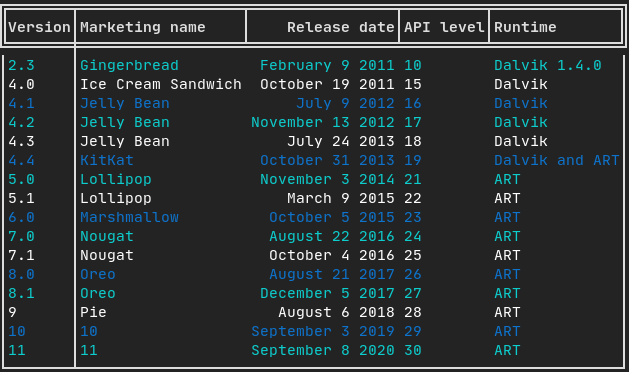
表格 一个用于轻松美化表格数据的类。 [示例](https://arthursonzogni.github.io/FTXUI/examples_2dom_2table_8cpp-example.html): ![image](https://static.pigsec.cn/wp-content/uploads/repos/2026/04/9f7c57ed3e003912.png)
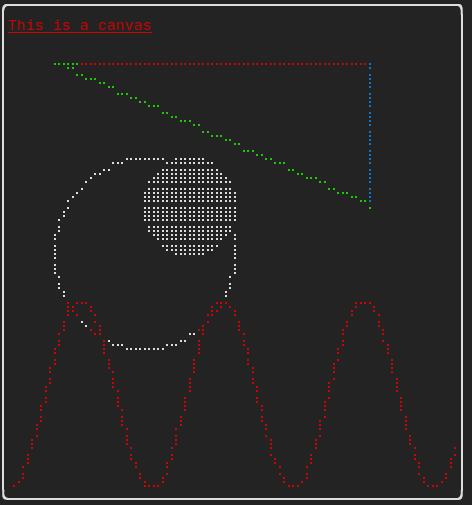
画布 绘图可以使用画布完成,支持点阵、块状或简单字符: 简单 [示例](https://github.com/ArthurSonzogni/FTXUI/blob/master/examples/dom/canvas.cpp): ![image](https://static.pigsec.cn/wp-content/uploads/repos/2026/04/7549e3a276003914.png) 复杂 [示例](https://github.com/ArthurSonzogni/FTXUI/blob/master/examples/component/canvas_animated.cpp): ![ezgif com-gif-maker (3)](https://static.pigsec.cn/wp-content/uploads/repos/2026/04/5a90c4f4c8003916.gif)
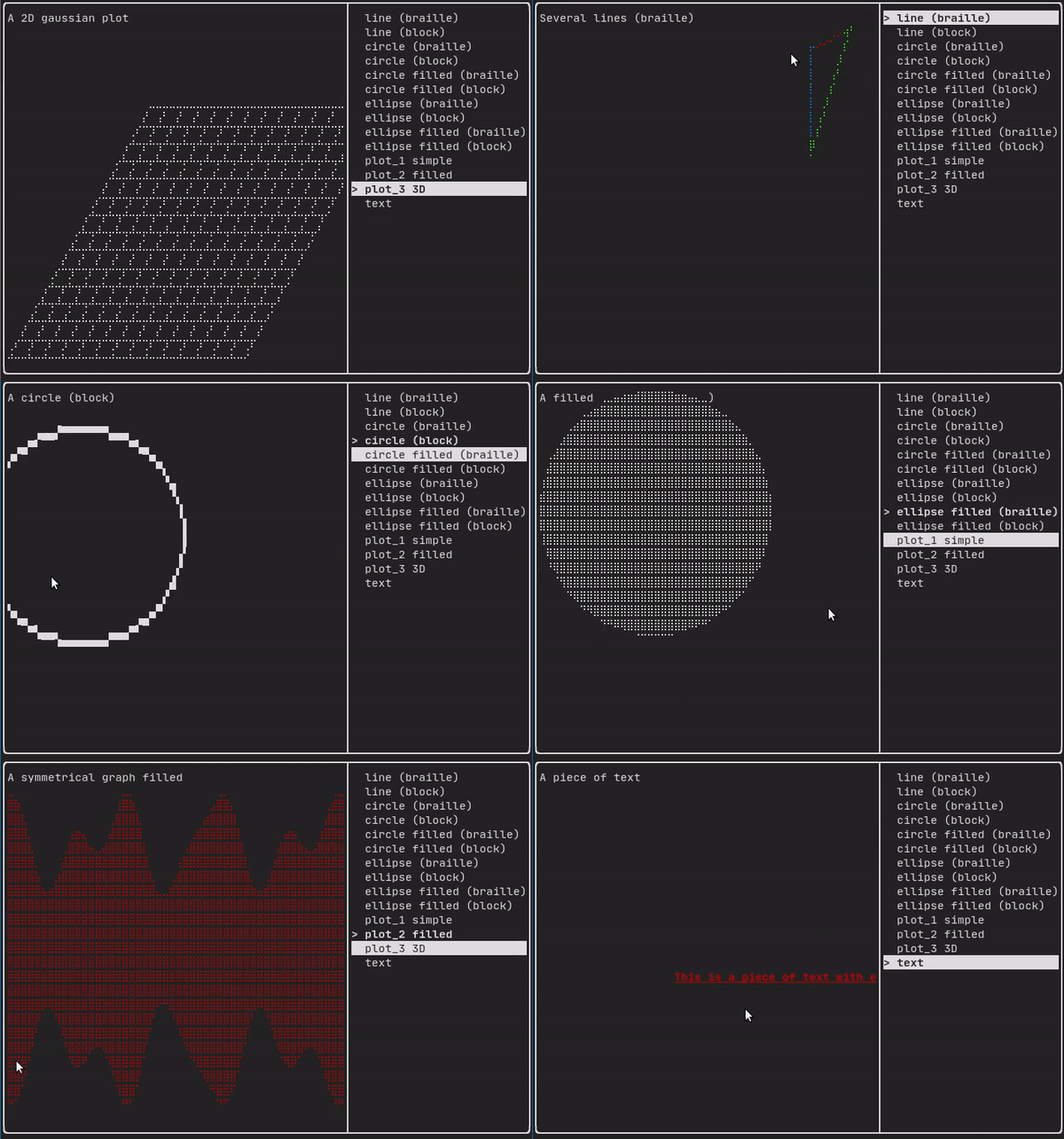
#### 组件 ftxui/component 生成动态 UI,对用户输入做出反应。它定义了一组 ftxui::Component。一个组件会响应事件(键盘、鼠标、调整大小等)并渲染为 Element(参见上一节)。 预置组件在 [](https://arthursonzogni.github.io/FTXUI/component_8hpp_source.html) 中声明
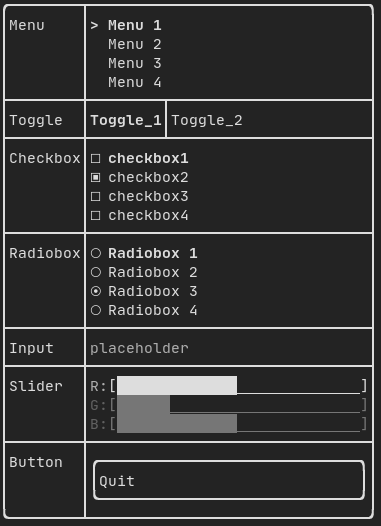
画廊 [组件画廊](https://arthursonzogni.github.io/FTXUI/examples_2component_2gallery_8cpp-example.html)([演示](https://arthursonzogni.github.io/FTXUI/examples/?file=component/gallery)) ![image](https://static.pigsec.cn/wp-content/uploads/repos/2026/04/35acf9e40e003918.png)
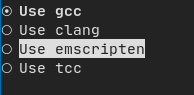
单选框 [示例](https://arthursonzogni.github.io/FTXUI/examples_2component_2radiobox_8cpp-example.html): ![image](https://static.pigsec.cn/wp-content/uploads/repos/2026/04/1d8f772e40003919.png)
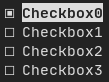
复选框 [示例](https://arthursonzogni.github.io/FTXUI/examples_2component_2checkbox_8cpp-example.html): ![image](https://static.pigsec.cn/wp-content/uploads/repos/2026/04/e6ca3f59e0003920.png)
输入框 [示例](https://arthursonzogni.github.io/FTXUI/examples_2component_2input_8cpp-example.html): ![image](https://static.pigsec.cn/wp-content/uploads/repos/2026/04/101350607c003921.png)
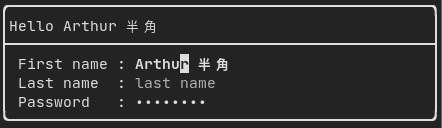
切换 [示例](https://arthursonzogni.github.io/FTXUI/examples_2component_2toggle_8cpp-example.html): ![image](https://static.pigsec.cn/wp-content/uploads/repos/2026/04/3d8406a232003923.png)

滑块 [示例](https://arthursonzogni.github.io/FTXUI/examples_2component_2slider_8cpp-example.html): ![image](https://static.pigsec.cn/wp-content/uploads/repos/2026/04/dbef0edf76003924.png)
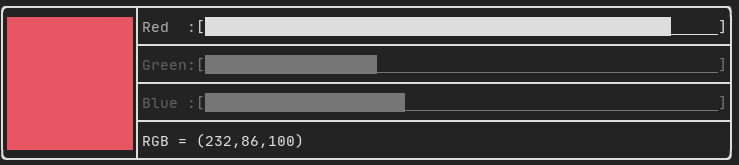
菜单 [示例](https://arthursonzogni.github.io/FTXUI/examples_2component_2menu_8cpp-example.html): ![image](https://static.pigsec.cn/wp-content/uploads/repos/2026/04/4673097684003925.png)

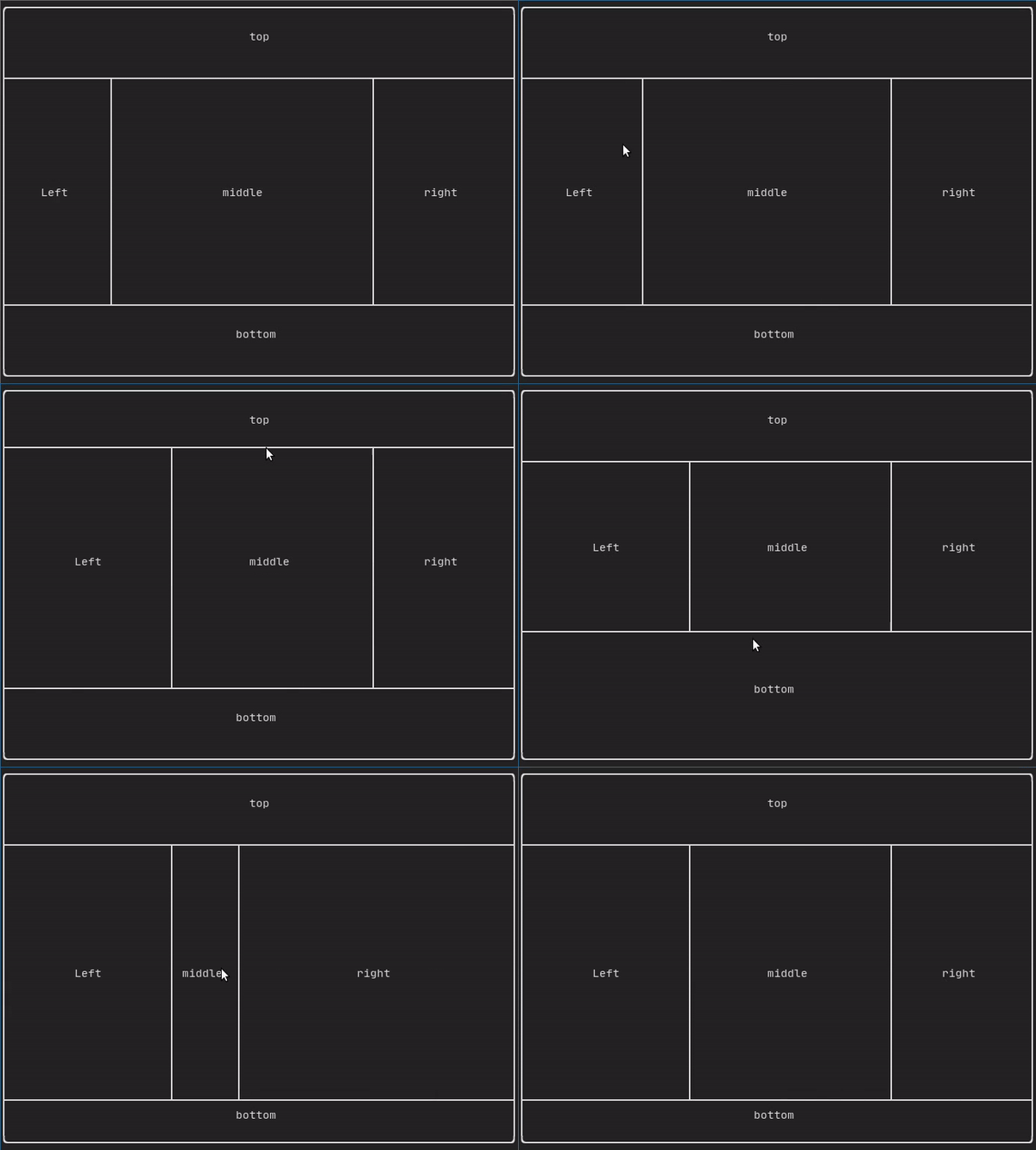
可调整分割 [示例](https://arthursonzogni.github.io/FTXUI/examples_2component_2resizable_split_8cpp-example.html): ![ezgif com-gif-maker](https://static.pigsec.cn/wp-content/uploads/repos/2026/04/b7045908ae003927.gif)
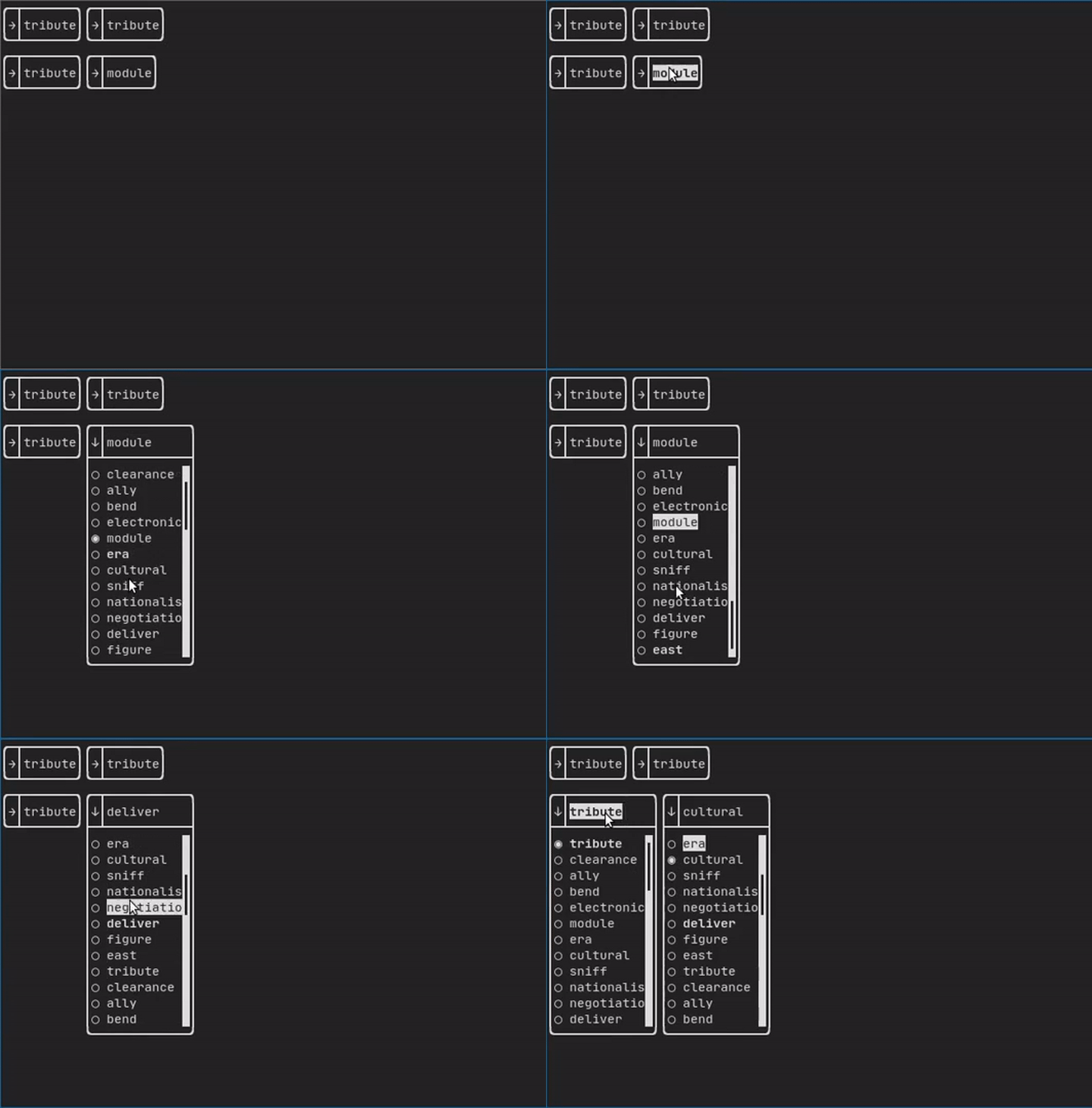
下拉菜单 [示例](https://arthursonzogni.github.io/FTXUI/examples_2component_2dropdown_8cpp-example.html): ![youtube-video-gif (3)](https://static.pigsec.cn/wp-content/uploads/repos/2026/04/a28e6a780d003929.gif)
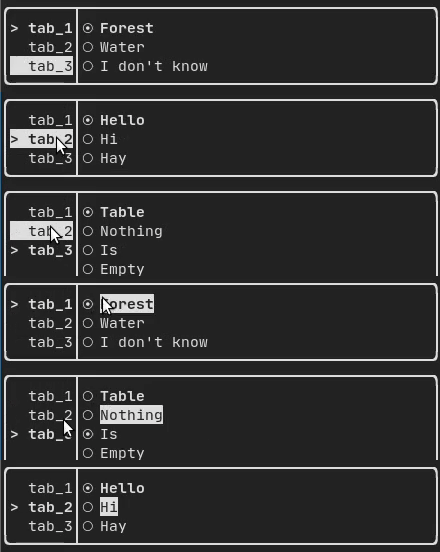
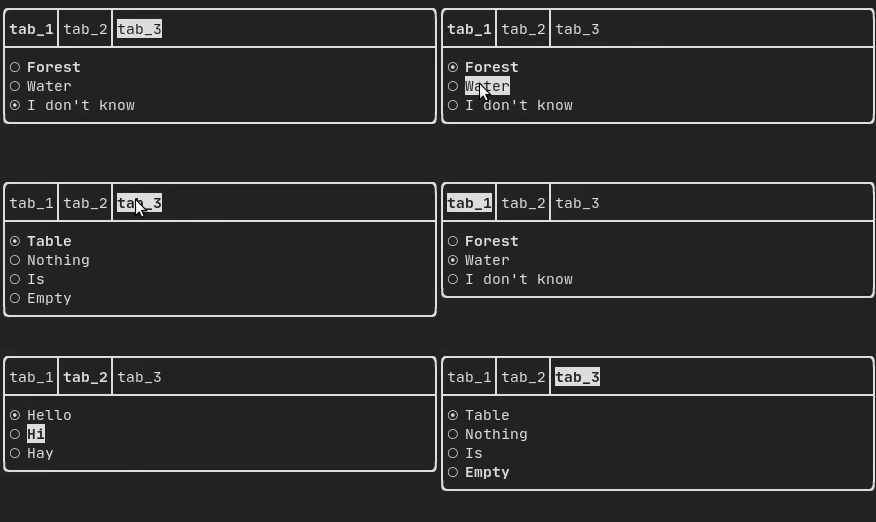
标签页 [垂直](https://arthursonzogni.github.io/FTXUI/examples_2component_2tab_vertical_8cpp-example.html): ![ezgif com-gif-maker (1)](https://static.pigsec.cn/wp-content/uploads/repos/2026/04/c5fdf68e33003930.gif) [水平](https://arthursonzogni.github.io/FTXUI/examples_2component_2tab_horizontal_8cpp-example.html): ![ezgif com-gif-maker (2)](https://static.pigsec.cn/wp-content/uploads/repos/2026/04/8aa542e674003932.gif)
## FTXUI 的库 - *想要分享一个适用于 FTXUI 的有用组件?可以随意在此添加* - [ftxui-grid-container](https://github.com/mingsheng13/grid-container-ftxui) - [ftxui-ip-input](https://github.com/mingsheng13/ip-input-ftxui) - [ftxui-image-view](https://github.com/ljrrjl/ftxui-image-view.git):用于图像显示。 - [ftxui-navigation-tree](https://github.com/Appisolato/navigation-tree-ftxui) - [MarkdownFTXUI](https://github.com/zvasilev/MarkdownFTXUI):终端的 Markdown 编辑器/查看器。 ## 使用 FTXUI 的项目 欢迎在此添加您的项目: - [json-tui](https://github.com/ArthurSonzogni/json-tui) - [git-tui](https://github.com/ArthurSonzogni/git-tui) - [rgb-tui](https://github.com/ArthurSonzogni/rgb-tui) - [chrome-log-beautifier](https://github.com/ArthurSonzogni/chrome-log-beautifier) - [2048-cpp](https://github.com/Chessom/2048-cpp) - [BestEdrOfTheMarket](https://github.com/Xacone/BestEdrOfTheMarket) - [Captain's log](https://github.com/nikoladucak/caps-log) - [Caravan](https://github.com/r3w0p/caravan) - [CryptoCalculator](https://github.com/brevis/CryptoCalculator) - [FTB - tertminal file browser](https://github.com/Cyxuan0311/FTB) - [FTowerX](https://github.com/MhmRhm/FTowerX) - [Fallout terminal hacking](https://github.com/gshigin/yet-another-fallout-terminal-hacking-game) - [Lazylist](https://github.com/zhuyongqi9/lazylist) - [Memory game](https://github.com/mikolajlubiak/memory) - [Path Finder](https://github.com/Ruebled/Path_Finder) - [Pigeon ROS TUI](https://github.com/PigeonSensei/Pigeon_ros_tui) - [SHOOT!](https://github.com/ShingZhanho/ENGG1340-Project-25Spring) - [StartUp](https://github.com/StubbornVegeta/StartUp) - [Step-Writer](https://github.com/BrianAnakPintar/step-writer) - [TUISIC](https://github.com/Dark-Kernel/tuisic) - [Terminal Animation](https://github.com/mikolajlubiak/terminal_animation) - [TimeAccumulator](https://github.com/asari555/TimeAccumulator) - [UDP chat](https://github.com/Sergeydigl3/udp-chat-tui) - [VerifySN (Fast Hash Tool)](https://github.com/d06i/verifySN) - [XJ music](https://github.com/xjmusic/xjmusic) - [beagle-config](https://github.com/SAtacker/beagle-config) - [cachyos-cli-installer](https://github.com/cachyos/new-cli-installer) - [eCAL monitor](https://github.com/eclipse-ecal/ecal) - [ftxuiFileReader](https://github.com/J0sephDavis/ftxuiFileReader) - [ftxui_CPUMeter](https://github.com/tzzzzzzzx/ftxui_CPUMeter) - [hastur](https://github.com/robinlinden/hastur) - [i3-termdialogs](https://github.com/mibli/i3-termdialogs) - [inLimbo](https://github.com/nots1dd/inLimbo) - [keywords](https://github.com/Oakamoore/keywords) ([Play web version :heart:](https://oakamoore.itch.io/keywords)) - [ltuiny](https://github.com/adrianoviana87/ltuiny) - [openJuice](https://github.com/mikomikotaishi/openJuice) - [ostree-tui](https://github.com/AP-Sensing/ostree-tui) - [pciex](https://github.com/s0nx/pciex) - [resource-monitor](https://github.com/catalincd/resource-monitor) - [rw-tui](https://github.com/LeeKyuHyuk/rw-tui) - [simpPRU](https://github.com/VedantParanjape/simpPRU) - [sweeper](https://www.thomthom.net/thoughts/2026/01/sweeper-a-hat-tip-to-the-simple-fun-games/) ([Play web version :heart:](https://games.evilsoftwareempire.com/sweeper/play/)) - [tabdeeli](https://github.com/typon/tabdeeli) - [terminal-rain](https://github.com/Oakamoore/terminal-rain) - [tic-tac-toe](https://github.com/birland/tic-tac-toe) - [tiles](https://github.com/tusharpm/tiles) - [todoman](https://github.com/aaleino/todoman) - [turing_cmd](https://github.com/DanArmor/turing_cmd) - [typing-speed-test](https://github.com/ymcx/typing-speed-test) - [vantage](https://github.com/gokulmaxi/vantage) - [x86-64 CPU Architecture Simulation](https://github.com/AnisBdz/CPU) - [C++ Process Manager](https://github.com/ondrejhonus/cpp_proc) ### [cpp-best-practices/game_jam](https://github.com/cpp-best-practices/game_jam) 多个使用 FTXUI 开发的游戏已在 Game Jam 中完成: - [TermBreaker](https://github.com/ArthurSonzogni/termBreaker) [**[Play web version]**](https://arthursonzogni.com/TermBreaker/) - [Minesweeper Marathon](https://github.com/cpp-best-practices/game_jam/blob/main/Jam1_April_2022/minesweeper_marathon.md) [**[Play web version]**](https://barlasgarden.com/minesweeper/index.html) - [Grand Rounds](https://github.com/cpp-best-practices/game_jam/blob/main/Jam1_April_2022/grandrounds.md) - [LightsRound](https://github.com/cpp-best-practices/game_jam/blob/main/Jam1_April_2022/LightsRound.v.0.1.0.md) - [DanteO](https://github.com/cpp-best-practices/game_jam/blob/main/Jam1_April_2022/danteo.md) - [Sumo](https://github.com/cpp-best-practices/game_jam/blob/main/Jam1_April_2022/sumo.md) - [Drag Me aROUND](https://github.com/cpp-best-practices/game_jam/blob/main/Jam1_April_2022/drag_me_around.md) - [DisarmSelfDestruct](https://github.com/cpp-best-practices/game_jam/blob/main/Jam1_April_2022/DisarmSelfDestruct.md) - [TheWorld](https://github.com/cpp-best-practices/game_jam/blob/main/Jam1_April_2022/TheWorld.md) - [smoothlife](https://github.com/cpp-best-practices/game_jam/blob/main/Jam1_April_2022/smoothlife.md) - [Consu](https://github.com/cpp-best-practices/game_jam/blob/main/Jam1_April_2022/consu.md) ## 使用 CMake 构建 强烈建议使用 CMake FetchContent 来依赖 FTXUI,这样可以指定所需的提交版本。 ``` include(FetchContent) FetchContent_Declare(ftxui GIT_REPOSITORY https://github.com/ArthurSonzogni/ftxui GIT_TAG v6.1.9 ) FetchContent_MakeAvailable(ftxui) target_link_libraries(your_target PRIVATE # Chose a submodule ftxui::component ftxui::dom ftxui::screen ) ``` # 使用 Bazel 构建 **MODULE.bazel** ``` bazel_dep( name = "ftxui", version = "v6.1.9", ) ``` **BUILD.bazel** ``` cc_binary( name = "your_target", srcs = ["your_source.cc"], deps = [ # Choose submodules "@ftxui//:component", "@ftxui//:dom", "@ftxui//:screen", # Or use the single ftxui target (includes all modules) # "@ftxui//:ftxui", ], ) ``` # 使用其他方式构建 如果不使用上述方式,FTXUI 可以从以下软件包中使用: - CMake [FetchContent]([https://bewagner.net/programming/2020/05/02/cmake-fetchcontent/](https://cmake.org/cmake/help/latest/module/FetchContent.html))(首选) - [Bazel](https://registry.bazel.build/modules/ftxui), - [vcpkg](https://vcpkg.link/ports/ftxui), - [Conan](https://conan.io/center/recipes/ftxui) - [Debian 包](https://tracker.debian.org/pkg/ftxui), - [Ubuntu 包](https://launchpad.net/ubuntu/+source/ftxui), - [Arch Linux](https://aur.archlinux.org/packages/ftxui/), - [OpenSUSE](https://build.opensuse.org/package/show/devel:libraries:c_c++/ftxui), - [Nix](https://github.com/ArthurSonzogni/FTXUI/blob/main/flake.nix), [![Packaging status](https://repology.org/badge/vertical-allrepos/libftxui.svg)](https://repology.org/project/libftxui/versions) 如果您选择自行构建并链接 FTXUI,请确保 `ftxui-component` 在链接顺序中位于其他 FTXUI 库之前,即 ``` g++ . . . -lftxui-component -lftxui-dom -lftxui-screen . . . ``` 要使用模块构建 FTXUI,请查阅[文档](https://arthursonzogni.github.io/FTXUI/cpp20-modules.html) ## 贡献者
标签:AI工具, Bash脚本, C++, C++库, FTXUI, Functional Terminal UI, GitHub热门, GUI库, HTTP 参数枚举, TTY, 代码示例, 命令行界面, 威胁情报, 开发者工具, 开源库, 控制台UI, 搜索引擎爬虫, 数据分析, 数据擦除, 文本界面, 文档齐全, 终端工具, 终端用户界面