fastapi/fastapi

GitHub: fastapi/fastapi

Stars: 98986 | Forks: 9405

FastAPI

FastAPI framework, high performance, easy to learn, fast to code, ready for production

Test Coverage Package version Supported Python versions

**Documentation**: [https://fastapi.tiangolo.com](https://fastapi.tiangolo.com) **Source Code**: [https://github.com/fastapi/fastapi](https://github.com/fastapi/fastapi) FastAPI is a modern, fast (high-performance), web framework for building APIs with Python based on standard Python type hints. The key features are: * **Fast**: Very high performance, on par with **NodeJS** and **Go** (thanks to Starlette and Pydantic). [One of the fastest Python frameworks available](#performance). * **Fast to code**: Increase the speed to develop features by about 200% to 300%. * * **Fewer bugs**: Reduce about 40% of human (developer) induced errors. * * **Intuitive**: Great editor support. Completion everywhere. Less time debugging. * **Easy**: Designed to be easy to use and learn. Less time reading docs. * **Short**: Minimize code duplication. Multiple features from each parameter declaration. Fewer bugs. * **Robust**: Get production-ready code. With automatic interactive documentation. * **Standards-based**: Based on (and fully compatible with) the open standards for APIs: [OpenAPI](https://github.com/OAI/OpenAPI-Specification) (previously known as Swagger) and [JSON Schema](https://json-schema.org/). * estimation based on tests conducted by an internal development team, building production applications. ## Opinions
"_[...] I'm using **FastAPI** a ton these days. [...] I'm actually planning to use it for all of my team's **ML services at Microsoft**. Some of them are getting integrated into the core **Windows** product and some **Office** products._"
Kabir Khan - Microsoft (ref)
"_We adopted the **FastAPI** library to spawn a **REST** server that can be queried to obtain **predictions**. [for Ludwig]_"
Piero Molino, Yaroslav Dudin, and Sai Sumanth Miryala - Uber (ref)
"_**Netflix** is pleased to announce the open-source release of our **crisis management** orchestration framework: **Dispatch**! [built with **FastAPI**]_"
Kevin Glisson, Marc Vilanova, Forest Monsen - Netflix (ref)
"_If anyone is looking to build a production Python API, I would highly recommend **FastAPI**. It is **beautifully designed**, **simple to use** and **highly scalable**, it has become a **key component** in our API first development strategy and is driving many automations and services such as our Virtual TAC Engineer._"
Deon Pillsbury - Cisco (ref)
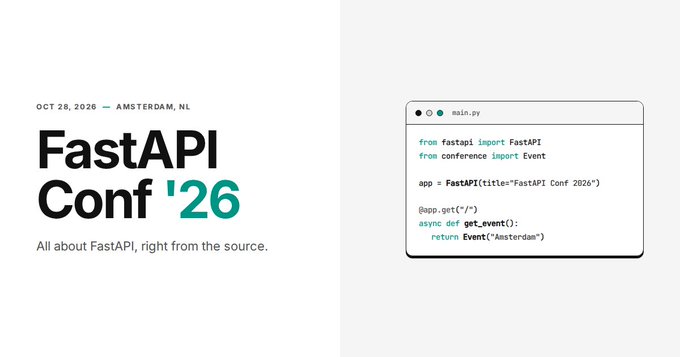
## FastAPI Conf [**FastAPI Conf '26**](https://fastapiconf.com) is happening on **October 28, 2026** in **Amsterdam, NL**. All about FastAPI, right from the source. 🎤 FastAPI Conf '26 - October 28, 2026 - Amsterdam, NL ## FastAPI mini documentary There's a [FastAPI mini documentary](https://www.youtube.com/watch?v=mpR8ngthqiE) released at the end of 2025, you can watch it online: FastAPI Mini Documentary ## **Typer**, the FastAPI of CLIs If you are building a CLI app to be used in the terminal instead of a web API, check out [**Typer**](https://typer.tiangolo.com/). **Typer** is FastAPI's little sibling. And it's intended to be the **FastAPI of CLIs**. ⌨️ 🚀 ## Requirements FastAPI stands on the shoulders of giants: * [Starlette](https://www.starlette.dev/) for the web parts. * [Pydantic](https://docs.pydantic.dev/) for the data parts. ## Installation Create and activate a [virtual environment](https://fastapi.tiangolo.com/virtual-environments/) and then install FastAPI:
$ pip install "fastapi[standard]" ---> 100%
**Note**: Make sure you put `"fastapi[standard]"` in quotes to ensure it works in all terminals. ## Example ### Create it Create a file `main.py` with: from fastapi import FastAPI app = FastAPI() @app.get("/") def read_root(): return {"Hello": "World"} @app.get("/items/{item_id}") def read_item(item_id: int, q: str | None = None): return {"item_id": item_id, "q": q}
Or use async def... If your code uses `async` / `await`, use `async def`: from fastapi import FastAPI app = FastAPI() @app.get("/") async def read_root(): return {"Hello": "World"} @app.get("/items/{item_id}") async def read_item(item_id: int, q: str | None = None): return {"item_id": item_id, "q": q} **Note**: If you don't know, check the _"In a hurry?"_ section about [`async` and `await` in the docs](https://fastapi.tiangolo.com/async/#in-a-hurry).
### Run it Run the server with:
$ fastapi dev ╭────────── FastAPI CLI - Development mode ───────────╮ │ │ │ Serving at: http://127.0.0.1:8000 │ │ │ │ API docs: http://127.0.0.1:8000/docs │ │ │ │ Running in development mode, for production use: │ │ │ │ fastapi run │ │ │ ╰─────────────────────────────────────────────────────╯ INFO: Will watch for changes in these directories: ['/home/user/code/awesomeapp'] INFO: Uvicorn running on http://127.0.0.1:8000 (Press CTRL+C to quit) INFO: Started reloader process [2248755] using WatchFiles INFO: Started server process [2248757] INFO: Waiting for application startup. INFO: Application startup complete.
About the command fastapi dev... By default, `fastapi dev` will start with auto-reload enabled for local development. You can read more about it in the [FastAPI CLI docs](https://fastapi.tiangolo.com/fastapi-cli/).
### Check it Open your browser at [http://127.0.0.1:8000/items/5?q=somequery](http://127.0.0.1:8000/items/5?q=somequery). You will see the JSON response as: {"item_id": 5, "q": "somequery"} You already created an API that: * Receives HTTP requests in the _paths_ `/` and `/items/{item_id}`. * Both _paths_ take `GET` operations (also known as HTTP _methods_). * The _path_ `/items/{item_id}` has a _path parameter_ `item_id` that should be an `int`. * The _path_ `/items/{item_id}` has an optional `str` _query parameter_ `q`. ### Interactive API docs Now go to [http://127.0.0.1:8000/docs](http://127.0.0.1:8000/docs). You will see the automatic interactive API documentation (provided by [Swagger UI](https://github.com/swagger-api/swagger-ui)): ![Swagger UI](https://fastapi.tiangolo.com/img/index/index-01-swagger-ui-simple.png) ### Alternative API docs And now, go to [http://127.0.0.1:8000/redoc](http://127.0.0.1:8000/redoc). You will see the alternative automatic documentation (provided by [ReDoc](https://github.com/Rebilly/ReDoc)): ![ReDoc](https://fastapi.tiangolo.com/img/index/index-02-redoc-simple.png) ## Example upgrade Now modify the file `main.py` to receive a body from a `PUT` request. Declare the body using standard Python types, thanks to Pydantic. from fastapi import FastAPI from pydantic import BaseModel app = FastAPI() class Item(BaseModel): name: str price: float is_offer: bool | None = None @app.get("/") def read_root(): return {"Hello": "World"} @app.get("/items/{item_id}") def read_item(item_id: int, q: str | None = None): return {"item_id": item_id, "q": q} @app.put("/items/{item_id}") def update_item(item_id: int, item: Item): return {"item_name": item.name, "item_id": item_id} The `fastapi dev` server should reload automatically. ### Interactive API docs upgrade Now go to [http://127.0.0.1:8000/docs](http://127.0.0.1:8000/docs). * The interactive API documentation will be automatically updated, including the new body: ![Swagger UI](https://fastapi.tiangolo.com/img/index/index-03-swagger-02.png) * Click on the button "Try it out", it allows you to fill the parameters and directly interact with the API: ![Swagger UI interaction](https://fastapi.tiangolo.com/img/index/index-04-swagger-03.png) * Then click on the "Execute" button, the user interface will communicate with your API, send the parameters, get the results and show them on the screen: ![Swagger UI interaction](https://fastapi.tiangolo.com/img/index/index-05-swagger-04.png) ### Alternative API docs upgrade And now, go to [http://127.0.0.1:8000/redoc](http://127.0.0.1:8000/redoc). * The alternative documentation will also reflect the new query parameter and body: ![ReDoc](https://fastapi.tiangolo.com/img/index/index-06-redoc-02.png) ### Recap In summary, you declare **once** the types of parameters, body, etc. as function parameters. You do that with standard modern Python types. You don't have to learn a new syntax, the methods or classes of a specific library, etc. Just standard **Python**. For example, for an `int`: item_id: int or for a more complex `Item` model: item: Item ...and with that single declaration you get: Coming back to the previous code example, **FastAPI** will: * Validate that there is an `item_id` in the path for `GET` and `PUT` requests. * Validate that the `item_id` is of type `int` for `GET` and `PUT` requests. * If it is not, the client will see a useful, clear error. * Check if there is an optional query parameter named `q` (as in `http://127.0.0.1:8000/items/foo?q=somequery`) for `GET` requests. * As the `q` parameter is declared with `= None`, it is optional. * Without the `None` it would be required (as is the body in the case with `PUT`). * For `PUT` requests to `/items/{item_id}`, read the body as JSON: * Check that it has a required attribute `name` that should be a `str`. * Check that it has a required attribute `price` that has to be a `float`. * Check that it has an optional attribute `is_offer`, that should be a `bool`, if present. * All this would also work for deeply nested JSON objects. * Convert from and to JSON automatically. * Document everything with OpenAPI, that can be used by: * Interactive documentation systems. * Automatic client code generation systems, for many languages. * Provide 2 interactive documentation web interfaces directly. We just scratched the surface, but you already get the idea of how it all works. Try changing the line with: return {"item_name": item.name, "item_id": item_id} ...from: ... "item_name": item.name ... ...to: ... "item_price": item.price ... ...and see how your editor will auto-complete the attributes and know their types: For a more complete example including more features, see the Tutorial - User Guide. **Spoiler alert**: the tutorial - user guide includes: * Declaration of **parameters** from other different places as: **headers**, **cookies**, **form fields** and **files**. * How to set **validation constraints** as `maximum_length` or `regex`. * A very powerful and easy to use **Dependency Injection** system. * Security and authentication, including support for **OAuth2** with **JWT tokens** and **HTTP Basic** auth. * More advanced (but equally easy) techniques for declaring **deeply nested JSON models** (thanks to Pydantic). * **GraphQL** integration with [Strawberry](https://strawberry.rocks) and other libraries. * Many extra features (thanks to Starlette) as: * **WebSockets** * extremely easy tests based on HTTPX and `pytest` * **CORS** * **Cookie Sessions** * ...and more. ### Deploy your app (optional) You can optionally deploy your FastAPI app to [FastAPI Cloud](https://fastapicloud.com), go and join the waiting list if you haven't. 🚀 If you already have a **FastAPI Cloud** account (we invited you from the waiting list 😉), you can deploy your application with one command.
$ fastapi deploy Deploying to FastAPI Cloud... ✅ Deployment successful! 🐔 Ready the chicken! Your app is ready at https://myapp.fastapicloud.dev
That's it! Now you can access your app at that URL. ✨ #### About FastAPI Cloud **[FastAPI Cloud](https://fastapicloud.com)** is built by the same author and team behind **FastAPI**. It streamlines the process of **building**, **deploying**, and **accessing** an API with minimal effort. It brings the same **developer experience** of building apps with FastAPI to **deploying** them to the cloud. 🎉 #### Deploy to other cloud providers FastAPI is open source and based on standards. You can deploy FastAPI apps to any cloud provider you choose. ## Performance Independent TechEmpower benchmarks show **FastAPI** applications running under Uvicorn as [one of the fastest Python frameworks available](https://www.techempower.com/benchmarks/#section=test&runid=7464e520-0dc2-473d-bd34-dbdfd7e85911&hw=ph&test=query&l=zijzen-7), only below Starlette and Uvicorn themselves (used internally by FastAPI). (*) To understand more about it, see the section [Benchmarks](https://fastapi.tiangolo.com/benchmarks/). ## Dependencies FastAPI depends on Pydantic and Starlette. ### `standard` Dependencies When you install FastAPI with `pip install "fastapi[standard]"` it comes with the `standard` group of optional dependencies: Used by Pydantic: * [`email-validator`](https://github.com/JoshData/python-email-validator) - for email validation. Used by Starlette: * [`httpx`](https://www.python-httpx.org) - Required if you want to use the `TestClient`. * [`jinja2`](https://jinja.palletsprojects.com) - Required if you want to use the default template configuration. * [`python-multipart`](https://github.com/Kludex/python-multipart) - Required if you want to support form "parsing", with `request.form()`. Used by FastAPI: ### Without `standard` Dependencies If you don't want to include the `standard` optional dependencies, you can install with `pip install fastapi` instead of `pip install "fastapi[standard]"`. ### Without `fastapi-cloud-cli` If you want to install FastAPI with the standard dependencies but without the `fastapi-cloud-cli`, you can install with `pip install "fastapi[standard-no-fastapi-cloud-cli]"`. ### Additional Optional Dependencies There are some additional dependencies you might want to install. Additional optional Pydantic dependencies: * [`pydantic-settings`](https://docs.pydantic.dev/latest/usage/pydantic_settings/) - for settings management. * [`pydantic-extra-types`](https://docs.pydantic.dev/latest/usage/types/extra_types/extra_types/) - for extra types to be used with Pydantic. Additional optional FastAPI dependencies: * [`orjson`](https://github.com/ijl/orjson) - Required if you want to use `ORJSONResponse`. * [`ujson`](https://github.com/esnme/ultrajson) - Required if you want to use `UJSONResponse`. ## License This project is licensed under the terms of the MIT license.