SRJ-ai/repoglance
GitHub: SRJ-ai/repoglance
一条命令即可在终端生成涵盖语言构成、复杂度热点、TODO 追踪和 Git 活动的代码仓库健康度报告,支持 CI 门控与多格式导出。
Stars: 0 | Forks: 0
# 🔍 repoglance
### 只需一条命令,即可立即、直观地洞察任何代码仓库。
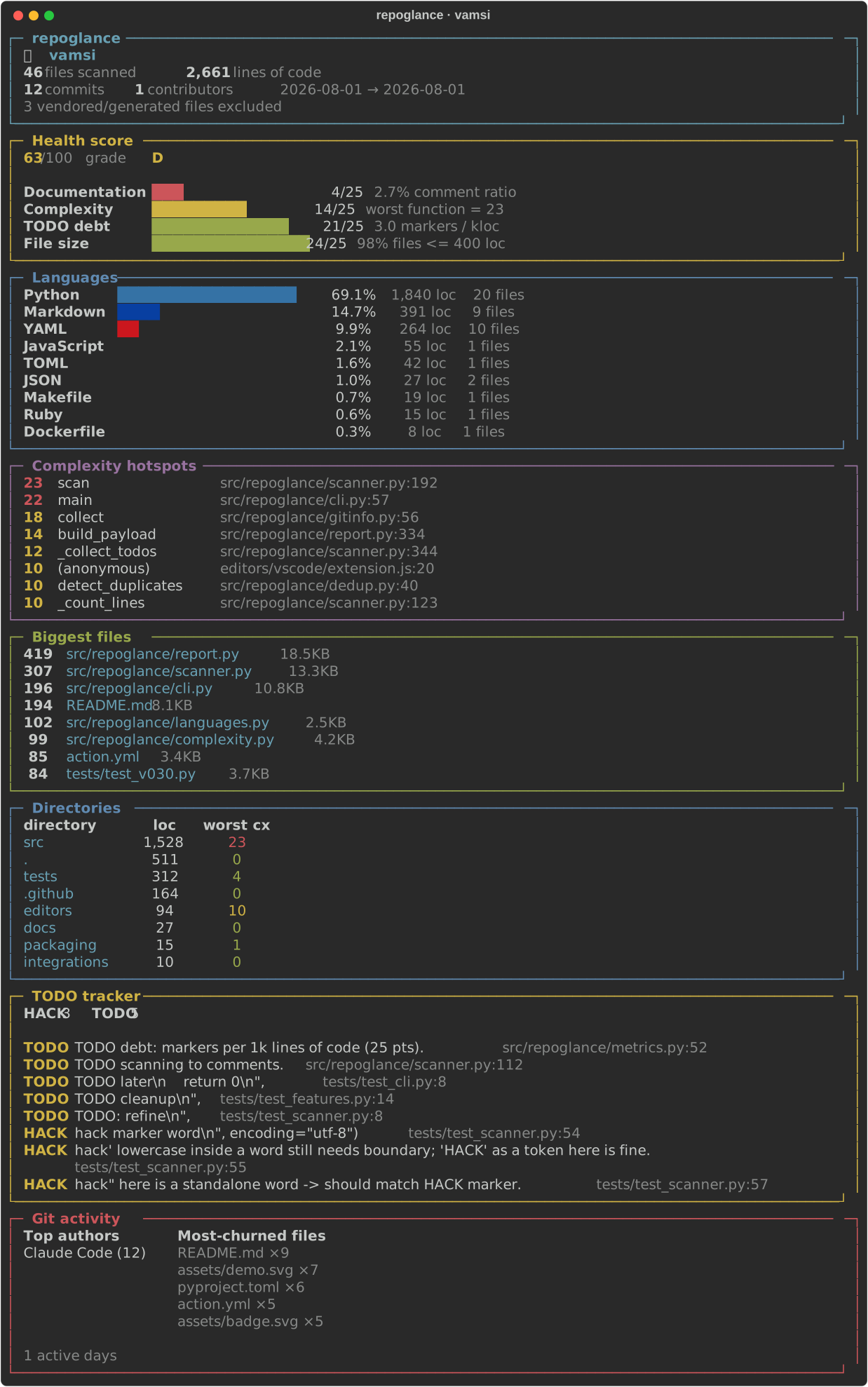
将其指向任何文件夹。不到一秒钟,您就会得到一份精美的终端报告:
语言构成、复杂度热点、TODO 追踪器、最大文件以及 git
活动。**零配置。零 API 密钥。零遥测。**
[](https://pypi.org/project/repoglance/)
[](https://github.com/SRJ-ai/repoglance/actions/workflows/ci.yml)
[](https://pypi.org/project/repoglance/)
[](LICENSE)
[](https://github.com/SRJ-ai/repoglance)
## 为什么选择 repoglance?
你克隆了一个陌生的 repo。这到底*是*什么东西?有多大?哪里比较
混乱?未完成的工作在哪里?`cloc` 给你的是一堆密密麻麻的数字。`tokei`
虽然速度快,但功能简陋。`repoglance` 让你一眼就能看明白这些人类语境下的问题:
```
repoglance .
```
## 实战示例
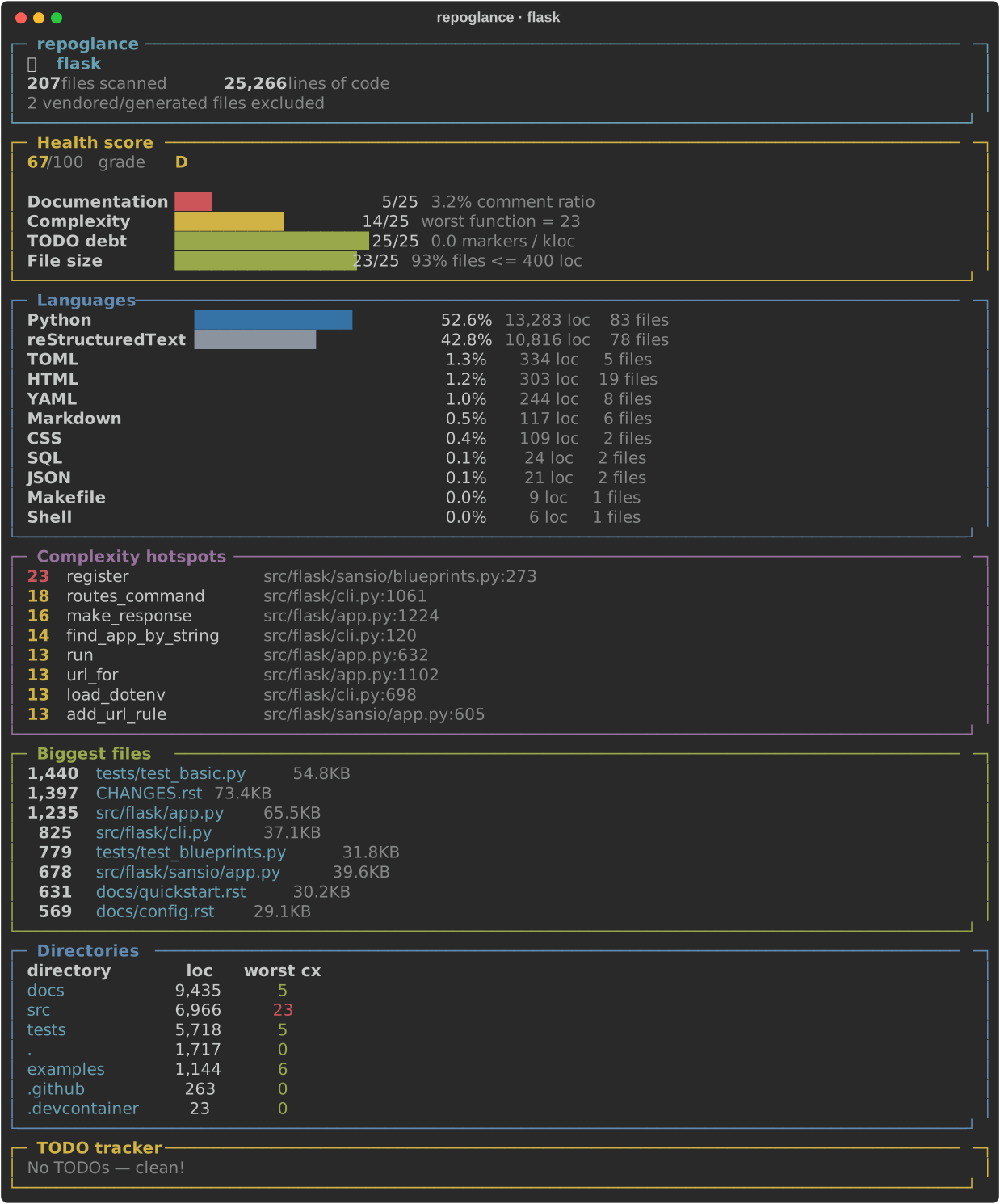
针对知名项目运行 repoglance(点击查看完整报告):
| 项目 | 文件数 | 代码行数 | 健康度 |
|---|--:|--:|:--:|
| [flask](assets/showcase/flask.svg) | 207 | 25,266 | D (67) |
| [httpie](assets/showcase/httpie.svg) | 234 | 20,023 | D (66) |
| [requests](assets/showcase/requests.svg) | 88 | 13,709 | C (70) |
[](assets/showcase/flask.svg)
## 安装
```
pip install repoglance
```
或者无需安装直接运行:
```
pipx run repoglance .
```
## 使用方法
```
repoglance # analyze current directory
repoglance path/to/repo # analyze another repo
repoglance --json # machine-readable output for scripts / CI
repoglance --csv # per-file CSV
repoglance --sarif # SARIF for GitHub code scanning
repoglance --svg report.svg # export a vector report
repoglance --html report.html # export a browser report
repoglance --badge badge.svg # export an embeddable badge
repoglance --since origin/main # only files changed since a revision
repoglance --baseline base.json # snapshot now
repoglance --compare base.json --fail-on-regression # fail on new complexity
repoglance --ci --fail-under 70 --max-complexity 25 # gate a build
repoglance --include "src/**" --exclude "**/*_pb2.py" # glob filters
repoglance --duplicates # detect copy-paste blocks
repoglance --owners # attribute hotspots to authors (git blame)
repoglance --cache .rg.cache # incremental cache for fast repeat runs
repoglance --watch # live re-render on file changes
repoglance --no-git --jobs 8
```
### JSON 输出
将结构化数据通过管道传输到任何地方——仪表盘、CI 门控、徽章:
```
repoglance --json | jq '.languages.Python.code'
```
## 它测量什么
| 部分 | 您将获得什么 |
|---|---|
| **语言** | 每种语言的代码行数,排名及百分比条 |
| **复杂度热点** | 通过 [lizard](https://github.com/terryyin/lizard) 获取 15+ 种语言(C/C++、Java、C#、JS、TS、Go、Rust、Ruby、PHP、Swift、Kotlin、Python 等)真实的每个函数的圈复杂度 |
| **可维护性指数** | 根据复杂度、大小和 token 数量得出的近似 MI (0–100) |
| **重复代码** | 跨文件的复制粘贴代码块,并附带重复率百分比 |
| **TODO 追踪器** | 每一个带有文件名:行号的 `TODO` / `FIXME` / `HACK` / `XXX` / `BUG` |
| **最大文件和目录** | 代码主体部分和最糟糕的复杂度所在的位置 |
| **所有权** | 哪位作者拥有每个热点(`--owners`,git blame) |
| **Git 活动** | 核心作者、变动最频繁的文件、活跃天数、项目生命周期 |
第三方和生成的文件(压缩包、`_pb2.py`、`node_modules`、标记为
`@generated` 的文件)会被默认检测并排除——传入
`--include-vendored` 可保留它们。
二进制文件、`node_modules`、`.venv`、构建目录及相关文件会自动
跳过。
## 不仅仅是计数器
`repoglance` 可不仅仅是另一个 `cloc`。像 `tokei`、`cloc` 和 `scc` 这样的工具
回答的是“*有多少行代码?*”。repoglance 回答的是“*我应该关注什么?*”——并且
能为您提供可以直接放在 PR 或 README 中的产出物。
| | repoglance | tokei | scc | cloc |
|---|:---:|:---:|:---:|:---:|
| 按语言划分的代码行数 | ✅ | ✅ | ✅ | ✅ |
| 每个函数的复杂度(15+ 种语言) | ✅ | ❌ | ⚠️ 文件级 | ❌ |
| 可维护性指数 | ✅ | ❌ | ❌ | ❌ |
| TODO / FIXME 追踪器 | ✅ | ❌ | ❌ | ❌ |
| Git 活动(作者、变动) | ✅ | ❌ | ❌ | ❌ |
| 遵循 `.gitignore` | ✅ | ✅ | ✅ | ❌ |
| JSON / CSV / **SARIF** 输出 | ✅ | ⚠️ | ⚠️ | ⚠️ |
| **HTML / SVG 报告导出** | ✅ | ❌ | ❌ | ❌ |
| **可嵌入的 repo 徽章** | ✅ | ❌ | ❌ | ❌ |
| **Diff 模式(`--since`)+ 基线** | ✅ | ❌ | ❌ | ❌ |
| **CI 门控 + 回归棘轮** | ✅ | ❌ | ❌ | ❌ |
| **配置文件**(`[tool.repoglance]`) | ✅ | ✅ | ❌ | ❌ |
## 分享它:徽章和报告
生成一个独立的 SVG 徽章——无需往返于 shields.io,无追踪:
```
repoglance --badge assets/badge.svg
```

将完整报告导出为独立文件,直接放入 PR 或 wiki 中:
```
repoglance --svg report.svg # vector, pixel-perfect
repoglance --html report.html # opens in any browser
```
## 在 CI 中保护您的代码库
当复杂度或 TODO 债务超过红线时,使构建失败:
```
repoglance --ci --max-complexity 25 --max-todos 100
```
```
# .github/workflows/quality.yml
- run: pip install repoglance
- run: repoglance --ci --max-complexity 25
```
退出码 `0` = 干净,`2` = 超过了阈值。
## 集成
### GitHub Action —— 在每个 PR 上发表评论
将 repoglance 放入任何 repo。它会在 pull request 上发布一个置顶报告评论,
并且可以门控构建:
```
# .github/workflows/repoglance.yml
name: repoglance
on: [pull_request]
permissions:
contents: read
pull-requests: write
jobs:
analyze:
runs-on: ubuntu-latest
steps:
- uses: actions/checkout@v4
- uses: SRJ-ai/repoglance@v0.4.0
with:
fail-under: "70" # optional health gate
max-complexity: "25" # optional complexity gate
```
每次运行时,报告也会显示在工作流的 **job summary** 中。
### pre-commit hook
```
# .pre-commit-config.yaml
repos:
- repo: https://github.com/SRJ-ai/repoglance
rev: v0.4.0
hooks:
- id: repoglance
args: ["--ci", "--fail-under", "70"]
```
### 自动更新的徽章
提交一个 shields 端点文件并为其指向一个动态徽章——该徽章会
自动刷新,无需运行任何服务:
```
repoglance --badge-json .repoglance-badge.json # commit this file
```
```

```
### 随处可用 Markdown
```
repoglance --md # paste into a PR, wiki, or Slack
```
### 配置文件
通过 `.repoglance.toml` 或 `pyproject.toml` 中的 `[tool.repoglance]` 表一次性设置默认值
(CLI 参数始终具有最高优先级):
```
[tool.repoglance]
exclude = ["**/*_pb2.py", "vendor/**"]
max_complexity = 25
fail_under = 70
```
### Docker 与 GitLab
```
docker run --rm -v "$PWD:/repo" repoglance /repo
```
在 [`integrations/gitlab-ci.yml`](integrations/gitlab-ci.yml) 中提供了一个可以直接复制粘贴的 GitLab CI 任务。
## 性能
在 Django(3,180 个文件,约 41.5 万行代码)上测量,单台机器:
| 运行 | 耗时 |
|---|--:|
| 冷扫描(全量复杂度分析) | ~16.6 s |
| 使用 `--cache` 重新运行 | ~1.1 s |
冷扫描主要由真实的每个函数的复杂度解析占据;增量缓存
(`--cache 标签:Blue Team, Git, Python, SOC Prime, 代码分析, 代码统计, 凭证管理, 开发工具, 弱口令爆破, 无后门, 请求拦截, 逆向工具