Baweowm/KGB-Crypter-WdKiller-DLL-Sideloading-Ev-Cert-Unpacked-Fud
GitHub: Baweowm/KGB-Crypter-WdKiller-DLL-Sideloading-Ev-Cert-Unpacked-Fud
一款集成了运行时加密、DLL 侧加载和反检测能力的恶意软件混淆工具,旨在绕过杀毒软件实现隐蔽载荷部署。
Stars: 0 | Forks: 0

# 什么是 Crypter?
KGB-Crypter 是一款专为高级恶意软件混淆和执行设计的工具。**Windows Defender Killer** 可禁用 Windows Defender 以降低被检测的风险。**DLL Sideloading** 将恶意代码注入到合法应用程序中。**EV Certificate Support** 提供使用扩展验证 (Extended Validation) 证书的签名,以增加信任度。**Unpacked FUD** 可生成在扫描和运行时均未被检测到的 payload。**Runtime Encryption** 会对 payload 进行加密,仅在执行期间进行解密。**Anti-Debugging** 可阻止分析工具运行。**Heuristic Bypass** 可规避基于行为的检测系统。**Icon Customization** 可修改文件的外观以避免引起怀疑,使 payload 看起来合法且更难被检测到。
## 媒体
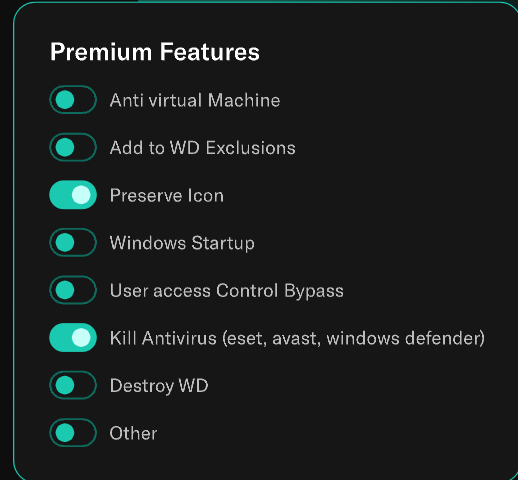
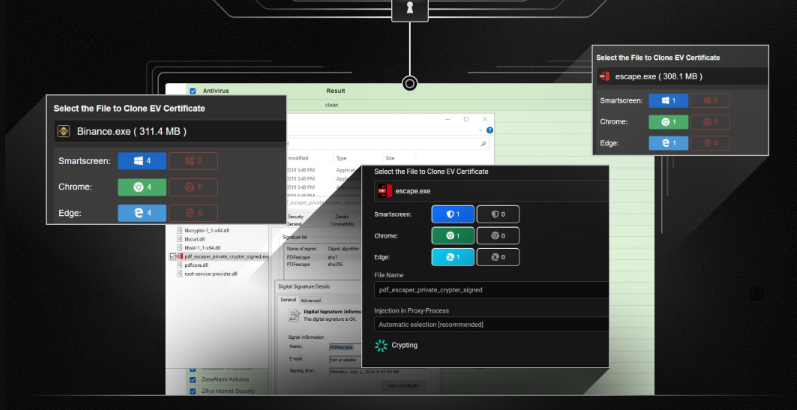
## 功能
* 1 Windows Defender Killer
* 2 DLL Sideloading
* 3 EV Certificate Support
* 4 Unpacked FUD
* 5 Runtime Encryption
* 6 Anti-Debugging
* 7 Heuristic Bypass
* 8 Icon Customization

# 安装
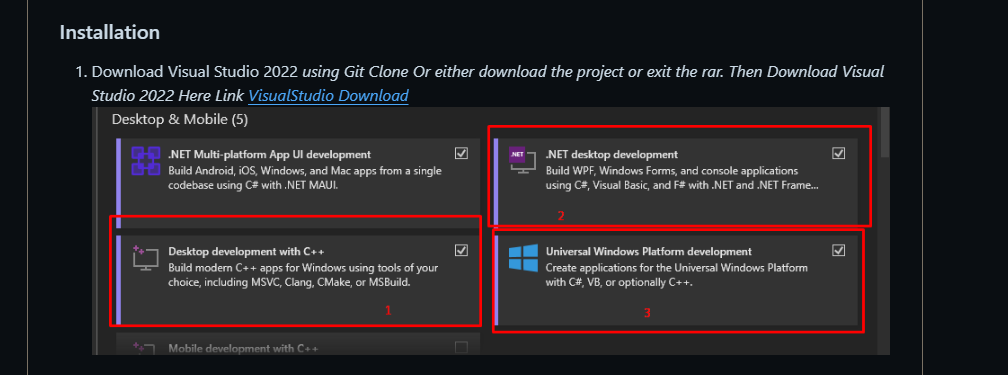
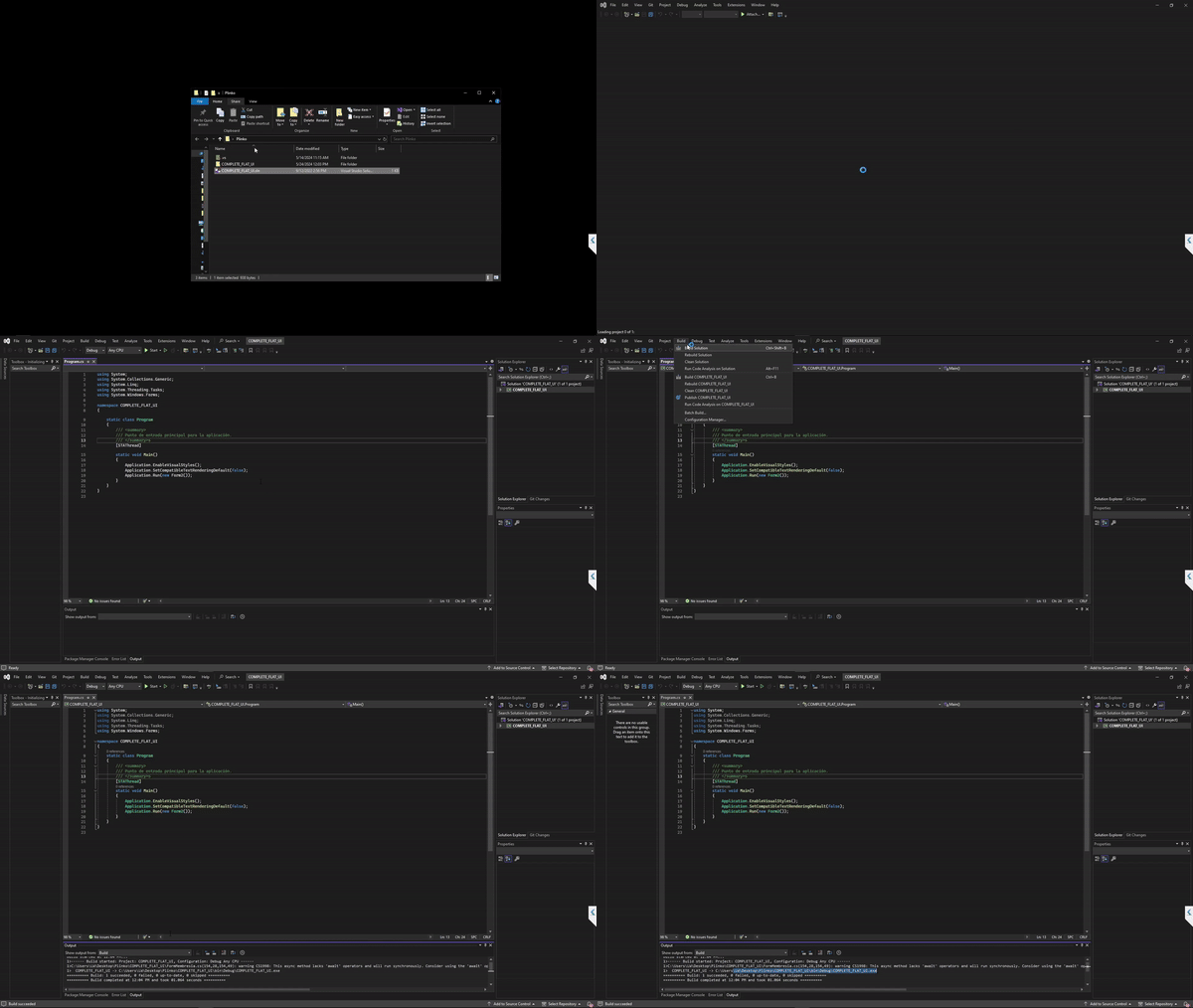
1. 下载 Visual Studio 2022
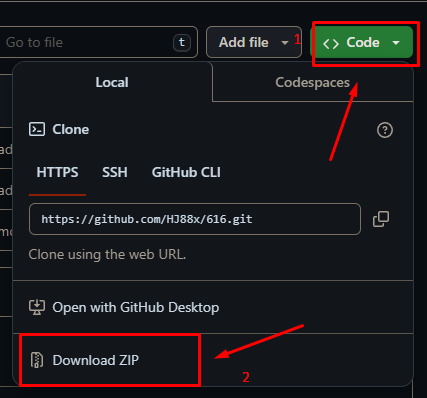
_使用 Git Clone 或者下载项目并解压 rar 文件。然后在此处链接下载 Visual Studio 2022 [VisualStudio 下载](https://visualstudio.microsoft.com/downloads/)_
2. 或者
3. _然后打开 sln(项目解决方案)文件_
4. 查找可执行文件
/ProjectName/Bin/Debug/Executable.exe
# 如何使用
1. **打开应用程序**
- 在计算机上找到可执行文件 (`.exe`),然后双击以启动程序。
2. **选择目标并调整设置**
- 从可用选项中选择所需的目标或任务。
- 自定义任何附加设置(例如,首选项、配置)以满足您的需求。
3. **生成安全密码**
- 使用内置功能创建一个使用 **SHA-256 算法** 加密的强密码。这可确保您的密码安全且经过加密。
4. **开始处理**
- 点击 **“开始”按钮** 或按 `Ctrl + V` 开始操作。
- 出现提示时,输入您在上一步中生成的密码。
5. **提供 API Key(如果需要)**
- 如果应用程序需要 API Key 才能运行(例如,用于外部服务),请在继续之前转到设置并输入您有效的 API Key。
6. **启动服务器**
- 一切配置完成后,启动服务器。等待建立连接。应用程序的正常运行需要稳定的连接。
7. **排查错误(如果有)**
- 如果遇到错误,请确保您的系统上已安装以下软件:
- **Node.js**:从 [nodejs.org](https://nodejs.org) 下载并安装。
- **Visual Studio Build Tools**:安装这些工具以解决技术问题。
## 许可证
本项目采用 [MIT 许可证](https://github.com/AvaloniaUI/Avalonia/blob/master/licence.md) 授权。
```
solid cube_corner
facet normal 0.0 -1.0 0.0
outer loop
vertex 0.0 0.0 0.0
vertex 1.0 0.0 0.0
vertex 0.0 0.0 1.0
endloop
endfacet
facet normal 0.0 0.0 -1.0
outer loop
vertex 0.0 0.0 0.0
vertex 0.0 1.0 0.0
vertex 1.0 0.0 0.0
endloop
endfacet
facet normal -1.0 0.0 0.0
outer loop
vertex 0.0 0.0 0.0
vertex 0.0 0.0 1.0
vertex 0.0 1.0 0.0
endloop
endfacet
facet normal 0.577 0.577 0.577
outer loop
vertex 1.0 0.0 0.0
vertex 0.0 1.0 0.0
vertex 0.0 0.0 1.0
endloop
endfacet
endsolid
```

标签:API接口, DNS 反向解析, 多人体追踪, 恶意软件, 混淆加密


