r0xptth/instagram-mobile-bloks-signup
GitHub: r0xptth/instagram-mobile-bloks-signup
通过移动端 Web Bloks/CAA 流程自动化创建 Instagram 账号的终端实验工具,支持可插拔邮件 API、粘性代理会话和并发 bot。
Stars: 0 | Forks: 0
# Instagram 移动端 Bloks 注册
这是一个终端实验工具,通过**移动端 Web Bloks / CAA** 流程 (`/async/wbloks/fetch`) 创建 Instagram 账号——而不是桌面端 GraphQL。
粘贴代理,接入任意收件箱 API,运行并发 bot。成功创建的账号将保存到 `hits.csv` 中。
## 为什么会有这个项目
大多数 Instagram 注册脚本的目标接口不对(旧的 GraphQL / 桌面端 CAA)。本项目遵循 Instagram 移动端 Web 注册使用的 **移动端 Safari Bloks** 路径,具有以下特点:
- 可插拔的邮件 API(只需通过约 3 个函数即可接入您自己的提供商)
- 每个 bot 独立的粘性代理 `` 替换
- 支持并行 worker 和 CSV 成功结果导出
**解决的问题:** 无需从头构建 HTTP、Bloks 解析和邮件轮询,即可进行实验或实现移动端 Bloks 注册自动化。
### 免责声明
此流程需要**高质量的移动端代理**和**高信任度的邮箱域名**。
廉价的数据中心/低信誉线路和一次性域名通常会在早期失败
(被拦截、收不到验证码、创建错误)。粘性 IP 会有所帮助,但无法挽救糟糕的代理
或邮箱质量。
仅供教育/研究使用。您需对自己的账号、密钥和代理负责。
## 安装
```
git clone https://github.com/r0xptth/instagram-mobile-bloks-signup.git
cd instagram-mobile-bloks-signup
python -m venv .venv
# Windows
.venv\Scripts\activate
# macOS / Linux
# source .venv/bin/activate
pip install -r requirements.txt
copy .env.example .env # or: cp .env.example .env
copy proxies.txt.example proxies.txt
```
然后:
1. 复制 `email_plugins/_example.py` → `email_plugins/my_mail.py` 并接入您的邮件 API
2. 将您的 API 密钥放入 `.env`
3. 将代理行粘贴到 `proxies.txt` 中(使用 `` 进行粘性会话)
## 快速开始
```
python run.py --list-emails
python run.py --email my_mail --bots 1
python run.py --email my_mail --bots 5
```
在成功获取结果之前,请先使用 `--bots 1` 运行,然后再进行扩展。
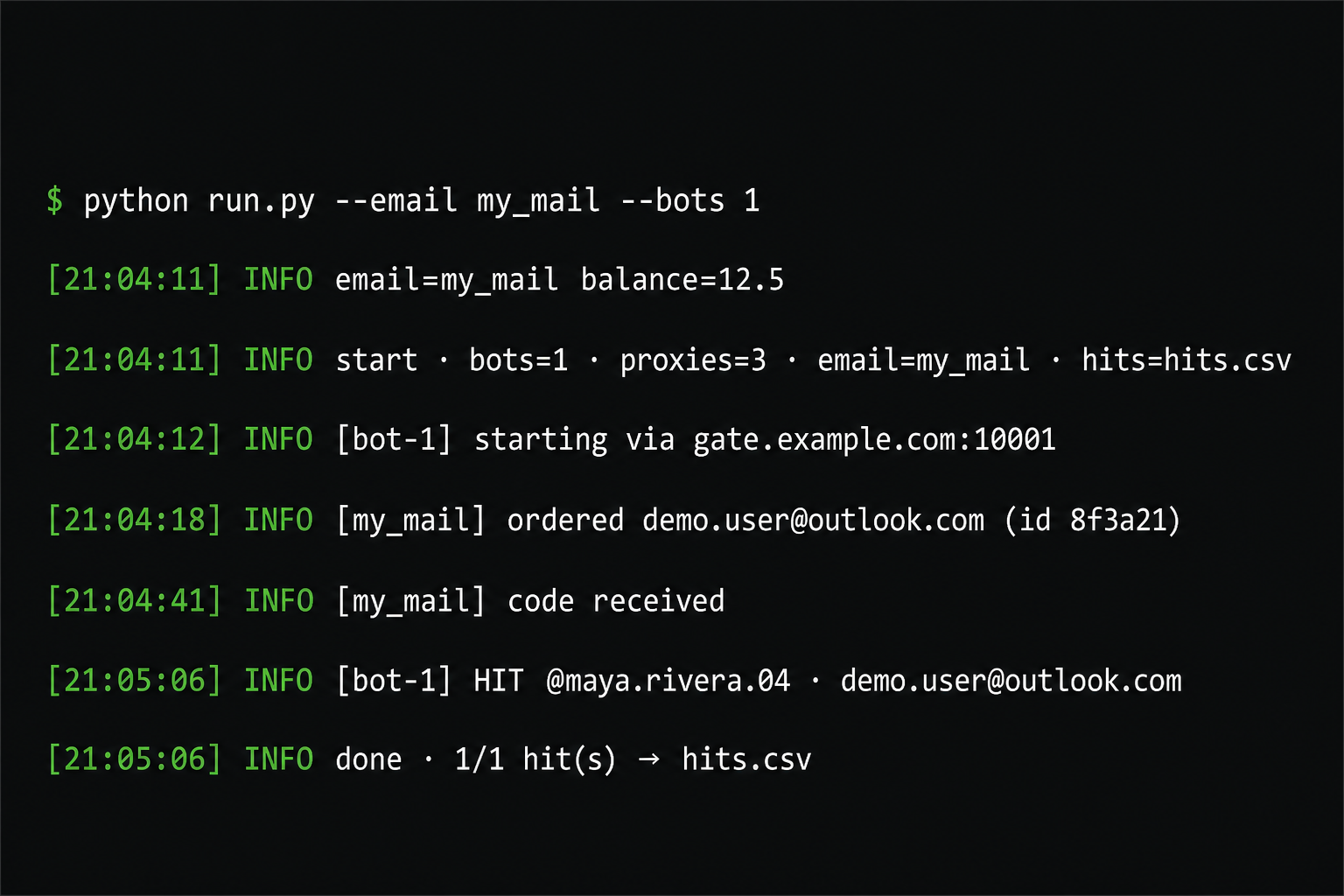
## 输出示例
**终端**
```
[21:04:11] INFO email=my_mail balance=12.5
[21:04:11] INFO start · bots=1 · proxies=3 · email=my_mail · hits=hits.csv
[21:04:12] INFO [bot-1] starting via gate.example.com:10001
[21:04:18] INFO [my_mail] ordered demo.user@outlook.com (id 8f3a21)
[21:04:41] INFO [my_mail] code received
[21:05:06] INFO [bot-1] HIT @maya.rivera.04 · demo.user@outlook.com
[21:05:06] INFO done · 1/1 hit(s) → hits.csv
```
**`hits.csv`**
```
Username,Password,Email,Session ID,Proxy Provider,Proxy
maya.rivera.04,Tr0pical!wave9,demo.user@outlook.com,1234567890%3A...,,gate.example.com:10001:user-...:pass
```
## 代理
在 `proxies.txt` 中每行一个代理:
| 格式 | 示例 |
|--------|---------|
| `user:pass@host:port` | `user:pass@gate.example.com:7777` |
| `host:port:user:pass` | `gate.example.com:7777:user:pass` |
| `user:pass:host:port` | `user:pass:gate.example.com:7777` |
| `http://user:pass@host:port` | `http://user:pass@gate.example.com:7777` |
| `host:port` | `1.2.3.4:8080` |
### 粘性会话 (``)
注册过程需要在整个流程中使用同一个 IP。在运行中途轮换 IP 通常会导致 bot 失效。
如果您的提供商在用户名或密码中使用会话 ID,请在 `proxies.txt` 中保留 ``。在运行时,该实验工具会为每个 bot 将其替换为唯一的 ID。
```
user-XXXX-country-us-session--sessionduration-30:PASSWORD@gate.decodo.com:10001
```
Bot 1 可能会变成 `session-b100123`,Bot 2 会变成 `session-b200456`,依此类推。
您的代理行中没有 ``?什么都不会被重写;代理将按原样使用。
比起廉价的数据中心代理,更推荐使用高质量的移动端代理。请将它们与高信任度的邮箱域名搭配使用。
## 邮件插件
没有内置插件——请接入您自己的收件箱 API。
```
copy email_plugins\_example.py email_plugins\my_mail.py
```
在 `my_mail.py` 中填充这三个函数:
| 函数 | 作用 |
|----------|-----|
| `create_order` | 购买/租用收件箱 → 返回订单 ID + 邮箱地址 |
| `get_code` | 检查一次 Instagram 验证码(或返回等待中) |
| `cancel_order` | 取消 / 退款 |
`email_plugins/_example.py` 中包含了完整的返回数据结构和辅助函数。
将您的密钥放入 `.env`,然后:
```
python run.py --email my_mail --bots 1
```
(`--email` 是文件名主体:`my_mail.py` → `my_mail`)
## 项目结构
```
instagram-mobile-bloks-signup/
run.py # CLI entry
email_api.py # helpers for custom plugins
docs/demo-terminal.png # README demo screenshot
.env # API keys (gitignored)
proxies.txt # your proxies (gitignored)
hits.csv # created on first hit (gitignored)
bloks/ # mobile Bloks signup client
email_plugins/
_example.py # copy → my_mail.py
my_mail.py # your custom plugin
```
## 注意事项
- 移动端 Safari CAA Bloks 流程 —— 而非桌面端 GraphQL CAA。
- 高质量的移动端代理 + 高信任度的邮箱域名,比增加 bot 数量更重要。
- 糟糕的粘性 IP 或在注册中途轮换 IP 是常见的“隐形杀手”。
- 欢迎 PR 和 issue;版本发布将跟进可用的里程碑。
专为实验而构建。尽情折腾它、测试它,接入您自己的邮件 API。
标签:BeEF, Instagram, Python, 并发机器人, 数字取证, 无后门, 爬虫, 自动化脚本, 账号注册, 逆向工具