X3roxDev/subdomain_enumerator
GitHub: X3roxDev/subdomain_enumerator
一款集成证书透明度查询、DNS 暴力枚举与 DoH 解析的命令行子域名发现工具,用于授权安全测试中的资产侦察与信息收集。
Stars: 1 | Forks: 0
# 子域名枚举工具
专业的控制台子域名枚举工具,适用于授权的安全测试、漏洞赏金侦察、资产发现和教育用途。
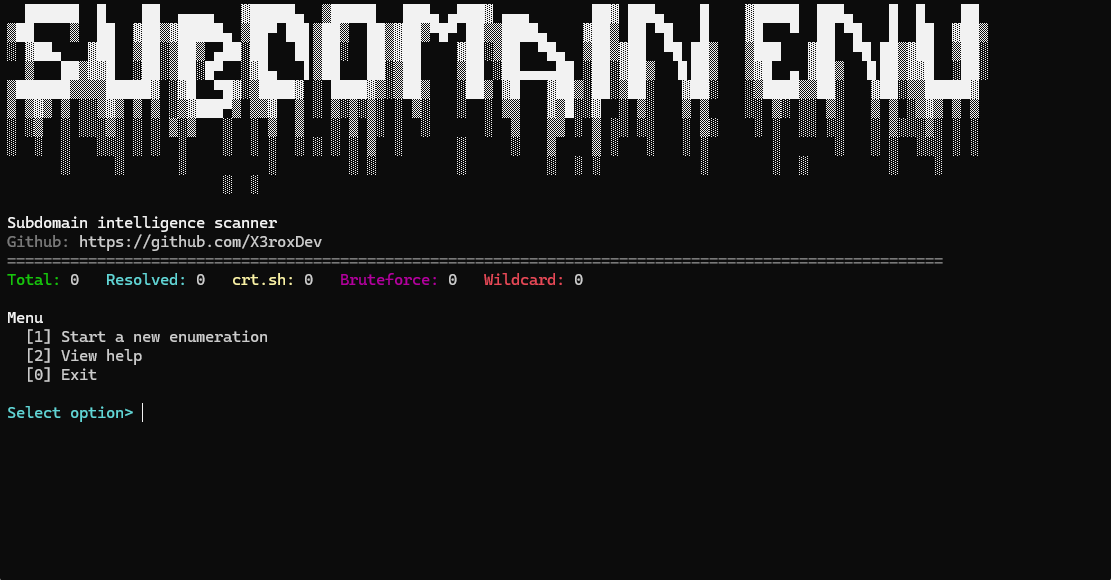
## 预览
## 道德使用规范
本工具仅适用于您拥有或已获得明确测试授权的域名和系统。未经授权的侦察可能会违反法律、合同或服务条款。开发者不对滥用行为负责。
## 功能
- crt.sh 证书透明度枚举
- 使用可配置字典进行 DNS 暴力枚举
- 通过 Cloudflare、Google 或自动回退机制进行 DNS over HTTPS 解析
- 可选的本地 DNS 解析
- 通配符 DNS 检测与可能的通配符过滤
- 支持 TXT、CSV 和 JSON 格式导出
- 无参数启动时进入交互模式
- 兼容 Windows 的控制台输出,支持可选的 ANSI 颜色
- 通过模拟或避免外部网络依赖的单元测试
## 控制台示例
```
[+] Target: example.com
[+] Loading wordlist...
[+] Loaded 58 unique prefixes
[*] Checking wildcard DNS...
[-] No wildcard DNS detected.
[*] Querying crt.sh...
[+] crt.sh returned 37 unique candidates.
[*] Starting DNS brute-force with 30 workers...
[FOUND] api.example.com
A: 104.21.10.25
Source: crt.sh, dns-bruteforce
Resolver: cloudflare
```
## 环境要求
- Windows 10 或 Windows 11
- Python 3.10 或更高版本
- Windows Terminal、PowerShell 或命令提示符
## 安装说明
```
git clone https://github.com/USERNAME/subdomain-enumerator.git
cd subdomain-enumerator
python -m venv .venv
.venv\Scripts\activate
pip install -r requirements.txt
python subdomain_enumerator.py --help
```
对于生成的此项目文件夹:
```
cd subdomain_enumerator
python -m venv .venv
.venv\Scripts\activate
pip install -r requirements.txt
python subdomain_enumerator.py --help
```
## 使用说明
```
python subdomain_enumerator.py example.com --crtsh
python subdomain_enumerator.py example.com --bruteforce
python subdomain_enumerator.py example.com --bruteforce --wordlist wordlists\default.txt
python subdomain_enumerator.py example.com --crtsh --bruteforce --doh cloudflare
python subdomain_enumerator.py example.com --all --threads 30 --export txt,csv,json
```
无参数启动将打开交互菜单:
```
python subdomain_enumerator.py
```
## 命令行参数
```
domain
--crtsh
--bruteforce
--all
--wordlist PATH
--threads NUMBER
--doh cloudflare|google|auto|off
--resolver doh|local|both
--record-types A,AAAA,CNAME
--timeout SECONDS
--retries NUMBER
--export txt|csv|json|txt,csv,json
--output DIRECTORY
--detailed-txt
--include-unresolved
--skip-wildcard-check
--verbose
--quiet
--no-color
--log-file
--allow-large-wordlist
--version
```
## 枚举方法
crt.sh 模式会查询公开的证书透明度 JSON endpoint,并从证书的 `name_value` 字段中提取子域名。
DNS 暴力枚举模式会将每个有效的字典前缀与目标域名结合,解析候选项,并仅保留具有 DNS 记录的候选项。前缀可以包含多个标签,例如 `api.dev`。
## DNS over HTTPS
DNS over HTTPS 通过 HTTPS 发送 DNS 查询,而不是仅仅依赖本地的 Windows 解析器。受支持的提供商包括:
- Cloudflare:`https://cloudflare-dns.com/dns-query`
- Google:`https://dns.google/resolve`
使用 `--doh auto` 可优先尝试 Cloudflare,并在需要时回退到 Google。使用 `--resolver local` 进行标准的本地 DNS 解析,或使用 `--resolver both` 合并 DoH 和本地结果。
## 导出格式
导出文件默认写入 `output` 目录,使用 Windows 安全的文件名并自动处理命名冲突。
- TXT:每行一个子域名,或使用 `--detailed-txt` 输出详细信息行
- CSV:适配电子表格的行格式,多值字段以分号分隔
- JSON:包含结构化的扫描元数据、统计信息和完整结果记录
## 项目结构
```
subdomain_enumerator/
subdomain_enumerator.py
requirements.txt
README.md
LICENSE
.gitignore
wordlists/
default.txt
output/
.gitkeep
tests/
test_domain_utils.py
test_exporters.py
test_dns_parser.py
```
## 故障排除
- `requests package is required`:运行 `pip install -r requirements.txt`。
- `crt.sh rate limited the request`:请稍后重试,或使用 DNS 暴力枚举模式。
- 无结果:请检查授权情况、拼写、DNS 提供商的可用性以及字典质量。
- 暴力扫描速度慢:减少记录类型,降低重试次数,或使用较小的已授权字典。
- ANSI 颜色显示异常:运行时添加 `--no-color` 参数。
## 测试
```
python -m unittest discover -s tests
```
标签:DNS解析, GitHub, Python, 子域名枚举, 开源项目, 无后门, 系统安全, 逆向工具