daviddodda1/ghostty-warp-shader
GitHub: daviddodda1/ghostty-warp-shader
一款为 Ghostty 终端设计的 GLSL 着色器,可在背景中渲染透视加速的放射状星空动画效果。
Stars: 4 | Forks: 0
# Ghostty Warp 星标
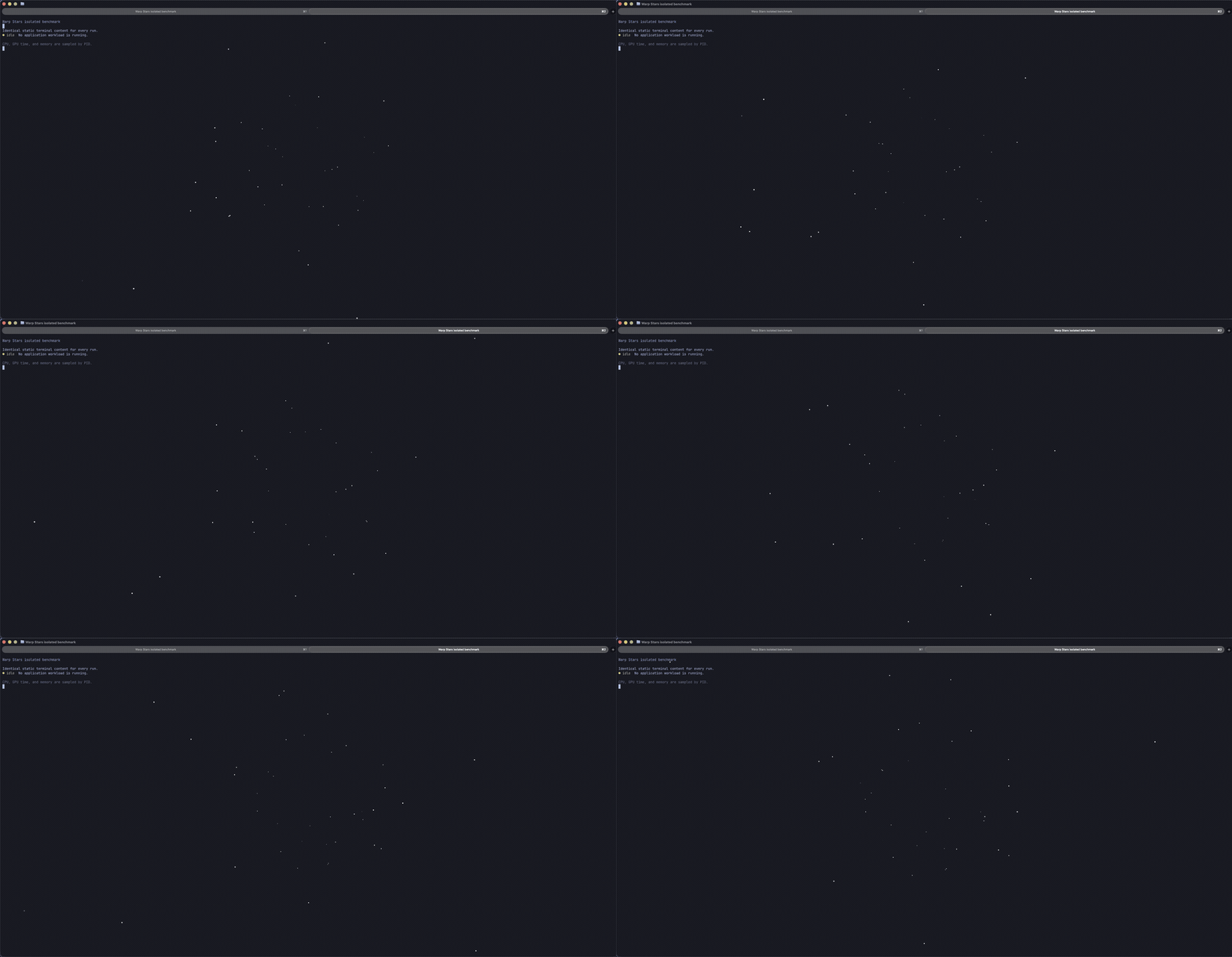
一个专为 [Ghostty](https://ghostty.org/) 设计的明亮、仅有点状光芒的放射状星空 shader。星星会在一个圆形区域内生成,加速向观察者移动,并在随机位置重生。
它可以在任何 Ghostty 终端中运行,并包含针对 [Herdr](https://herdr.dev/) 的可选配置调整。
## 环境要求
- 支持自定义 shader 的 Ghostty
- 强烈建议使用深色终端主题
此 shader 使用 Ghostty 的 `iTime`、`iResolution` 和 `iChannel0` shader 输入。必须保持启用动画以实现连续运动。
## 安装说明
复制 shader:
```
mkdir -p ~/.config/ghostty/shaders
cp shaders/warp-stars.glsl ~/.config/ghostty/shaders/warp-stars.glsl
```
将以下行添加到 `~/.config/ghostty/config` 中:
```
custom-shader = /absolute/path/to/.config/ghostty/shaders/warp-stars.glsl
custom-shader-animation = always
```
请使用您计算机上的真实绝对路径。验证结果:
```
ghostty +validate-config
```
重新加载 Ghostty:
- **macOS:** `Cmd+Shift+,`
- **Linux:** `Ctrl+Shift+,`
### 与其他 shader 结合使用
Ghostty 支持多个 `custom-shader` 条目。它们构成一个有序的 shader pipeline。例如,本项目所在的初始设置首先应用了光标效果,其次应用 Warp Stars:
```
custom-shader = /absolute/path/to/cursor_warp.glsl
custom-shader = /absolute/path/to/warp-stars.glsl
custom-shader-animation = always
```
此处不包含光标 shader。原始设置使用的是 [ghostty-cursor-shaders](https://github.com/sahaj-b/ghostty-cursor-shaders)。
## Herdr 集成
Warp Stars 不需要 Herdr。要使 Herdr 面板使用终端背景,请将以下内容合并到 `~/.config/herdr/config.toml` 中:
```
[theme.custom]
panel_bg = "reset"
```
如果 `[theme.custom]` 已经存在,只需添加 `panel_bg` 条目,而不要重复创建该表。编辑后重新加载 Herdr:
```
herdr config check
herdr server reload-config
```
## 自定义
主要控制参数位于 `shaders/warp-stars.glsl` 的顶部:
| 常数 | 默认值 | 用途 |
| ----------------------- | -------------------: | ------------------------------------------ |
| `WARP_SPEED` | `0.060` | 生命周期和移动速度 |
| `SPAWN_RADIUS` | `0.22` | 随机圆形生成区域的大小 |
| `STAR_BRIGHTNESS` | `1.38` | 整体加性亮度 |
| `STAR_COUNT` | `44` | 模拟的星星数量 |
| `STAR_COLOR` | `(0.96, 0.98, 1.00)` | 蓝白色点颜色 |
| `BACKGROUND_LUMA_START` | `0.11` | 背景遮罩开始的亮度 |
| `BACKGROUND_LUMA_END` | `0.25` | 高于此亮度时像素将受保护 |
更改 shader 后,请重新加载 Ghostty。近期的 Ghostty 版本支持自定义 shader 修改的热重载。
## 效果实现原理
每颗星星都有一个确定性的伪随机生命周期:
1. 生成 key 会在生成圆内选择一个新点。
2. 透视深度值 (`z`) 随时间减小。
3. 投影移动距离使用 `1 / z`,产生放射状加速度。
4. 随着星星靠近,点大小和亮度会略微增加。
5. 星星在其生命周期边界附近淡出,并使用新的生成 key 重生。
6. 最终的星星图层仅添加到深色的终端像素上,从而保留大部分文本和 UI 元素。
由于没有采样之前的星星位置,因此该效果不会产生拖尾。
## 项目布局
```
ghostty-warp-stars/
├── assets/
│ └── demo.gif
├── examples/
│ ├── ghostty.conf
│ └── herdr.toml
├── shaders/
│ └── warp-stars.glsl
├── CONTRIBUTING.md
├── LICENSE
└── README.md
```
## 发布
此文件夹已准备好成为 Git 仓库:
```
git init -b main
git add .
git commit -m "Initial release"
```
在您首选的托管平台上创建一个空仓库,将其添加为 `origin`,并推送 `main` 分支。
## 许可证
MIT。详见 [`LICENSE`](LICENSE)。
标签:Ghostty, GLSL, 着色器, 终端工具, 视觉效果, 配置美化