BRAVO68WEB/dns-enum
GitHub: BRAVO68WEB/dns-enum
一款基于 Cloudflare Workers 和 HonoX 框架构建的 DNS 子域名枚举 Web 工具,结合被动 DNS 数据源与字典暴力破解进行域名资产发现。
Stars: 1 | Forks: 0
# 🔍 DNS Enum
### DNS Nameserver & 子域名枚举工具
[](https://honox.dev/)
[](https://tailwindcss.com/)
[](https://www.typescriptlang.org/)
[](https://workers.cloudflare.com/)
[](LICENSE)
[](https://github.com/BRAVO68WEB/dns-enum)
[功能](#-features) • [快速开始](#-quickstart) • [API](#-api) • [架构](#-architecture) • [部署](#-deployment)
### 🖥️ 截图
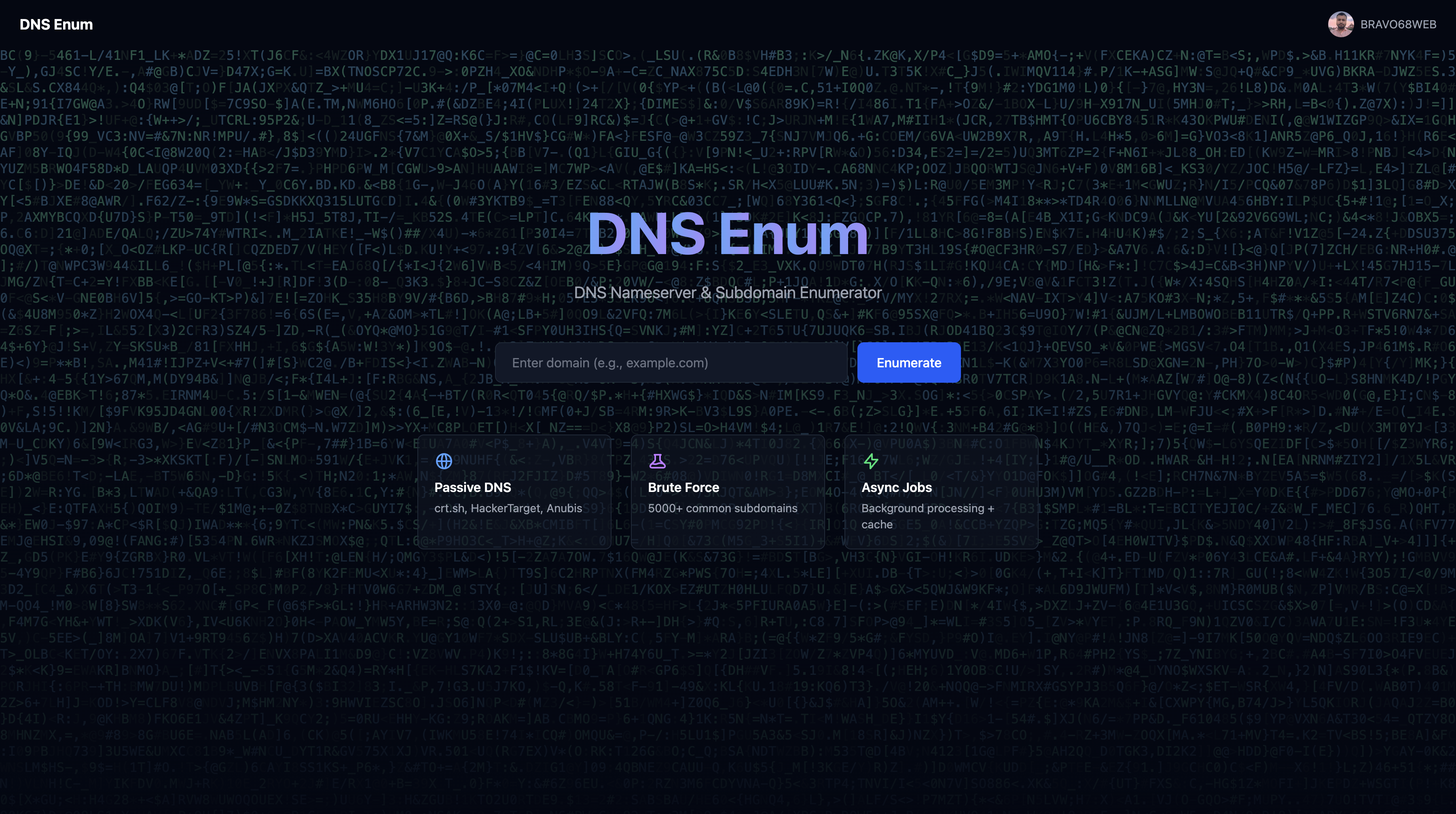
*落地页*
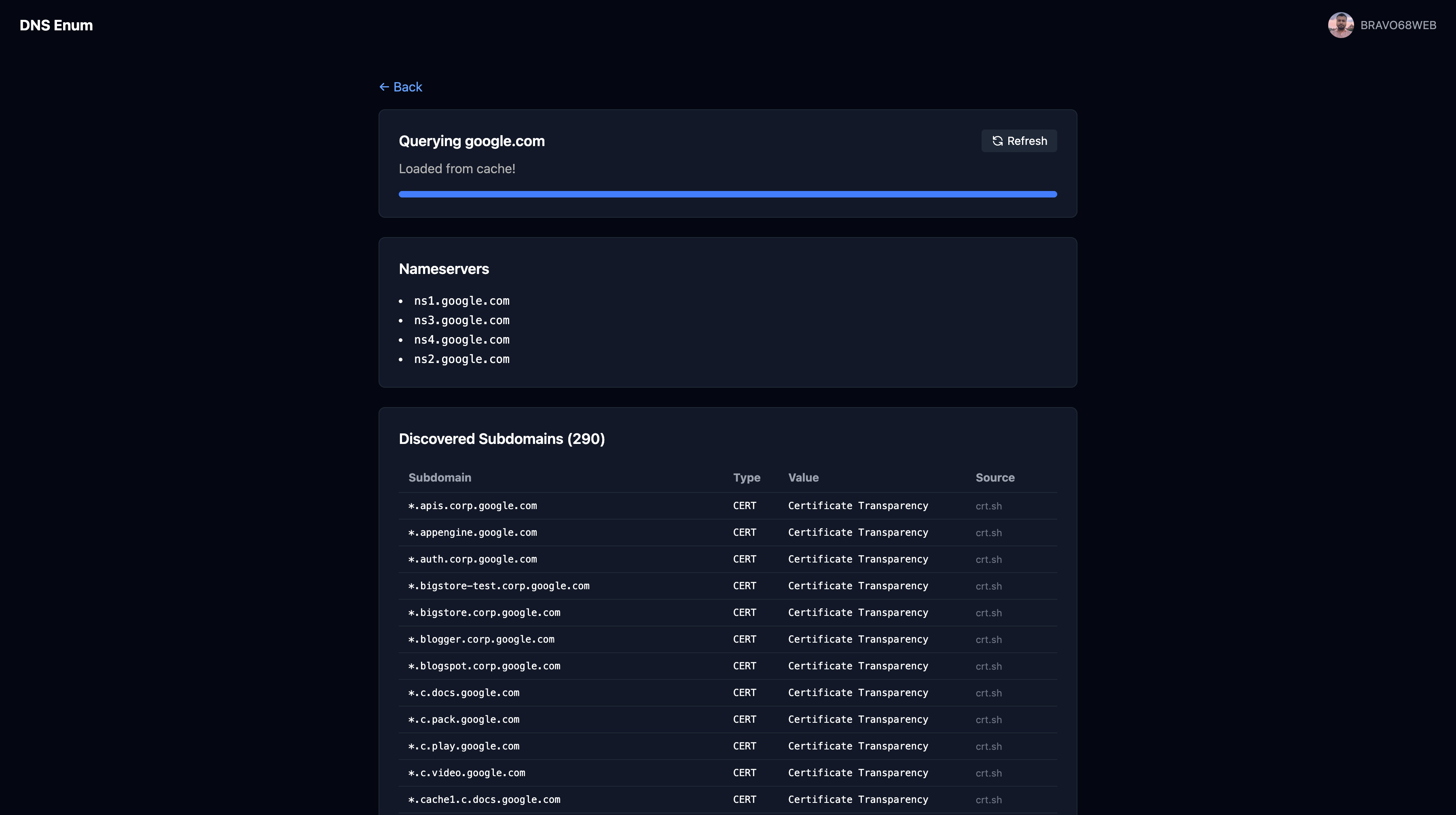
*通过异步轮询获取的子域名枚举结果*
## ✨ 功能
|
### 🔎 Passive DNS
- 📜 **crt.sh** — Certificate Transparency logs
- 🎯 **HackerTarget** — Passive DNS database
- 🛡️ **Anubis** — 子域名枚举
|
### 💥 暴力破解
- ⚡ 通过 DNS 解析实现 **5000+ 常用子域名** 扫描
- 📦 来自 [SecLists](https://github.com/danielmiessler/SecLists) 的 **4.7M 完整字典**
- 🚀 **100 并发** DNS 查询
|
|
### 🔐 认证
- 🐙 带 JWT session 的 **GitHub OAuth**
- 🍪 **安全 cookies** (httpOnly, sameSite)
- 👤 为已登录用户显示 **头像**
|
### ⚡ 性能
- ☁️ 用于即时查询结果的 **KV 缓存**
- 🔄 带有后台处理的 **异步任务队列**
- 📊 **速率限制** (2 次免费缓存查询,新查询需认证)
|
## 🚀 快速开始
### 📦 安装与运行
```
# 克隆 repo
git clone https://github.com/BRAVO68WEB/dns-enum.git
cd dns-enum
# 安装 dependencies
pnpm install
# 设置环境
cp .env.example .env
# 启动 dev server
pnpm dev
```
🌐 打开 **http://localhost:5173**
### ⚙️ 环境变量
| 变量 | 描述 | 是否必须 |
|----------|-------------|----------|
| `GITHUB_CLIENT_ID` | GitHub OAuth App Client ID | ✅ |
| `GITHUB_CLIENT_SECRET` | GitHub OAuth App Client Secret | ✅ |
| `JWT_SECRET` | JWT 签名密钥 (最少 32 字符) | ✅ |
### 🔑 GitHub OAuth 配置
1. 🌐 前往 [GitHub Developer Settings](https://github.com/settings/developers)
2. ➕ 点击 **New OAuth App**
3. 📝 将 **Authorization callback URL** 设置为:
http://localhost:5173/auth/github/callback
4. 📋 复制 **Client ID** 和 **Client Secret** 到 `.env`
## 📡 API
### 🔍 查询域名
```
# 首次访问以获取 session cookie
curl -c cookies.txt http://localhost:5173/
# 创建 async job (需要 visitor_id cookie)
curl -X POST http://localhost:5173/api/jobs \
-H "Content-Type: application/json" \
-b cookies.txt \
-d '{"domain": "example.com"}'
# Response: {"error": "auth_required", "message": "Sign in to search new domains"}
```
### 📊 轮询任务状态
```
# 检查 job status
curl http://localhost:5173/api/jobs/abc123
# 完成时的 Response:
# {
# "id": "abc123",
# "status": "complete",
# "result": {
# "nameservers": ["ns1.example.com", "ns2.example.com"],
# "subdomains": [
# {"name": "www.example.com", "type": "A", "value": "93.184.216.34", "source": "crt.sh"},
# {"name": "api.example.com", "type": "A", "value": "93.184.216.35", "source": "wordlist"}
# ]
# }
# }
```
### 🔐 强制刷新 (需认证)
```
# 绕过 cache
curl -X POST http://localhost:5173/api/jobs \
-H "Content-Type: application/json" \
-H "Cookie: session=
" \
-d '{"domain": "example.com", "force": true}'
```
### 🔒 认证流程
| 场景 | 要求 |
|----------|-------------|
| 访问落地页 | 设置 `visitor_id` cookie |
| 前 2 次缓存查询 | 免费 (无需认证) |
| 第 3 次及以后的缓存查询 | 需要 GitHub OAuth |
| 新域名查询 | 需要 GitHub OAuth |
| 强制刷新 | 需要 GitHub OAuth |
### 📋 所有 Endpoint
| 方法 | 路径 | 描述 | 认证 |
|--------|------|-------------|------|
| `GET` | `/` | 🏠 落地页 | ❌ 设置 visitor_id |
| `GET` | `/results?domain=` | 📊 带轮询的结果页 | ❌ |
| `POST` | `/api/jobs` | ➕ 创建 DNS 任务 | ⚠️ 需要 visitor_id |
| `GET` | `/api/jobs/:id` | 📈 轮询任务状态 | ⚠️ 需要 visitor_id |
| `GET` | `/auth/github` | 🔑 OAuth 重定向 | ❌ |
| `GET` | `/auth/github/callback` | 🔄 OAuth callback | ❌ |
| `GET` | `/auth/logout` | 🚪 清除 session | ❌ |
## 🏗️ 架构
```
📦 dns-enum/
├── 📂 app/
│ ├── 📂 routes/
│ │ ├── 🏠 index.tsx # Landing page with LetterGlitch bg
│ │ ├── 📊 results.tsx # Async polling results page
│ │ ├── 📂 auth/
│ │ │ ├── 🐙 github.ts # OAuth redirect
│ │ │ └── 🔄 github/callback.ts # Token exchange
│ │ └── 📂 api/jobs/
│ │ ├── ➕ index.ts # Create job endpoint
│ │ └── 📈 [id].ts # Poll status endpoint
│ ├── 📂 lib/
│ │ ├── 🔍 dns.ts # DNS query engine
│ │ ├── 💾 cache.ts # KV caching layer
│ │ ├── 📖 wordlist-loader.ts # Full wordlist (4.7M)
│ │ └── 📋 wordlist.ts # Top 5000 hardcoded
│ └── 🎨 style.css # Tailwind entry
├── 📂 data/
│ ├── 📄 subdomains-5000.txt # Top 5000 subdomains
│ └── 📦 subdomains-top1million-full.7z # Full wordlist
├── ⚙️ wrangler.jsonc # CF Workers config
├── 🐳 Dockerfile # Container config
└── 📖 README.md # This file
```
### 🔄 数据流
```
┌─────────────┐ ┌──────────────┐ ┌─────────────┐
│ Browser │────▶│ HonoX API │────▶│ DNS Engine │
└─────────────┘ └──────────────┘ └─────────────┘
│ │
▼ ▼
┌──────────────┐ ┌──────────────────┐
│ KV Cache │ │ Passive DNS │
└──────────────┘ │ - crt.sh │
│ - HackerTarget │
│ - Anubis │
└──────────────────┘
```
## 🛠️ 技术栈
| 技术 | 用途 | 链接 |
|------------|---------|------|
| 🟠 **HonoX** | 全栈框架 | [GitHub](https://github.com/honojs/honox) |
| 🟡 **Hono** | Web 框架 | [hono.dev](https://hono.dev/) |
| 🎨 **Tailwind CSS** | 样式设计 | [tailwindcss.com](https://tailwindcss.com/) |
| 🔵 **TypeScript** | 类型安全 | [typescriptlang.org](https://www.typescriptlang.org/) |
| ☁️ **Cloudflare Workers** | 部署 | [workers.cloudflare.com](https://workers.cloudflare.com/) |
| 📦 **@layered/dns-records** | DNS 查询 | [GitHub](https://github.com/LayeredStudio/dns-records) |
| 📖 **SecLists** | 子域名字典 | [GitHub](https://github.com/danielmiessler/SecLists) |
## 🚀 部署
### ☁️ Cloudflare Workers
```
# 为 production 构建
pnpm build
# 部署到 Cloudflare
wrangler deploy
```
### 🐳 Docker
```
# 构建并运行
docker compose up --build
# 或从 registry 拉取
docker pull ghcr.io/BRAVO68WEB/dns-enum:latest
docker run -p 3000:3000 ghcr.io/BRAVO68WEB/dns-enum:latest
```
### 📝 手动部署
```
# 构建
pnpm build
# 在生产环境中运行
NODE_ENV=production node dist/server.js
```
## 📄 许可证
MIT License - 详情请参阅 [LICENSE](LICENSE)
**用 ❤️ 和 ☕ 制作**
[](https://github.com/BRAVO68WEB/dns-enum)
[](https://github.com/BRAVO68WEB/dns-enum)
标签:DNS解析, GitHub, TypeScript, 子域名枚举, 安全插件, 开源项目, 特征匹配, 程序员工具, 系统安全, 自动化攻击, 请求拦截