Codexe0/Wazzuh-VirusTotal-Integration
GitHub: Codexe0/Wazzuh-VirusTotal-Integration
该项目通过集成 Wazuh SIEM 与 VirusTotal API,实现对端点可疑文件的自动化哈希查询与恶意软件检测,并生成带有威胁情报的实时告警。
Stars: 1 | Forks: 0

# 🛡️ Wazuh VirusTotal 集成
### 实战实验 — 自动化威胁情报与恶意软件检测
[](https://wazuh.com)
[](https://virustotal.com)
[](https://linux.org)
[](https://kali.org)
[](LICENSE)
[]()
[📋 概述](#-overview) • [🏗️ 实验架构](#-lab-architecture) • [🖥️ 前置条件](#-prerequisites) • [⚙️ 分步指南](#-step-by-step-guide) • [🧪 测试与威胁检测](#-testing--threat-detection) • [📊 仪表板与结果](#-dashboard--results) • [💡 关键要点](#-key-takeaways)
## 📌 概述
本实验详细介绍了如何结合 **Wazuh 文件完整性监控 (FIM)** 与 **VirusTotal 威胁情报 API** 来实现自动化恶意软件检测。每当受监控的 agent endpoint 上检测到文件活动时,系统就会提取该文件的哈希值,并与 VirusTotal 数据库中的数十个防病毒引擎进行交叉比对。
**您将完成以下任务:**
| 步骤 | 任务 | 结果 |
|------|------|---------|
| 1️⃣ | 创建 VirusTotal 开发者账号 | 获取用于自动化威胁查询的 API key |
| 2️⃣ | 在 Wazuh Agent 上配置 FIM | 实时跟踪文件的创建/修改 |
| 3️⃣ | 在 Wazuh Manager 上启用 VirusTotal 集成 | Manager 自动向 VirusTotal 发起哈希查询 |
| 4️⃣ | 重启 Wazuh 服务 | 在两台机器上应用更新配置 |
| 5️⃣ | 投放 EICAR 恶意测试文件 | 触发即时的 FIM 检测和哈希查询 |
| 6️⃣ | 在 Wazuh Dashboard 上分析增强警报 | 全面掌握恶意软件可见性、签名匹配和威胁评分 |
**技术栈:**
| 工具 | 角色 | 版本 |
|------|------|---------|
| **Wazuh Manager** | 中央安全处理器、关联引擎和集成路由器 | 4.x |
| **Wazuh Agent** | 在 Kali Linux 上收集 FIM 事件和哈希的轻量级 endpoint 监控器 | 4.x |
| **VirusTotal API** | 查询 70 多个 AV 扫描引擎的威胁情报提供商 | v3 / v2 |
| **Wazuh Dashboard** | 用于搜索、查询和审计安全事件的视觉界面 | 4.x |
| **Kali Linux** | 代表攻击/目标面的受监控 endpoint 机器 | 2024.x |
| **Ubuntu (WSL)** | 承载 Wazuh Manager、Indexer 和 Dashboard 的服务器 | 20.04 / 22.04 LTS |
## 🏗️ 实验架构
```
┌───────────────────────────────┐
│ VirusTotal API │
│ (External Threat Intel) │
└───────────────▲───────────────┘
│
HTTPS POST │ Hash Analysis
(Port 443) │ & Reputation
│
┌─────────────────────────┐ │ ┌─────────────────────────┐
│ KALI LINUX (AGENT) │ │ │ UBUNTU WSL (SERVER) │
│ │ │ │ │
│ ┌───────────────────┐ │ TCP 1514 │ ┌───────────────────┐ │
│ │ wazuh-agent │ ├────────────────┼─▶│ wazuh-manager │ │
│ └─────────┬─────────┘ │ (FIM Event & │ │ • Correlation │ │
│ │ │ Hash) │ │ • VT Integrator │ │
│ ▼ │ │ └─────────┬─────────┘ │
│ ┌───────────────────┐ │ │ │ │
│ │ Syscheck FIM │ │ │ ▼ │
│ │ realtime="yes" │ │ │ ┌───────────────────┐ │
│ └─────────┬─────────┘ │ │ │ Wazuh Indexer │ │
│ │ │ │ │ (OpenSearch DB) │ │
│ ▼ │ │ └─────────┬─────────┘ │
│ ┌───────────────────┐ │ │ │ │
│ │ Monitored Dir: │ │ │ ▼ │
│ │ /home/codex │ │ │ ┌───────────────────┐ │
│ └───────────────────┘ │ │ │ Wazuh Dashboard │ │
└─────────────────────────┘ │ │ (HTTPS Web UI) │ │
│ └───────────────────┘ │
└─────────────────────────┘
```
### 端口和网络流
| 组件 / 端口 | 协议 | 方向 | 描述 |
|------------------|----------|-----------|-------------|
| **1514** | TCP | Agent → Manager | 事件日志转发及 FIM 元数据传输 |
| **1515** | TCP | Agent → Manager | Agent 注册、自动注册和密钥交换 |
| **443 (出站)**| HTTPS | Manager → VirusTotal | 将文件哈希传输至 API endpoint 的 HTTPS 请求 |
| **443 (入站)** | HTTPS | 浏览器 → Dashboard | 供分析员访问的 Web UI 界面 |
## 🖥️ 前置条件
- **Wazuh SIEM 设置:** Wazuh Manager 和 Dashboard 正在 Ubuntu WSL(或专用服务器)上运行。
- **Endpoint Agent:** 已在 Kali Linux endpoint (`agent.id = 001`) 上安装并激活 Wazuh Agent。
- **管理员访问权限:** 在服务器和 agent 机器上均拥有 sudo 权限。
- **互联网连接:** Agent 需要访问网络以获取测试文件;Manager 需要出站 HTTPS 访问权限以连接到 `virustotal.com`。
## ⚙️ 分步指南
### 第 1 部分 — 获取 VirusTotal API Key
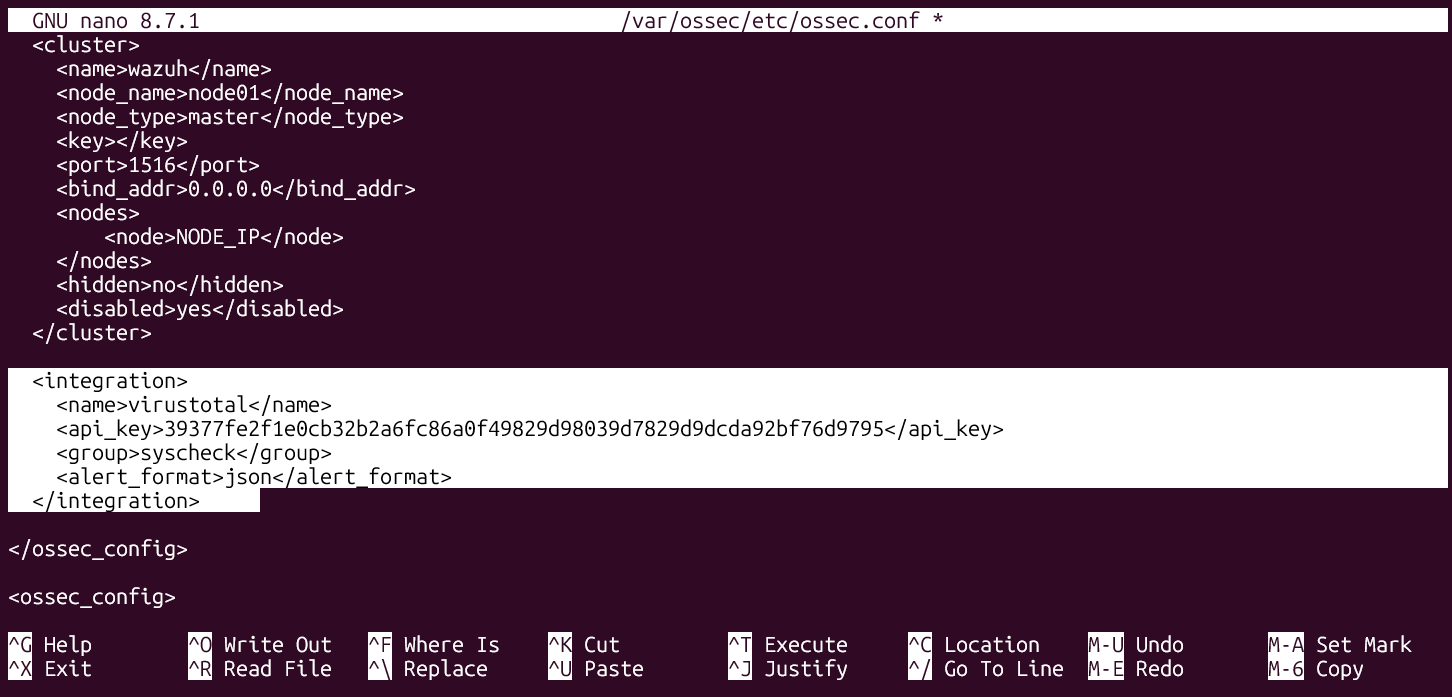
为了查询 VirusTotal,我们需要一个开发者 API Key。
1. 前往 [VirusTotal 注册页面](https://www.virustotal.com/gui/join-us) 并创建一个免费账号。
2. 验证您的邮箱地址。
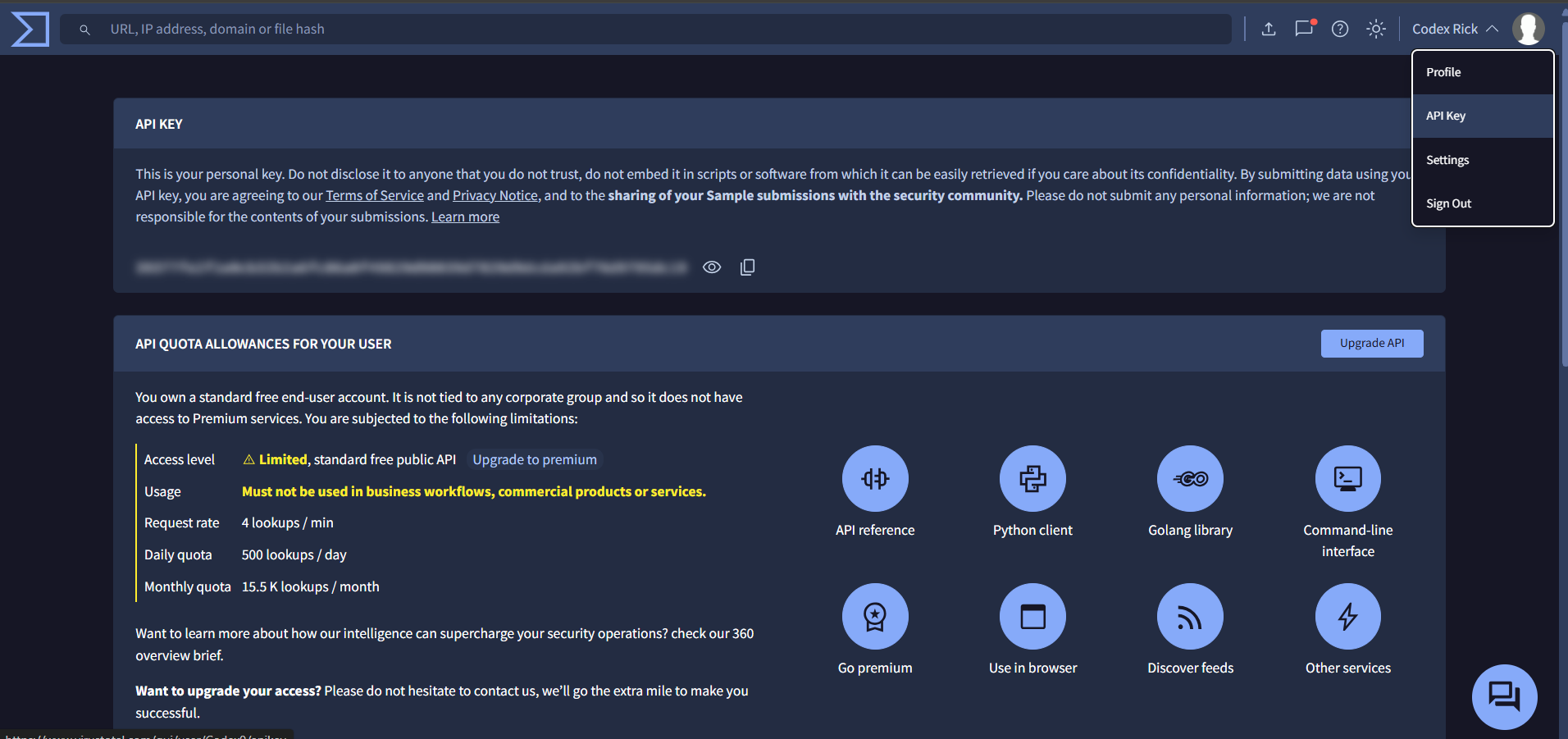
3. 登录后,点击右上角的个人资料下拉菜单,选择 **API Key**。
4. 复制为您的账号生成的 API key。
### 第 2 部分 — 在 Wazuh Agent 上配置 FIM
为了触发 VirusTotal 集成,agent 必须首先监控目录更改、计算哈希值并转发事件。
1. 在受监控的 **Kali Linux Agent** 上打开 `/var/ossec/etc/ossec.conf`:
sudo nano /var/ossec/etc/ossec.conf
2. 找到 `
` 块,确保 FIM 处于活动状态,并开启实时分析,将其指向您想要的测试目录(例如 `/home/codex`):
no
yes
43200
/home/codex
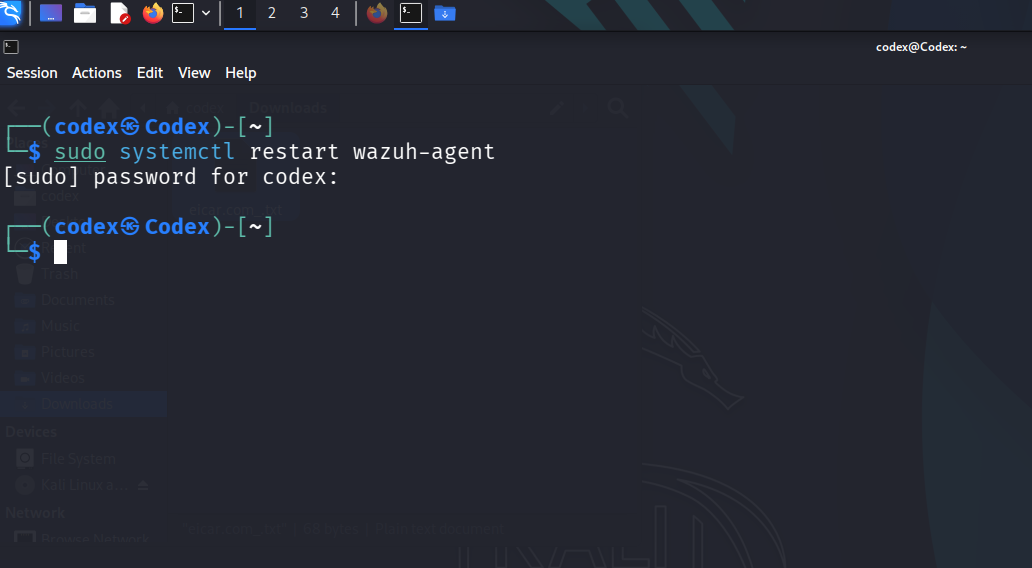
3. 重启 Wazuh Agent 以应用 FIM 设置:
sudo systemctl restart wazuh-agent
### 第 3 部分 — 在 Wazuh Manager 上配置 VirusTotal 集成
现在我们告诉 Wazuh Manager 自动提取 FIM 警报哈希,并通过 VirusTotal 进行检查。
1. 登录到您的 **Wazuh Manager (Ubuntu WSL)** 终端。
2. 编辑 `/var/ossec/etc/ossec.conf`:
sudo nano /var/ossec/etc/ossec.conf
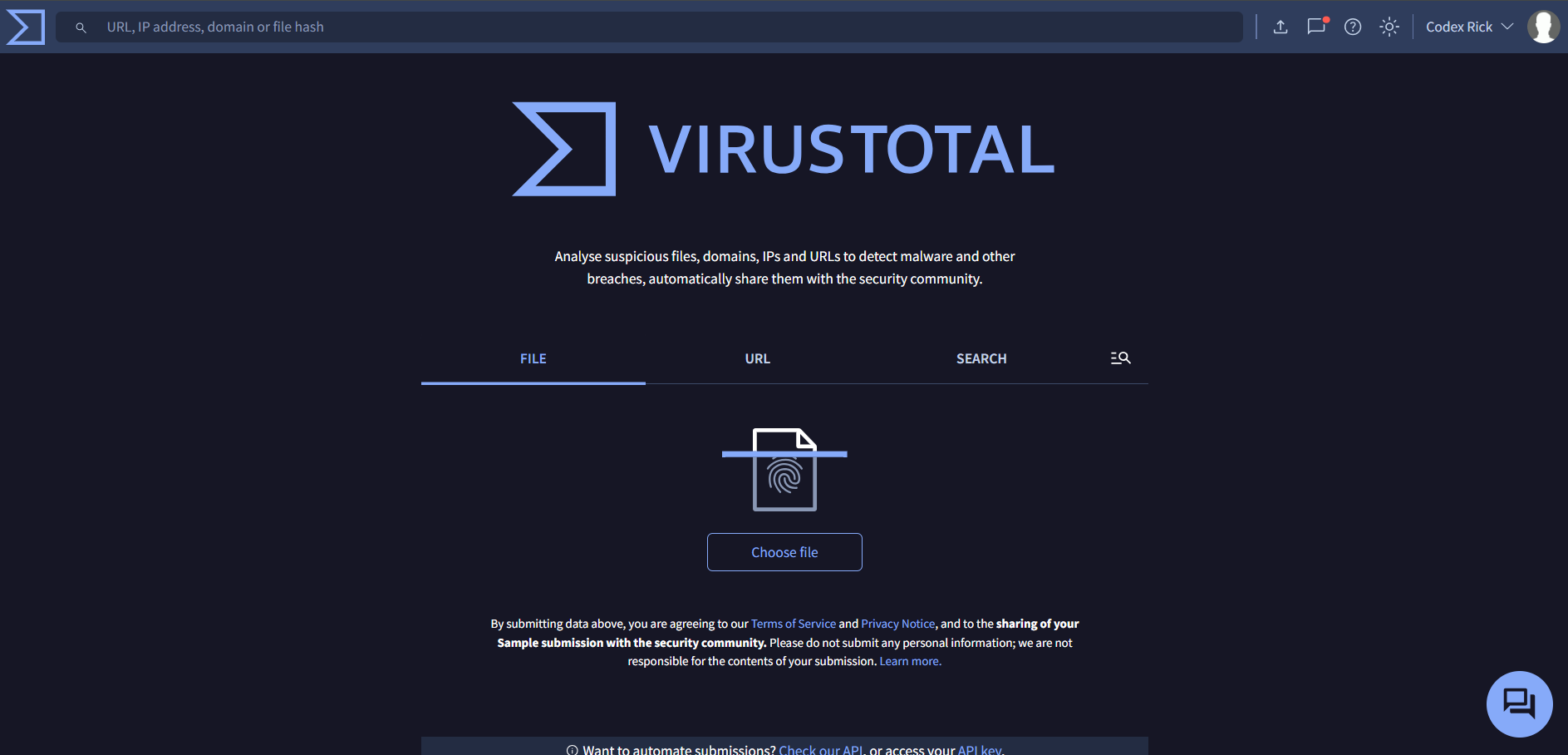
3. 在配置文件中追加以下集成块(将 `` 的值替换为您自己的 API key):
virustotal
YOUR_VIRUSTOTAL_API_KEY_HERE
syscheck
json
* **`name`:** 告诉 Wazuh 执行内置的 VirusTotal 集成脚本 (`/var/ossec/integrations/virustotal`)。
* **`api_key`:** 用于向 VirusTotal 授权请求的凭证。
* **`group`:** 过滤集成请求。将其设置为 `syscheck` 可将查询限制为包含文件哈希的文件完整性监控事件。
4. 重启 Wazuh Manager 服务以重新加载配置:
sudo systemctl restart wazuh-manager
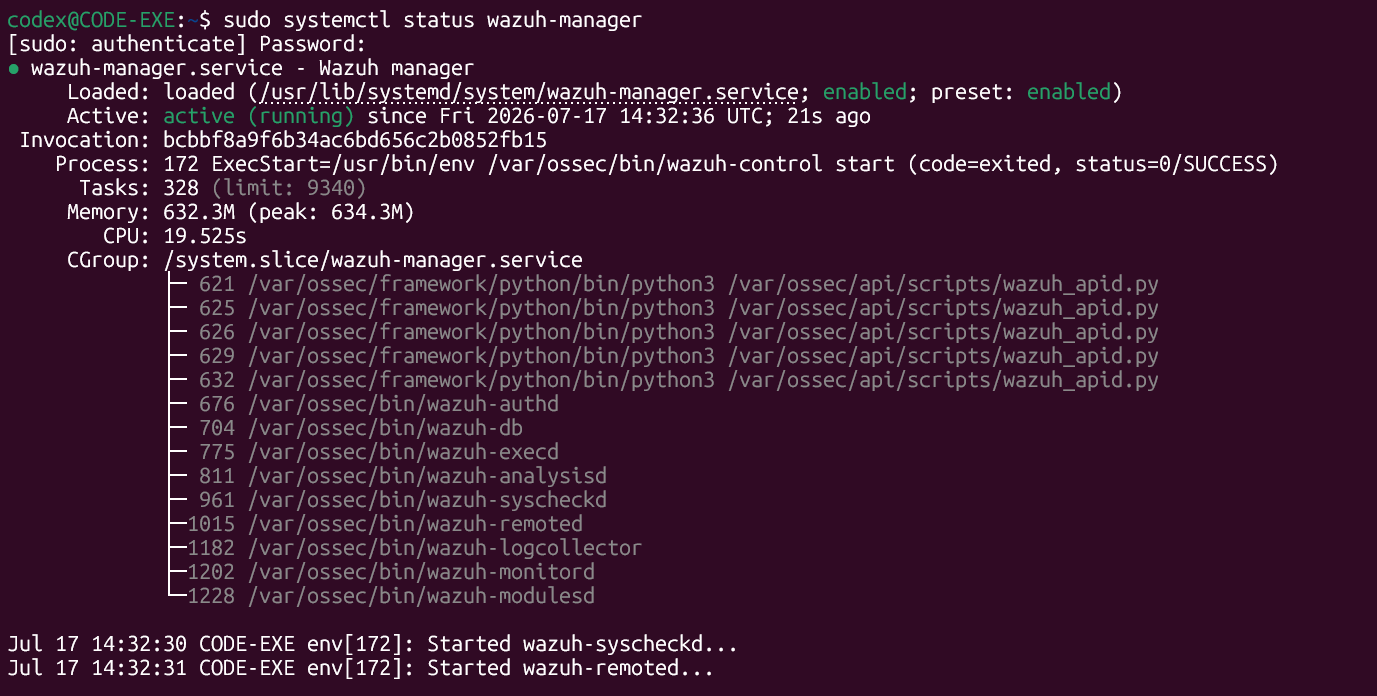
5. 确认 Wazuh Manager 状态处于活动状态且没有错误:
sudo systemctl status wazuh-manager
## 🧪 测试与威胁检测
为了验证我们的集成是否能检测到威胁签名,我们可以将 **EICAR 标准防病毒测试文件** 放入受监控的目录中。EICAR 是一个无害的字符串,用于安全地验证防病毒/安全规则的部署。
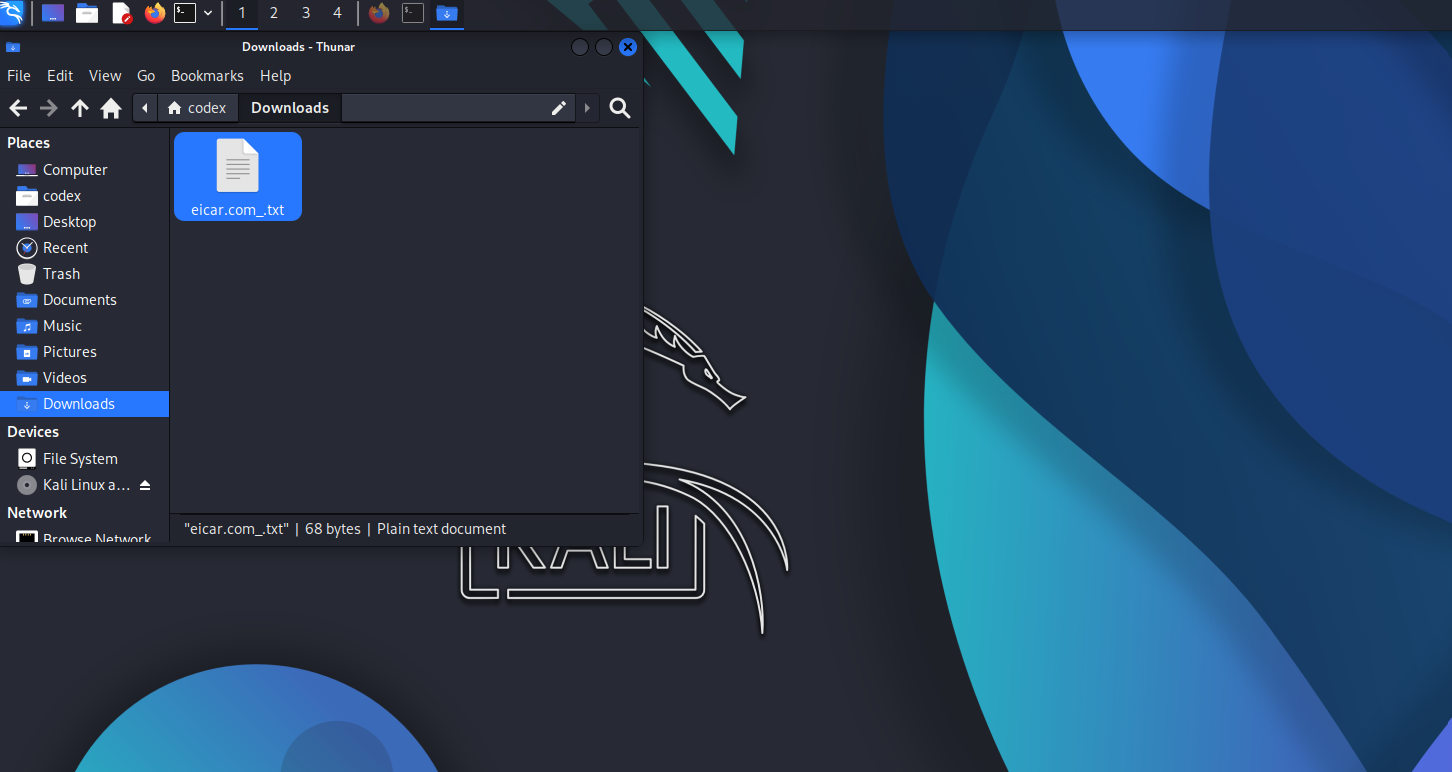
1. 在 **Kali Linux Agent** 上,将 EICAR 测试文件下载到受监控的文件夹 `/home/codex` 中:
wget -P /home/codex/ https://secure.eicar.org/eicar.com
2. 验证文件是否已创建且可见:
ls -la /home/codex/eicar.com
### 内部执行流程:
```
[Agent] EICAR downloaded into /home/codex/
│
▼
[Agent] FIM Syscheck detects write, computes SHA256/MD5 hashes
│
▼
[Agent] forwards "File Added" alert to Wazuh Manager (Rule ID: 554)
│
▼
[Manager] matches rule under group "syscheck"
│
▼
[Manager] triggers VirusTotal API Request with EICAR's SHA256 hash
│
▼
[VirusTotal] matches hash with known threat databases (EICAR signature)
│
▼
[Manager] parses VT response: 65+ alerts match!
│
▼
[Manager] Fires high-severity alert 87105 (VirusTotal alert)
│
▼
[Dashboard] Populates real-time security dashboard with details
```
## 📊 仪表板与结果
### 1. 查看 Agent 连接
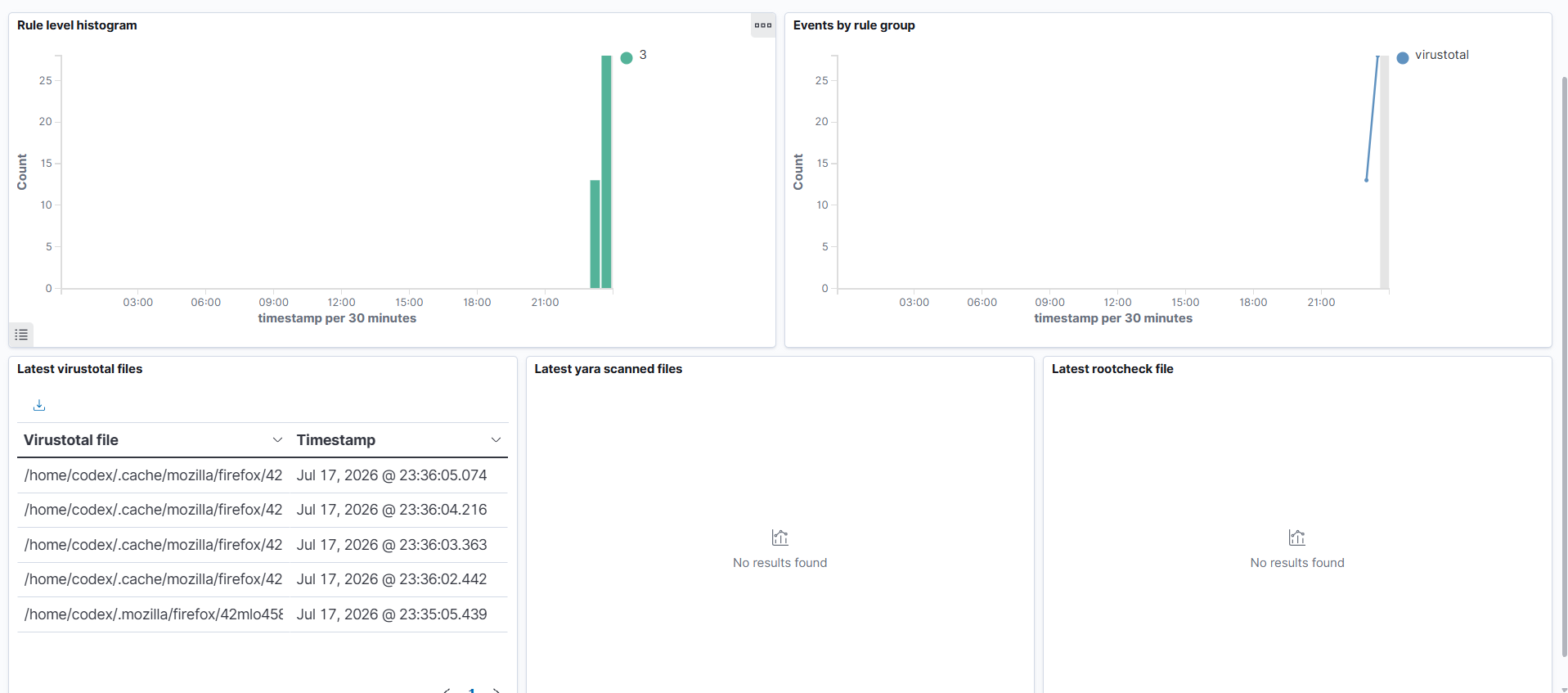
在 Wazuh Dashboard 上,确认 Kali Linux agent (`001`) 正在主动报告状态。
### 2. 查看 VirusTotal 检测事件
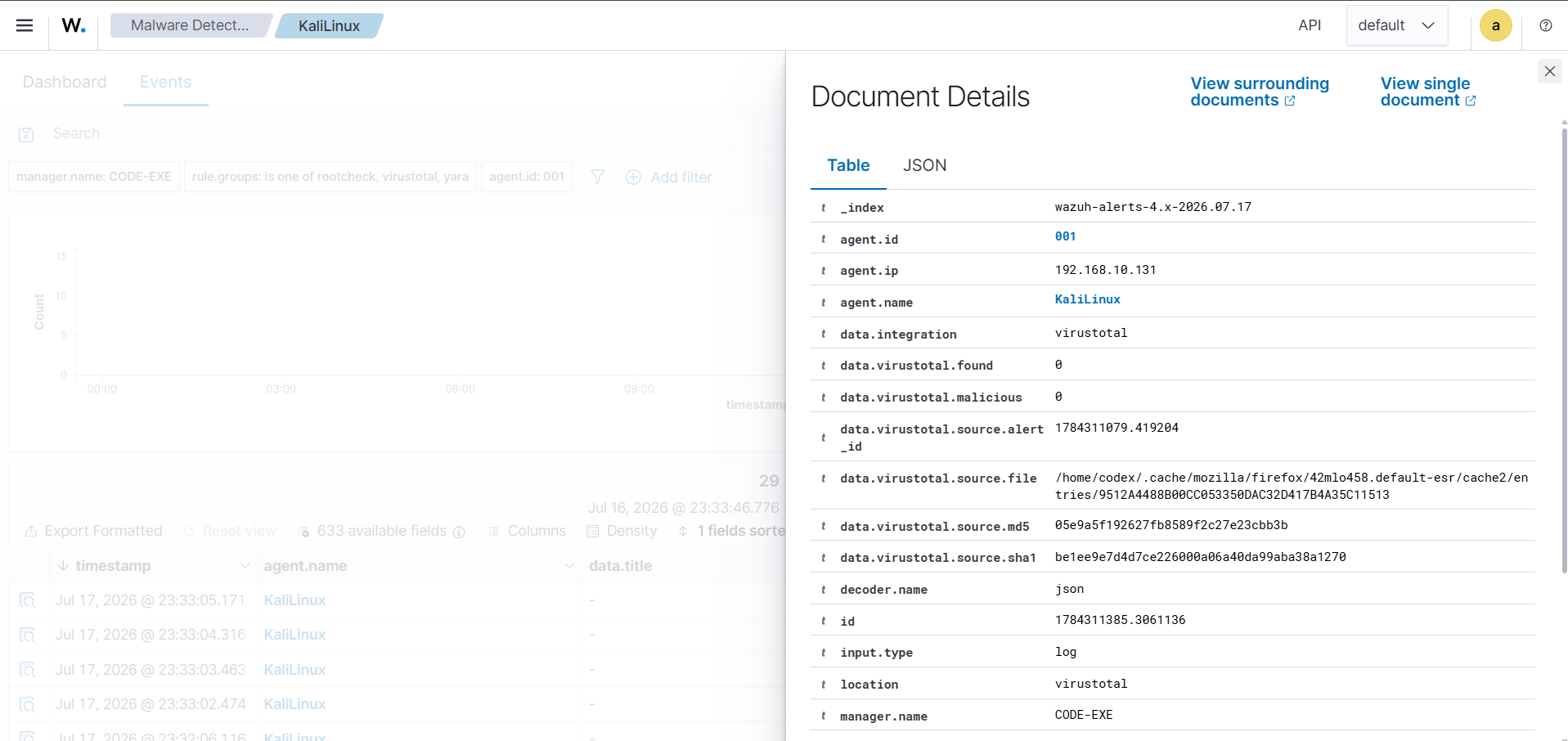
导航至 **Wazuh Dashboard → Security Events**。您将看到触发的高严重性警报:
* **Rule ID `87105`**:*"VirusTotal: Alert - - VirusTotal relation"*
* **威胁评分详情**:解释确切的恶意分类、正向匹配(例如 `63 / 74` 个引擎标记了它)以及类别标签。
### Wazuh Indexer 解析的增强 JSON Payload 示例:
```
{
"integration": "virustotal",
"virustotal": {
"source": {
"alert_id": "1721245000.345812",
"file": "/home/codex/eicar.com",
"md5": "44d88612fea8a8f36de82e1278abb02f",
"sha256": "275a021bbfb6489e54d471899f7db9d1663fc695ec2fe2a2c4538aabf651fd0f"
},
"positives": "63",
"total": "74",
"malicious": "63",
"result": "EICAR Test-Signature",
"permalink": "https://www.virustotal.com/gui/file/275a021bbfb6489e54d471899f7db9d1663fc695ec2fe2a2c4538aabf651fd0f/detection"
}
}
```
## 💡 关键要点
### 我们所配置内容的总结
```
✅ Automated integration between endpoint events and threat intel APIs
✅ Syscheck baseline configuration on agent directory monitor (/home/codex)
✅ Configured real-time inotify watchers so checks run in sub-seconds
✅ Wazuh Manager Integration engine triggers API callbacks asynchronously
✅ Fitted dashboards with custom threat visualization & CVE classification
✅ Successful EICAR malware simulation verifying alert processing chain
```
### VT FIM 涵盖的真实攻击场景
| 攻击向量 | Wazuh + VT FIM 捕获的内容 | 事件响应操作 |
|----------------|-----------------------------|--------------------------|
| **被动下载 (Drive-by Download)** | 写入 `/tmp` 的新恶意 `.elf` 或 `.sh` 脚本 | 自动容器化隔离 / 网络隔离 |
| **持久化后门** | ssh 配置文件被篡改或替换 | 撤销凭证并回滚 |
| **凭证转储** | `mimikatz` 或 `gsecdump` 等工具被投放至系统 | 立即终止管理会话 |
| **勒索软件可执行文件** | 用户目录中投放了加密脚本 | 活动响应脚本终止进程 |
## 📚 参考
* [Wazuh VirusTotal 集成文档](https://documentation.wazuh.com/current/user-manual/capabilities/compatibility-integrations/virustotal.html)
* [Wazuh FIM 配置指南](https://documentation.wazuh.com/current/user-manual/capabilities/file-integrity/index.html)
* [VirusTotal API 开发者参考](https://docs.virustotal.com/reference/overview)
* [EICAR 反恶意软件测试文件规范](https://www.eicar.org/?page_id=3950)
## 📁 仓库结构
```
wazuh-virustotal-lab/
├── README.md ← This documentation file
└── Screenshots/ ← Step screenshots
├── API Key .png
├── Dashboard.png
├── EICAR test file.png
├── Events of virus detection.png
├── Status of Wazzuh.png
├── Virus Total 1.png
├── Virus Total 2.png
└── restart agent.png
```
**⭐ 如果这个实验对您有帮助,请考虑为仓库点个 Star!**
由 **Codex0** 使用 🔐 制作 | 网络安全实战实验室
[](https://github.com/Codexe0)
标签:Ask搜索, VirusTotal, Wazuh, x64dbg, 威胁情报, 安全运营, 对抗机器学习, 开发者工具, 扫描框架