Codexe0/Wazzuh-Vulnerability-Detection

GitHub: Codexe0/Wazzuh-Vulnerability-Detection

基于 Wazuh SIEM 的漏洞检测配置实验,通过采集 Linux 端点软件包清单并与 CVE 数据源关联,实现集中化的实时漏洞监控与告警。

Stars: 1 | Forks: 0

# 🛡️ Wazuh 漏洞检测 ### 在 Wazuh SIEM 集群上配置基于 CVE 的漏洞扫描

## 🎯 本项目简介 这是一个实操实验,我在其中端到端地启用并验证了 **Wazuh 漏洞检测模块** —— 从修改 manager 配置,到通过 TLS 连接 Wazuh Indexer,再到确认 CVE 匹配结果在活动的 agent 上正确显示。 **环境:** | | | |---|---| | 🖥️ **Agent** | Kali Linux,`agent.id = 001` | | 🧩 **Cluster** | `CODE-EXE` | | 🗄️ **Indexer** | `https://127.0.0.1:9200` | | 📦 **Wazuh 版本** | 4.x | ## 🧠 模块的实际工作原理 Wazuh 并不直接扫描漏洞利用程序 —— 它会将*资产清单*与*已知 CVE* 进行关联: ``` ┌───────────────────┐ ┌──────────────────┐ ┌──────────────────┐ │ 1. Syscollector │ ──▶ │ 2. CVE Matching │ ──▶ │ 3. Dashboard │ │ inventories all │ │ against NVD / │ │ shows evaluated │ │ installed packages │ │ OVAL / Debian │ │ vulnerabilities │ └───────────────────┘ └──────────────────┘ └──────────────────┘ ``` 1. **收集** — agent 的 `syscollector` 模块会将每个已安装的软件包报告给 manager。 2. **关联** — manager 会根据不断更新的数据源(NVD、Debian、Ubuntu OVAL)检查该软件列表。 3. **展示** — 任何具有已知 CVE 的内容都会被索引并显示在仪表板上,并按严重程度和评估状态进行标记。 ## 🚀 操作演示 ### 步骤 1 — 启用漏洞检测和 Indexer 在 manager 上的 `/var/ossec/etc/ossec.conf` 文件中: ``` yes yes 60m yes https://127.0.0.1:9200 /etc/filebeat/certs/root-ca.pem /etc/filebeat/certs/wazuh-server.pem /etc/filebeat/certs/wazuh-server-key.pem ``` | 指令 | 值 | 作用 | |---|---|---| | `vulnerability-detection.enabled` | `yes` | 开启扫描器 | | `vulnerability-detection.index-status` | `yes` | 将结果推送到 Indexer | | `vulnerability-detection.feed-update-interval` | `60m` | CVE 数据源刷新频率 | | `indexer.enabled` | `yes` | 启用 Indexer 集成 | | `indexer.hosts.host` | `https://127.0.0.1:9200` | Indexer 的访问地址 | | SSL 证书路径 | `/etc/filebeat/certs/` | manager 与 Indexer 之间的 mTLS 认证 | 重启 manager 以应用更改: ``` sudo systemctl restart wazuh-manager ```
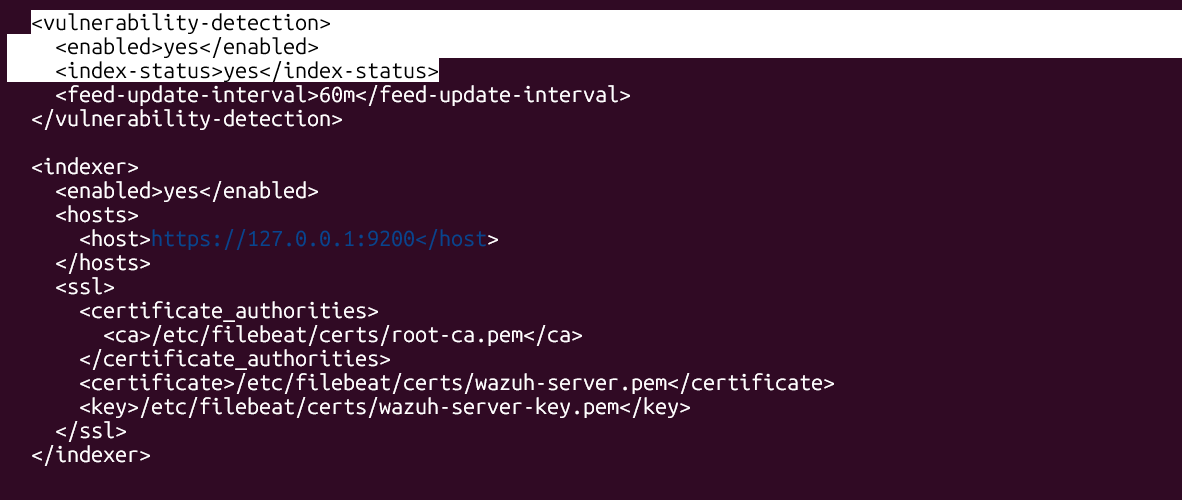
ossec.conf vulnerability-detection and indexer block

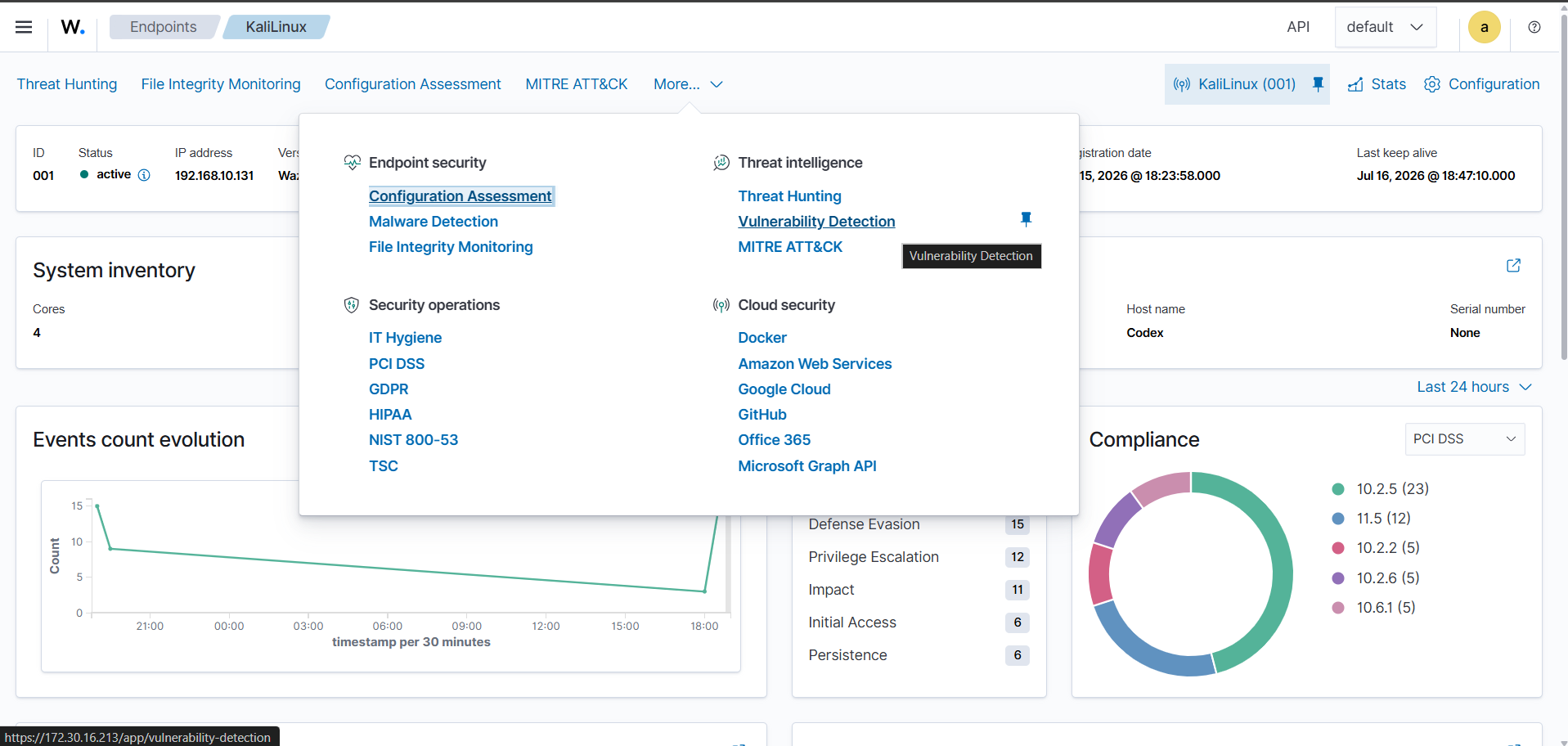
### 步骤 2 — 为 agent 打开模块 1. 登录到 **Wazuh 仪表板** 2. 在 **Endpoints** 下选择 **Kali Linux** agent 3. 点击顶部导航栏的 **More...** 4. 进入 **Threat Intelligence → Vulnerability Detection**

Navigating to the Vulnerability Detection module

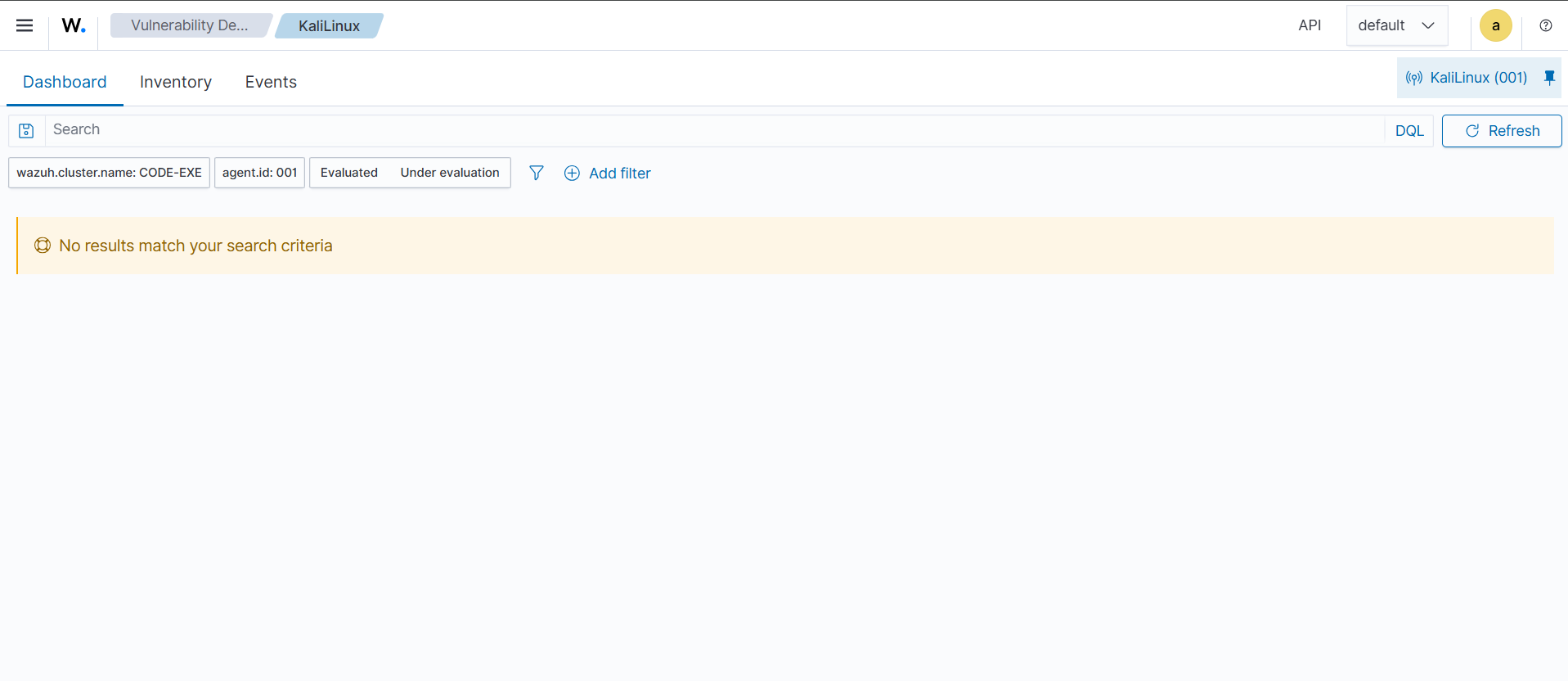
### 步骤 3 — 确认其正常运行 进入后,该模块会提供三个选项卡 —— **Dashboard**、**Inventory**、**Events** — 过滤条件为: ``` wazuh.cluster.name : CODE-EXE agent.id : 001 status : Evaluated | Under evaluation ```

Vulnerability Detection dashboard for the Kali Linux agent

## ✅ 如果没有数据显示,请检查以下内容 - [ ] agent 上的 `syscollector` 已启用 —— 没有资产清单意味着没有 CVE 匹配 - [ ] 在修改 `ossec.conf` *之后*已重启 manager - [ ] Indexer 确实可以在配置的主机/端口访问 - [ ] 稍作等待几分钟 —— 首次数据源下载和首次扫描周期都需要时间 ## 📂 仓库结构 ``` wazuh-vulnerability-detection/ ├── README.md ├── enable & indexer.png ├── Vuln detection.png └── Dashboard of checking the vurnablity.png ```
**Codex0** · [@Codexe0](https://github.com/Codexe0) 这是持续进行的 Wazuh 安全实验系列的一部分 —— 更多内容请查看我的个人主页。
标签:PB级数据处理, Wazuh, 安全运维