akirco/pigma
GitHub: akirco/pigma
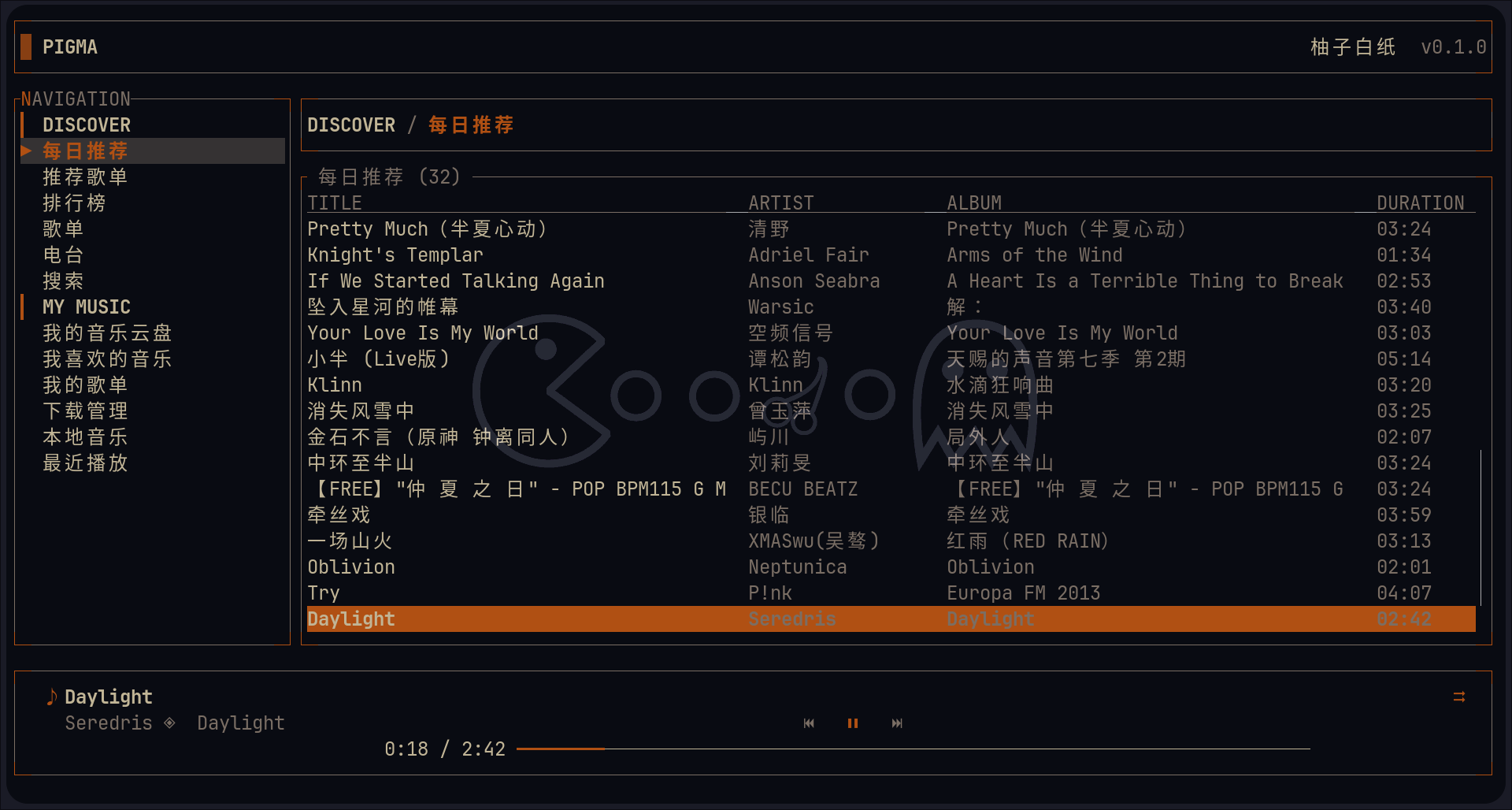
一个基于 Ratatui 构建的终端 UI 音乐播放器,支持网易云音乐和本地音频的流式播放与管理。
Stars: 9 | Forks: 2
# pigma(开发中)
[](https://github.com/akirco/pigma/actions/workflows/ci.yml)
[](https://github.com/akirco/pigma/actions/workflows/release.yml)
[](LICENSE)
一个使用 [Ratatui](https://ratatui.rs) 构建的 NetEase Cloud Music (网易云音乐) 或本地音频播放 TUI 客户端。
**注意:**
**升级注意备份配置文件,当前自动备份迁移并没有写**
## 功能
- [x] 流式播放,边听边存
- [x] 低延迟 seek
- [x] 本地音频播放
- [x] 自定义渲染列表
- [x] 自定义渲染列
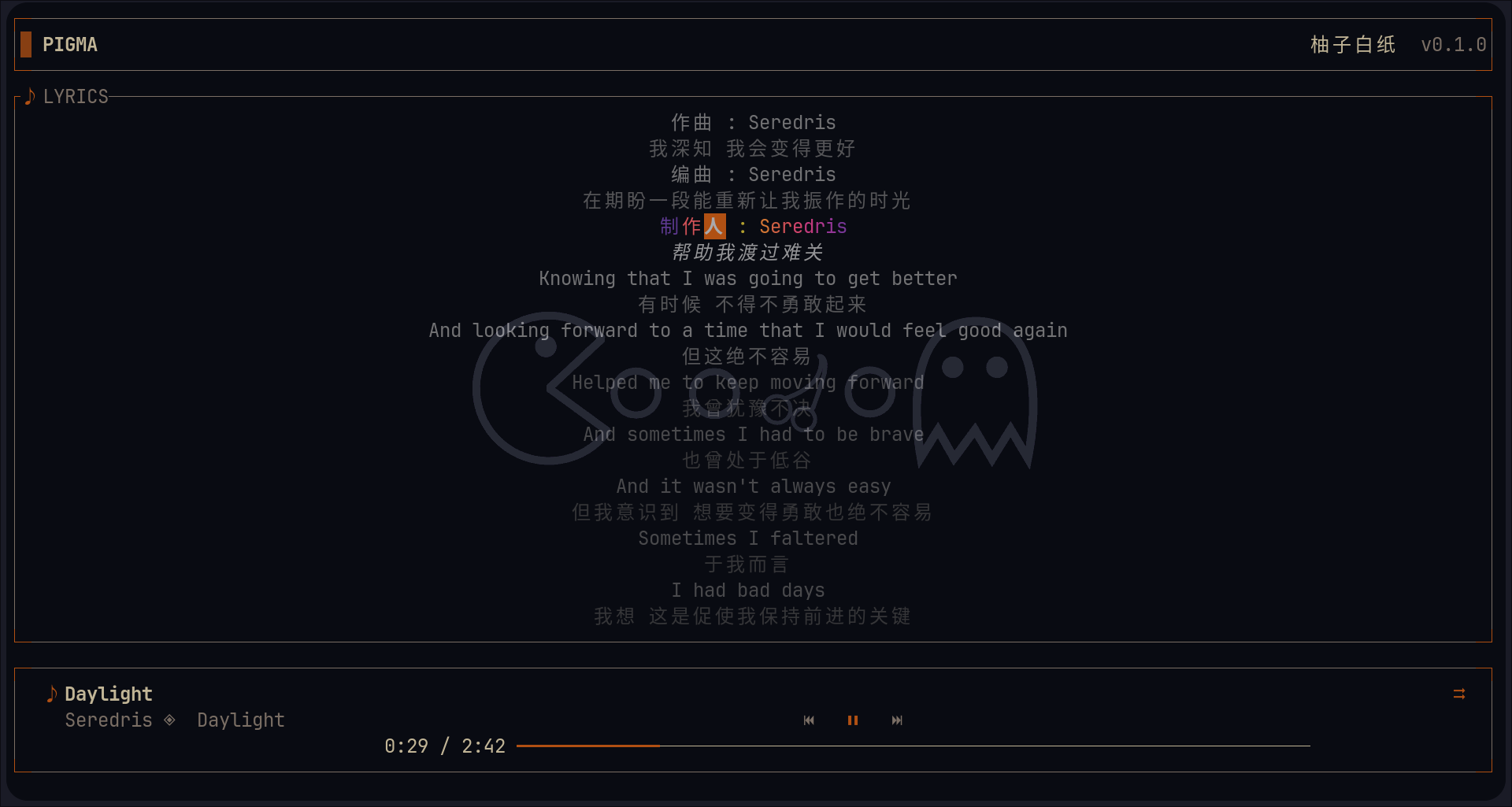
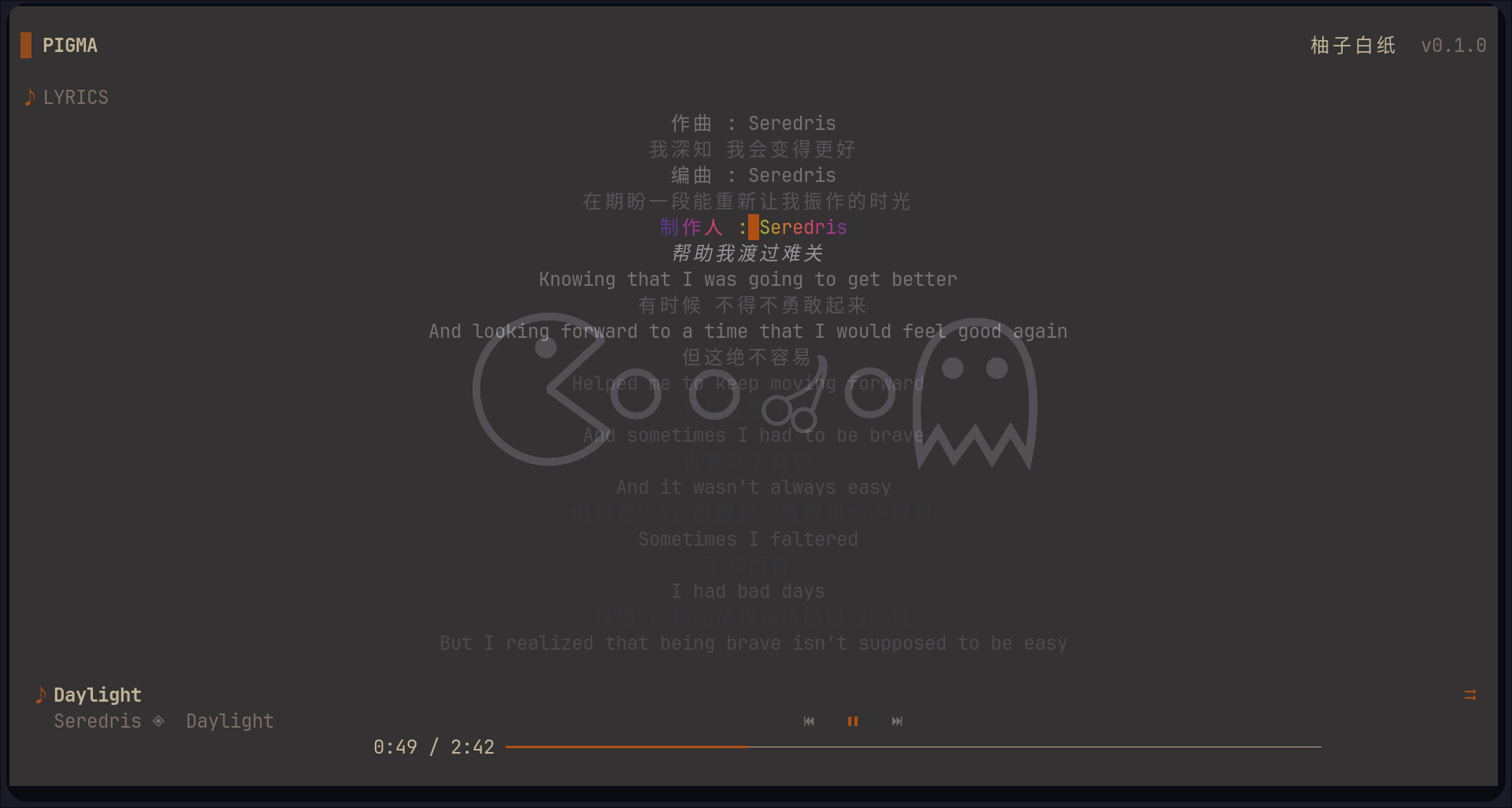
- [x] 歌词渐变逐字高亮
- [x] table 标题自定义
- [x] 最近播放上报
- [x] 心动模式
- [x] 数据分页加载(目前仅支持云盘)
- [x] youtube 源 fallback(音源评分重写)
- [ ] 音量控制
- [ ] landing page
- [ ] 重构进入程序流程
- [ ] 歌曲操作(like、dislike、fav 等)
- [ ] 重构播放队列
- [ ] 引入数据库,内存优化
- [ ] 本地音频歌词,元数据重写
- [ ] 下载管理(重合边听边存)
- [ ] 云盘源作为 fallback
- [ ] 云盘上传
- [ ] 歌手信息
- [ ] 更多 layout 支持
- [ ] 重写 playerbar(支持歌曲封面)
- [ ] table 标题自定位置
- [ ] ascii art style 歌词
- [ ] 支持系统包管理器安装
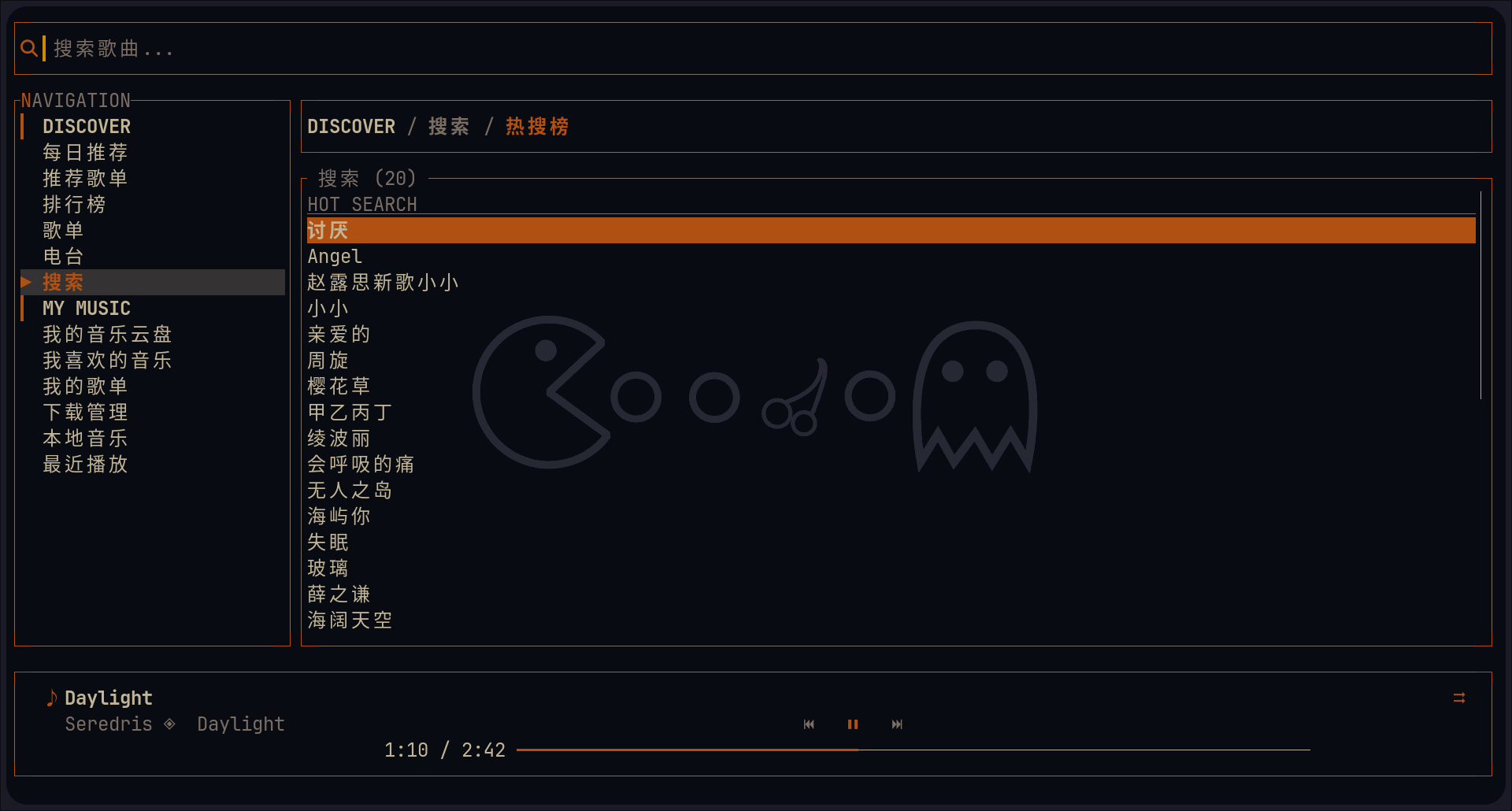
## 预览
## 安装
### 从 releases 安装
```
# https://github.com/marcosnils/bin
bin install https://github.com/akirco/pigma
```
`windows(scoop)`
```
scoop bucket add aki 'https://github.com/akirco/aki-apps.git'
scoop install aki/pigma
```
### 从源码安装 (cargo)
```
cargo install --git https://github.com/akirco/pigma.git
```
### 从源码编译
```
git clone https://github.com/akirco/pigma.git
cd pigma
cargo build --release
# 位于 target/release/pigma 的 binary
```
## 用法
| 快捷键 | 描述 |
| :------------------ | :--------------------------------------: |
| tab/shift+tab | 切换导航 |
| enter | 播放/进入列表 |
| space | 暂停 |
| f | 播放队列 |
| l | 歌词 |
| / | 搜索/过滤 |
| b | 样式切换 |
| left /right | seek 15s |
| shift + left /right | 上一首/下一首 |
| ctrl+p | command panel |
| p | 切换表格为 cell/row 模式 |
| m | 切换播放模式(心动模式存在问题,需重写) |
## 配置
配置文件位置:`~/.config/pigma/config.toml`
### 列配置
每种内容类型都有两个级别的列:**type-defaults** 和 **per-API overrides**。
下面两种写法在 TOML 中等价,**手写时均可使用**:
**写法一:内联数组(紧凑)**
```
[columns]
songs = [
{ header = "TITLE", field = "name", min_width = 18 },
{ header = "ARTIST", field = "singer", width = 16 },
{ header = "ALBUM", field = "album", min_width = 12 },
{ header = "DURATION", field = "duration", width = 9 },
]
songlist = [
{ header = "NAME", field = "name", min_width = 20 },
{ header = "AUTHOR", field = "author", width = 16 },
]
[columns.overrides]
toplist = [
{ header = "NAME", field = "name", width = 20 },
{ header = "DESCRIPTION", field = "description", min_width = 20 },
]
search = [
{ header = "HOT SEARCH", field = "keyword", min_width = 1 },
]
```
**写法二:数组-of-tables(程序保存时采用此格式)**
```
[[columns.songs]]
header = "TITLE"
field = "name"
min_width = 18
[[columns.songs]]
header = "ARTIST"
field = "singer"
width = 16
[[columns.songs]]
header = "ALBUM"
field = "album"
min_width = 12
[[columns.songs]]
header = "DURATION"
field = "duration"
width = 9
[[columns.songlist]]
header = "NAME"
field = "name"
min_width = 20
[[columns.songlist]]
header = "AUTHOR"
field = "author"
width = 16
[[columns.overrides.toplist]]
header = "NAME"
field = "name"
width = 20
[[columns.overrides.toplist]]
header = "DESCRIPTION"
field = "description"
min_width = 20
[[columns.overrides.search]]
header = "HOT SEARCH"
field = "keyword"
min_width = 1
```
两种写法均可被程序正确读取;`save()` 时统一以「写法二」写回磁盘。
#### 列宽类型
| 格式 | 描述 |
| ---------------- | ----------------------- |
| `width = 16` | 固定宽度(以字符计) |
| `min_width = 18` | 最小宽度,自动弹性伸展 |
| `ratio = [1, 3]` | 比例权重 |
#### 各内容类型的可用字段
**`songs`** (SongInfo) — 被以下 API 使用:
| API | 描述 |
| ----------------- | ---------------------- |
| `recommend_songs` | 每日推荐 |
| `user_cloud_disk` | 我的音乐云盘 |
| `recent_songs` | 最近播放 |
| `liked_songs` | 我喜欢的音乐 |
| `local_music` | 本地音乐 |
| Playlist entry | 歌单/排行榜内的歌曲 |
字段:
| field | Type | 备注 |
| ---------- | ------ | --------------------------------- |
| `name` | String | 歌曲名 |
| `singer` | String | 歌手 |
| `album` | String | 专辑 |
| `duration` | String | 时长,已格式化为 `MM:SS`(自动) |
**`songlist`** (SongList) — 被以下 API 使用:
| API | 描述 |
| -------------------- | -------- |
| `recommend_resource` | 推荐歌单 |
| `top_song_list` | 歌单 |
| `user_radio_sublist` | 电台 |
| `user_song_list` | 我的歌单 |
字段:
| field | Type | 备注 |
| -------- | ------ | ------ |
| `name` | String | 歌单名 |
| `author` | String | 作者 |
**`toplist` (override)** (TopList):
| API | 描述 |
| --------- | -------- |
| `toplist` | 排行榜 |
字段:
| field | Type | 备注 |
| ------------- | ------ | ------ |
| `name` | String | 榜单名 |
| `description` | String | 描述 |
**`singers`** (SingerInfo) — 被以下 API 使用:
| API | 描述 |
| ------------- | -------- |
| `top_singers` | 热门歌手 |
字段:
| field | Type | 备注 |
| ------ | ------ | ------- |
| `name` | String | 歌手名 |
| `id` | u64 | 歌手 ID |
**`search` (override)** (HotSearch):
| API | 描述 |
| -------- | ---------- |
| `search` | 搜索-热搜榜 |
字段:
| field | Type | 备注 |
| --------- | ------ | --------- |
| `keyword` | String | 搜索关键词 |
#### 所有 override 键
任何 API endpoint 都可以有一个 `[columns.overrides.{key}]` 条目。可用的键:
| Key | Default type | 描述 |
| -------------------- | ------------ | ---------------- |
| `recommend_songs` | songs | 每日推荐 |
| `recommend_resource` | songlist | 推荐歌单 |
| `toplist` | toplist | 排行榜 |
| `top_song_list` | songlist | 歌单 |
| `user_radio_sublist` | songlist | 电台 |
| `user_cloud_disk` | songs | 我的音乐云盘 |
| `__liked__` | songs | 我喜欢的音乐 |
| `user_song_list` | songlist | 我的歌单 |
| `__local_music__` | songs | 本地音乐 |
| `__recent__` | songs | 最近播放 |
| `top_singers` | singers | 热门歌手 |
| `search` | songs | 搜索-热搜榜 |
| `__download__` | — | 下载管理(未实现) |
### 标题模板
```
[titles]
sidebar = "NAVIGATION"
playlist = "\u266a QUEUE ({count})" # {count} = song count
lyrics = "\u266a LYRICS"
```
NavItem 标题模板支持 `{name}` 和 `{count}` 占位符。
### 进度条自定义
```
[playerbar]
filled_symbol = "━"
unfilled_symbol = "─"
filled_color = "accent" # theme field name for progress
unfilled_color = "muted" # theme field name for track (uncached)
unfilled_color_cached = "highlight" # theme field name for track (cached)
```
支持的 theme 颜色名称:`bg`、`surface`、`text`、`accent`、`highlight`、`muted`、`error`、`warning`。
### 内容缓存
```
content_cache_ttl = 300 # seconds, 0 to disable
```
### 歌词渐变
歌词当前行高亮渐变风格(自实现,无额外依赖):
```
lyric_gradient = "warm" # warm | cubehelix | rainbow | spectral | viridis | turbo
```
未知值回退到 `warm`。
### 导航项
每个 nav item 可以包含:
```
[[navigation.sections.items]]
name = "推荐歌单"
api = "recommend_resource"
title_template = "{name} ({count})"
```
#### 标题区块支持富文本标记
`[[navigation.sections]]` 条目的 `title` 支持由活动 theme 设置样式的内联标记标签:
| Tag | 含义 |
| -------------------- | ---------- |
| `… ` | 强调色 |
| `…` | 加粗 |
示例(默认值):
```
[[navigation.sections]]
title = "▎ DISCOVER"
[[navigation.sections.items]]
name = "每日推荐" # 同样支持title的标记语法
api = "recommend_songs"
title_template = "{name} ({count})"
```
### Theme
pigma 不再附带内置 theme。你必须在配置中定义一个或多个 `[[themes]]` 条目,并通过 `default_theme`(根据 `name` 匹配)选择要激活的 theme。如果 `themes` 为空,UI 将回退到内置的默认调色板。
```
default_theme = "rose-pine"
[[themes]]
name = "rose-pine"
bg = "#191724"
surface = "#26233A"
text = "#E0DEF4"
accent = "#EB6F92"
highlight = "#31748F"
muted = "#6E6A86"
error = "#EB6F92"
warning = "#F6C177"
```
支持的 theme 颜色字段:`bg`、`surface`、`text`、`accent`、`highlight`、`muted`、`error`、`warning`。
你可以定义多个 theme,并在运行时切换它们(样式切换,默认按键 `b`)。
## 开发
```
git clone https://github.com/akirco/pigma.git
cd pigma
cargo run
```
## License
基于 [Apach-2.0](LICENSE) license 授权。
 |
 |
 |
 |
标签:Python安全, Ratatui, Rust, TUI, 可视化界面, 本地音频, 流媒体, 网易云音乐, 网络流量审计, 通知系统, 音乐播放器