AfanasievN/react-native-device-risk-signals
GitHub: AfanasievN/react-native-device-risk-signals
一个开源的 React Native TurboModule,用于在 Android 和 iOS 上本地采集设备风险信号与防欺诈情报,将原始观测数据交由后端自行评分和决策。
Stars: 3 | Forks: 0
提供 React Native 咨询及移动产品开发服务。
专注于架构、原生 SDK 集成、性能、安全、CI/CD 和发布工程等领域。可通过我的 GitHub 主页探讨项目或合作事宜。






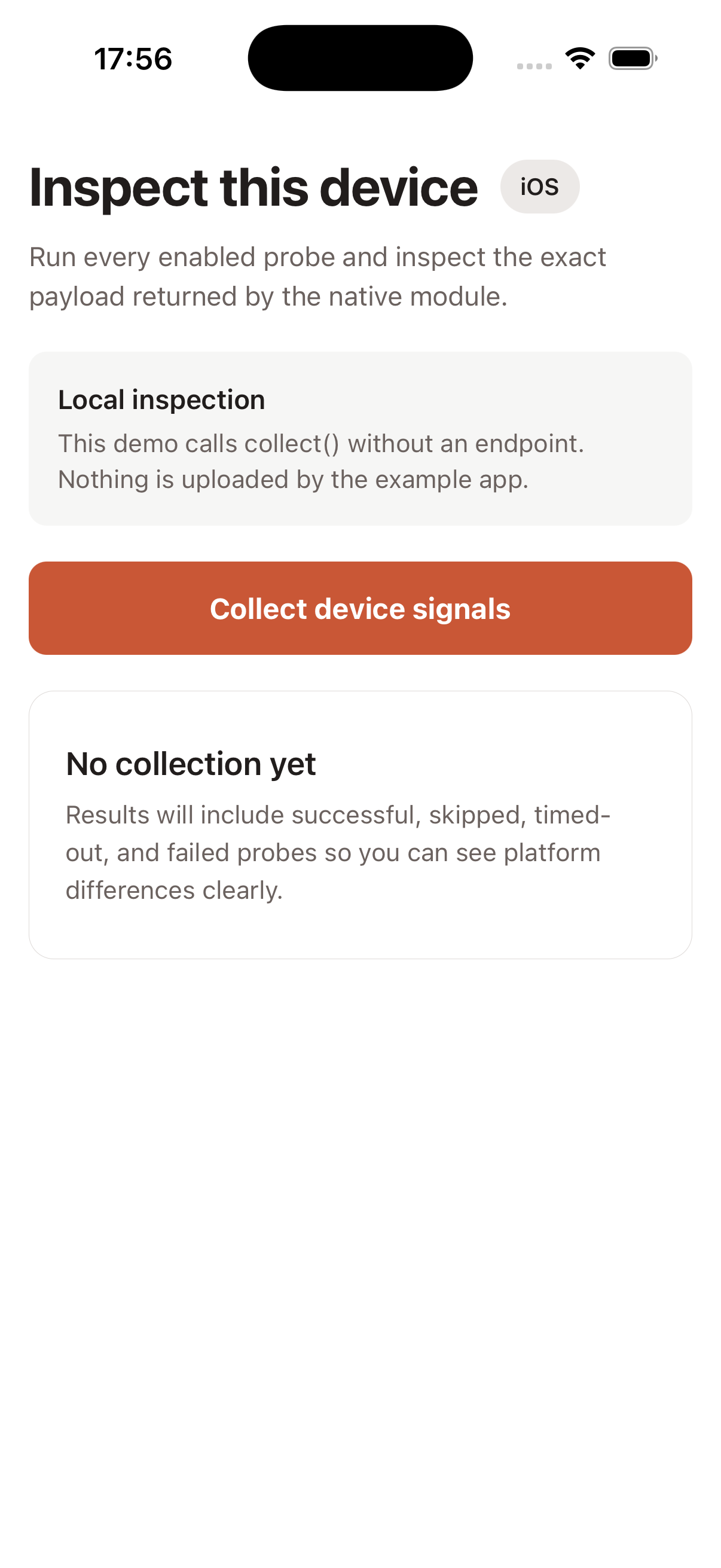
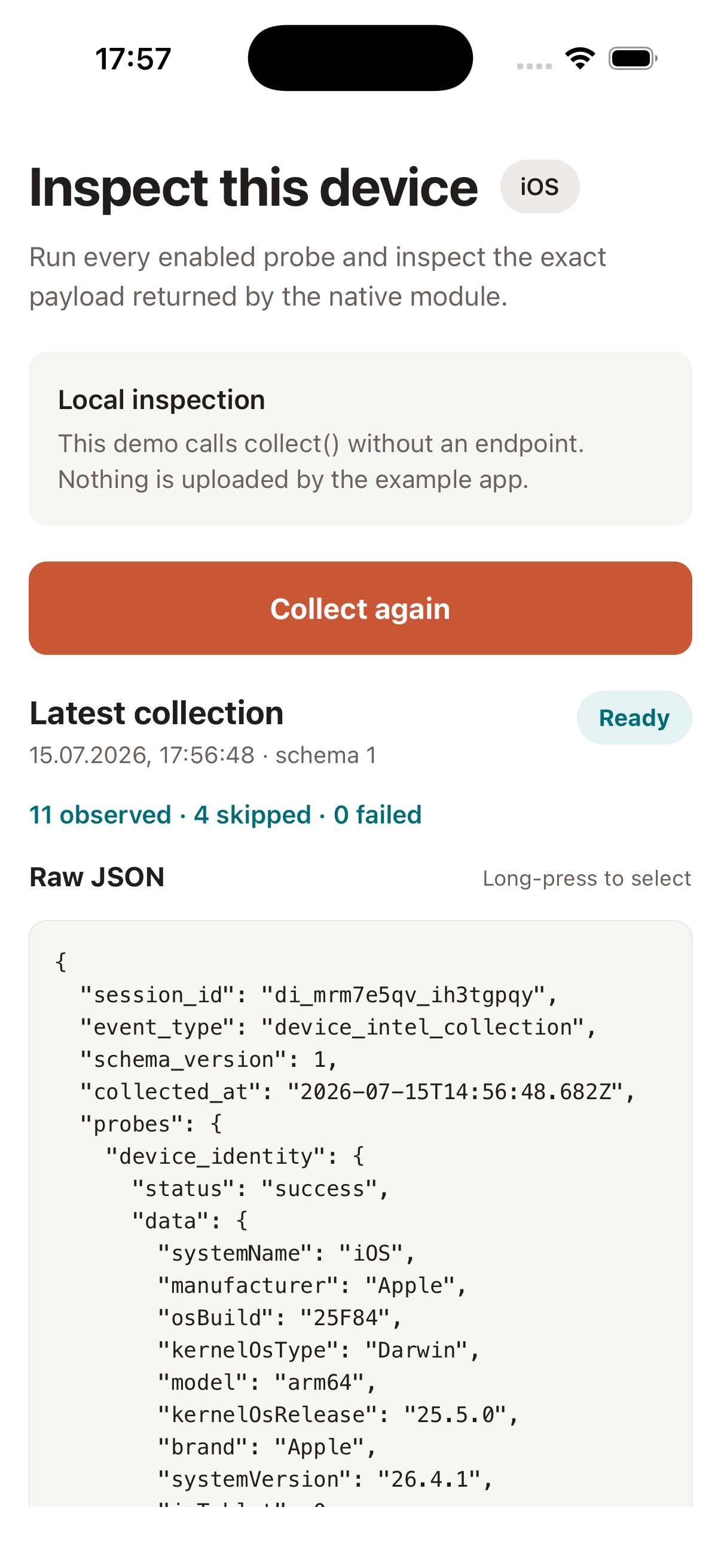
以下为内置 iOS 示例的真实截图。该演示不会上传收集到的任何数据。
## 为什么选择此库 - **提供原始观测结果,而非最终裁决。** 您的受信任后端负责评分、策略和申诉。 - **故障隔离。** 探测独立运行并返回 `success`、`skipped`、`timeout` 或 `error`;单个缓慢的原生调用不会导致整个收集过程失败。 - **明确的数据控制。** 可在初始化时或每次收集时禁用探测、更改超时时间、过滤字段,并应用减量式的授权关卡。 - **设计上的本地化。** 该包不包含任何网络传输层。由宿主应用程序决定是否发送收集到的事件,以及发送的目标和方式。 - **同时支持 Android 和 iOS。** 该包采用 React Native codegen 和自动链接,并专为 New Architecture 设计。 ## 检测能力 SDK 收集原始观测数据,而不是单一的 `isRisky` 判定。其可用性因平台、操作系统版本、硬件、宿主应用权限及您启用的探测而异。 | 类别 | 示例信号 | | --- | --- | | Root 和越狱 | Root 管理应用、`su`、可疑文件、可写系统路径、越狱 URL schemes | | 模拟器与篡改 | 模拟器启发式分析、调试器状态、开发者模式、Frida 端口、注入的库、hooking 框架 | | 设备与应用 | 型号、OS 构建、应用版本、bundle id、安装来源、权限、split APK 状态 | | 硬件 | 屏幕、CPU、内存、电池、存储、已安装字体的摘要信息 | | 网络 | 连接类型、VPN 状态、代理配置、网络接口、本地 IP 地址 | | 运行时 | Hermes、Fabric、TurboModules、bridgeless 模式、debug 构建、React Native 版本 | | 区域设置与上下文 | 语言、国家/地区、时区、日历、度量衡系统、定位授权 | | 可选基准测试 | GPU 和音频观测结果;在显式启用前默认禁用 | 查看[可用信号组](#available-signal-groups)以获取探测 ID 和平台相关说明。 ## 常见用例 - 利用原始移动观测数据丰富后端的防欺诈或设备风险模型。 - 为登录、结账、账户恢复、支付、促销或高风险操作添加上下文。 - 检测模拟器、Root/越狱、调试器、hooking、VPN、代理或重打包指示器。 - 调查安全遥测数据,避免嵌入会被攻击者篡改的客户端风险裁决。 - 执行受隐私控制的设备研究、QA 和兼容性诊断。 任何单一观测结果都不应直接用于阻断用户。应将信号与经过身份验证的账户、交易、行为及服务器端证据相结合,并为重大决策提供申诉或恢复途径。 ## 本 SDK 不具备的功能 - 不计算风险评分,也不返回受信任/不受信任的判定。 - 不替代 Google Play Integrity、Apple App Attest、DeviceCheck 或服务器端验证。 - 不创建跨重装的持久性设备标识符。 - 默认不上传数据、不获取远程配置,也不连接任何供应商服务。 - 不保证能检测到每一台已 Root、已越狱、被模拟或被插桩的设备。 - 不替代威胁建模、安全后端策略、隐私审查或法律审查。 ## 兼容性 | 环境与平台 | 支持情况 | | --- | --- | | React Native | `0.76` 及以上版本;CI 覆盖 `0.76.9`、`0.81.6` 和 `0.86.0` | | 架构 | TurboModules 和 codegen;仅支持 New Architecture | | Android | API 24 及以上版本 | | iOS | 使用宿主 React Native 发行版支持的最低 iOS 版本;CocoaPods 集成 | | Expo | 在 Expo Go 中不可用;需要原生预构建或自定义开发构建 | | TypeScript | 类型化的公共 API 和生成的声明文件 | | 数据传输 | 不包含在内;应用程序使用其现有的 API 客户端或传输层 | ## 安装 从 npm 安装最新的公开发布版本: ``` npm install react-native-device-risk-signals ``` 若要从 `main` 分支评估未发布的更改,请直接从 GitHub 安装该代码库: ``` npm install github:AfanasievN/react-native-device-risk-signals#main ``` 将该包添加到 iOS 应用后,请安装 CocoaPods 依赖: ``` npx pod-install ``` 本包支持 React Native 0.76 及以上版本且使用 New Architecture。Android 默认要求 API 24 及以上版本。 ## AI 辅助安装与集成 以下提示词专为能够检查并编辑您当前项目的 AI 编程助手设计。请将提示词逐一复制到附加于 React Native 代码库的聊天中。在接受建议的更改之前,请务必进行审查,尤其是原生配置和收集的字段。 ### 提示词 1:安装库 ``` Install react-native-device-risk-signals in this React Native project. Before changing files, inspect the repository and determine: - the package manager and lockfile; - the React Native version and whether the New Architecture is enabled; - whether this is a bare React Native app or an Expo project; - which platforms are present; - the Android minSdk and the existing iOS CocoaPods/Bundler workflow. Confirm that the project is compatible with React Native >= 0.76, Android API >= 24, and a native TurboModule build. Expo Go is not supported; for Expo, use the project's existing prebuild or custom development-client workflow. Install the package with the repository's package manager, preserve the existing lockfile strategy, and run CocoaPods using Bundler when the project already uses a Gemfile. Do not add permissions, remote services, or unrelated dependency upgrades. Run the project's existing typecheck/tests plus the relevant native dependency checks. Finish with a concise summary of changed files, commands run, compatibility findings, and any manual step still required. ``` ### 提示词 2:将信号收集集成到项目架构中 ``` Integrate react-native-device-risk-signals into this existing React Native application. First inspect the architecture instead of assuming a template. Identify app bootstrap and lifecycle, authentication/session ownership, navigation, dependency injection or service modules, state management, analytics/telemetry conventions, backend API clients, consent/privacy controls, and the current test strategy. Then choose the smallest integration point that matches those conventions. Requirements: - create one reusable DeviceIntel instance or service instead of constructing it throughout the UI; - use the application's existing session id when available and never derive a persistent device id; - begin with an explicit, conservative consentFor(...) probe list and explain every enabled group; - call collect() locally and pass the result to the application's existing API client only when a suitable first-party backend endpoint and payload contract already exist; - handle success, skipped, timeout, and error outcomes without treating missing data as low risk; - keep risk scoring and blocking decisions on the backend and do not block a user from one signal; - account for Android/iOS differences, Expo prebuild requirements, and New Architecture codegen; - minimize retained fields with `fields.include` before handing the event to any transport; - add focused tests using the project's existing tools and update relevant privacy documentation; - do not introduce vendor services, secrets, new permissions, or unrelated refactors. Show the proposed architecture and data flow before editing. After implementation, run the relevant tests and native checks, then summarize files changed, enabled probes, collected/transmitted fields, failure behavior, privacy implications, and remaining backend or product decisions. ``` ## 在本地收集信号 ``` import { consentFor, DeviceIntel, type RawSignalEvent, } from "react-native-device-risk-signals"; const deviceIntel = new DeviceIntel({ sessionId: "checkout-session-42", consent: consentFor([ "device_identity", "hardware", "os_integrity", "locale", "runtime", ]), }); const event: RawSignalEvent = await deviceIntel.collect(); ``` 上述代码中未配置任何 endpoint,因此事件会保留在您的应用程序中。 ### 真实响应示例 以下响应由内置的 Signal Bench 应用在 iOS 模拟器上收集。仅 session id、timestamp 和本地 IP 地址被替换为了安全的示例值。查看完整的 JSON 响应(11 个探测成功,4 个被跳过)
``` { "session_id": "demo-session-42", "event_type": "device_intel_collection", "schema_version": 1, "collected_at": "2026-07-15T16:00:43.622Z", "probes": { "device_identity": { "status": "success", "data": { "systemName": "iOS", "manufacturer": "Apple", "osBuild": "25F84", "kernelOsType": "Darwin", "model": "arm64", "kernelOsRelease": "25.5.0", "brand": "Apple", "systemVersion": "26.4.1", "isTablet": 0, "kernelVersion": "Darwin Kernel Version 25.5.0: Tue Jun 9 22:28:24 PDT 2026; root:xnu-12377.121.10~1/RELEASE_ARM64_T6020" } }, "hardware": { "status": "success", "data": { "processorCount": 12, "screenBrightness": 0.5, "freeMemoryBytes": 146178048, "screenDensity": 3, "screenHeightPx": 2622, "totalMemoryBytes": 34359738368, "screenPhysicalHeightPx": 2622, "screenWidthPx": 1206, "screenPhysicalDensity": 3, "screenPhysicalWidthPx": 1206, "batteryState": "unknown" } }, "fonts": { "status": "success", "data": { "fontsDigest": "def45589933acee661159b4a13123add069a6ba797b7af69f3835fe45df9c922" } }, "os_integrity": { "status": "success", "data": { "injectedLibraryNames": [], "suBinaryFound": true, "suspiciousFilePaths": ["/usr/sbin/sshd", "/usr/bin/ssh"], "injectedLibrariesFound": 0, "suspiciousFilePathsFound": 1, "symbolicLinksSuspicious": false, "writableSystemPathFound": false, "hookFrameworkFound": 0, "developerModeEnabled": false, "dyldImageCount": 1010, "canOpenJailbreakScheme": false, "isDebuggerAttached": false, "isEmulator": true, "rootManagementAppFound": false } }, "os_integrity_frida_scan": { "status": "skipped", "reason": "disabled" }, "os_integrity_fork_test": { "status": "skipped", "reason": "disabled" }, "network": { "status": "success", "data": { "connectionType": "wifi", "isConnected": 1, "localIpAddresses": ["xxx.xx.x.x2"], "isVpnActive": false, "interfaceNames": [ "anpi2", "anpi1", "anpi0", "en4", "en5", "en6", "en1", "en2", "en3", "bridge0", "en0", "awdl0", "llw0", "utun0", "utun1", "utun2", "utun3", "utun4", "utun5", "utun100" ], "isProxyConfigured": false } }, "telephony": { "status": "success", "data": {} }, "locale": { "status": "success", "data": { "languages": ["ru-RU", "en-GB"], "timezoneOffsetMinutes": 180, "calendar": "gregorian", "uses24HourClock": 1, "groupingSeparator": " ", "firstDayOfWeek": 2, "decimalSeparator": ",", "language": "en", "measurementSystem": "metric", "country": "RU", "timezoneId": "Europe/Moscow", "currencyCode": "RUB" } }, "geolocation": { "status": "success", "data": { "authorizationStatus": "notDetermined", "hasCoarsePermission": false } }, "media_bluetooth_apps": { "status": "success", "data": { "isOtherAudioPlaying": false, "isScreenMirrored": 0, "accessibilityFeatures": [], "isScreenCaptured": false, "audioOutputRoute": "speaker", "accessibilityRunning": 0, "openableFlaggedSchemes": [] } }, "gpu_benchmark": { "status": "skipped", "reason": "disabled" }, "audio_latency": { "status": "skipped", "reason": "disabled" }, "application": { "status": "success", "data": { "appVersion": "1.0", "appBuild": "1", "bundleId": "org.reactjs.native.example.DeviceRiskSignalsExample" } }, "runtime": { "status": "success", "data": { "isHermes": true, "jsEngine": "hermes", "hermesVersion": "250829098.0.14", "isFabric": true, "isTurboModule": true, "isBridgeless": true, "isDebugBuild": true, "reactNativeVersion": "0.86.0", "platformOs": "ios" } } } } ```标签:Android, DSL, iOS, React Native, 欺诈防护, 移动开发, 自动化攻击, 设备指纹