xai-org/grok-build
GitHub: xai-org/grok-build
SpaceXAI 推出的基于 Rust 构建的终端 AI 编程智能体,提供全屏 TUI、无头模式与编辑器集成,帮助开发者直接在终端中完成代码编辑、命令执行和任务管理。
Stars: 21133 | Forks: 3913

Grok Build (grok)
**Grok Build** 是 SpaceXAI 的基于终端的 AI 编程智能体。它作为一个
全屏 TUI 运行,能够理解你的代码库、编辑文件、执行 shell
命令、搜索网络并管理长期运行的任务——支持以交互式、
无头模式(用于脚本/CI),或通过 Agent Client
Protocol (ACP) 嵌入到编辑器中运行。
[安装已发布的二进制文件](#installing-the-released-binary) ·
[从源码构建](#building-from-source) ·
[文档](#documentation) ·
[仓库结构](#repository-layout) ·
[开发](#development) ·
[贡献](#contributing) ·
[许可证](#license)
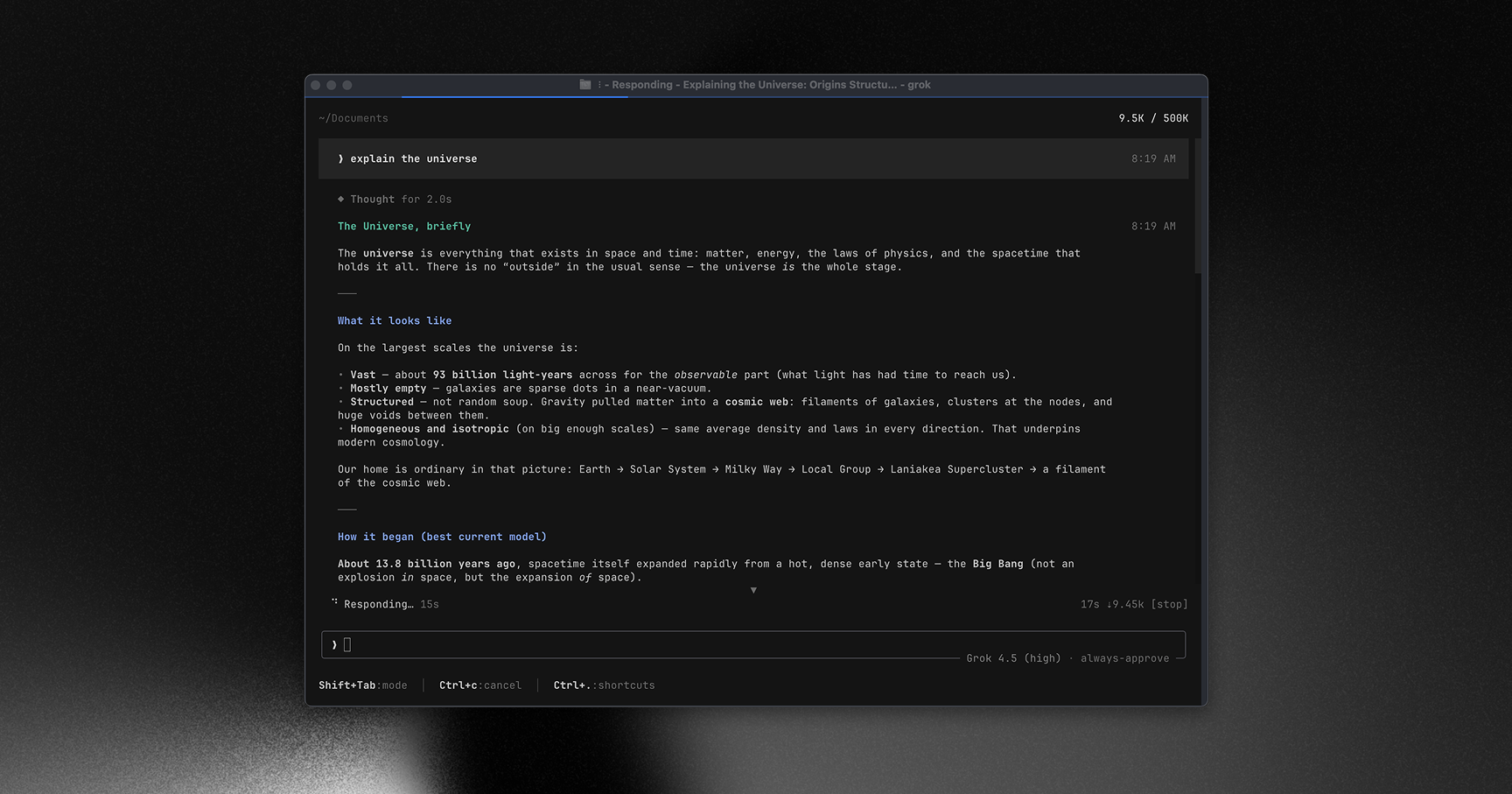
**在 [x.ai/cli](https://x.ai/cli) 了解更多关于 Grok Build 的信息**
此仓库包含 `grok` CLI/TUI 及其 agent
运行时的 Rust 源码。它会定期从 SpaceXAI monorepo 同步。
## 安装已发布的二进制文件
为 macOS、Linux 和 Windows 发布了预构建的二进制文件:
```
curl -fsSL https://x.ai/cli/install.sh | bash # macOS / Linux / Git Bash
irm https://x.ai/cli/install.ps1 | iex # Windows PowerShell
grok --version
```
请查看 [更新日志](https://x.ai/build/changelog) 了解每个版本中的最新修复、
功能和改进。
## 从源码构建
环境要求:
- **Rust** — 工具链由 [`rust-toolchain.toml`](rust-toolchain.toml) 指定;
`rustup` 会在首次构建时自动安装它。
- **protoc** — proto 代码生成会解析 [`bin/protoc`](bin/protoc) (一个
[dotslash](https://dotslash-cli.com) 启动器),或者回退到 `PATH` / `$PROTOC`
中存在的 `protoc`。
- macOS 和 Linux 是受支持的构建主机;Windows 构建不保证完全
可用,且目前未在此代码树中进行过测试。
```
cargo run -p xai-grok-pager-bin # build + launch the TUI
cargo build -p xai-grok-pager-bin --release # release binary: target/release/xai-grok-pager
cargo check -p xai-grok-pager-bin # fast validation
```
构建出的二进制产物名为 `xai-grok-pager`;官方安装时会将其命名为
`grok`。首次启动时,它会打开你的浏览器进行身份验证——请参阅
[身份验证指南](crates/codegen/xai-grok-pager/docs/user-guide/02-authentication.md)。
## 文档
完整的在线文档可在
[docs.x.ai/build/overview](https://docs.x.ai/build/overview) 查看。
用户指南随 pager crate 一起发布:
[`crates/codegen/xai-grok-pager/docs/user-guide/`](crates/codegen/xai-grok-pager/docs/user-guide/)
— 包含入门指南、键盘快捷键、斜杠命令、配置、主题、
MCP server、技能、插件、hooks、无头模式、沙盒等内容。
## 仓库结构
| 路径 | 内容 |
|------|----------|
| `crates/codegen/xai-grok-pager-bin` | 组合根包;用于构建 `xai-grok-pager` 二进制文件 |
| `crates/codegen/xai-grok-pager` | TUI:滚动区、提示框、模态框、渲染 |
| `crates/codegen/xai-grok-shell` | Agent 运行时 + leader/stdio/headless 入口点 |
| `crates/codegen/xai-grok-tools` | 工具实现(终端、文件编辑、搜索等) |
| `crates/codegen/xai-grok-workspace` | 宿主文件系统、VCS、执行、检查点 |
| `crates/codegen/...` | 其余的 CLI crate 闭包(配置、MCP、Markdown、sandbox 等) |
| `crates/common/`, `crates/build/`, `prod/mc/` | 被闭包引入的小型共享叶子 crate |
| `third_party/` | 第三方上游源码(Mermaid 图表技术栈)——见下文 |
## 开发
```
cargo check -p
# always target specific crates; full-workspace builds are slow
cargo test -p xai-grok-config # per-crate tests
cargo clippy -p # lint config: clippy.toml at the repo root
cargo fmt --all # rustfmt.toml at the repo root
```
## 许可证
本仓库中的第一方代码基于 **Apache License,
Version 2.0** 授权——详见 [`LICENSE`](LICENSE)。
第三方及vendored代码保留其原始许可证。请参阅:
- [`THIRD-PARTY-NOTICES`](THIRD-PARTY-NOTICES) — crates.io / git 依赖项,
打包的 UI 主题以及**代码树内的源码移植**(包括 openai/codex 和
sst/opencode 工具实现)
- [`crates/codegen/xai-grok-tools/THIRD_PARTY_NOTICES.md`](crates/codegen/xai-grok-tools/THIRD_PARTY_NOTICES.md)
— 针对 codex 和 opencode 移植的 crate 本地声明(许可证文本 +
Apache §4(b) 变更声明)
- [`third_party/NOTICE`](third_party/NOTICE) — Vendored Mermaid 技术栈索引标签:AI编程助手, Rust, SOC Prime, TUI, 可视化界面, 开发工具, 网络流量审计, 自动化代理, 通知系统