
# PunamIDE v2.1.2
**一款基于 Tauri 2、React 19 和 Monaco Editor 构建的原生 AI 驱动代码编辑器。**
多 Provider AI、Agentic tool-calling、技术债务分析以及完整的 IDE 体验 —— 全部在您的本地机器上运行。
[](CHANGELOG.md)
[](LICENSE)
[](https://tauri.app)
[](https://react.dev)
[](https://www.rust-lang.org)
[](https://www.typescriptlang.org)
[](https://microsoft.github.io/monaco-editor)
[](https://punamide.com)
[](https://github.com/punamide/punamide-downloads/releases/tag/v2.1.2)
[](https://punamide.com)
[](https://discord.gg/PFp9KWY3eY)
[](https://x.com/PunamIDE)
[](#ai-providers)
[](#agent-tools)
[](#project-structure)
[](#testing)
## 目录
- [截图](#screenshots)
- [快速开始](#quick-start)
- [技术栈](#tech-stack)
- [AI Providers](#ai-providers)
- [功能特性](#features)
- [AI Chat & Agentic System](#ai-chat--agentic-system)
- [代码编辑器](#code-editor)
- [自动补全](#autocomplete)
- [终端](#terminal)
- [Git & GitHub](#git--github)
- [调试器](#debugger)
- [技术债务分析器](#technical-debt-analyzer)
- [架构分析](#architecture-analysis)
- [安全扫描器](#security-scanner)
- [Embeddings & RAG](#embeddings--rag)
- [CI/CD 集成](#cicd-integration)
- [Docker](#docker)
- [MCP 支持](#mcp-support)
- [项目结构](#project-structure)
- [键盘快捷键](#keyboard-shortcuts)
- [配置](#configuration)
- [测试](#testing)
- [构建](#build)
- [贡献](#contributing)
- [许可证](#license)
## 截图
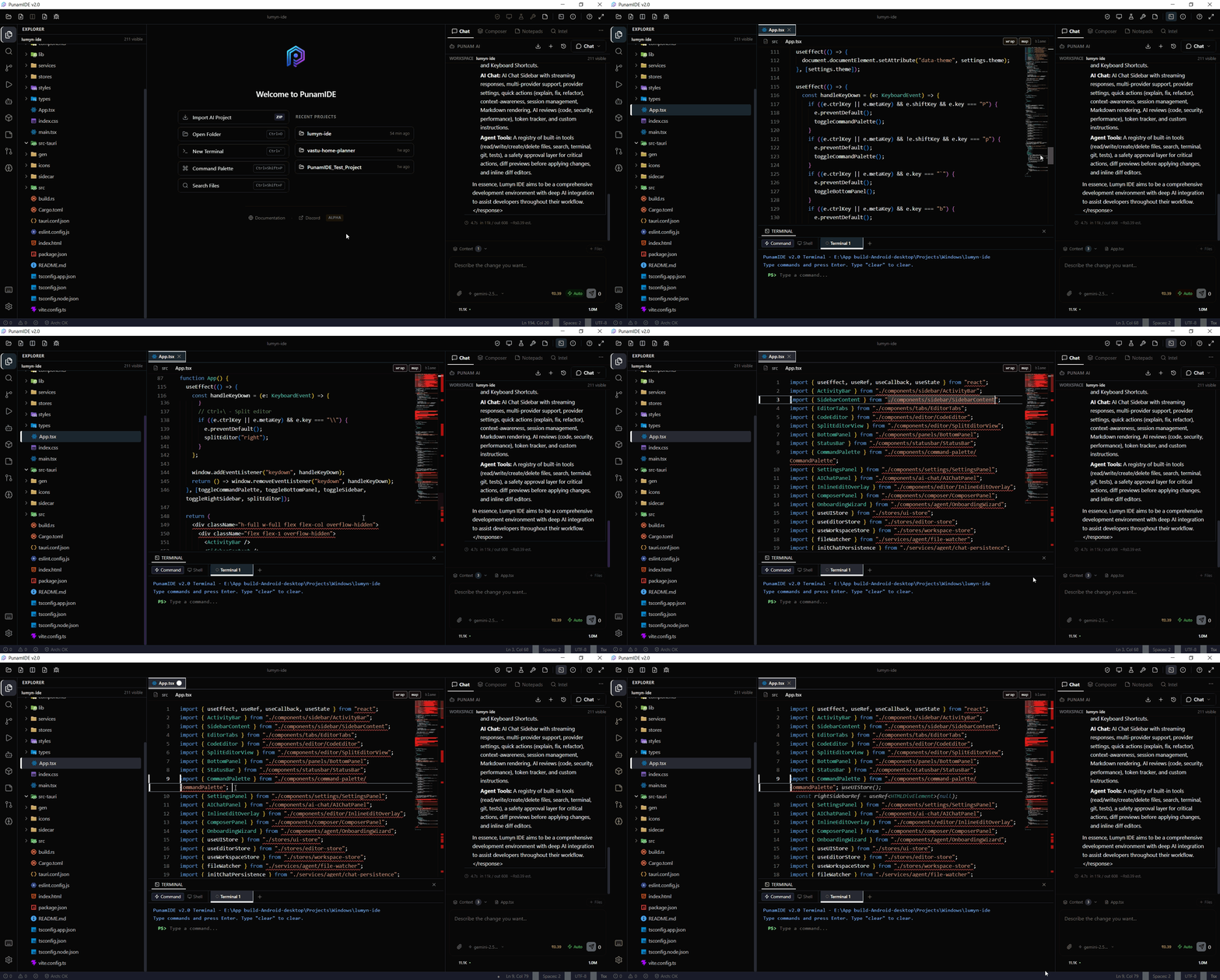
### 主界面
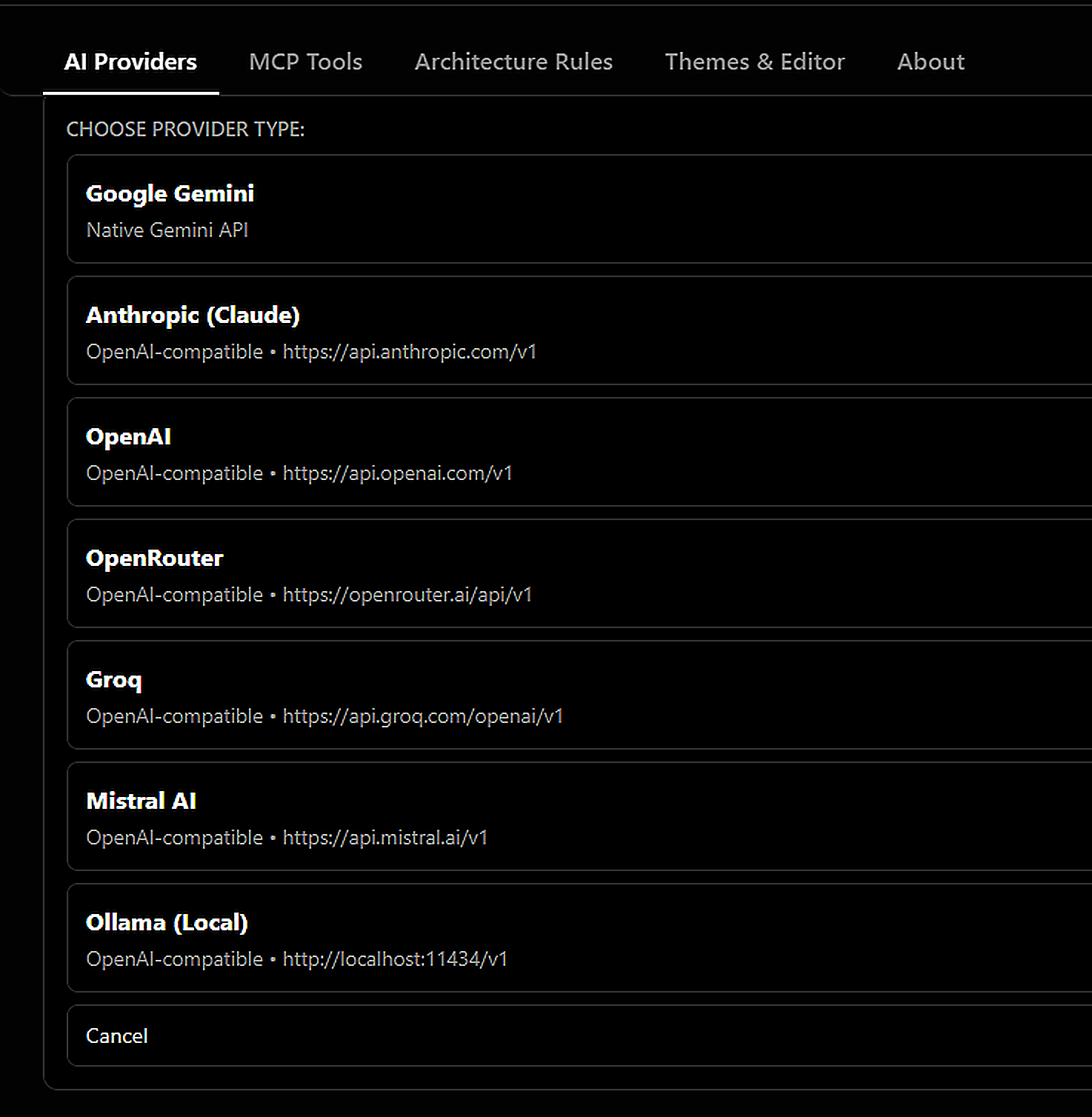
### BYOK — 自带密钥(多 Provider)
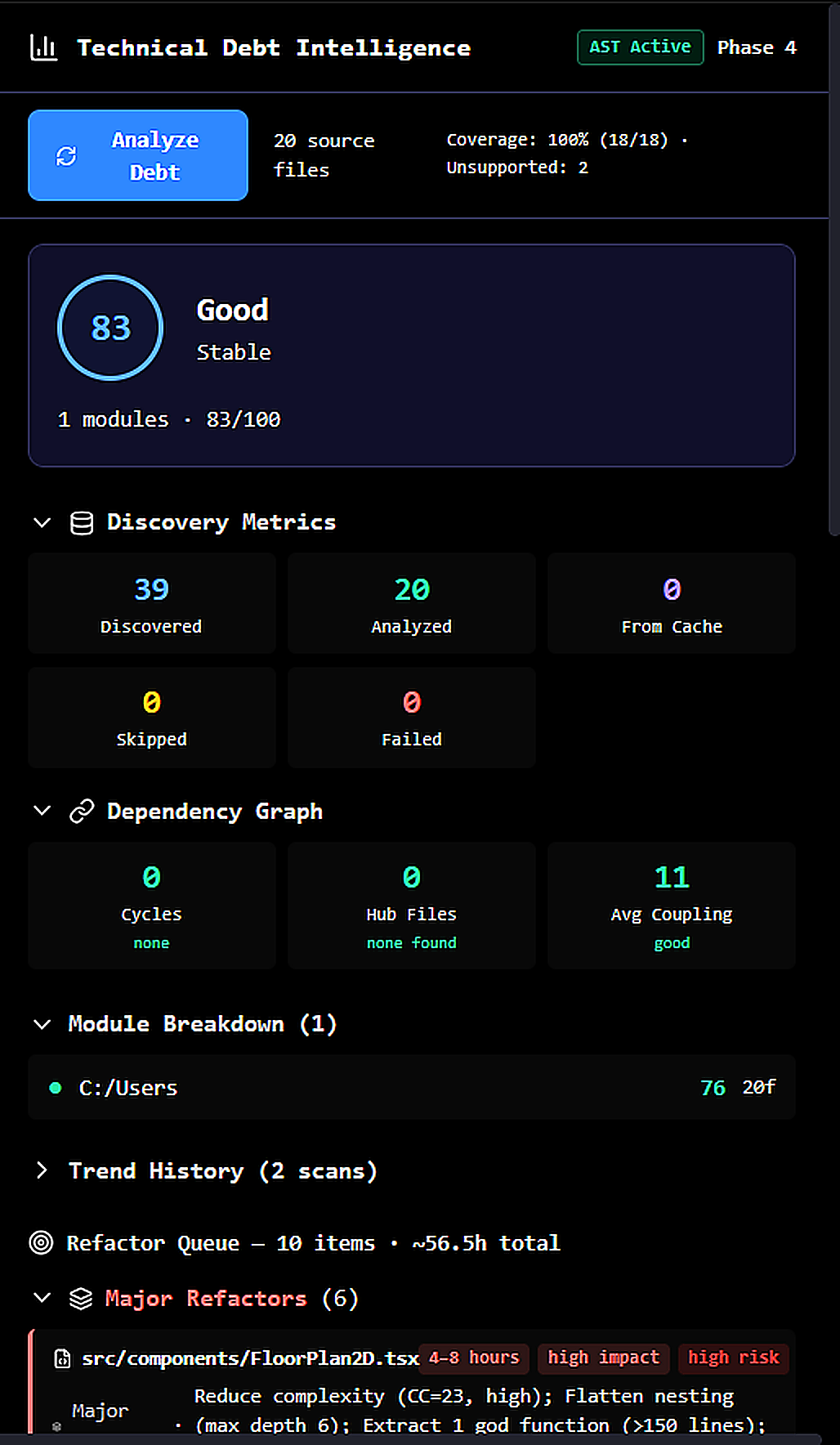
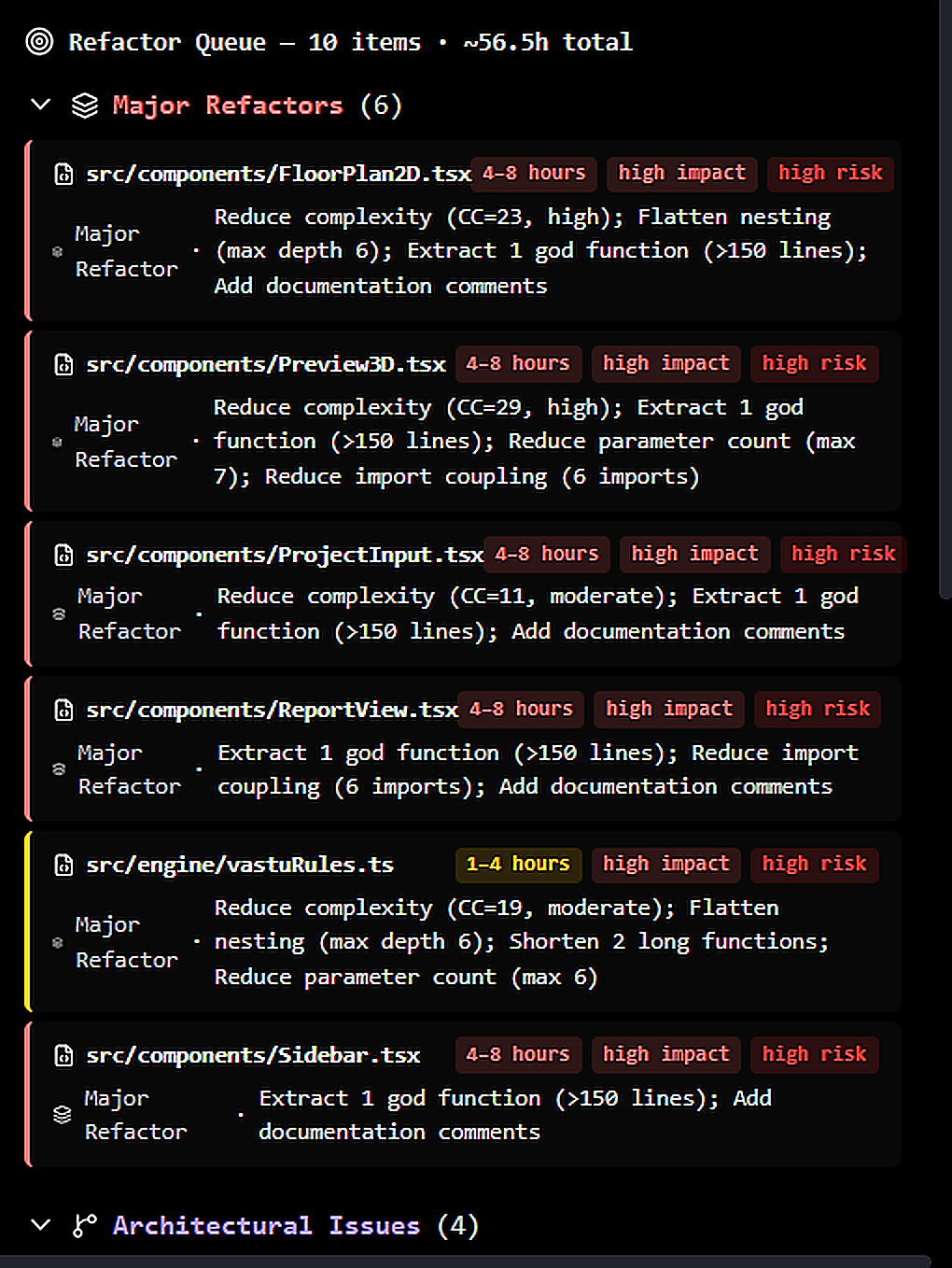
### 技术债务分析
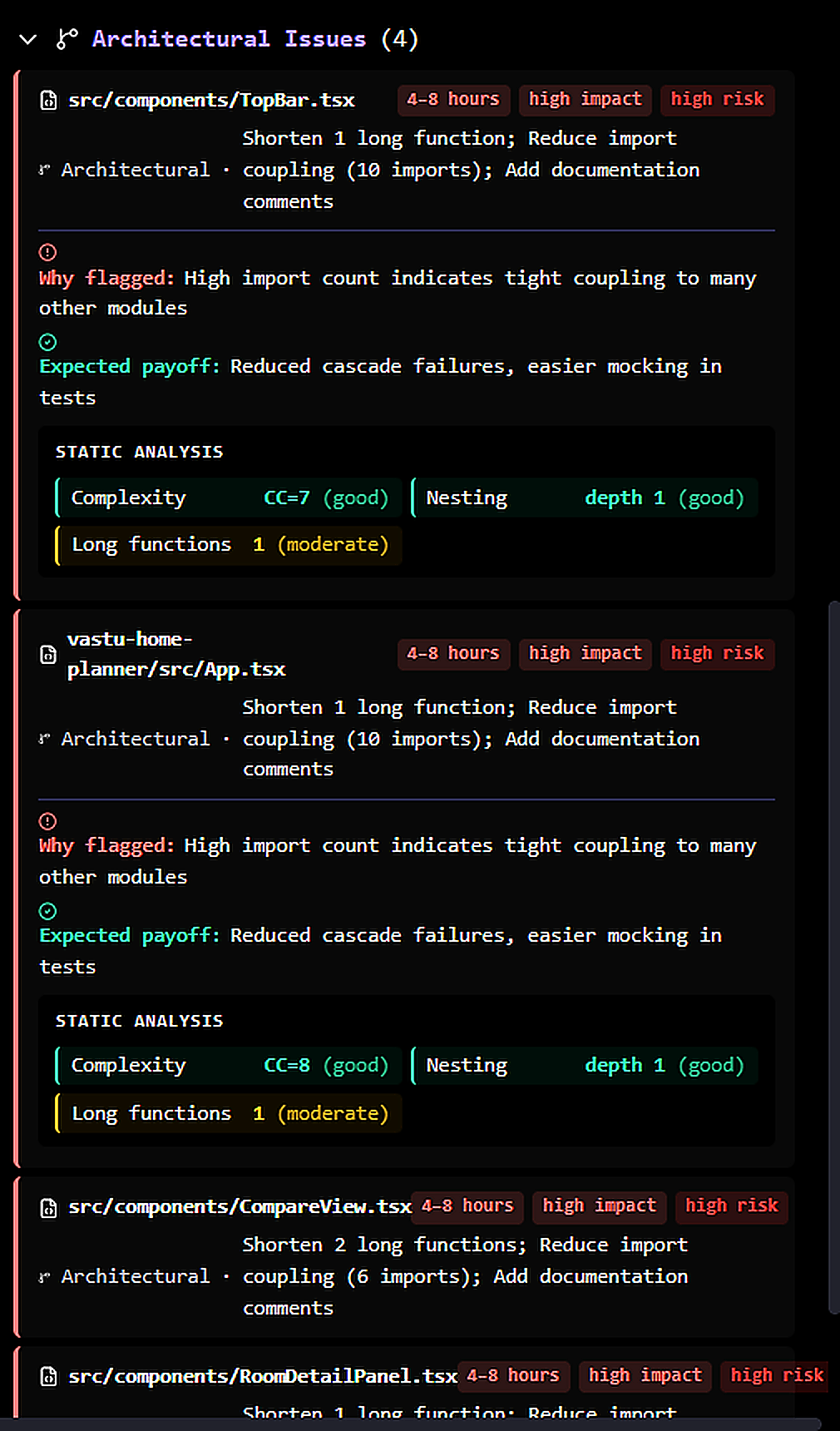
### 架构与依赖图
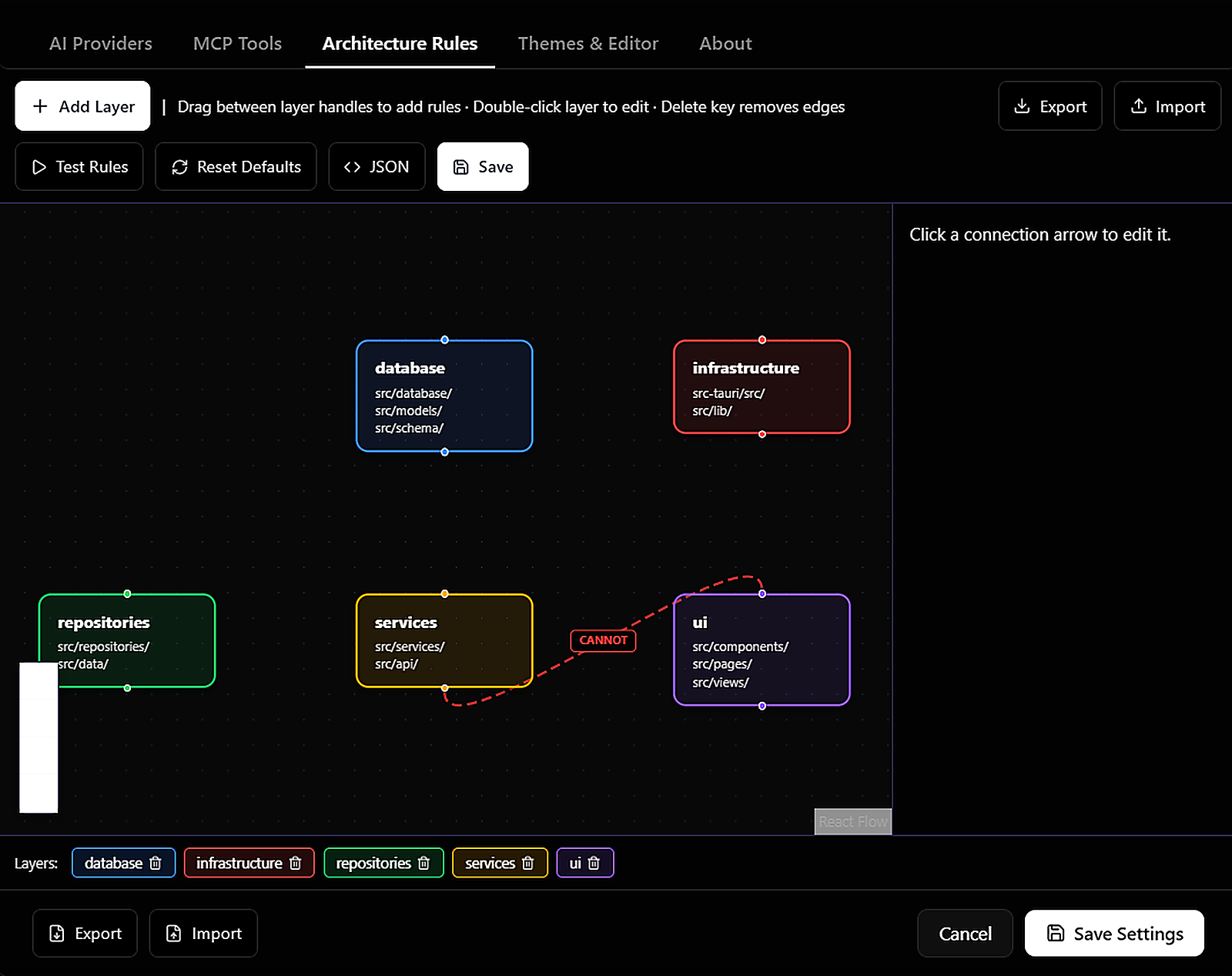
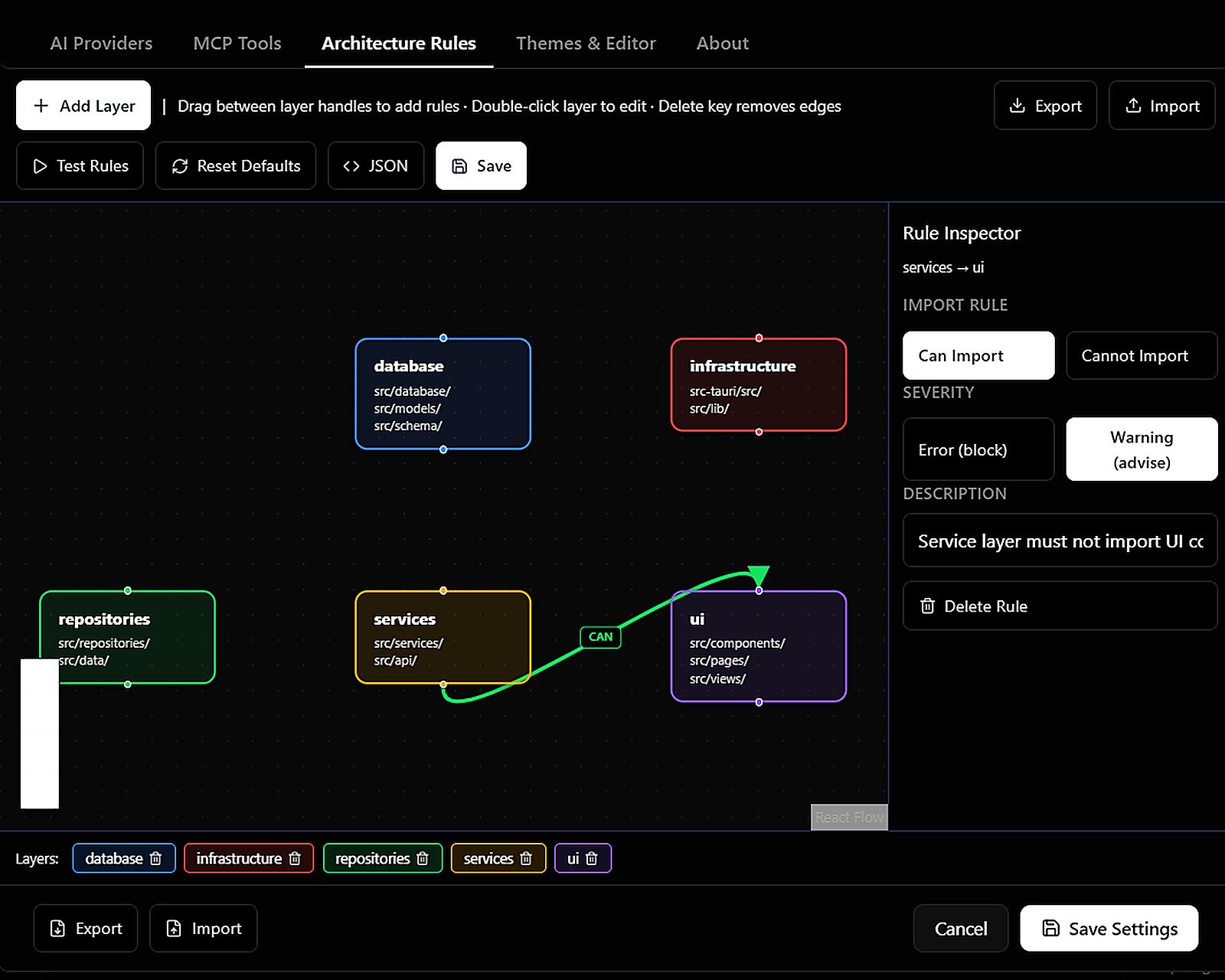
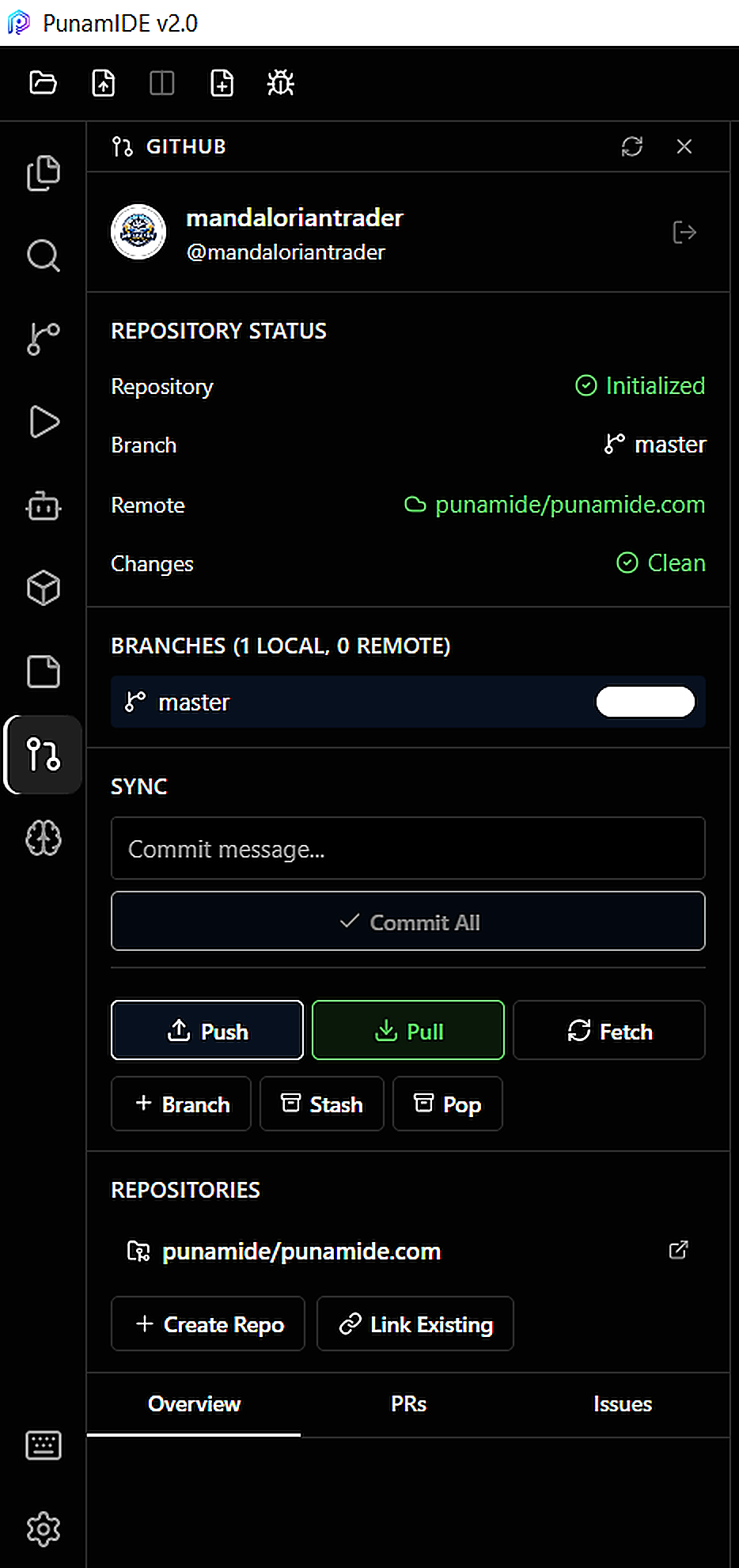
### GitHub 集成
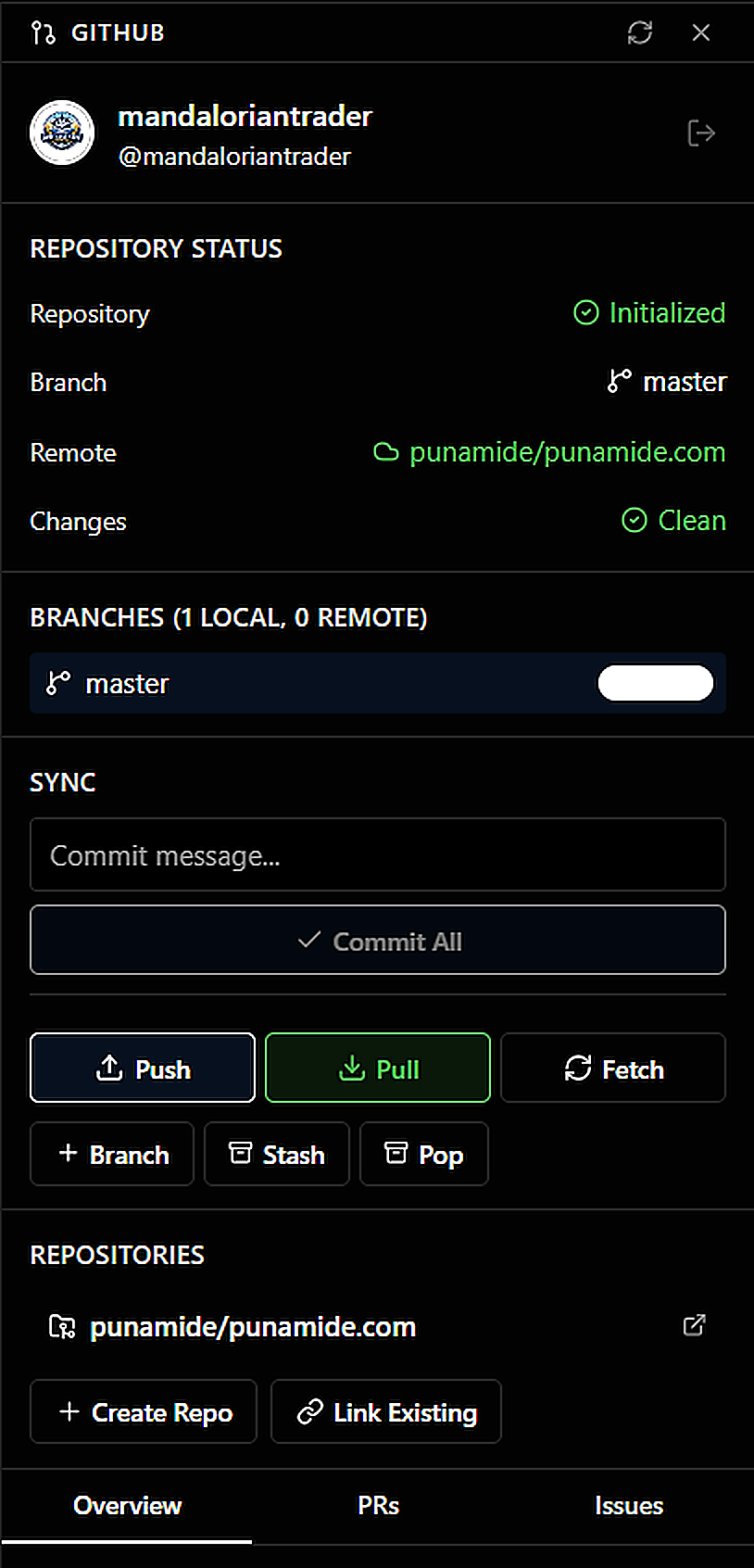
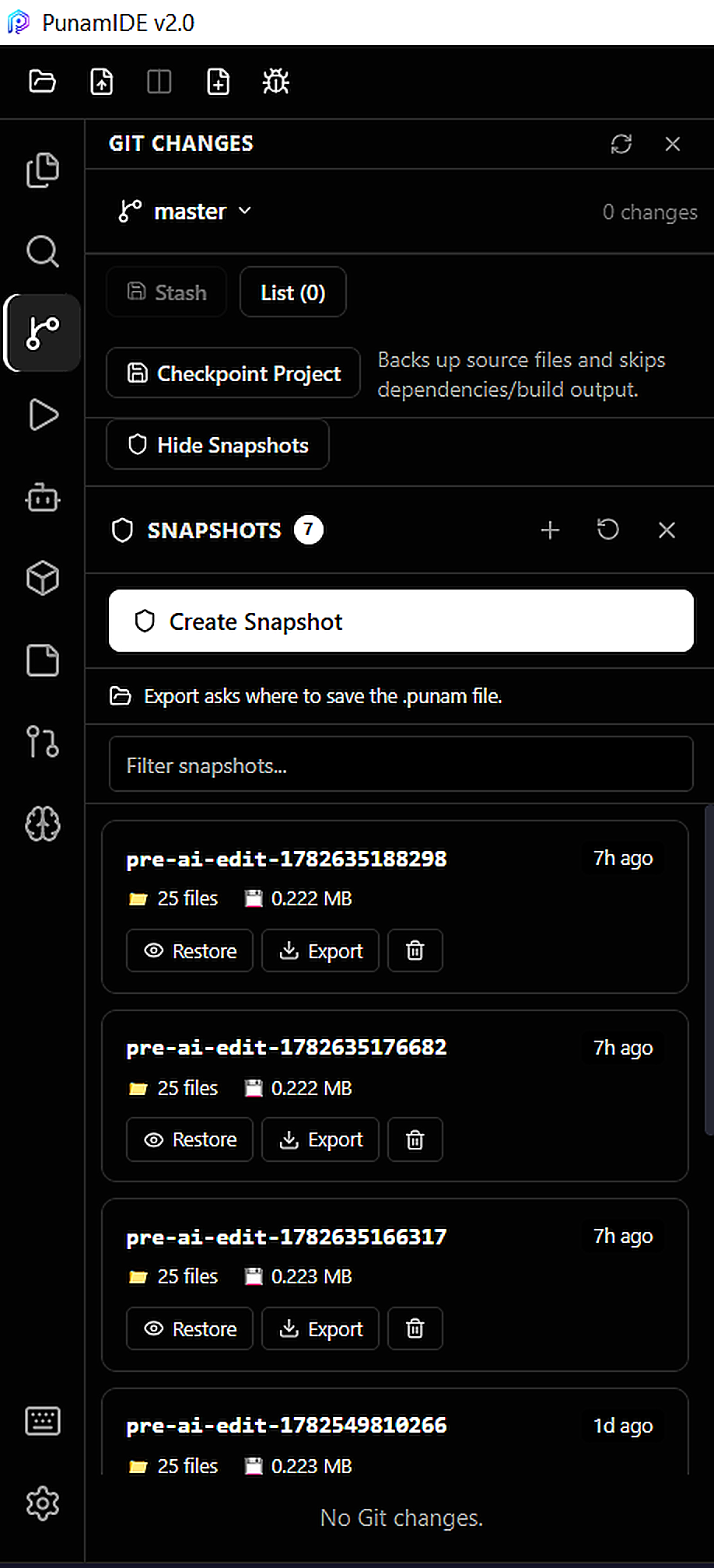
### Git 源代码控制
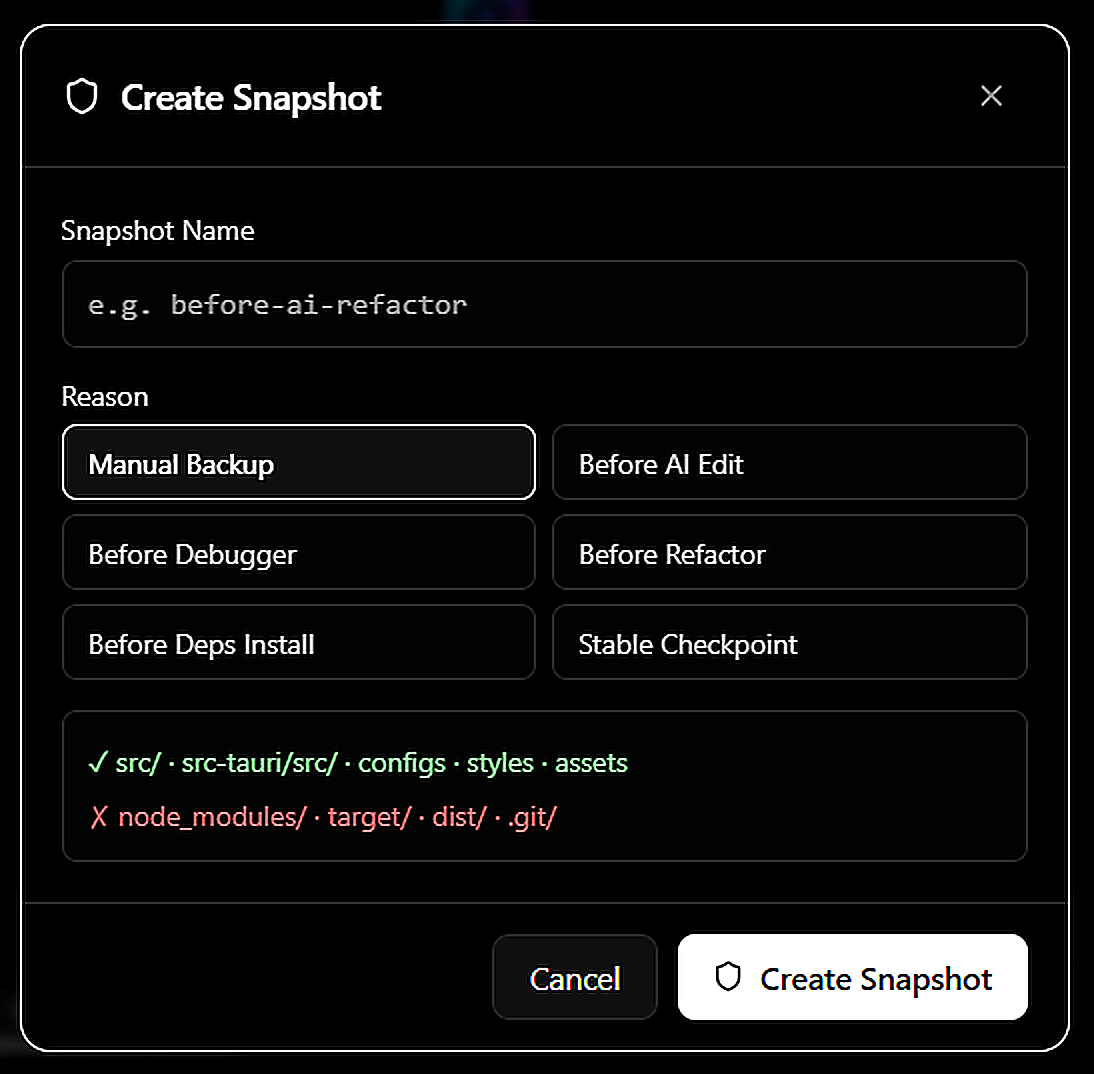
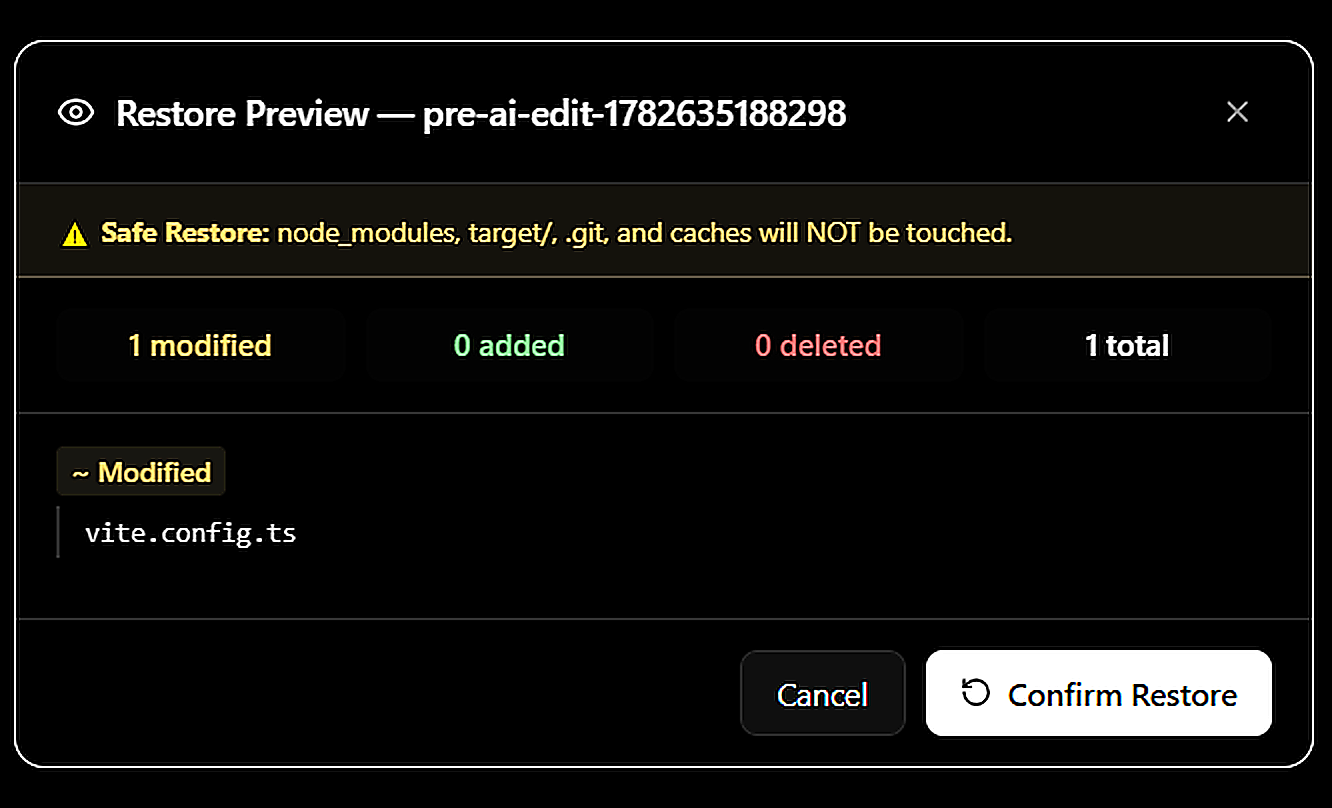
### 快照管理器
## 下载
| 安装程序 | 链接 |
|---|---|
| Windows 安装程序(推荐) | [PunamIDE v2.0_2.1.2_x64-setup.exe](https://github.com/punamide/punamide-downloads/releases/download/v2.1.2/PunamIDE.v2.0_2.1.2_x64-setup.exe) |
| Windows MSI(管理员/企业版) | [PunamIDE v2.0_2.1.2_x64_en-US.msi](https://github.com/punamide/punamide-downloads/releases/download/v2.1.2/PunamIDE.v2.0_2.1.2_x64_en-US.msi) |
所有版本 → [github.com/punamide/punamide-downloads/releases](https://github.com/punamide/punamide-downloads/releases)
**安装说明:**
1. 下载 `.exe` 安装程序
2. 运行它 —— 如果已安装 v2.1.x 版本,将直接进行原位升级
3. 启动 PunamIDE
4. 打开 **Settings → Providers** 并添加您的 AI API 密钥
5. 开始编码
## 技术栈
| 层级 | 技术 | 版本 |
|---|---|---|
| 桌面外壳 | Tauri | 2.11 |
| 前端 | React + TypeScript | 19 / 6.0 |
| 构建工具 | Vite | 8.0 |
| 编辑器 | Monaco Editor | 0.55 |
| 样式 | Tailwind CSS v4 + CSS modules | 4.3 |
| 状态管理 | Zustand | 5.0 |
| Rust 异步 runtime | Tokio | 1.x |
| Git 库 | git2 (libgit2 bindings) | 0.19 |
| 数据库 | SQLite via rusqlite | 0.31 |
| 终端 | xterm.js + portable-pty | 6.0 / 0.8 |
| AI(本地) | @xenova/transformers | 2.17 |
| AST 解析 | web-tree-sitter | 0.26 |
| 图形 UI | @xyflow/react | 12.10 |
| 测试 | Vitest + fast-check | 3.2 / 4.8 |
| 错误追踪 | Sentry | 10.55 |
## AI Providers
PunamIDE 支持 **7 种 AI providers**,具备独立的 API 密钥管理、逐模型选择功能,并支持以 **USD 和 INR** 进行实时成本追踪。
| Provider | 模型 | 备注 |
|---|---|---|
| **Google Gemini** | 2.5 Pro, 2.5 Flash, 2.5 Flash-Lite, 2.0 Flash, 2.0 Flash-Lite | 原生流式传输 |
| **Anthropic Claude** | Claude 3.5 Sonnet, Haiku, Opus | 原生 tool-use |
| **OpenAI** | GPT-4o, GPT-4 Turbo, GPT-4o Mini | OpenAI 兼容 |
| **Groq** | Llama 3.1 70B, Mixtral, Gemma | 超快推理 |
| **OpenRouter** | DeepSeek v3/R1/v4, 100+ 模型 | 统一网关 |
| **Ollama** | 任意本地模型 | 完全离线,可配置 URL |
| **Mistral** | Mistral Large, Codestral | OpenAI 兼容 |
## 功能特性
### AI Chat & Agentic System
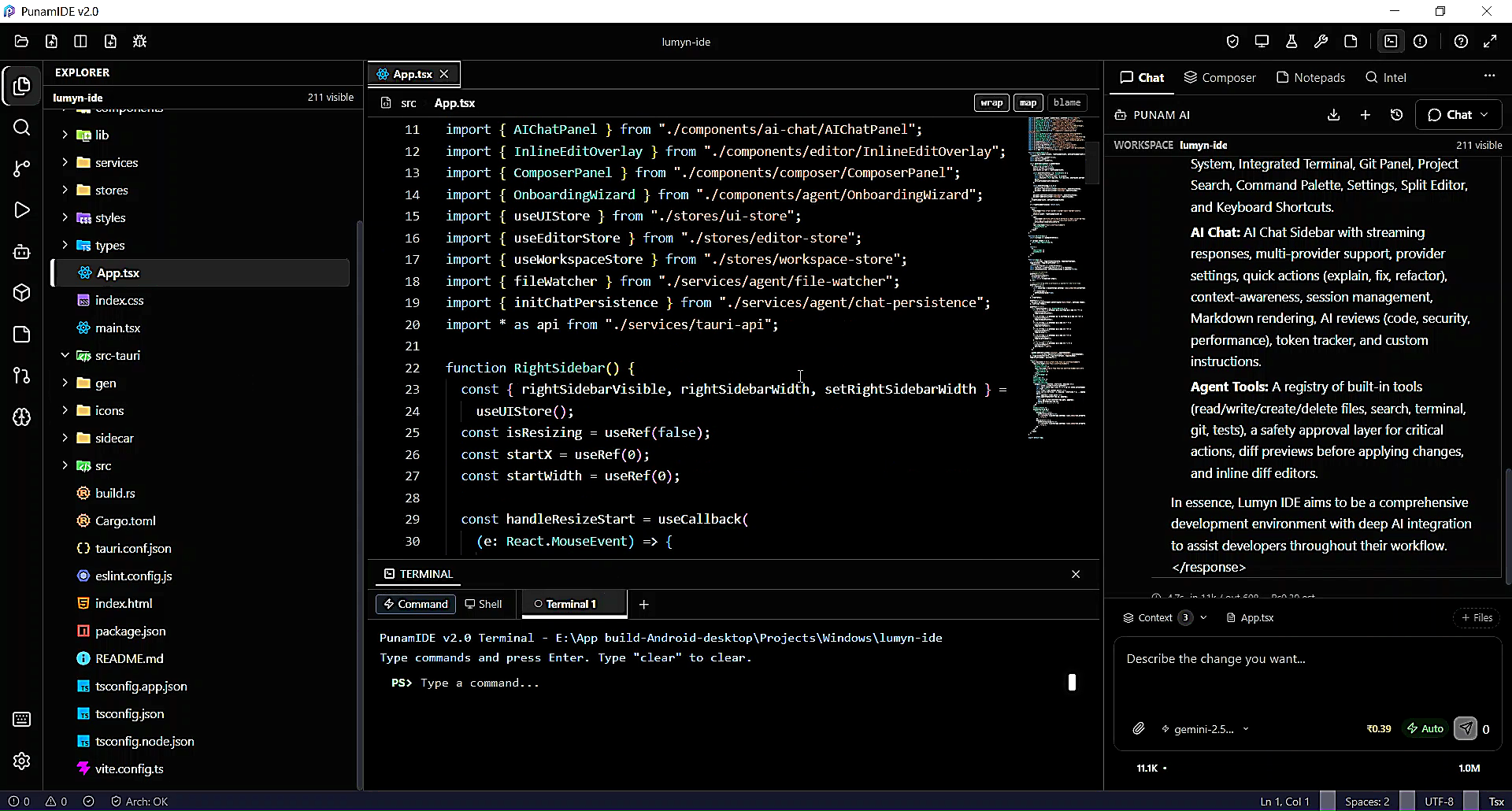
AI 面板是一个完整的 agentic loop —— 模型可以自主使用工具、读写文件、运行命令并进行迭代,直到任务完成。
**Chat:**
- 具备完整项目上下文感知的多轮对话
- 附加文件、图像和代码片段
- 导出聊天记录
- 为受支持的模型提供视觉支持(图像输入)
- 流式响应与实时 token 显示
**Agent Tools —— 可由 AI 调用:**
| 工具 | 描述 |
|---|---|
| `read_file` | 读取整个文件内容 |
| `read_lines` | 读取特定行范围 |
| `write_file` | 创建或覆盖文件 |
| `apply_patch` | 应用统一 diff patch |
| `search_in_project` | 跨所有项目文件进行全文搜索 |
| `run_command` | 执行 shell 命令 |
| `list_directory` | 列出文件夹内容 |
| `search_symbol` | 基于 LSP 的跨文件符号查找 |
| `get_diagnostics` | 获取当前编辑器的错误和警告 |
**多 Agent 编排:**

生成多个并行运行的专业 agent:
| Agent 类型 | 权限 |
|---|---|
| `implementation` | 写入 `src/`, `src-tauri/src/` |
| `test` | 仅写入 `*.test.ts` / `*.spec.ts` |
| `architecture` | 只读观察者 —— 可否决 patch |
| `security` | 只读扫描器 —— 可拦截关键 patch |
| `refactor` | 同 implementation + 架构重新验证 |
**安全与控制:**
- **Autopilot 模式** —— 自动批准安全的读/写操作;危险命令仍需批准
- **Supervised 模式** —— 每次写入和命令都需要明确的单次操作批准
- **Agent 批准门控** —— 接受/拒绝单个工具调用
- **预算强制执行** —— 设置每项任务的 token 和成本限制,并配有警告对话框
- **Loop Guard** —— 防止无限的工具调用循环
- **歧义检测** —— AI 在处理不明确的任务前会提出澄清问题
- **架构护栏** —— 所有 AI 提议的写入在应用前都会根据您定义的规则进行验证
**上下文智能:**
- **Context assembler** —— 将打开的文件、符号、git diff 和错误拉取到 AI 上下文中
- **Context compressor** —— 智能截断,保留最相关的内容
- **Context 侧边栏** —— 直观展示 AI context window 中的内容
- **Context window 栏** —— 聊天中的实时 token 使用情况指示器
**规划与推理:**
- **Task Planner** —— AI 在执行前生成循序渐进的计划
- **Reasoning 面板** —— 以紧凑或展开模式显示思维链
- **优化循环** —— 响应后进行质量检查并自动重试
- **会话记忆** —— 在多轮对话中持久化保存决策和摘要
### 代码编辑器
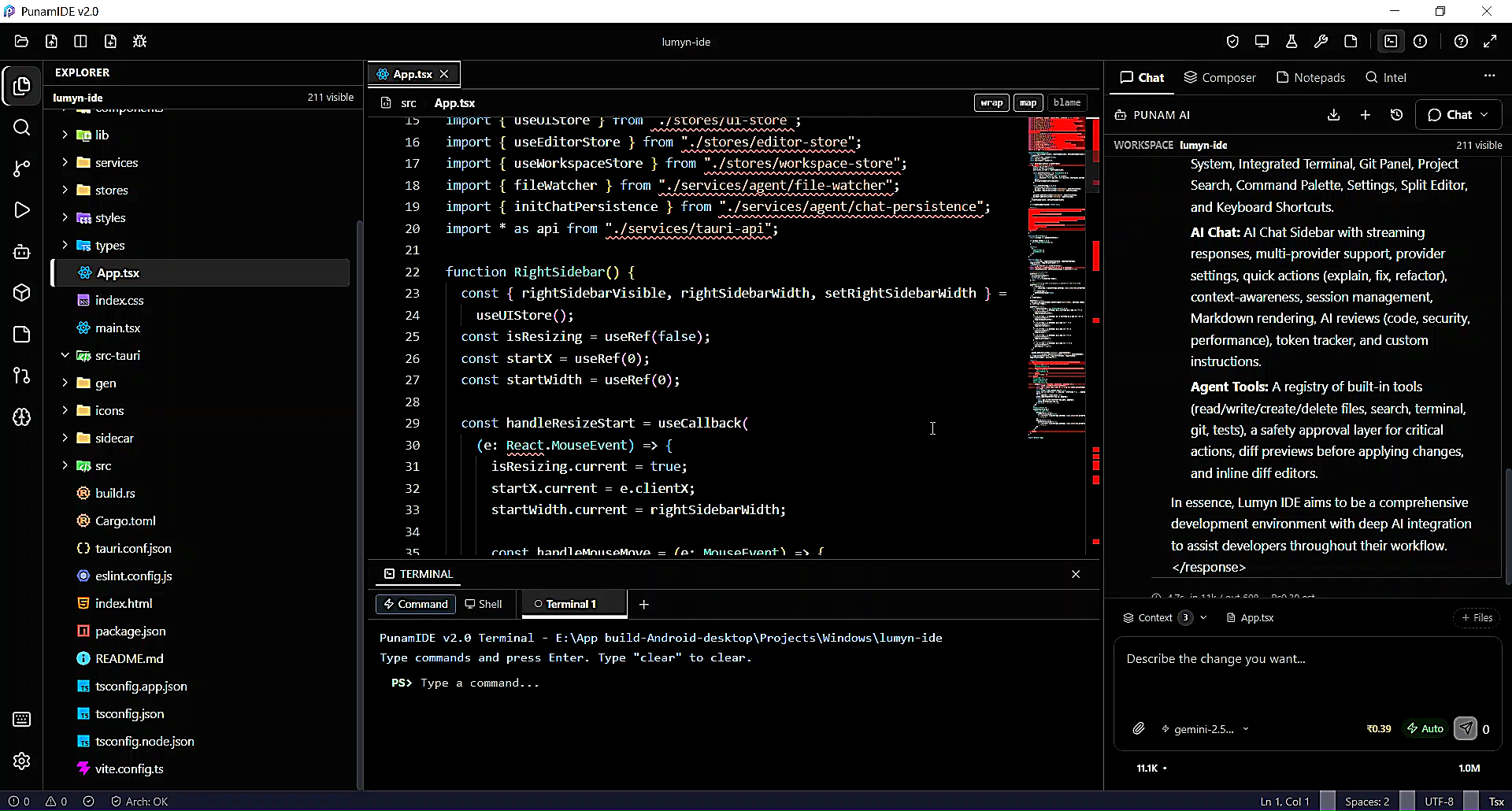
- **Monaco Editor** —— 与 VS Code 的编辑引擎完全相同
- **分屏编辑器** —— 并排进行文件比较
- **内联 AI 编辑** (`Ctrl+K`) —— 使用自然语言指令编辑选定的代码
- **内联 Diff 预览** —— 在应用前于编辑器边栏显示提议的更改
- **编辑预览面板** —— 按代码块接受/拒绝 AI 的编辑
- **断点标志** —— 可视化的断点标记
- **查找与替换** —— 支持正则表达式的文件内搜索
- **文件模板** —— 使用特定语言的样板代码创建新文件
- **自动保存** —— 延迟时间可配置
- **多标签编辑器** —— 具备标签管理功能
- **面包屑**导航栏
- **模糊文件选择器** (`Ctrl+P`)
### 自动补全
由 AI 驱动的幽灵文本内联补全,无需任何外部服务。
- 为支持的模型提供 **FIM (Fill-in-Middle)** 模式(Codestral、DeepSeek Coder 等)
- 为所有其他模型提供 **Chat 回退**模式
- **自动检测** —— 自动为每个 provider 选择最佳策略
- **补全缓存** —— 避免多余的 API 请求
- **智能抑制** —— 在无用时不注释或字符串字面量中提供补全
- **可配置:** 防抖延迟(150ms+)、最大 token 数(16–512)、按项目启用/禁用
### 终端

- 通过 `portable-pty` (Rust) 实现的 **真正的 PTY 终端** —— 不是虚假的 shell 模拟
- **xterm.js** 渲染,支持完整的 ANSI 颜色、自适应大小和 Web 链接
- **多个终端会话**
- **终端错误解析器** —— 自动从错误中提取可操作的快速修复建议
- **错误检测** —— 监控输出并在出现构建/测试错误时发出通知
### Git & GitHub

**本地 Git**(原生通过 `git2` Rust 库实现 —— 无需 `git` CLI):
- 暂存 / 取消暂存 / 提交
- 分支管理
- 带有语法高亮的 diff 查看器
- 多文件 diff 面板
- 合并冲突面板,支持按区块接受/拒绝
**GitHub 集成:**

| 功能 | 描述 |
|---|---|
| 身份验证 | OAuth 流程 |
| 仓库 | 创建、克隆、推送、拉取 |
| Issues | 创建、列表、评论、关闭 |
| Pull Requests | 创建、审查、合并 |
| Actions / CI | 监控工作流,查看日志 |
| Gists | 创建和管理 |
| 同步 | 带有冲突检测的推送/拉取 |
### 调试器
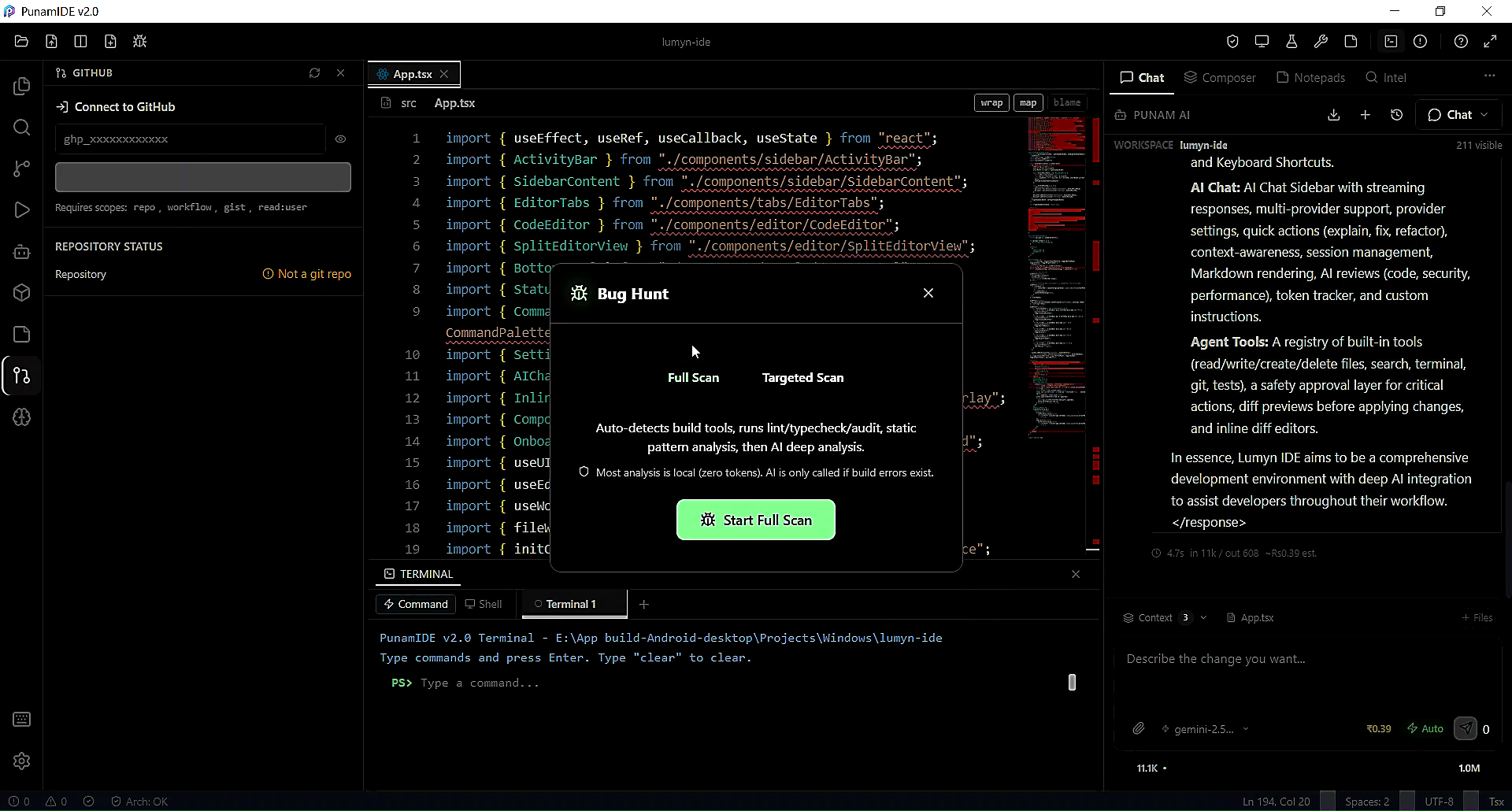
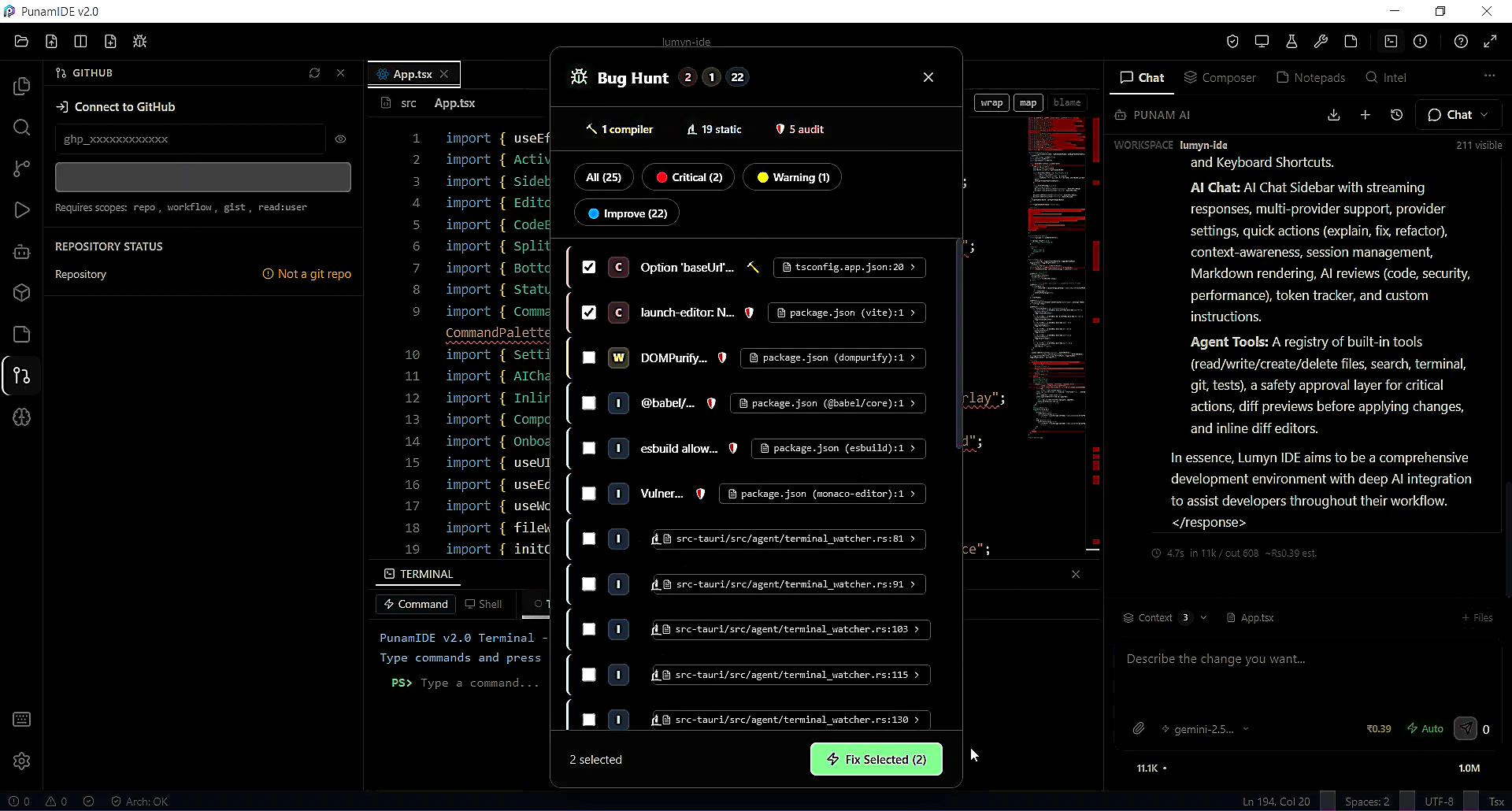
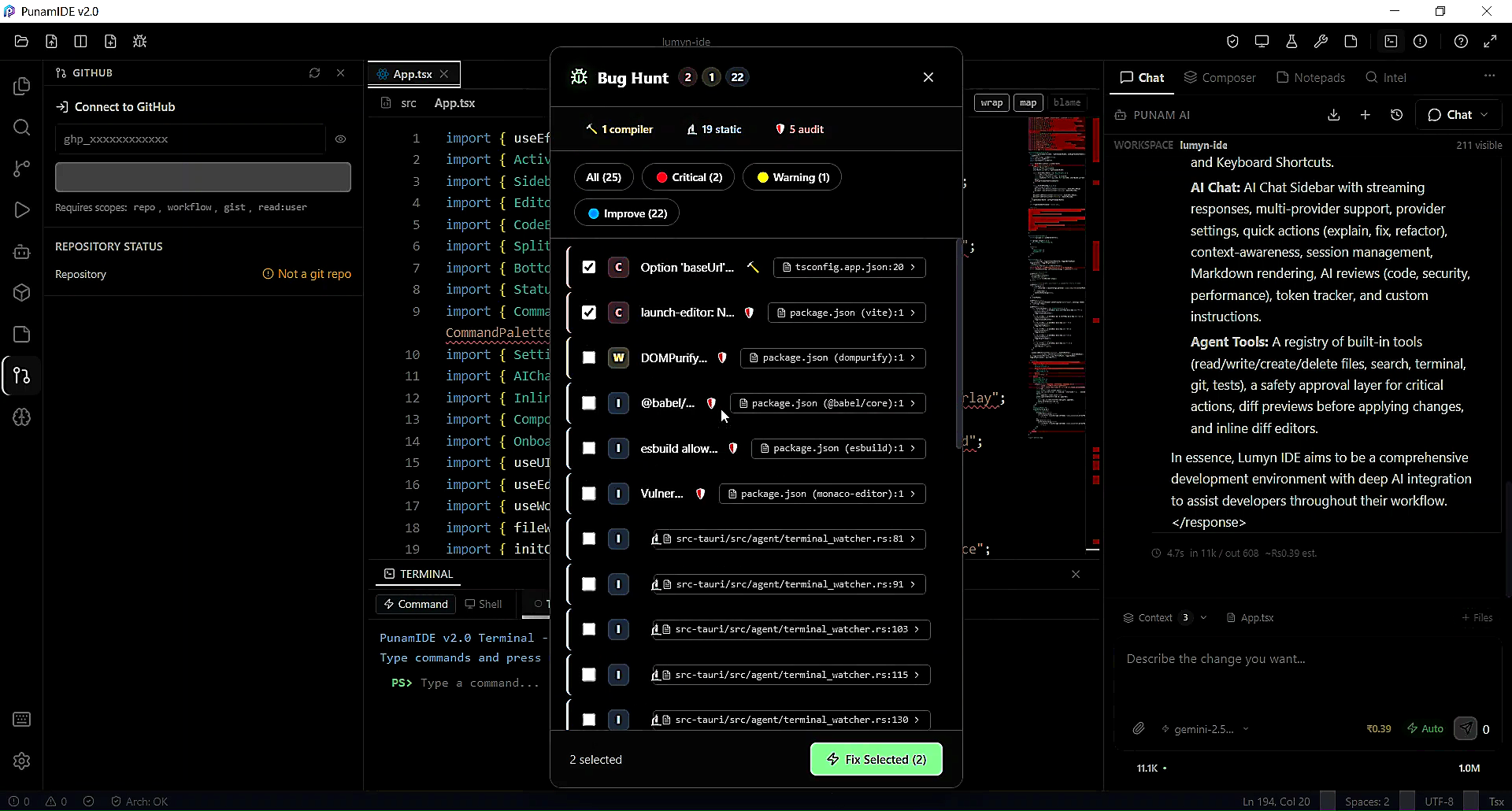
- **DAP (Debug Adapter Protocol)** —— 通过 Rust 后端实现的工业标准调试协议
- **DAPBridge** —— 前端 ↔ Rust 通信层
- **调试配置选择器** —— 选择和管理启动配置
- **断点管理** —— 设置、移除、切换断点
- **变量、调用堆栈、监视**面板
- **运行配置** —— 可配置的启动配置
### 技术债务分析器



基于 AST 的分析完全在 **Web Worker** 中运行 —— 不会阻塞 UI。
| 分析器 | 描述 |
|---|---|
| **AST Engine** | 用于 JS、TS、Python、Rust 的 Tree-sitter 解析 |
| **Debt Scorer** | 每个文件和项目的量化债务评分 |
| **Dependency Graph** | 完整的导入/依赖图构建器 |
| **Dead Code Analyzer** | 检测无法访问的代码 |
| **Circular Dependency Detector** | 查找导入循环 |
| **Coupling Analyzer** | 衡量模块间的耦合度 |
| **Incremental Engine** | 在文件更改时更新图,无需全面重新扫描 |
| **Diff Engine** | 跟踪提交之间的债务变化 |
| **Graph Exporter** | 导出为 JSON 或 SVG |
| **Refactor Planner** | AI 辅助的重构建议生成 |
### 架构分析


- **Dependency Graph View** —— 交互式可视化图 (`@xyflow/react`)
- **Architecture Engine** —— 在应用前根据您定义的规则验证 AI patch
- **Rule Engine** —— 定义自定义架构约束
- **Impact Analyzer** —— 预测提议更改的影响范围
- **Change Predictor** —— 识别其他可能受影响而中断的内容
- **Violation Reporter** —— 显示规则违规情况及文件和行上下文
### 安全扫描器
- **Rust 原生扫描器** —— 快速,无需外部工具
- **漏洞模式** —— 可配置的规则集
- **威胁分析器** —— 上下文严重性评估
- **安全面板** —— 包含严重级别和文件上下文的发现结果
- **与 agent pipeline 集成** —— 安全 agent 可以拦截带有严重发现结果的 patch
### Embeddings & RAG
- 通过 `@xenova/transformers` 实现 **100% 本地 embeddings** —— 在浏览器中运行,无需 API 密钥
- **Embedding 生成器 worker** —— 离线程生成,不阻塞 UI
- **Vector store** —— 对您的代码库进行内存中的语义搜索
- **Embedding pipeline** (Rust) —— 为大型项目提供批处理
- **RAG Workbench** —— 测试和调整检索质量
- **Chunk Inspector** —— 检查代码是如何拆分和嵌入的
- **Hallucination Detector** —— 根据**实际代码库内容交叉检查 AI 的响应**
- **Retriever Debugger** —— 调试为什么某些 chunk 被返回或不被返回
- **Memory Engine** (Rust) —— 持久化 embedding 存储,支持快速检索
### CI/CD 集成
- **CI Monitor** —— 实时监控 GitHub Actions 工作流运行
- **Log Analyzer** —— 解析 CI 日志并提取带有上下文的错误
- **Patch Generator** —— 根据 CI 失败日志生成修复建议
- **Verification Runner** —— 在推送前运行本地测试/构建检查
- **CI Dashboard** —— 可视化的流水线状态面板
### Docker
- **Docker Controller** (Rust) —— 原生管理容器生命周期
- **Docker 面板** —— 在 IDE 内列出、启动、停止、检查容器
### MCP 支持
[Model Context Protocol](https://modelcontextprotocol.io) —— 将 PunamIDE 连接到外部工具和数据源。
- **MCP 管理器** —— 连接和管理 MCP 服务器
- **MCP 设置** —— 从 UI 配置服务器连接
- **精选服务器列表** —— 预配置的流行 MCP 服务器,可直接启用
- **工具路由** —— MCP 工具调用无缝流经 agent loop
## 项目结构
```
PunamIDE v2.1.2/
|-- src/
| |-- components/ # 70+ UI components
| | |-- chat/ # Message bubbles, tool cards, context bar
| | |-- github/ # GitHub panels
| | +-- settings/ # Settings UI
| |-- services/ # Business logic (no direct UI)
| | |-- agent/ # Orchestration, budget, loop guard, approval
| | |-- architecture/ # Rule engine, impact analysis
| | |-- autocomplete/ # Ghost-text completion engine
| | |-- ci/ # CI/CD integration
| | |-- embeddings/ # RAG, vector store, hallucination detection
| | |-- intelligence/ # Context assembly, compression, injection
| | |-- lsp/ # LSP client and Monaco bridge
| | |-- mcp/ # MCP server management
| | |-- memory/ # Session memory, decision store
| | |-- refactor/ # Changeset-based refactoring
| | |-- security/ # Security scanning
| | |-- technicalDebt/ # AST engine, debt scoring, graph
| | +-- testgen/ # AI test generation
| |-- store/ # Zustand state stores
| |-- utils/
| | +-- toolLoops/ # Per-provider agent tool loops
| |-- workers/ # Web Workers (AI, debt, embeddings)
| +-- providers/anthropic/ # Anthropic streaming provider
|
|-- src-tauri/src/
| |-- architecture/ # Rust dependency analysis
| |-- github/ # GitHub API client (Rust)
| |-- memory/ # Rust embedding store
| |-- snapshot/ # Project snapshots
| |-- agent_tools.rs # Tauri commands for agent tools
| |-- autocomplete.rs # Autocomplete backend
| |-- call_graph.rs # Call graph analysis
| |-- context_compressor.rs
| |-- dap_manager.rs # Debug Adapter Protocol
| |-- docker_controller.rs
| |-- embedding_pipeline.rs
| |-- embeddings.rs
| |-- environment_scanner.rs
| |-- fs_commands.rs
| |-- git_commands.rs # Git operations (libgit2)
| |-- index_commands.rs
| |-- lsp_manager.rs
| |-- package_manager.rs
| |-- pty_manager.rs # Real PTY terminal
| |-- safety.rs # Path validation
| |-- search_commands.rs
| |-- security_scanner.rs
| |-- symbol_index.rs # Tree-sitter symbol index
| |-- terminal_commands.rs
| +-- workspace_import.rs
|
|-- public/
| |-- icons/ # 63 file-type SVG icons
| +-- *.wasm # Tree-sitter parsers (JS, TS, Python, Rust)
|
|-- media/
| +-- screenshots/ # Screenshots and GIFs for this README
|
|-- README.md
|-- CHANGELOG.md
|-- CONTRIBUTING.md
|-- SECURITY.md
|-- LICENSE
+-- autorun.bat # Windows one-click dev launcher
```
## 键盘快捷键
| 快捷键 | 动作 |
|---|---|
| `Ctrl+P` | 快速打开文件 |
| `Ctrl+Shift+P` | 命令面板 |
| `Ctrl+Shift+F` | 全项目搜索 |
| `Ctrl+Shift+E` | 资源管理器 |
| `Ctrl+Shift+G` | 源代码控制 |
| `Ctrl+Shift+H` | GitHub 面板 |
| `Ctrl+Shift+A` | 切换 AI 面板 |
| `Ctrl+K` | 内联 AI 编辑 |
| `Ctrl+B` | 切换侧边栏 |
| `Ctrl+\`` | 切换终端 |
| `Ctrl+S` | 保存文件 |
| `Ctrl+Shift+S` | 全部保存 |
| `Ctrl+W` | 关闭标签页 |
| `Ctrl+N` | 新建文件 |
| `Ctrl+F` | 在文件中查找 |
所有快捷键均可通过 **Settings → Keybindings** 进行完全自定义。
## 配置
所有设置均通过 `tauri-plugin-store` 持久化保存在您的操作系统应用数据目录中。通过 **Settings 面板**(齿轮图标)进行配置 —— 无需手动编辑配置文件。
| 设置 | 选项 |
|---|---|
| AI provider 与模型 | 各 Provider 的 API 密钥、模型选择 |
| 主题 | 深色 / 浅色 / 跟随系统 |
| 字体 | 大小、字体系列 |
| 编辑器 | Tab size、自动换行、minimap、行号 |
| 自动保存 | 启用 + 延迟时间 |
| 自动补全 | 启用、模式(auto/fim/chat)、防抖、最大 token 数 |
| Agent 模式 | Autopilot / Supervised |
| 推理显示 | 紧凑 / 展开 |
| 上下文注入器 | 策略配置 |
| 上下文压缩器 | 压缩策略 |
| 项目规则 | 每项 AI 请求的自定义指令 |
| Ollama URL | 本地 Ollama endpoint |
## 测试
```
# 运行所有测试(单次)
npm test
# Watch mode
npm run test:watch
# Lint
npm run lint
```
**测试覆盖率:**
| 测试套件 | 描述 |
|---|---|
| 上下文限制与类型 | 验证 context window 大小处理 |
| Agent loop guard | 测试无限循环预防 |
| 工具策略 | 每个工具的权限强制执行 |
| 重构服务 | 变更集的创建与验证 |
| 技术债务 | AST engine、scorer、graph、coupling、circular deps |
| 流式 pipeline | Block parser、token buffer、滚动控制器(基于属性) |
| 安全扫描器 | 用于漏洞检测的集成测试 |
| 多 agent | 编排与冲突解决 |
基于属性的测试使用 [fast-check](https://fast-check.dev/) 进行生成式输入测试。
## 构建
```
# 构建桌面安装程序(所有目标)
cargo tauri build
# 仅 Frontend bundle
npm run build
```
输出:
- 前端 → `dist/`
- 安装程序 → `src-tauri/target/release/bundle/`
## 贡献
请参阅 [CONTRIBUTING.md](CONTRIBUTING.md) 了解设置说明、编码标准、提交约定和 pull request 流程。
## 安全
请参阅 [SECURITY.md](SECURITY.md) 了解漏洞报告流程和安全模型。
## 更新日志
请参阅 [CHANGELOG.md](CHANGELOG.md) 了解完整的版本历史。
## 许可证
MIT © 2025 Amritanshu Amar —— 详见 [LICENSE](LICENSE)。
**[官网](https://punamide.com) · [下载](https://github.com/punamide/punamide-downloads/releases) · [Discord](https://discord.gg/PFp9KWY3eY) · [X](https://x.com/PunamIDE)**
使用 ❤️ 基于 Tauri、React 和 Rust 构建。