# AutoPentest Go
**一个用于攻防安全、红队行动和安全工程的智能体安全工作区。**
作为单一的、具备工具使用能力的 LLM 运行时,同时以 Wails 桌面应用和 Cobra CLI 的形式提供——该智能体能够检查代码、运行本地工具、保留证据、协调后台智能体,并在本地权限模型下起草安全发现。
[English](README.md) · [简体中文](README.zh-CN.md)
[](https://github.com/expiol/autopentest-go/actions/workflows/ci.yml)



## 目录
- [核心亮点](#highlights)
- [截图](#screenshots)
- [接口](#interfaces)
- [架构](#architecture)
- [安装说明](#installation)
- [配置说明](#configuration)
- [工具模型](#tooling-model)
- [开发指南](#development)
- [项目结构](#project-layout)
- [操作说明](#operational-notes)
## 核心亮点
- **侦查编排** — 驱动本地 CLI 和 MCP 工具进行资产发现、服务验证、抓取和截图工作流。
- **攻击面验证** — 将命令输出、Web 上下文、文件和 LSP 数据整合到一个交互式评估循环中。
- **安全代码审查** — 读取和编辑仓库文件、搜索符号、追踪实现路径,并总结安全影响。
- **事件分诊** — 收集上下文、保留证据、运行可重复的检查,并在多轮对话中保持调查状态。
- **报告起草** — 将会话上下文和证据转化为清晰的技术发现。
- **受控执行** — 每次编辑、外部访问和工具调用都通过本地权限模型、沙盒策略和审计日志进行处理。
- **设计上的可扩展性** — 从 `~/.autopentest-go/skills/` 加载全局技能,连接 MCP 服务器,并管理本地工具仓库。
## 截图
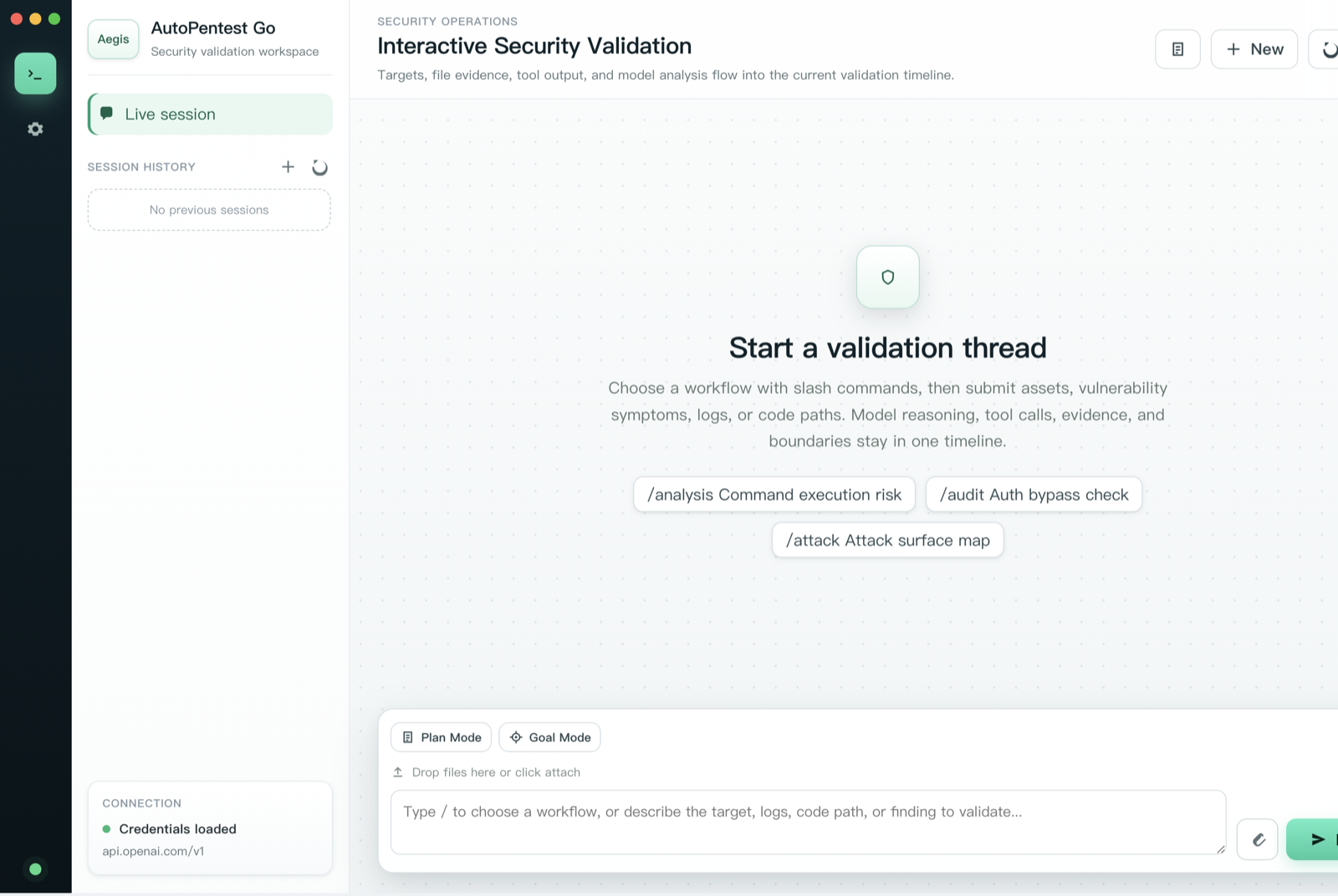
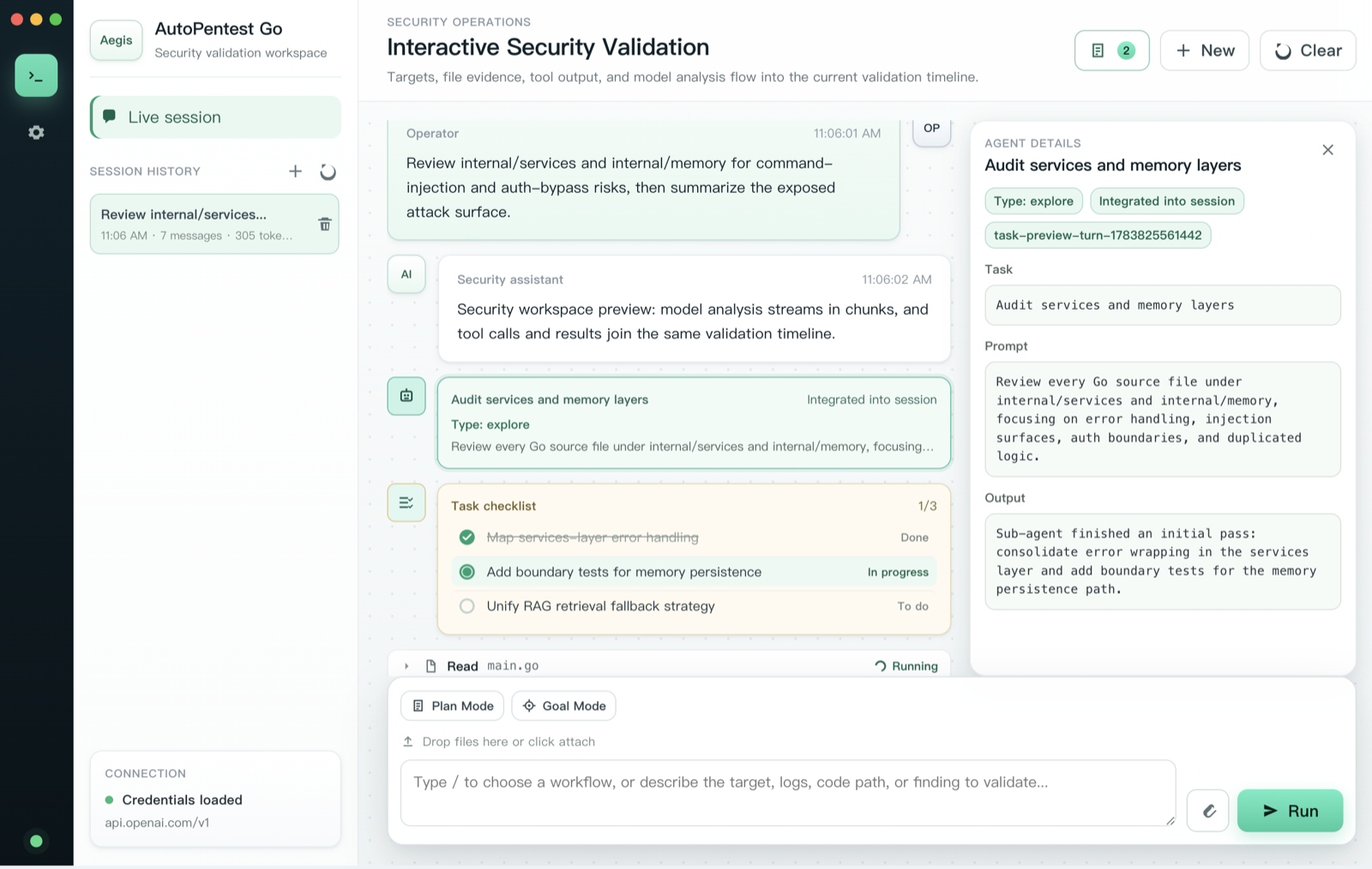
Session workspace — slash-command workflows, streaming responses, and session history.
|
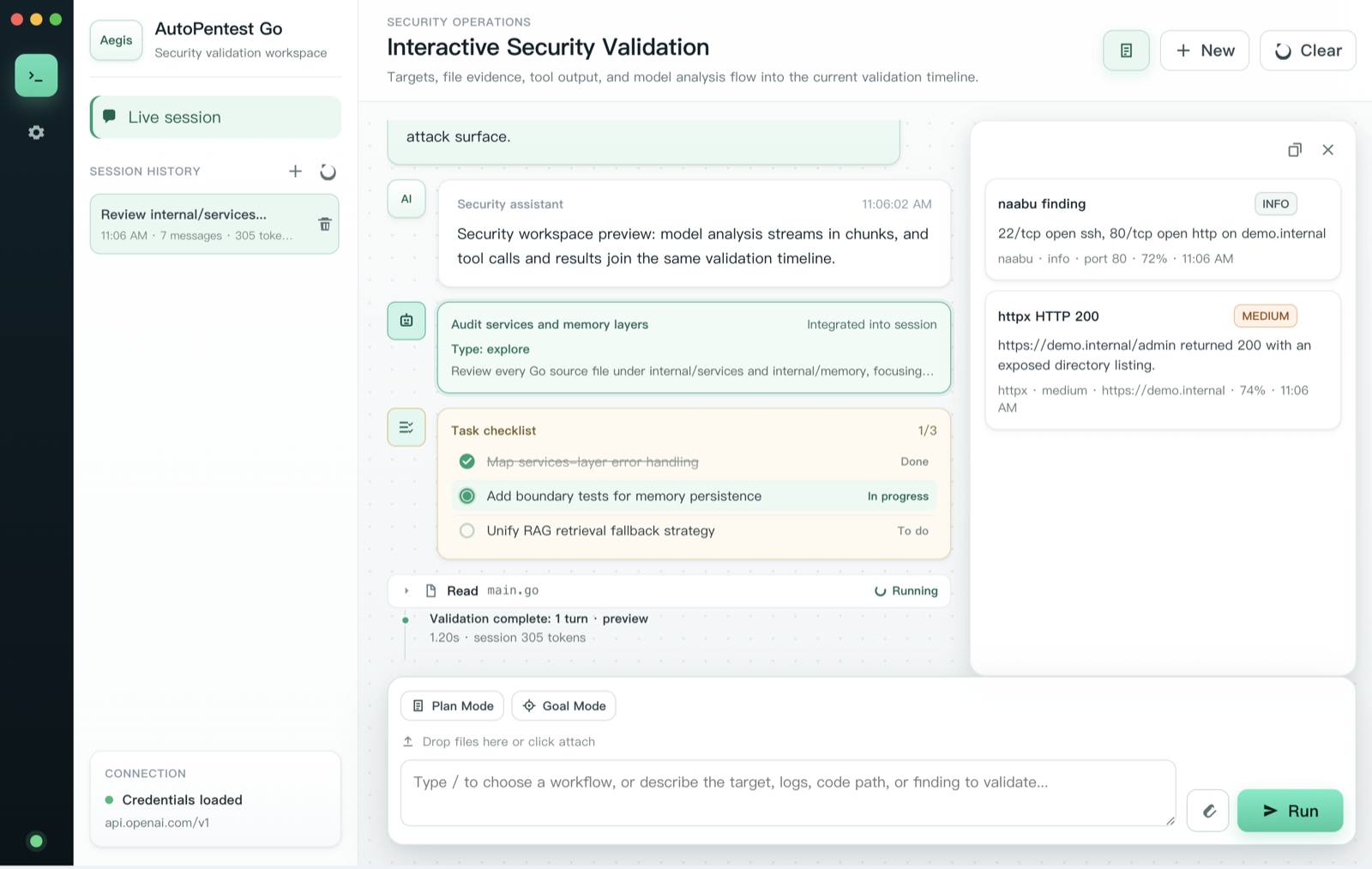
Evidence drawer — findings captured mid-run with severity, source, and confidence.
|
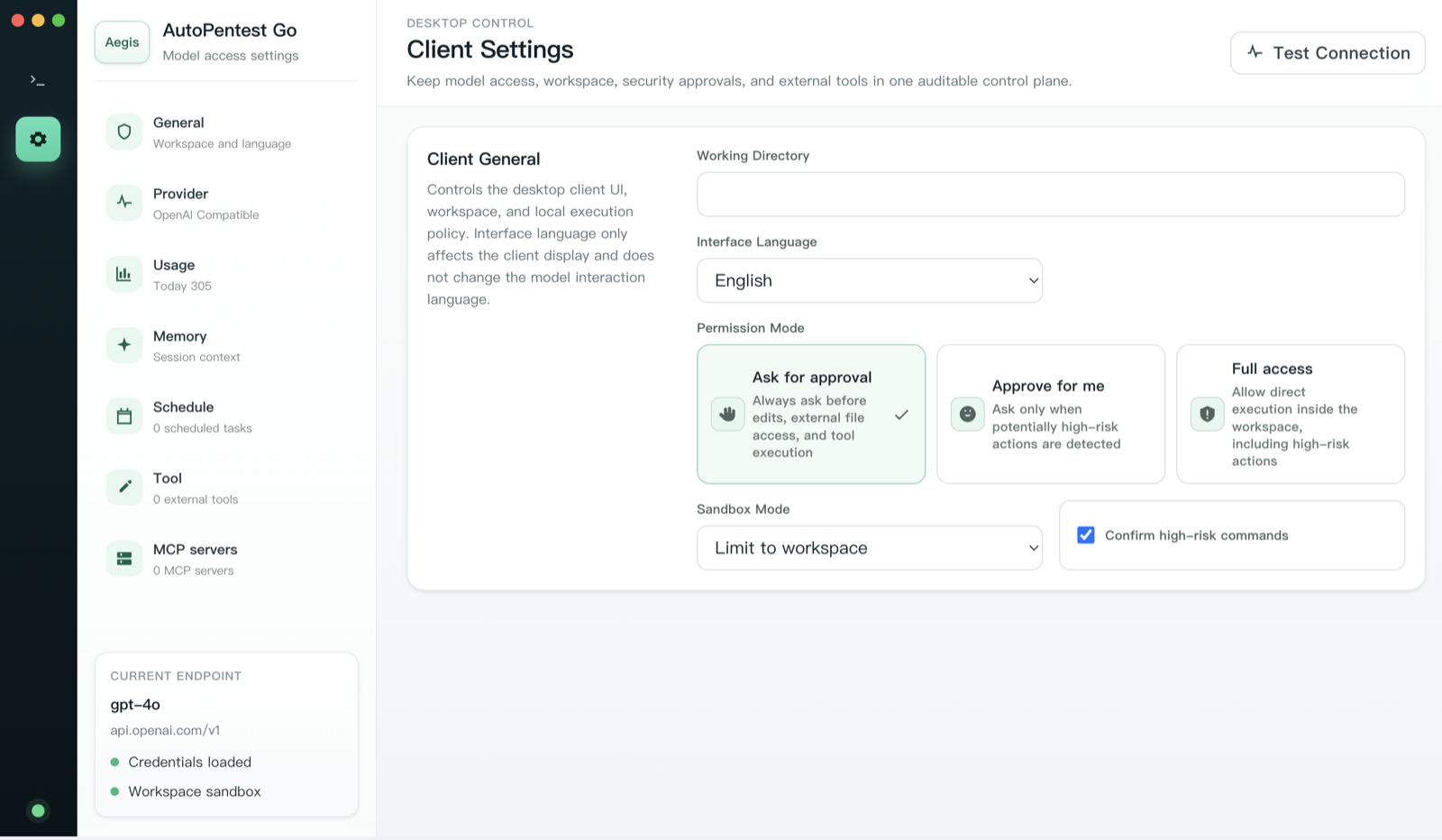
Permission & sandbox control — approval modes, sandbox scope, and high-risk confirmation.
|
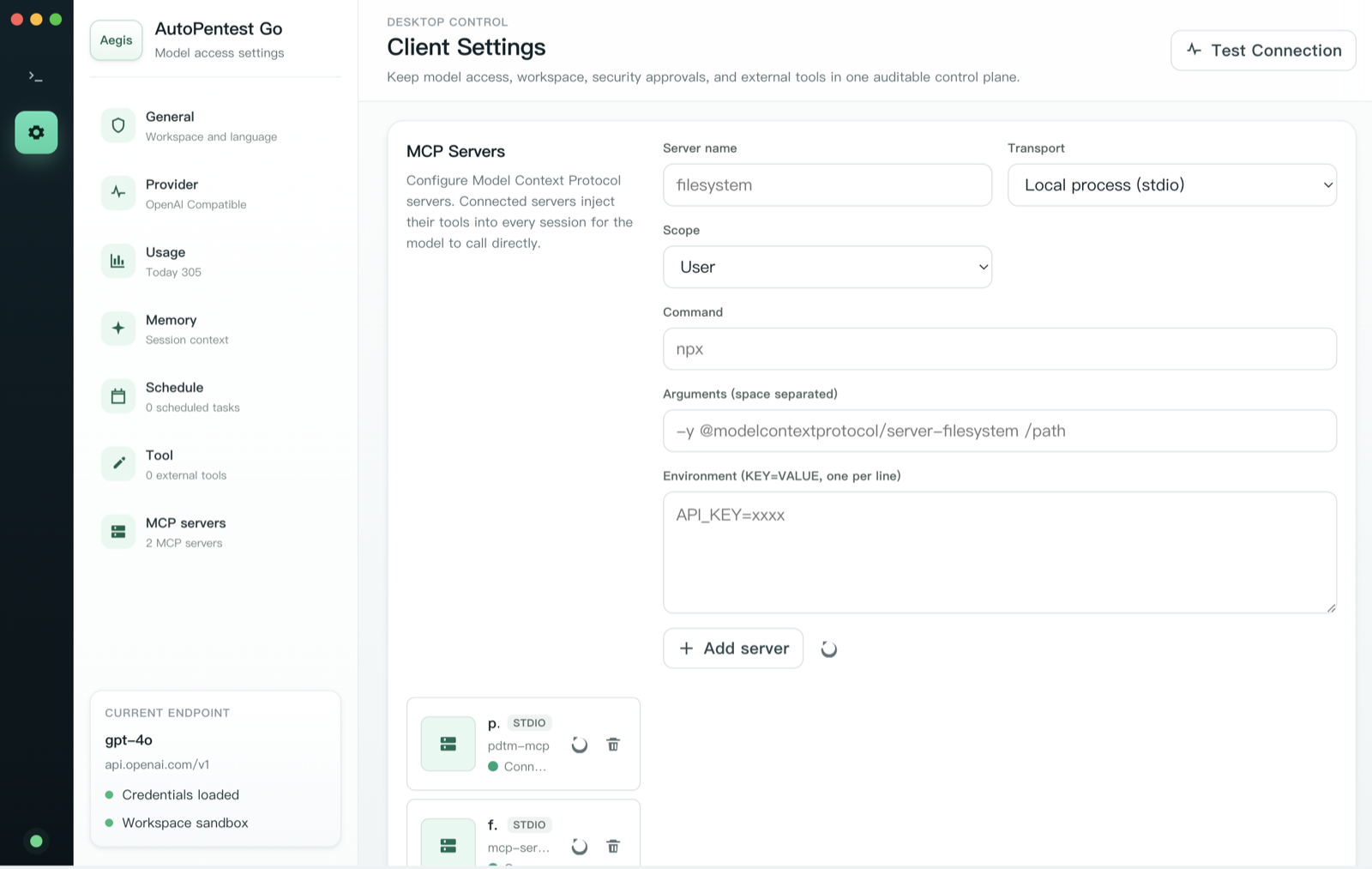
MCP servers — connect Model Context Protocol servers that inject tools into every session.
|
## 接口
AutoPentest Go 在一个共享的运行时上提供了两个前端,因此无论您是在窗口还是在终端中工作,其行为、权限和持久化都保持一致。
### 桌面应用
使用 [Wails](https://wails.io/) 和由 Vite 打包的原生 TypeScript/JS 前端(无 UI 框架)构建。它支持持久化聊天会话、流式响应、附件、权限提示、证据捕获、记忆管理、token 使用情况视图、cron 任务、MCP 服务器和工具仓库管理。
```
# 开发(hot reload)
cd frontend && npm install && cd ..
wails dev # or: make desktop-dev
# Production package
wails build # or: make desktop-build
```
### CLI
CLI 位于 `cmd/cli` 中,支持交互式和非交互式(`--print`)模式。
```
make cli
./autopentest-go --help
```
```
Usage:
autopentest [flags] [prompt]
autopentest [command]
Available Commands:
completion Generate the autocompletion script for the specified shell
help Help about any command
mcp MCP server management
version Print version information
Flags:
-d, --debug Enable debug mode
-m, --model string Model to use (e.g., claude-sonnet-4-20250514 or gpt-4o)
--permission-mode string Permission mode (default, acceptEdits, bypassPermissions)
-p, --print Print mode (non-interactive)
--provider string API provider to use (anthropic, openai)
-v, --verbose Enable verbose output
```
示例:
```
# 启动交互式会话
./autopentest-go
# 运行单个 prompt 并打印结果
./autopentest-go -p "Review this repository for command-injection risks"
# 选择 provider 和 model
./autopentest-go --provider openai --model gpt-4o -p "Summarize the exposed attack surface"
# 检查已配置的 MCP servers
./autopentest-go mcp list
```
## 架构
智能体循环将模型交互与工具执行分离开来。主机(桌面应用和 CLI)拥有 UI 和会话行为,而共享服务则处理权限、压缩、MCP、插件、工作树(worktree)、通知和持久化。
```
Desktop UI (Wails) CLI / headless (Cobra)
\ /
\ /
┌────────────────────────┐
│ internal/agentloop │ model calls · streaming ·
│ shared turn engine │ tool-use extraction ·
└────────────────────────┘ schema conversion · stop hooks
│
┌───────────────┬──────────┼───────────┬────────────────┐
▼ ▼ ▼ ▼ ▼
internal/api internal/tools internal/ internal/desktop internal/memory
Anthropic & Bash · files · services sessions · SQLite/FTS/vector
OpenAI-compat search · web · execution· settings · memory · evidence ·
clients LSP · skills · compaction permissions · redaction
tasks · MCP · memory · events
plugins ·
cron · OAuth
```
## 安装说明
### 前置条件
- **Go** 1.26+
- **Node.js**(用于构建桌面应用)
- **Wails CLI**(用于构建桌面应用)— `go install github.com/wailsapp/wails/v2/cmd/wails@latest`
- **Anthropic** 或 **OpenAI 兼容**的 API 密钥
### 从源码构建
```
git clone https://github.com/expiol/autopentest-go.git
cd autopentest-go
make cli
```
免构建运行:
```
go run ./cmd/cli --help
```
## 配置说明
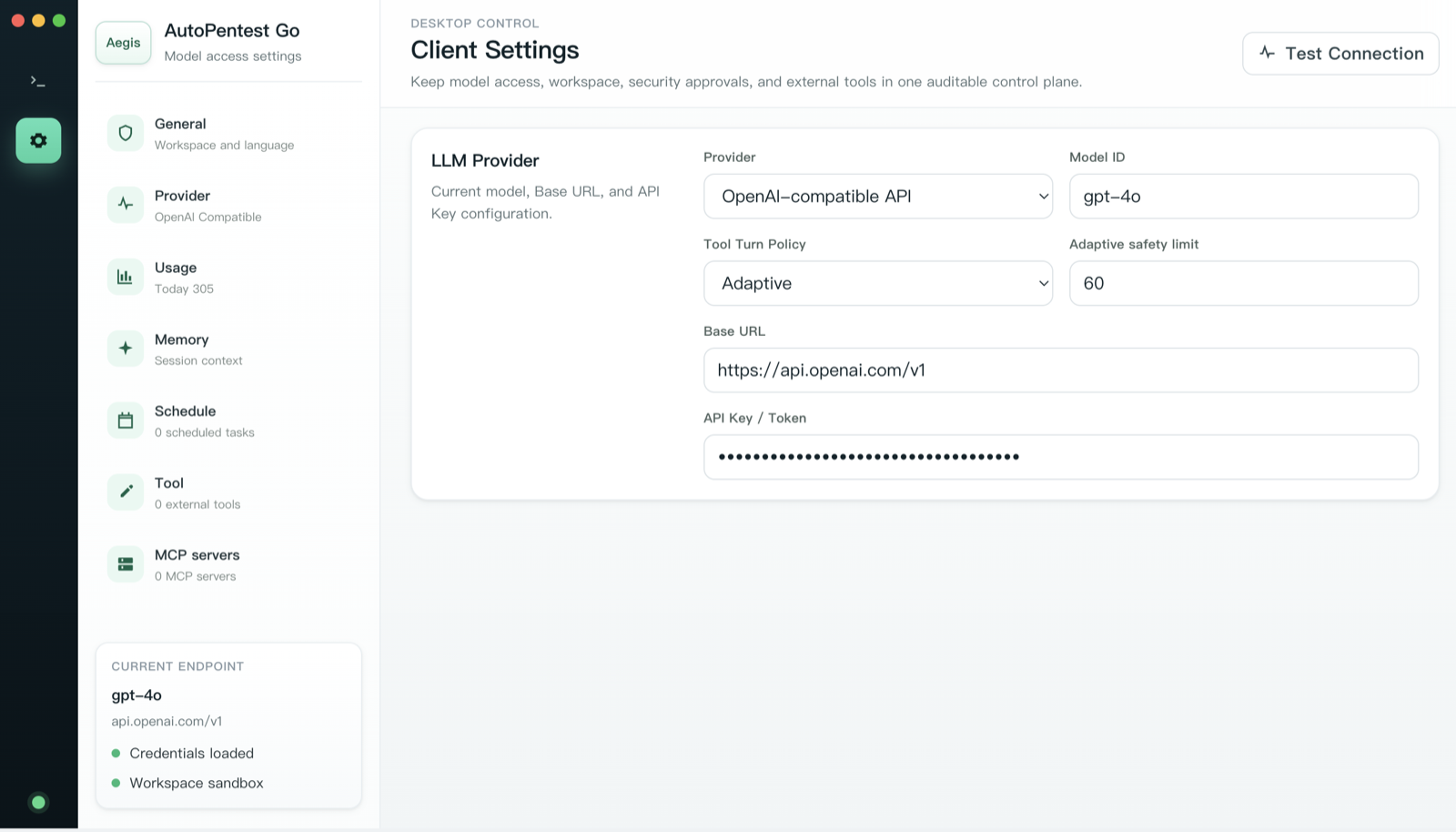
通过桌面设置 UI、环境变量或项目级配置来配置运行时。桌面端的 **Model access** 面板将提供商、端点、模型和工具轮次策略集中在一处。
### 环境变量
| 变量 | 用途 |
| --- | --- |
| `ANTHROPIC_API_KEY` | Anthropic API 密钥 |
| `ANTHROPIC_BASE_URL` | 自定义兼容 Anthropic 的端点 |
| `OPENAI_API_KEY` | OpenAI 或兼容 OpenAI 的 API 密钥 |
| `OPENAI_BASE_URL` | 兼容 OpenAI 的端点 |
| `OPENAI_MODEL` | 默认的兼容 OpenAI 的模型 |
| `AUTOPENTEST_MODEL` | 默认模型覆盖 |
| `API_PROVIDER`, `LLM_PROVIDER`, `AI_PROVIDER` | 提供商选择 |
| `AUTOPENTEST_PERMISSION_MODE` | 工具权限模式 |
| `AUTOPENTEST_VERBOSE`, `AUTOPENTEST_DEBUG` | 运行时诊断 |
| `AUTOPENTEST_HOME` | 统一的应用程序主目录覆盖;默认为 `~/.autopentest-go` |
### 项目覆盖
运行 `/init` 后,项目级别的覆盖配置将存储在
`~/.autopentest-go/projects/
/project.json`。不会向工作仓库中写入任何运行时状态:
```
{
"model": "claude-sonnet-4-20250514",
"permissionMode": "default",
"allowedTools": ["Read", "Grep", "Glob", "Bash", "WebFetch"],
"ignorePatterns": ["frontend/node_modules", "frontend/dist"]
}
```
所有应用程序拥有的状态都存储在 `~/.autopentest-go/` 下:
```
~/.autopentest-go/
├── settings.json desktop settings
├── config.json CLI / API configuration
├── usage.db sessions, memory, and evidence
├── audit.log audit events
├── skills/ enabled global Skills
├── disabled-skills/ disabled Skills
├── tool-repos/ security-tool repositories
├── plugins/ global plugins
├── plugin-cache/ plugin cache
├── tasks/ background-task output
├── rules/global.md global rules
├── projects// project config, MCP, rules, and plugins
├── worktrees// managed Git worktrees
└── legacy/ preserved migrated data
```
旧版的 XDG/macOS 路径以及项目本地的 `.autopentest-go/`, `.autopentest/`,
`.agents/skills/`, `.agents/tool-repos/`, `.mcp.json`, 和
`.claude/worktrees/` 将在启动时迁移到统一的主目录中。
## 工具模型
AutoPentest Go 不是单一的扫描器。它是一个受控的智能体运行时,能够组合多种安全和工程工具。
内置工具包括:
- 通过 `Bash` 执行 Shell 命令
- 文件读取、写入、编辑、glob 和 grep 工具
- Web 抓取和上下文检索
- 由 LSP 支持的符号和诊断支持
- Todo、任务、后台智能体和 cron 工具
- 技能发现和执行
- 暴露为 `mcp__*` 的 MCP 工具
技能位于 `~/.autopentest-go/skills/`。工具仓库位于
`~/.autopentest-go/tool-repos/`,并且可以转换为跨项目可用的可重用本地技能。
## 开发指南
根 Wails 包嵌入了 `frontend/dist`,因此全新的克隆可以直接运行后端检查,而无需先构建桌面端资源:
```
make build # build Go CLI/library packages
make test # run tests that work without frontend/dist
make check # fmt-check + vet + lint + test (full local gate)
```
要验证包含根桌面包在内的每一个 Go 包,请先构建前端资源:
```
make test-all # frontend-build, then go test ./...
```
持续集成会在每次推送和拉取请求时运行构建、测试(包含覆盖率测试)、竞态检测器和 `golangci-lint`。
## 项目结构
```
app.go, main.go Wails desktop entry points
cmd/cli/ Cobra CLI entry point
internal/agentloop/ shared turn engine
internal/api/ model provider clients
internal/tools/ built-in tool implementations
internal/services/ execution, MCP, plugins, cron, OAuth, worktrees
internal/desktop/ desktop service layer
internal/query/ CLI/headless conversation loop
internal/memory/ memory, evidence, retrieval, redaction
frontend/ Wails/Vite desktop frontend
frontend/wailsjs/ generated Wails bindings
.agents/ optional skills and tool metadata
```
## 操作说明
AutoPentest Go 被构建为一个红队/攻防安全工作区:攻击面验证、渗透测试、防御工程、代码审查和事件响应。除非您完全了解禁用它们带来的影响,否则请保持启用权限模型和沙盒,并保留审计日志作为您操作记录的一部分。