Efe34254/splunk-soc-lab
GitHub: Efe34254/splunk-soc-lab
基于 Splunk Enterprise 与 Sysmon 搭建的家庭 SOC 实验室,用于练习 SIEM 日志采集、SPL 搜索、告警分类与基础威胁检测。
Stars: 0 | Forks: 0
# Splunk SOC 实验室
这是一个个人 SOC 实验室项目,旨在使用 Splunk、Windows Event Logs 和 Sysmon 展示基本的 SOC 分析师技能。
## 目标
该实验室的目标是收集 Windows 安全日志和 Sysmon 日志,使用 SPL 进行搜索,并为常见的 SOC 告警记录简单的调查工作流。
## 展示技能
- SIEM 监控
- 告警分类
- Windows Event Log 分析
- Sysmon 事件分析
- 基础威胁检测
- 事件调查文档编写
- PowerShell 进程检测
- Splunk input 配置
## 实验室环境
| 组件 | 用途 |
|---|---|
| Windows 10 虚拟机 | 生成日志的终端 |
| Sysmon | 增强的终端遥测数据 |
| Splunk Enterprise | 用于本地日志接入和搜索的 SIEM 平台 |
| Windows Event Logs | 原生 Windows 日志源 |
| PowerShell | 用于生成可检测活动的测试进程 |
## 检测用例
1. 登录失败尝试
2. 可疑的 PowerShell 执行
3. Sysmon 进程创建监控
4. Sysmon 网络连接监控
5. 暴力破解调查工作流
6. 通过 Splunk inputs 配置接入本地 Windows/Sysmon 日志
## SPL 查询示例
搜索所有已索引的事件:
```
index=*
```
搜索 Sysmon 相关事件:
```
index=* "Sysmon"
```
搜索 Sysmon 进程创建活动:
```
index=* "Process Create"
```
搜索 Sysmon Event ID 1:
```
index=* EventCode=1
```
搜索 Sysmon Operational 日志源:
```
source="WinEventLog:Microsoft-Windows-Sysmon/Operational"
```
搜索 PowerShell 进程创建事件:
```
index=* EventCode=1 CommandLine="*powershell*"
```
搜索特定的 PowerShell 测试命令:
```
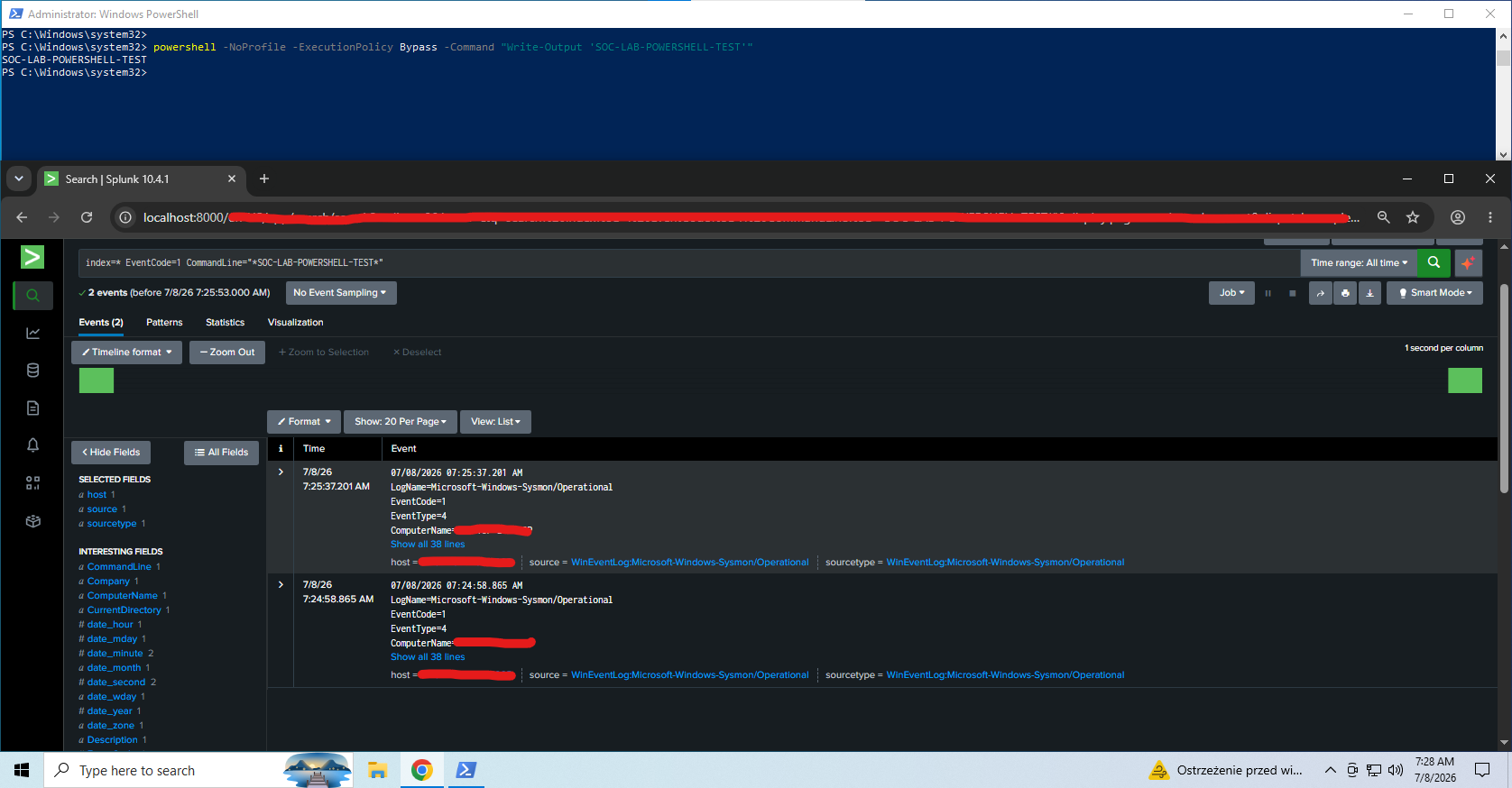
index=* EventCode=1 CommandLine="*SOC-LAB-POWERSHELL-TEST*"
```
## 实验室证据
该实验室建立在 Windows 10 虚拟机上,使用了 Splunk Enterprise 和 Sysmon。
收集到的证据:
- Splunk 成功索引了 Windows Sysmon Operational 日志。
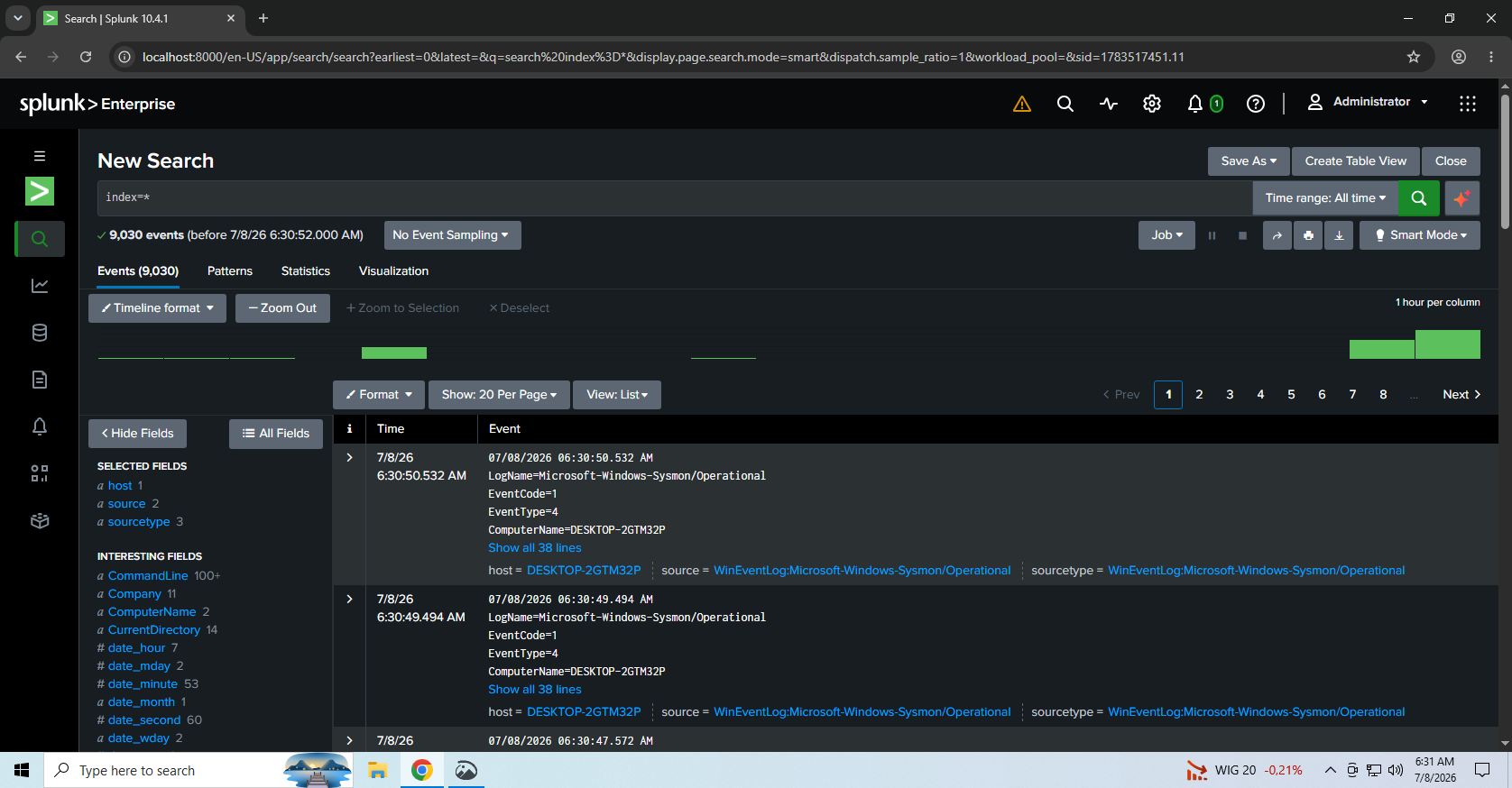
- `index=*` 从实验室环境中返回了超过 7,000 个事件。
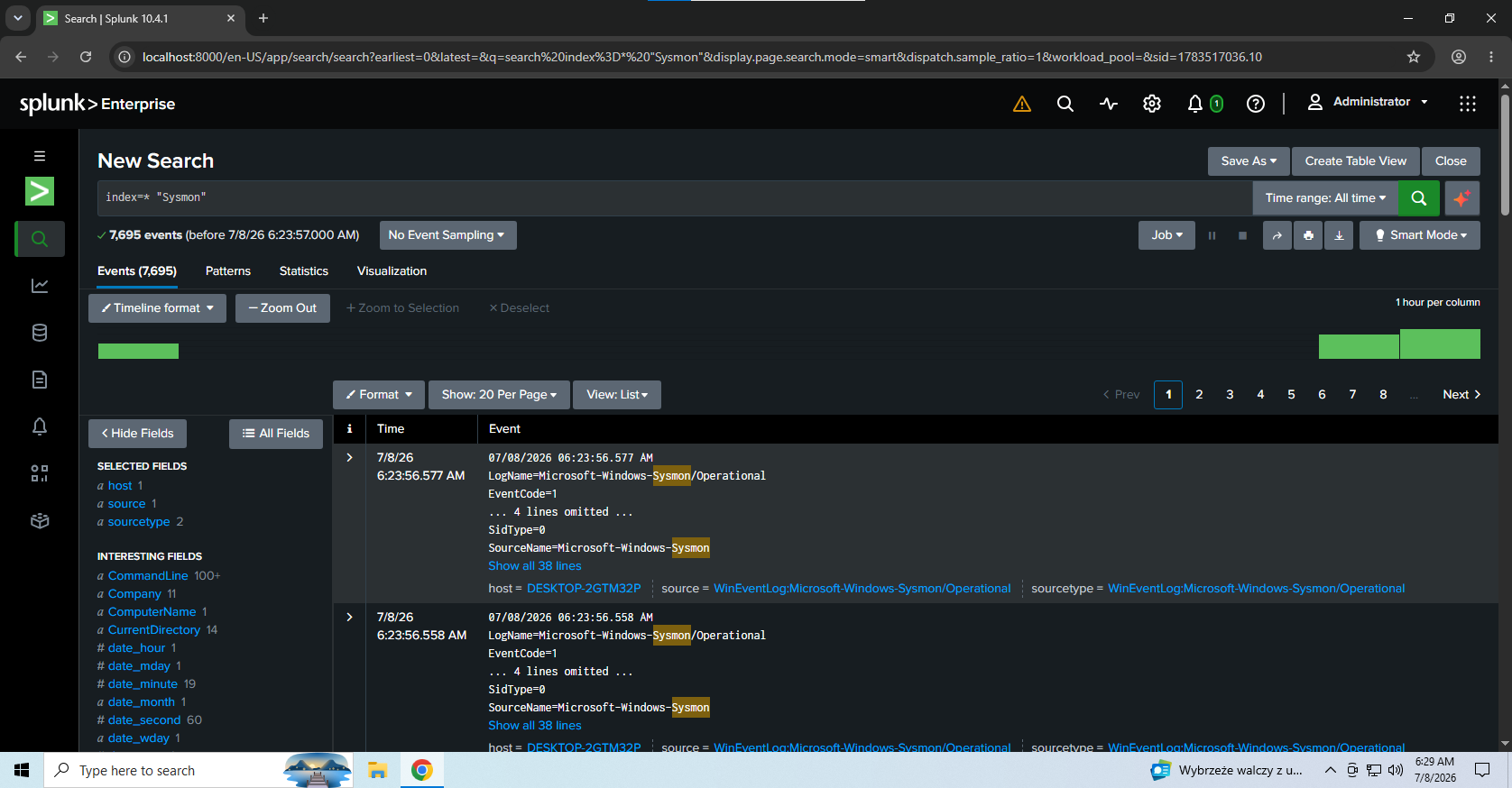
- 与 Sysmon 相关的搜索返回了超过 6,000 个事件。
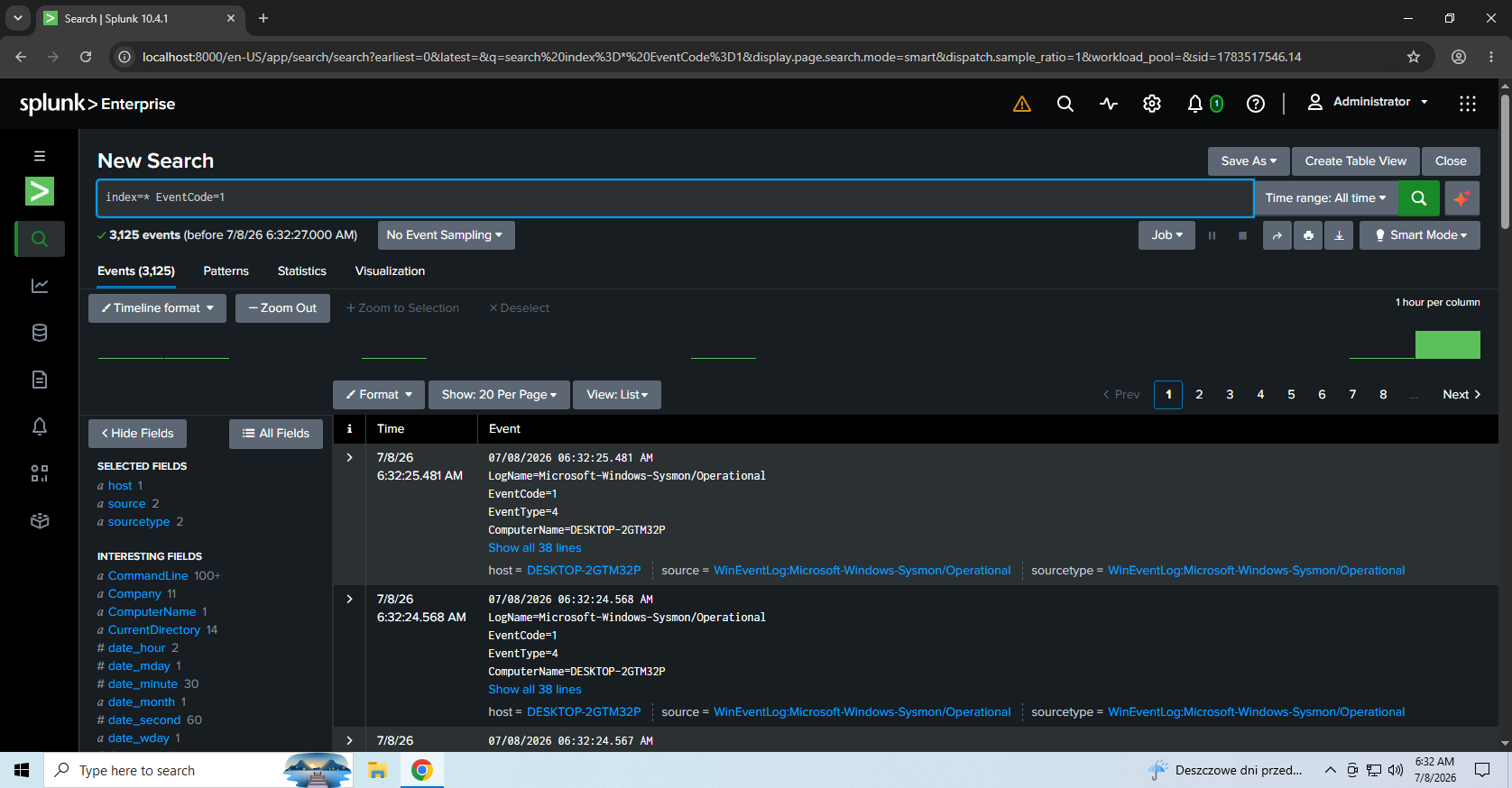
- 使用 Sysmon Event ID 1 识别出了 Process Create 活动。
- 在 Windows 10 虚拟机中执行了 PowerShell 测试命令,并通过 Sysmon 进程创建日志在 Splunk 中被检测到。
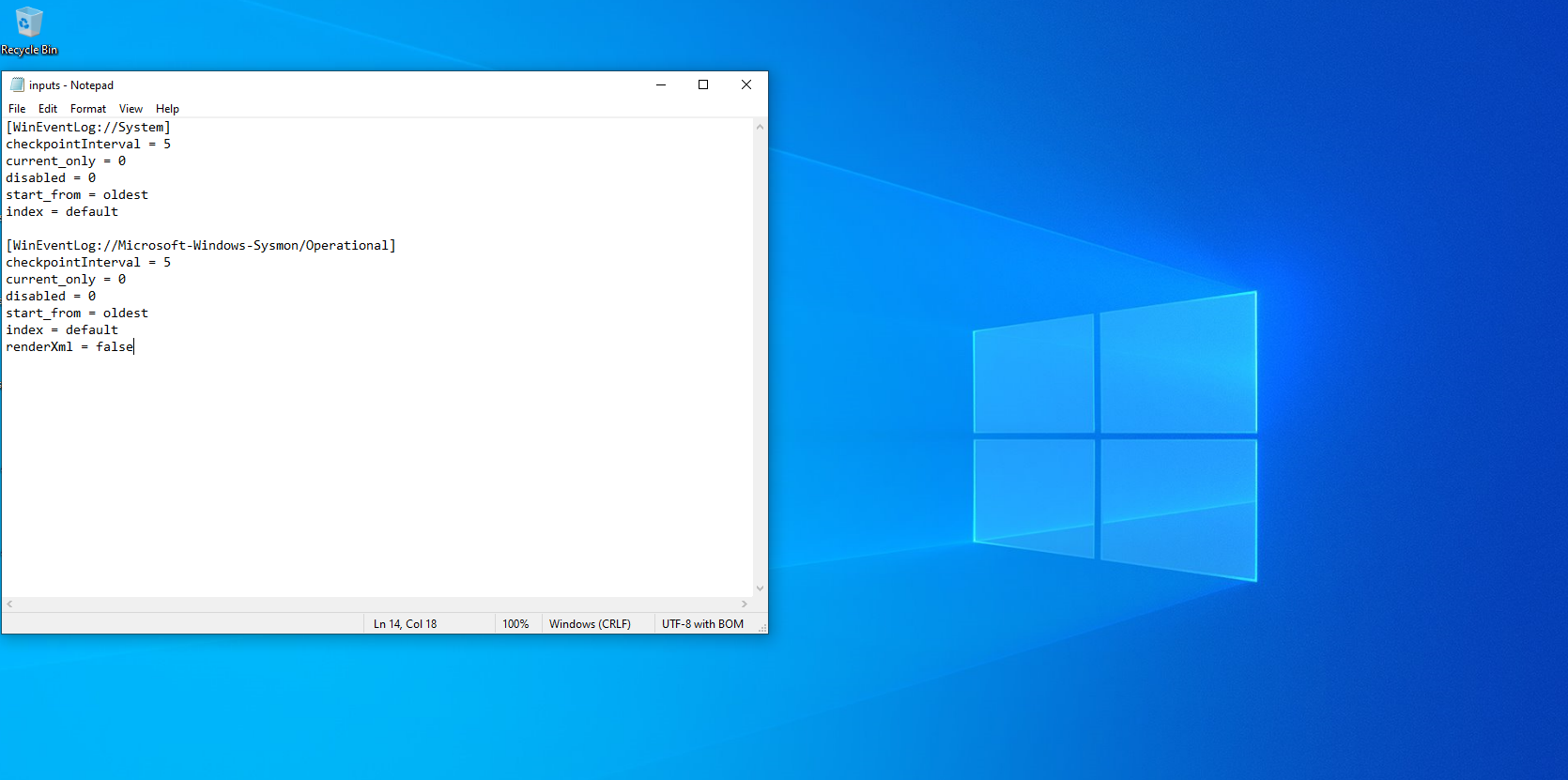
- 本地 Splunk input 配置已通过 `inputs.conf` 进行了记录。
## 截图
### 所有已索引的事件
此截图显示 Splunk 已成功索引来自实验室环境的事件。
### Sysmon 事件
此截图显示已收集并可在 Splunk 中搜索的 Sysmon Operational 日志。
### Sysmon 进程创建事件
此截图显示 Sysmon 进程创建活动,包括 Event ID 1 / Process Create 事件。
### Splunk Inputs 配置
此截图显示用于收集 Windows System 日志和 Sysmon Operational 日志的本地 Splunk input 配置。
### PowerShell 命令检测
此截图显示在 Windows 10 虚拟机中执行的 PowerShell 命令,并通过 Sysmon Event ID 1 进程创建日志在 Splunk 中被检测到。
## 仓库结构
```
splunk-soc-lab/
├── README.md
├── spl-queries/
│ ├── failed_logins_4625.spl
│ ├── suspicious_powershell.spl
│ ├── sysmon_process_creation.spl
│ └── sysmon_network_connections.spl
├── investigation-notes/
│ └── brute-force-investigation.md
├── configs/
│ └── inputs.conf
├── dashboards/
│ └── dashboard-notes.md
└── screenshots/
├── splunk-all-events.png
├── splunk-sysmon-events.png
├── splunk-process-create-events.png
├── splunk-inputs-config.png
└── powershell-command-detection.png
```
## 注意事项
本项目使用的是家庭实验室环境。不包含任何真实的公司数据、客户数据或敏感日志。
敏感的实验室标识符(如主机名、计算机名、用户名和 IP 地址)已在需要时从截图中移除或进行了涂黑处理。
本项目使用的是家庭实验室环境。不包含任何真实的公司数据、客户数据或敏感日志。
敏感的实验室标识符(如主机名、计算机名、用户名和 IP 地址)已在需要时从截图中移除或进行了涂黑处理。
标签:AI合规, AMSI绕过, Sysmon, 告警分诊, 威胁检测, 安全运营, 扫描框架