Foxemsx/riptide

GitHub: Foxemsx/riptide

一款基于 Go 的精致终端 TUI 网络测速与实时带宽监控工具,支持历史记录与多主题。

Stars: 42 | Forks: 1

# riptide **从终端测量并监控您的互联网连接。** 一个精致的 Go TUI,包含启动菜单、单次速度测试、实时带宽监控、主题以及已保存的测试历史。居中的卡片、平滑的图表,底层使用 SQLite。 [![terminal](https://img.shields.io/badge/terminal-TUI-39d0d8?style=flat-square)](https://github.com/Foxemsx/riptide) [![Go](https://img.shields.io/badge/Go-1.23+-00ADD8?style=flat-square&logo=go&logoColor=white)](https://go.dev) [![Linux](https://img.shields.io/badge/Linux-supported-2ea44f?style=flat-square&logo=linux&logoColor=white)](https://github.com/Foxemsx/riptide) [![Windows](https://img.shields.io/badge/Windows-supported-0078D6?style=flat-square&logo=windows&logoColor=white)](https://github.com/Foxemsx/riptide) [![License](https://img.shields.io/badge/license-MIT-blue?style=flat-square)](LICENSE)

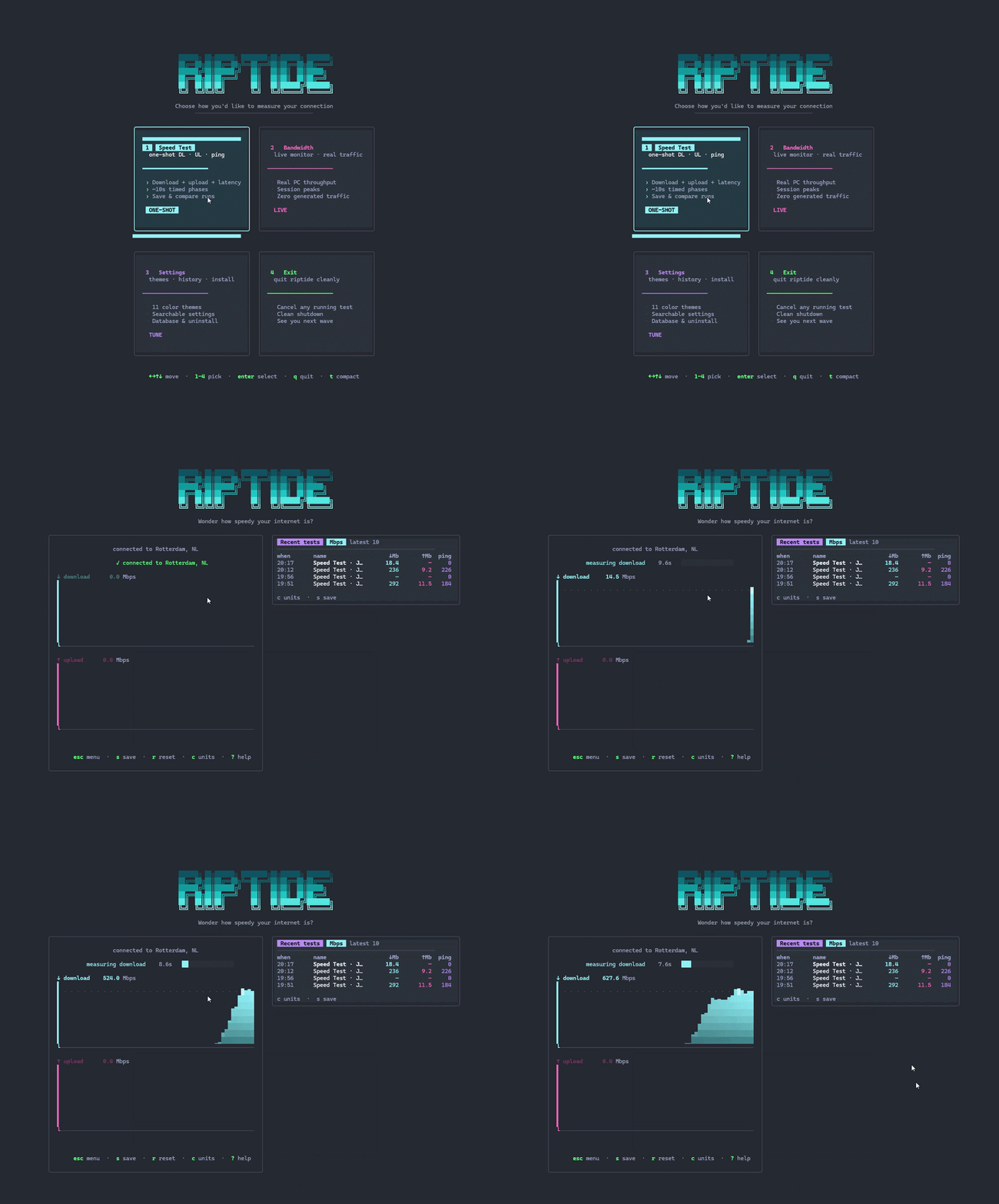
riptide demo

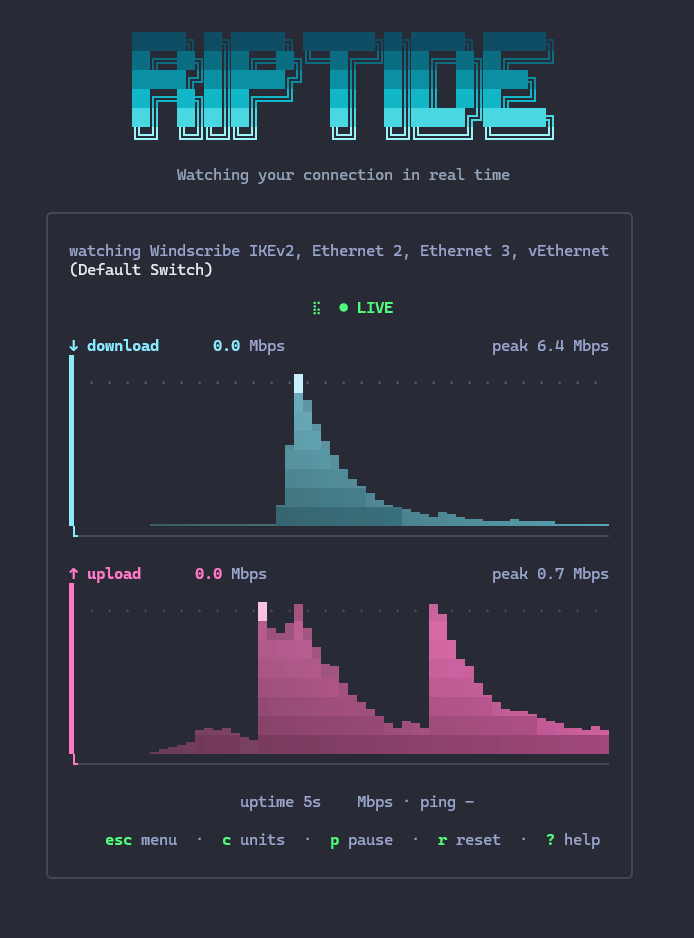
## 模式 | | | |:---|:---| | **Speed Test** | 单次下载、上传和 ping 测试。支持并行连接、峰值速率和定时阶段。自动保存运行记录;可比较最近 10 次的结果。 | | **Bandwidth Monitor** | *真实* PC 流量的实时视图(仅读取 OS 计数器 —— 无测试负载)。显示峰值、运行时间,支持暂停。 | | **Settings** | 可搜索的设置:11 种颜色主题、数据库重置、卸载说明。 | ## 截图

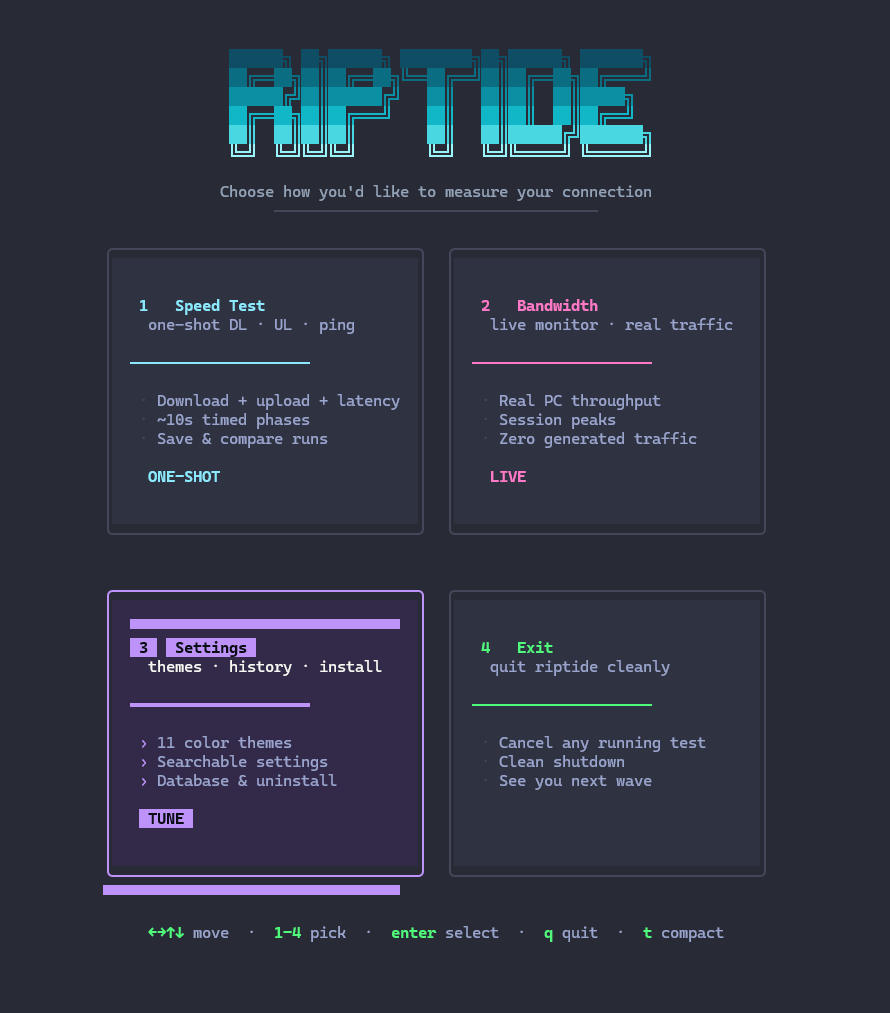
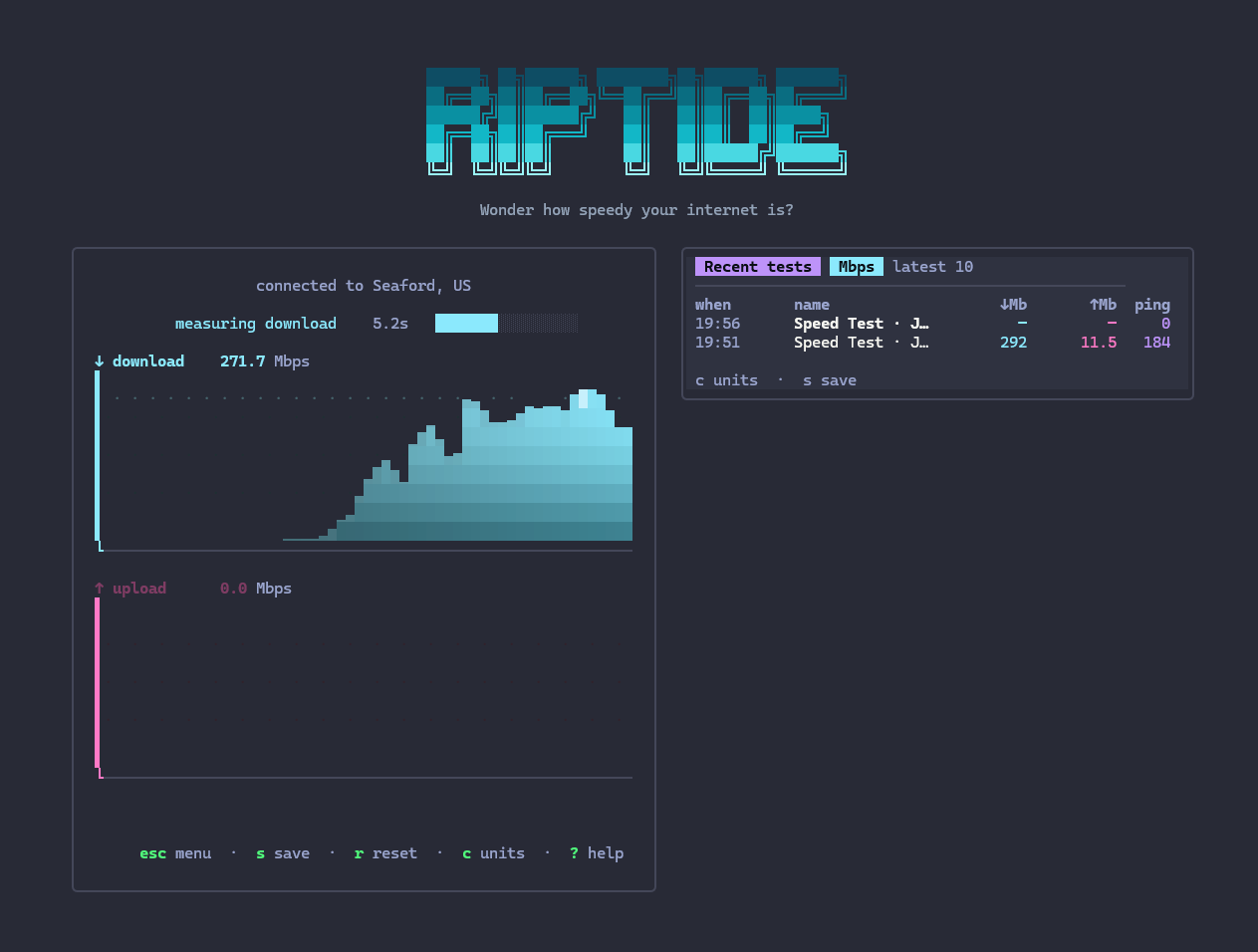
Main menu   Speed test

Main menu · Speed Test, Bandwidth, Settings, Exit   |   Speed Test · live graphs mid-run
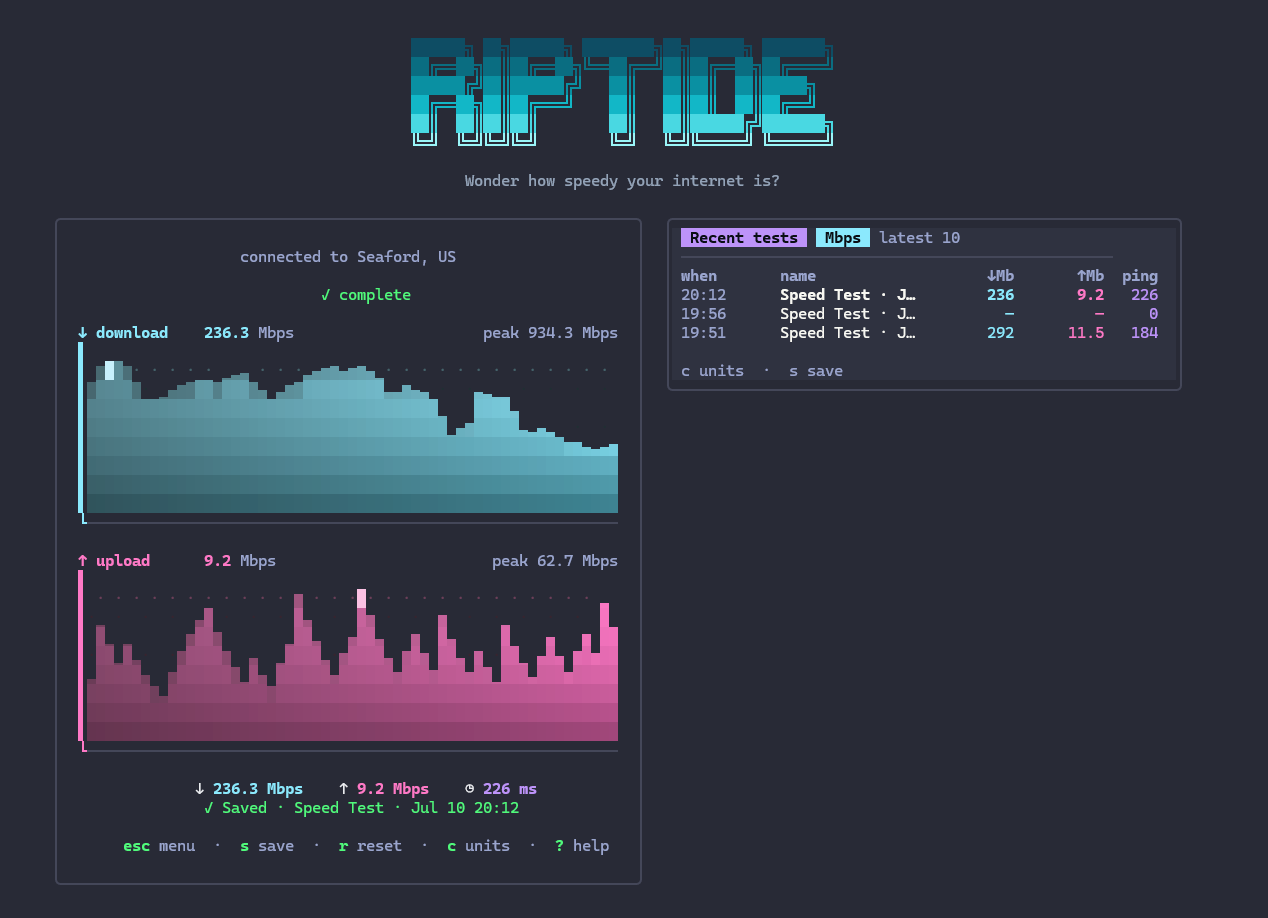
Finished summary   Bandwidth monitor

Finished · peaks + ping + recent history   |   Bandwidth · live DL/UL of your real connection
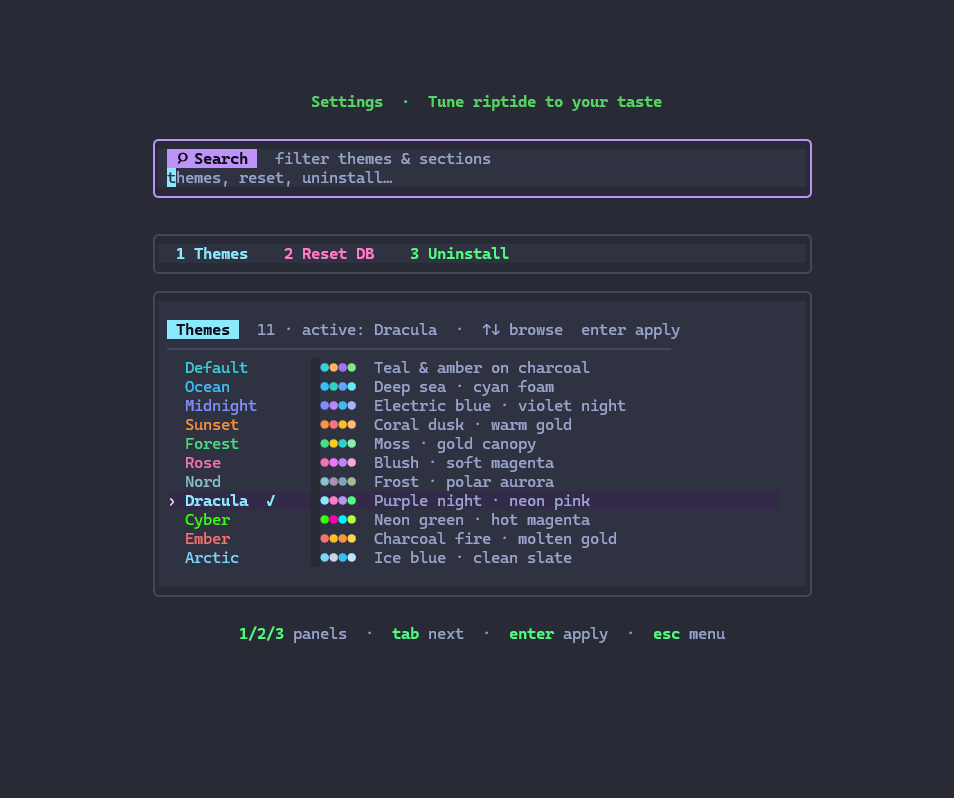
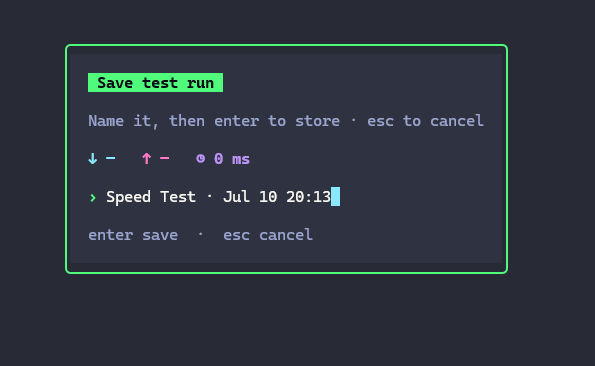
Settings screen   Save prompt

Settings · theme picker, reset DB, uninstall   |   Save · name a run after the test
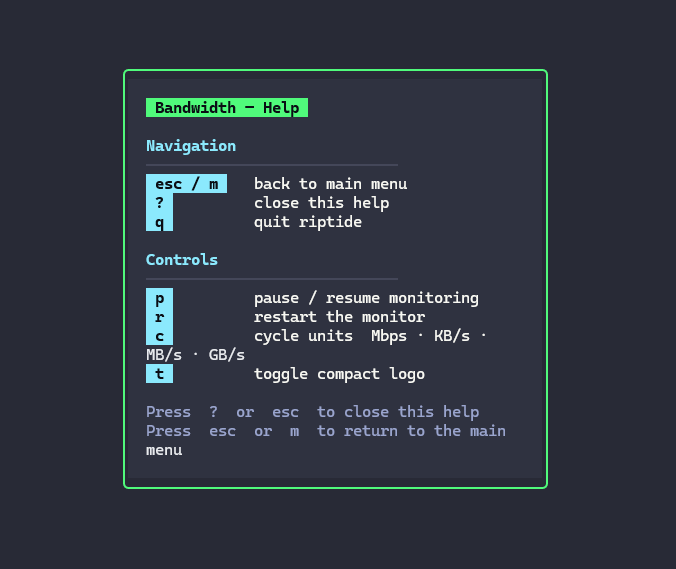
Help overlay

Help · press ? anytime for controls · esc / m back to menu

## 功能特性 - **启动菜单** — 2×2 卡片网格,支持热键 `1`–`4`,可用键盘或鼠标操作 - **速度历史** — 自动保存已完成的测试;按 `s` 为运行记录命名;显示最近 10 次结果以供比较 - **11 种主题** — default、ocean、midnight、sunset、forest、rose、nord、dracula、cyber、ember、arctic(通过 Settings 或 `--theme` 设置) - **设置搜索** — 过滤主题和部分;按 `enter` 跳转到最佳匹配项 - **SQLite 存储** — 偏好设置和测试运行记录保存在 `riptide.db` 中(位于用户配置目录) - **高分辨率图表** — 八分块柱状图、火焰渐变、峰值火花线、时间渐隐效果 - **平滑数值** — 使用插值显示数据,而非生硬的跳变 - **动态切换单位** — 按 `c` 循环切换 Mbps · KB/s · MB/s · GB/s - **紧凑模式** — 空间有限时按 `t` 隐藏大 Logo - **简洁界面** — 主题化画布、圆角卡片、强调色标签 - **优雅的错误处理** — 网络断开时不显示堆栈跟踪 ## 快速开始 ### Linux / WSL(安装脚本 —— 无需 sudo,仅需 bash) ``` curl -fsSL https://raw.githubusercontent.com/Foxemsx/riptide/main/install.sh | sh riptide ``` 卸载: ``` curl -fsSL https://raw.githubusercontent.com/Foxemsx/riptide/main/uninstall.sh | sh ``` 你也可以在应用程序内打开 **Settings → Uninstall** 查看相同的说明。 ### Windows bash 安装脚本**无法**在 Windows 上运行。请选择以下方式之一: - **预发布版本** — 从 [Releases](https://github.com/Foxemsx/riptide/releases) 页面下载 `riptide.exe` 并运行。 - **使用 Go 1.23+**(无需发布版本): go install github.com/Foxemsx/riptide/cmd/riptide@main riptide ### 从源码构建(任何安装了 Go 1.23+ 的操作系统) ``` git clone https://github.com/Foxemsx/riptide cd riptide go build -o riptide ./cmd/riptide # Windows: go build -o riptide.exe ./cmd/riptide ./riptide ``` ## 用法 ``` riptide # main menu riptide --compact # skip the large logo riptide --theme ocean # start with a palette (also saved as preference) ``` | 标志 | 默认值 | 描述 | |------|---------|-------------| | `--compact` | `false` | 仅显示标语(无大 Logo) | | `--theme` | 已保存 / `default` | 调色板(参见下方的主题) | ### 控制键 | 按键 | 操作 | |-----|--------| | `←` `→` `↑` `↓` / `h j k l` | 在菜单中移动 | | `1` `2` `3` `4` | 跳转到 Speed Test / Bandwidth / Settings / Exit | | `enter` | 选择 | | `s` | **Speed Test** — 保存 / 重命名当前运行记录 | | `c` | 循环切换单位 | | `r` | 重启测试 / 监控 | | `p` | 暂停 / 恢复(仅限 **Bandwidth**) | | `t` | 切换紧凑 Logo | | `?` | 帮助浮层 | | `esc` / `m` | 返回主菜单 | | `q` / `ctrl+c` | 退出 | ### 设置 | 按键 | 操作 | |-----|--------| | 输入字符 | 实时过滤主题和部分 | | `enter` | 跳转到最佳匹配项(或应用匹配的主题) | | `tab` | 下一个部分 | | `←` `→` / `j` `k` | 浏览主题 | | 在主题上按 `enter` | 应用并保存主题 | | 在 Reset 上按 `enter` | 确认清除已保存的运行记录 | ## 主题 | 名称 | 风格 | |------|------| | `default` | 炭灰背景上的青色与琥珀色 | | `ocean` | 深海 · 青色浪沫 | | `midnight` | 电光蓝 · 紫罗兰夜色 | | `sunset` | 珊瑚色暮光 · 暖金色 | | `forest` | 苔藓绿 · 金色树冠 | | `rose` | 腮红色 · 柔和洋红 | | `nord` | 霜白 · 极地极光 | | `dracula` | 紫色夜晚 · 霓虹粉 | | `cyber` | 霓虹绿 · 热辣洋红 | | `ember` | 炭火 · 熔金 | | `arctic` | 冰蓝色 · 纯净板岩色 | 主题偏好保存在本地数据库中(启动时使用 `--theme` 可覆盖该设置)。 ## 数据与历史 速度测试以 `riptide.db` 为名存储在 **SQLite** 中: | 操作系统 | 位置 | |----|----------| | Linux / macOS | `~/.config/riptide/riptide.db` | | Windows | `%AppData%\riptide\riptide.db` | - 已完成的速度测试会带有时间戳名称**自动保存** - 在速度测试期间或之后按 **`s`** 可使用自定义名称保存 - **Recent tests** 块(最近 10 次)仅存在于 Speed Test 屏幕上 - **Settings → Reset database** 会清除所有已保存的运行记录(保留主题);此操作需要确认 ## 卸载 **Linux / WSL** ``` curl -fsSL https://raw.githubusercontent.com/Foxemsx/riptide/main/uninstall.sh | sh ``` **手动卸载** ``` # Linux / macOS rm -f "$(command -v riptide)" # Windows (go install) del %USERPROFILE%\go\bin\riptide.exe ``` 卸载仅移除二进制文件 —— 不移除 Go、您的 PATH 条目以及 `riptide.db`。要首先清除历史记录,请使用 **Settings → Reset database**。 ## 许可证 [MIT](LICENSE) — 可免费使用、修改和重新分发,但需保留许可证声明。
标签:EVTX分析, Go, Ruby工具, SQLite, TUI, 带宽监控, 日志审计, 网络测速