VityaSchel/grindr-google-oauth-webextension
GitHub: VityaSchel/grindr-google-oauth-webextension
通过 WebExtension 在浏览器或 GeckoView 环境中获取 Google OAuth token,解决 Grindr 第三方登录时 GIS 在 WebView 内无法运行的问题。
Stars: 0 | Forks: 0
# Grindr Google OAuth WebExtension
通过 Google Identity Services (GIS) 获取 OAuth access token 以用于 Grindr 登录的 WebExtension。这得以实现,是因为 GIS 拒绝在应用内嵌的 WebView 中运行,且 GeckoView 禁止宿主应用向页面注入 JS。
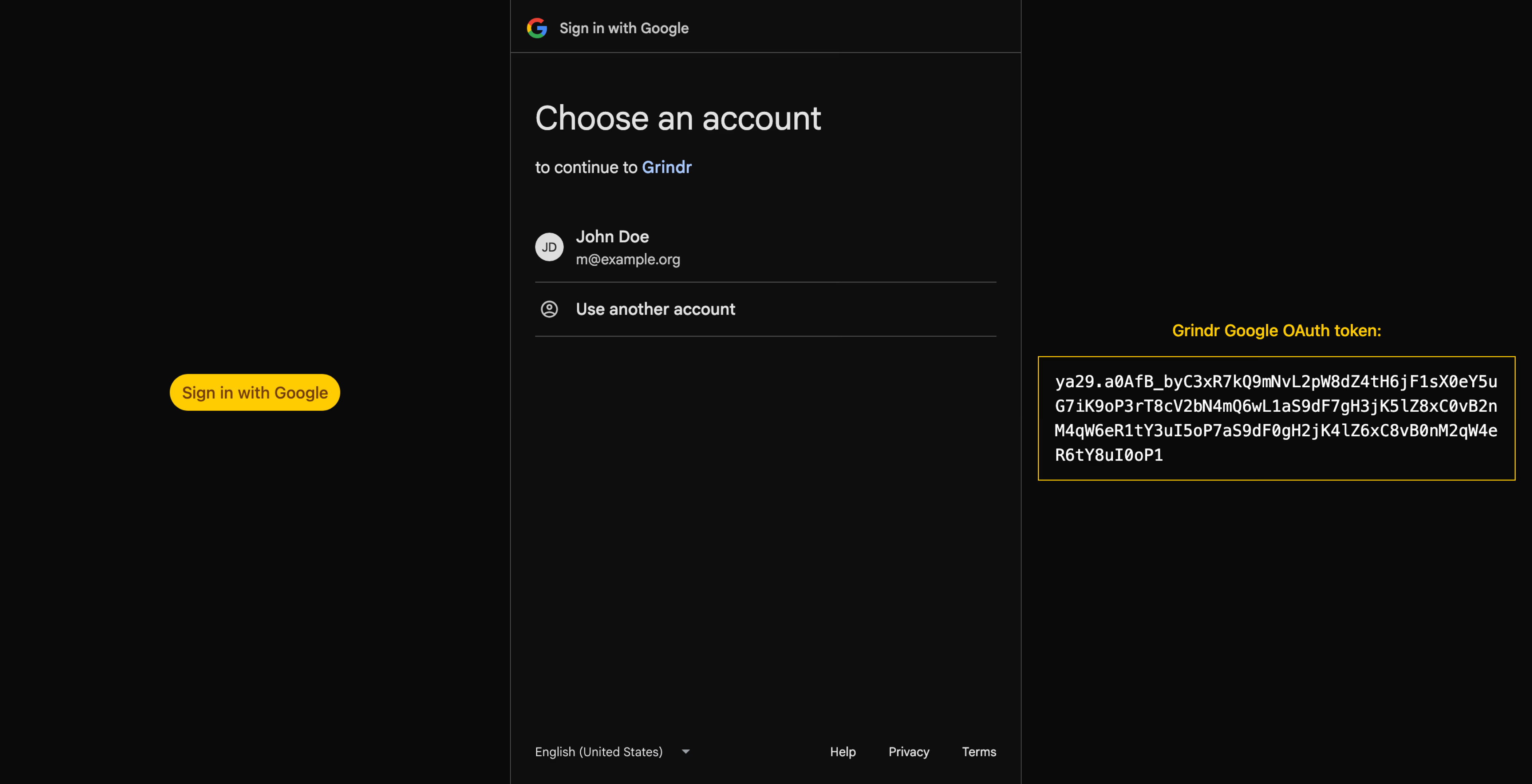
## 安装
- **Firefox, Librewolf**(桌面版和 Android 版):
- [从 addons.mozilla.org 下载](https://addons.mozilla.org/en-US/firefox/addon/grindr-google-oauth/)(推荐)
- *或者* 从 [Releases](https://git.opengrind.org/open-grind/grindr-google-oauth-webextension/releases) 下载 `grindr_google_oauth-x.x.x-firefox.zip`,解压后,通过 `about:debugging`(This Firefox → "Load Temporary Add-on")加载解压后的目录
- **Google Chrome, Chromium 及基于 Chromium 的浏览器**(仅限桌面版):
- 从 [Releases](https://git.opengrind.org/open-grind/grindr-google-oauth-webextension/releases) 下载 `grindr_google_oauth-x.x.x-chrome.zip`,解压后,通过 `chrome://extensions`(开发者模式 → "Load unpacked")加载解压后的目录
- **GeckoView**(适用于将此项目嵌入到其 Android 应用中的开发者):
- 从 [Releases](https://git.opengrind.org/open-grind/grindr-google-oauth-webextension/releases) 下载 `grindr_google_oauth-x.x.x-geckoview.zip`,将构建好的 `web-ext-artifacts/geckoview/` 目录打包到应用的 `assets/` 中,并通过 `runtime.webExtensionController.ensureBuiltIn(uri, id)` 将其作为内置扩展安装(`nativeMessaging` 和 `geckoViewAddons` 是特权权限,仅对内置扩展有效)
或者,你也可以自行克隆仓库并使用 `./build.sh [firefox|chrome|geckoview]` 构建扩展(需要 [Bun](https://bun.com))。
## 使用说明
**Firefox, Librewolf**(桌面版和 Android 版)以及 **Google Chrome, Chromium 及基于 Chromium 的浏览器**(仅限桌面版):
1. 安装扩展
2. 点击工具栏图标
3. 会打开一个带有按钮的新标签页
4. 点击“Sign in with Google”
5. 在新标签页中完成 OAuth 流程
6. 从页面复制生成的 token 并将其粘贴到宿主应用中
**GeckoView**:
1. 在已安装此扩展的 `GeckoSession` 中加载 web.grindr.com
2. content script 将自动运行,并通过 native messaging 传递 token
3. 宿主应用需在 `shared/background.js` 中注册一个与 `NATIVE_APP` 同名的 `MessageDelegate`:
```
controller.setMessageDelegate(extension, delegate, "grindr_google_oauth")
// delegate.onMessage receives { type: "token", token: "ya29..." }
```
然后,该 token 将用于 [`/v8/sessions/thirdparty` endpoint](https://opengrind.org/grindr-api/authentication#login-via-third-party-wip)。
## 许可证
[MIT](./LICENSE)
标签:GeckoView, OAuth, WebExtension, 数据可视化, 浏览器扩展, 自定义脚本