kingsrule50/ntfs-lab-terraform
GitHub: kingsrule50/ntfs-lab-terraform
使用 Terraform 在 Azure 上自动化部署三层 Windows Server 实验环境(含 VNet、NSG、VM 和 Key Vault)的 IaC 项目。
Stars: 0 | Forks: 0
# 实验 1:使用 Terraform 部署 Azure 基础设施



## 概述
这是一个分为三部分系列实验中的第一个,旨在展示企业级云基础设施和 Windows Server 管理技能。在本实验中,我使用 **Terraform** 为三层 Windows 实验环境配置基础的 Azure 基础设施。
我遵循将基础设施配置与操作系统级别的配置分开的推荐最佳实践。我**仅**使用 Terraform 来配置 Azure 资源——所有 Active Directory 和文件服务器配置都在实验 2 和 3 中完成。
## 实验系列
| 实验 | 标题 | 技能 |
|-----|-------|--------|
| **实验 1**(此仓库) | 使用 Terraform 部署 Azure 基础设施 | Terraform, Azure Networking, IaC |
| [实验 2](https://github.com/kingsrule50/ntfs-lab-ad) | Active Directory 域服务 | Windows Server, AD DS, GPO, PowerShell |
| [实验 3](https://github.com/kingsrule50/ntfs-lab-fileserver) | NTFS 文件服务器和访问控制 | SMB, NTFS, RBAC, 访问控制 |
## 架构
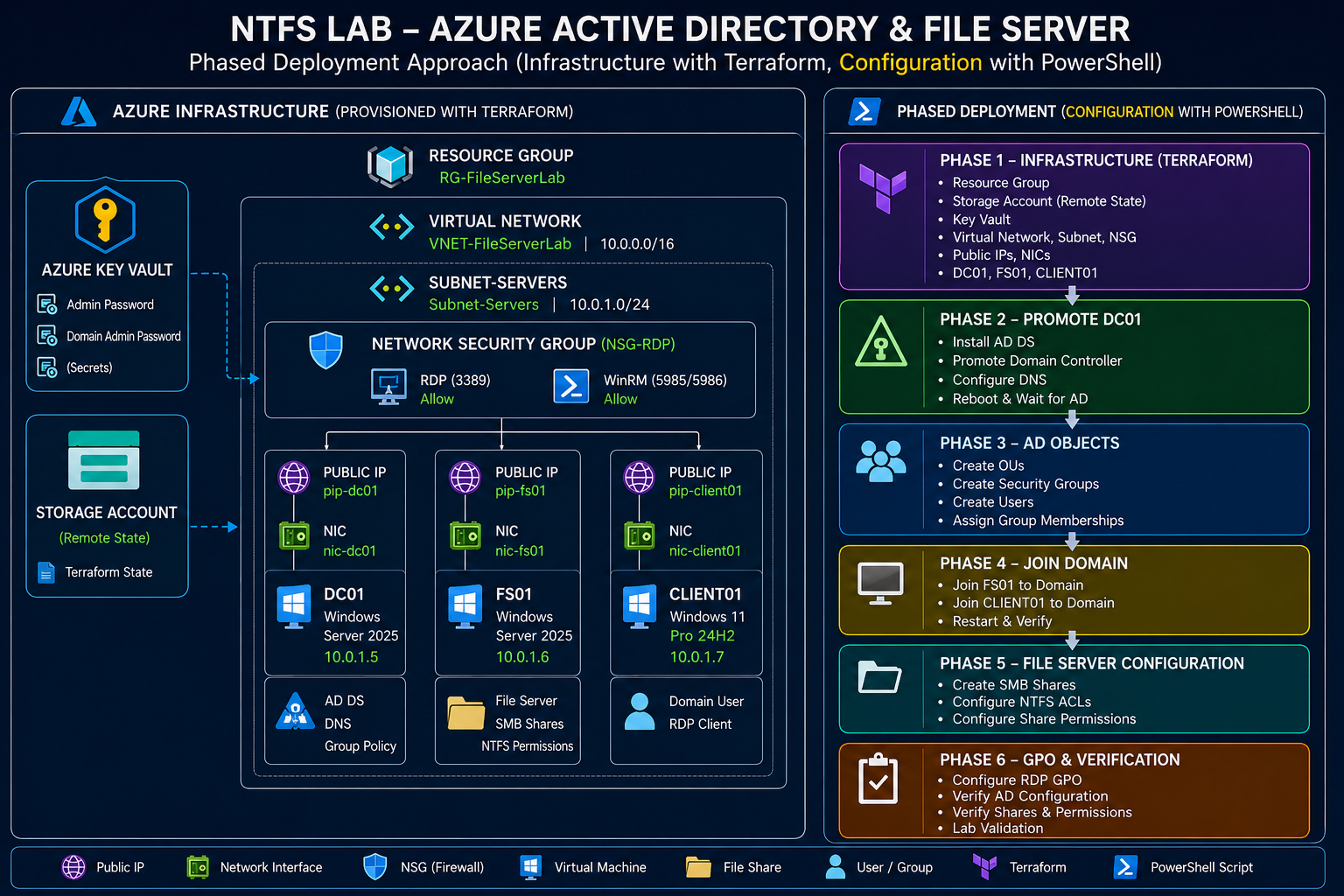
*完整系列架构——使用 Terraform 配置基础设施(本实验),并通过分阶段的 PowerShell 应用配置(实验 2 和 3)。*
```
Azure Subscription (KINGSRULE50)
└── Resource Group: RG-FileServerLab (East US)
├── Virtual Network: VNET-FileServerLab (10.0.0.0/16)
│ └── Subnet: Subnet-Servers (10.0.1.0/24)
├── Network Security Group: NSG-RDP
│ └── Inbound Rule: Allow RDP (3389)
├── DC01 - Windows Server 2025 Datacenter
│ ├── Private IP: 10.0.1.5 (Static - DNS Server)
│ └── Public IP: dc01-pip (Static)
├── FS01 - Windows Server 2025 Datacenter
│ ├── Private IP: 10.0.1.6 (Static)
│ └── Public IP: fs01-pip (Static)
├── CLIENT01 - Windows 11 Pro 24H2
│ ├── Private IP: 10.0.1.7 (Static)
│ └── Public IP: client01-pip (Static)
└── Key Vault: kv-fslab-* (VM credentials)
```
## 已部署的资源
| 资源 | 名称 | 用途 |
|----------|------|---------|
| Resource Group | RG-FileServerLab | 所有实验资源的容器 |
| Virtual Network | VNET-FileServerLab | 所有 VM 的专用网络 |
| Subnet | Subnet-Servers | 用于所有三个 VM 的单一子网 |
| NSG | NSG-RDP | 限制对指定 IP 的 RDP 访问 |
| Public IP | dc01-pip | DC01 的静态 Public IP |
| Public IP | fs01-pip | FS01 的静态 Public IP |
| Public IP | client01-pip | CLIENT01 的静态 Public IP |
| NIC | dc01-nic | DC01 的网络接口 |
| NIC | fs01-nic | FS01 的网络接口 |
| NIC | client01-nic | CLIENT01 的网络接口 |
| VM | DC01 | Windows Server 2025 域控制器 |
| VM | FS01 | Windows Server 2025 文件服务器 |
| VM | CLIENT01 | Windows 11 Pro 域客户端 |
| Key Vault | kv-fslab-* | 安全存储 VM 管理员凭据 |
## 关键设计决策
这是我做出的选择及其原因:
- **静态私有 IP** — DC01 (`10.0.1.5`)、FS01 (`10.0.1.6`)、CLIENT01 (`10.0.1.7`) 均为硬编码,以防止跨部署出现 IP 冲突
- **VNet DNS 设置为 DC01** — 所有 VM 自动将 DC01 用作其 DNS 服务器,无需手动配置即可实现域名解析
- **静态 Public IP** — 部署之间的 RDP 地址永远不会改变
- **远程状态** — Terraform state 存储在 Azure Blob Storage 中,便于团队协作和状态锁定
- **Key Vault** — 安全存储 VM 管理员密码,绝不保存在文件中
- **Terraform 中不进行操作系统级别的配置** — 遵循分阶段部署最佳实践;所有预置后的工作都在实验 2 和 3 中完成
## 前置条件
- 已安装并完成身份验证的 Azure CLI (`az login`)
- 已安装 Terraform >= 1.5.0
- 拥有满足 `Standard_D2s_v3` 足够 vCPU 配额的 Azure 订阅
- 已创建远程状态存储账户(参见 `backend.tf`)
## 用法
**步骤 1 — 将您的管理员密码设置为环境变量:**
```
export TF_VAR_admin_password="YourStrongPassword123!"
```
**步骤 2 — 初始化 Terraform:**
```
terraform init
```
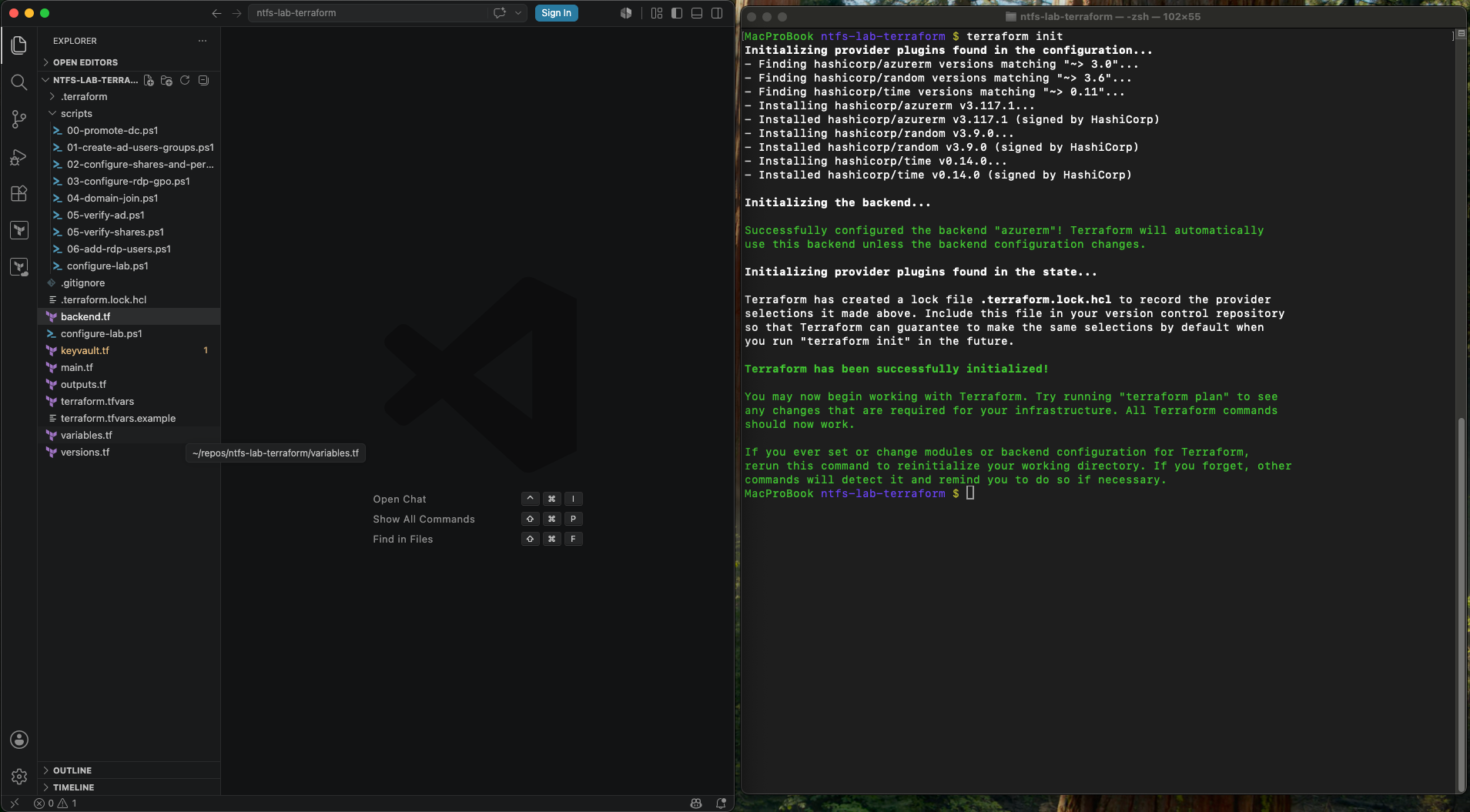
*Terraform 初始化 `azurerm` 远程状态后端并安装锁定的 provider。*
**步骤 3 — 查看计划:**
```
terraform plan
```
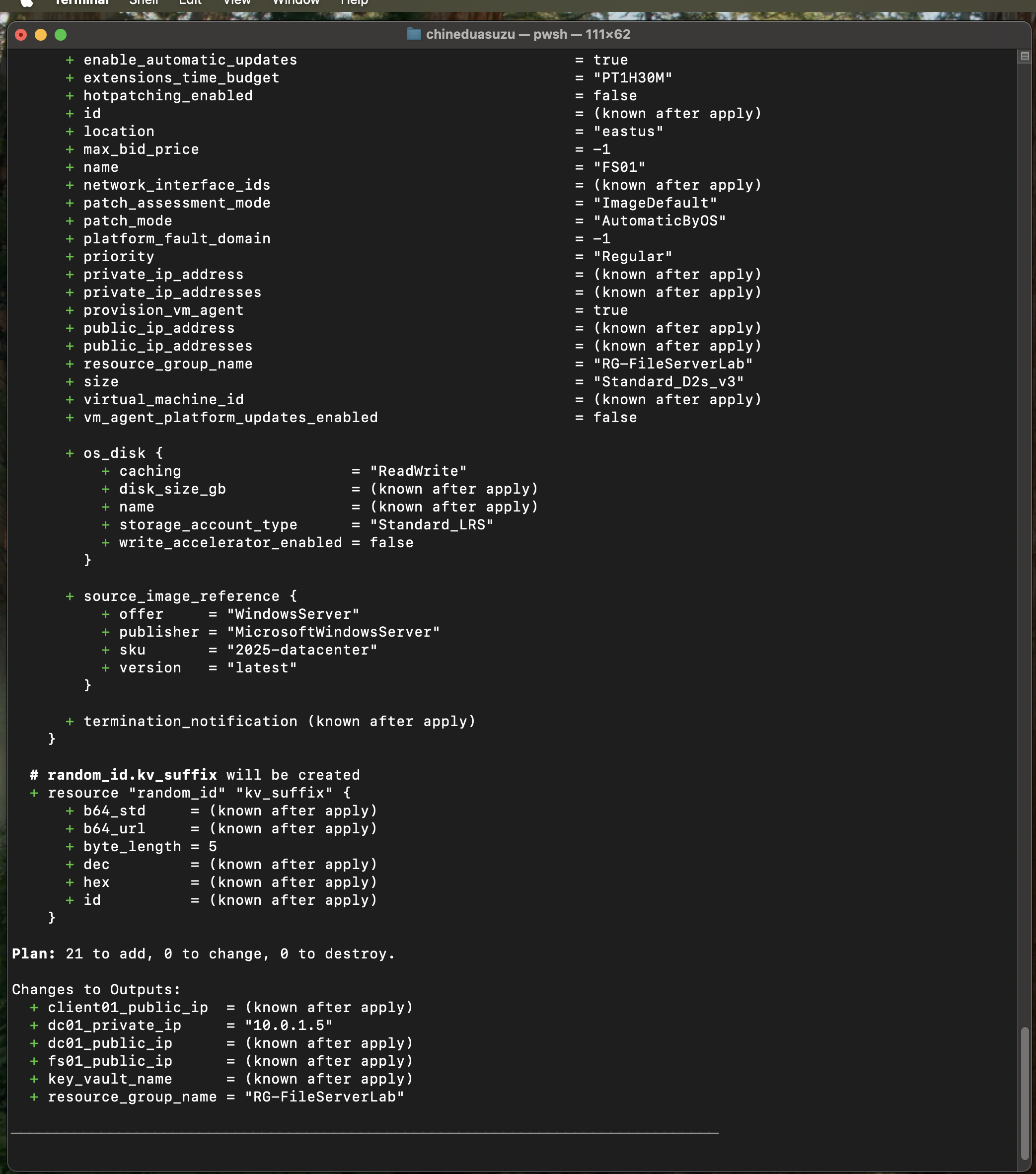
*`terraform plan` 计算出刚好需要添加 21 个资源——Windows Server 2025 Datacenter 镜像、静态私有 IP 以及在部署时生成的 Key Vault 后缀。*
**步骤 4 — 部署:**
```
terraform apply -auto-approve
```
**步骤 5 — 记录输出:**
```
dc01_public_ip = "x.x.x.x"
fs01_public_ip = "x.x.x.x"
client01_public_ip = "x.x.x.x"
key_vault_name = "kv-fslab-xxxx"
```
**步骤 6 — 继续实验 2:**
一旦所有三个 VM 都在运行,请继续进行 [实验 2 - Active Directory](https://github.com/kingsrule50/ntfs-lab-ad)。
## 部署结果
**从头到尾的干净应用 — 21 个资源,零更改,零销毁:**
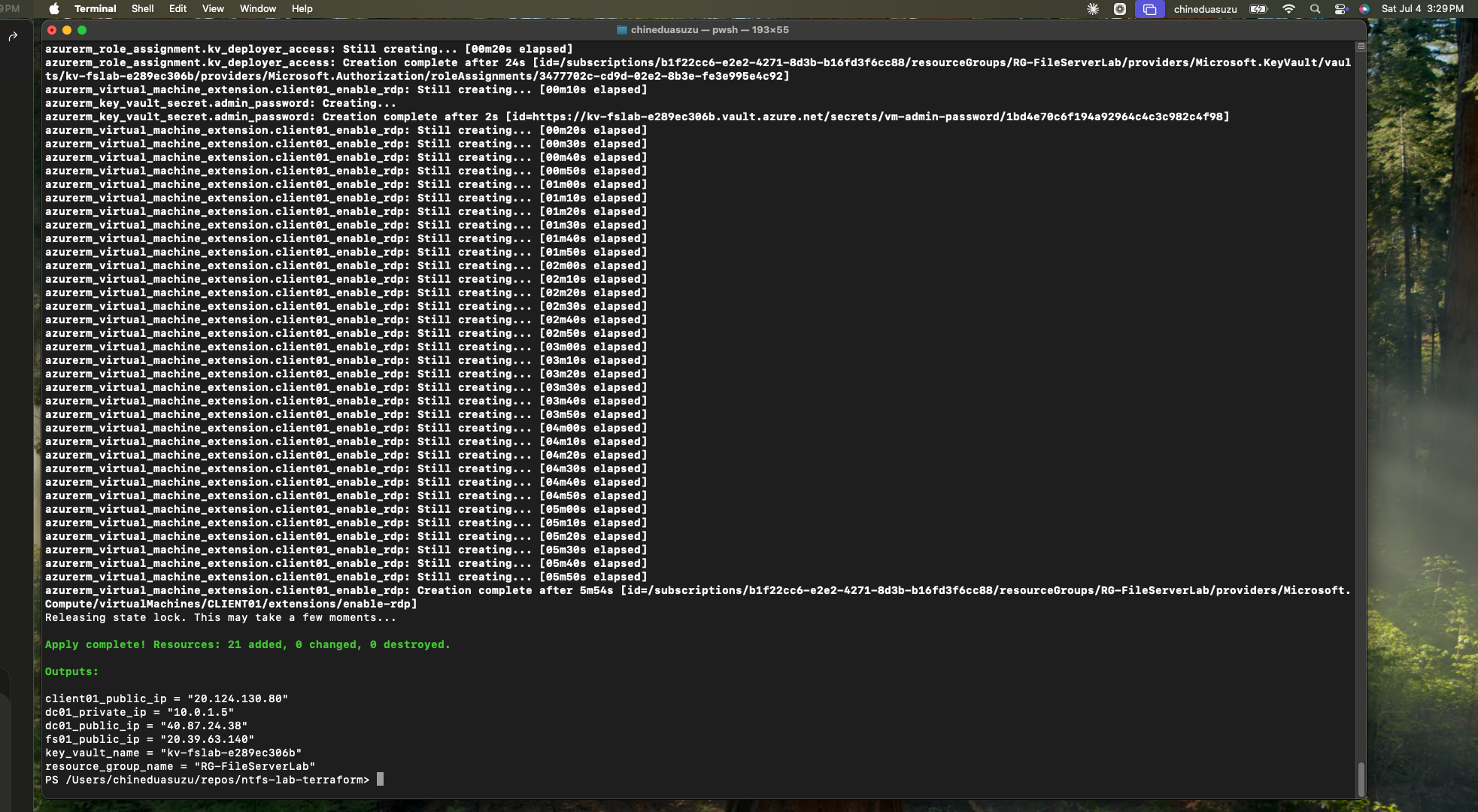
*`Apply complete! Resources: 21 added, 0 changed, 0 destroyed.`。输出确认 DC01 位于静态 `10.0.1.5` 以及生成的 Key Vault 名称——这是在 macOS 上运行的,使用了我所有机器共享的同一远程状态。*
**全部 15 个资源已部署到 RG-FileServerLab:**
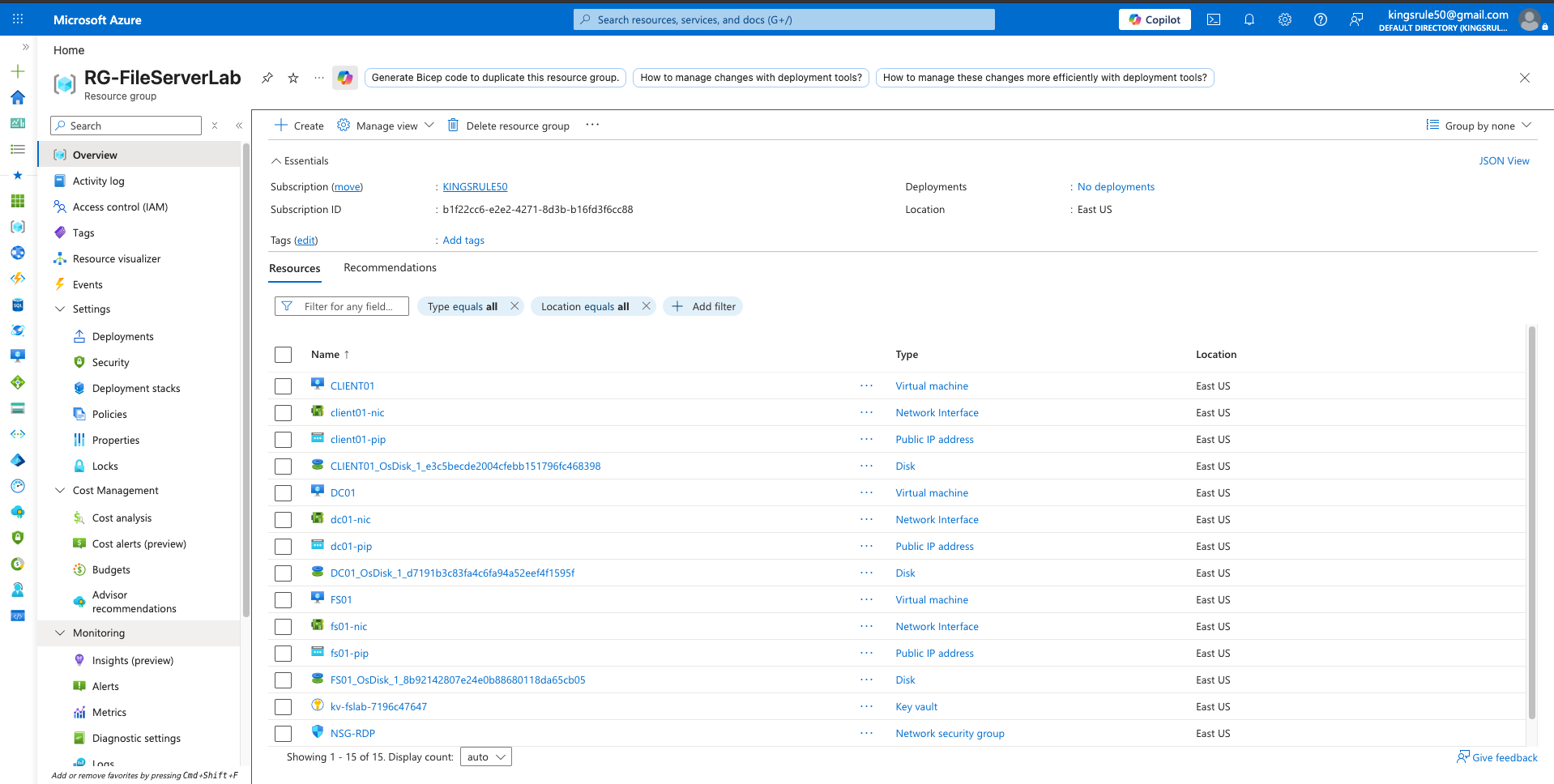
*三个 VM(DC01、FS01、CLIENT01)及其 NIC、Public IP、托管磁盘、NSG 和 Key Vault——全部由单次 `terraform apply` 配置完成。*
**网络安全组 — RDP 锁定为单一源 IP:**
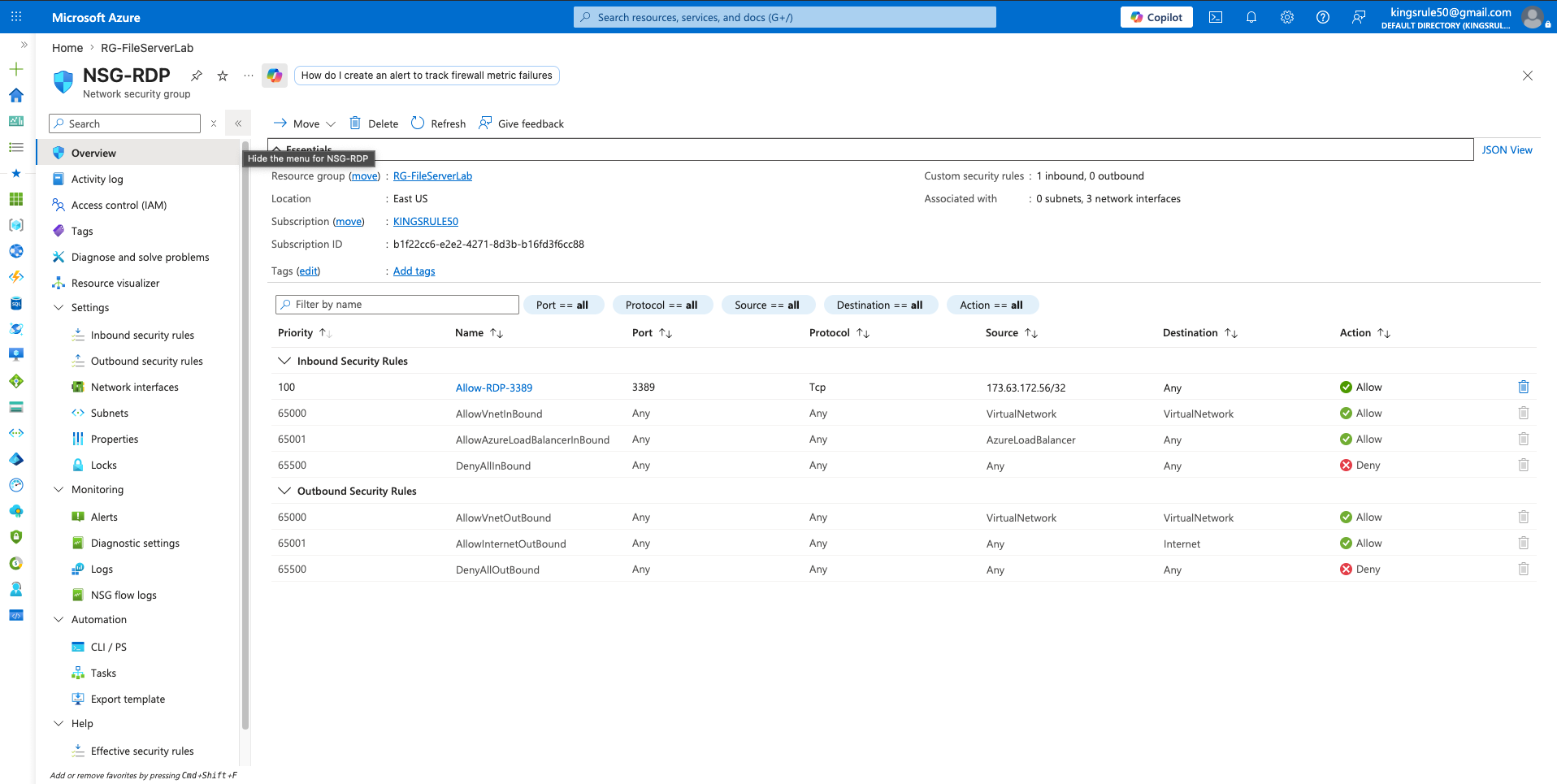
*入站 RDP (3389) 仅允许从我的 `/32` 源地址访问。所有其他入站流量均被拒绝。*
**由 Terraform 配置并添加标签的 Key Vault:**
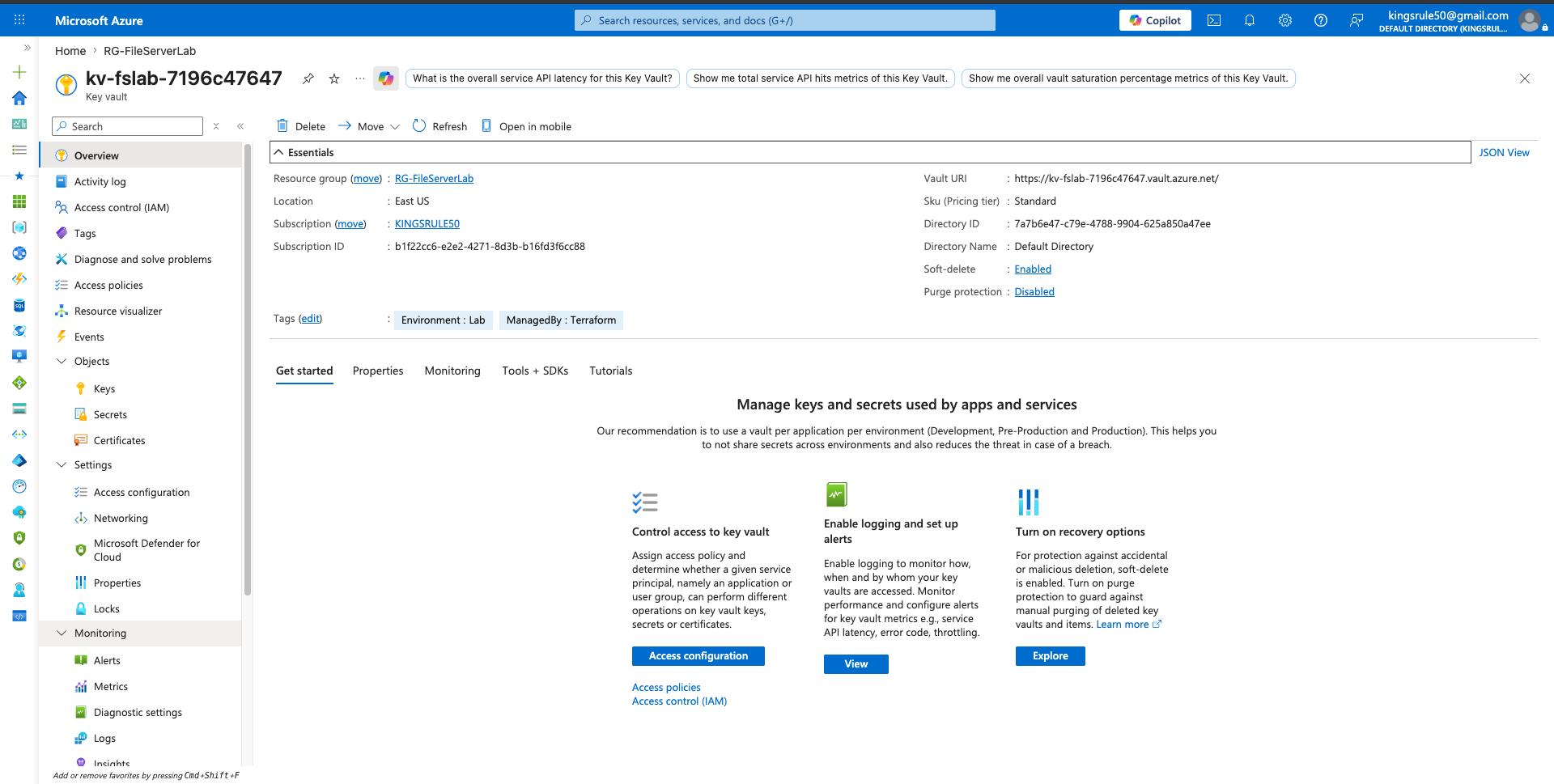
*请注意 `ManagedBy: Terraform` 标签——该保管库是作为部署的一部分创建的,而不是手动创建的。*
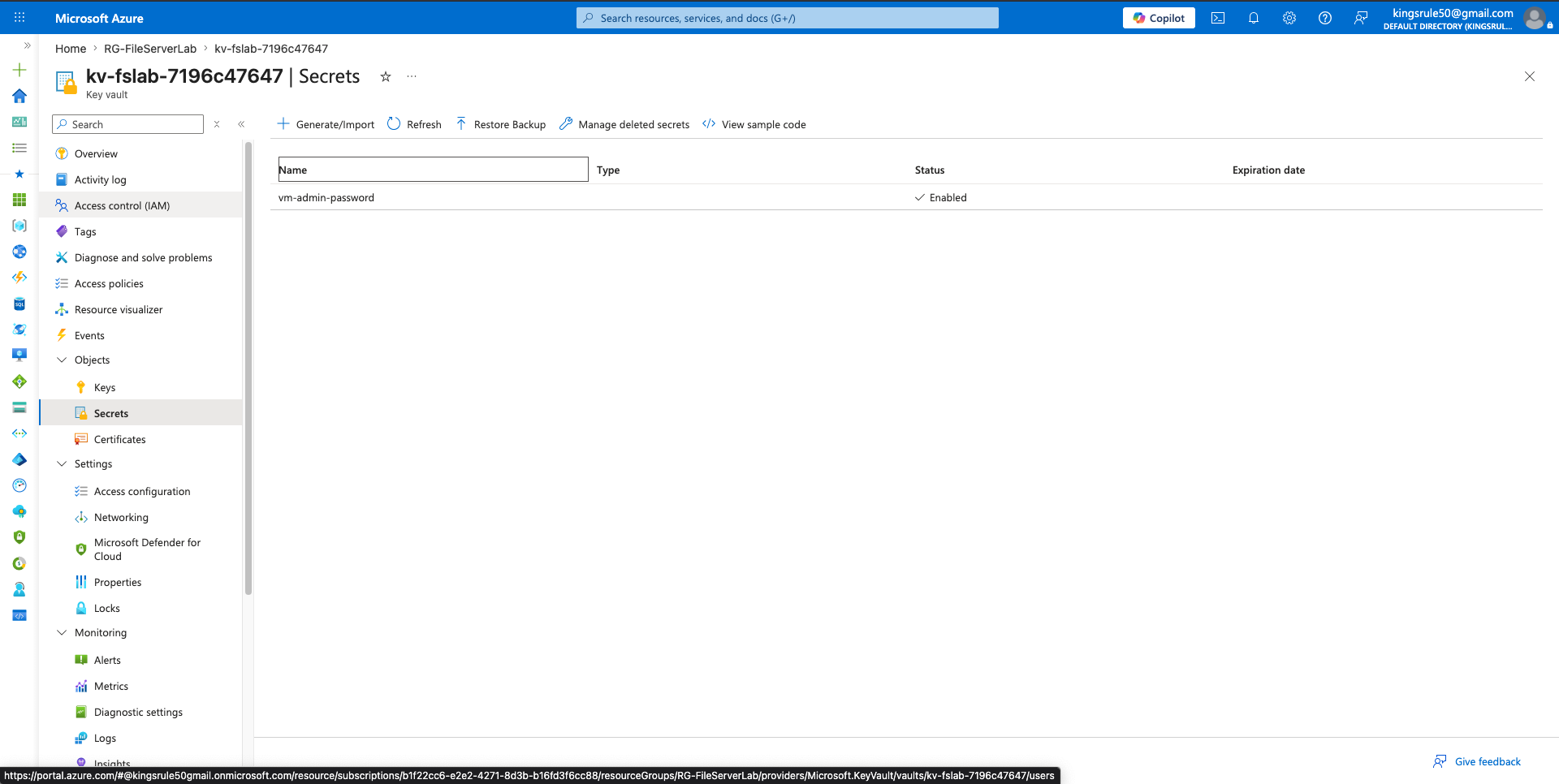
*VM 管理员密码以 `vm-admin-password` 的形式存在于 Key Vault 中。它从不被写入文件或提交到仓库中。*
**存储在 Azure Blob Storage 中的远程状态:**
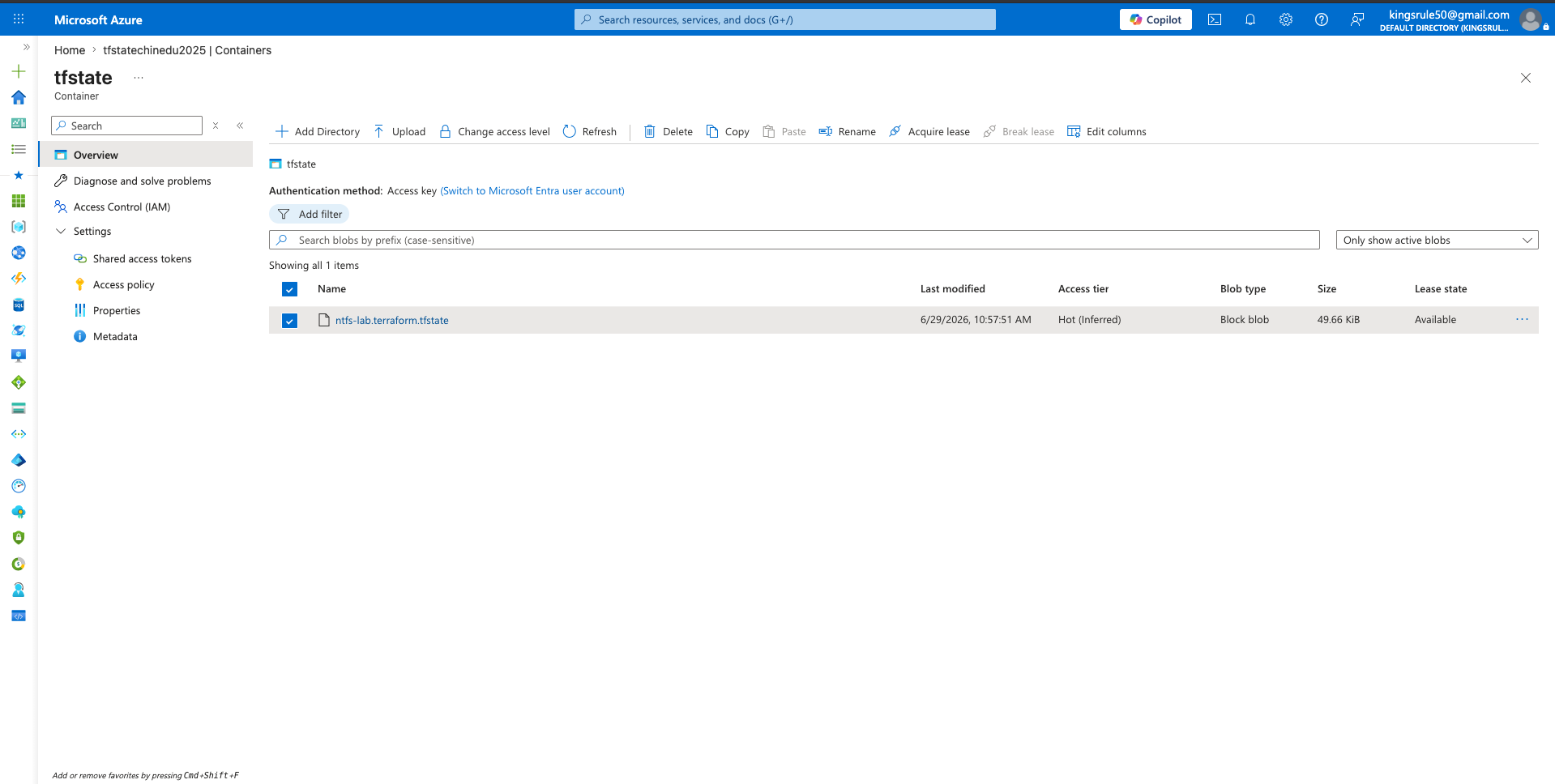
*位于 `tfstate` 容器中的 `ntfs-lab.terraform.tfstate`——支持状态锁定并可以从任何机器安全地重新运行。*
## 卸载
```
terraform destroy -auto-approve
```
## 文件结构
```
ntfs-lab-terraform/
├── main.tf # All Azure resources
├── variables.tf # Input variables
├── outputs.tf # Output values (IPs, Key Vault name)
├── backend.tf # Remote state configuration
├── keyvault.tf # Key Vault and secret management
├── versions.tf # Provider version constraints
├── terraform.tfvars # Variable values (not committed)
└── terraform.tfvars.example # Template for required variables
```
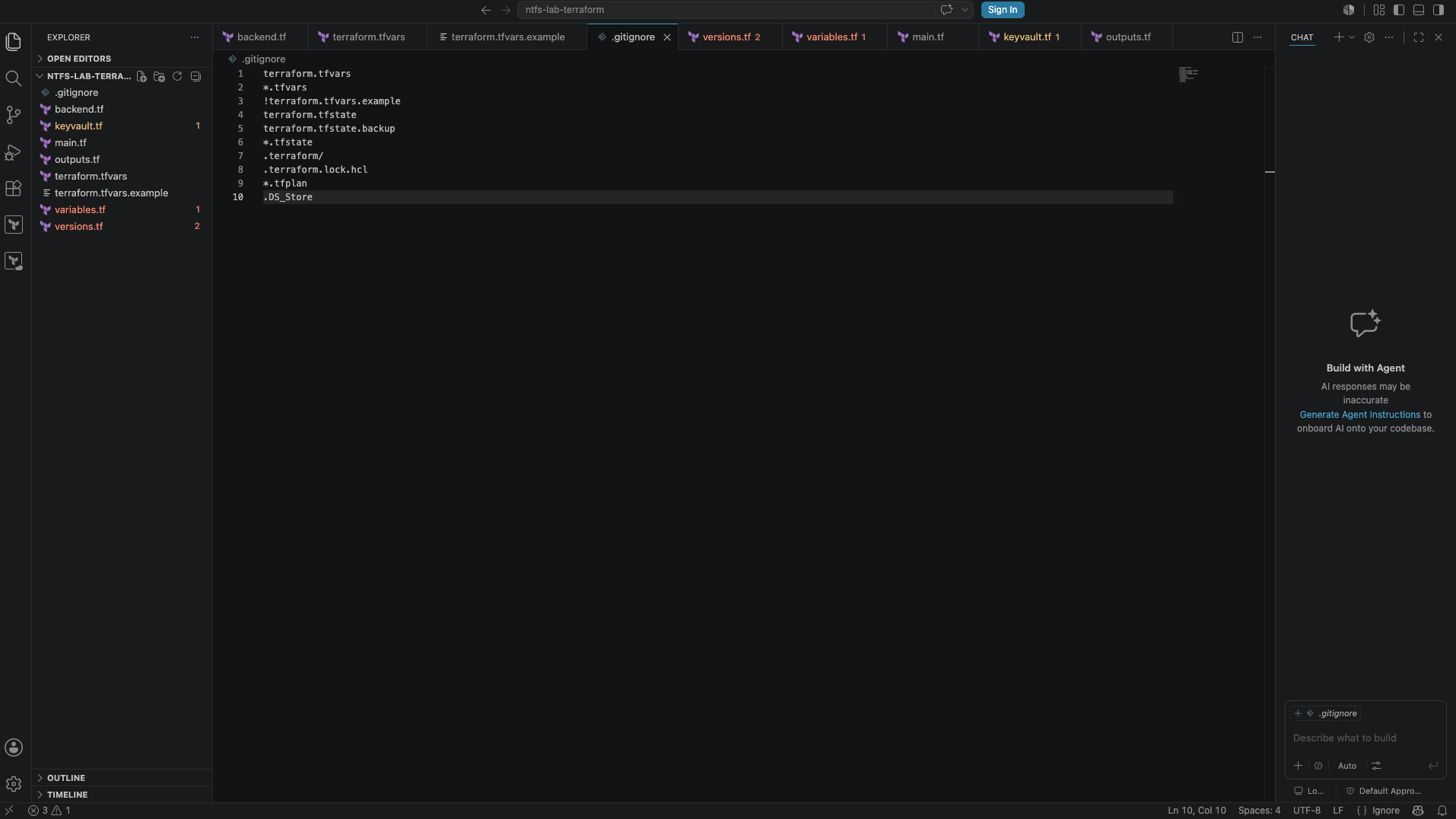
*VS Code 中的项目——`.gitignore` 排除了 `terraform.tfvars`、状态文件和计划文件,因此任何机密信息都不会进入仓库。*
## 展示的技能
- 使用 Terraform 的基础设施即代码
- Azure Virtual Network 设计和子网划分
- Network Security Group 配置
- 静态 IP 地址管理
- 用于机密管理的 Azure Key Vault 集成
- 结合 Azure Blob Storage 的 Terraform 远程状态
- 分阶段部署架构(关注点分离)
## 作者
**Chinedu Asuzu** | 云安全工程师
[GitHub](https://github.com/kingsrule50) | [LinkedIn](https://linkedin.com/in/chineduasuzu)
认证:CISA | CompTIA Security+ | Microsoft SC-401
标签:Azure, ECS, Terraform, Windows Server, 运维