DataDave-Dev/becwright
GitHub: DataDave-Dev/becwright
becwright 是一款确定性的 pre-commit 守卫工具,通过可执行的规则阻断 AI 生成的违规代码提交,确保代码质量约束被真正执行而非被无视。
Stars: 3 | Forks: 7

# becwright
[](https://github.com/DataDave-Dev/becwright/actions/workflows/ci.yml)
[](https://www.npmjs.com/package/becwright)
[](https://www.npmjs.com/package/becwright)
[](https://pypi.org/project/becwright/)
[](https://pypi.org/project/becwright/)
[](LICENSE)
**AI 编码 agent 的执行层。**
(*bec-wright* — "wright" 意为制造者,就像 *playwright*)
运行规则,而不是被无视的笔记。你的 `CLAUDE.md` 是一个*指示牌*;
becwright 则是*守卫* —— 它会针对代码运行你的规则,并在规则被破坏时阻止
提交,无论是由哪个模型(或人)编写的。
确定性的,而非概率性的 · 任何语言 · 无需 Python · 阻止提交**并且**给出*原因*。
自食其力(Dogfooded) —— 此仓库的每一次提交都由 becwright 自己在 CI 中的 [`.bec/rules.yaml`](.bec/rules.yaml) 把关。
## 之前 / 之后
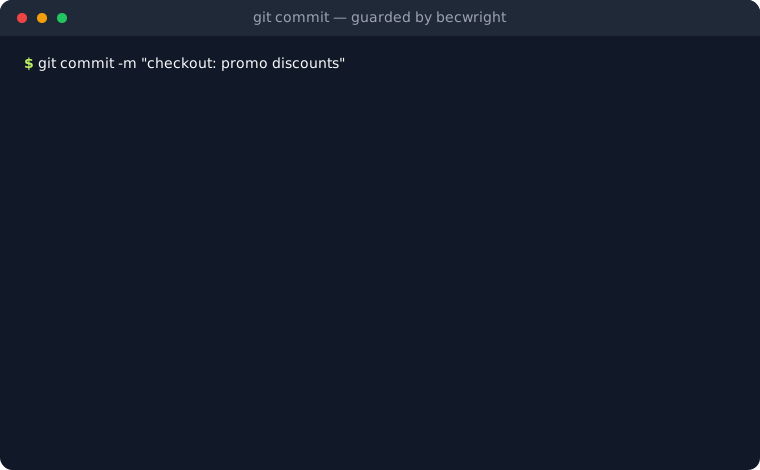
你的 agent 编写了 `checkout.py` —— 一个硬编码的 API key,一个对促销字符串的
`eval()` —— 并留下一张便条“*以后再清理*”。没人去清理。它就这样上线了。
有了 becwright,这种提交永远不会发生:
## 开始使用
安装一次,按项目设置。**两步即可完成。**
```
npm install -g becwright # self-contained binary, no Python (or: pipx install becwright)
cd your-project
becwright init # detects your language, writes .bec/rules.yaml, installs the hook
```
就是这样。从现在起,每次 `git commit` 都会自动运行检查,并阻止
违反阻断性规则的提交。你再也不需要手动调用 becwright 了。
- **有技术债的现有代码库?** `becwright init --baseline` 会将
已经违反的规则设为 `warning`(不会阻止任何合法操作),并将干净的规则设为
`blocking`。随时间推移修复技术债,然后逐个提升规则级别。
- **已经有 `CLAUDE.md` 了?** `becwright init --from-claude-md` 会将
它识别出的禁令(secrets、`eval`、`debugger`、`console.log` 等)
转化为可执行的规则。基于判断的指导则保留在 `CLAUDE.md` 中。
可与 `--baseline` 组合使用。
其他安装方式:pnpm、pip、项目本地安装 →
```
pnpm add -g becwright
pipx install becwright # or: pip install becwright / uv tool install becwright
npm install --save-dev becwright # project-local; the hook finds it in node_modules/.bin
```
通过 npm/pnpm 安装**不需要 Python** —— 每个平台(`linux-x64`、`linux-arm64`、`darwin-x64`、`darwin-arm64`、`win32-x64`)
都会附带一个独立的二进制文件。
在其他任何平台上,请使用 `pipx install becwright` 并搭配 Python 3.10 或更高版本。
### 在 90 秒内感受它的阻断
信任一个守卫最快的方法就是看它阻止你一次:
```
cd your-project && becwright init # rules + hook, one command
echo 'api_key = "AKIAIOSFODNN7EXAMPLE"' >> demo_leak.py
git add demo_leak.py && git commit -m "test the guard"
# BLOCK no-hardcoded-secrets (blocking)
# 为什么这很重要:repo 中的 secret 会永远留在 git history 中……
# >>> Commit BLOCKED:违反了 blocking 规则。
git reset demo_leak.py && rm demo_leak.py # undo the experiment
git commit -m "..." # normal commits just pass
```
这个循环 —— 违反规则、被阻止并*附带原因*、修复、提交 —— 就是 becwright
永远、自动所做的一切。
## 为什么要守卫,而不是指示牌
AI agent 编写了一个模块,并注明“*绝对不能记录 session token*。”
几个月后,另一个 agent 重新生成了它,压根没读这条注释,导致 token
出现在了日志里。直到生产环境爆发问题才有人察觉。
指示牌是在*请求*;守卫是在*检查*。就在你的工作保存之前,becwright 会针对
代码运行你的规则:✅ 全部通过 → 提交成功;
❌ 某条规则被破坏 → 它会阻止你,指明规则及其*原因*,并一直等待直到
你修复它。`CLAUDE.md` 中的注释是**概率性**的 —— 它取决于 agent
是否阅读并遵守。becwright 规则是**确定性**的 —— 无论哪个模型进行了更改,它都会针对真实
代码运行并返回通过/失败的结果:
| | CLAUDE.md 中的注释 | becwright 规则 |
|---|---|---|
| 它的作用 | *请求*被遵守 | *验证*已被遵守 |
| 依赖于 | Agent 阅读并遵守 | 无需依赖 —— 直接针对代码运行 |
| 结果 | 很可能遵守 | 保证遵守 |
| 类比 | “限速”标志 | 路面上的减速带 |
这两个层次是互补的:`CLAUDE.md` 用于预防(因此 95% 的代码第一次就能写对),
becwright 则是为漏网的 5% 提供的安全网。
对 commit 和 hook 不熟悉? — 一盒词汇表
**commit** 是在 git 中保存的代码快照。**hook** 是 git 在特定时刻自动运行的
小型脚本 —— becwright 使用的是 *pre-commit* hook,它会在 commit 保存之前触发。
你永远不需要手动运行它;git 会自动完成。
## 核心概念:BEC (Bound Executable Constraint,绑定可执行约束)
BEC 是一种具有三个特性的约束,目前没有任何现成的工件能同时具备:
- **绑定** —— 规则从诞生之初就与其*意图*和创建它的决策(即*原因*)相
绑定;它不是一条没有上下文的松散规则。
- **可执行** —— 它包含一个可运行并返回通过/失败结果的检查;它不是
一段仅仅指望人们遵守的散文。
- **可移植** —— 它可以从一个 repo 导出到另一个 repo,
就像一个包(这是长期产生网络效应的关键)。
`.bec/rules.yaml` 中的一条规则:
```
rules:
- id: no-token-in-logs
intent: >
Session tokens and credentials must never reach any log.
why_it_matters: >
If a token shows up in the logs, anyone with access to them can steal a
user's session.
paths: ["src/**/*.py"]
exclude: ["src/logging_setup.py"] # optional: globs carved out of paths
check: "becwright run no_token_in_logs"
severity: blocking # blocking = stops the commit | warning = only warns
```
完整的字段参考:[`documentation/usage.md`](documentation/usage.md)。
## 你能得到什么
- **阻断提交,而不仅仅是警告** —— `blocking` 会阻止 `git commit`;
`warning` 仅作通知;`advisory` 用于承载判断性规则(例如 LLM 审查器),
它们只报告而不阻断,并且有明确标签让你知道哪些是有保证的。
- **任何语言** —— 引擎会匹配文件 glob 并运行命令;无需编写代码的
`forbid` 正则表达式适用于 Python、JS/TS、Go、Rust 或任何其他语言。
- **每一条规则都附带其存在的原因**,在触发时会立刻显示。
- **可移植的规则** —— 将 BEC `export` 为单个 `.bec.yaml`,在
另一个 repo 中 `import` 它;自定义检查也会随代码一起移动,并受到信任门控的保护。
- **离线目录** —— `becwright search` / `add` 可安装现成的规则,
打包在工具内部。
- **适应你的配置** —— 原生 git hook、pre-commit 框架、Husky,或者是
一个必需的 GitHub Action,它能够堵住 `--no-verify` 的漏洞。
- **为 AI agent 准备就绪** —— Claude Code 插件、`check --json` 以及 MCP server,以便
agent 可以查询和扩展规则。
- **微小且值得信赖** —— 仅有一个依赖(`pyyaml`),没有 `eval`/`exec`,
在其自身的 repo 的 CI 中进行了自测。
## 命令
| 命令 | 作用 |
|---|---|
| `becwright demo` | 展示 becwright 阻断一个示例的错误提交(无需设置,无需 git) |
| `becwright init` | 生成初始的 `.bec/rules.yaml` 并安装 hook |
| `becwright init --baseline` | 同上,但将已违反的规则设为 `warning`(采用时不会阻断操作) |
| `becwright init --from-claude-md` | 从 repo 的 `CLAUDE.md` 中派生规则(尽最大努力) |
| `becwright list` | 列出内置的检查 |
| `becwright check` | 对暂存区的文件运行规则 |
| `becwright check --diff
` | 仅对相较于 `
` 发生更改的文件运行规则(用于 CI/PR) |
| `becwright why [id]` | 显示规则背后的意图及原因 —— repo 的决策记忆(`--json` 供 agent 使用) |
| `becwright validate` | 验证 `.bec/rules.yaml` 而不运行任何检查(适用于编辑器和 CI) |
| `becwright doctor` | 诊断配置:规则文件、检查、hook 和 hook 管理器 |
| `becwright search [query]` | 列出内置目录中现成的 BEC |
| `becwright add
` | 将目录中的 BEC 安装到 `.bec/rules.yaml`(离线) |
| `becwright install` / `uninstall` | 安装 / 移除原生 hook |
| `becwright export ` | 将 BEC 导出到 `.bec.yaml` 文件 |
| `becwright import ` | 从另一个 repo 导入 BEC |
## 已经在使用 pre-commit 或 Husky?
becwright 无需执行 `becwright install` 即可插入使用。
**[pre-commit](https://pre-commit.com)** —— 添加到 `.pre-commit-config.yaml`:
```
repos:
- repo: https://github.com/DataDave-Dev/becwright
rev: v1.0.0
hooks:
- id: becwright
```
**Husky**(JS/TS repo) —— 在 `.husky/pre-commit` 中:
```
npx becwright check
```
无论哪种方式,becwright 都会读取 `.bec/rules.yaml` 并在
破坏性规则未被遵守时阻断提交。运行一次 `becwright init` 以生成规则脚手架 ——
它会检测 Husky、pre-commit 框架或自定义的 `core.hooksPath`,跳过
其自身的 hook,并打印出你需要添加的确切代码行。
## 作为必需的 CI 检查 (GitHub Action)
提交 hook 存在于每个开发者的机器上 —— 而 `git commit --no-verify`
可以跳过它。一个**必需的 CI 检查是无法被跳过的**:在每次
Pull Request 上运行 becwright 使得规则成为基础设施,而不是一种建议。
添加 `.github/workflows/becwright.yml`:
```
name: becwright
on: pull_request
jobs:
becwright:
runs-on: ubuntu-latest
steps:
- uses: actions/checkout@v4
with:
fetch-depth: 0 # full history so the merge-base with the PR base exists
- uses: DataDave-Dev/becwright@v1.0.0
```
默认情况下,它仅针对 PR 相较于 base branch **更改的文件**进行检查 ——
预先存在的技术债永远不会导致构建失败,因此它可以干净地应用在庞大的
代码库中。在分支保护中将此检查设为*必需*,规则就会变得
不可商量。输入项(`base`、`version`、`python-version`、`args`)位于
[Marketplace 页面](https://github.com/marketplace/actions/becwright);或者跳过
该 action,直接在任何工作流步骤中运行 `becwright check --diff origin/main`。
## 与 AI agent 配合使用
becwright 是一张确定性的安全网,用于捕捉 AI agent 疏忽遗漏的内容。这里有一个
Claude Code 插件,agent 可以为你安装并驱动它:
```
/plugin marketplace add DataDave-Dev/becwright
/plugin install becwright@becwright
```
它会添加一个 `becwright` 技能和一个 `/becwright` 命令。详见
[`integrations/claude-code/`](integrations/claude-code/)。
要获取结构化的结果,`becwright check --json` 会打印出机器可读的
摘要,而 `becwright mcp`(`pipx install "becwright[mcp]"`)会运行一个 MCP
server,以便任何 agent 都能检查规则、从你的 `CLAUDE.md`
中提出新规则建议,并在写入前进行预览。详见
[`documentation/mcp.md`](documentation/mcp.md)。
双向的信号传递保持精简:`becwright why --json` 在 agent 编写代码*之前*,
将其绝不能违反的决策传递给它;而被阻断的提交
则会返回那条被破坏的规则、它的*原因*以及确切的代码行 —— 这种特定的
约束,而不是把整个风格指南重新塞进上下文中。
## 内置检查
每个检查都是从 `check` 字段调用的模块。它们通过在
你的文件文本中搜索模式来工作 —— 这种设计故意保持简单且可预测;
真正的价值在于将每条规则与其*原因*绑定在一起。如果需要更深入的分析,可以
将规则指向任何你已信任的工具作为其检查 —— 规则携带*原因*,
而由工具执行检测:
```
- id: no-secrets-gitleaks
intent: >
No secret may ever be committed, as judged by gitleaks' full ruleset.
why_it_matters: >
A leaked credential in git history is exposed forever, even after a revert.
paths: ["**/*"]
check: "gitleaks detect --no-git --redact --exit-code 1"
severity: blocking
- id: python-passes-ruff
intent: "Python code must pass the team's ruff ruleset before commit."
why_it_matters: "Consistent lint keeps review focused on logic, not style."
paths: ["**/*.py"]
check: "xargs ruff check --force-exclude"
severity: warning
```
更多现成的模式(semgrep、eslint、冻结路径、架构
边界、CI):**[配方](documentation/recipes.md)**。
| 检查 | 检测到的内容 | 语言 | 建议的严重性 |
|---|---|---|---|
| `forbid` | 你传入的任何正则表达式 (`--pattern`) | 任意 | 视情况而定 |
| `require` | *必须*出现的正则表达式 (`--pattern`)(例如许可证头) | 任意 | 视情况而定 |
| `max_lines` | 超过 `--max` 行的文件 | 任意 | `warning` |
| `filename` | 匹配 `--forbid` 或不匹配 `--require 的文件名 | 任意 | 视情况而定 |
| `no_token_in_logs` | 日志调用中的 token/凭证 | Python | `blocking` |
| `hardcoded_secrets` | AWS key、私钥、`password = "..."` 字面量 | 任意 | `blocking` |
| `debug_remnants` | 遗忘的 `breakpoint()`、`pdb.set_trace()`、`import pdb` | Python | `blocking` |
| `dangerous_eval` | `eval()` / `exec()` 调用 | 任意 | `blocking` |
| `conflict_markers` | 遗留的 git 合并冲突标记 (`<<<<<<<`) | 任意 | `blocking` |
| `wildcard_imports` | `from x import *` | Python | `warning` |
不想自己写规则?目录内置在 becwright **内部** ——
只需一条命令,无需 URL,离线可用:
```
becwright search # list every BEC in the catalog
becwright add no-token-in-logs # install one; becwright shows it first
```
完整列表(Python、JS/TS、Go、Rust —— 更多语言
[正在开发中](https://github.com/DataDave-Dev/becwright/milestone/2))位于
[`src/becwright/becs/`](src/becwright/becs/)。
## 你的第一条自定义规则(任何语言)
编写规则最快的方法 —— 无需编写代码 —— 就是使用 `forbid` 检查,
如果正则表达式出现在文件中,该检查就会失败:
```
rules:
- id: no-debugger-js
intent: >
Do not leave 'debugger;' in JavaScript/TypeScript code.
why_it_matters: >
A forgotten 'debugger' halts execution and should not reach production.
paths: ["**/*.js", "**/*.ts"]
check: "becwright run forbid --pattern '\\bdebugger\\b'"
severity: blocking
```
`forbid` 接受 `--pattern REGEX`、`--ignore-case` 和 `--message TEXT`。如需
更细致的检查,可以使用任何语言编写脚本(从 stdin 读取文件列表,
以 0/1 退出),并将 `check` 指向它 —— 参见
[编写检查](documentation/writing-checks.md)。
## 在 repo 之间共享 BEC
BEC 是**可移植的**:一个包就是一个独立的 `.bec.yaml` 文件(
规则 + 如果是自定义的话还包含检查的代码)。
```
becwright export no-token-in-logs -o no-token-in-logs.bec.yaml # source repo
becwright import no-token-in-logs.bec.yaml # target repo (file or URL)
```
在导入时,becwright **会显示检查的代码并请求确认** ——
导入一个 BEC 就等于导入了将在每次 commit 时运行的代码。在
自动化环境中请使用 `--yes`。详情:
[可移植性](documentation/portability.md)。
## becwright 的对比
becwright 不是 linter,也不仅仅是一个 hook 运行器 —— 它是使
*规则*变得可移植并与其原因绑定的那一层,并据此阻断提交。
| | becwright | pre-commit / Husky | gitleaks / linters | CLAUDE.md / .cursorrules |
|---|:---:|:---:|:---:|:---:|
| 运行真正的检查 | ✅ | ✅ (运行其他工具) | ✅ | ❌ 散文 |
| 阻断提交 | ✅ | ✅ | ✅ | ❌ |
| 携带*原因* (意图) | ✅ | ❌ | ❌ | ⚠️ 未强制执行 |
| repo 之间的可移植规则 | ✅ `export`/`import` | ⚠️ 复制配置 | ⚠️ | ⚠️ |
| 任何语言,无需按工具开发插件 | ✅ `forbid` 正则表达式 | ⚠️ | ❌ 特定工具 | n/a |
becwright 是对这些工具的**补充**,而不是替代:将 gitleaks 或
linter *作为* becwright 检查来运行,或者将 becwright *加在* pre-commit / Husky *内部*。
## 文档
完整文档位于 [`documentation/`](documentation/):
- **新手入门:** [用法](documentation/usage.md) — 安装、
命令、退出代码以及如何编写规则。
- **用于常见任务的复制粘贴规则**
(gitleaks/ruff/semgrep 作为检查、冻结路径、架构边界、CI):[配方](documentation/recipes.md)。
- **想要添加你自己的规则:** [编写检查](documentation/writing-checks.md)。
- **在项目之间共享规则:** [可移植性](documentation/portability.md)。
- **好奇它的内部工作原理:** [架构与流程](documentation/architecture.md)。
- **将其与 AI agent 连接:** [MCP & JSON 输出](documentation/mcp.md)。
## 稳定性
becwright 是**稳定** (`1.0`) 的:`rules.yaml` schema、bundle 格式、检查
名称、CLI 退出代码、`check --json` 结构和 MCP 签名只会在
大版本更新时被破坏,并且会提前提供一个次版本的弃用通知。在 CI 中锁定一个版本,`1.x` 升级
永远不会破坏你的规则。完整的契约和政策:
[稳定性与版本控制](documentation/stability.md)。
## 路线图
becwright 刻意保持小型化。近期的发展方向位于
[里程碑](https://github.com/DataDave-Dev/becwright/milestones):
**v1.1** 将目录扩展到更多语言(Ruby、PHP、Java、C#、Shell —— 每一个都是
[良好的首个问题](https://github.com/DataDave-Dev/becwright/issues?q=is%3Aissue+is%3Aopen+label%3A%22good+first+issue%22)),
**v1.2** 改善规则编写的开发者体验 (DX)(简化的检查语法、用于
`rules.yaml` 的 JSON Schema),**v1.3** 使 Windows 成为受支持的一等公民。
为了保持简单和确定性,被**刻意排除在范围外**的功能包括:基于 AST 的
分析、深度的按语言划分的工具套件以及对 BEC 的加密签名。
## 常见问题
**为什么不直接用 Ruff / Black / pre-commit?** 使用它们吧 —— becwright 并不与
它们竞争。Black 负责格式化,Ruff 负责检查代码,pre-commit 负责*运行*工具。它们都没有为你提供一条
*绑定其原因*、能够阻断提交并且可以迁移到另一个
repo 的规则。becwright 就是那一层,而且它非常乐意将 Ruff 或 gitleaks 作为其
检查之一来运行。不同的工作,同一个 pipeline。
**这是一个年轻的项目 —— 为什么要信任它来管理我的提交?** 因为需要信任的东西非常
少:仅有一个依赖(`pyyaml`),没有 `eval`/`exec`,检查就是
简单的正则表达式,不到一分钟就能看完,并且采用 MIT 许可证。而且它是
自测过的(自食其力) —— becwright 自己的提交就是由 becwright 把关的。如果它出了问题,这个
repo 根本无法构建。
**agent 可以直接删除规则吗?** 可以 —— 但是删除规则会在 diff 中留下
一行可见的修改,这在代码审查 (review) 时会被标记出来,而无视 `CLAUDE.md` 中的注释
则不会留下任何痕迹。一个你必须公开删除的守卫,胜过一个你可以悄悄绕过的指示牌。
**`pre-commit` 不是已经做到这一点了吗?** 它运行工具;但它并没有为你提供一条
携带*原因*并在 repo 之间迁移的规则。你甚至可以在 pre-commit *内部*运行 becwright
—— 见[上文](#already-using-pre-commit-or-husky)。
**我需要 Python 吗?** 不需要。`npm i -g becwright` 安装的是一个独立的二进制文件;
`pipx install becwright` 也同样有效。
**它在 Windows 上能运行吗?** 目前处于测试阶段。CLI 和 hook 可以在 Git Bash 下运行
(Git for Windows 提供了该环境),但 Windows 尚未在 CI 中进行测试 ——
已知的缺陷记录在
[#31](https://github.com/DataDave-Dev/becwright/issues/31) 中,而成为
受支持的一等公民是 v1.3 里程碑的目标。在此之前,请将 Windows 视为尽力而为的支持状态。
**我该如何忽略单行代码?** 在其上添加一条 `becwright: ignore` 注释。
**导入 BEC 安全吗?** becwright 在安装前会显示检查的代码并要求
确认。请像对待任何不受信任的脚本一样对待不受信任的 bundle。
## 贡献
欢迎做出贡献 —— 参见 [CONTRIBUTING.md](CONTRIBUTING.md) 和
[行为准则](CODE_OF_CONDUCT.md)。发现了安全问题?请遵循
[安全政策](SECURITY.md)。[更新日志](CHANGELOG.md) 记录了每一次
发布。
## 许可证
[MIT](LICENSE) © Alonso David De Leon Rodarte标签:AI辅助编程, Git钩子, IPv6支持, MITM代理, pre-commit, SOC Prime, TCP/UDP协议, 云安全监控, 开发工具, 暗色界面, 逆向工具, 静态分析