NirvanaOn/SpotifyC2
GitHub: NirvanaOn/SpotifyC2
SpotifyC2 利用 Spotify 播放列表和 Telegram Bot 构建无需专属服务器的云辅助命令通道,用于网络安全研究与威胁模拟。
Stars: 167 | Forks: 22
# SpotifyC2 — 基于云的命令通道研究
通过 Spotify 播放列表执行命令,并通过 Telegram 接收命令输出。
 ## 什么是 SpotifyC2?
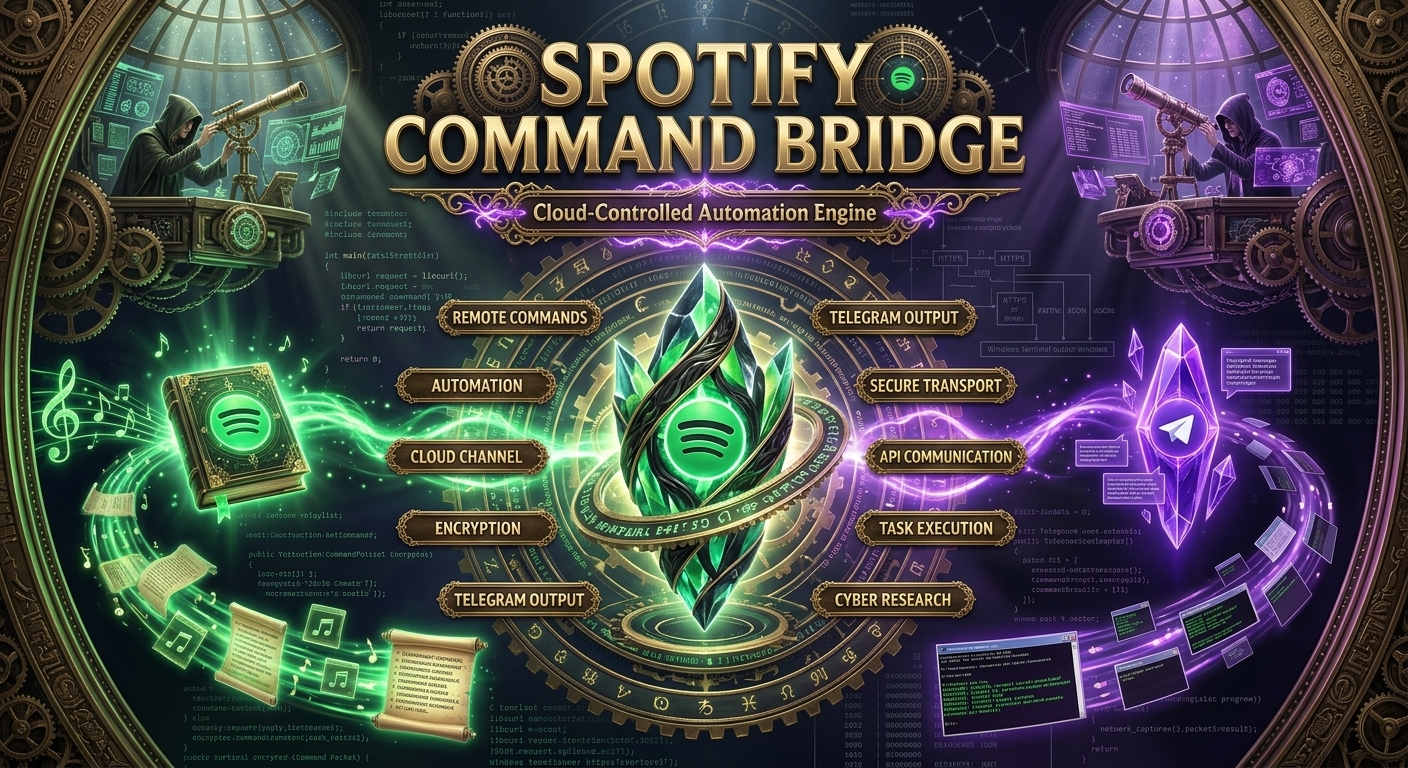
**SpotifyC2** 是一个基于 Windows 的网络安全研究项目,旨在演示如何将公开访问的云服务用作控制端与客户端之间的通信通道。
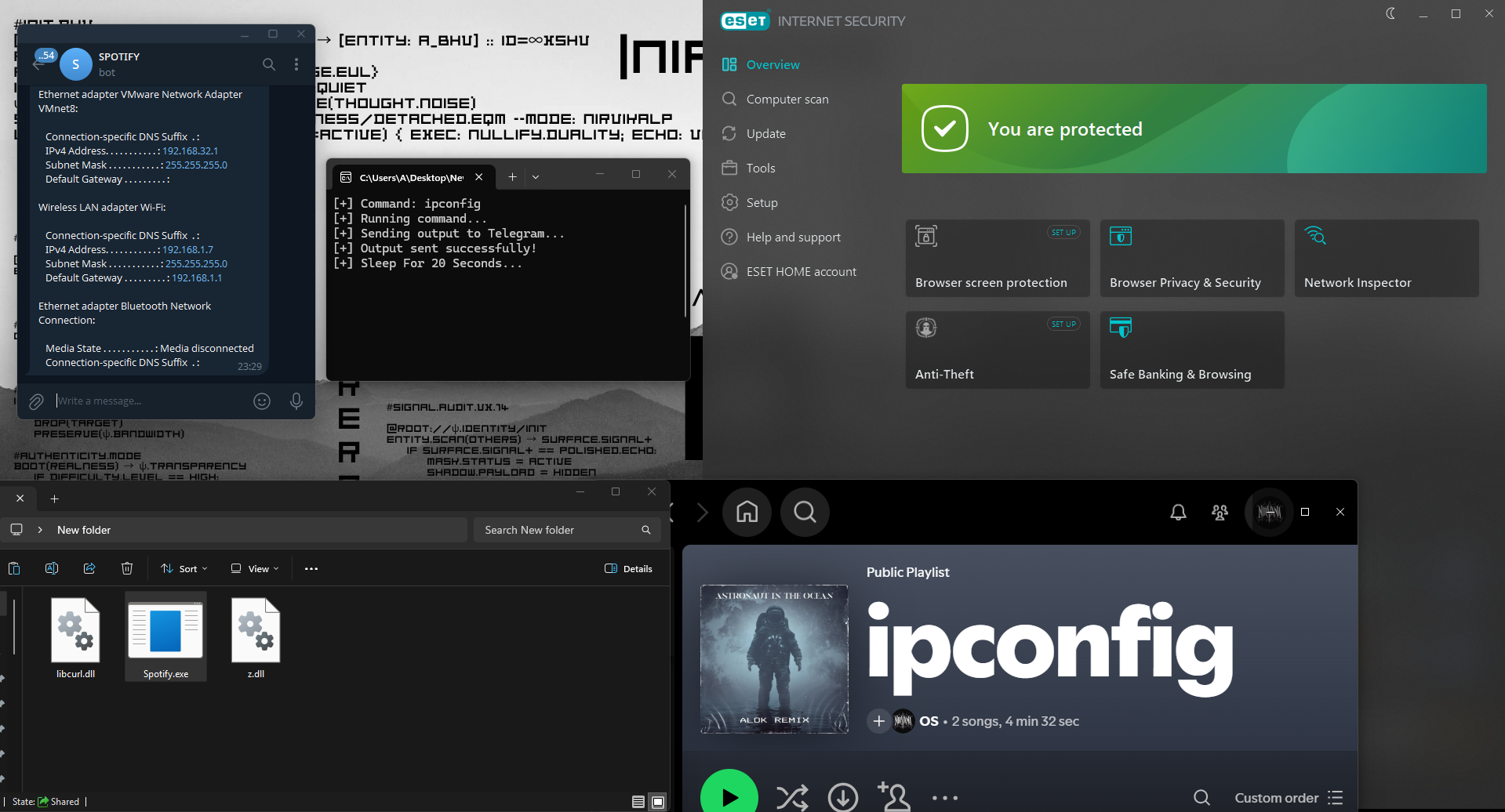
客户端无需与传统的服务器进行通信,而是定期轮询 **Spotify 播放列表**,并将播放列表标题解析为命令。在本地执行命令后,生成的输出将被发送到已配置的 **Telegram Bot**。
该项目利用合法的网络服务探讨了云辅助命令通道的概念,用于教育和防御性安全研究。
## 什么是 SpotifyC2?
**SpotifyC2** 是一个基于 Windows 的网络安全研究项目,旨在演示如何将公开访问的云服务用作控制端与客户端之间的通信通道。
客户端无需与传统的服务器进行通信,而是定期轮询 **Spotify 播放列表**,并将播放列表标题解析为命令。在本地执行命令后,生成的输出将被发送到已配置的 **Telegram Bot**。
该项目利用合法的网络服务探讨了云辅助命令通道的概念,用于教育和防御性安全研究。










## 架构
```
Operator
│
▼
Spotify Playlist Title
│
▼
Spotify oEmbed API
│
▼
SpotifyC2 Client
│
Execute Command
│
Capture stdout
│
▼
Telegram Bot API
│
▼
Operator Receives Output
```
## 工作原理
```
Spotify Playlist
│
▼
Poll Spotify every 20 seconds
│
▼
Read Playlist Title
│
▼
Extract Command
│
▼
Execute with _popen()
│
▼
Capture Command Output
│
▼
URL Encode Response
│
▼
Send Output to Telegram Bot
```
## 功能特性
- 无需 Spotify API
- 无需 Spotify OAuth 认证
- 使用 Spotify 公开的 oEmbed endpoint
- 将 Spotify 播放列表用作命令通道
- 使用 Telegram Bot 接收命令输出
- 通过 libcurl 进行 HTTPS 通信
- 自动化命令轮询
- 动态内存管理
- 使用 _popen() 执行 Windows 命令
- 轻量级单文件实现
- 无需专属的 C2 服务器
## 项目结构
```
SpotifyC2
│
├── main.c
│
├── GetCommandFromSpotify()
│ Downloads playlist metadata
│ Extracts playlist title
│
├── RunCommand()
│ Executes Windows command
│ Captures stdout
│
├── SendToTelegram()
│ Sends command output
│ Uses Telegram Bot API
│
├── SaveData()
│ libcurl callback
│ Stores downloaded data
│
└── URLEncode()
Encodes output before transmission
```
## 环境要求
* Windows
* Visual Studio 2022
* Windows SDK
* libcurl
* 互联网连接
* Spotify 播放列表
* Telegram Bot Token
* Telegram Chat ID
## 配置说明
在编译之前,请编辑以下常量:
```
#define PLAYLIST_ID "YOUR_PLAYLIST_ID"
#define TELEGRAM_BOT_TOKEN "YOUR_BOT_TOKEN"
#define TELEGRAM_CHAT_ID "YOUR_CHAT_ID"
#define SLEEP_SECONDS 20
```
## 构建说明
在 Visual Studio 中打开项目。
添加 libcurl 的 include 和库路径。
编译目标:
```
x64
Release
```
构建项目。
## 通信流程
```
Spotify Playlist
│
▼
Playlist Title
│
▼
Client Polls Spotify
│
▼
Execute Command
│
▼
Collect Output
│
▼
Telegram Bot
│
▼
Operator
```
## 研究目标
开发 SpotifyC2 旨在研究:
* 云辅助通信通道
* 第三方服务滥用场景
* 防御者的检测机会
* 网络遥测数据生成
* HTTPS 流量分析
* Endpoint 监控
* 受控环境下的威胁模拟
## 工作流示例
1. 配置 Spotify 播放列表 ID。
2. 配置 Telegram Bot 凭据。
3. 启动 SpotifyC2 客户端。
4. 使用命令更新 Spotify 播放列表标题。
5. 客户端获取更新后的标题。
6. 在本地执行该命令。
7. 捕获标准输出。
8. 将输出传输到已配置的 Telegram 聊天中。
## 注意事项
* 仅当播放列表标题发生变化时,才会执行命令。
* 重复的命令将被忽略。
* 超出 Telegram 消息限制的输出将被截断。
* 通信使用 HTTPS。
* 客户端按可配置的间隔进行轮询。
## 免责声明
本软件**仅供教育、网络安全研究、威胁模拟和授权的安全测试之用**。
它旨在帮助研究人员了解基于云的通信技术并开发防御检测方法。未经明确授权,请勿在任何系统或网络上部署或使用本软件。
## 许可证
MIT License
**SpotifyC2**
*一个轻量级的云辅助命令通道研究项目,使用 Spotify 和 Telegram 进行网络安全教育和防御性研究。*











## 架构
```
Operator
│
▼
Spotify Playlist Title
│
▼
Spotify oEmbed API
│
▼
SpotifyC2 Client
│
Execute Command
│
Capture stdout
│
▼
Telegram Bot API
│
▼
Operator Receives Output
```
## 工作原理
```
Spotify Playlist
│
▼
Poll Spotify every 20 seconds
│
▼
Read Playlist Title
│
▼
Extract Command
│
▼
Execute with _popen()
│
▼
Capture Command Output
│
▼
URL Encode Response
│
▼
Send Output to Telegram Bot
```
## 功能特性
- 无需 Spotify API
- 无需 Spotify OAuth 认证
- 使用 Spotify 公开的 oEmbed endpoint
- 将 Spotify 播放列表用作命令通道
- 使用 Telegram Bot 接收命令输出
- 通过 libcurl 进行 HTTPS 通信
- 自动化命令轮询
- 动态内存管理
- 使用 _popen() 执行 Windows 命令
- 轻量级单文件实现
- 无需专属的 C2 服务器
## 项目结构
```
SpotifyC2
│
├── main.c
│
├── GetCommandFromSpotify()
│ Downloads playlist metadata
│ Extracts playlist title
│
├── RunCommand()
│ Executes Windows command
│ Captures stdout
│
├── SendToTelegram()
│ Sends command output
│ Uses Telegram Bot API
│
├── SaveData()
│ libcurl callback
│ Stores downloaded data
│
└── URLEncode()
Encodes output before transmission
```
## 环境要求
* Windows
* Visual Studio 2022
* Windows SDK
* libcurl
* 互联网连接
* Spotify 播放列表
* Telegram Bot Token
* Telegram Chat ID
## 配置说明
在编译之前,请编辑以下常量:
```
#define PLAYLIST_ID "YOUR_PLAYLIST_ID"
#define TELEGRAM_BOT_TOKEN "YOUR_BOT_TOKEN"
#define TELEGRAM_CHAT_ID "YOUR_CHAT_ID"
#define SLEEP_SECONDS 20
```
## 构建说明
在 Visual Studio 中打开项目。
添加 libcurl 的 include 和库路径。
编译目标:
```
x64
Release
```
构建项目。
## 通信流程
```
Spotify Playlist
│
▼
Playlist Title
│
▼
Client Polls Spotify
│
▼
Execute Command
│
▼
Collect Output
│
▼
Telegram Bot
│
▼
Operator
```
## 研究目标
开发 SpotifyC2 旨在研究:
* 云辅助通信通道
* 第三方服务滥用场景
* 防御者的检测机会
* 网络遥测数据生成
* HTTPS 流量分析
* Endpoint 监控
* 受控环境下的威胁模拟
## 工作流示例
1. 配置 Spotify 播放列表 ID。
2. 配置 Telegram Bot 凭据。
3. 启动 SpotifyC2 客户端。
4. 使用命令更新 Spotify 播放列表标题。
5. 客户端获取更新后的标题。
6. 在本地执行该命令。
7. 捕获标准输出。
8. 将输出传输到已配置的 Telegram 聊天中。
## 注意事项
* 仅当播放列表标题发生变化时,才会执行命令。
* 重复的命令将被忽略。
* 超出 Telegram 消息限制的输出将被截断。
* 通信使用 HTTPS。
* 客户端按可配置的间隔进行轮询。
## 免责声明
本软件**仅供教育、网络安全研究、威胁模拟和授权的安全测试之用**。
它旨在帮助研究人员了解基于云的通信技术并开发防御检测方法。未经明确授权,请勿在任何系统或网络上部署或使用本软件。
## 许可证
MIT License
**SpotifyC2**
*一个轻量级的云辅助命令通道研究项目,使用 Spotify 和 Telegram 进行网络安全教育和防御性研究。*
## 什么是 SpotifyC2?
**SpotifyC2** 是一个基于 Windows 的网络安全研究项目,旨在演示如何将公开访问的云服务用作控制端与客户端之间的通信通道。
客户端无需与传统的服务器进行通信,而是定期轮询 **Spotify 播放列表**,并将播放列表标题解析为命令。在本地执行命令后,生成的输出将被发送到已配置的 **Telegram Bot**。
该项目利用合法的网络服务探讨了云辅助命令通道的概念,用于教育和防御性安全研究。











## 架构
```
Operator
│
▼
Spotify Playlist Title
│
▼
Spotify oEmbed API
│
▼
SpotifyC2 Client
│
Execute Command
│
Capture stdout
│
▼
Telegram Bot API
│
▼
Operator Receives Output
```
## 工作原理
```
Spotify Playlist
│
▼
Poll Spotify every 20 seconds
│
▼
Read Playlist Title
│
▼
Extract Command
│
▼
Execute with _popen()
│
▼
Capture Command Output
│
▼
URL Encode Response
│
▼
Send Output to Telegram Bot
```
## 功能特性
- 无需 Spotify API
- 无需 Spotify OAuth 认证
- 使用 Spotify 公开的 oEmbed endpoint
- 将 Spotify 播放列表用作命令通道
- 使用 Telegram Bot 接收命令输出
- 通过 libcurl 进行 HTTPS 通信
- 自动化命令轮询
- 动态内存管理
- 使用 _popen() 执行 Windows 命令
- 轻量级单文件实现
- 无需专属的 C2 服务器
## 项目结构
```
SpotifyC2
│
├── main.c
│
├── GetCommandFromSpotify()
│ Downloads playlist metadata
│ Extracts playlist title
│
├── RunCommand()
│ Executes Windows command
│ Captures stdout
│
├── SendToTelegram()
│ Sends command output
│ Uses Telegram Bot API
│
├── SaveData()
│ libcurl callback
│ Stores downloaded data
│
└── URLEncode()
Encodes output before transmission
```
## 环境要求
* Windows
* Visual Studio 2022
* Windows SDK
* libcurl
* 互联网连接
* Spotify 播放列表
* Telegram Bot Token
* Telegram Chat ID
## 配置说明
在编译之前,请编辑以下常量:
```
#define PLAYLIST_ID "YOUR_PLAYLIST_ID"
#define TELEGRAM_BOT_TOKEN "YOUR_BOT_TOKEN"
#define TELEGRAM_CHAT_ID "YOUR_CHAT_ID"
#define SLEEP_SECONDS 20
```
## 构建说明
在 Visual Studio 中打开项目。
添加 libcurl 的 include 和库路径。
编译目标:
```
x64
Release
```
构建项目。
## 通信流程
```
Spotify Playlist
│
▼
Playlist Title
│
▼
Client Polls Spotify
│
▼
Execute Command
│
▼
Collect Output
│
▼
Telegram Bot
│
▼
Operator
```
## 研究目标
开发 SpotifyC2 旨在研究:
* 云辅助通信通道
* 第三方服务滥用场景
* 防御者的检测机会
* 网络遥测数据生成
* HTTPS 流量分析
* Endpoint 监控
* 受控环境下的威胁模拟
## 工作流示例
1. 配置 Spotify 播放列表 ID。
2. 配置 Telegram Bot 凭据。
3. 启动 SpotifyC2 客户端。
4. 使用命令更新 Spotify 播放列表标题。
5. 客户端获取更新后的标题。
6. 在本地执行该命令。
7. 捕获标准输出。
8. 将输出传输到已配置的 Telegram 聊天中。
## 注意事项
* 仅当播放列表标题发生变化时,才会执行命令。
* 重复的命令将被忽略。
* 超出 Telegram 消息限制的输出将被截断。
* 通信使用 HTTPS。
* 客户端按可配置的间隔进行轮询。
## 免责声明
本软件**仅供教育、网络安全研究、威胁模拟和授权的安全测试之用**。
它旨在帮助研究人员了解基于云的通信技术并开发防御检测方法。未经明确授权,请勿在任何系统或网络上部署或使用本软件。
## 许可证
MIT License
**SpotifyC2**
*一个轻量级的云辅助命令通道研究项目,使用 Spotify 和 Telegram 进行网络安全教育和防御性研究。*标签:C2框架, Windows, 命令与控制, 安全学习资源, 客户端加密, 网络信息收集, 隐蔽通信