A7med668/AEGIS-Graduation-Project
GitHub: A7med668/AEGIS-Graduation-Project
AEGIS 是一个 AI 驱动的 Android 移动安全平台,整合了设备风险监控、APK 分析、本地 RAG 知识检索和评估工作流,为安全分析师提供统一的调查指挥中心。
Stars: 0 | Forks: 0
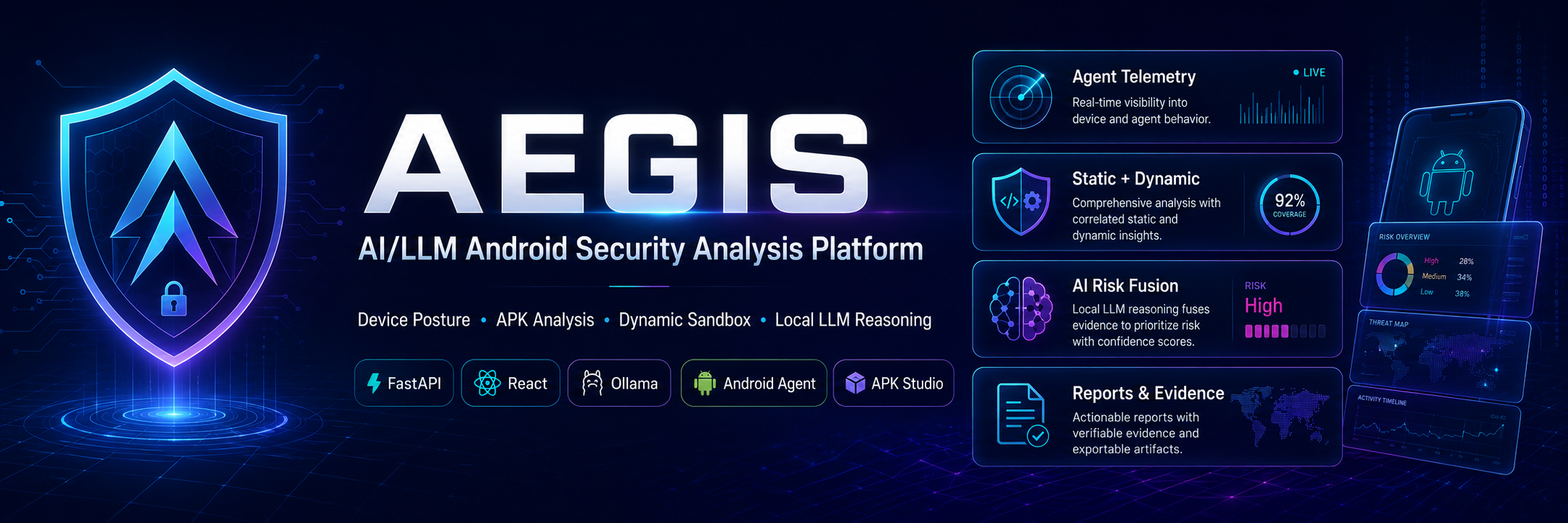
# 🛡️ AEGIS — 暗黑网络安全平台
### ⚡ 由 AI 驱动的移动安全控制台,用于 APK 分析、设备风险、本地 RAG、网页搜索和评估工作流










**AEGIS** 是一个防御性移动安全平台,它将 Android 设备遥测、APK 分析、本地 AI、基于 PDF 的安全知识检索、网页搜索和评估指标整合到一个暗黑风格的指挥中心体验中。
## 📌 目录
- [🎯 概述](#-overview)
- [🧩 问题陈述](#-problem-statement)
- [🚀 解决方案](#-solution)
- [🧠 AEGIS 的独特之处](#-why-aegis-is-different)
- [✨ 核心功能](#-core-features)
- [🧠 Shieldy AI 助手](#-shieldy-ai-assistant)
- [🏗️ 系统架构](#️-system-architecture)
- [🔁 工作流流水线](#-workflow-pipelines)
- [📊 能力图表](#-capability-chart)
- [📦 APK Studio](#-apk-studio)
- [📈 评估工作流](#-evaluation-workflow)
- [🛠️ 技术栈](#️-tech-stack)
- [📁 项目结构](#-project-structure)
- [⚙️ 前置条件](#️-prerequisites)
- [🔐 环境配置](#-environment-configuration)
- [▶️ 运行方式](#️-how-to-run)
- [🩺 健康检查](#-health-checks)
- [🎬 演示流程](#-demo-flow)
- [🧪 实用测试命令](#-useful-test-commands)
- [⚠️ 局限性](#️-limitations)
- [🔮 未来工作](#-future-work)
- [🏁 最终总结](#-final-summary)
## 🎯 概述
**AEGIS** 是一个本地、Dockerized 的网络安全平台,专注于 **Android 移动安全**。它帮助分析师检查设备状态、分析 APK 文件、解释安全证据、检索受信任的文档、搜索在线资源以及评估检测性能。
该平台被设计为一个**毕业设计 MVP**,具有生产级的架构和多个集成服务。
### 🔥 AEGIS 的功能
| 领域 | 描述 |
|---|---|
| 🛡️ 设备风险 | 显示所选设备的状态、风险评分、日志、payload 和应用 |
| 📦 APK 分析 | 支持 APK 静态/动态分析及报告生成 |
| 🤖 AI 助手 | 使用 Shieldy 解释发现结果并推荐操作 |
| 📚 本地 RAG | 使用 Qdrant 向量搜索检索本地 PDF 知识 |
| 🌐 网页搜索 | 在明确要求时搜索在线安全资源 |
| 📊 评估 | 衡量严格和基于审查的检测性能 |
## 🧩 问题陈述
移动安全工作流通常是碎片化的。分析师通常需要使用不同的工具来进行 APK 分析、设备遥测、安全文档查阅、AI 解释和报告生成。
这会导致以下几个问题:
- 🔴 安全证据分散在不同的系统中。
- 🔴 设备风险难以清晰解释。
- 🔴 APK 分析结果过于技术化,难以转化为行动。
- 🔴 OWASP 文档未直接与调查工作流关联。
- 🔴 许多工具只生成警报,而没有展示有用的证据。
- 🔴 没有评估指标,检测质量很难衡量。
## 🚀 解决方案
AEGIS 将移动安全工作流整合到一个平台中:
```
flowchart LR
A[📱 Android Device] --> B[🧾 Telemetry + Logs]
C[📦 APK File] --> D[🔍 APK Analysis]
B --> E[🧠 Risk Engine]
D --> E
E --> F[🤖 Shieldy AI]
G[📚 Local PDF Docs] --> H[🧬 Qdrant Vector DB]
H --> F
I[🌐 Web Search] --> F
F --> J[🛡️ Analyst Recommendations]
E --> K[📊 Evaluation Dashboard]
```
AEGIS 为以下内容提供统一平台:
1. 设备风险监控。
2. APK 静态和动态分析。
3. AI 辅助调查。
4. 基于来源的安全解释。
5. 评估和审查工作流。
## 🧠 AEGIS 的独特之处
AEGIS 不仅仅是一个仪表板。它将 Android 设备遥测、应用清单、安全日志、payload 证据、AI 发现、本地 PDF 知识和实时网页搜索关联到一个分析师工作流中。
AEGIS 不会展示孤立的警报,而是解释设备存在风险的原因、支持该决策的证据,以及分析师下一步应该做什么。
AEGIS 的独特之处在于它结合了以下内容:
| 能力 | 重要性 |
|---|---|
| 📱 设备上下文 | 关联风险评分、应用、日志、payload 和状态信号 |
| 📚 本地 RAG | 从受信任的本地 PDF 知识中回答移动安全问题 |
| 🌐 网页搜索 | 在明确请求时检索当前的在线安全参考 |
| 🤖 AI 解释 | 将原始发现转化为对分析师友好的下一步行动 |
| 📊 评估 | 使用严格和基于审查的指标衡量检测质量 |
## ✨ 核心功能
### 🖥️ 安全控制台
- 暗黑指挥中心 UI。
- 所选设备上下文。
- 风险级别徽章。
- payload、应用和日志概览。
- 待办操作部分。
- 支持工具的平台快捷方式。
### 🤖 Shieldy 聊天
Shieldy 支持三种主要的知识路由:
| 路由 | 触发示例 | 输出 |
|---|---|---|
| 📱 设备上下文 | `what is recommended for current device?` | 风险摘要、证据、后续步骤 |
| 📚 本地 PDF RAG | `what is MASVS?` | 基于 PDF 的回答及来源页码 |
| 🌐 网页搜索 | `make a web search about mobile security` | 基于网页的回答及 URL |
### 📦 APK Studio
- APK 上传。
- 静态分析。
- 动态分析支持。
- 任务追踪。
- 证据和报告。
- 分析师审查工作流。
### 📊 评估仪表板
- 数据集管理器。
- 严格检测指标。
- 审查检测指标。
- 混淆矩阵。
- 错误预测。
- 校准仪表板。
- 风险分布。
## 🧠 Shieldy AI 助手
**Shieldy** 是 AEGIS 内部的 AI 调查助手。它将安全数据转化为清晰的解释和建议。
### 🧠 Shieldy 上下文来源
```
flowchart TD
U[💬 Analyst Question] --> R{🧭 Shieldy Router}
R -->|Device question| D[📱 Selected Device Context]
R -->|Mobile security docs| L[📚 Local PDF RAG]
R -->|Web search request| W[🌐 Web Search]
D --> A[🤖 qwen3:8b]
L --> Q[🧬 Qdrant Vector Search]
Q --> A
W --> A
A --> O[✅ Answer + Sources + Recommendations]
```
### ✅ Shieldy 模式
#### 1. 设备上下文模式
示例:
```
what is recommended for current device?
```
Shieldy 返回风险摘要、设备名称、证据、建议以及遥测/风险来源。
#### 2. 本地 PDF RAG 模式
示例:
```
what is MASVS?
```
Shieldy 从 Qdrant 检索本地 PDF 数据块,并返回 PDF 标题和页码。
#### 3. 网页搜索模式
示例:
```
make a web search about mobile security
```
Shieldy 返回基于在线来源的回答,包含网页标题、摘要和 URL。
### 🧬 AI / RAG 运行时
| 组件 | 值 |
|---|---|
| 本地 LLM 运行时 | Ollama |
| Chat/RAG 模型 | `qwen3:8b` |
| Embedding 模型 | `nomic-embed-text:latest` |
| Vector DB | Qdrant |
| 本地文档 | PDF 知识库 |
| 主集合 | `security_assistant_v2` |
## 🏗️ 系统架构
```
flowchart TB
subgraph Client[🖥️ Client Layer]
FE[React + TypeScript Dashboard]
end
subgraph Gateway[🚪 Gateway]
NG[Nginx Reverse Proxy]
end
subgraph Core[⚙️ Core Backend]
API[FastAPI Backend]
DB[(PostgreSQL)]
REDIS[(Redis)]
KAFKA[Kafka + Zookeeper]
end
subgraph AI[🤖 AI + Knowledge]
SH[Shieldy AI]
OLLAMA[Ollama qwen3:8b]
QDRANT[(Qdrant Vector DB)]
PDF[Local PDF Knowledge Base]
WEB[Web Search]
end
subgraph APK[📦 APK Studio]
APKAPI[APK Studio API]
APKUI[APK Studio UI]
TOOLS[JADX + APKTool + Emulator]
EVAL[Evaluation Runner]
end
FE --> NG
NG --> API
NG --> APKUI
NG --> APKAPI
API --> DB
API --> REDIS
API --> KAFKA
API --> SH
SH --> OLLAMA
SH --> QDRANT
PDF --> QDRANT
SH --> WEB
APKUI --> APKAPI
APKAPI --> TOOLS
APKAPI --> EVAL
```
## 🔁 工作流流水线
### 📱 设备风险流水线
```
sequenceDiagram
participant Device as 📱 Android Device
participant API as ⚙️ Backend API
participant DB as 🗄️ PostgreSQL
participant UI as 🖥️ Dashboard
participant Shieldy as 🤖 Shieldy AI
Device->>API: Send telemetry / payload / logs
API->>DB: Store device context
UI->>API: Request selected device
API->>UI: Return risk summary
UI->>Shieldy: Ask about current device
Shieldy->>API: Read selected device context
Shieldy->>UI: Risk summary + evidence + next steps
```
### 📚 本地 PDF RAG 流水线
```
flowchart LR
A[💬 User asks: what is MASVS?] --> B[🧭 Shieldy Router]
B --> C[🧠 Query Expansion]
C --> D[🧬 Embedding via nomic-embed-text]
D --> E[(Qdrant Vector DB)]
E --> F[📄 Retrieve PDF Chunks]
F --> G[🤖 qwen3:8b Answer Generation]
G --> H[✅ Answer + PDF Sources]
```
### 🌐 网页搜索流水线
```
flowchart LR
A[💬 User asks for web search] --> B[🧭 Shieldy Router]
B --> C[🌐 Web Search Tool]
C --> D[🔗 Online Sources]
D --> E[🤖 qwen3:8b Summary]
E --> F[✅ Answer + Web Sources]
```
### 📦 APK 分析流水线
```
flowchart TD
A[📦 Upload APK] --> B[🧾 Create Analysis Job]
B --> C[🔍 Static Analysis]
C --> D[📜 Manifest + Permissions]
C --> E[🧩 Decompiled Code Signals]
C --> F[⚠️ Risk Indicators]
B --> G[📱 Dynamic Analysis Optional]
G --> H[ADB + Emulator]
H --> I[Runtime Behavior Evidence]
D --> J[📊 Risk Score]
E --> J
F --> J
I --> J
J --> K[📄 Report]
K --> L[👨💻 Analyst Review]
```
### 📊 评估流水线
```
flowchart LR
A[📁 Labelled APK Dataset] --> B[▶️ Run Evaluation]
B --> C[🔍 Analyze Each APK]
C --> D[🧮 Compute Predictions]
D --> E[📊 Strict Detection]
D --> F[📊 Review Detection]
E --> G[Confusion Matrix]
F --> H[Wrong Predictions]
G --> I[📈 Evaluation Dashboard]
H --> I
```
## 📊 能力图表
```
pie showData
title AEGIS capability distribution
"Shieldy AI + RAG" : 30
"APK Analysis" : 25
"Device Risk Context" : 20
"Evaluation Metrics" : 15
"DevOps / Monitoring" : 10
```
## 📦 APK Studio
APK Studio 负责 APK 分析和评估。
| 功能 | 描述 |
|---|---|
| 📤 APK 上传 | 上传 APK 样本进行分析 |
| 🔍 静态分析 | 检查 manifest、权限、代码信号和风险模式 |
| 📱 动态分析 | 在可用时运行模拟器驱动的分析 |
| 📄 报告 | 生成分析报告 |
| 🧾 审查队列 | 支持分析师审查决定 |
| 📊 评估 | 运行标记数据集评估 |
## 📈 评估工作流
AEGIS 将评估分为两种检测模式。
### 严格检测
```
High / Critical only
```
严格检测是保守的,代表已确认的风险应用。
### 审查检测
```
Medium or score >= 35
```
审查检测面向分类,标记需要分析师审查的可疑或易受攻击的应用程序。
| 指标 | 目的 |
|---|---|
| Accuracy (准确率) | 整体正确性 |
| Precision (精确率) | 有多少被标记的应用是真正有风险的 |
| Recall (召回率) | 检测到了多少有风险的应用 |
| F1-score (F1 分数) | 精确率和召回率之间的平衡 |
| False Positives (误报) | 被错误标记的良性应用 |
| False Negatives (漏报) | 被遗漏的有风险应用 |
| Confusion Matrix (混淆矩阵) | 可视化的预测分解 |
## 🛠️ 技术栈
### 前端


### 后端


### AI / RAG




### 基础设施


## 📁 项目结构
```
Graduation-Project-main/
│
├── backend/
│ ├── app/
│ │ ├── api/
│ │ ├── shieldy/
│ │ │ ├── rag.py
│ │ │ ├── web_search.py
│ │ │ └── Data/
│ │ ├── config.py
│ │ └── ...
│ ├── pyproject.toml
│ └── Dockerfile
│
├── frontend/
│ ├── src/
│ │ ├── App.tsx
│ │ ├── api.ts
│ │ ├── styles.css
│ │ └── types.ts
│ └── Dockerfile
│
├── apk-studio/
│ ├── backend/
│ ├── frontend/
│ ├── scripts/
│ └── evaluation_dataset/
│
├── docker-compose.yml
├── .env
└── README.md
```
## ⚙️ 前置条件
安装:
- Docker Desktop
- Git
- Node.js
- Python
- Android Studio / Android SDK
- Ollama
- Windows PowerShell
拉取本地 AI 模型:
```
ollama pull qwen3:8b
ollama pull nomic-embed-text:latest
```
可选模型:
```
ollama pull llama3:latest
ollama pull mistral:latest
```
## 🔐 环境配置
重要的 `.env` 值:
```
AEGIS_LOCAL_LLM_PROVIDER=ollama
AEGIS_LOCAL_LLM_BASE_URL=http://host.docker.internal:11434
AEGIS_LOCAL_LLM_TIMEOUT_SECONDS=180
AEGIS_LOGS_MODEL=llama3:latest
AEGIS_TELEMETRY_MODEL=llama3:latest
AEGIS_RISK_MODEL=llama3:latest
AEGIS_SHIELDY_EMBEDDING_MODEL=nomic-embed-text:latest
AEGIS_SHIELDY_RAG_MODEL=qwen3:8b
AEGIS_SHIELDY_VECTOR_DB_PATH=/app/app/shieldy/Data/Vector_Database_v2
AEGIS_SHIELDY_VECTOR_COLLECTION=security_assistant_v2
AEGIS_SHIELDY_RAG_MIN_RELEVANCE=0.03
AEGIS_SHIELDY_RAG_TOP_K=5
AEGIS_SHIELDY_MAX_CONTEXT_CHARS=6000
AEGIS_SHIELDY_WEB_SEARCH_ENABLED=true
AEGIS_SHIELDY_WEB_SEARCH_MAX_RESULTS=5
AEGIS_SHIELDY_WEB_SEARCH_TIMEOUT_SECONDS=30
AEGIS_SHIELDY_QUALITY_GATE_ENABLED=false
```
## ▶️ 运行方式
```
cd "C:\Users\cc\OneDrive\Desktop\New folder\Graduation-Project-main"
```
停止 Windows 上 80 端口的冲突:
```
Stop-Service SQLServerReportingServices -ErrorAction SilentlyContinue
Set-Service SQLServerReportingServices -StartupType Manual
```
启动服务:
```
docker compose up -d
```
代码修改后重新构建:
```
docker compose build api dashboard apk-studio-api
docker compose up -d
```
检查服务:
```
docker compose ps
```
## 🩺 健康检查
```
$urls = @(
"http://localhost/health",
"http://localhost/docs",
"http://localhost/admin",
"http://localhost/dashboard/",
"http://localhost/apk-studio/",
"http://localhost/apk-api/api/health",
"http://localhost/apk-api/api/readiness",
"http://localhost/kafka-ui/",
"http://localhost/redis/"
)
foreach ($u in $urls) {
try {
$r = Invoke-WebRequest $u -UseBasicParsing -TimeoutSec 20
"$u -> $($r.StatusCode)"
}
catch {
"$u -> ERROR: $($_.Exception.Message)"
}
}
```
## 🎬 演示流程
在项目展示中使用此流程:
1. 打开 `http://localhost/dashboard/`。
2. 从 **Operations Overview** 开始,解释整体风险、日志压力、最近的 AI 运行情况以及最新的 AI 决策。
3. 打开 **Device Investigation**,展示所选设备、风险评分、应用数量、日志数量、payload 详情和证据。
4. 打开 **Logs Analyzer**,展示高严重性事件、正则表达式威胁匹配、日志过滤、来源过滤和时间线证据。
5. 打开 **AI Center**,解释 AI 分析流水线、路由决策、证据溯源、最终评估以及模型运行记录。
6. 向 Shieldy 提出一个设备上下文问题:`What is the current risk level of the selected device, and why?`。
7. 向 Shieldy 提出一个本地 RAG 问题:`Explain the difference between MASVS and MASTG.`。
8. 向 Shieldy 提出另一个 RAG 问题:`Why is storing tokens in SharedPreferences considered insecure?`。
9. 向 Shieldy 提出一个实时网页搜索问题:`make a web search about securing storage in Android`。
10. 向 Shieldy 提出另一个网页搜索问题:`make a web search about SQL injection prevention`。
11. 打开 **APK Analyzer**,展示 APK Studio 状态、API 文档、功能和工作流入口点。
12. 最后总结 AEGIS 如何在一个工作流中连接遥测、风险评分、AI 解释、RAG 知识、网页搜索和 APK 分析。
## 🧪 实用测试命令
### 从宿主机测试 Ollama
```
Invoke-RestMethod "http://localhost:11434/api/tags" | ConvertTo-Json -Depth 10
```
### 从 API 容器测试 Ollama
```
@'
import urllib.request
url = "http://host.docker.internal:11434/api/tags"
print(urllib.request.urlopen(url, timeout=10).read().decode()[:1000])
'@ | docker compose exec -T api python -
```
### 测试向量检索
```
@'
from app.config import Settings
from app.shieldy.rag import MobileSecurityRag
s = Settings()
rag = MobileSecurityRag(s)
query = "OWASP MASVS mobile application security verification standard"
print("base_url:", s.local_llm_base_url)
print("collection:", s.shieldy_vector_collection)
print("embedding:", s.shieldy_embedding_model)
chunks = rag.vector_retrieve(query)
print("vector chunks:", len(chunks))
for i, c in enumerate(chunks[:3], 1):
print("---", i)
print("source:", c.source)
print("page:", c.page)
print("score:", c.score)
print("title:", c.document_title)
print("text:", c.text[:250].replace("\n", " "))
'@ | docker compose exec -T api python -
```
### 测试本地 RAG
```
$headers = @{ Authorization = "Bearer sample-token" }
$session = Invoke-RestMethod -Method Post `
-Uri "http://localhost/api/v1/chat/sessions" `
-Headers $headers `
-ContentType "application/json" `
-Body '{"title":"rag test"}'
$r = Invoke-RestMethod -Method Post `
-Uri "http://localhost/api/v1/chat/sessions/$($session.id)/messages" `
-Headers $headers `
-ContentType "application/json" `
-Body (@{ content = "what is MASVS?" } | ConvertTo-Json)
$r | ConvertTo-Json -Depth 20
```
### 测试网页搜索
```
$headers = @{ Authorization = "Bearer sample-token" }
$session = Invoke-RestMethod -Method Post `
-Uri "http://localhost/api/v1/chat/sessions" `
-Headers $headers `
-ContentType "application/json" `
-Body '{"title":"web search test"}'
$r = Invoke-RestMethod -Method Post `
-Uri "http://localhost/api/v1/chat/sessions/$($session.id)/messages" `
-Headers $headers `
-ContentType "application/json" `
-Body (@{ content = "make a web search about mobile security" } | ConvertTo-Json)
$r | ConvertTo-Json -Depth 20
```
## ⚠️ 局限性
- 该项目是一个本地学术 MVP。
- 网页搜索取决于网络可用性。
- 本地 LLM 速度取决于宿主机资源。
- 动态 APK 分析取决于模拟器的就绪状态。
- 评估数据集大小有限,但结构化以用于演示。
- Docker Desktop 必须正常运行。
- Android 动态分析需要正确的 ADB 和模拟器设置。
## 🔮 未来工作
- 扩展 APK 评估数据集。
- 添加恶意软件家族分类。
- 改进动态分析自动化。
- 添加用户角色和访问控制。
- 添加可导出的 PDF/HTML 报告。
- 添加警报和通知工作流。
- 添加更多本地知识库文档。
- 添加 AI 响应缓存。
- 添加云端部署支持。
## 🏁 最终总结
AEGIS 是一个完整的防御性移动安全平台,集成了:
- 📱 设备风险上下文
- 📦 APK 分析
- 🤖 Shieldy AI 助手
- 📚 本地 PDF RAG
- 🌐 网页搜索
- 📊 评估指标
- 🐳 Dockerized 基础设施
Shieldy 通过将原始安全信号转化为由证据、来源和对分析师友好的下一步行动支持的清晰建议,使 AEGIS 具备可解释性。
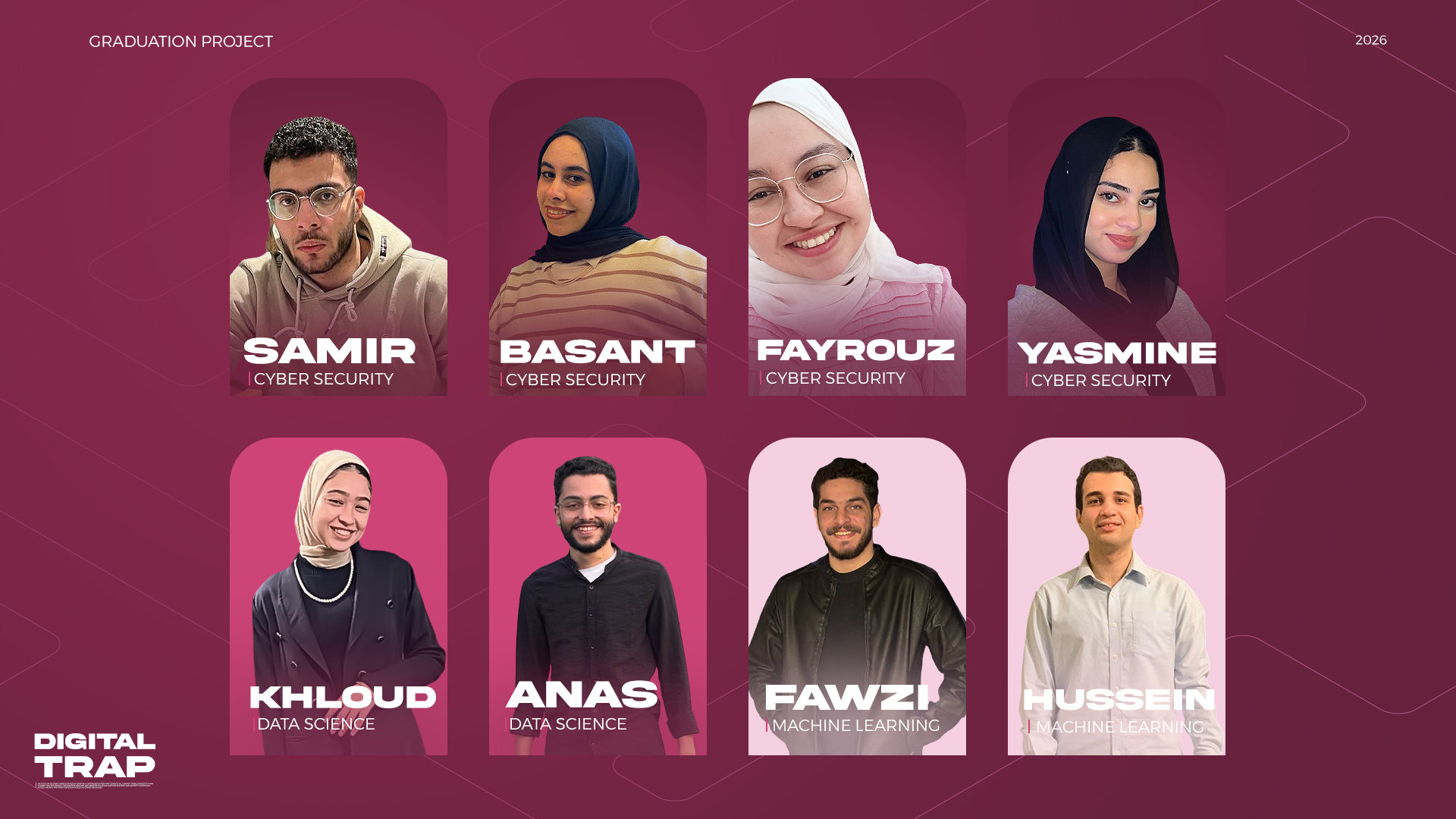
## 👥 毕业团队
标签:AI风险缓解, Android安全, APK分析, AV绕过, FastAPI, nmap, RAG, React, Syscalls, 搜索引擎查询, 测试用例, 目录枚举, 移动安全, 请求拦截, 逆向工具