GaoSSR/best-claude-hud
GitHub: GaoSSR/best-claude-hud
一款基于 Rust 编写的极简 Claude Code 终端状态栏工具,用于实时展示模型、Git 状态、上下文窗口用量等关键开发信息。
Stars: 62 | Forks: 1
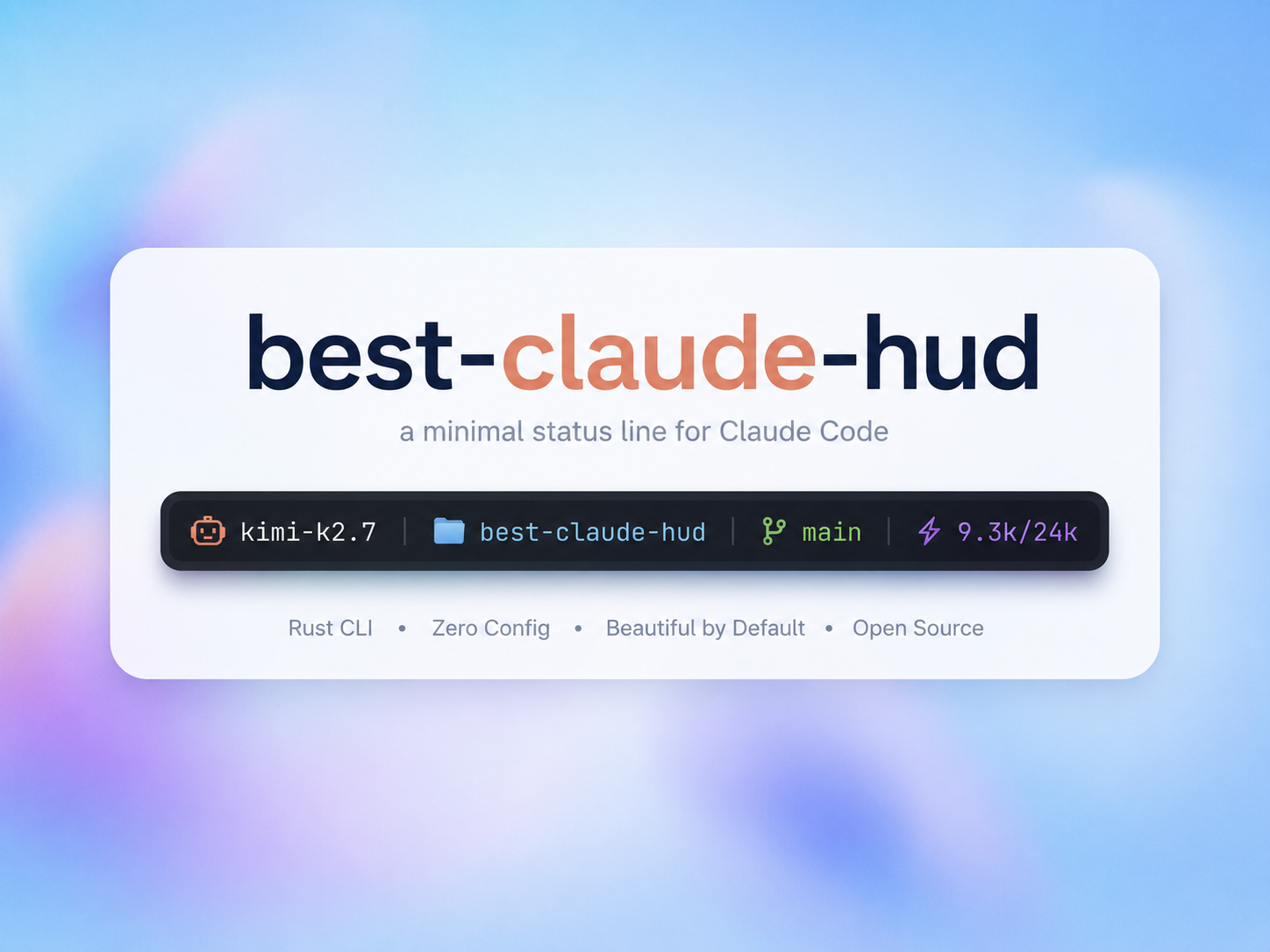
极简的 Claude Code statusline HUD,由 Rust 驱动




## best-claude-hud 概述
`best-claude-hud` 是一款使用 Rust 编写的高性能 Claude Code statusline 工具。它可以在终端中使用 Claude Code 时展示您真正需要的状态信息:model、工作区、Git 分支/状态、context window 使用情况,以及可选的用量/速率限制元数据。
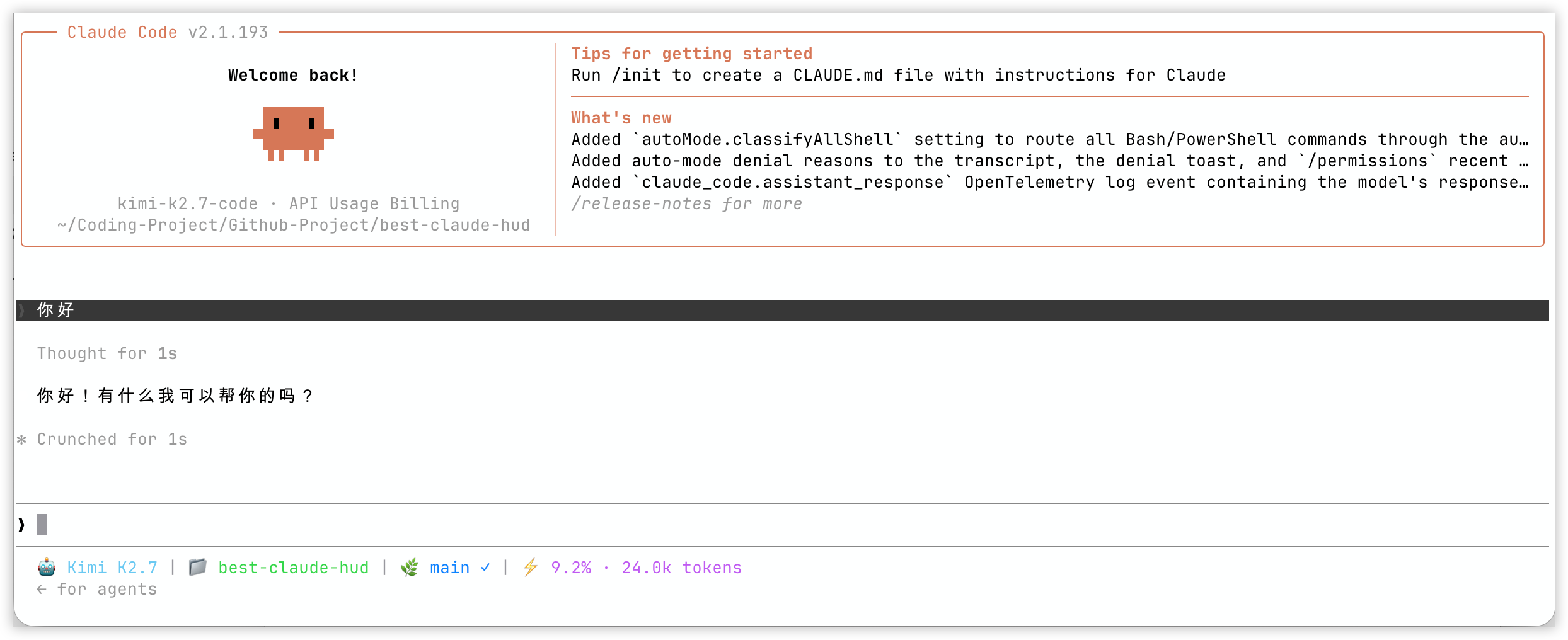
默认的 statusline 侧重于:
- Claude model 显示
- Claude Code 启动目录,在临时工作目录变更时保持稳定
- Git 分支、干净/脏/冲突状态,以及领先/落后于上游的提交数
- 来自 Claude Code 官方 statusLine 数据的 context window 使用情况,并在无法获取时回退到活跃 transcript
- 可选的用量/速率限制、成本、会话和输出样式片段
## 安装
`best-claude-hud` 通过 npm 分发。npm 包使用预构建的原生二进制文件;用户无需安装 Rust。
仅需一行命令即可安装并配置 Claude Code:
```
npm install -g best-claude-hud && best-claude-hud --setup
```
配置完成后请重启 Claude Code。现有会话不会自动重新加载 `~/.claude/settings.json`。
仅安装:
```
npm install -g best-claude-hud
```
使用 yarn 或 pnpm:
```
yarn global add best-claude-hud
pnpm add -g best-claude-hud
```
国内用户:
```
npm install -g best-claude-hud --registry https://registry.npmmirror.com && best-claude-hud --setup
```
更新现有安装:
```
npm update -g best-claude-hud
```
卸载:
```
npm uninstall -g best-claude-hud
```
## Nix
`best-claude-hud` 还提供了 Nix flake,用于声明式和可复现的环境。
无需全局安装即可运行:
```
nix run github:GaoSSR/best-claude-hud -- --help
```
安装到 Nix profile:
```
nix profile install github:GaoSSR/best-claude-hud
best-claude-hud --setup
```
对于 home-manager 或其他声明式配置,请将 Claude Code 直接指向 Nix store 中的二进制文件:
```
# 在你的 flake inputs 中:
# best-claude-hud.url = "github:GaoSSR/best-claude-hud";
{ inputs, pkgs, ... }:
let
hud = inputs.best-claude-hud.packages.${pkgs.system}.default;
in
{
home.packages = [ hud ];
home.file.".claude/settings.json".text = builtins.toJSON {
statusLine = {
type = "command";
command = "${hud}/bin/best-claude-hud";
padding = 0;
};
};
}
```
如果您已经使用 Nix 管理 `~/.claude/settings.json`,请将 `statusLine` 块合并到现有的 JSON 中,而不是替换整个文件。
开发 shell:
```
nix develop
```
## Claude Code 配置
`npm install -g best-claude-hud` 仅安装命令。在配置 `statusLine` 之前,Claude Code 不会显示 HUD。
推荐配置:
```
best-claude-hud --setup
```
setup 命令会将一个 `statusLine` 块写入 `~/.claude/settings.json`,并保留现有设置。如果可能,它会将已安装的命令解析为绝对路径:
```
{
"statusLine": {
"type": "command",
"command": "/path/to/best-claude-hud",
"padding": 0
}
}
```
如果您的 Claude Code 会话继承了与 shell 相同的 PATH,手动配置也可以使用 `"command": "best-claude-hud"`。如果 `statusLine` 已存在,`--setup` 在替换它之前会在 `settings.json` 旁边创建一个带有时间戳的备份。更改此文件后请重启 Claude Code。
npm 包有意不将二进制文件安装到 `~/.claude` 中。它使用全局 npm 命令,并通过 Kiri 风格的 npm alias 可选依赖项解析匹配的原生二进制文件。
## 命令
```
best-claude-hud # open the interactive menu when run in a terminal
best-claude-hud --help # print command help
best-claude-hud --version # print version
best-claude-hud --setup # configure Claude Code statusLine
best-claude-hud --config # open the TUI configuration interface
best-claude-hud --theme minimal # temporarily render with a built-in theme
best-claude-hud --patch
# patch Claude Code cli.js context warnings
```
## 主题
临时覆盖已配置的主题:
```
best-claude-hud --theme cometix
best-claude-hud --theme minimal
best-claude-hud --theme gruvbox
best-claude-hud --theme nord
best-claude-hud --theme powerline-dark
best-claude-hud --theme powerline-light
best-claude-hud --theme powerline-rose-pine
best-claude-hud --theme powerline-tokyo-night
```
自定义主题可存储在:
```
~/.claude/best-claude-hud/themes/
```
然后使用:
```
best-claude-hud --theme my-custom-theme
```
## 配置
配置文件存储在:
```
~/.claude/best-claude-hud/
```
重要文件:
- `config.toml`:主要的 HUD 和片段配置
- `models.toml`:model 显示名称和 context window 限制
- `themes/*.toml`:自定义主题预设
- `.api_usage_cache.json`:可选的用量 API 缓存
- `.update_state.json`:更新检查状态
运行 TUI 配置器:
```
best-claude-hud --config
```
可用的片段族:
- `model`
- `directory`
- `git`
- `context_window`
- `usage`
- `cost`
- `session`
- `output_style`
- `update`
## Model 配置
`models.toml` 在首次运行时自动创建:
```
~/.claude/best-claude-hud/models.toml
```
它控制 model 的显示名称和 context 限制。Claude model 系列会被自动识别,而第三方 model 可以自定义:
```
[[models]]
pattern = "kimi-k2.7"
display_name = "Kimi K2.7"
context_limit = 262144
[[models]]
pattern = "glm-5"
display_name = "GLM-5"
context_limit = 200000
[[models]]
pattern = "qwen3-coder"
display_name = "Qwen Coder"
context_limit = 256000
[[context_modifiers]]
pattern = "[1m]"
display_suffix = " 1M"
context_limit = 1000000
```
## statusline 数据
Claude Code 通过 stdin 将 statusLine 数据发送到命令。`best-claude-hud` 会读取:
- `model`
- `workspace.project_dir`(用于稳定的 Claude Code 启动目录)
- `workspace.current_dir`(作为旧版 Claude Code 的回退)
- `transcript_path`
- `context_window`
- `cost`
- `output_style`
- `rate_limits`
关于 context window 的使用情况,HUD 优先使用 Claude Code 官方的 `context_window` 字段。只有当这些字段不存在、为 null 或暂时为零时,活跃 transcript 才会作为兼容性回退方案被使用。在中断响应后写入的全零占位符将被忽略,因此按下 `Esc` 不会抹除上次有效的 context 读数。一个没有任何使用记录的全新会话仍会显示 `0% · 0 tokens`,并且绝不会扫描较旧的项目历史记录。
## Git 状态指示器
- `✓`:干净的工作区
- `●`:脏的工作区
- `⚠`:冲突
- `↑n`:领先于上游的提交
- `↓n`:落后于上游的提交
Git 命令在运行时会带上 `--no-optional-locks` 参数,因此当您工作时,HUD 不会造成不必要的 `.git/index.lock` 争用。
## Claude Code 补丁工具
继承的 patcher 工具可以修改 Claude Code 的 `cli.js`,以减少 context 警告噪声:
```
best-claude-hud --patch /path/to/claude-code/cli.js
```
示例:
```
best-claude-hud --patch ~/.local/share/fnm/node-versions/v24.4.1/installation/lib/node_modules/@anthropic-ai/claude-code/cli.js
```
patcher 在写入之前会在目标文件旁创建一个备份。
## 平台支持
| 平台 | 原生二进制文件来源 | 状态 |
| --- | --- | --- |
| MacOS arm64 | npm 自动选择的原生二进制文件 | 支持 |
| MacOS x64 | npm 自动选择的原生二进制文件 | 支持 |
| Linux x64 musl | npm 自动选择的原生二进制文件 | 支持 |
| Windows x64 | npm 自动选择的原生二进制文件 | 支持 |
| Linux arm64 / Windows arm64 | - | 计划中 |
## 环境要求
- 带有 `statusLine` 支持的 Claude Code
- 用于分支/状态显示的 Git
- 支持 ANSI 颜色的终端
- 如果您选择 Nerd Font 或 Powerline 主题,则需要 Nerd Font
## 开发
面向从源码工作的维护者和贡献者:
```
cargo fmt
cargo clippy -- -D warnings
cargo test
cargo build --release
cargo run -- --help
npm --prefix packaging/npm run check
npm --prefix packaging/npm run test
```
实用的发布检查:
```
cargo build --release
mkdir -p release-artifacts
tar -C target/release -czf release-artifacts/best-claude-hud-darwin-arm64.tar.gz best-claude-hud
node packaging/npm/scripts/build-packages.js \
--version 0.1.7 \
--release-dir release-artifacts \
--output-dir npm-tarballs
```
## 发布
发布分为两个工作流:
- `Release`:构建 GitHub release 制品和 npm tarball
- `npm publish`:在 release 制品生成后手动发布 npm 包
创建 GitHub Release:
```
git tag v0.1.7
git push origin v0.1.7
```
在配置了 npm trusted publishing 后将其发布到 npm:
```
gh workflow run "npm publish" --repo GaoSSR/best-claude-hud -f version=0.1.7
```
## 项目资源
- [更新日志](./CHANGELOG.md)
- [贡献指南](./CONTRIBUTING.md)
- [安全策略](./SECURITY.md)
- [上游筛选](./docs/triage.md)
## 致谢
[NOTICE](./NOTICE) 中保留了第三方版权声明。
## 许可证
基于 [Apache License 2.0](./LICENSE) 许可证授权。 标签:Claude Code, Python安全, Rust, 可视化界面, 威胁情报, 开发者工具, 开发辅助, 暗色界面, 状态栏, 网络流量审计, 通知系统