johnwilliamestacio/DetectionEngineering
GitHub: johnwilliamestacio/DetectionEngineering
该项目构建了一个基于 Zeek、Elastic Security 和 Sysmon 的端到端安全检测实验室,用于验证网络流量监控与端点进程遥测的数据采集与告警关联能力。
Stars: 0 | Forks: 0
# 检测工程家庭实验室:Zeek + Elastic Security




一个用于验证从网络流量到端点进程执行的端到端可见性的检测家庭实验室。
**成果:** 可运行的 Zeek + Elastic + Sysmon pipeline,在网络和端点层均得到验证。
**注意:** 这是基础阶段。第 2 部分(攻击模拟 + 自定义检测规则)将在此靶场基础上构建 — 请参阅[下一步](#whats-next)。
## 目录
- [项目概述](#project-overview)
- [架构](#architecture)
- [实施](#implementation)
- [结果](#results)
- [下一步](#whats-next)
## 项目概述
### 目标
从一台空白的虚拟机开始,构建一个检测工程家庭实验室 — 实现网络可见性、SIEM 和端点遥测 — 并验证每一层都能正确生成数据并将其传输到 SIEM。
### 核心组件
- **Zeek** - 网络流量分析和协议级日志记录
- **Elastic Security(托管版)** - SIEM、日志聚合和端点检测
- **Elastic Defend** - 端点保护和告警
- **Sysmon** - 细粒度的 Windows 进程和注册表遥测
### 技术栈
| 组件 | 技术 | 版本 |
|-----------|-----------|---------|
| 网络 IDS | Zeek | 8.0 |
| SIEM | Elastic Security(托管版) | 9.x |
| 端点 Agent | Elastic Agent | 9.4.2 |
| 端点遥测 | Sysmon (Sysinternals) | 最新版 |
| 网络传感器 OS | Ubuntu | 24.04 |
| 攻击模拟 OS | Parrot OS | 最新版 |
| 目标 OS | Windows | 11 |
| Hypervisor | VMware Workstation Pro | 最新版 |
## 架构
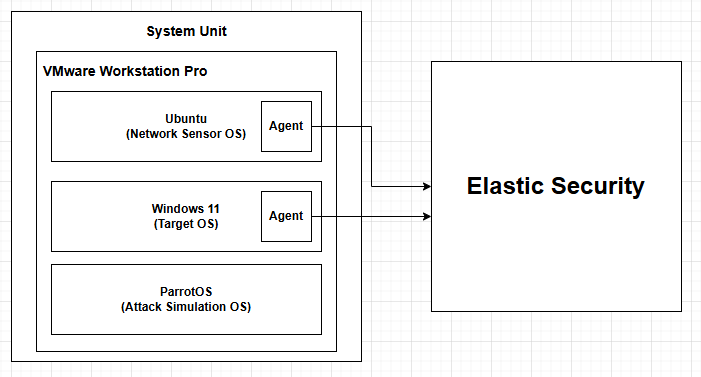
**数据流:**
1. Parrot OS 对 Windows 目标发起网络活动(Nmap 扫描)
2. Ubuntu 上的 Zeek 监控该网段上的流量,并以 JSON 格式记录连接元数据
3. Windows 上的 Elastic Agent + Sysmon 捕获进程执行和认证事件
4. 两个数据源均发送至 Elastic Security(托管版),在 Discover 和 Alerts 中进行关联
## 实施
### 第 1 部分:靶场配置
三个虚拟机位于一个隔离的 NAT 网段上 — Ubuntu(Zeek 传感器)、Parrot OS(攻击模拟)、Windows 11(目标)。
在安装任何工具之前,更新并升级了两个 Linux 发行版。
#### 挑战 1:跨系统连通性
**问题:** 两台 Linux 主机均无法 ping 通 Windows 11 虚拟机。
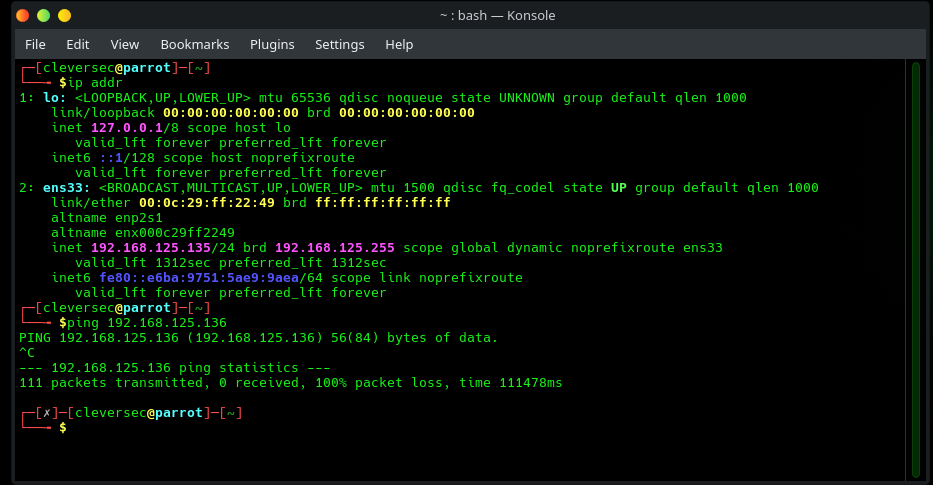
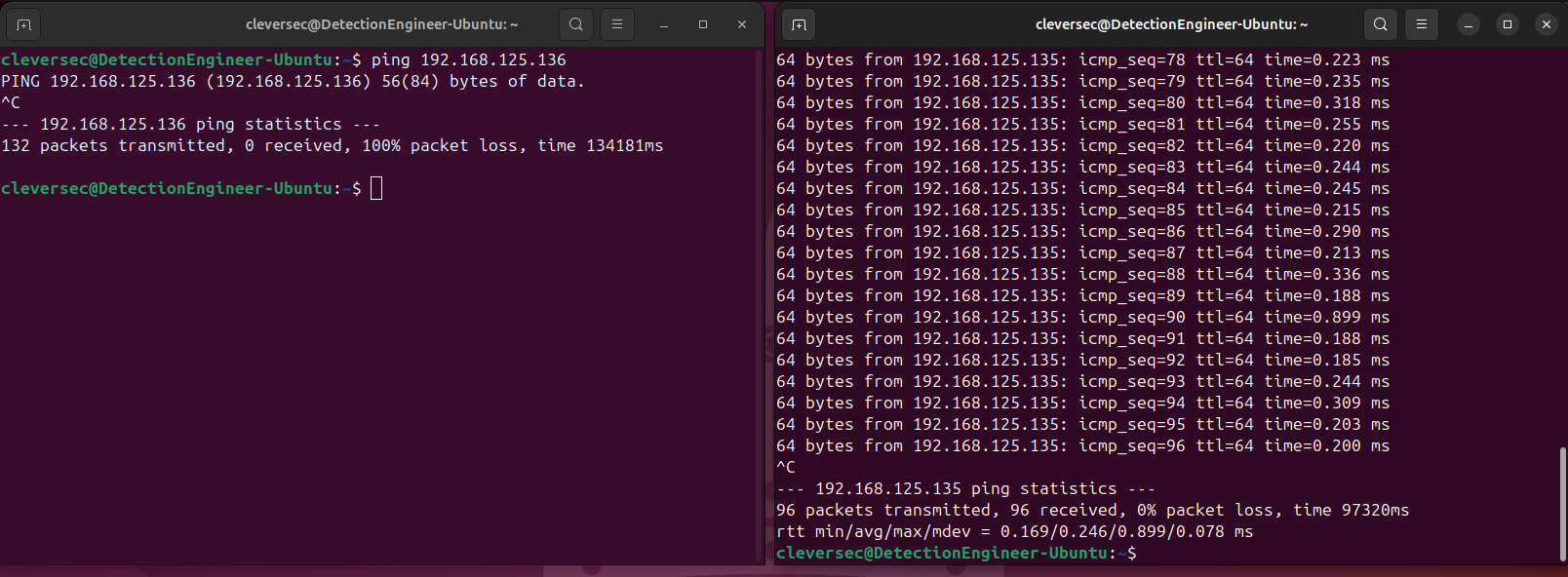
**分析:** 首先测试了 Linux 到 Linux 的连通性以隔离变量。
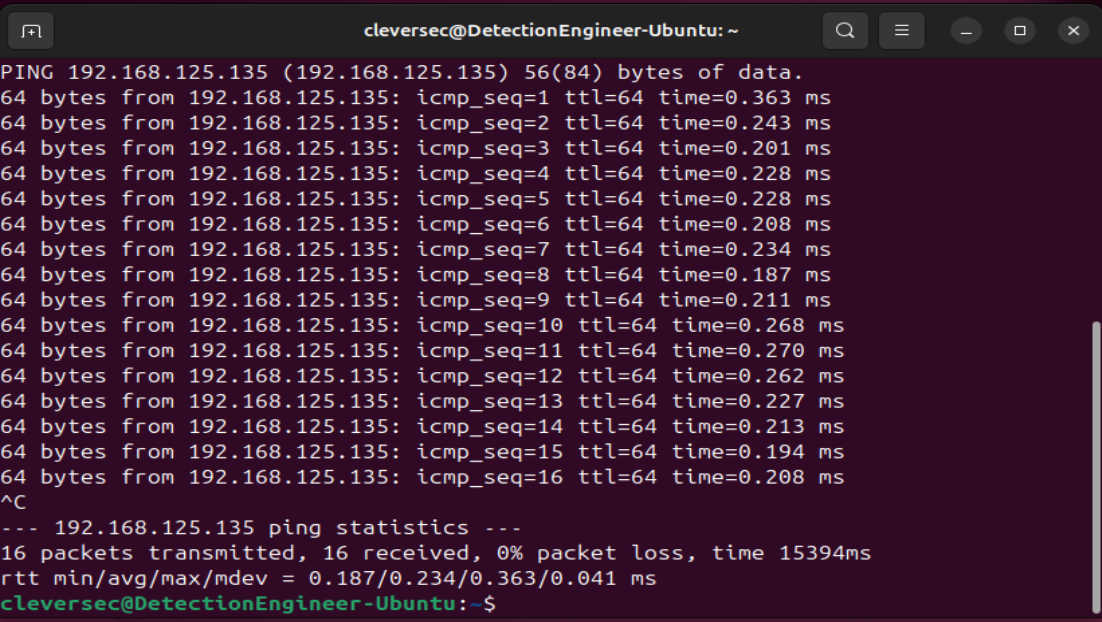
Linux 到 Linux 的连接成功,将问题范围缩小到 Windows 主机。Windows Defender 防火墙默认阻止入站 ICMP。
**解决:**
```
New-NetFirewallRule -DisplayName "Allow ICMPv4-In" -Protocol ICMPv4 -IcmpType 8 -Action Allow
```
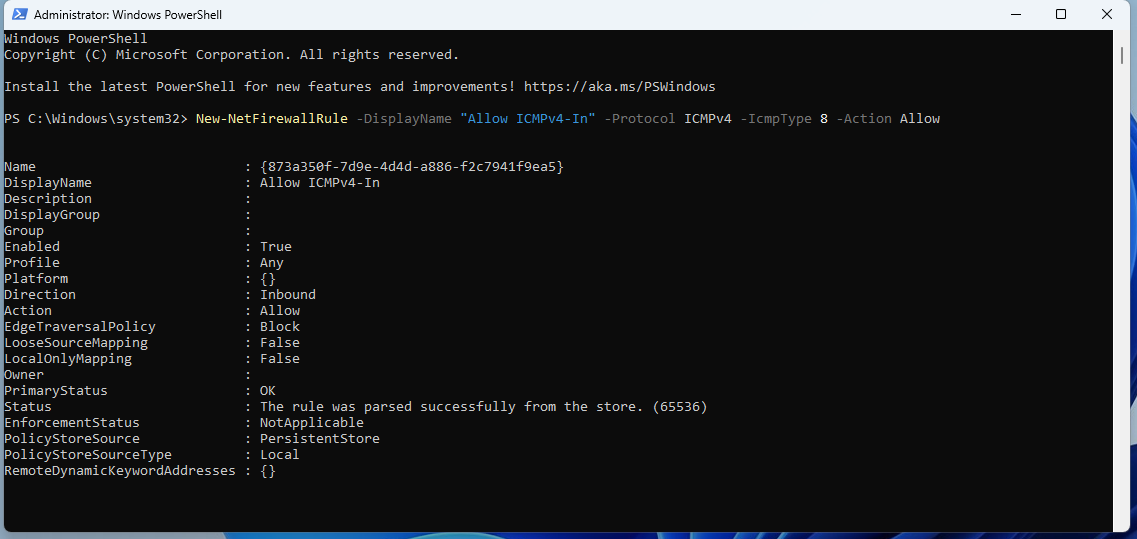
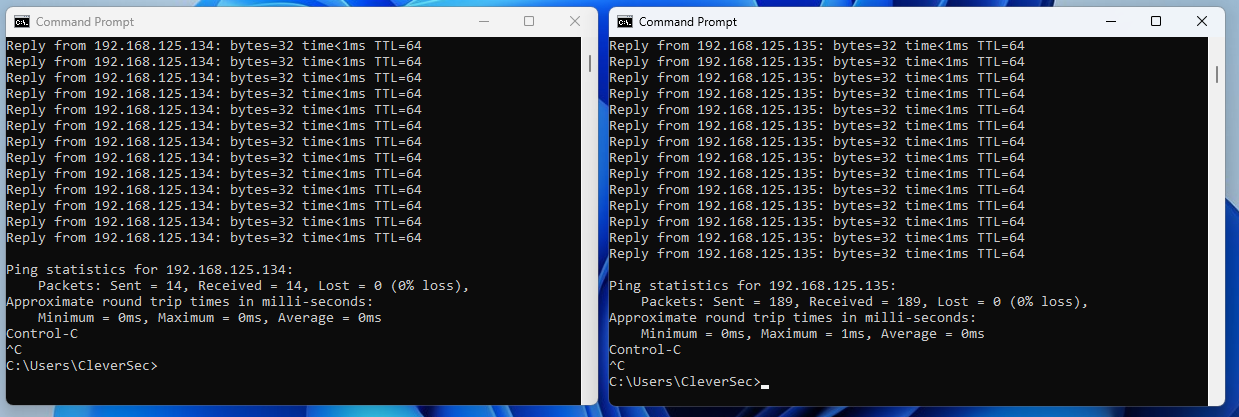
**结果:** 确认了三台主机之间的双向 ping 连通性。
#### Defender 配置
后续阶段使用的工具默认会被 Defender 标记为恶意软件。为了将 Elastic Defend 和 Sysmon 保留为受测试的检测面,通过组策略禁用了 Defender 并验证了更改。
### 第 2 部分:网络传感器部署 (Zeek)
```
su root
echo 'deb https://download.opensuse.org/repositories/security:/zeek/xUbuntu_24.04/ /' | sudo tee /etc/apt/sources.list.d/security:zeek.list
curl -fsSL https://download.opensuse.org/repositories/security:zeek/xUbuntu_24.04/Release.key | gpg --dearmor | sudo tee /etc/apt/trusted.gpg.d/security_zeek.gpg > /dev/null
sudo apt update
sudo apt install zeek-8.0
```
#### 挑战 2:缺少依赖
**问题:** 最小化安装的 Ubuntu 默认未安装 `curl`,阻止了获取 GPG 密钥。

**解决:** `apt install curl`
**结果:** 成功添加仓库,安装 Zeek。
#### Zeek 配置
`networks.cfg` — 将 `192.168.125.0/8` 声明为本地网络,以便 Zeek 正确分类靶场流量,而不是将其视为未知流量。
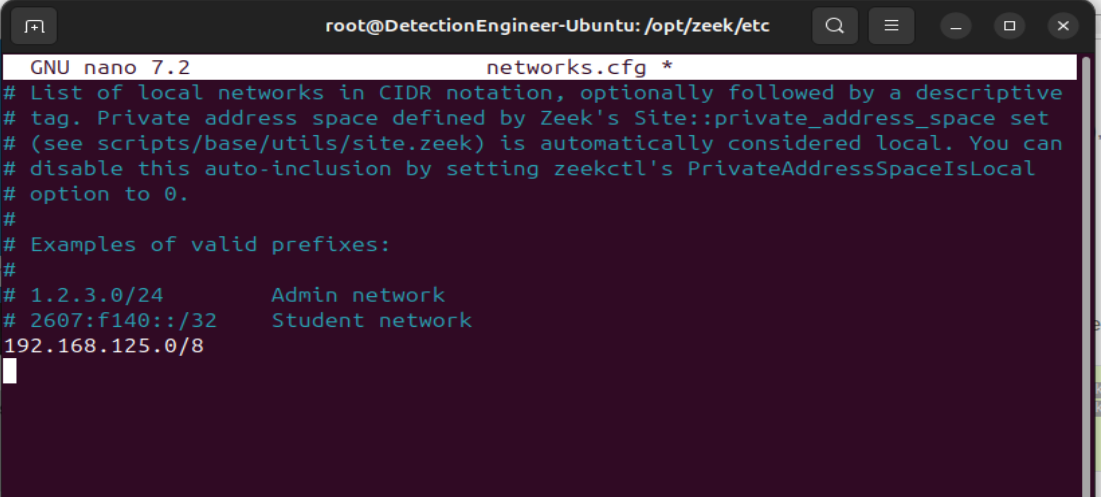
`node.cfg` — 将监听接口从模板默认值 (`eth0`) 修正为实际的适配器 (`ens33`),已通过 `ip addr` 确认。

#### 挑战 3:ZeekControl 不在 PATH 中
**问题:** `zeekctl: command not found`

**解决:** 二进制文件存在但未软链接到 PATH。直接从安装位置运行:
```
cd /opt/zeek/bin
./zeekctl
deploy
```
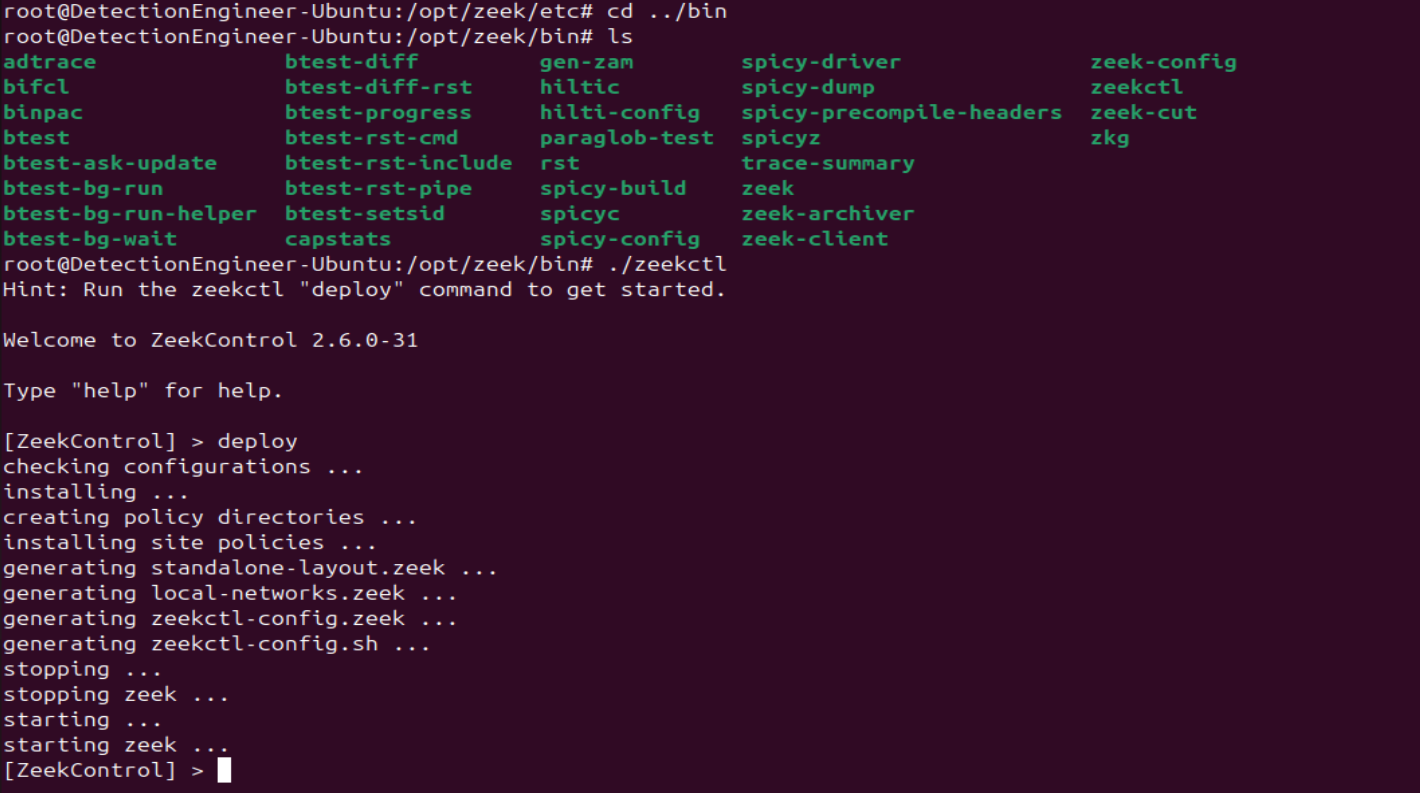
**结果:** Zeek 已部署并运行。在引入 Elastic 之前,对三台虚拟机进行了快照作为基线。
### 第 3 部分:SIEM 部署 (Elastic Security)
#### 挑战 4:部署架构
**问题:** Elastic 试用版默认使用 **serverless**(无服务器)部署。Windows 目标没有可用的 Elastic Agent 安装程序。
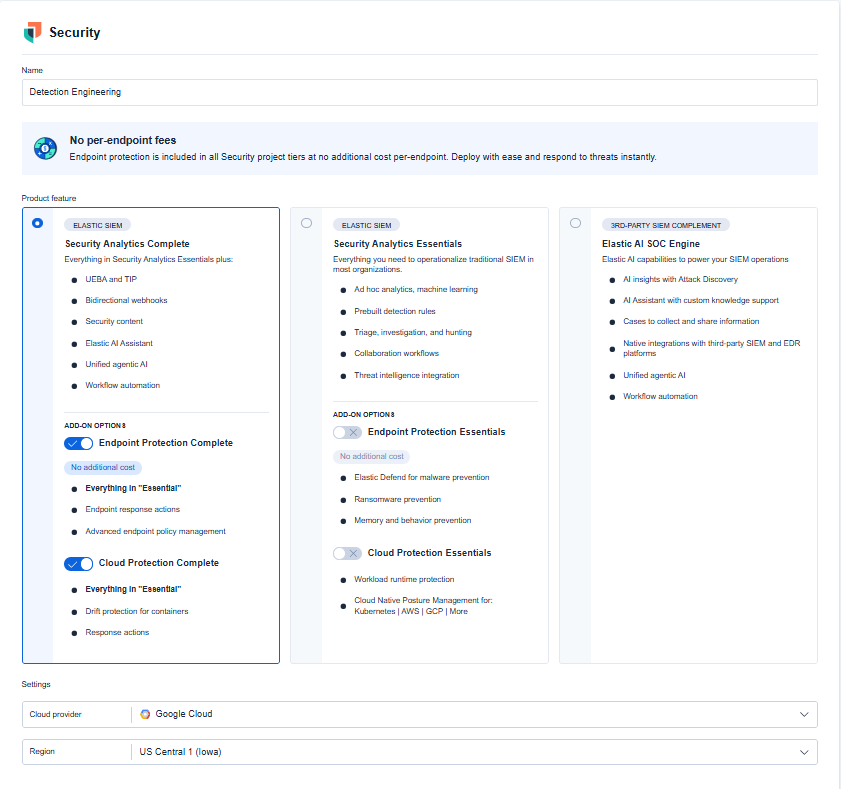
**分析:** Serverless 不像自管理部署那样暴露 Agent 管理功能 — 这种部署模型本身不适合单主机 Agent 用例。
**解决:** 切换到带有 Elastic Defend 的**托管部署**(完整的 SIEM + 端点保护)。
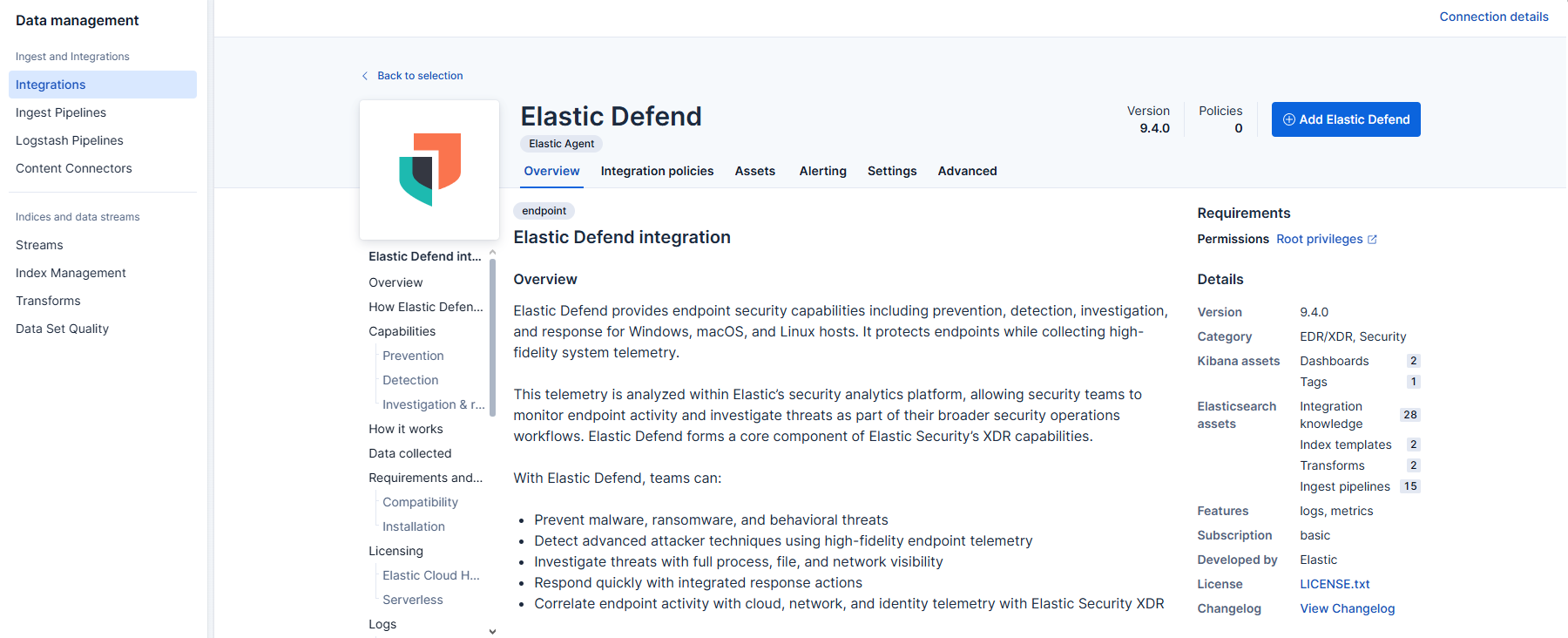
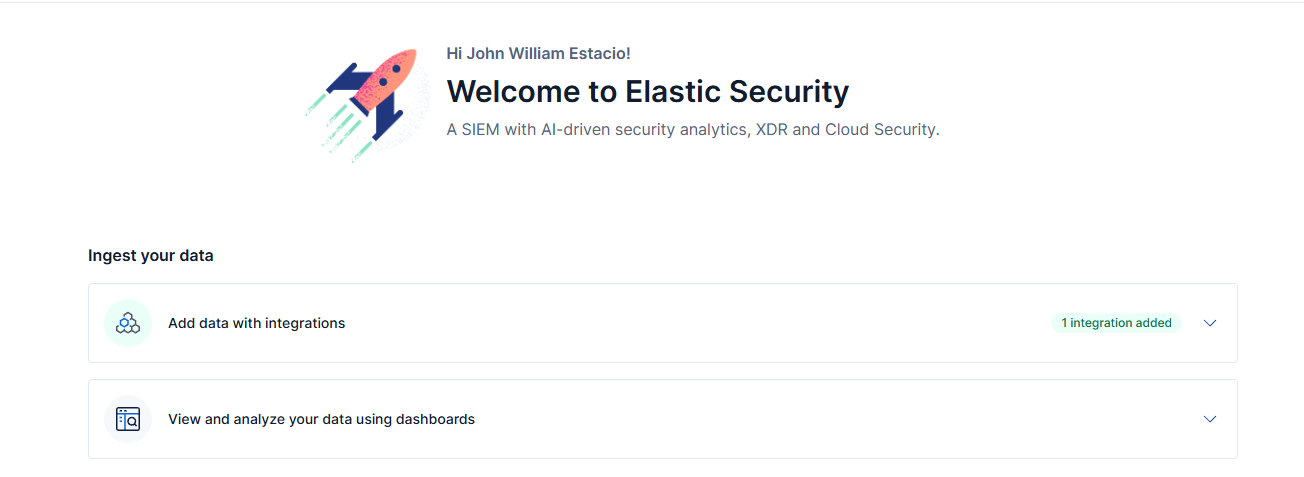
**结果:** Agent 安装程序可用;部署已解除阻塞。
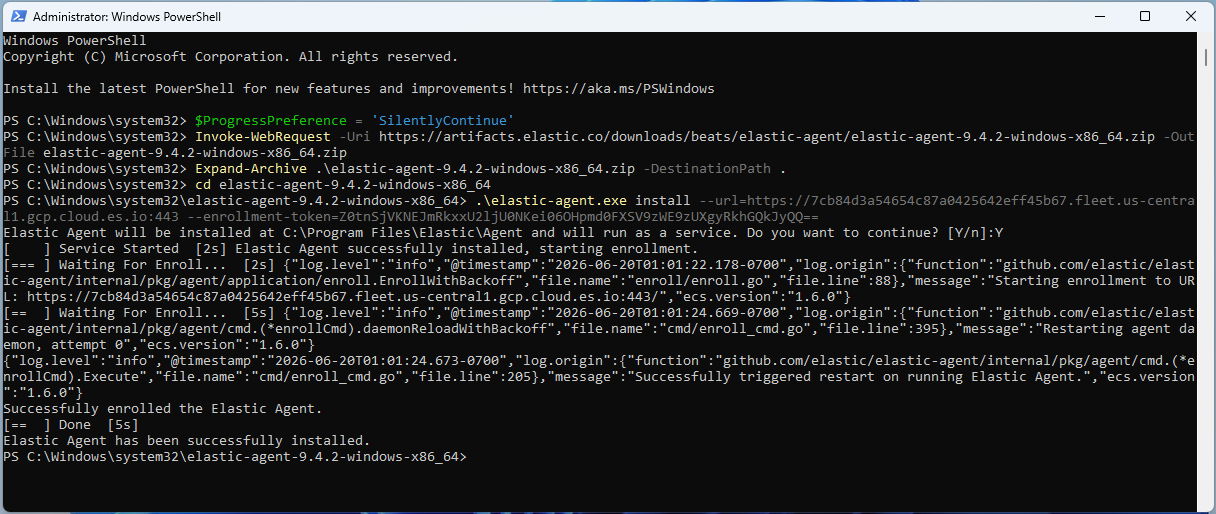
#### Elastic Agent 安装 (Windows 目标)
```
$ProgressPreference = 'SilentlyContinue'
Invoke-WebRequest -Uri https://artifacts.elastic.co/downloads/beats/elastic-agent/elastic-agent-9.4.2-windows-x86_64.zip -OutFile elastic-agent-9.4.2-windows-x86_64.zip
Expand-Archive .\elastic-agent-9.4.2-windows-x86_64.zip -DestinationPath .
cd elastic-agent-9.4.2-windows-x86_64
.\elastic-agent.exe install --url=https://:443 --enrollment-token=
```

#### 挑战 5:Agent 已注册,无数据流
**问题:** Fleet 显示 *“正在监听已注册 Agent 传入的数据…”*,5 分钟后仍无数据。
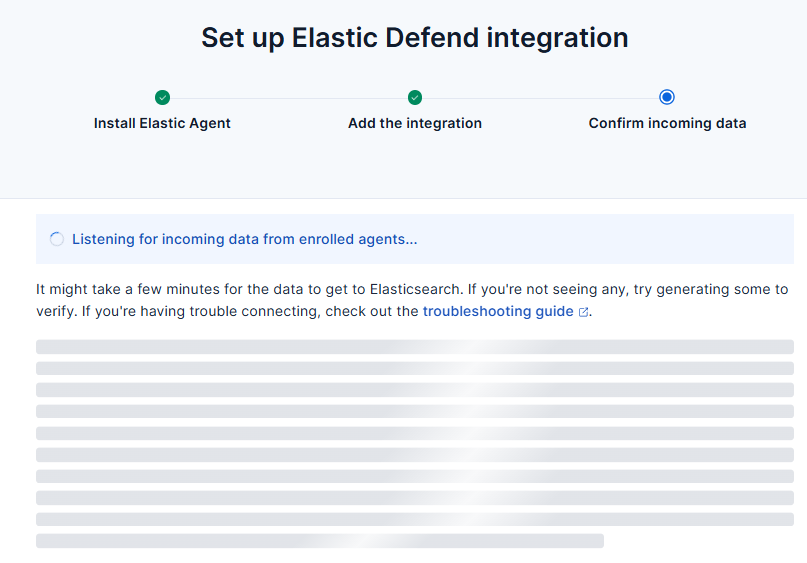
**分析:** 检查了 Agent 状态 (`elastic-agent.exe status`),生成了全新的事件活动,重启了 Agent 服务以强制进行新的握手。所有检查均返回健康状态,排除了 Agent 本身的问题。
**解决:** 出站防火墙规则阻止了端口 **443** (HTTPS) 和 **8220** (Fleet Server) — Agent 可以完成注册,但无法维持数据通道。
**结果:** 在打开 443/8220 出站端口后几秒钟内,日志即开始流动。
#### 检测调优:阻止 → 检测
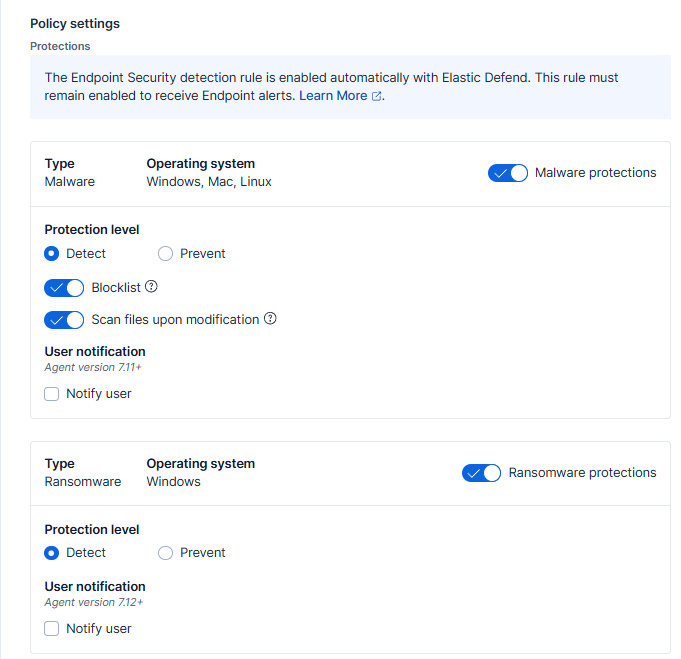
将恶意软件、勒索软件、内存威胁和恶意行为防护从**阻止**切换到**检测**,这与之前的 Defender 配置保持一致 — 自动拦截会在观察到活动之前将其移除。
### 第 4 部分:Zeek → Elastic 集成
#### 挑战 6:过时的文档
**问题:** 官方文档引用了 `@load policy/tuning/json-logs.zeek`,它依赖于 Zeek 8.0 中不存在的 `defaults` 策略文件夹。
**分析:** 该包在上游已被弃用并合并到 Zeek 自身的默认设置中;文档中记录的路径不再适用。
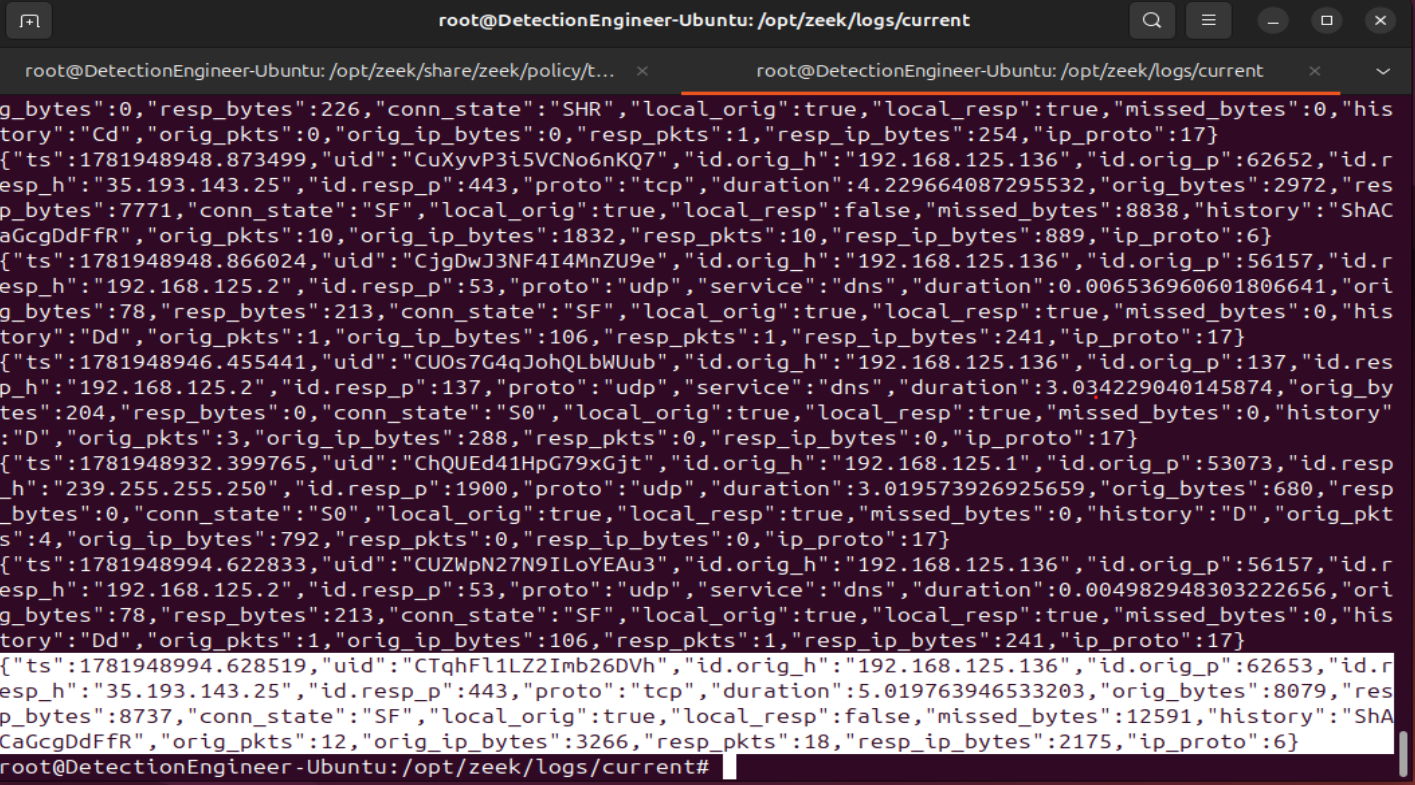
**解决:** 直接在 `local.zeek` 中使用底层配置变量:redef LogAscii::use_json = T;
**结果:** 验证了 `/opt/zeek/logs/current` 下的 `conn.log` 返回有效的 JSON。
在 Elastic 中创建了专用的 Zeek 集成策略(`DEB_x86_64`,与 Ubuntu 传感器架构匹配)并确认注册成功。

### 第 5 部分:Pipeline 验证 — 网络层
```
sudo nmap -sV 192.168.125.136
```
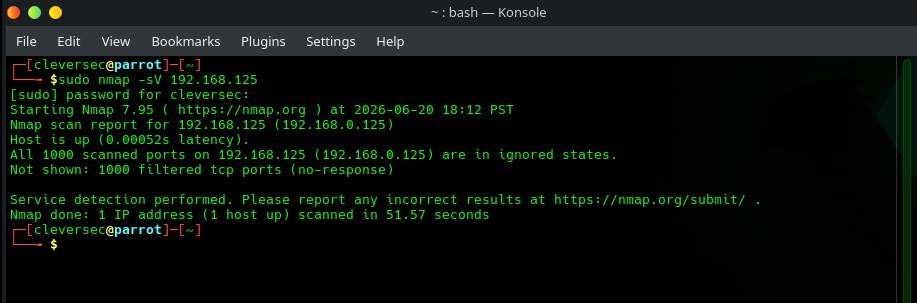
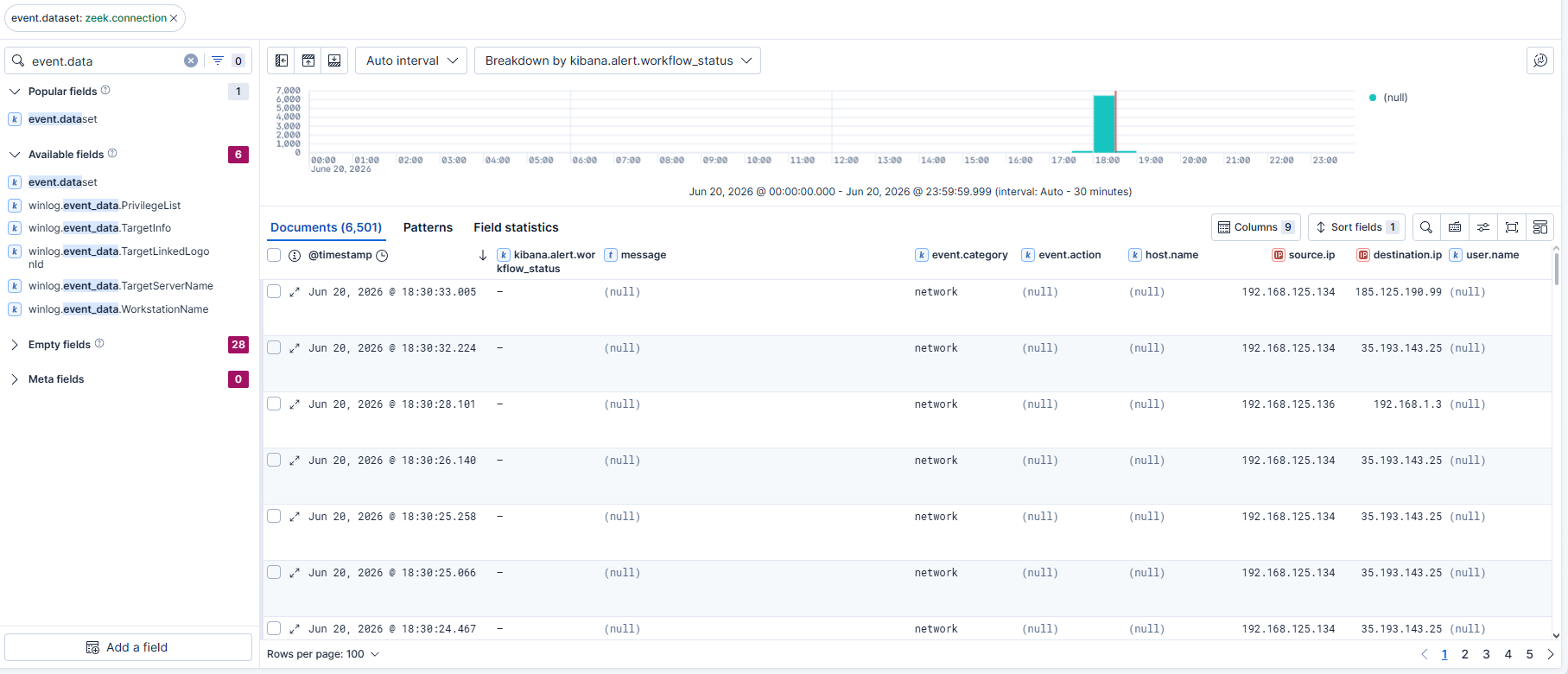
通过 Elastic 的 Zeek Log Overview 仪表板(流量峰值与扫描窗口相匹配)以及在 Discover 中使用 `event.dataset:zeek.connection` 独立进行了确认。

### 第 6 部分:Pipeline 验证— 端点层
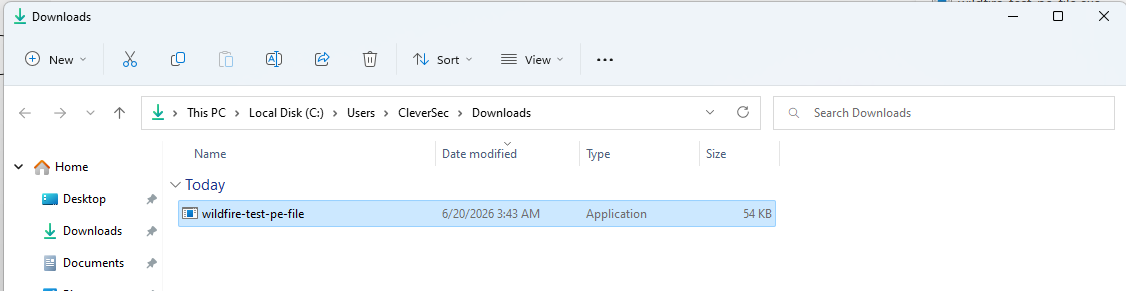
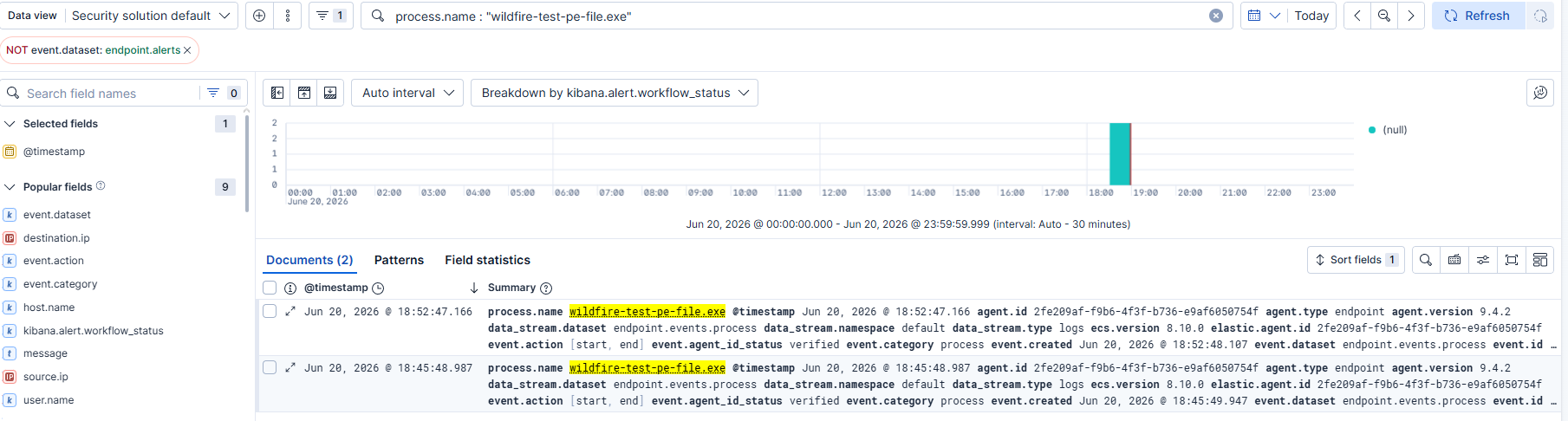
在 Windows 目标上下载了 Palo Alto 的 `wildfire-test-pe-file.exe`,这是一个无害的 EICAR 类检测测试文件。
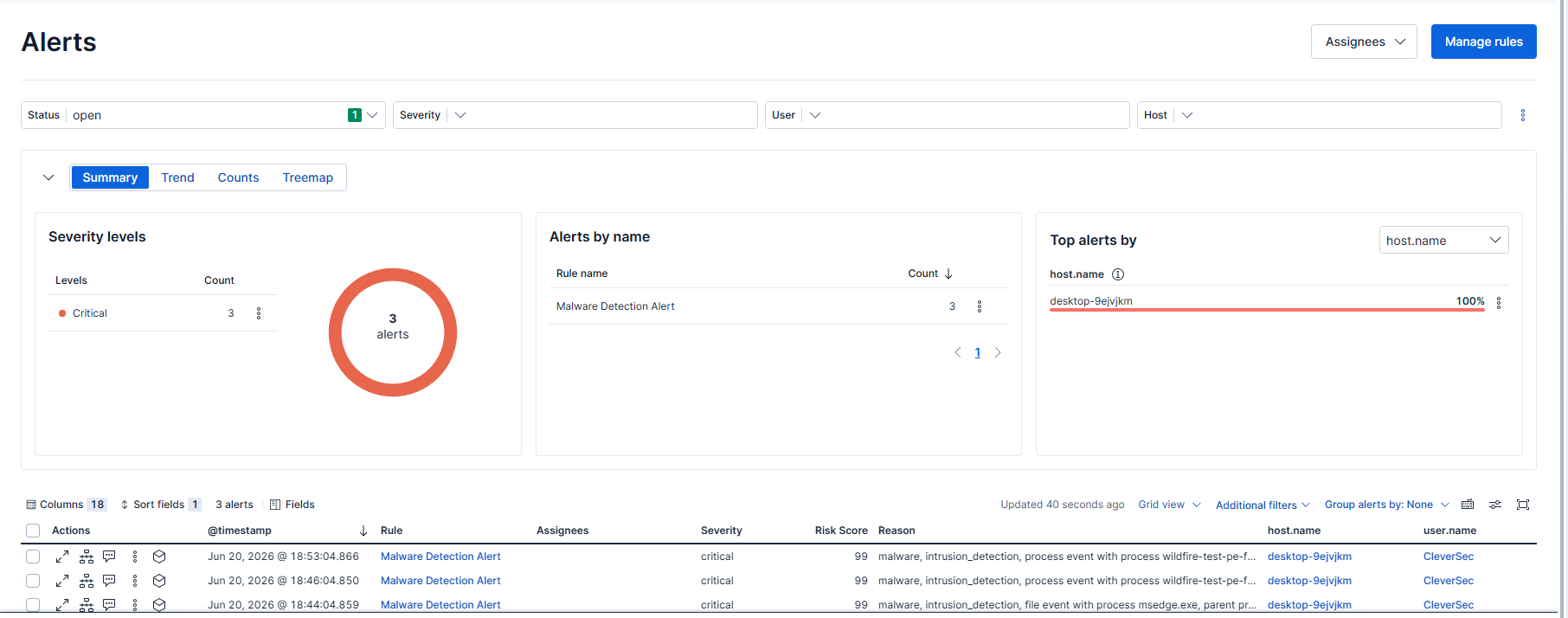
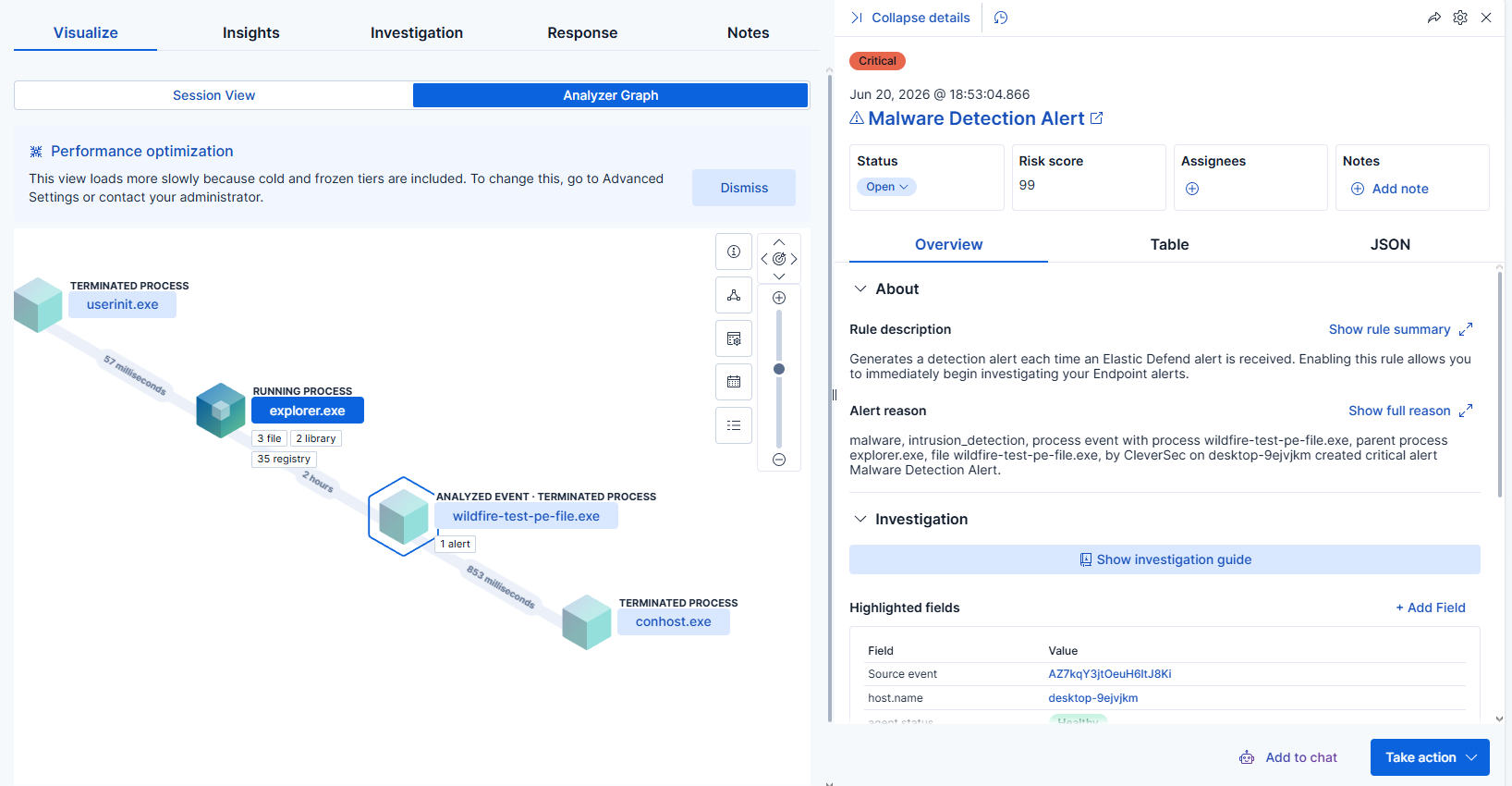
触发了一个**严重**告警,风险评分为 99,并包含完整的进程树:
`userinit.exe → explorer.exe → wildfire-test-pe-file.exe → conhost.exe`
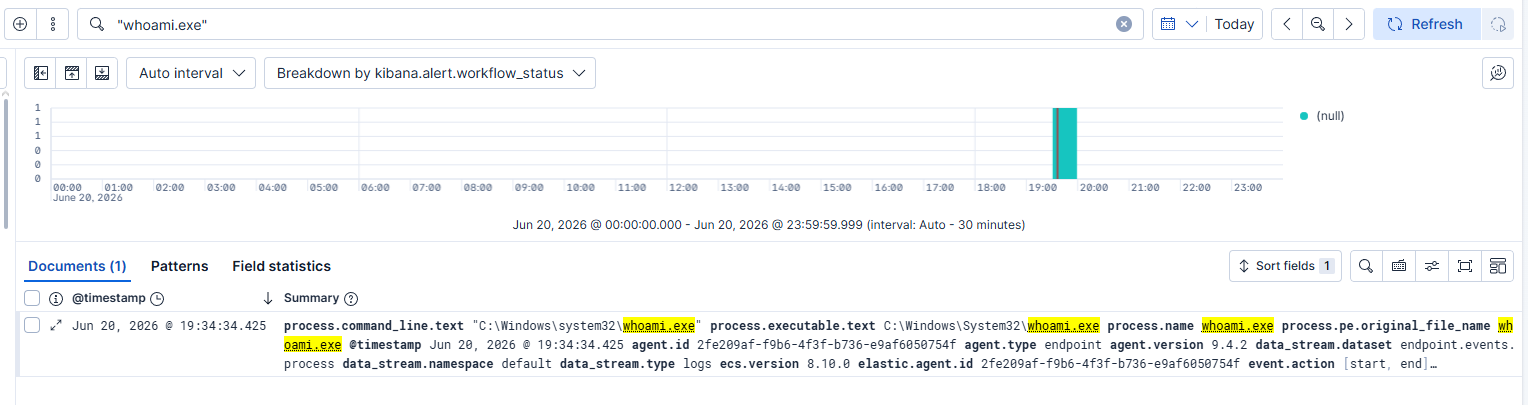
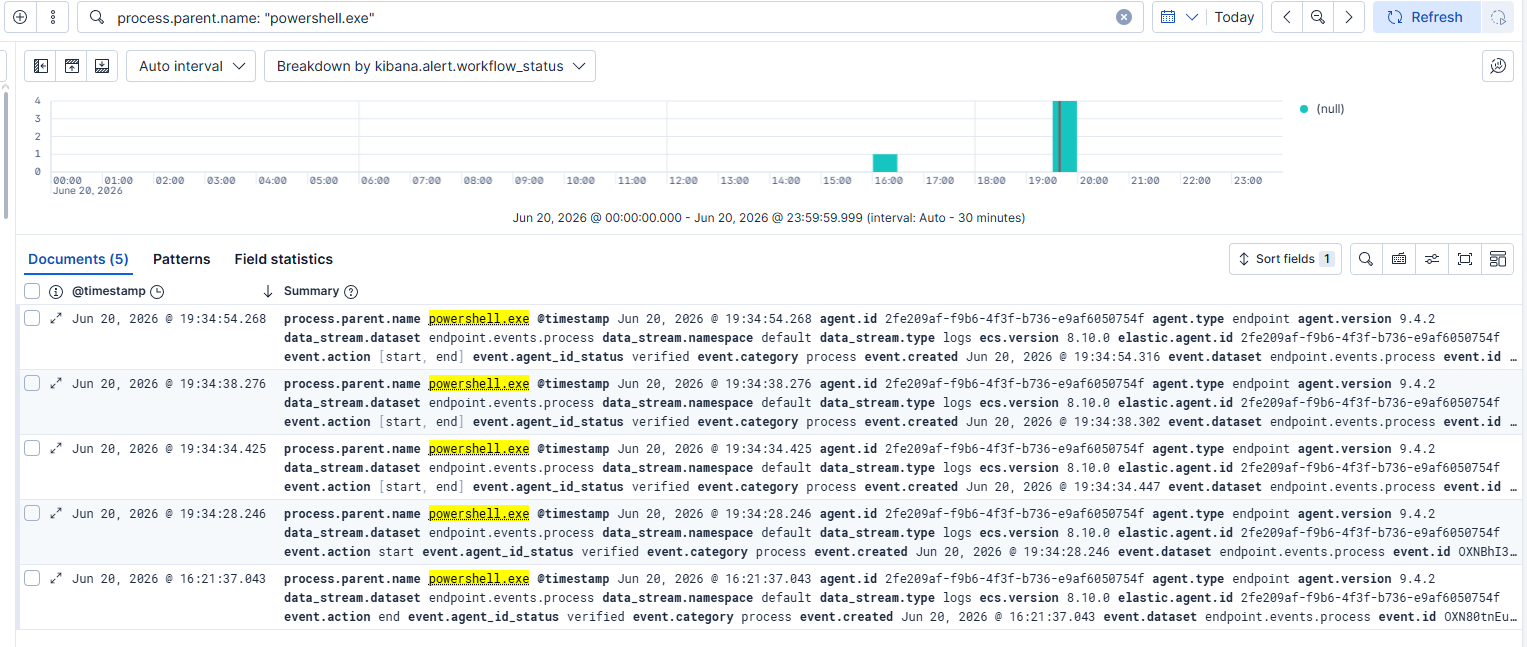
运行了侦察风格的 PowerShell 命令(`whoami`、`hostname`、`Get-ComputerInfo`、`ipconfig`、`Get-ComputerInfo > systeminformation.txt`),并通过 `process.parent.name: "powershell.exe"` 追踪了父子进程链。
### 第 7 部分:端点遥测 — Sysmon
#### 挑战 7:端点遥测深度
**问题:** Elastic Defend 提供了告警级别的详细信息,但在进程/注册表级别粒度有限。
**分析:** Defend 报告了发生的事件;它没有提供重建事件发生过程所需的进程/注册表详细信息。
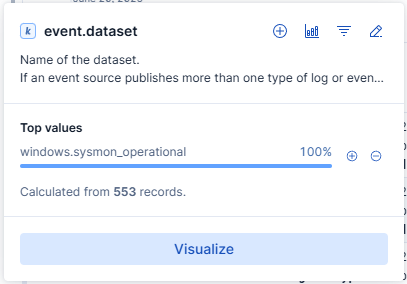
**解决:** 安装了带有社区配置的 Sysmon (Sysinternals),在 Elastic 中添加了 Windows 集成,并重新运行了相同的 EICAR + PowerShell 序列以进行前后对比。
**结果:** 返回了 553 条记录,100% 归因于 `windows.sysmon_operational`,而对于相同的活动,Defend 仅有少量告警。
## 结果
### 验证总结
| 层级 | 工具 | 验证方法 | 结果 |
|-------|------|-------------------|--------|
| 网络 | Zeek | Nmap 扫描 + Zeek Log Overview 仪表板 | 流量已关联,JSON 日志已确认 |
| 端点(告警) | Elastic Defend | EICAR 类测试文件 | 严重告警,风险评分 99,完整进程树 |
| 端点(进程) | Elastic Defend + Discover | `process.name` / `process.parent.name` 查询 | 确认了独立及链式的 PowerShell 活动 |
| 端点(深度) | Sysmon | 相同序列,前后对比 | 553 条记录 对比 少量告警级别事件 |
### 从零到可用靶场
| 领域 | 之前 | 之后 |
|------|--------|-------|
| SIEM 部署经验 | 无 | 托管 Elastic Security,Agent 基础设施,集成策略 |
| 网络可见性 | 无 | Zeek 传感器,验证 JSON 日志记录,仪表板关联 |
| 端点可见性 | 无 | Elastic Defend 告警 + Sysmon程级遥测 |
| 故障排除方法 | 无 (N/A) | 在每次遇到阻碍时,先排除防火墙/网络问题,再检查应用配置 |
## 下一步
这个家庭实验室是第二阶段的基础:
- [ ] 针对该靶场运行对手模拟链 (Atomic Red Team)
- [ ] 针对 Zeek + Sysmon 数据编写和调优自定义 KQL 检测规则
- [ ] 将验证过的技术映射到 MITRE ATT&CK (T1046, T1059 及更多)
- [ ] 在 Zeek 旁边添加 Suricata 进行基于特征的检测
- [ ] 构建结合 Zeek、Sysmon 和 Defend 的统一 Kibana 仪表板
- [ ] 记录完整的 攻击 → 检测 → 响应 链条
## 📝 已解决的挑战
**挑战 1:网络连通性**
- **问题:** Windows Defender 防火墙阻止了入站 ICMP
- **分析:** 首先隔离了 Linux 到 Linux 的连通性,以排除全局网络问题
- **解决:** 显式的入站防火墙规则
- **结果:** 确认了所有主机之间的双向 ping 连通性
**挑战 2:缺少依赖**
- **问题:** 最小化安装的 Ubuntu 缺少 `curl`
- **分析:** 仓库设置在获取 GPG 密钥步骤失败
- **解决:** 安装单个软件包
- **结果:** Zeek 仓库已配置
**挑战 3:PATH 配置**
- **问题:** 未找到 `zeekctl`
- **分析:** 二进制文件存在但未软链接到 PATH
- **解决:** 从安装目录运行
- **结果:** Zeek 已部署并运行
**挑战 4:部署架构不匹配**
- **问题:** Serverless 部署没有通向 Agent 安装的路径
- **分析:** 部署模型不支持单主机 Agent 用例
- **解决:** 切换到托管部署
- **结果:** Agent 安装解除阻塞
**挑战 5:静默数据流故障**
- **问题:** Agent 已注册但未传输数据
- **分析:** 在怀疑网络之前,通过状态检查排除了 Agent/服务问题
- **解决:** 打开出站端口 443/8220
- **结果:** 数据在几秒钟内开始流动
**挑战 6:过时的文档**
- **问题:** 官方文档引用了已移除的 Zeek 策略路径
- **分析:** 包在上游被弃用,文档未更新
- **解决:** 直接使用底层配置变量
- **结果:** 确认了有效的 JSON 日志记录
**挑战 7:端点粒度不足**
- **问题:** 单纯使用 Elastic Defend 在进程级别留下了可见性空白
- **分析:** 告警级别的详细信息不足以进行进程级调查
- **解决:** 添加了 Sysmon,重新运行了相同的测试序列
- **结果:** 针对相同活动,返回了 553 条记录 对比 少量告警
## 许可证
MIT 许可证 - 详情请参阅 [LICENSE](/License) 文件
## 联系方式
**LinkedIn:** https://www.linkedin.com/in/johnwilliamestacio/
**电子邮件:** johnwilliamestacio@gmail.com
**有疑问?** 请提交 issue 或直接联系。
## 致谢
**技术栈致谢:**
- [Zeek](https://zeek.org/)
- [Elastic Security](https://www.elastic.co/security)
- [Sysinternals (Sysmon)](https://learn.microsoft.com/en-us/sysinternals/downloads/sysmon)
- [VMware](https://www.vmware.com/)
**如果您觉得这个项目有帮助,请给它点一个 ⭐**
标签:Elastic Security, Rootkit, Zeek, 家庭实验室, 端点安全, 网络流量分析, 补丁管理