Henglie/WhatsInYourClipboard
GitHub: Henglie/WhatsInYourClipboard
一款纯前端零上传的剪贴板内容透视工具,通过 30 多个智能分类器和 WASM 高性能计算层对剪贴板数据进行可视化解析与解码。
Stars: 6 | Forks: 1
# 剪贴板里有什么?
### What's in Your Clipboard?
极客风 · 纯前端 · 绝对隐私的剪贴板内容透视工具
A geeky, pure-frontend, absolutely-private clipboard inspector.
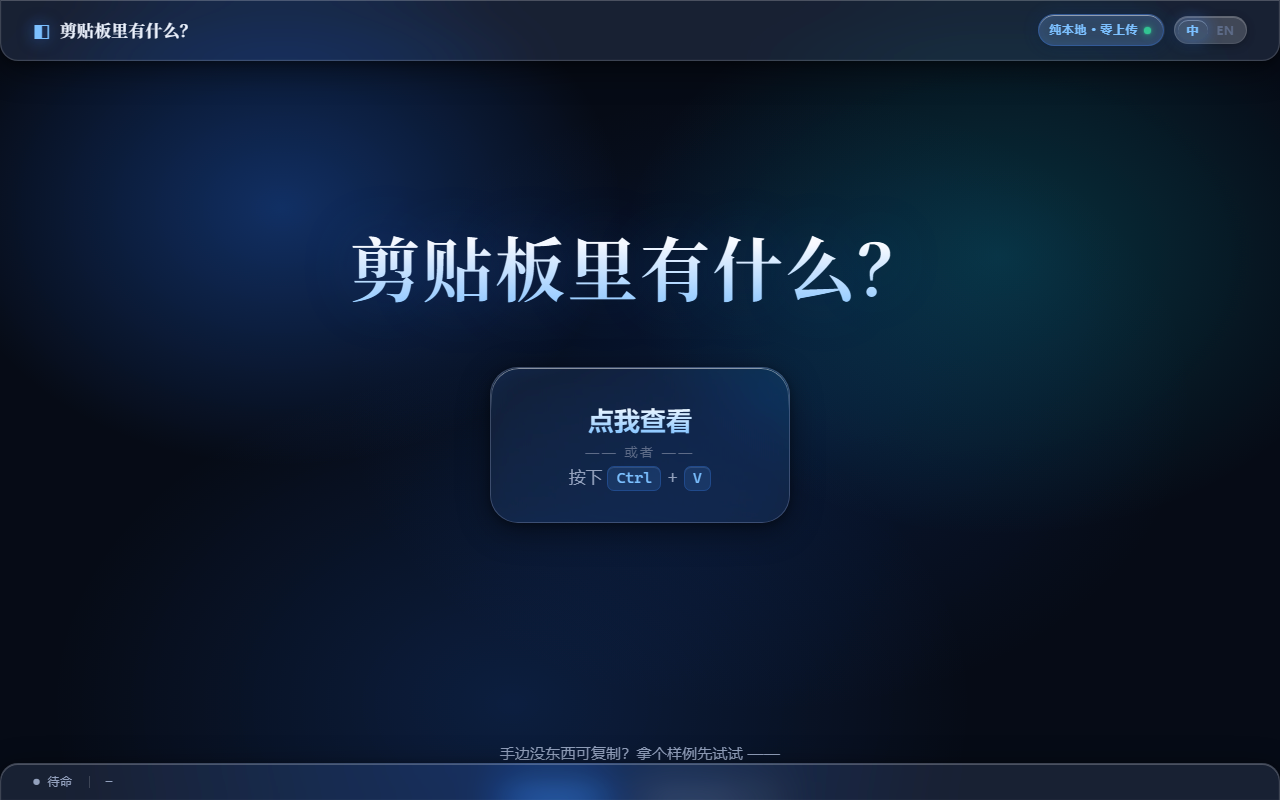
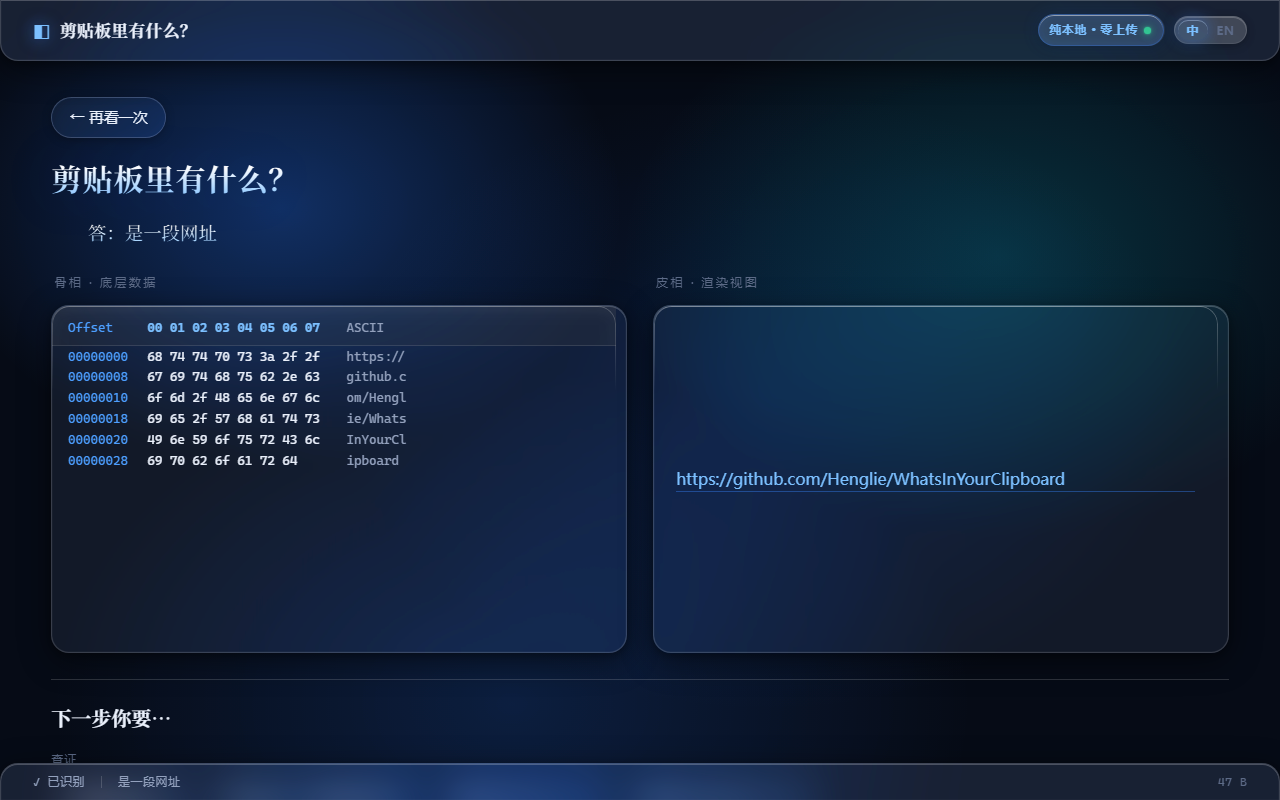 左:着陆页 · Landing | 右:URL 识别的骨相(Hex)× 皮相(渲染)分屏 · Split view
## 简介 · Introduction
**中文**
「剪贴板里有什么?」是一个纯前端网页应用。它利用现代浏览器的 Clipboard API 读取你的剪贴板内容,对其进行智能分类解析,并以左右分栏的方式可视化展示:左侧呈现原始底层数据(Hex 矩阵),右侧呈现精美的渲染视图。底部还提供由 JSON 驱动的「下一步你要…」动作引擎,为你推荐相关操作外链或可复制的终端指令。
所有计算均在本地浏览器沙箱内完成,**不向任何云端上传一个字节**。
**English**
*What's in Your Clipboard?* is a pure-frontend web app. It reads your clipboard via the browser Clipboard API, intelligently classifies the content, and visualizes it in a split view: raw low-level data (Hex matrix) on the left, a polished rendered view on the right. A JSON-driven "What's next…" action engine at the bottom recommends related links and copy-ready terminal snippets.
Everything runs locally inside the browser sandbox — **not a single byte is uploaded to any cloud.**
## 核心特性 · Features
- **绝对隐私 / Absolute Privacy** — 纯本地沙箱运行,零上传。
- **骨相 × 皮相 / Hex × Render** — 左侧底层 Hex,右侧类型化渲染视图。
- **液态玻璃 / Liquid Glass** — SVG 折射玻璃走 `filter:url()` 通道,在 Chromium 内核(Chrome / Edge)上表现最佳;轻盈有力的物理化交互动效(无回弹的玻璃滑停曲线)。
- **OOP 识别树 / Classifier Tree** — 文本、文件、多媒体、编码脚本的瀑布流判定。
- **WASM 高性能层 / WASM Core** — Hex Dump、Hash、PE 头解析等重计算下沉到 WebAssembly。
- **JSON 动作引擎 / JSON Action Engine** — 「下一步你要…」按钮由配置驱动,支持外链查证、本地复制、解码、文件下载与**纯本地二维码**(零依赖、不外发)。
## 技术栈 · Tech Stack
| 层 / Layer | 技术 / Technology |
| --- | --- |
| 表现层 / UI | HTML5 + 现代 CSS3(液态玻璃:`filter:url()` SVG 折射 + 物理化交互动效,Chromium 内核表现最佳) |
| 视觉系统 / VIS | [FairyGlass](https://github.com/Henglie/FairyGlass) 微蓝暗色液态玻璃设计系统(本项目 `css/` 即其母本) |
| 逻辑层 / Logic | 原生 JavaScript(ES6+ 模块化) |
| 计算层 / Core | WebAssembly(C 编译,经 emscripten) |
## 快速开始 · Quick Start
**中文**
需要装 [Python 3](https://www.python.org)(只用它的标准库起本地服务器,无任何第三方依赖)。
- **Windows**:双击 `启动.bat`
- **macOS**:双击 `start.command`
- **Linux / 任意终端**:在项目目录执行 `./start.sh` 或 `python3 start.py`
它会起一个本地静态服务器,并**自动用 Chrome / Edge 打开**(液态玻璃的 SVG 折射在 Chromium 内核上表现最稳;找不到时会提示你安装)。
python3 start.py # 默认端口 8123,起服务器并自动开浏览器
python3 start.py 9000 # 指定端口
python3 start.py --no-open # 不自动开浏览器(远程/无头环境)
**English**
Requires [Python 3](https://www.python.org) (standard library only — zero third-party dependencies).
- **Windows**: double-click `启动.bat`
- **macOS**: double-click `start.command`
- **Linux / any terminal**: run `./start.sh` or `python3 start.py` in the project directory
It starts a local static server and **opens Chrome / Edge automatically** (liquid glass's SVG refraction is most reliable on Chromium; if none is found, it prints an install hint).
## 浏览器兼容性 · Browser Compatibility
**中文**
- **服务器部署(推荐)**:把整个目录挂到任意 Web 服务器(Nginx / GitHub Pages / VS Code Live Server 等)访问时,**所有主流浏览器均正常,包括 Firefox**。
- **本地双击启动**:用本地一键脚本(`start.py` / `启动.bat`)在 **Firefox** 里打开时,液态玻璃首帧偶发渲染异常(大标题与玻璃折射错乱)——点任意链接跳走再点浏览器「返回」即可恢复正常。根因是 Firefox 对 SVG `
左:着陆页 · Landing | 右:URL 识别的骨相(Hex)× 皮相(渲染)分屏 · Split view
标签:WASM, WebAssembly, 剪贴板工具, 网络安全, 自定义脚本, 隐私保护