adrianfranquincs/SIEM-Splunk-windows-login-analysis-
GitHub: adrianfranquincs/SIEM-Splunk-windows-login-analysis-
基于 Splunk Enterprise 的 Windows 安全事件日志分析家庭实验室,模拟 SOC 分析师对成功与失败登录活动的调查流程。
Stars: 0 | Forks: 0
# Splunk Windows 登录分析家庭实验室
## 项目概述
本项目是一个适合初学者的 SOC 分析师家庭实验室,使用 Splunk Enterprise 来收集和分析来自 Windows Server 域控制器的 Windows 安全事件日志。
该项目的目标是模拟 SOC 一级分析师可能会调查的常见身份验证活动,包括成功登录、失败登录尝试以及多次失败登录后的成功登录。
构建此实验室是我的网络安全作品集的一部分,旨在展示基本的 SIEM、日志分析和 Windows 身份验证调查技能。
## 实验室环境
| 组件 | 描述 |
| --------------- | ------------------------------------- |
| 宿主系统 | 运行 Oracle VirtualBox 的 Windows PC |
| 虚拟机 | Windows Server 2022 域控制器 |
| 域 | HOMELAB |
| 主机名 | DC01 |
| SIEM 工具 | Splunk Enterprise |
| 日志来源 | Windows 安全事件日志 |
## 使用的工具
* Splunk Enterprise
* Windows Server 2022
* Windows 事件查看器 / Windows 安全日志
* Oracle VirtualBox
* Active Directory Domain Services
## 项目目标
* 安装并访问 Splunk Enterprise。
* 将 Windows 事件日志接入 Splunk。
* 使用 SPL 搜索 Windows 安全日志。
* 识别成功登录事件。
* 识别失败登录事件。
* 模拟多次失败登录尝试。
* 调查失败登录后的成功登录。
* 通过截图和搜索记录调查结果。
## 分析的 Windows 事件 ID
| 事件 ID | 描述 | 重要性 |
| ------- | ----------- | -------------------------------------------------------------------------------------------- |
| 4624 | 成功登录 | 显示账户成功登录系统的时间 |
| 4625 | 失败登录 | 显示失败的登录尝试,可能表明存在密码猜测或暴力破解活动 |
| 4634 | 注销 | 显示用户会话结束的时间 |
本项目的主要关注点是 Event ID 4624 和 Event ID 4625。
截图
1. Splunk 已安装并运行
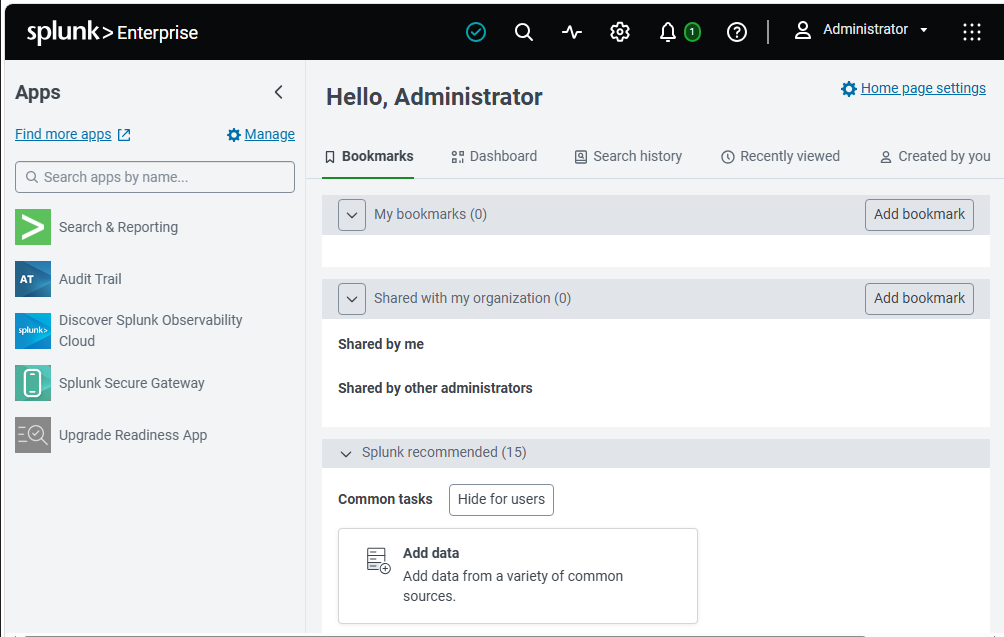
此截图显示 Splunk Enterprise 已成功安装并可通过 Web 界面访问。
2. 添加 Windows 事件日志
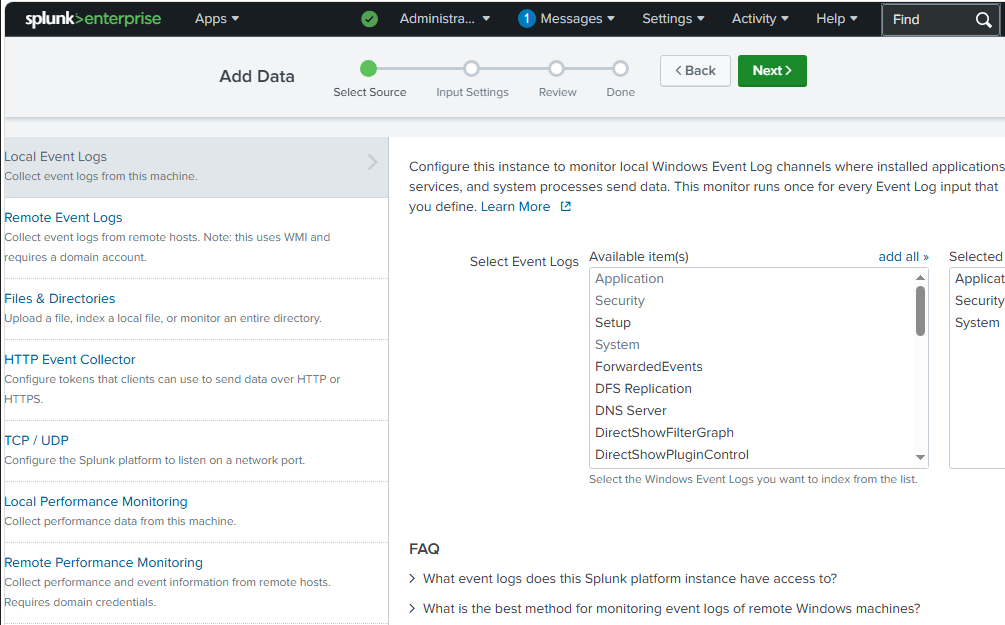
此截图显示 Splunk 中的 Windows 事件日志源选择页面。
3. Windows 事件日志输入配置
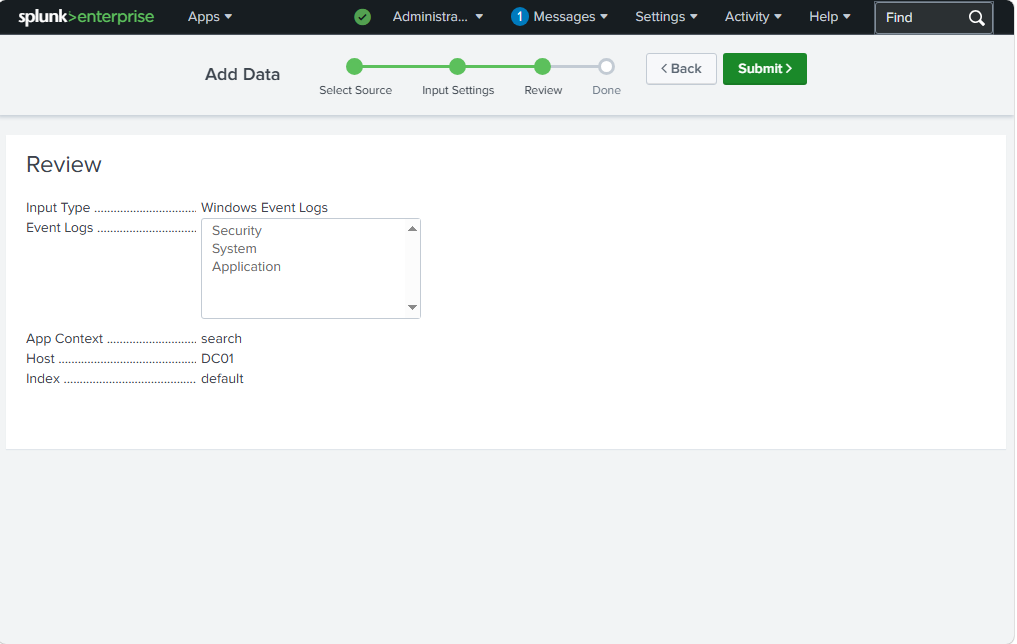
此截图显示已选择接入的 Windows 事件日志,包括安全、系统和应用程序日志。
4. Windows 事件日志输入成功
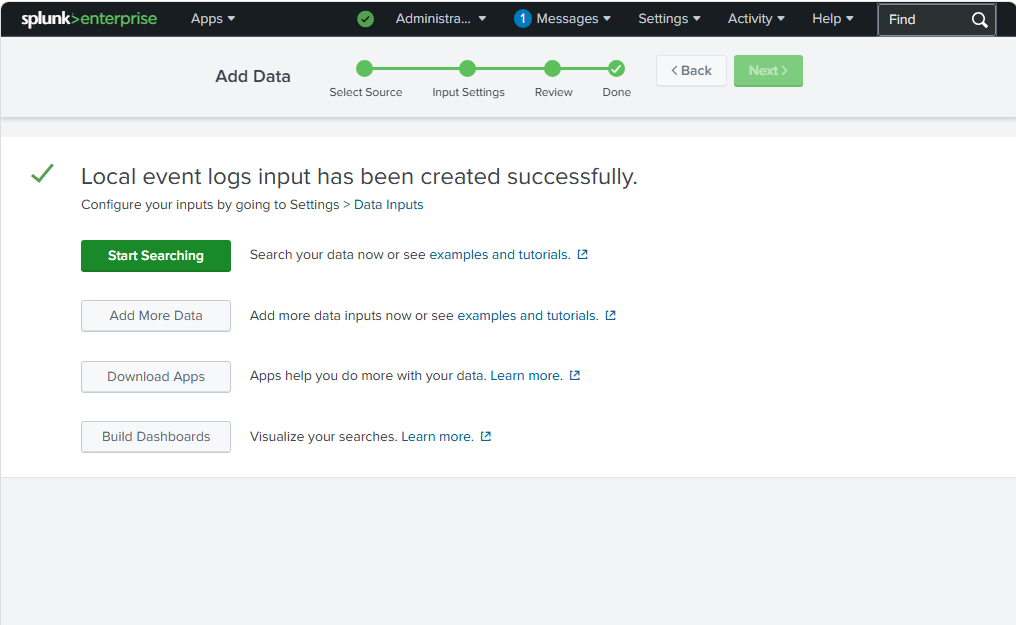
这确认了本地 Windows 事件日志输入已成功创建。
5. 已接入 Windows 事件日志
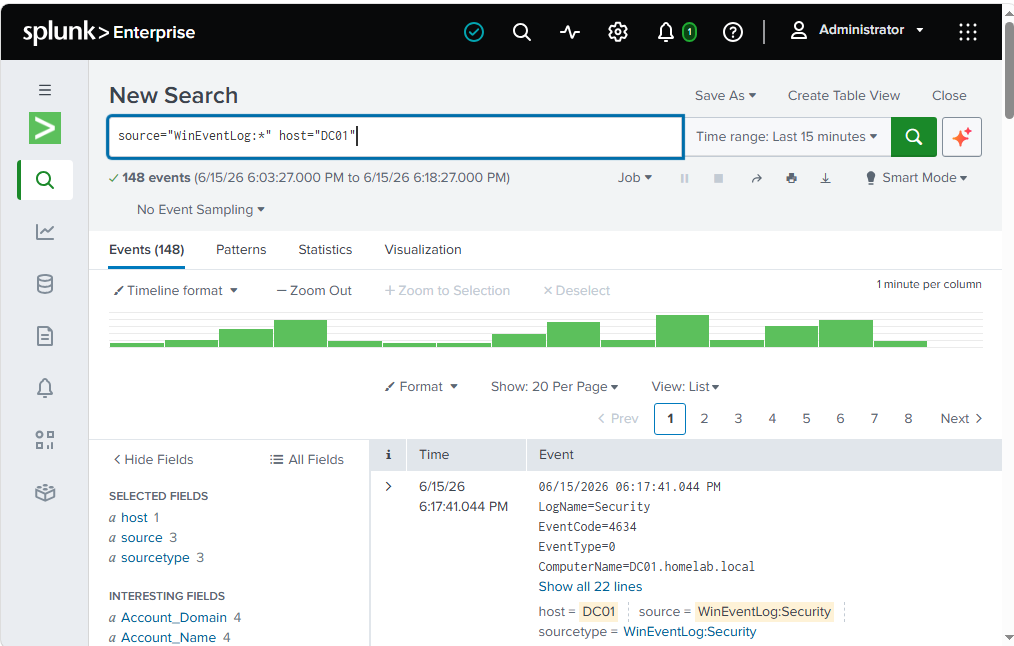
这确认了 Splunk 已成功从主机 DC01 接入 Windows 事件日志,包括安全日志事件。
6. 成功登录事件
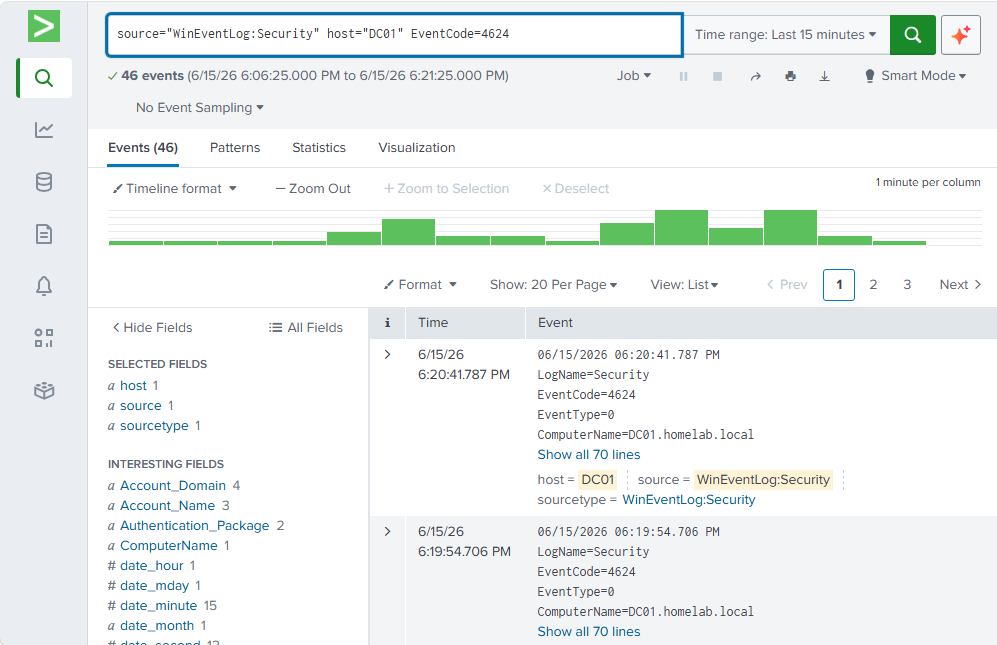
此搜索使用 Event ID 4624 识别了成功的 Windows 登录事件。
7. 失败登录事件
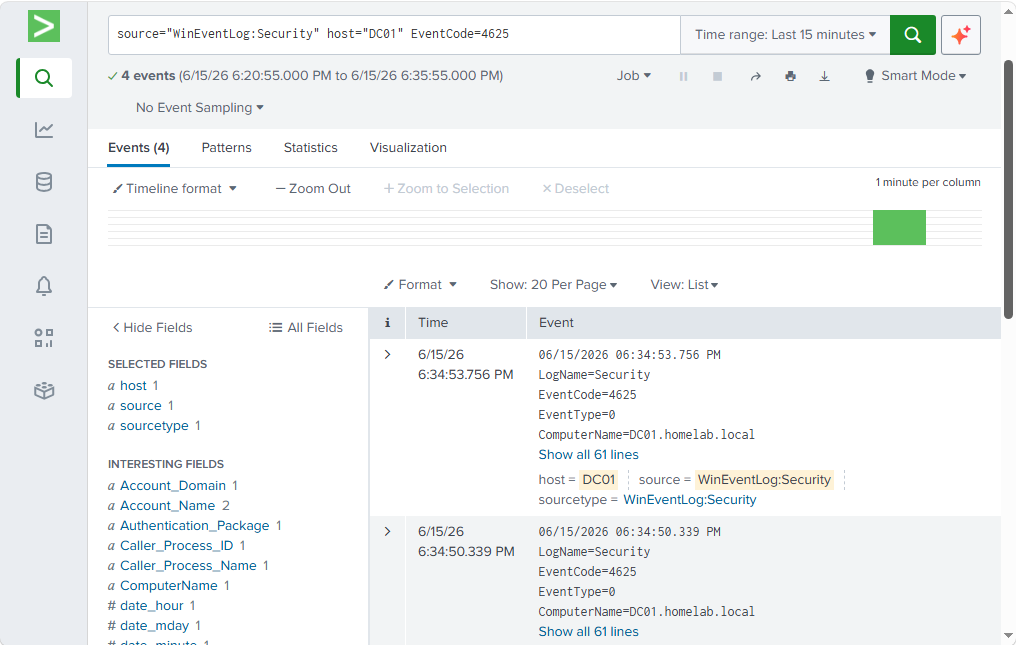
此搜索使用 Event ID 4625 识别了失败的 Windows 登录尝试。
8. 身份验证时间线
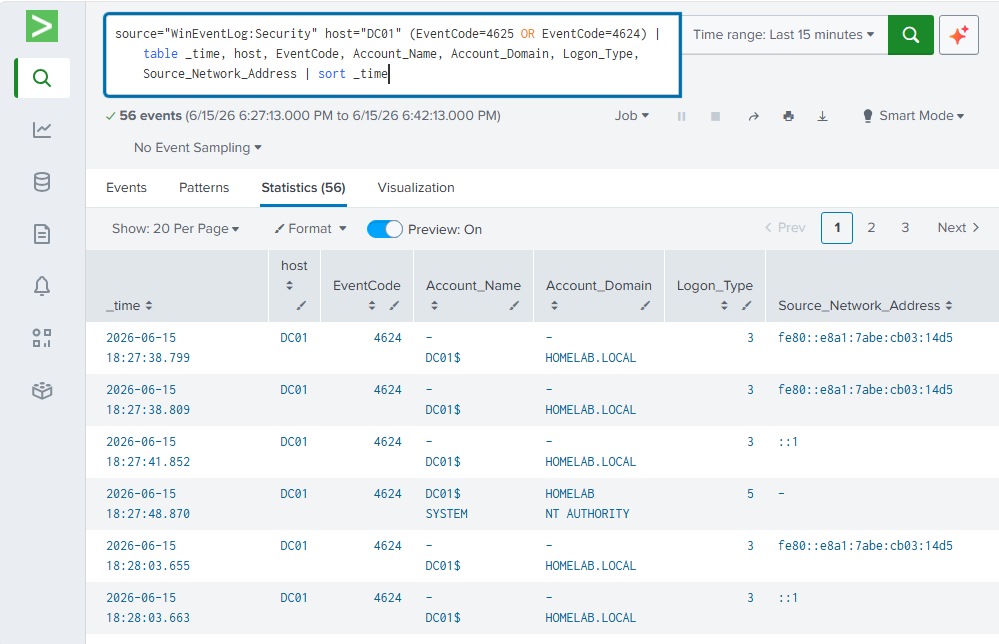
此表以更清晰的时间线格式显示 Windows 身份验证事件。
9. 失败登录后的成功登录
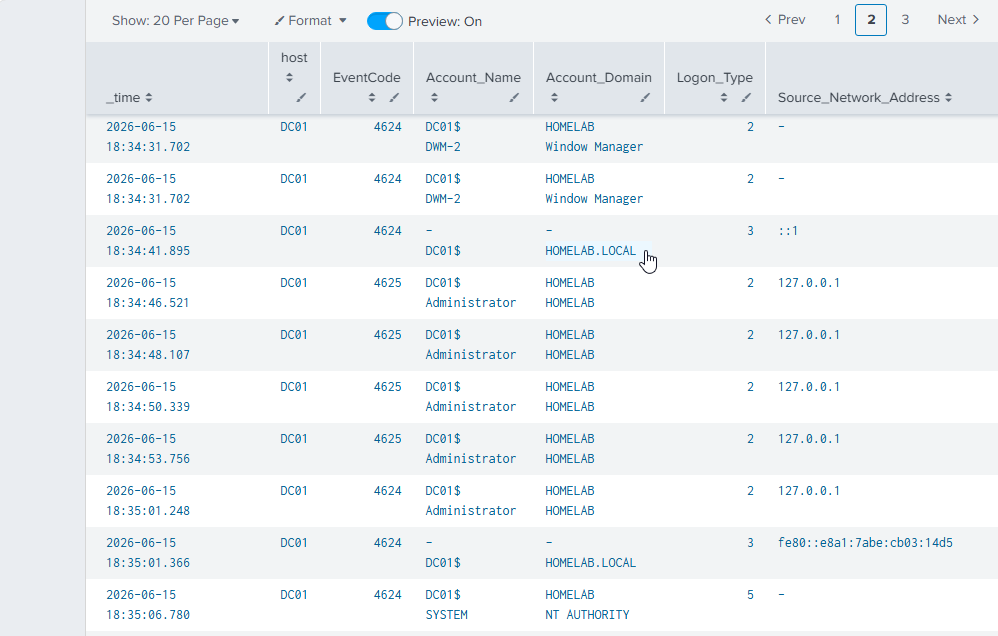
此时间线显示了多次失败登录尝试后紧接一次成功登录,这是 SOC 分析师可能会调查的常见模式。
10. 多次失败登录检测
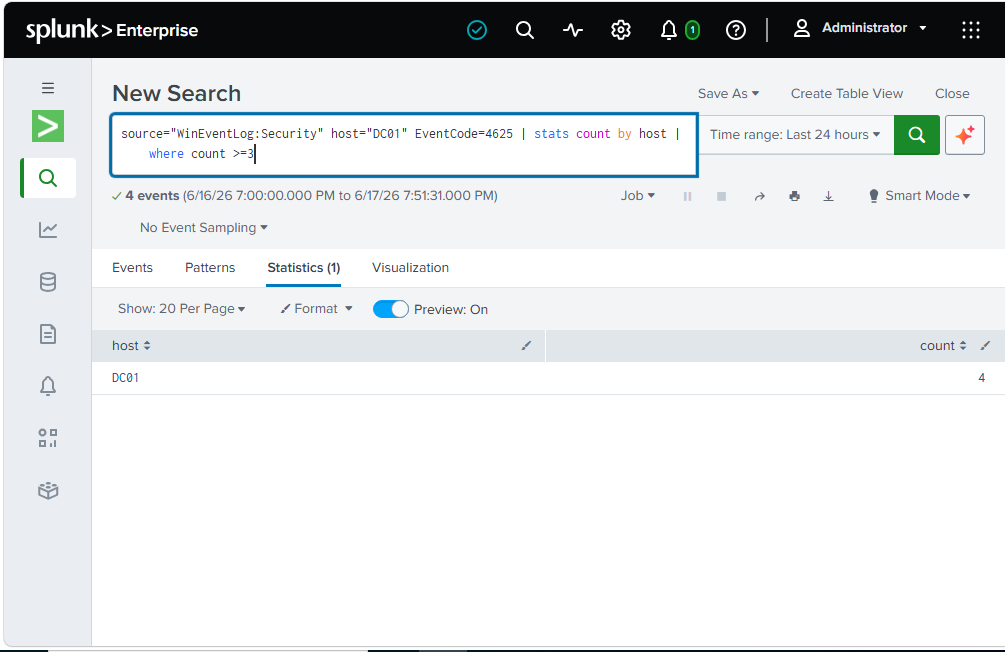
此检测搜索汇总了失败登录活动,并显示 DC01 发生了多次失败登录事件。
11. 按账户分类的失败登录
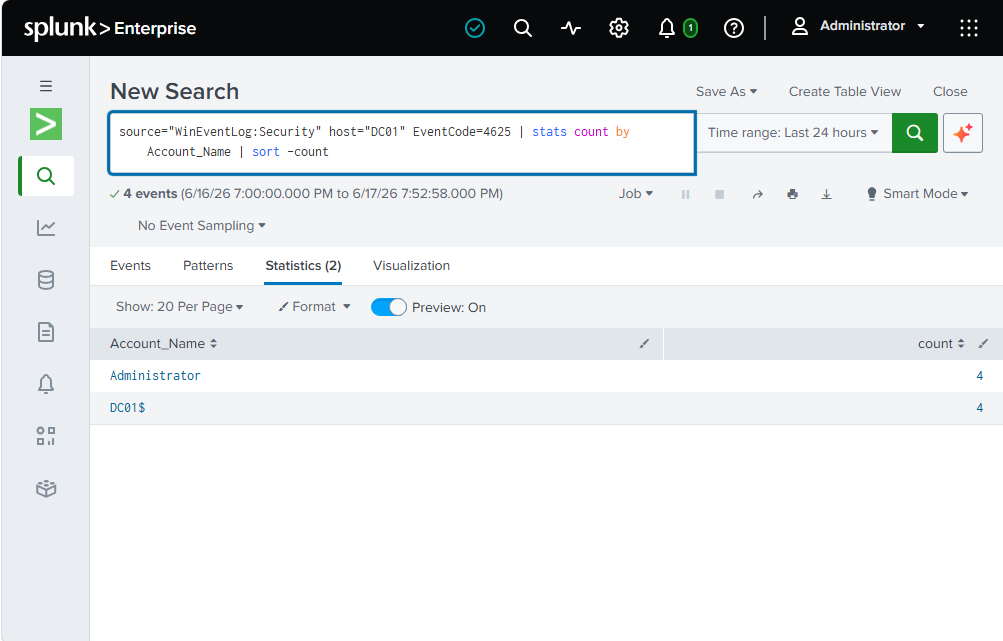
此搜索按账户名对失败登录尝试进行了分组。Administrator 账户显示了 4 次失败登录事件,与模拟的登录失败情况相符。
12. 最终的 Administrator 登录调查
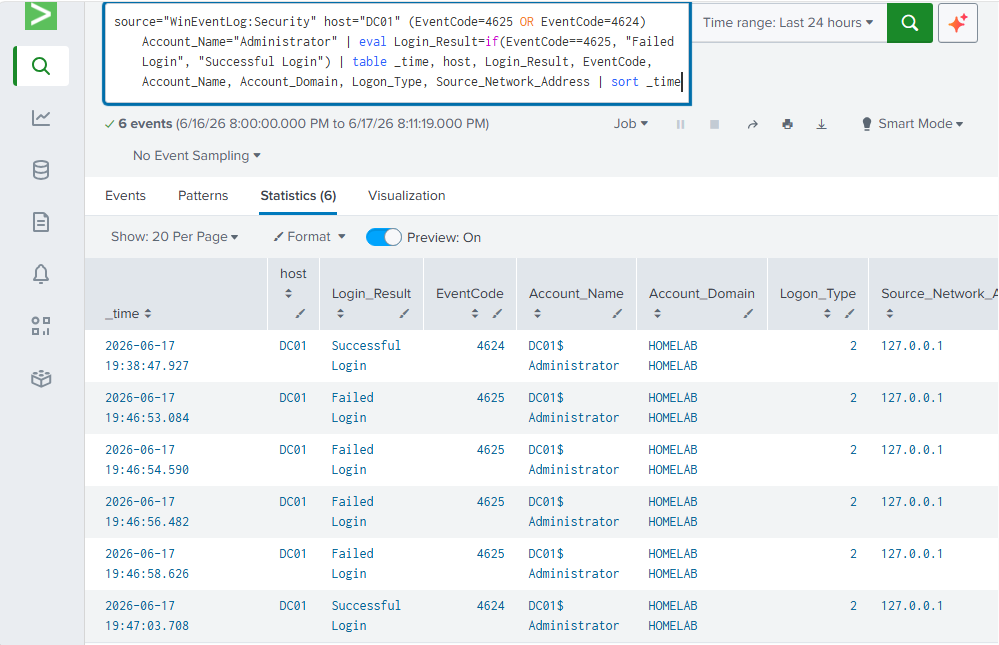
此最终调查视图显示了 Administrator 账户的失败登录尝试以及随后的成功登录。
## 使用的 Splunk 搜索
### 搜索所有 Windows 安全事件
```
source="WinEventLog:Security" host="DC01"
```
### 搜索成功登录
```
source="WinEventLog:Security" host="DC01" EventCode=4624
```
### 搜索失败登录
```
source="WinEventLog:Security" host="DC01" EventCode=4625
```
### 身份验证时间线
```
source="WinEventLog:Security" host="DC01" (EventCode=4625 OR EventCode=4624)
| table _time, host, EventCode, Account_Name, Account_Domain, Logon_Type, Source_Network_Address
| sort _time
```
### 按主机统计失败登录
```
source="WinEventLog:Security" host="DC01" EventCode=4625
| stats count by host
| where count >= 3
```
### 按账户统计失败登录
```
source="WinEventLog:Security" host="DC01" EventCode=4625
| stats count by Account_Name
| sort -count
```
### 最终的 Administrator 登录调查
```
source="WinEventLog:Security" host="DC01" (EventCode=4625 OR EventCode=4624) Account_Name="Administrator"
| eval Login_Result=if(EventCode==4625, "Failed Login", "Successful Login")
| table _time, host, Login_Result, EventCode, Account_Name, Account_Domain, Logon_Type, Source_Network_Address
| sort _time
```
## 调查摘要
在实验过程中,我模拟了对 Windows Server 域控制器上 Administrator 账户的多次失败登录尝试。Splunk 将这些失败登录尝试记录为 Windows 安全事件 ID 4625。
在失败尝试之后,一次成功的 Administrator 登录被记录为 Event ID 4624。这创建了一个真实的调查场景,即多次失败登录之后伴随着一次成功登录。
在真实的 SOC 环境中,此类活动可能代表用户输错了密码,但也可能表明存在密码猜测、暴力破解活动或未经授权的访问尝试。SOC 分析师会审查账户名、源地址、主机、时间戳以及相关的身份验证事件,以确定该活动是否可疑。
## 关键发现
* Splunk 成功接入了来自 DC01 的 Windows 安全事件日志。
* 使用 Event ID 4624 识别出了成功登录事件。
* 使用 Event ID 4625 识别出了失败登录事件。
* 观察到了多次 Administrator 账户的失败登录尝试。
* 在失败尝试之后发生了一次成功的 Administrator 登录。
* 使用 SPL 搜索对身份验证活动进行了汇总和调查。
## 学到了什么
* SIEM 如何收集和搜索日志数据。
* Windows 身份验证事件如何出现在安全日志中。
* 如何在 Splunk 中使用基本的 SPL 搜索。
* 如何识别失败和成功的登录事件。
* 如何调查可疑的登录模式。
* 如何为作品集项目记录安全调查过程。
## 未来改进
* 在 Windows 客户端虚拟机上添加 Splunk Universal Forwarder。
* 将日志从 Client01 转发到 Splunk 服务器。
* 创建用于身份验证监控的 Splunk 仪表板。
* 添加针对多次失败登录尝试的警报。
* 将分析扩展到包括账户锁定和权限相关的事件。
标签:Terraform 安全, Windows服务器, 安全运营, 实验室环境, 扫描框架