andyhuo520/ppocrv6-studio
GitHub: andyhuo520/ppocrv6-studio
基于 PP-OCRv6 三档模型搭建的本地 OCR 工作台,支持 Apple Silicon CoreML 加速、多档位一键切换及 OmniDocBench 评测。
Stars: 108 | Forks: 17
🇨🇳 中文
# PP-OCRv6 Studio 围绕 **PP-OCRv6** 搭建的本地 OCR 工作台。PP-OCRv6 是飞桨最新的三档 OCR 模型家族(Tiny / Small / Medium),三档模型可以在本机一键切换,同时支持 [OmniDocBench](https://github.com/opendatalab/OmniDocBench) 标准评测集的本地跑分。 测试环境,macOS Apple Silicon(M 系列芯片)。ONNX Runtime 会自动启用 CoreML 加速,不需要额外配置。 ## 界面截图 ### 上传识别页 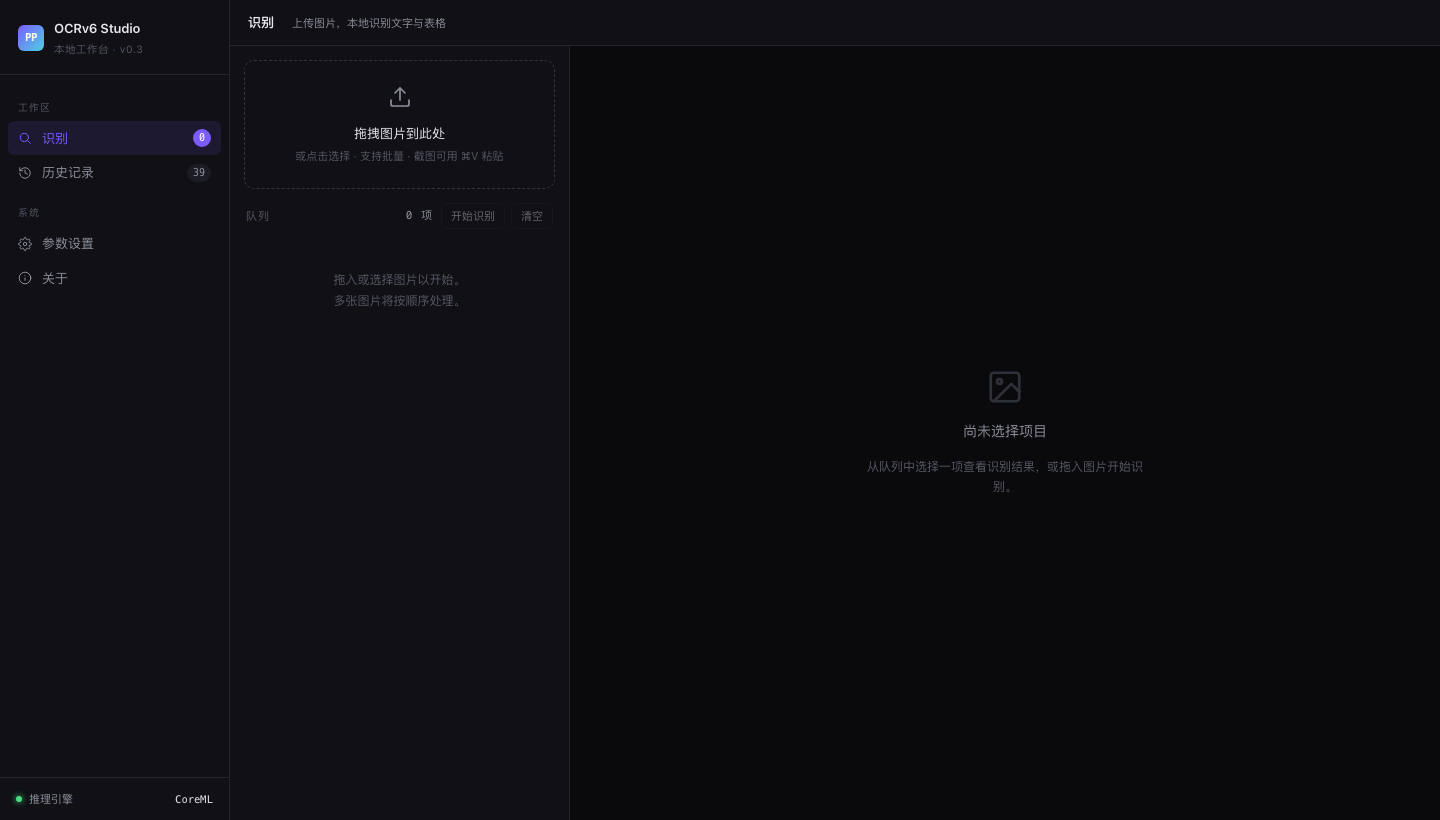 *拖拽上传区,支持批量处理和剪贴板粘贴(⌘V 截图直接粘)。* ### 历史记录 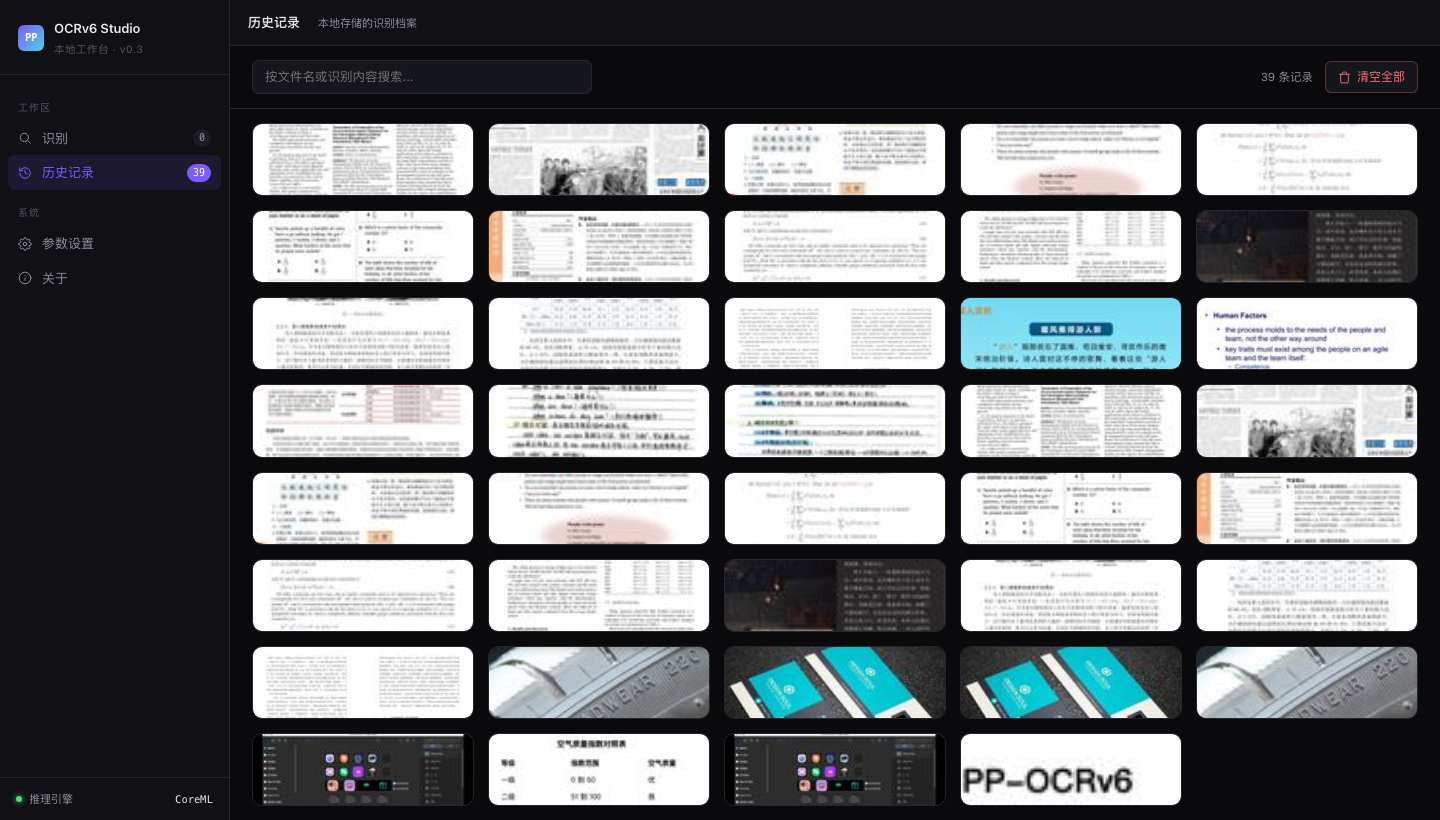 *39 条历史记录,每张卡片显示缩略图、文件名、识别框数量和处理耗时。* ### 识别结果详情 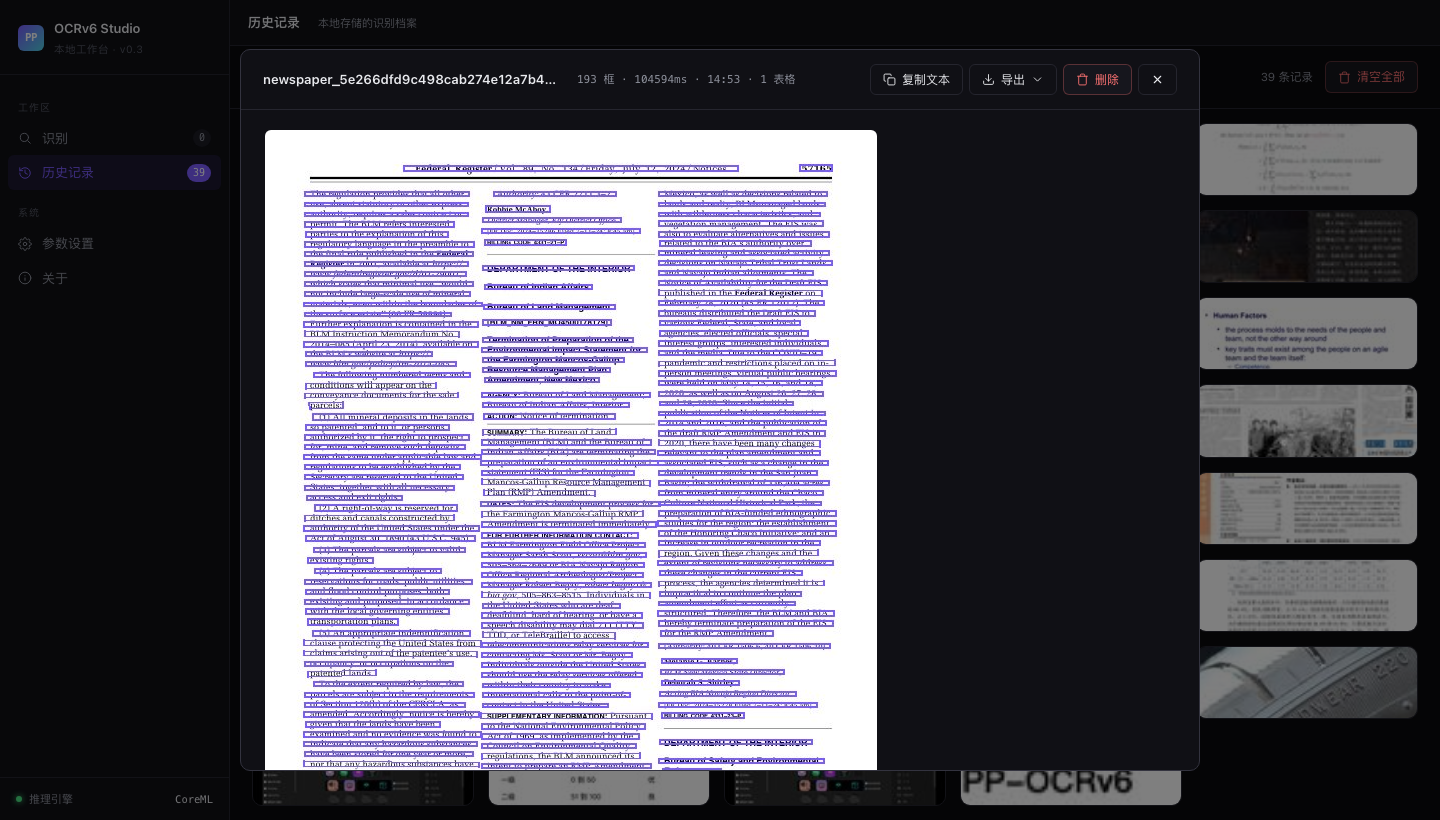 *报纸页,共识别出 193 个文本框。右侧面板展示完整文字转录结果。* ### 参数设置 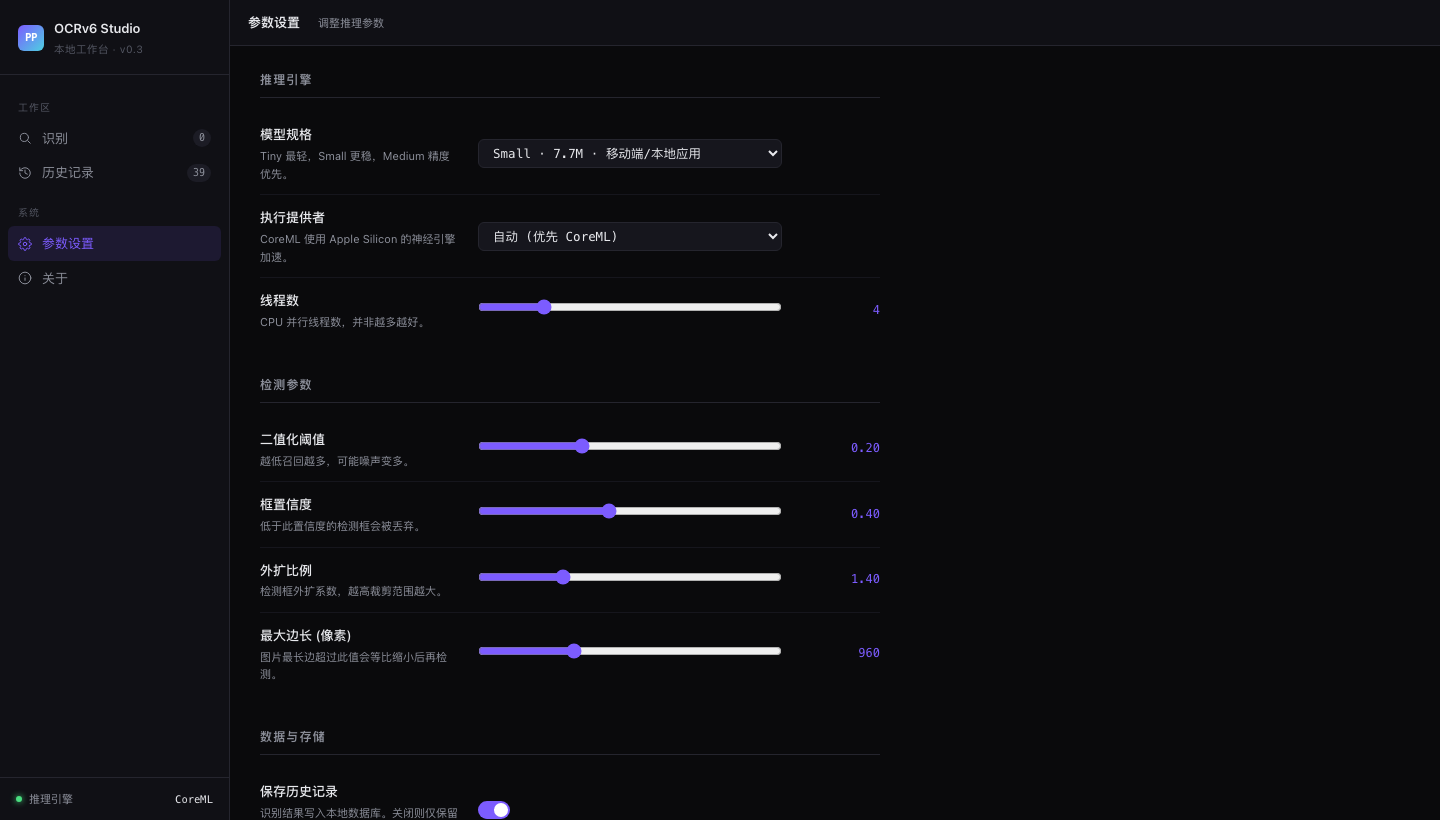 *模型档位切换(Tiny / Small / Medium)、CoreML 开关、检测参数滑块。* ## 目录结构 | 组件 | 说明 | |------|------| | `webapp/` | FastAPI 后端 + 单页 Web UI。支持图片上传、模型切换、结果导出(CSV / Markdown / Excel)。 | | `ppocrv6_browser.html` | 零依赖浏览器 Demo,PP-OCRv6 Tiny 通过 ONNX Runtime Web 完全在浏览器内运行,无需服务器。 | | `bench_local_v2.py` | 通过本地 API 运行 OmniDocBench 评测。 | | `run_apple_vision.py` | 用 macOS 内置 Apple Vision 对同一批 18 张图跑分对照。 | | `gen_result_vis.py` | 为任意图片生成检测+识别结果可视化面板。 | | `assets/realworld_ocr/` | 四张真实场景测试图 + PP-OCRv6 Medium 输出面板。 | ## 评测分数 在 OmniDocBench 演示集(18 张文档页)上评测,指标,`text_block` 编辑距离,**越低越好**。 | 模型 | 文本块编辑距离 ↓ | 备注 | |------|----------------|------| | PP-OCRv6 Medium(34.5 MB) | **0.425** | 精度最高,Apple Silicon 本地运行 | | PP-OCRv6 Small(7.7 MB) | 0.443 | 性能均衡,移动端体量 | | PP-OCRv6 Tiny(1.5 MB) | 0.446 | 可在浏览器内跑,无需服务器 | | Apple Vision(系统内置) | 0.448 | 零配置,0.16–0.54 秒/张 | | PaddleOCR-VL(云端 API) | ~0.38* | 多模态,云端延迟 6–16 秒/张 | *PaddleOCR-VL 单独评测,针对文档版面优化,非孤立文本块场景,数字仅供参考。 ## 真实场景测试 四张超出标准文档扫描范围的测试图,分别覆盖透视变形、点阵字体、浮雕低对比度文字、七段数码管四个场景。 ### 名片,斜拍透视 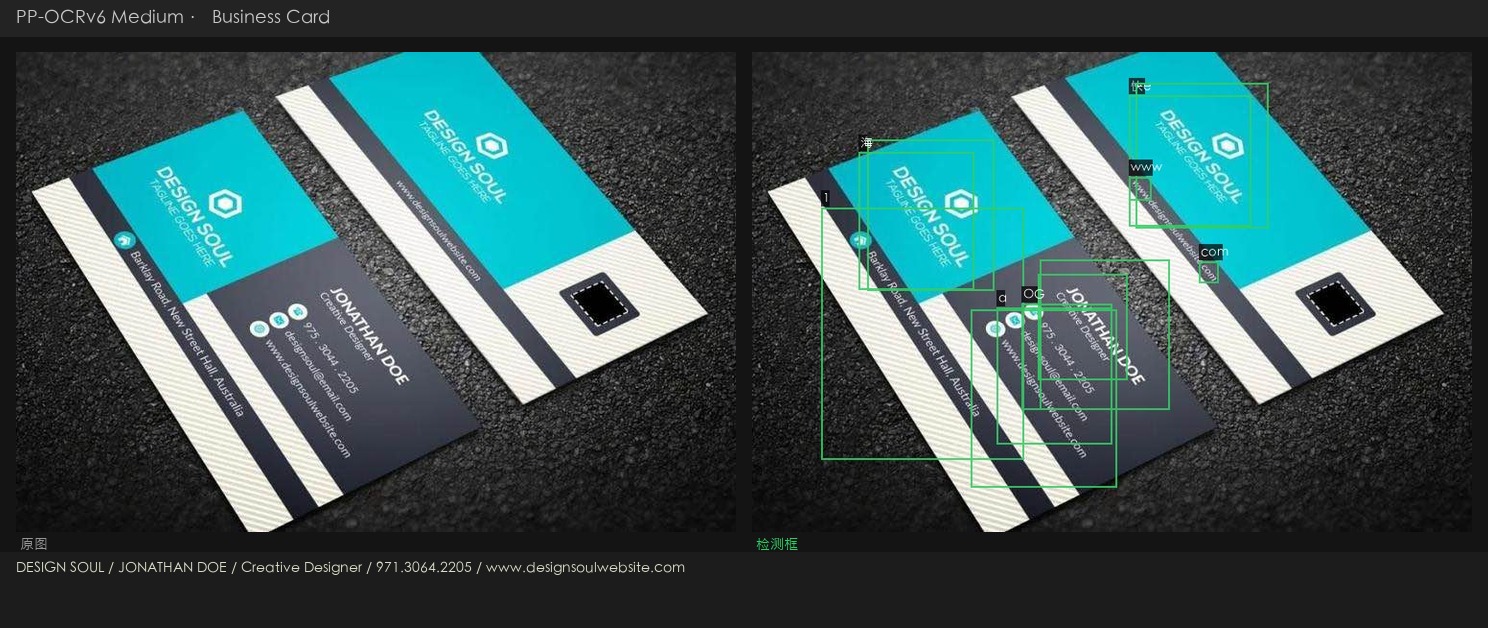 斜拍加彩色底,透视角度让字体变形。Medium 完整读出,DESIGN SOUL / JONATHAN DOE / Creative Designer / 电话 / 网址。 ### 点阵字体,字形断裂 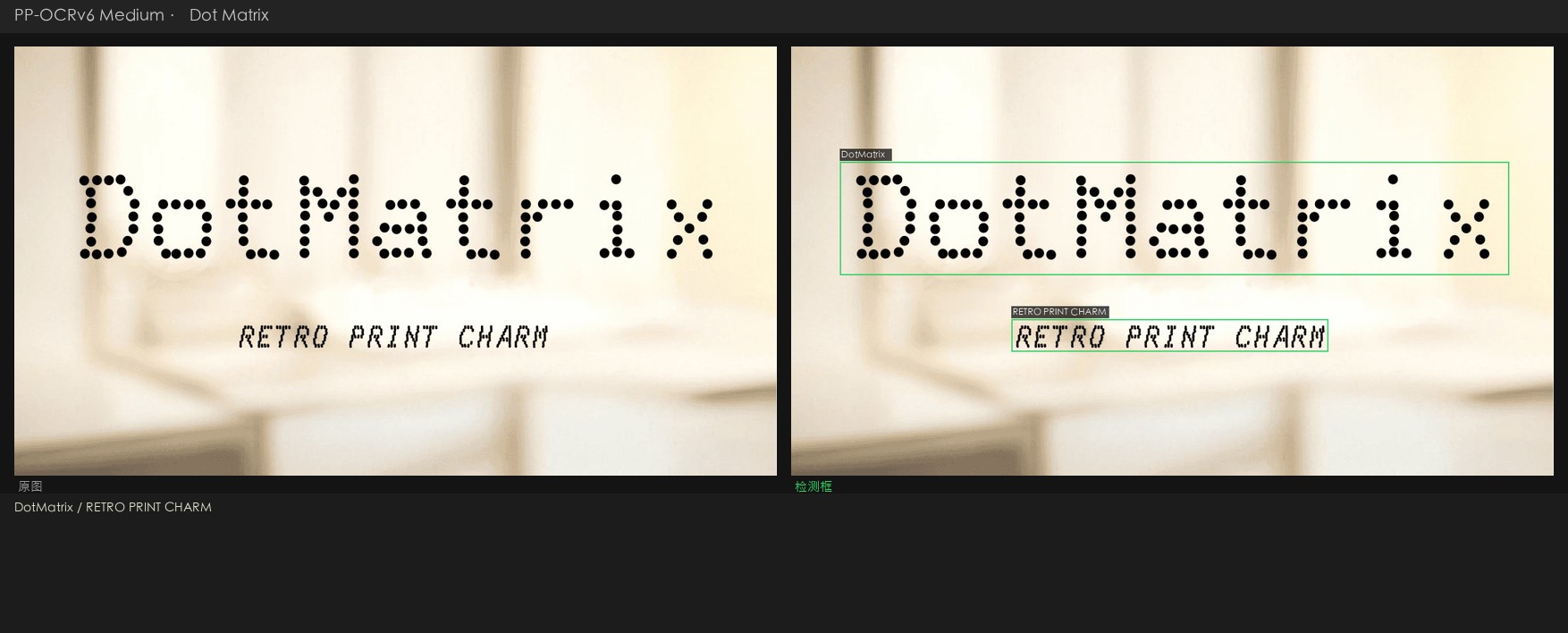 两行文字均准确识别,DotMatrix(标题)+ RETRO PRINT CHARM(副标题)。字符集覆盖方面 Small 表现最稳。 ### 轮胎压印,低对比浮雕字 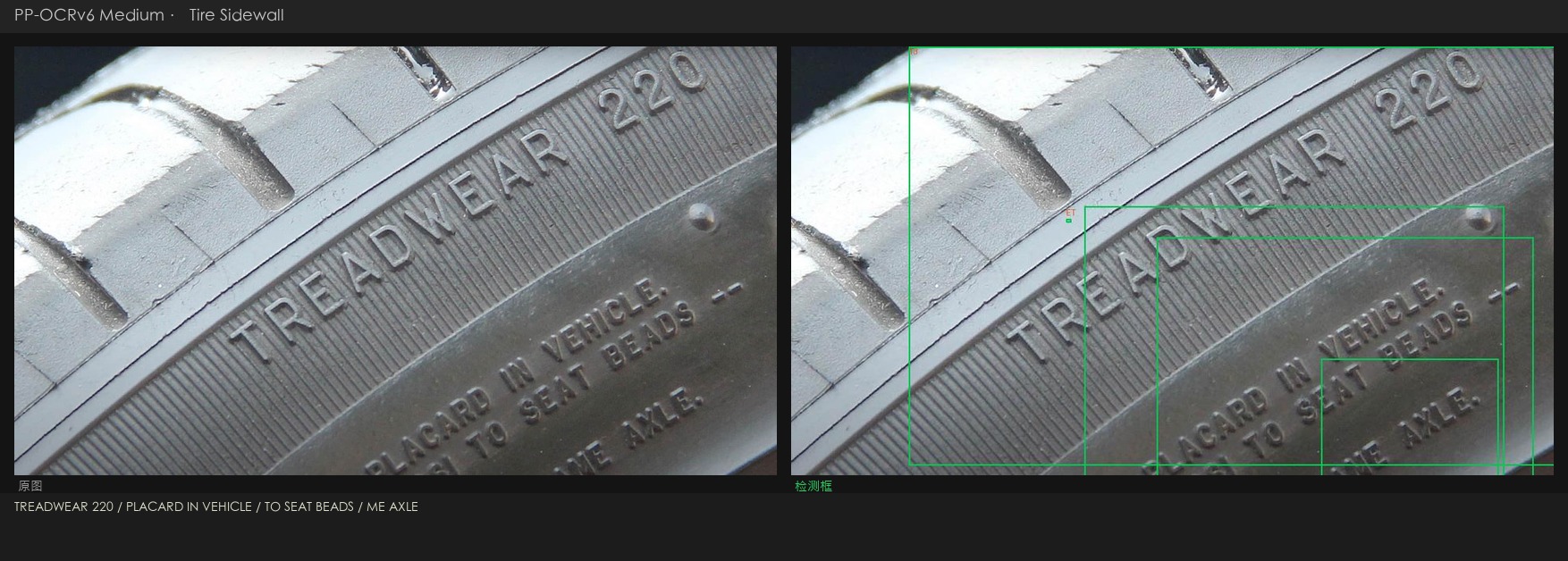 曲面金属上的浮雕字,约 30° 斜角拍摄。Medium 读出,TREADWEAR 220 / PLACARD IN VEHICLE / TO SEAT BEADS / ME AXLE。这是最难的一个场景,Apple Vision 只读出了「220」,大多数多模态模型在低对比度下都吃力。 ### 电梯数码屏,七段字体加反光金属底 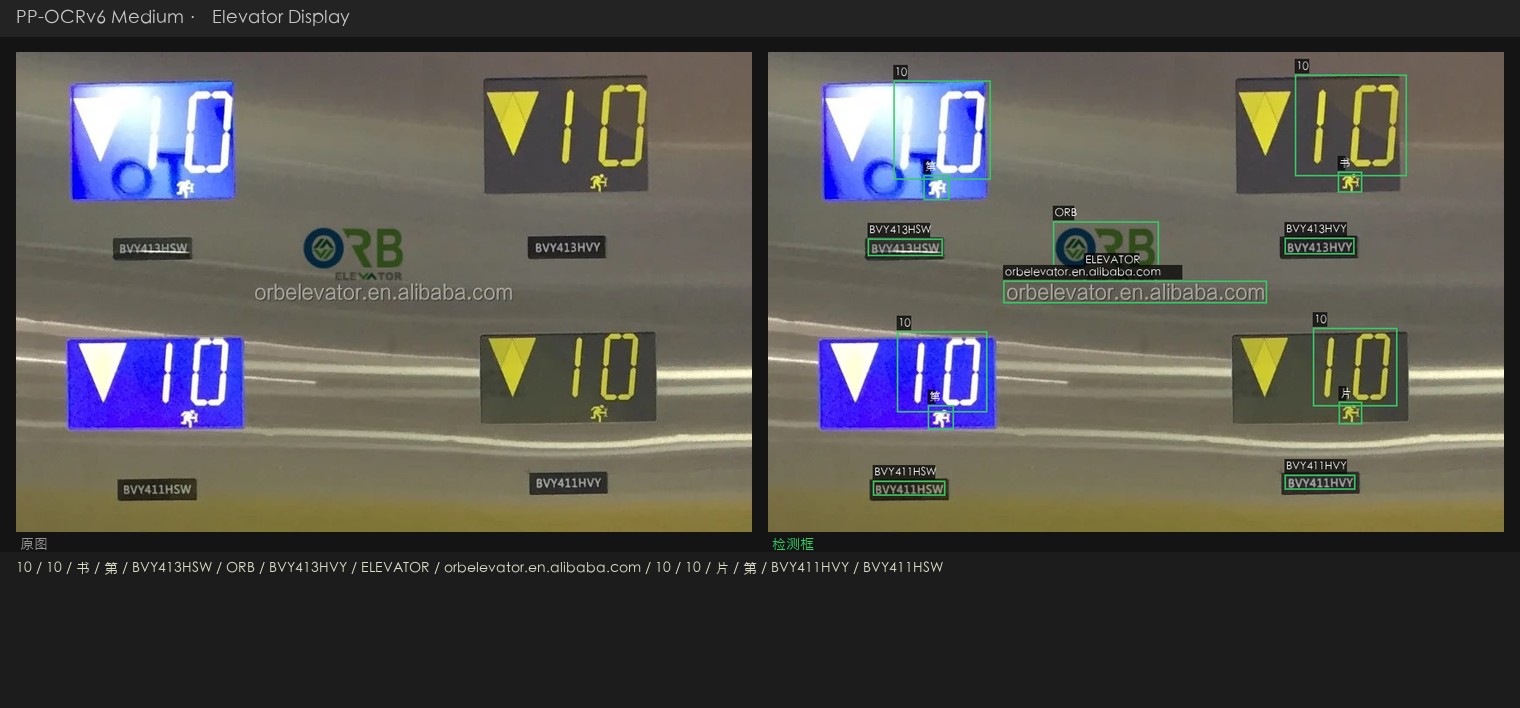 四块面板的产品编号(BVY413HSW、BVY411HSW)、品牌名(ORB ELEVATOR)、网址(orbelevator.en.alibaba.com)均正确识别。 ## 环境要求 | | 最低 | 推荐 | |-|------|------| | 操作系统 | macOS 13 Ventura | macOS 14+ Sonoma / Sequoia | | 芯片 | Apple M1 | Apple M2 / M3 / M4 | | 内存 | 8 GB | 16 GB | | Python | 3.10 | 3.11 / 3.12 | | 磁盘空间 | ~500 MB(模型 + 依赖) | — | ## 快速上手 ### 第一步,克隆仓库 git clone https://github.com/andyhuo520/ppocrv6-studio.git cd ppocrv6-studio ### 第二步,创建虚拟环境 python3 -m venv .venv source .venv/bin/activate ### 第三步,安装依赖 pip install -r requirements-webapp.txt Apple Silicon 推荐额外安装 CoreML 加速版, pip uninstall onnxruntime -y pip install onnxruntime-silicon ### 第四步,下载 ONNX 模型 bash scripts/download_models.sh all 脚本从 GitHub Releases 页面下载三档模型压缩包并解压, ppocrv6_onnx/ ← Tiny(官方参数量 1.5 MB) ppocrv6_small_onnx/ ← Small(7.7 MB) ppocrv6_medium_onnx/ ← Medium(34.5 MB) ### 第五步,启动工作台 python webapp/server.py 浏览器打开 **http://localhost:8765**。 ## 原理简述 PP-OCRv6 把 OCR 拆成两个阶段, 1. **检测**,用 DB(Differentiable Binarization)模型找出文字区域,骨干网络是 LCNetV4,感受野从 3×3 扩展到 7×7,对小字和密集排版的处理更稳。 2. **识别**,把检测到的区域逐个裁出来,用 CTC 模型加轻量注意力模块读字符。三档模型共用同一套骨干,只在宽度和深度上有差别。 ONNX Runtime 在 Apple Silicon 上把两个阶段都走 CoreML,实测单张耗时 3–52 秒,取决于档位和图片分辨率。 ## 许可证 MIT。详见 [LICENSE](LICENSE)。 PP-OCRv6 模型权重由飞桨团队以 [Apache 2.0 许可证](https://github.com/PaddlePaddle/PaddleOCR/blob/main/LICENSE) 发布。 *完整的评测思路、真实场景分析和横向对比,见 [`PP-OCRv6_Khazix.html`](PP-OCRv6_Khazix.html)(中文长文)。*🇺🇸 English
# PP-OCRv6 Studio A local OCR workbench built around **PP-OCRv6** — PaddlePaddle's latest three-tier OCR model family (Tiny / Small / Medium). Run all three tiers on your own machine, switch between them in one click, and benchmark against real-world edge cases and the [OmniDocBench](https://github.com/opendatalab/OmniDocBench) standard evaluation set. Built and tested on **macOS with Apple Silicon** (M-series). CoreML acceleration is enabled automatically via ONNX Runtime. ## Screenshots ### Upload & Recognize  *Drag-and-drop upload zone. Supports batch processing and clipboard paste (⌘V).* ### History Grid  *39-item history grid. Each card shows the thumbnail, filename, box count, and processing time.* ### OCR Result Detail  *Newspaper page with 193 detection boxes. The right panel shows the full text transcript.* ### Settings  *Model tier selector (Tiny / Small / Medium), CoreML toggle, and detection parameter sliders.* ## What's inside | Component | Description | |-----------|-------------| | `webapp/` | FastAPI backend + single-page web UI. Upload images, switch models, export results as CSV / Markdown / Excel. | | `ppocrv6_browser.html` | Zero-dependency browser demo — no server, runs PP-OCRv6 Tiny entirely in-browser via ONNX Runtime Web. | | `bench_local_v2.py` | Run OmniDocBench evaluation against the local API server. | | `run_apple_vision.py` | Benchmark Apple Vision Framework (macOS built-in) on the same 18-image set. | | `gen_result_vis.py` | Generate side-by-side detection + recognition visualisation panels for arbitrary images. | | `assets/realworld_ocr/` | Four real-world test images + PP-OCRv6 Medium output panels. | ## Benchmark results Evaluated on OmniDocBench demo set (18 document pages). Metric: `text_block` Edit Distance — **lower is better**. | Model | Text Block ↓ | Notes | |-------|-------------|-------| | PP-OCRv6 Medium (34.5 MB) | **0.425** | Best accuracy; runs locally on Apple Silicon | | PP-OCRv6 Small (7.7 MB) | 0.443 | Good balance; mobile-class size | | PP-OCRv6 Tiny (1.5 MB) | 0.446 | Runs in browser via ONNX Runtime Web | | Apple Vision (built-in) | 0.448 | Zero-setup; 0.16–0.54 s/image | | PaddleOCR-VL (cloud API) | ~0.38* | Multimodal; cloud latency 6–16 s/image | *PaddleOCR-VL evaluated separately; optimised for document layout, not isolated text blocks. ## Real-world test cases Four images that push OCR beyond clean document scans: perspective angles, dot-matrix fonts, embossed low-contrast text, and seven-segment LED displays. ### Business card — perspective shot  Detection correctly locates all text regions despite the skewed angle and coloured background. Medium reads: **DESIGN SOUL / JONATHAN DOE / Creative Designer / phone / url**. ### Dot-matrix font — fragmented glyphs  Both lines detected and recognised cleanly: **DotMatrix** (title) + **RETRO PRINT CHARM** (subtitle). Small model performs best here due to its character-set coverage. ### Tire sidewall — low-contrast embossed text  Embossed text on curved metal at ~30° angle. Medium reads: **TREADWEAR 220 / PLACARD IN VEHICLE / TO SEAT BEADS / ME AXLE**. Hardest case — Apple Vision reads only "220", most multimodal models struggle with the low contrast. ### Elevator LED display — seven-segment digits + reflective metal  All product codes (**BVY413HSW**, **BVY411HSW**), brand name (**ORB ELEVATOR**), and URL (**orbelevator.en.alibaba.com**) correctly detected across four panels. ## Requirements | | Minimum | Recommended | |-|---------|-------------| | OS | macOS 13 Ventura | macOS 14+ Sonoma / Sequoia | | CPU | Apple M1 | Apple M2 / M3 / M4 | | RAM | 8 GB | 16 GB | | Python | 3.10 | 3.11 / 3.12 | | Disk | ~500 MB (models + deps) | — | ## Setup ### 1 — Clone git clone https://github.com/andyhuo520/ppocrv6-studio.git cd ppocrv6-studio ### 2 — Create virtual environment python3 -m venv .venv source .venv/bin/activate ### 3 — Install dependencies pip install -r requirements-webapp.txt For Apple Silicon CoreML acceleration (recommended): pip uninstall onnxruntime -y pip install onnxruntime-silicon ### 4 — Download PP-OCRv6 ONNX models bash scripts/download_models.sh all This downloads three tarballs from the GitHub Releases page and extracts them: ppocrv6_onnx/ ← Tiny (1.5 MB official params) ppocrv6_small_onnx/ ← Small (7.7 MB) ppocrv6_medium_onnx/ ← Medium (34.5 MB) ### 5 — Start the studio python webapp/server.py Open **http://localhost:8765** in your browser. ## How it works PP-OCRv6 splits OCR into two stages: 1. **Detection** — finds text regions using a DB (Differentiable Binarization) model with LCNetV4 backbone. Receptive field expanded from 3×3 to 7×7 for better small-text and dense-text handling. 2. **Recognition** — crops each detected region and reads characters using a CTC model with a lightweight attention module. One backbone serves all three tiers (Tiny / Small / Medium differ only in width and depth). ONNX Runtime on Apple Silicon routes both stages through **CoreML**, giving 3–52 s/image depending on model tier and image resolution. ## License MIT. See [LICENSE](LICENSE). PP-OCRv6 model weights are released under the [Apache 2.0 license](https://github.com/PaddlePaddle/PaddleOCR/blob/main/LICENSE) by PaddlePaddle. *Built as part of a hands-on benchmark series — see the full write-up in [`PP-OCRv6_Khazix.html`](PP-OCRv6_Khazix.html) (Chinese).*标签:AV绕过, CoreML, FastAPI, OCR, PP-OCR, 人工智能, 后端开发, 机器学习评测, 用户模式Hook绕过, 计算机视觉, 逆向工具