joematthews/pi-smart-web-search
GitHub: joematthews/pi-smart-web-search
pi 编程智能体的网页搜索扩展,支持批量查询并返回经过提取和排名的 markdown 结果,让模型自主筛选最相关的信息源。
Stars: 11 | Forks: 1
# pi-smart-web-search
一个 [pi](https://pi.dev) 扩展,它添加了一个工具 —— **`web_search`** —— 用于批量网页发现。
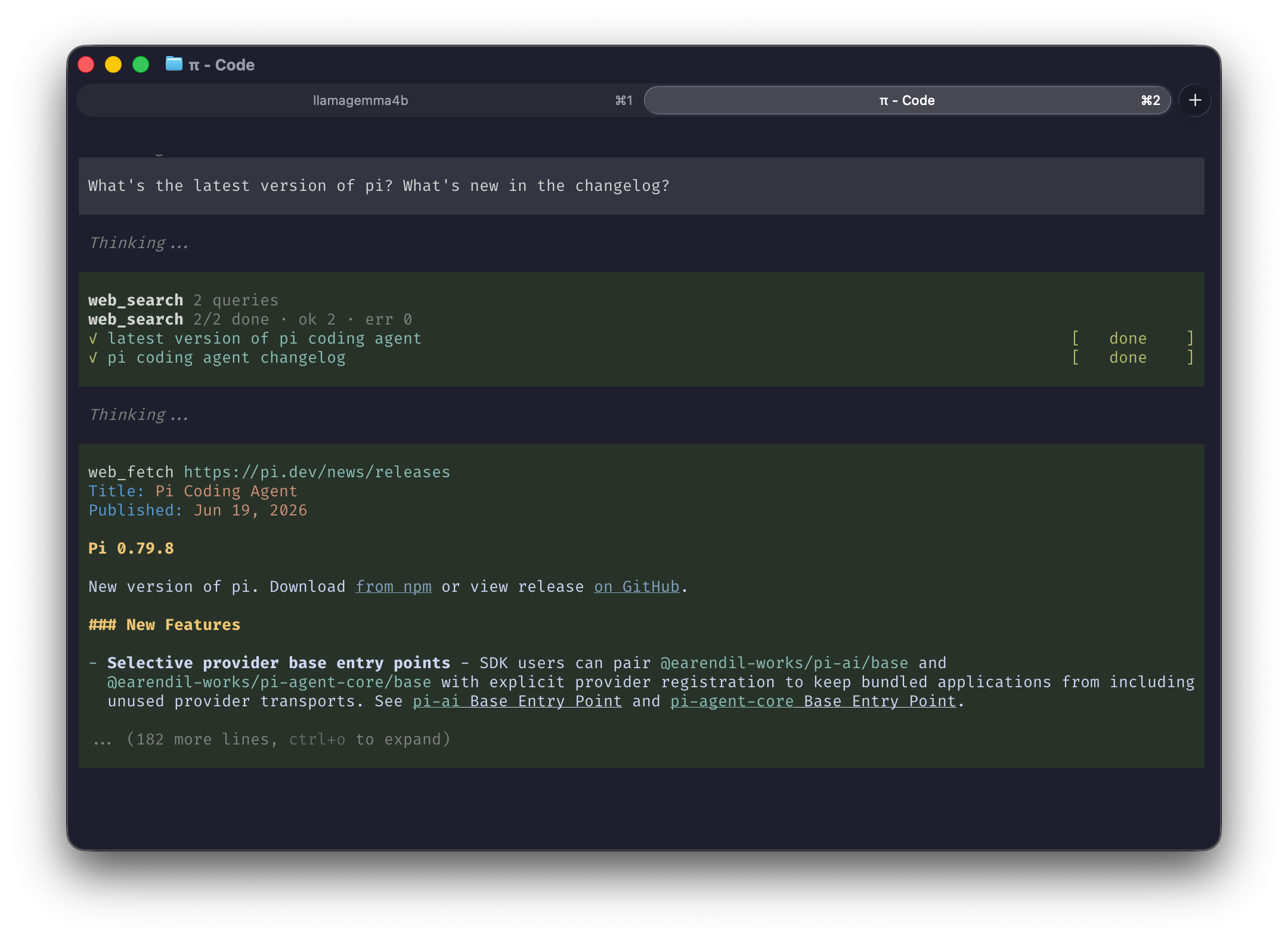
它接收一个 **查询数组**,将每个查询转换为搜索 URL,
并通过与 [pi-smart-fetch](https://pi.dev/packages/pi-smart-fetch) 相同的抓取->提取 pipeline 进行处理(`wreq-js` -> `linkedom` ->
`Defuddle`)。它返回每个查询提取的结果(标题、链接和 markdown 格式的摘要),
随后是一个 `# Fetch the most relevant links` 菜单 —— 即每个查询的顶部链接 —— 供模型打开。
因此,由模型来 **筛选** 要打开的链接(没有 SEO 垃圾信息被自动拉取到 context 中),并且
后续的提示紧跟在这些链接下方。
## 安装
```
pi install npm:pi-smart-web-search
pi install npm:pi-smart-fetch # strongly recommended companion (see below)
```
然后重启 pi。
### 与 pi-smart-fetch 搭配使用
`web_search` 负责查找并对信息源进行排名;**[`pi-smart-fetch`](https://pi.dev/packages/pi-smart-fetch)** 的
`batch_web_fetch` 是读取所选页面的推荐方式,因此强烈建议将其一并安装。
这不是必须的 —— 如果没有它,模型会回退到其已有的任何抓取
能力(例如通过 shell 工具使用 `curl`);`web_search` 依然有效,只是后续的提取流程
不够干净。
## 用法
安装完成后,启动 pi 并直接提问即可 —— 当
回答需要当前或外部信息时,`web_search` 会自动启动。试试看:
```
What's the latest version of Node.js, and what's new in it?
```
```
Compare Bun and Deno for a new TypeScript API in 2026.
```
pi 会执行搜索,打开最佳结果,并根据其读取到的内容进行回答。无需 flag,无需设置 —— 直接提问即可。
## 工具
```
web_search(searches: string[])
```
一次性传入几个有针对性的查询,即可在一次调用中从多个角度涵盖一个主题。
## 开发
从本地克隆运行,而不是从 registry 运行:
```
git clone https://github.com/joematthews/pi-smart-web-search
cd pi-smart-web-search
npm install
pi install .
```
然后重启 pi。
`npm run check` 会运行类型检查、lint、格式化、拼写检查和测试。
`npx tsx debug.ts "your query"` 会打印出模型在搜索时将会收到的内容。
## 致谢
深受 [Thinkscape](https://github.com/Thinkscape) 的 [pi-smart-fetch](https://pi.dev/packages/pi-smart-fetch) (MIT) 启发。
它共享了相同的 pipeline(`wreq-js` -> `linkedom` -> `Defuddle`),并且 `web_search` 的结果卡片与 `batch_web_fetch` 的外观一致。感谢该项目提供的模式。
## 许可证
[MIT](LICENSE) (c) Joe Matthews
标签:AI智能体, Markdown, SOC Prime, Web搜索, 信息检索, 开发工具, 插件扩展, 暗色界面, 自动化攻击