Praciller/urban-mobility-data-platform
GitHub: Praciller/urban-mobility-data-platform
基于 NYC TLC 出租车数据的本地优先端到端数据工程平台,涵盖数据接入、校验、建模、编排、API 服务与仪表盘展示的完整链路。
Stars: 0 | Forks: 0
# 城市出行数据平台
用于 NYC TLC Yellow Taxi 分析的本地优先数据工程平台。该项目展示了从原始行程文件到验证数据、DuckDB/dbt 数据集市、只读 FastAPI 指标、React 仪表盘以及本地 Dagster 编排的生产级流程。
这是一个专注于数据工程基础的作品集项目:接入边界、质量检查、幂等加载、维度建模、编排、API 契约、仪表盘消费以及可重现的本地操作。
## 约束条件
- 本地优先:无需云账户。
- 仅限免费工具:不使用任何付费服务。
- 不使用 Supabase,无需身份验证,且没有 API 写入端点。
- 原始数据、DuckDB 数据库、报告、dbt targets、Dagster 存储、虚拟环境、缓存和前端构建文件均被排除在 Git 之外。
- 完整数据集运行应使用外部 `DATA_DIR`,例如
`C:/data/urban-mobility-data-platform`。
- 默认演示使用生成的微型本地夹具数据,并且不会下载官方的 NYC TLC 数据。
## 架构
```
flowchart LR
A["NYC TLC source layout"] --> B["Raw or sample trip files"]
Z["Taxi zone lookup"] --> C["Raw profiling"]
B --> C
C --> D["Validation rules"]
Z --> D
D --> E["Validated and rejected Parquet"]
E --> F["DuckDB staging"]
F --> G["dbt staging, dimensions, facts, marts"]
G --> H["FastAPI read-only analytics API"]
H --> I["React TypeScript dashboard"]
G --> J["CSV export"]
K["Dagster local assets and jobs"] -. orchestrates .-> B
K -. orchestrates .-> C
K -. orchestrates .-> D
K -. orchestrates .-> F
K -. orchestrates .-> G
```
## 技术栈
| 层级 | 工具 |
|---|---|
| 语言/运行时 | Python 3.12, TypeScript, Node.js |
| 存储 | 本地文件系统, DuckDB, 可选的本地 PostgreSQL Compose profile |
| 数据管道 | PyArrow, DuckDB, dbt-duckdb |
| 编排 | Dagster 本地 UI, assets, jobs, 停用的 schedule |
| API | FastAPI, Pydantic, Uvicorn |
| 仪表盘 | React, Vite, Recharts, Vitest |
| 质量 | pytest, Ruff, pre-commit, GitHub Actions |
## 快速开始
在仓库根目录运行 PowerShell:
```
$env:DATA_DIR = "C:/data/urban-mobility-data-platform"
$env:DUCKDB_PATH = "$env:DATA_DIR/processed/urban_mobility.duckdb"
$env:DAGSTER_HOME = "$PWD/.dagster"
uv sync --locked --all-groups
npm install --prefix apps/web
uv run python scripts/run_demo.py --data-dir $env:DATA_DIR --year 2026 --month 1 --service yellow --sample-rows 1000
```
在不同的终端中运行以下服务:
```
uv run uvicorn apps.api.app.main:app --reload --host 127.0.0.1 --port 8000
```
```
cd apps/web
$env:VITE_API_BASE_URL = "http://localhost:8000"
npm run dev -- --host 127.0.0.1
```
```
$env:DAGSTER_HOME = "$PWD/.dagster"
uv run dagster dev -m dagster_project.definitions
```
## 完整本地演示
端到端的演示路径记录在 [docs/local_demo.md](docs/local_demo.md) 中。它涵盖了:
1. 无需远程下载即可创建微型本地夹具数据。
2. 分析、验证、DuckDB 加载、dbt parse/run/test/docs。
3. Dagster 定义验证和 asset 物化。
4. FastAPI、React 仪表盘和 Dagster UI 启动。
5. 截图清单。
## 命令
| 命令 | 用途 |
|---|---|
| `uv run python scripts/run_demo.py --data-dir C:/data/urban-mobility-data-platform` | 运行有界的离线夹具、分析、验证、DuckDB 加载、dbt build 和 dbt tests |
| `make demo` | 用于相同有界本地演示的 GNU Make 便捷封装 |
| `uv run python scripts/create_demo_fixture.py --year 2026 --month 1 --service yellow --sample-rows 1000` | 在 `DATA_DIR` 下创建微型离线演示数据 |
| `uv run python -m urban_mobility.download --year 2026 --month 1 --service yellow --sample-rows 1000` | 可选的有界官方样本物化 |
| `uv run python -m urban_mobility.ingest inspect --year 2026 --month 1 --service yellow --mode sample --sample-rows 1000` | 写入原始分析 JSON |
| `uv run python -m urban_mobility.validate --year 2026 --month 1 --service yellow` | 写入通过验证/拒绝的 Parquet 文件和验证摘要 |
| `uv run python -m urban_mobility.load_duckdb --year 2026 --month 1 --service yellow` | 幂等地替换 DuckDB staging 中的某个服务/月份的数据 |
| `uv run dbt run --project-dir dbt --profiles-dir dbt` | 构建 dbt models |
| `uv run dbt test --project-dir dbt --profiles-dir dbt` | 运行 dbt 质量测试 |
| `uv run uvicorn apps.api.app.main:app --reload --host 127.0.0.1 --port 8000` | 启动 FastAPI |
| 在 `apps/web` 目录下执行 `npm run dev -- --host 127.0.0.1` | 启动 React 仪表盘 |
| `uv run dagster dev -m dagster_project.definitions` | 启动 Dagster UI |
| `uv run pytest` | 运行 Python 测试 |
| `uv run ruff check .` 和 `uv run ruff format --check .` | Lint 和格式检查 |
| `uv run python scripts/check_repo_readiness.py` | 检查发布就绪防护机制 |
| 在 `apps/web` 目录下执行 `npm test`, `npm run lint`, `npm run build` | 测试、类型检查并构建仪表盘 |
为方便起见,系统提供了 GNU Make 目标,但上述 PowerShell 中的 `uv` 和 `npm` 命令才是受支持的 Windows 执行路径。
## API 和仪表盘
FastAPI 对持久化的 DuckDB 数据集市是只读的。OpenAPI 可在以下地址获取:
- `http://127.0.0.1:8000/docs`
- `http://127.0.0.1:8000/openapi.json`
该 API 还公开了 `/quality/summary`,这是最新有界验证 artifact 的净化视图。它报告了有效、警告和拒绝的行数以及规则级别的证据,且不会暴露本地文件系统路径。
仪表盘读取 `VITE_API_BASE_URL`,默认为 `http://localhost:8000`,并包含:
- 概览
- 需求趋势
- 区域分析
- 路线分析
- 收入分析
- 异常探测器
- 数据质量 / 管道状态
仪表盘页面按需加载,并且空的列表端点不会导致整个仪表盘发生故障。质量页面包含拒绝记录的计数、验证规则以及最新的 artifact 名称。
## 项目结构
```
apps/api/ FastAPI read-only analytics API
apps/web/ React TypeScript dashboard
dbt/ dbt-duckdb staging, dimensions, facts, marts, tests
docs/ Architecture, data, API, operations, demo, review docs
pipelines/dagster_project/ Local Dagster assets, jobs, resources, schedules
docs/screenshots/ Verified local dashboard screenshots
scripts/ Guardrails, cleanup, offline demo fixture
src/urban_mobility/ Downloader, profiler, validator, DuckDB loader
tests/ Unit and integration tests with generated fixtures
```
## 截图
这些截图捕获自基于本地夹具数据的 API 和仪表盘:
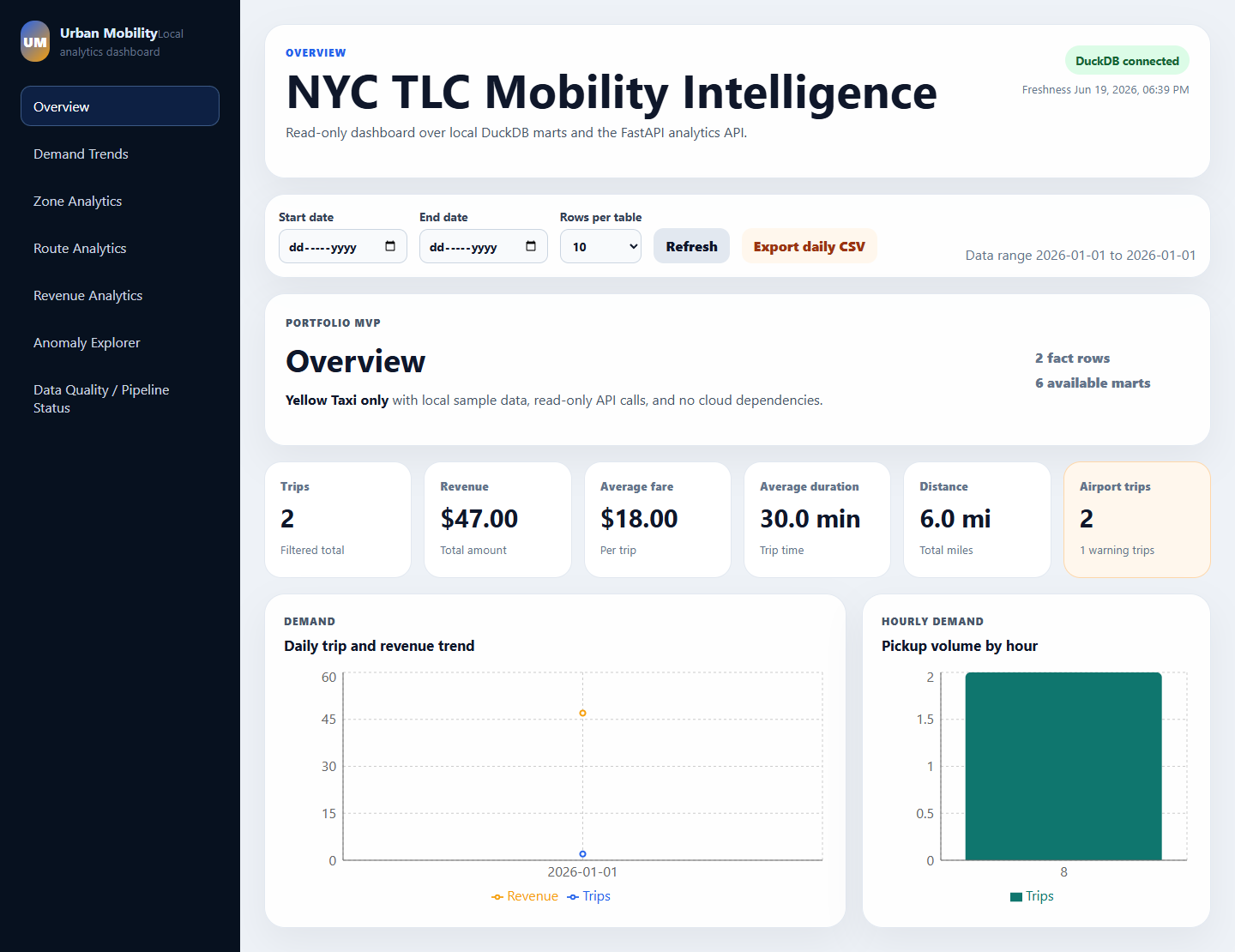
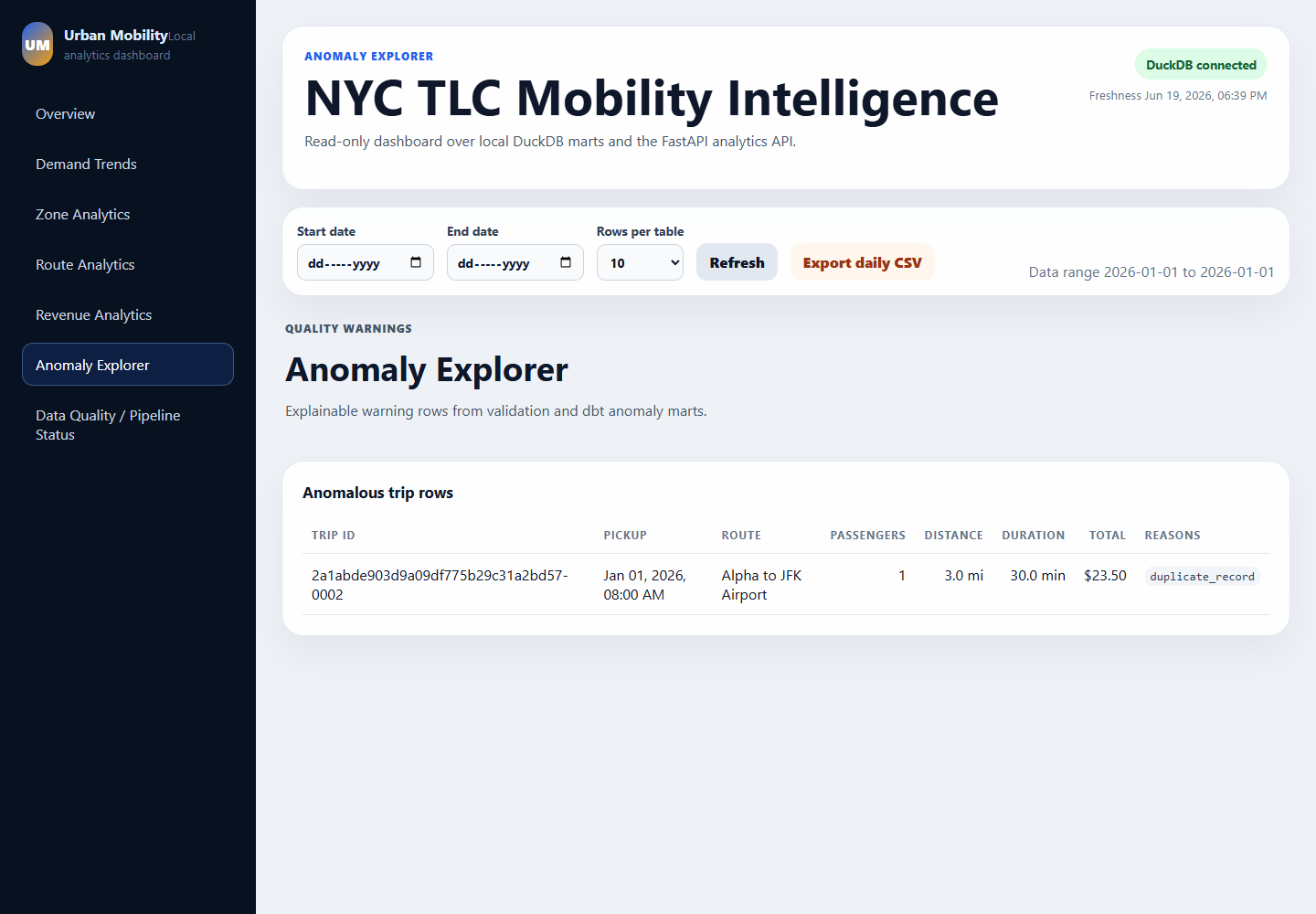
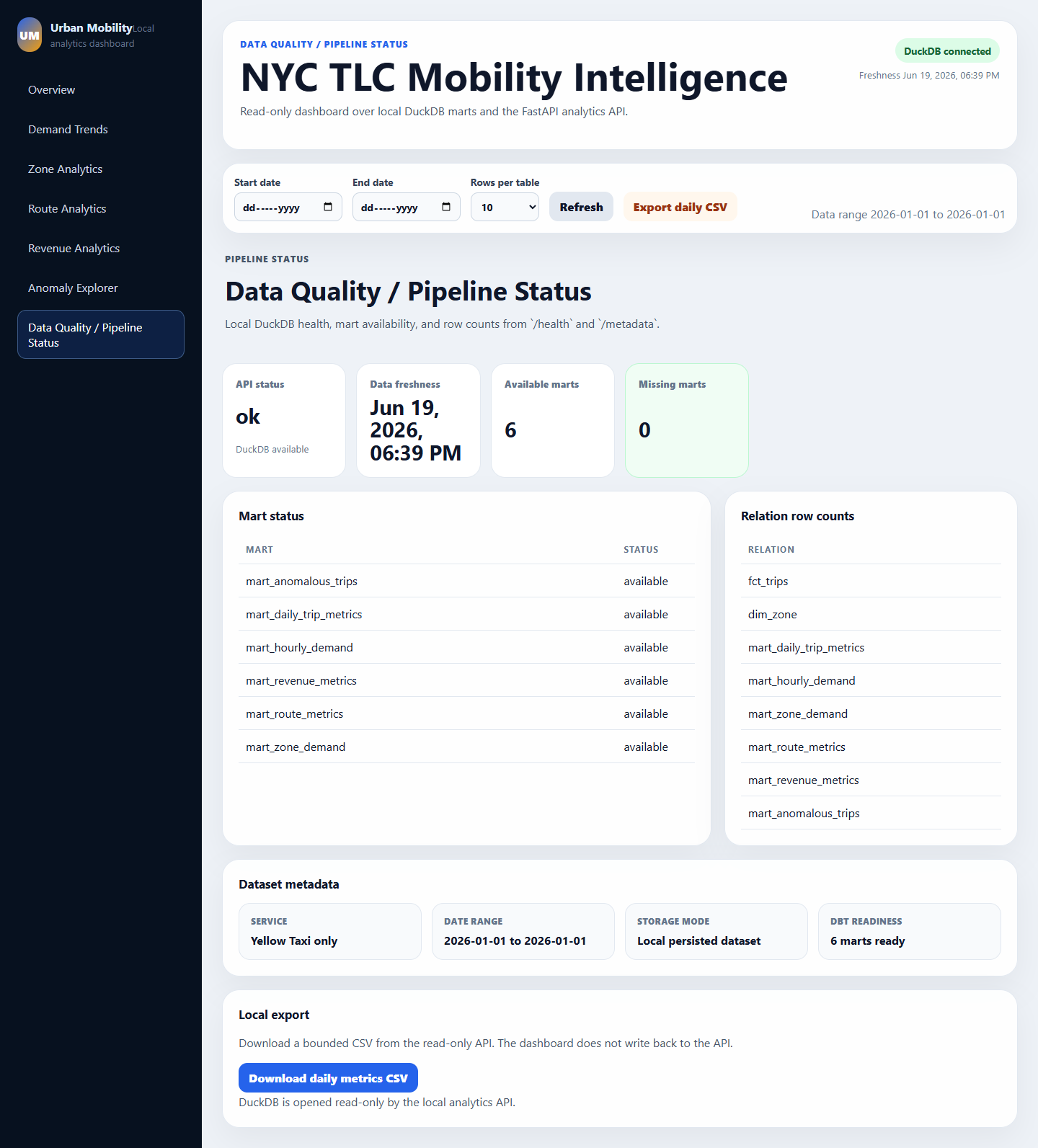
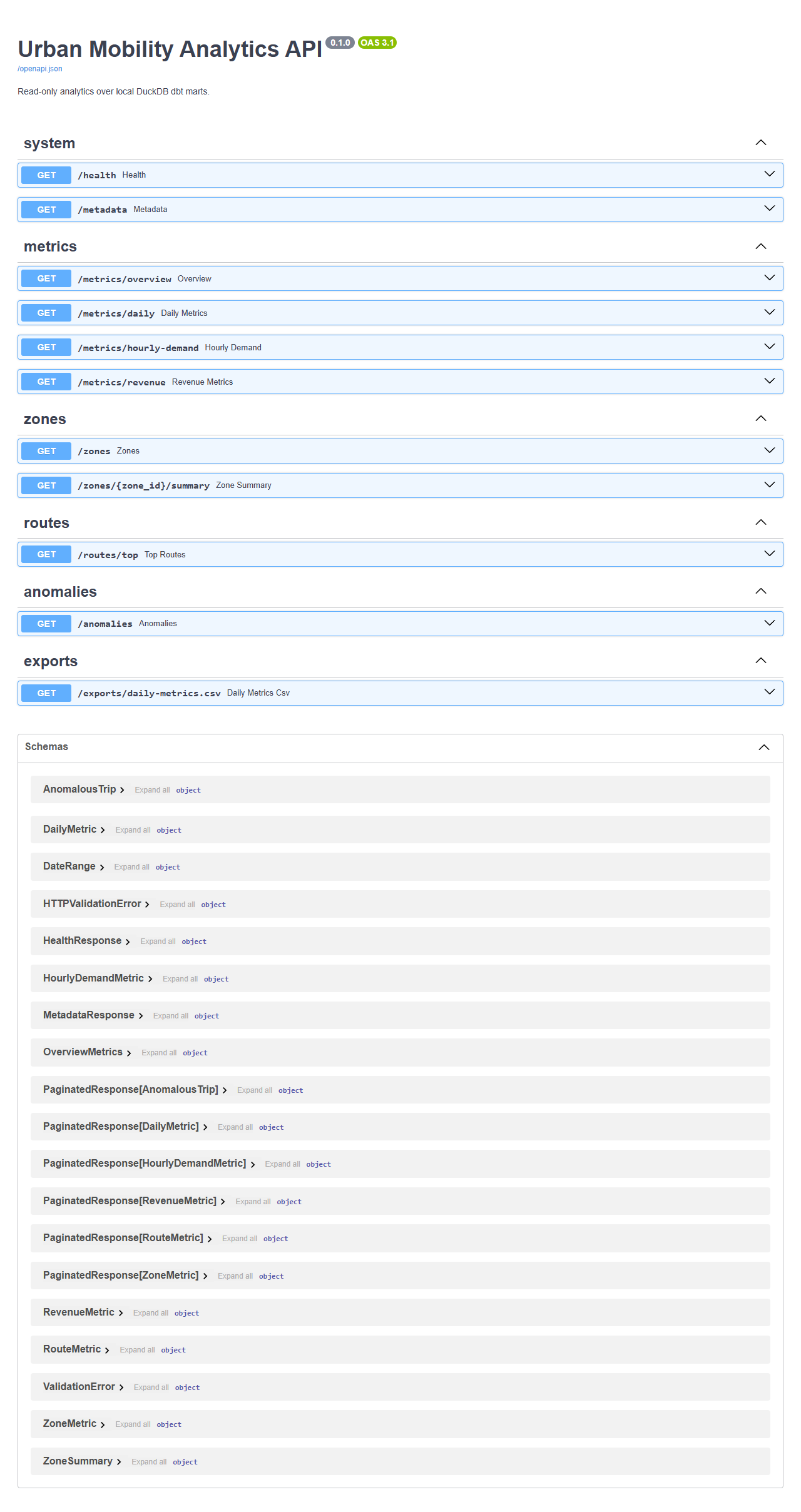
请保持截图较小,并避免包含生成的原始数据或数据库文件。
## 文档
- [架构](docs/architecture.md)
- [数据源](docs/data_source.md)
- [数据模型](docs/data_model.md)
- [API](docs/api.md)
- [仪表盘](docs/dashboard.md)
- [Dagster](docs/dagster.md)
- [运维操作](docs/operations.md)
- [本地演示](docs/local_demo.md)
- [作品集评审](docs/portfolio_review.md)
- [故障排除](docs/troubleshooting.md)
- [最终验证](docs/final_verification.md)
- [待办事项](docs/backlog.md)
- [发布清单](docs/publish_checklist.md)
- [仓库回顾](docs/repo_recap.md)
## 验证清单
```
uv sync --locked --all-groups
uv run pytest
uv run ruff check .
uv run ruff format --check .
uv run python scripts/check_repo_guardrails.py
uv run python scripts/check_repo_readiness.py
uv run dbt parse --project-dir dbt --profiles-dir dbt
uv run dbt run --project-dir dbt --profiles-dir dbt
uv run dbt test --project-dir dbt --profiles-dir dbt
uv run dbt docs generate --project-dir dbt --profiles-dir dbt
uv run dagster definitions validate -m dagster_project.definitions
cd apps/web
npm run build
```
## 限制
- 仅限 Yellow Taxi。
- 未配置生产环境部署。
- Dagster schedule 默认处于停止状态,且仅限本地/演示使用。
- 离线演示夹具特意设计得非常小,不能代表完整的 NYC TLC 数据量。
- 可选的官方样本物化需要网络访问权限和 DuckDB `httpfs`。
## 未来改进
- 增加 Green Taxi 和 FHVHV 数据支持。
- 在仪表盘中添加增量/月份分区选择。
- 添加更丰富的异常严重性分类和趋势比较。
- 添加用于仪表盘和 API 的可选 Docker Compose profile。
- 添加 Dagster asset-graph 截图。
- 添加用于生产环境部署决策的加固任务待办列表。
标签:AV绕过, Dagster, dbt, DuckDB, FastAPI, MITM代理, React, Syscalls, 代码示例, 安全规则引擎, 数据分析, 数据工程, 数据流水线, 测试用例, 逆向工具