sx4im/codebrief
GitHub: sx4im/codebrief
将任意 GitHub 仓库自动转化为有据可查的技术简报,帮助工程师在接手陌生代码库前全面了解架构、风险和历史决策。
Stars: 1 | Forks: 0

[](https://github.com/sx4im/codebrief/stargazers) [](https://github.com/sx4im/codebrief/network/members) [](https://github.com/sx4im/codebrief/issues) [](https://github.com/sx4im/codebrief/commits) [](LICENSE) [](https://nextjs.org/) [](https://www.typescriptlang.org/) [](https://orm.drizzle.team/) [](https://docs.bullmq.io/) [](https://build.nvidia.com/) [在线演示](#live-demo) · [工作原理](#how-it-works) · [快速开始](#quick-start) · [技术栈](#tech-stack)
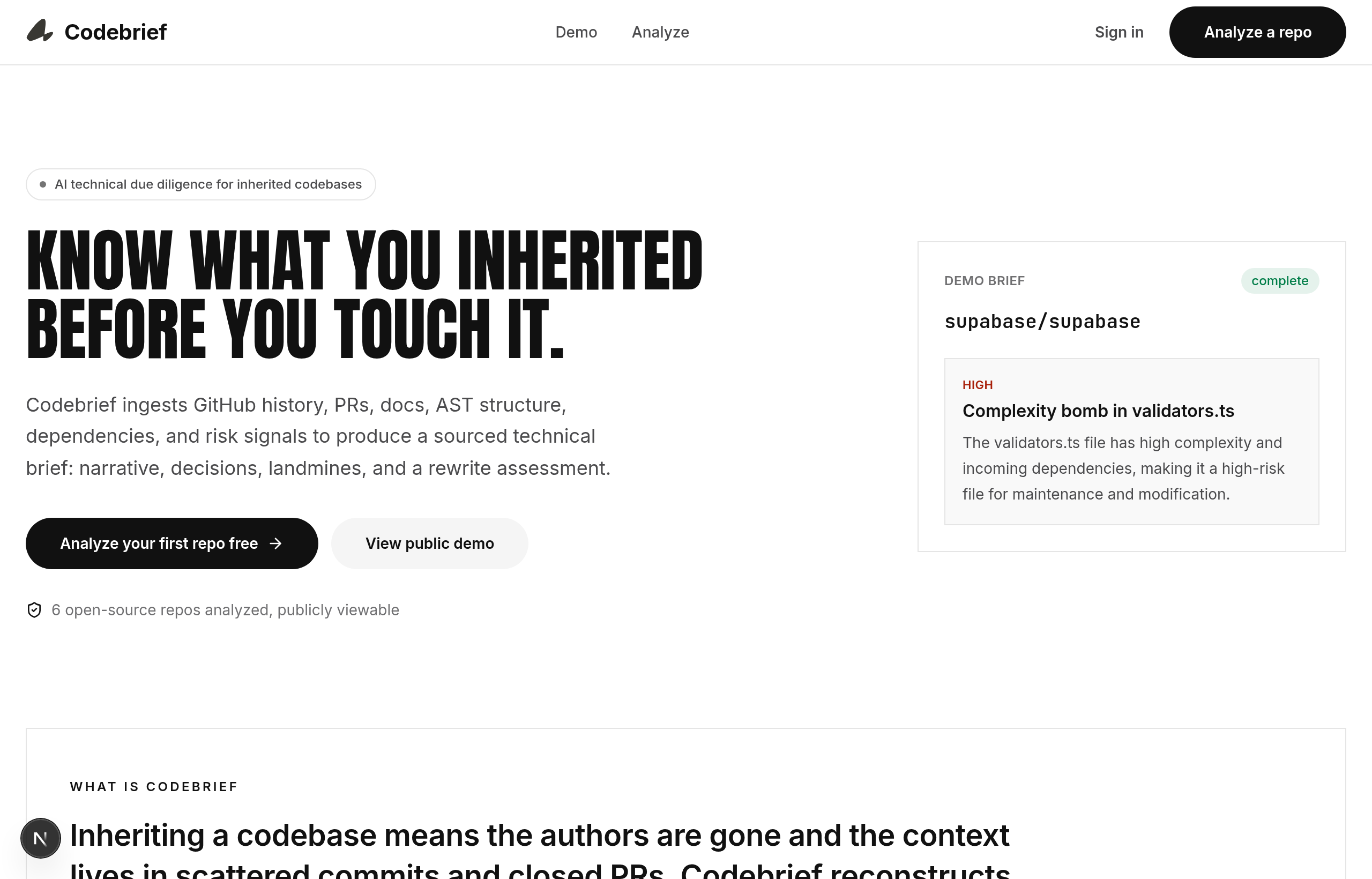
## 概述 接手代码库是软件开发中最具风险的时刻之一:原作者已经离开,上下文散落在杂乱的 commit 和已关闭的 PR 中,而 README 极少会告诉你那些隐藏的深坑在哪里。**Codebrief 能够自动重构这些缺失的上下文。** 将其指向一个仓库,多代理 pipeline 就会接管 Git 历史,使用 tree-sitter 解析源代码,评估风险,并合成一份结构化的简报,其中**每一项结论都会注明其来源的 commit、PR、文件或指标**。没有含糊其辞的总结——只有来源明确、可审计的发现。 ## 目录 - [功能特性](#what-you-get) - [在线演示](#live-demo) - [工作原理](#how-it-works) - [技术栈](#tech-stack) - [项目结构](#project-structure) - [快速开始](#quick-start) - [验证](#verification) - [脚本参考](#scripts-reference) - [许可证](#license) ## 功能特性 每次分析都会生成一份带有来源说明的、单一且可滚动的简报: | 章节 | 解决的问题 | | --- | --- | | **系统叙事** | 从业务层面解释系统的功能、数据模型和架构模式——并附带引用。 | | **决策考古** | 从 commit、PR 和讨论线程中重构代码库呈现当前面貌的原因。 | | **雷区地图** | 高风险的文件和模式——包括严重程度、为何重要、修复建议和工作量预估。 | | **重写评估** | 基于事实的*基于现有基础开发 vs. 重写*判定,包含原因、风险和明确的确定性说明。 | | **架构图** | 交互式的依赖关系图;选择任意模块即可检查其耦合度和雷区。 | | **事实依据问答 (Q&A)** | 提出后续问题,回答仅基于分析过的证据生成。 | | **导出** | 一键导出 **PDF** 和 **Markdown**,方便与利益相关者分享。 |
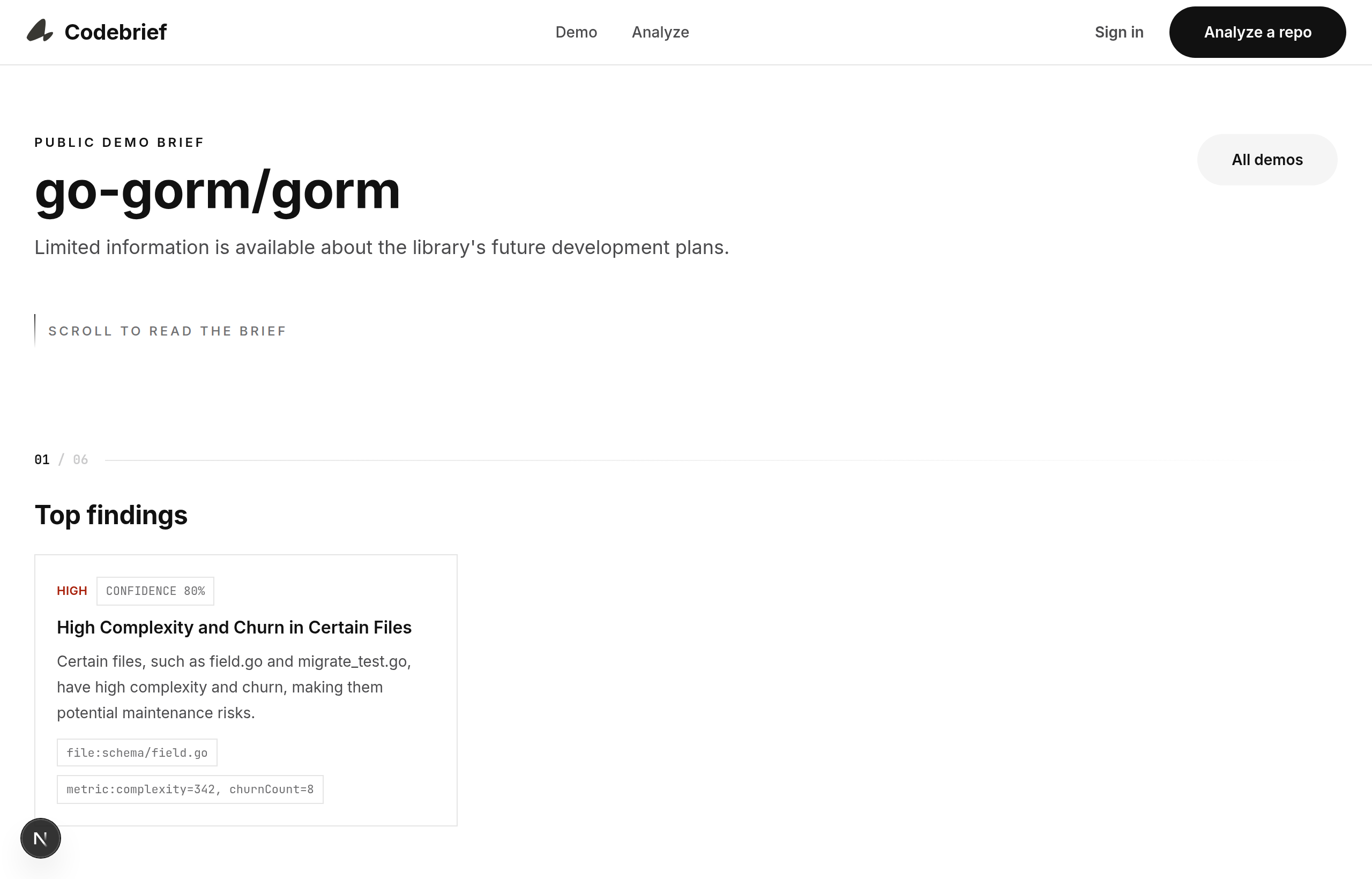
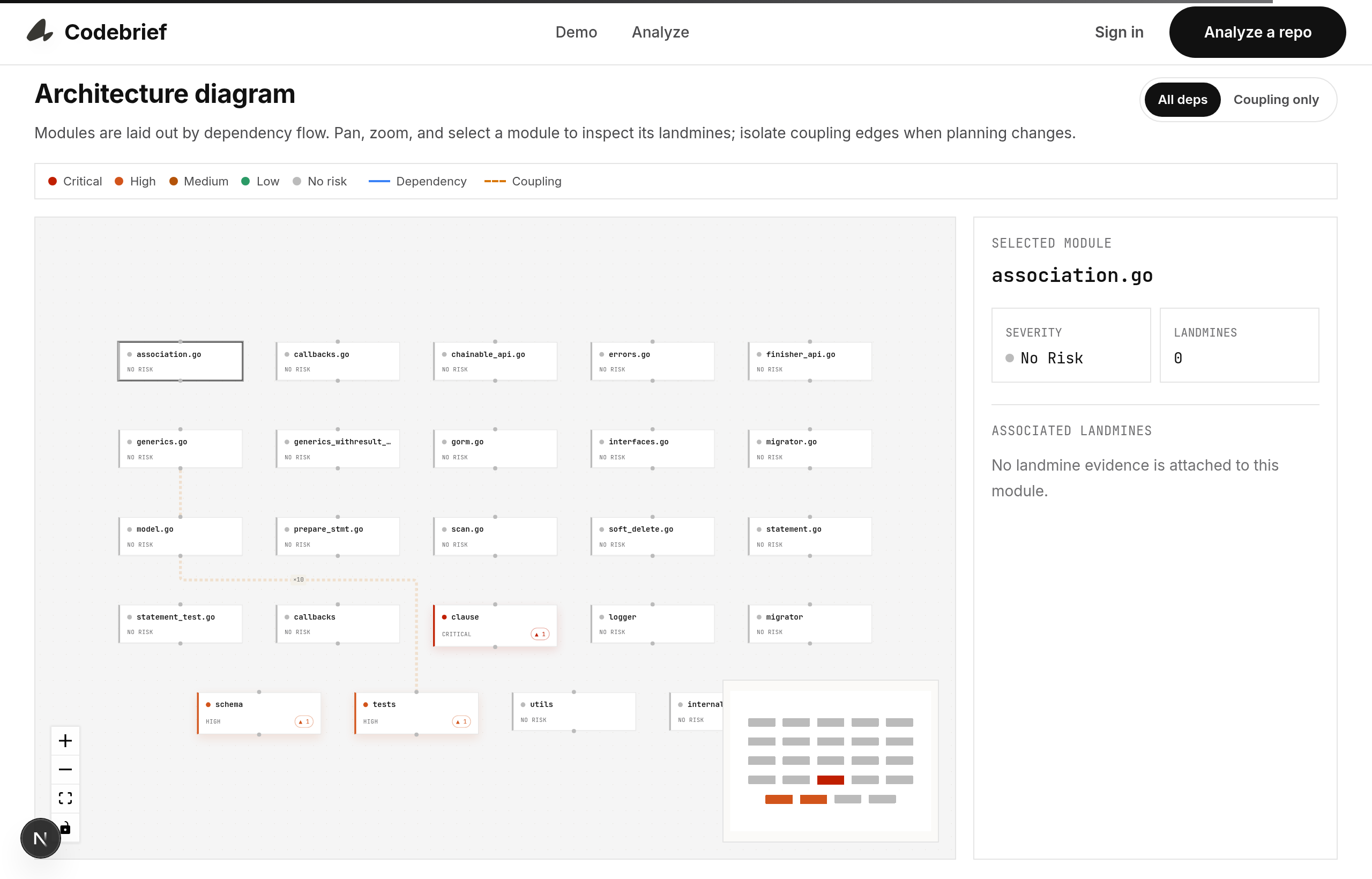
滚动驱动的叙事简报(左)· 交互式架构图(右)
## 在线演示
知名开源项目的预生成简报可公开查看——无需登录:
```
/demo → gallery of demo briefs
/demo/[slug] → a full brief (e.g. /demo/gorm, /demo/supabase, /demo/django)
```
在本地运行应用(参见[快速开始](#quick-start))并打开 commits, PRs, files"] B --> C["Static analysis
tree-sitter AST, risk scoring"] C --> D["Multi-agent synthesis"] D --> E["Architecture"] D --> F["History"] D --> G["Risk"] D --> H["Synthesis"] E --> V["Source validation
every claim must cite evidence"] F --> V G --> V H --> V V --> S["Postgres + R2
artifacts"] S --> O["Technical brief
web, PDF, Markdown"] ``` **强制要求事实依据,而非寄希望于此。** 每次 agent 调用之后,都会根据引用验证输出。无效的引用会触发一次纠正重试;如果类结论输出仍然找不到来源,则会被降级为 `confidence: 0`,而不是作为事实输出。无法恢复的输出将导致分析失败,而不会污染简报。 ## 技术栈 | 层级 | 技术 | | --- | --- | | **Web** | Next.js (App Router), React, Tailwind CSS, Framer Motion | | **Auth** | Clerk | | **AI** | NVIDIA NIM (兼容 OpenAI 的 SDK) — 多代理,带退避机制的串行化执行 | | **Pipeline** | Node worker, 基于 Redis 的 BullMQ | | **代码分析** | tree-sitter (TS/TSX, Python, Go, Ruby, …) | | **数据** | 通过 Drizzle ORM 连接 PostgreSQL | | **产物存储** | Cloudflare R2 (兼容 S3) | | **实时通信** | Socket.io 进度流 | | **导出** | Puppeteer (PDF), Markdown 序列化器 | | **可观测性** | Sentry (浏览器 · 服务器 · 边缘节点) | | **校验** | Zod schema 在 Web 和 pipeline 之间共享 | ## 项目结构 这是一个 npm-workspaces monorepo。 ``` codebrief/ ├── apps/web/ # Next.js app: dashboard, analysis APIs, brief viewer, exports, demos ├── packages/pipeline/ # BullMQ worker: ingestion, AST, agents, validation, storage, websockets ├── shared/types/ # Zod schemas & TypeScript types (briefs, events, GitHub records) ├── src/m0/ # M0 spike: source validation, AST, risk scoring, agent-retry tests ├── drizzle/ # SQL migrations └── assets/ # Brand assets & documentation screenshots ``` ## 快速开始 ### 前置条件 - **Node.js 20+** 和 npm - 一个 **PostgreSQL** 数据库和一个 **Redis** 实例 - API 凭证:**Clerk** (认证), **GitHub** (OAuth + token), **NVIDIA NIM** (AI), **Cloudflare R2** (存储) - *可选:* 用于导出 PDF 的 Chrome/Chromium 二进制文件 (`PUPPETEER_EXECUTABLE_PATH`) ### 1. 安装 ``` git clone https://github.com/sx4im/codebrief.git cd codebrief npm install ``` ### 2. 配置 ``` cp .env.example .env ``` 将你的 Clerk、GitHub、Postgres、Redis、NVIDIA NIM 和 R2 的值填入 `.env`。没有任何硬编码的密钥——当缺少凭证时,应用会显式抛出配置错误,而不是伪造输出。 ### 3. 迁移数据库 ``` npm run db:migrate ``` ### 4. 运行 在不同的 shell 中分别启动 Web 应用、pipeline worker 和 websocket 进度服务器: ``` npm run dev:web # http://localhost:3000 npm run dev:worker # BullMQ analysis worker npm run dev:ws # Socket.io progress server ``` 打开
用心为那些接手他人遗留系统的工程师们而打造。
标签:AI代码分析, TypeScript, 代码库审查, 安全插件, 技术债务评估, 搜索引擎查询, 架构分析, 测试用例, 自动化攻击