Nixer1337/KlipschRemote
GitHub: Nixer1337/KlipschRemote
通过蓝牙 BLE 协议从电脑端远程控制 Klipsch 有源音箱的多平台工具,包含桌面应用、CLI、Python 库和 Web 应用。
Stars: 3 | Forks: 0
 # KlipschRemote
**通过 Bluetooth LE 从您的电脑控制 Klipsch 有源音箱。**
The Fives · The Sevens · The Nines (包含 McLaren) · Windows · Linux · macOS
[](https://github.com/Nixer1337/KlipschRemote/actions/workflows/tests.yml)
[](https://github.com/Nixer1337/KlipschRemote/actions/workflows/build.yml)
[](https://github.com/Nixer1337/KlipschRemote/releases/latest)
[](LICENSE)


# KlipschRemote
**通过 Bluetooth LE 从您的电脑控制 Klipsch 有源音箱。**
The Fives · The Sevens · The Nines (包含 McLaren) · Windows · Linux · macOS
[](https://github.com/Nixer1337/KlipschRemote/actions/workflows/tests.yml)
[](https://github.com/Nixer1337/KlipschRemote/actions/workflows/build.yml)
[](https://github.com/Nixer1337/KlipschRemote/releases/latest)
[](LICENSE)


| 连接 | 遥控 | 均衡器 |
|:---:|:---:|:---:|
| 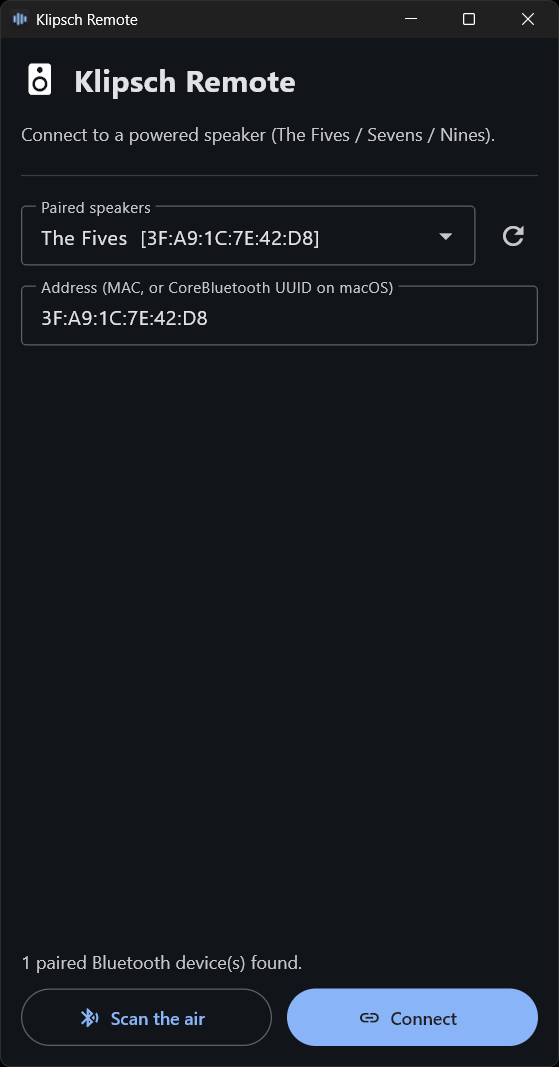 |
| 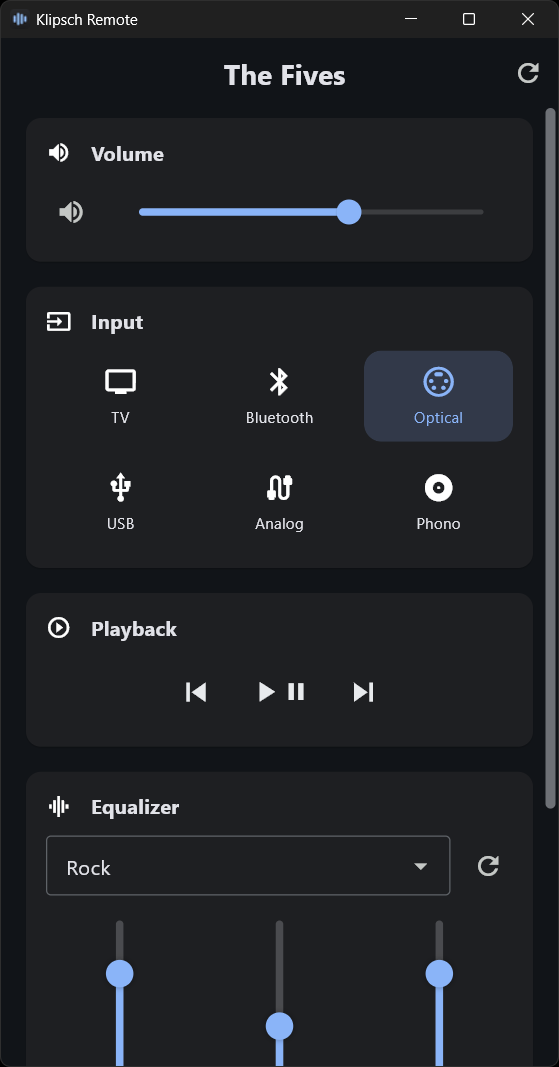 |
| 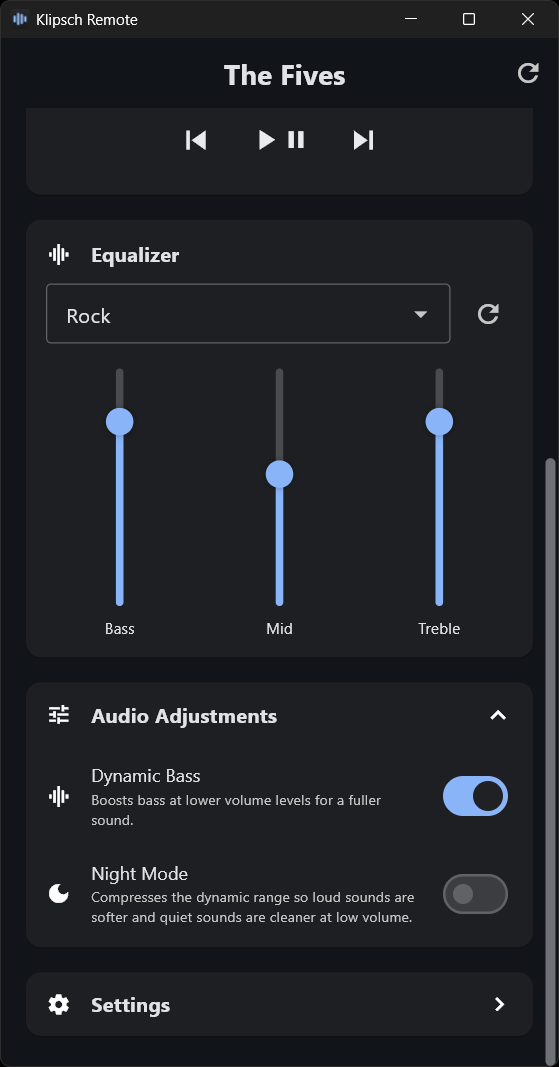 |
| **设置** | **设置 (更多)** | **关于** |
|
|
| **设置** | **设置 (更多)** | **关于** |
| 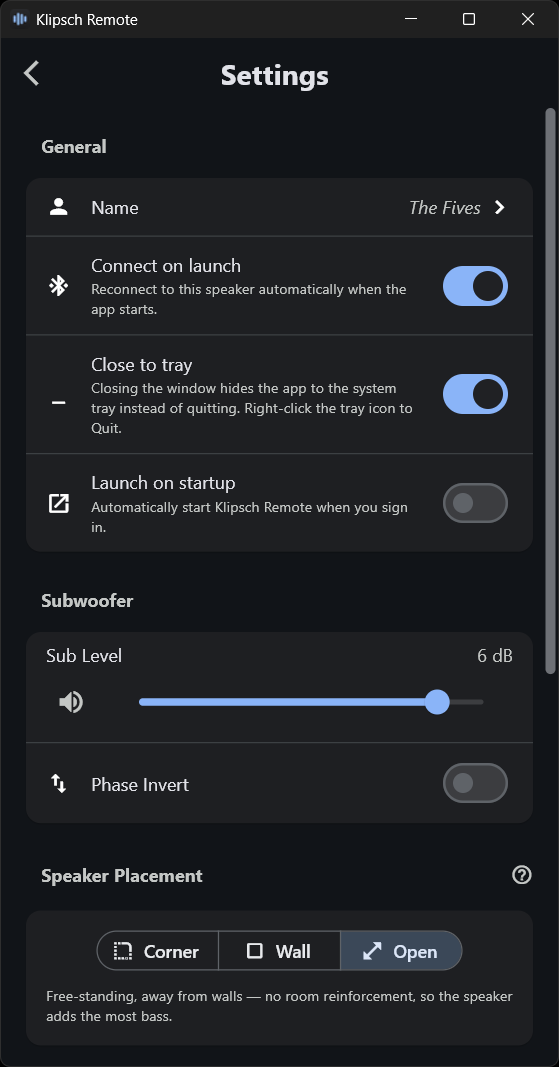 |
| 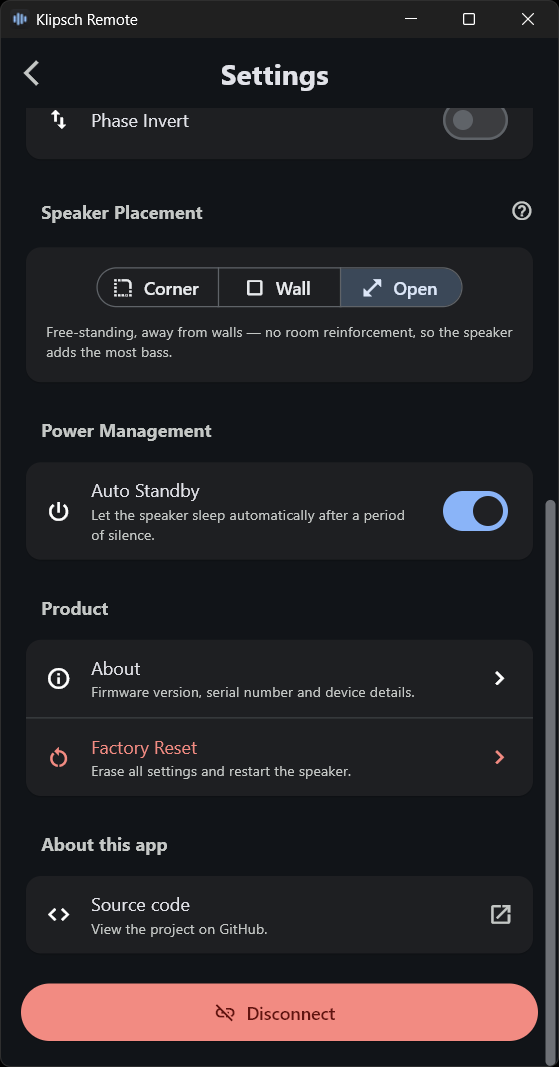 |
| 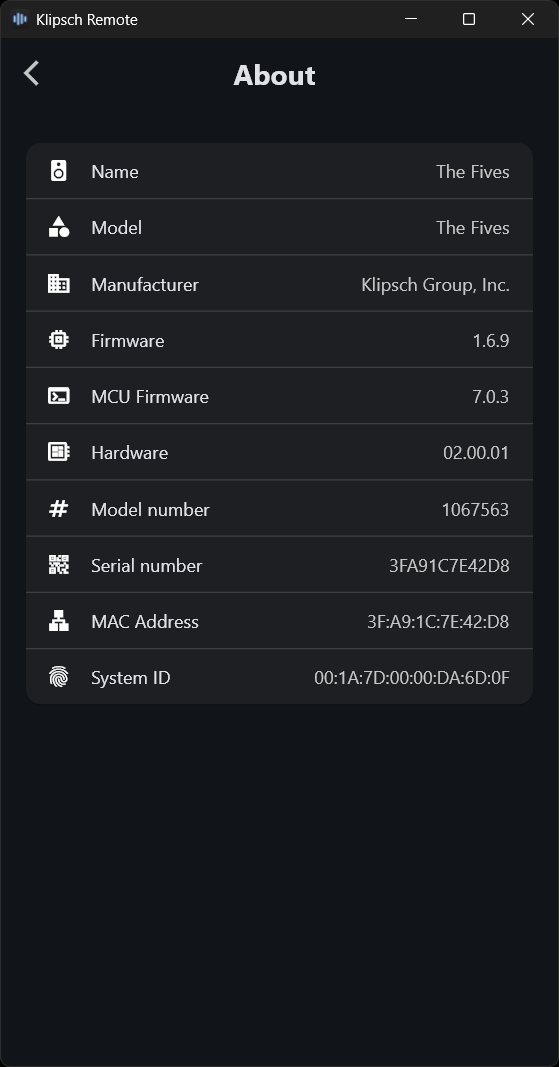 |
|
## ⬇️ 安装
**Web 应用 —— 无需安装任何内容** —— 在 **Chrome、Edge 或 Opera**(桌面端或 Android 端)中打开 [**klipsch.io**](https://klipsch.io/),并通过 Web Bluetooth 进行连接。无需下载,也无需 Python。Firefox 和 iOS/Safari 不支持 Web Bluetooth。详情及自托管请参阅:[`web/`](web/README.md)。
**Windows 应用** —— 从 [**最新发布版本**](https://github.com/Nixer1337/KlipschRemote/releases/latest) 下载安装程序(`KlipschRemote-Setup.exe`),运行即可完成安装。属于按用户安装,无需管理员权限。
**Linux 应用** —— 从 [**最新发布版本**](https://github.com/Nixer1337/KlipschRemote/releases/latest) 下载 `KlipschRemote-x86_64.AppImage`,执行 `chmod +x` 赋予权限后运行——这是一个单一的便携文件,无需安装,几乎适用于任何现代 x86-64 发行版(需先将音箱作为蓝牙音频设备进行配对)。它内置了静态 AppImage runtime,因此不需要主机提供 `libfuse2`;如果在特殊的配置环境下挂载失败,可以使用 `--appimage-extract-and-run` 参数运行。
**从源码构建**(任何操作系统):
```
pip install flet bleak # + winrt-Windows.Devices.Bluetooth on Windows
git clone https://github.com/Nixer1337/KlipschRemote.git
```
## ▶️ 运行
```
python -m klipsch_remote # desktop GUI
python -m klipsch_ble # CLI / interactive REPL
python -m klipsch_ble status # one-shot status
```
**Web 版本** —— 只需打开 [**klipsch.io**](https://klipsch.io/),或者自行托管该目录(Web Bluetooth 需要 HTTPS 或 `localhost` 环境):
```
python -m http.server 8000 --directory web # then open http://localhost:8000
```
作为库使用:
```
import asyncio
from klipsch_ble import KlipschClient
async def main():
async with KlipschClient("AA:BB:CC:DD:EE:FF") as spk:
await spk.set_input("optical")
await spk.set_volume_percent(40)
await spk.set_eq("bass", +3)
asyncio.run(main())
```
## 🛠️ 构建原生安装包
两种构建方式都会通过 `flet build` 编译出真正的 Flutter 应用(可执行文件*本身就是*程序),因此窗口/任务栏图标和应用标识都会被直接编译进去。
在**全新的 Windows 机器**上,您需要一次性安装以下工具链:Git、Python 3.12、VS C++ Build Tools,(制作安装包还需要)Inno Setup,此外还需要开启 Windows 开发者模式(Flutter 需要它来处理插件符号链接)。然后使用 `python -m pip install -r requirements.txt` 从 [`requirements.txt`](requirements.txt) 安装指定的依赖。所有依赖版本均已锁定,从而确保构建的可重复性。
| 目标平台 | 命令 | 输出 |
|---|---|---|
| Windows | `build_app.bat` (添加 `-NoInstaller` 仅打包文件夹版本) | `dist_installer\KlipschRemote-Setup.exe` + `dist_app\` |
| Linux | `./build_app.sh` *(在 Linux 上)* | `dist_installer/KlipschRemote-x86_64.AppImage` + `dist_app/KlipschRemote/` |
在 Windows 上,构建过程默认还会编译 Inno Setup 安装程序(需要执行 `winget install JRSoftware.InnoSetup`);使用 `-NoInstaller` 可在生成 `dist_app\` 文件夹形式的包后停止。`flet build linux` 无法进行交叉编译,因此需要在 Linux 上构建 AppImage。如果是在 Windows 系统上,可以运行 `build_app_linux.bat` 改为在 Docker 容器中完成此操作。CI([`build-linux.yml`](.github/workflows/build-linux.yml))会在 Ubuntu 22.04 上构建它,并在每次推送 `v*` 标签时将 AppImage 附加到发布版本中。
## 📦 包含内容
| 组件 | 描述 |
|---|---|
| [`klipsch_ble`](klipsch_ble/README.md) | async BLE 库 + CLI —— 核心引擎 |
| [`klipsch_remote`](klipsch_remote/README.md) | 基于其构建的 Flet 桌面 GUI |
| [`web`](web/README.md) | 通过 Web Bluetooth 控制的浏览器遥控器 —— 纯静态页面,无需安装,在线访问地址 [klipsch.io](https://klipsch.io/) |
## 📝 许可证与法律声明
基于 **[Apache License 2.0](LICENSE)** 授权 —— 另请参阅 [`NOTICE`](NOTICE)。
本项目为非官方的独立项目 —— **未**获得 Klipsch Group, Inc. 的附属认可或支持;商标归其各自所有者所有。基于 MIT 协议开源的 [`fives-api`](https://github.com/ssalaues/fives-api) 构建,旨在实现**互操作性**。
按**“原样”提供,不提供任何形式的保证**。 | | |
| **设置** | **设置 (更多)** | **关于** |
| | | |
标签:Web Bluetooth, 命令行工具(CLI), 智能硬件控制, 桌面应用, 系统可观测性, 蓝牙低功耗(BLE), 逆向工具