charliechenye/SkillGate
GitHub: charliechenye/SkillGate
SkillGate 是一款面向 AI agent 技能和 MCP 配置的静态信任检查门控工具,帮助团队在安装或合并前扫描、拦截未经批准的 agent 行为。
Stars: 1 | Forks: 0
# SkillGate - 针对 AI-agent 技能和 MCP 配置的静态信任检查
[](https://github.com/charliechenye/SkillGate/actions/workflows/skillgate.yml)
[](pyproject.toml)
[](LICENSE)
[](https://docs.oasis-open.org/sarif/sarif/v2.1.0/sarif-v2.1.0.html)
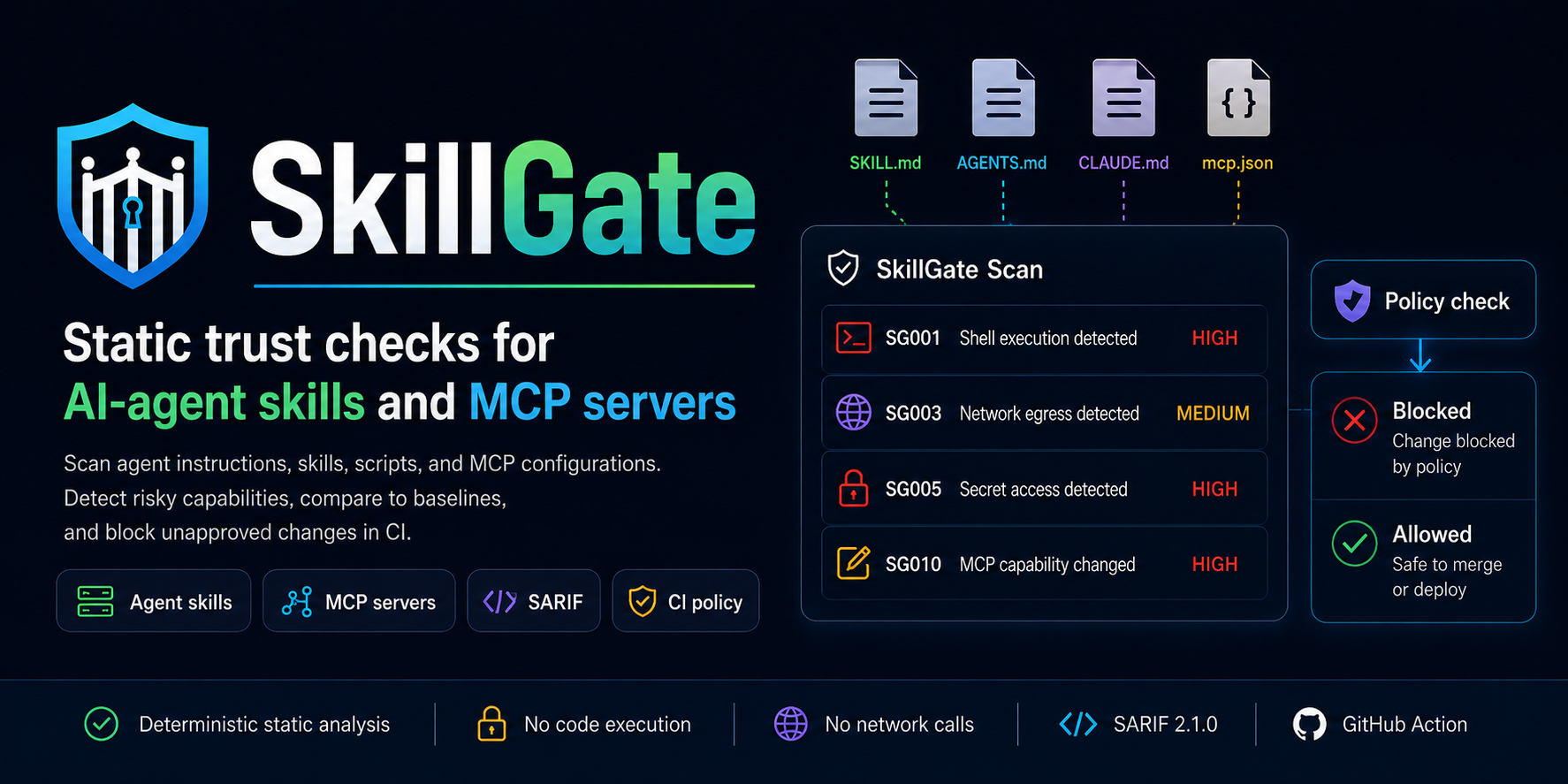
SkillGate 是一个本地优先的静态信任检查门控,专为 AI-agent 技能、指令文件、辅助脚本和 Model Context Protocol (MCP) 元数据设计。它能帮助审查者在安装或合并前回答一个实际问题:
SkillGate 不会执行仓库代码、启动 MCP server、调用 LLM 或安装远程包。它只扫描文件、报告功能和发现的问题,并允许团队通过策略即代码来拦截未经批准的行为。
## 30秒演示
在安装前扫描公共 agent-skill 仓库:
```
python -m pip install "git+https://github.com/charliechenye/SkillGate.git@v0.1.0"
skillgate github scan https://github.com/addyosmani/agent-skills/tree/main/skills --fail-on high
```
在本地扫描当前仓库:
```
skillgate scan .
```
当你准备好拦截未经批准的行为时,生成一个基础策略:
```
skillgate policy init --profile strict --output skillgate.yaml
skillgate check . --policy skillgate.yaml
```
## 选择你的用例
| 用例 | 从这里开始 | 你将获得 |
| --- | --- | --- |
| 扫描本地 skill 或 agent 仓库 | [`skillgate scan .`](#1-scan-a-local-repository) | 非阻塞的发现问题和能力清单 |
| 在安装前检查公共 GitHub skill 仓库 | [`skillgate github scan URL`](#2-scan-a-github-repository-before-installing) | 带有不可变 ref manifest 的稀疏远程扫描 |
| 在 CI 中拦截未经批准的行为 | [`skillgate check . --policy skillgate.yaml`](#3-enforce-policy-in-ci) | 策略违规、解释、批准和豁免 |
| 审查后检测能力漂移 | [`skillgate baseline create`](#4-track-approved-baselines-and-drift) | 稳定的 lockfile 和 `SG010` 漂移发现 |
| 无需安装即可检查 MCP registry 元数据 | [`skillgate mcp registry scan`](#5-review-mcp-registry-metadata) | MCP 工具、transport、包和 registry 漂移检查 |
| 构建审查清单 | [`skillgate inventory .`](#6-build-a-capability-inventory) | 信任边界摘要和可过滤的 JSON |
| 将发现的问题上传到 GitHub code scanning | [`--format sarif`](#7-export-sarif-for-github-code-scanning) | 带有能力标签的稳定 SARIF 告警 |
## 安装
从 GitHub 安装带有标签的发布版本:
```
python -m pip install "git+https://github.com/charliechenye/SkillGate.git@v0.1.0"
skillgate --help
```
你也可以从移动的 `v0` 兼容性标签进行安装:
```
python -m pip install "git+https://github.com/charliechenye/SkillGate.git@v0"
```
为了实现完全不可变的安装,请固定一个 commit SHA:
```
python -m pip install "git+https://github.com/charliechenye/SkillGate.git@FULL_COMMIT_SHA"
```
使用以下命令解析确切的 commit SHA:
```
git ls-remote https://github.com/charliechenye/SkillGate.git refs/tags/v0.1.0
git ls-remote https://github.com/charliechenye/SkillGate.git refs/tags/v0
```
`v0.1.0` 是发布标签。`v0` 是用于兼容
`0.x` Action 发布版本的移动兼容性标签。要求最大可复现性的团队应该在安装命令和
GitHub Action 引用中固定完整的 commit SHA。
GitHub 安装要求客户端机器上具有 Python 3.11 或更高版本以及 `git`。在后续发布到 PyPI 后,简短的安装路径将是:
```
python -m pip install openevalgate-skillgate
```
对于贡献者或基于源码检出的开发:
```
python -m pip install -e .
skillgate --help
```
## 1. 扫描本地仓库
当你希望获得可见性而不想拦截任何内容时,请使用 `scan`:
```
skillgate scan .
skillgate scan . --severity high
skillgate scan . --format json
skillgate scan . --format sarif --output skillgate.sarif
skillgate scan . --fail-on high
```
除非你传入 `--fail-on medium|high|critical`,否则即使存在发现的问题,`skillgate scan` 也会以退出码 `0` 结束。这是用于应用推广、审计和本地审查的理想首选命令。
SkillGate 会扫描 agent 指令、skill 文件、脚本、包配置、MCP 配置和 MCP registry 元数据。它会报告从 `SG001` 到 `SG013` 的规则,涵盖 shell 执行、破坏性操作、网络出站、远程下载执行、机密访问、文件系统写入、提示词覆盖语言、代码混淆、MCP 配置发现、MCP 漂移、MCP 工具元数据风险、MCP transport 风险以及 MCP registry 漂移。
有用的后续操作:
```
skillgate rules list
skillgate explain SG004
```
## 2. 在安装前扫描 GitHub 仓库
在复制或安装公共 skill 或 agent 工具之前,请使用 `github scan`:
```
skillgate github scan https://github.com/phuryn/pm-skills
skillgate github scan https://github.com/addyosmani/agent-skills/tree/main/skills
skillgate github scan https://github.com/phuryn/pm-skills --ref main --fail-on high
skillgate github scan https://github.com/phuryn/pm-skills --format json
skillgate github scan https://github.com/phuryn/pm-skills --manifest-output remote-manifest.json
```
远程扫描是静态和稀疏的。SkillGate 会将请求的分支或标签解析为一个不可变的 commit SHA,获取该 SHA 处的 GitHub tree 元数据,仅下载受支持的 agent 文件以及引用的本地脚本,扫描临时的稀疏镜像,然后将其删除。它绝不会执行远程仓库的内容。
JSON 输出包含 `scan_report` 和 `remote_manifest`。使用 `--manifest-output` 为文本或 SARIF 扫描保存 manifest。该 manifest 记录了源 URL、请求的 ref、解析出的 commit SHA、下载的路径、SHA-256 哈希值、字节数、跳过的文件以及资源限制。
完整工作流:[GitHub 安装前扫描](docs/github-preinstall-scan.md)。
## 3. 在 CI 中执行策略
当发现问题应当阻止合并或发布时,请使用 `check`:
```
skillgate policy init --profile strict --output skillgate.yaml
skillgate check . --policy skillgate.yaml
skillgate check . --policy skillgate.yaml --dry-run
skillgate check . --policy skillgate.yaml --format json
skillgate policy schema --output skillgate-policy.schema.json
```
策略文件支持:
- 持久的能力批准,例如 `policy.network.allow`、`policy.shell.commands.allow`、`policy.filesystem.write`、`policy.secrets.env.allow`、`policy.capabilities.allow` 以及经过审查的 MCP 基线;
- 针对能力组合和网络类别的拒绝规则;
- 通过 `policy.risk_threshold.block` 设定高风险阈值;
- 在 `policy.waivers.entries[]` 下设置极少使用的、具有过期时间的发现问题豁免。
对于预期行为,例如 `api.github.com`、`generated/**` 或 `bash scripts/build.sh`,请使用能力批准。仅当某一个特定的风险发现依然存在风险但已经过审查时(例如对某个 `SG004` 安装程序发现的临时豁免),才使用发现问题豁免。
文档和 schema:
- [策略 schema 参考](docs/policy-schema.md)
- [机器可读的 JSON Schema](schemas/skillgate-policy.schema.json)
- [支持 Schema 感知的编辑器配置](docs/editor-setup.md)
- [示例策略](skillgate.example.yaml)
## 4. 跟踪已批准的基线和漂移
当你希望批准当前的能力集合并捕获未来的更改时,请使用基线:
```
skillgate baseline create . --output skillgate.lock
skillgate diff . --baseline skillgate.lock
skillgate diff . --baseline skillgate.lock --fail-on-drift
skillgate diff . --baseline skillgate.lock --policy skillgate.yaml
```
基线差异默认是建议性的,并以退出码 `0` 退出,以便审查者可以在强制执行之前检查
漂移。添加 `--fail-on-drift` 可以在没有完整策略文件的情况下,针对任何文件、
能力或 MCP 漂移拦截 CI。当漂移需要通过诸如
`policy.mcp.require_review_on_change` 之类的策略规则进行评估时,请添加 `--policy`。
基线差异会针对 MCP 能力漂移产生 `SG010`。审查预期的 MCP
更改,然后更新基线。不要仅仅为了让 CI 通过而禁用漂移审查。
希望为已批准的策略和基线文件提供溯源信息的团队可以创建一个 checksum manifest:
```
skillgate provenance create --policy skillgate.yaml --baseline skillgate.lock --output skillgate.provenance.json
skillgate provenance verify --manifest skillgate.provenance.json
```
## 5. 审查 MCP Registry 元数据
当你希望在不安装或启动 MCP server 的情况下进行静态审查时,请使用 MCP registry 命令:
```
skillgate mcp registry scan .
skillgate mcp registry scan mcp-registry.json --format json
skillgate mcp registry compare . --server io.example.server
skillgate mcp registry compare . --server io.example.server --fail-on-drift
skillgate mcp registry compare fixtures/registry-compare-drift/local \
--server io.example.registry-drift \
--registry-url fixtures/registry-compare-drift/registry.json \
--format sarif --output registry-drift.sarif
```
Registry 扫描会读取已声明的 MCP registry 元数据、发布者提供的工具元数据、remotes、包、headers 和 app-surface 提示。Registry 比较是可选的,当本地声明与 registry 或包元数据不同时,会报告 `SG013`。
在计划发布、registry 迁移、包重命名、端点切换期间,或者在本地元数据尚未发布之前,出现 `SG013` 可能是预期的。在明确的真实信息源清晰之前,请将意外的仓库、包、远程端点或机密 header 漂移视为审查阻塞项。
示例 fixture:[`fixtures/registry-compare-drift`](fixtures/registry-compare-drift)。
## 6. 构建能力清单
当你需要的是审查工件而非通过/失败门控时,请使用清单输出:
```
skillgate inventory .
skillgate inventory . --format json
skillgate inventory . --capability network_egress
skillgate inventory . --severity high
skillgate inventory . --source-file "scripts/*"
```
清单输出按源文件对检测到的能力和发现的问题进行分组,并汇总了本地执行、远程端点、机密、生成文件、MCP server、提示词控制和代码混淆的信任边界。
## 7. 为 GitHub Code Scanning 导出 SARIF
任何支持 SARIF 的扫描都可以上传到 GitHub code scanning:
```
skillgate scan . --format sarif --output skillgate.sarif
skillgate check . --policy skillgate.yaml --format sarif --output skillgate.sarif --dry-run
skillgate github scan https://github.com/OWNER/REPO --format sarif --output skillgate.sarif
skillgate mcp registry compare . --server io.example.server --format sarif --output registry-drift.sarif
```
普通的 `scan` SARIF 会报告静态的发现问题。具有策略感知能力的 `check` SARIF 包含策略豁免和抑制元数据,而 `--dry-run` 可防止 SARIF 生成成为第二个阻塞步骤。SARIF 输出包括确定性的告警指纹、稳定的运行类别、能力标签、严重性标签和能力分类。本地扫描使用 `skillgate/local-repository`,远程 GitHub 扫描使用 `skillgate/remote-github`,而 MCP registry 比较使用 `skillgate/mcp-registry-compare`。
该仓库包含 `.github/workflows/skillgate.yml` 作为完整的工作流示例,以及用于 CI 采用的复合 Action:
```
steps:
- uses: actions/checkout@v6
- uses: actions/setup-python@v6
with:
python-version: "3.11"
- uses: charliechenye/SkillGate@v0
with:
path: .
sarif-output: skillgate.sarif
```
当仓库拥有策略文件并且应当拦截未经批准的行为时,请添加 `policy: skillgate.yaml`。如果没有 `policy`,该 Action 将运行非阻塞扫描。当同时提供 `policy` 和 `sarif-output` 时,该 Action 会上传带有豁免抑制信息的、具有策略感知能力的 SARIF。
可直接复制的工作流:[极简 GitHub Action 示例](docs/examples/github-action-minimal.md)。
`charliechenye/SkillGate@v0` 是用于兼容 `0.x` 发布版本的稳定 Action 通道。要求不可变 GitHub Action 引用的团队应将 Action 固定到完整的 commit SHA(例如 `charliechenye/SkillGate@FULL_COMMIT_SHA`),并通过其正常的依赖审查流程来更新该 SHA。
## 支持的文件
SkillGate 会递归发现常见的、与 agent 相关的文件,同时跳过构建、缓存、依赖、虚拟环境和 Git 目录。
支持的文件包括:
- `**/SKILL.md`
- `**/AGENTS.md`
- `**/CLAUDE.md`
- `.github/copilot-instructions.md`
- `.claude/skills/**`
- `.agents/skills/**`
- `skills/**/SKILL.md`
- `agents/**`
- `.claude/commands/**`
- `.gemini/commands/**`
- `hooks/**`
- `**/mcp.json`
- `**/.mcp.json`
- `**/mcp-registry.json`
- `**/mcp-server.json`
- MCP registry 风格的 `server.json`
- `package.json`
- `pyproject.toml`
- 引用的、以 `.sh`、`.bash`、`.py`、`.js`、`.ts`、`.mjs`、`.cjs` 或 `.ps1` 结尾的本地脚本
要在不安装 SkillGate 的情况下,从源码检出扫描已安装的 Codex 技能:
```
python samples/scan_installed_skills.py
python samples/scan_installed_skills.py --root ~/.codex/skills --fail-on high
```
## SkillGate 不做的事情
SkillGate 是静态分析和策略执行工具。它不会:
- 执行脚本或包命令;
- 安装远程仓库或包;
- 在运行时启动或内省 MCP server;
- 调用 LLM API;
- 证明某个 skill 或 server 是安全的。
请将其与沙箱机制、最小权限凭据、运行时监控和人工审查结合使用。
## 基准测试和贡献者工作流
```
skillgate fixtures summary fixtures/benchmark --format json
skillgate fixtures summary fixtures/benchmark --format text
python tools/update_snapshots.py --check
```
Fixture 摘要会将 `expected-findings.yaml` 文件与实际的扫描输出进行比较。公共模式的 fixture 包含机器可读的归属元数据。
贡献者文档:
## 常见问题解答
### 什么是 SkillGate?
SkillGate 是一个针对 skill、MCP 配置、指令文件和辅助脚本的静态 AI-agent 安全扫描器。它会在代码被安装、合并或在 CI 中运行之前扫描危险的能力。
### SkillGate 是一个 MCP 安全扫描器吗?
是的。SkillGate 可以扫描 MCP 配置文件、MCP registry 元数据、MCP 工具元数据、MCP transport 元数据和 MCP 能力漂移。它能够检测远程端点、包含机密的 headers、stdio 包 transport、localhost 桥接、未经身份验证的远程 transport 以及本地与 registry 之间的元数据漂移。
### SkillGate 可以扫描 Codex 技能吗?
可以。SkillGate 能够发现 `SKILL.md`、`.agents/skills/**`、引用的脚本、包元数据以及相关的指令文件。它还可以使用 `samples/scan_installed_skills.py` 从源码检出中扫描已安装的 Codex 技能。
### SkillGate 可以扫描 Claude 技能或 Claude 命令仓库吗?
可以。SkillGate 能够发现常见的面向 Claude 的布局,例如 `.claude/skills/**`、`.claude/commands/**`、`CLAUDE.md` 以及公共 agent-skill 仓库模式。
### SkillGate在我安装技能之前扫描 GitHub 仓库吗?
可以。`skillgate github scan URL` 会执行稀疏的公共 GitHub 扫描,而无需克隆整个仓库或执行远程代码。它会将分支和标签解析为不可变的 commit SHA,并可以生成可复现的远程 manifest。
### SkillGate 会执行脚本或启动 MCP server 吗?
不会。SkillGate 是静态分析工具。它不会执行脚本、运行包命令、安装依赖项、启动 MCP server、内省运行时工具或调用 LLM API。
### SkillGate 能检测什么?
SkillGate 可以检测 shell 执行、破坏性命令、网络出站、远程下载执行、机密访问、文件系统写入、提示词覆盖语言、Unicode 代码混淆、MCP server 配置、MCP 能力漂移、MCP 工具元数据风险、MCP transport 风险以及 MCP registry 元数据漂移。
### SkillGate 与沙箱有什么区别?
沙箱约束的是运行时行为。SkillGate 会在运行前审查静态文件,并帮助团队决定是否应该完全允许某个 skill、MCP server 或 agent 工具的变更。请将 SkillGate 与沙箱机制、最小权限凭据、运行时监控和人工审查结合使用。
### 如何在 CI 中使用 SkillGate?
使用 `skillgate check . --policy skillgate.yaml` 来拦截未经批准的行为。对于没有策略的 GitHub code scanning,请上传普通的静态 SARIF:
```
skillgate scan . --format sarif --output skillgate.sarif
```
如果使用了策略和发现问题豁免,请生成具有策略感知能力的 SARIF,以便包含豁免抑制信息:
```
skillgate check . --policy skillgate.yaml --format sarif --output skillgate.sarif --dry-run
```
复合 Action 会根据是否提供了 `policy` 自动选择正确的 SARIF 模式。请参阅[策略 schema 参考](docs/policy-schema.md)、[JSON Schema](schemas/skillgate-policy.schema.json) 和[编辑器配置](docs/editor-setup.md)。
### 什么是能力批准?
能力批准是针对预期行为的持久策略白名单,例如允许 `api.github.com`、允许写入 `generated/**`、允许 `bash scripts/build.sh`,或者在审查后批准更新后的 MCP 基线。
### 什么是发现问题豁免?
发现问题豁免是针对特定风险发现的、罕见且会过期的例外情况,这些发现依然存在风险但已经过审查。它们要求在 `policy.waivers.entries[]` 下提供所有者、原因、创建日期、过期日期以及可选的 ticket 元数据。
### SkillGate 可以生成用于 GitHub code scanning 的 SARIF 吗?
可以。SkillGate 会生成 SARIF 2.1.0,为 GitHub code scanning 提供稳定的告警指纹、运行类别、能力标签、严重性标签和能力分类。
### SkillGate 可以将本地 MCP 元数据与 registry 元数据进行比较吗?
可以。`skillgate mcp registry compare` 会将本地 MCP registry 元数据与 registry 端点或 fixture 文件进行比较,并在仓库 URL、包标识符、远程 URL、transport 类型、版本或机密/header 要求不同时报告 `SG013`。
### 机器可读的 schema 和文档在哪里?
使用 [schemas/skillgate-policy.schema.json](schemas/skillgate-policy.schema.json) 进行策略编辑器集成,[docs/policy-schema.md](docs/policy-schema.md) 查看策略详情,[docs/github-preinstall-scan.md](docs/github-preinstall-scan.md) 查看远程扫描,以及 [future_steps.md](future_steps.md) 查看路线图规划。
## 路线图
请参阅 [future_steps.md](future_steps.md) 了解关于应用推广、PR 审查、MCP 和运行时证据方面的计划。
标签:AI智能体, MCP, 人工智能, 代码安全审查, 开源框架, 持续集成, 文档安全, 用户模式Hook绕过, 逆向工具, 错误基检测, 静态代码分析