itsmeeChandU/system-review-graph
GitHub: itsmeeChandU/system-review-graph
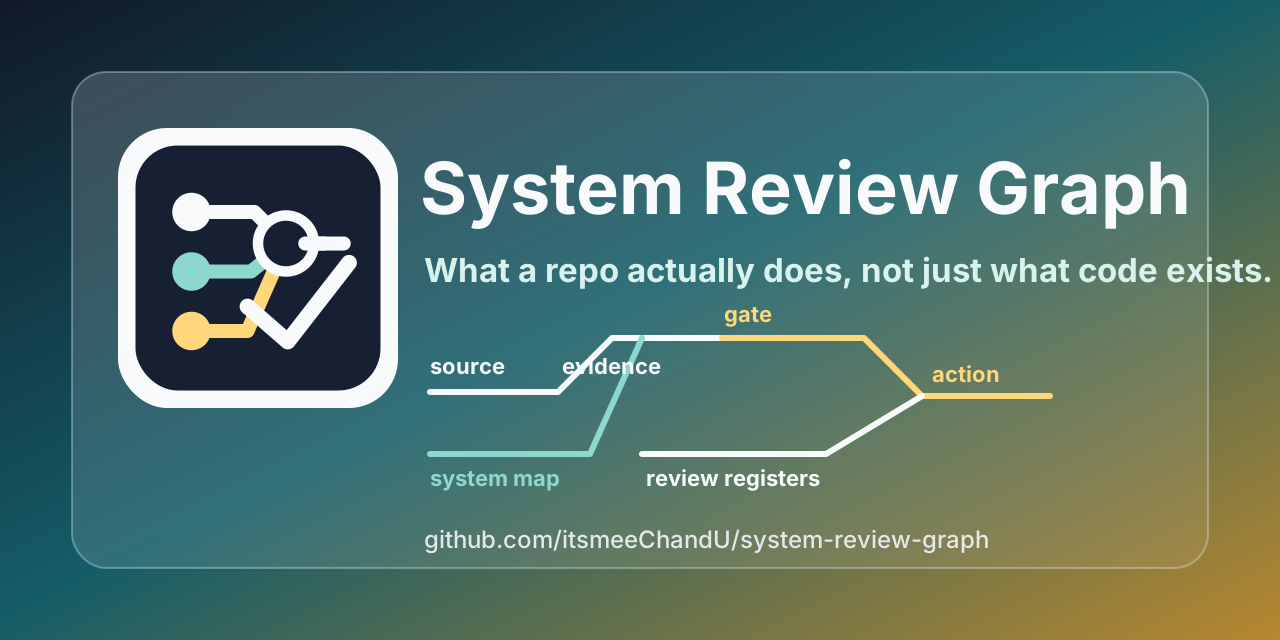
将代码库转化为系统级审查图谱,揭示系统的实际行为、决策关卡与审查方向,而非仅展示代码调用关系。
Stars: 0 | Forks: 0
# 系统审查图
 ## 查看生成的报告
- [FastAPI 系统审查](https://github.com/itsmeeChandU/system-review-graph/blob/main/examples/actual_repos/fastapi/reports/system_review_graph.md)
- [DuckDB 系统审查](https://github.com/itsmeeChandU/system-review-graph/blob/main/examples/actual_repos/duckdb/reports/system_review_graph.md)
- [OpenTelemetry Collector 系统审查](https://github.com/itsmeeChandU/system-review-graph/blob/main/examples/actual_repos/opentelemetry_collector/reports/system_review_graph.md)
- [Linux Kernel 图谱](https://github.com/itsmeeChandU/system-review-graph/blob/main/examples/actual_repos/linux_kernel/reports/system_review_graph.md)
它将公开或经过脱敏处理的清单转化为:
- 一个系统级图谱,
- 一份逆向工程报告,
- 架构和工作流映射图,
- 决策关卡文档,
- 覆盖率、证据、差距和行动登记表,
- schema 和 artifact 引用,
- 面向审查人员、维护者和 AI agent 的演示示例。
- 可选的 HTML 和 Graphviz DOT 输出。
- 针对超大仓库的可选的“图谱之图谱”。
- 包含源码证据、数据流、控制点和已知差距的蓝图级深度报告。
- 一个 MCP server,以便 agent 可以扫描、构建、验证和加载图谱上下文。
本项目专为开源维护者、平台团队、审计团队、AI 编程 agent 以及需要将代码库理解为一个操作系统而不仅仅是一堆文件的新工程师而设计。
## 为什么会有这个项目
大多数代码库映射图只停留在模块、类、函数、导入和调用的层面。这很有用,但它无法回答真正的审查者会提出的问题:
- 这个系统是做什么的?
- 决策关卡是什么?
- 什么数据或 artifact 会输入到每个阶段?
- 下游可能会发生什么操作?
- 什么内容被人工/法律/安全审查拦截了?
- 哪些内容已被覆盖、被证实、存在空白且具有可操作性?
- 当数据库是私有的时,哪些内容可以公开分享?
- 某人如何根据报告重建该系统?
系统审查图与代码审查图恰恰相反:
| 图谱 | 解答的问题 |
|---|---|
| 代码审查图 | 存在哪些代码以及它们是如何连接的。 |
| 系统审查图 | 系统是做什么的,它是如何运转的,它信任什么,以及它拦截了什么。 |
## 它是如何弄清楚系统做什么的
系统审查图**不**认为仅凭调用图就能证明系统的行为。
其方法是:
```
sources -> artifacts -> schemas -> systems -> workflows -> gates -> outcomes -> review questions
```
代码展示了可能会发生什么。而系统审查则会询问实际上是什么在系统中流转,是什么契约塑造了它,是什么关卡在控制它,是什么 artifact 证明了它,以及审查者接下来应该检查什么。
报告是基于清单构建的,因为许多现实系统无法安全地发布原始数据库、生产数据、凭证、模型权重或私有服务内部信息。该清单可以由人类、脚本、AI agent 或未来的仓库扫描器生成。
将代码作为证据,但不是唯一的证据:
- 源码目录,
- 函数和模块接口,
- CLI 入口点,
- API 和路由文件,
- schema 和迁移文件,
- 配置,
- 测试,
- 文档,
- 队列、报告、仪表板和日志,
- 人工/法律/安全关卡。
了解更多请阅读
[`docs/METHODOLOGY.md`](https://github.com/itsmeeChandU/system-review-graph/blob/main/docs/METHODOLOGY.md)。
## 呈现效果
生命周期图:
```
flowchart LR
source["Source / repo surface"]
artifact["Artifact"]
schema["Schema / contract"]
system["System / subsystem"]
workflow["Workflow step"]
gate{"Decision gate"}
output["Output / report"]
question["Review question"]
source --> artifact --> schema --> system --> workflow --> gate --> output --> question
```
Artifact 和 schema 展开图:
```
flowchart LR
frontend["Frontend System"] --> route["Route/API Artifact"]
backend["Backend Service"] --> queue["Queue Artifact"]
data["Data Layer"] --> table["Table/View Artifact"]
route --> request["Request Contract"]
queue --> event["Event Contract"]
table --> fact["Fact Contract"]
```
关卡图:
```
flowchart LR
confidence{"Confidence Gate"} --> advance["advance"]
confidence --> wait["wait"]
confidence --> reject["reject"]
human{"Human Review Gate"} --> approve["approved"]
human --> block["blocked"]
human --> review["needs review"]
```
超大仓库的“图谱之图谱”:
```
flowchart TD
atlas["Root system atlas"]
drivers["drivers/ child map"]
net["net/ child map"]
fs["fs/ child map"]
mm["mm/ child map"]
atlas --> drivers
atlas --> net
atlas --> fs
atlas --> mm
drivers --> ccpp["C / C++ source surfaces"]
net --> workflow["network workflows to refine"]
```
## 快速开始
```
pip install system-review-graph
system-review-graph list-examples
system-review-graph validate --manifest examples/fictional_ai_ops/system_review_manifest.json
system-review-graph doctor --manifest examples/fictional_ai_ops/system_review_manifest.json
system-review-graph build \
--manifest examples/fictional_ai_ops/system_review_manifest.json \
--out-dir examples/fictional_ai_ops/reports \
--depth deep \
--html \
--dot
```
打开:
```
examples/fictional_ai_ops/reports/system_review_graph.md
```
尝试一个真实的公开代码库示例:
```
system-review-graph build \
--manifest examples/actual_repos/fastapi/system_review_manifest.json \
--out-dir examples/actual_repos/fastapi/reports
```
复制一个内置的初始清单:
```
system-review-graph init-example \
--example actual_repos/duckdb \
--out-dir /tmp/duckdb-system-review \
--force
```
从任何本地代码库生成一个初始清单:
```
system-review-graph scan \
--repo /path/to/repo \
--out /tmp/system_review_manifest.json \
--title "My Project System Review Graph"
```
扫描器支持多语言仓库。它会检测 C、C++、Java、C#、Python、JavaScript/TypeScript、Go、Rust、文档、测试以及常见的构建/配置文件的初始切面。扫描器输出会被特意标记为“推断的”;它是一份初始映射图,而不是运行时行为的证明。
## 语言和项目切面支持
系统审查图有两个级别的语言支持:
- 清单/报告模型是与语言无关的。只要你提供系统、artifact、schema、工作流、关卡和边界,你就可以描述任何技术栈。
- 自动的 `scan` 命令会检测以下语言和项目标记的初始切面。它创建了一个初步的映射图,供人类或 agent 进行完善。
| 切面 | 检测来源 | 扫描器创建的内容 |
|---|---|---|
| Python | `.py`, `pyproject.toml`, `setup.py`, `setup.cfg`, `requirements.txt` | Python 源码/构建切面 |
| JavaScript / TypeScript | `.js`, `.jsx`, `.ts`, `.tsx`, `.mjs`, `.cjs`, `package.json`, `tsconfig.json`, Vite/Next config | JavaScript/TypeScript 源码/构建切面 |
| C / C++ | `.c`, `.cc`, `.cpp`, `.cxx`, `.h`, `.hpp`, `.hh`, `CMakeLists.txt`, `Makefile`, `configure.ac` | C/C++ 源码/构建切面 |
| Java / Kotlin | `.java`, `.kt`, `pom.xml`, Gradle 文件 | Java/Kotlin 源码/构建切面 |
| C# / .NET | `.cs`, `.csproj`, `.sln`, `Directory.Build.props`, `global.json` | C#/.NET 源码/构建切面 |
| Go | `.go`, `go.mod`, `go.sum` | Go 源码/构建切面 |
| Rust | `.rs`, `Cargo.toml`, `Cargo.lock` | Rust 源码/构建切面 |
| 文档 | `docs/`, `doc/`, `Documentation/` | 文档 artifact 切面 |
| 测试 | `test/`, `tests/`, `spec/`, `specs/`, `__tests__/` | 测试 artifact 切面 |
| 构建/配置 | Docker, Compose, Make, CMake, Python, Node, Maven, Go, 和 Cargo 标记 | 配置/构建 artifact 切面 |
对于尚未支持自动检测的语言,请直接使用清单。报告渲染器、HTML 输出、Mermaid 映射图、登记表、MCP server、图谱模式和蓝图部分并不关心系统是用什么语言编写的。
对于超大仓库,可以生成一个“图谱”,而不是一个巨大的扁平图:
```
system-review-graph scan \
--repo /path/to/large/repo \
--atlas \
--out /tmp/system-review-atlas \
--max-subsystems 24 \
--build-reports \
--depth overview
```
这将会写入:
```
/tmp/system-review-atlas/system_review_manifest.json
/tmp/system-review-atlas/reports/system_review_graph.md
/tmp/system-review-atlas/subsystems/*/system_review_manifest.json
```
根清单包含 `child_maps`,因此审查人员或 AI agent 可以加载一个图谱并发现关联的子系统图谱。
每份生成的报告还包含开源风格的审计登记表:
| 登记表 | 解答的问题 |
|---|---|
| 覆盖率登记表 | 呈现了哪些系统、artifact、schema、关卡、工作流、子图谱和蓝图部分? |
| 证据登记表 | 哪些源码链接、artifact 路径、schema 契约和蓝图证据行支持该图谱? |
| 差距登记表 | 哪些边界、缺失的证明点以及可选的深化领域仍处于开放状态? |
| 行动登记表 | 接下来应该进行哪些审查问题、重建阶段和填补差距的任务? |
将 SRG 暴露给支持 MCP 的 agent:
```
system-review-graph-mcp
```
MCP 客户端配置条目示例:
```
{
"mcpServers": {
"system-review-graph": {
"command": "system-review-graph-mcp"
}
}
}
```
参见
[`docs/MCP.md`](https://github.com/itsmeeChandU/system-review-graph/blob/main/docs/MCP.md)。
## 示例库
| 示例 | 教学内容 | 生成的报告 |
|---|---|---|
| 虚构的 AI Ops | 端到端的 `source -> fact -> decision -> action -> outcome -> lesson` 流程 | `examples/fictional_ai_ops/reports/system_review_graph.md` |
| FastAPI | 框架/API 运行时映射 | `examples/actual_repos/fastapi/reports/system_review_graph.md` |
| DuckDB | 数据库/查询引擎映射 | `examples/actual_repos/duckdb/reports/system_review_graph.md` |
| OpenTelemetry Collector | 组件流水线和纯 API 审查映射 | `examples/actual_repos/opentelemetry_collector/reports/system_review_graph.md` |
| Linux Kernel 图谱 | 大型仓库“图谱之图谱”压力测试 | `examples/actual_repos/linux_kernel/reports/system_review_graph.md` |
真实代码库的示例是用于教学的公开审查映射图,并非官方维护者审计。
## 深度级别
报告默认使用 `--depth deep` 生成。
| 深度 | 适用场景 | 包含内容 |
|---|---|---|
| `overview` | 您需要最快的概览。 | 当前事实、源码链接、报告登记表、生命周期图、展开索引、系统、架构模式、操作演示、审查问题。 |
| `standard` | 您想要常规的审计交接。 | overview 外加 artifact/schema 映射图、关卡图、系统详情、artifact、schema、关卡和工作流。 |
| `deep` | 您想要蓝图级别的检查。 | standard 外加关系图、schema 示例,以及针对每个系统的 artifact/关卡/工作流深入分析。 |
| `blueprint` | 您希望看到系统如何运作的挂图视图。 | deep 外加包含源码证据、操作流程、控制点、审查问题、已知差距和完整报告登记表的蓝图部分。 |
```
system-review-graph build \
--manifest examples/actual_repos/duckdb/system_review_manifest.json \
--out-dir /tmp/duckdb-system-review \
--depth deep
```
Linux 规模的蓝图示例:
```
system-review-graph build \
--manifest examples/actual_repos/linux_kernel/system_review_manifest.json \
--out-dir examples/actual_repos/linux_kernel/reports \
--depth blueprint \
--html \
--dot
```
## 清单优先设计
本工具特意采用清单优先设计。项目可以公开安全的系统映射图,而无需暴露私有表、生产数据、模型权重、供应商合同或内部凭证。
这对于以下情况非常重要:
- 公开的开源项目,
- 带有私有数据库的企业服务,
- 数据平台,
| ML 系统,
- agent 系统,
- 微服务平台,
- 嵌入式或与硬件相关的系统,
- 受监管或对安全敏感的环境。
## 您需要描述的内容
清单描述了:
- 系统,
- artifact,
- schema,
- 决策关卡,
- 工作流,
- 图谱边,
- 用于大型仓库“图谱”的子图谱,
- 包含源码证据支持的系统流程的蓝图部分,
- 源码链接,
- 当前事实,
- 架构模式,
- 操作演示,
- 审查问题,
- 重建指南,
- 已知边界。
系统条目示例:
```
{
"system_id": "action_engine",
"name": "Action Engine",
"purpose": "Turns approved recommendations into bounded action intents.",
"architecture_style": "event-driven service",
"language_stack": ["Python", "PostgreSQL", "OpenAPI"],
"truth_boundary": "Can propose actions, but cannot execute restricted actions without a human gate.",
"ideal_target": "Every action has an outcome and lesson."
}
```
## 公开安全的审查
公司通常无法发布数据库 schema、架构细节或源数据。本工具支持脱敏报告:
- 发布接口 schema 而不是原始表,
- 发布字段名但不包含示例值,
- 发布证据数量而不是具体记录,
- 发布经过涂黑的 artifact 路径,
- 发布不含机密信息的决策规则,
- 发布风险边界和人工审查关卡。
目标不是泄露系统,而是解释系统。
## 输出
`build` 始终会写入:
```
system_review_graph.json
system_review_graph.md
```
可选:
```
system-review-graph build --manifest system_review_manifest.json --out-dir reports --html
system-review-graph build --manifest system_review_manifest.json --out-dir reports --dot
```
可选文件:
```
system_review_graph.html
system_review_graph.dot
```
`scan --atlas --build-reports` 会为根“图谱”和每个子子系统映射图写入相同的报告文件。
## 仓库布局
```
src/system_review_graph/
builder.py # manifest -> graph object
render.py # Markdown and Mermaid rendering
cli.py # system-review-graph CLI
models.py # typed graph structures
example_manifests/
docs/
METHODOLOGY.md
WALKTHROUGH.md
SCHEMA.md
ARCHITECTURE_PATTERNS.md
OPEN_SOURCE_LAUNCH.md
PYPI_RELEASE.md
examples/
fictional_ai_ops/
system_review_manifest.json
reports/system_review_graph.md
actual_repos/
fastapi/
duckdb/
opentelemetry_collector/
linux_kernel/
```
## 项目文档
| 文档 | 用途 |
|---|---|
| [`docs/METHODOLOGY.md`](https://github.com/itsmeeChandU/system-review-graph/blob/main/docs/METHODOLOGY.md) | 解释代码图与系统图的区别以及审查方法。 |
| [`docs/WALKTHROUGH.md`](https://github.com/itsmeeChandU/system-review-graph/blob/main/docs/WALKTHROUGH.md) | 逐步的使用操作演示。 |
| [`docs/SCHEMA.md`](https://github.com/itsmeeChandU/system-review-graph/blob/main/docs/SCHEMA.md) | 清单字段和深度选项。 |
| [`docs/MCP.md`](https://github.com/itsmeeChandU/system-review-graph/blob/main/docs/MCP.md) | MCP stdio 服务器设置和工具。 |
| [`docs/schema/system_review_manifest.schema.json`](https://github.com/itsmeeChandU/system-review-graph/blob/main/docs/schema/system_review_manifest.schema.json) | 用于编辑器/工具验证的 JSON Schema。 |
| [`docs/ARCHITECTURE_PATTERNS.md`](https://github.com/itsmeeChandU/system-review-graph/blob/main/docs/ARCHITECTURE_PATTERNS.md) | 不同的系统形态如何映射到清单中。 |
| [`docs/OPEN_SOURCE_LAUNCH.md`](https://github.com/itsmeeChandU/system-review-graph/blob/main/docs/OPEN_SOURCE_LAUNCH.md) | 如何让仓库易于被发现并公开发布。 |
| [`docs/PYPI_RELEASE.md`](https://github.com/itsmeeChandU/system-review-graph/blob/main/docs/PYPI_RELEASE.md) | 构建、验证和发布包的说明。 |
| [`ROADMAP.md`](https://github.com/itsmeeChandU/system-review-graph/blob/main/ROADMAP.md) | 未来计划。 |
| [`CHANGELOG.md`](https://github.com/itsmeeChandU/system-review-graph/blob/main/CHANGELOG.md) | 发布历史。 |
## 开发
```
python -m pip install -e .
python -m pytest
python -m ruff check .
```
GitHub Actions 工作流已提交至 `.github/workflows/`:
- `ci.yml` 运行 lint、测试、包构建、wheel 冒烟测试、示例报告构建以及合并时的“图谱”生成。
- `publish.yml` 通过 Trusted Publishing 构建、验证、冒烟测试并发布到 PyPI。
## 打包
本项目被配置为一个 Python 包,带有控制台命令:
```
system-review-graph
system-review-graph-mcp
```
本地构建和检查:
```
python -m pip install --upgrade build twine
python -m build
python -m twine check dist/*
```
发布前请参见
[`docs/PYPI_RELEASE.md`](https://github.com/itsmeeChandU/system-review-graph/blob/main/docs/PYPI_RELEASE.md)
。
发布自动化:
- CI 会在推送和拉取请求时运行 lint、测试、包构建、wheel 冒烟测试、示例报告构建和图谱”生成。
- PyPI 发布是通过 GitHub Actions 和 PyPI Trusted Publishing 以及 `pypi` 环境串联起来的。参见
[`docs/PYPI_RELEASE.md`](https://github.com/itsmeeChandU/system-review-graph/blob/main/docs/PYPI_RELEASE.md)。
## 署名、引用和许可证
System Review Graph 由 Sai Chandra Madduri 创建,并基于
[`MIT License`](https://github.com/itsmeeChandU/system-review-graph/blob/main/LICENSE) 发布。
MIT 许可证使项目易于使用,同时要求在软件的副本或大部分内容中保留版权和许可声明。
如需署名,请使用:
```
System Review Graph by Sai Chandra Madduri and contributors
https://github.com/itsmeeChandU/system-review-graph
```
对于研究、演讲、公开示例、基准测试或审计,请使用
[`CITATION.cff`](https://github.com/itsmeeChandU/system-review-graph/blob/main/CITATION.cff)。
GitHub 会读取此文件,并在仓库页面上显示
`Cite this repository` 条目。
署名文件:
- [`AUTHORS.md`](https://github.com/itsmeeChandU/system-review-graph/blob/main/AUTHORS.md)
- [`NOTICE.md`](https://github.com/itsmeeChandU/system-review-graph/blob/main/NOTICE.md)
- [`CITATION.cff`](https://github.com/itsmeeChandU/system-review-graph/blob/main/CITATION.cff)
视觉资产:
- [`assets/system-review-graph-mark.svg`](https://github.com/itsmeeChandU/system-review-graph/blob/main/assets/system-review-graph-mark.svg)
- [`assets/social-preview.svg`](https://github.com/itsmeeChandU/system-review-graph/blob/main/assets/social-preview.svg)
包链接:
- [PyPI 包](https://pypi.org/project/system-review-graph/)
## 可发现性
建议的 GitHub topics:
```
architecture audit code-review documentation developer-tools mermaid reverse-engineering software-architecture system-design system-review
```
## 理念
仅有知识是不够的。一个有用的系统映射图应该展示知识是如何转化为:
```
source -> fact -> candidate -> decision -> action -> outcome -> lesson
```
这就是从信息走向运营智慧的路径。
## 查看生成的报告
- [FastAPI 系统审查](https://github.com/itsmeeChandU/system-review-graph/blob/main/examples/actual_repos/fastapi/reports/system_review_graph.md)
- [DuckDB 系统审查](https://github.com/itsmeeChandU/system-review-graph/blob/main/examples/actual_repos/duckdb/reports/system_review_graph.md)
- [OpenTelemetry Collector 系统审查](https://github.com/itsmeeChandU/system-review-graph/blob/main/examples/actual_repos/opentelemetry_collector/reports/system_review_graph.md)
- [Linux Kernel 图谱](https://github.com/itsmeeChandU/system-review-graph/blob/main/examples/actual_repos/linux_kernel/reports/system_review_graph.md)
它将公开或经过脱敏处理的清单转化为:
- 一个系统级图谱,
- 一份逆向工程报告,
- 架构和工作流映射图,
- 决策关卡文档,
- 覆盖率、证据、差距和行动登记表,
- schema 和 artifact 引用,
- 面向审查人员、维护者和 AI agent 的演示示例。
- 可选的 HTML 和 Graphviz DOT 输出。
- 针对超大仓库的可选的“图谱之图谱”。
- 包含源码证据、数据流、控制点和已知差距的蓝图级深度报告。
- 一个 MCP server,以便 agent 可以扫描、构建、验证和加载图谱上下文。
本项目专为开源维护者、平台团队、审计团队、AI 编程 agent 以及需要将代码库理解为一个操作系统而不仅仅是一堆文件的新工程师而设计。
## 为什么会有这个项目
大多数代码库映射图只停留在模块、类、函数、导入和调用的层面。这很有用,但它无法回答真正的审查者会提出的问题:
- 这个系统是做什么的?
- 决策关卡是什么?
- 什么数据或 artifact 会输入到每个阶段?
- 下游可能会发生什么操作?
- 什么内容被人工/法律/安全审查拦截了?
- 哪些内容已被覆盖、被证实、存在空白且具有可操作性?
- 当数据库是私有的时,哪些内容可以公开分享?
- 某人如何根据报告重建该系统?
系统审查图与代码审查图恰恰相反:
| 图谱 | 解答的问题 |
|---|---|
| 代码审查图 | 存在哪些代码以及它们是如何连接的。 |
| 系统审查图 | 系统是做什么的,它是如何运转的,它信任什么,以及它拦截了什么。 |
## 它是如何弄清楚系统做什么的
系统审查图**不**认为仅凭调用图就能证明系统的行为。
其方法是:
```
sources -> artifacts -> schemas -> systems -> workflows -> gates -> outcomes -> review questions
```
代码展示了可能会发生什么。而系统审查则会询问实际上是什么在系统中流转,是什么契约塑造了它,是什么关卡在控制它,是什么 artifact 证明了它,以及审查者接下来应该检查什么。
报告是基于清单构建的,因为许多现实系统无法安全地发布原始数据库、生产数据、凭证、模型权重或私有服务内部信息。该清单可以由人类、脚本、AI agent 或未来的仓库扫描器生成。
将代码作为证据,但不是唯一的证据:
- 源码目录,
- 函数和模块接口,
- CLI 入口点,
- API 和路由文件,
- schema 和迁移文件,
- 配置,
- 测试,
- 文档,
- 队列、报告、仪表板和日志,
- 人工/法律/安全关卡。
了解更多请阅读
[`docs/METHODOLOGY.md`](https://github.com/itsmeeChandU/system-review-graph/blob/main/docs/METHODOLOGY.md)。
## 呈现效果
生命周期图:
```
flowchart LR
source["Source / repo surface"]
artifact["Artifact"]
schema["Schema / contract"]
system["System / subsystem"]
workflow["Workflow step"]
gate{"Decision gate"}
output["Output / report"]
question["Review question"]
source --> artifact --> schema --> system --> workflow --> gate --> output --> question
```
Artifact 和 schema 展开图:
```
flowchart LR
frontend["Frontend System"] --> route["Route/API Artifact"]
backend["Backend Service"] --> queue["Queue Artifact"]
data["Data Layer"] --> table["Table/View Artifact"]
route --> request["Request Contract"]
queue --> event["Event Contract"]
table --> fact["Fact Contract"]
```
关卡图:
```
flowchart LR
confidence{"Confidence Gate"} --> advance["advance"]
confidence --> wait["wait"]
confidence --> reject["reject"]
human{"Human Review Gate"} --> approve["approved"]
human --> block["blocked"]
human --> review["needs review"]
```
超大仓库的“图谱之图谱”:
```
flowchart TD
atlas["Root system atlas"]
drivers["drivers/ child map"]
net["net/ child map"]
fs["fs/ child map"]
mm["mm/ child map"]
atlas --> drivers
atlas --> net
atlas --> fs
atlas --> mm
drivers --> ccpp["C / C++ source surfaces"]
net --> workflow["network workflows to refine"]
```
## 快速开始
```
pip install system-review-graph
system-review-graph list-examples
system-review-graph validate --manifest examples/fictional_ai_ops/system_review_manifest.json
system-review-graph doctor --manifest examples/fictional_ai_ops/system_review_manifest.json
system-review-graph build \
--manifest examples/fictional_ai_ops/system_review_manifest.json \
--out-dir examples/fictional_ai_ops/reports \
--depth deep \
--html \
--dot
```
打开:
```
examples/fictional_ai_ops/reports/system_review_graph.md
```
尝试一个真实的公开代码库示例:
```
system-review-graph build \
--manifest examples/actual_repos/fastapi/system_review_manifest.json \
--out-dir examples/actual_repos/fastapi/reports
```
复制一个内置的初始清单:
```
system-review-graph init-example \
--example actual_repos/duckdb \
--out-dir /tmp/duckdb-system-review \
--force
```
从任何本地代码库生成一个初始清单:
```
system-review-graph scan \
--repo /path/to/repo \
--out /tmp/system_review_manifest.json \
--title "My Project System Review Graph"
```
扫描器支持多语言仓库。它会检测 C、C++、Java、C#、Python、JavaScript/TypeScript、Go、Rust、文档、测试以及常见的构建/配置文件的初始切面。扫描器输出会被特意标记为“推断的”;它是一份初始映射图,而不是运行时行为的证明。
## 语言和项目切面支持
系统审查图有两个级别的语言支持:
- 清单/报告模型是与语言无关的。只要你提供系统、artifact、schema、工作流、关卡和边界,你就可以描述任何技术栈。
- 自动的 `scan` 命令会检测以下语言和项目标记的初始切面。它创建了一个初步的映射图,供人类或 agent 进行完善。
| 切面 | 检测来源 | 扫描器创建的内容 |
|---|---|---|
| Python | `.py`, `pyproject.toml`, `setup.py`, `setup.cfg`, `requirements.txt` | Python 源码/构建切面 |
| JavaScript / TypeScript | `.js`, `.jsx`, `.ts`, `.tsx`, `.mjs`, `.cjs`, `package.json`, `tsconfig.json`, Vite/Next config | JavaScript/TypeScript 源码/构建切面 |
| C / C++ | `.c`, `.cc`, `.cpp`, `.cxx`, `.h`, `.hpp`, `.hh`, `CMakeLists.txt`, `Makefile`, `configure.ac` | C/C++ 源码/构建切面 |
| Java / Kotlin | `.java`, `.kt`, `pom.xml`, Gradle 文件 | Java/Kotlin 源码/构建切面 |
| C# / .NET | `.cs`, `.csproj`, `.sln`, `Directory.Build.props`, `global.json` | C#/.NET 源码/构建切面 |
| Go | `.go`, `go.mod`, `go.sum` | Go 源码/构建切面 |
| Rust | `.rs`, `Cargo.toml`, `Cargo.lock` | Rust 源码/构建切面 |
| 文档 | `docs/`, `doc/`, `Documentation/` | 文档 artifact 切面 |
| 测试 | `test/`, `tests/`, `spec/`, `specs/`, `__tests__/` | 测试 artifact 切面 |
| 构建/配置 | Docker, Compose, Make, CMake, Python, Node, Maven, Go, 和 Cargo 标记 | 配置/构建 artifact 切面 |
对于尚未支持自动检测的语言,请直接使用清单。报告渲染器、HTML 输出、Mermaid 映射图、登记表、MCP server、图谱模式和蓝图部分并不关心系统是用什么语言编写的。
对于超大仓库,可以生成一个“图谱”,而不是一个巨大的扁平图:
```
system-review-graph scan \
--repo /path/to/large/repo \
--atlas \
--out /tmp/system-review-atlas \
--max-subsystems 24 \
--build-reports \
--depth overview
```
这将会写入:
```
/tmp/system-review-atlas/system_review_manifest.json
/tmp/system-review-atlas/reports/system_review_graph.md
/tmp/system-review-atlas/subsystems/*/system_review_manifest.json
```
根清单包含 `child_maps`,因此审查人员或 AI agent 可以加载一个图谱并发现关联的子系统图谱。
每份生成的报告还包含开源风格的审计登记表:
| 登记表 | 解答的问题 |
|---|---|
| 覆盖率登记表 | 呈现了哪些系统、artifact、schema、关卡、工作流、子图谱和蓝图部分? |
| 证据登记表 | 哪些源码链接、artifact 路径、schema 契约和蓝图证据行支持该图谱? |
| 差距登记表 | 哪些边界、缺失的证明点以及可选的深化领域仍处于开放状态? |
| 行动登记表 | 接下来应该进行哪些审查问题、重建阶段和填补差距的任务? |
将 SRG 暴露给支持 MCP 的 agent:
```
system-review-graph-mcp
```
MCP 客户端配置条目示例:
```
{
"mcpServers": {
"system-review-graph": {
"command": "system-review-graph-mcp"
}
}
}
```
参见
[`docs/MCP.md`](https://github.com/itsmeeChandU/system-review-graph/blob/main/docs/MCP.md)。
## 示例库
| 示例 | 教学内容 | 生成的报告 |
|---|---|---|
| 虚构的 AI Ops | 端到端的 `source -> fact -> decision -> action -> outcome -> lesson` 流程 | `examples/fictional_ai_ops/reports/system_review_graph.md` |
| FastAPI | 框架/API 运行时映射 | `examples/actual_repos/fastapi/reports/system_review_graph.md` |
| DuckDB | 数据库/查询引擎映射 | `examples/actual_repos/duckdb/reports/system_review_graph.md` |
| OpenTelemetry Collector | 组件流水线和纯 API 审查映射 | `examples/actual_repos/opentelemetry_collector/reports/system_review_graph.md` |
| Linux Kernel 图谱 | 大型仓库“图谱之图谱”压力测试 | `examples/actual_repos/linux_kernel/reports/system_review_graph.md` |
真实代码库的示例是用于教学的公开审查映射图,并非官方维护者审计。
## 深度级别
报告默认使用 `--depth deep` 生成。
| 深度 | 适用场景 | 包含内容 |
|---|---|---|
| `overview` | 您需要最快的概览。 | 当前事实、源码链接、报告登记表、生命周期图、展开索引、系统、架构模式、操作演示、审查问题。 |
| `standard` | 您想要常规的审计交接。 | overview 外加 artifact/schema 映射图、关卡图、系统详情、artifact、schema、关卡和工作流。 |
| `deep` | 您想要蓝图级别的检查。 | standard 外加关系图、schema 示例,以及针对每个系统的 artifact/关卡/工作流深入分析。 |
| `blueprint` | 您希望看到系统如何运作的挂图视图。 | deep 外加包含源码证据、操作流程、控制点、审查问题、已知差距和完整报告登记表的蓝图部分。 |
```
system-review-graph build \
--manifest examples/actual_repos/duckdb/system_review_manifest.json \
--out-dir /tmp/duckdb-system-review \
--depth deep
```
Linux 规模的蓝图示例:
```
system-review-graph build \
--manifest examples/actual_repos/linux_kernel/system_review_manifest.json \
--out-dir examples/actual_repos/linux_kernel/reports \
--depth blueprint \
--html \
--dot
```
## 清单优先设计
本工具特意采用清单优先设计。项目可以公开安全的系统映射图,而无需暴露私有表、生产数据、模型权重、供应商合同或内部凭证。
这对于以下情况非常重要:
- 公开的开源项目,
- 带有私有数据库的企业服务,
- 数据平台,
| ML 系统,
- agent 系统,
- 微服务平台,
- 嵌入式或与硬件相关的系统,
- 受监管或对安全敏感的环境。
## 您需要描述的内容
清单描述了:
- 系统,
- artifact,
- schema,
- 决策关卡,
- 工作流,
- 图谱边,
- 用于大型仓库“图谱”的子图谱,
- 包含源码证据支持的系统流程的蓝图部分,
- 源码链接,
- 当前事实,
- 架构模式,
- 操作演示,
- 审查问题,
- 重建指南,
- 已知边界。
系统条目示例:
```
{
"system_id": "action_engine",
"name": "Action Engine",
"purpose": "Turns approved recommendations into bounded action intents.",
"architecture_style": "event-driven service",
"language_stack": ["Python", "PostgreSQL", "OpenAPI"],
"truth_boundary": "Can propose actions, but cannot execute restricted actions without a human gate.",
"ideal_target": "Every action has an outcome and lesson."
}
```
## 公开安全的审查
公司通常无法发布数据库 schema、架构细节或源数据。本工具支持脱敏报告:
- 发布接口 schema 而不是原始表,
- 发布字段名但不包含示例值,
- 发布证据数量而不是具体记录,
- 发布经过涂黑的 artifact 路径,
- 发布不含机密信息的决策规则,
- 发布风险边界和人工审查关卡。
目标不是泄露系统,而是解释系统。
## 输出
`build` 始终会写入:
```
system_review_graph.json
system_review_graph.md
```
可选:
```
system-review-graph build --manifest system_review_manifest.json --out-dir reports --html
system-review-graph build --manifest system_review_manifest.json --out-dir reports --dot
```
可选文件:
```
system_review_graph.html
system_review_graph.dot
```
`scan --atlas --build-reports` 会为根“图谱”和每个子子系统映射图写入相同的报告文件。
## 仓库布局
```
src/system_review_graph/
builder.py # manifest -> graph object
render.py # Markdown and Mermaid rendering
cli.py # system-review-graph CLI
models.py # typed graph structures
example_manifests/
docs/
METHODOLOGY.md
WALKTHROUGH.md
SCHEMA.md
ARCHITECTURE_PATTERNS.md
OPEN_SOURCE_LAUNCH.md
PYPI_RELEASE.md
examples/
fictional_ai_ops/
system_review_manifest.json
reports/system_review_graph.md
actual_repos/
fastapi/
duckdb/
opentelemetry_collector/
linux_kernel/
```
## 项目文档
| 文档 | 用途 |
|---|---|
| [`docs/METHODOLOGY.md`](https://github.com/itsmeeChandU/system-review-graph/blob/main/docs/METHODOLOGY.md) | 解释代码图与系统图的区别以及审查方法。 |
| [`docs/WALKTHROUGH.md`](https://github.com/itsmeeChandU/system-review-graph/blob/main/docs/WALKTHROUGH.md) | 逐步的使用操作演示。 |
| [`docs/SCHEMA.md`](https://github.com/itsmeeChandU/system-review-graph/blob/main/docs/SCHEMA.md) | 清单字段和深度选项。 |
| [`docs/MCP.md`](https://github.com/itsmeeChandU/system-review-graph/blob/main/docs/MCP.md) | MCP stdio 服务器设置和工具。 |
| [`docs/schema/system_review_manifest.schema.json`](https://github.com/itsmeeChandU/system-review-graph/blob/main/docs/schema/system_review_manifest.schema.json) | 用于编辑器/工具验证的 JSON Schema。 |
| [`docs/ARCHITECTURE_PATTERNS.md`](https://github.com/itsmeeChandU/system-review-graph/blob/main/docs/ARCHITECTURE_PATTERNS.md) | 不同的系统形态如何映射到清单中。 |
| [`docs/OPEN_SOURCE_LAUNCH.md`](https://github.com/itsmeeChandU/system-review-graph/blob/main/docs/OPEN_SOURCE_LAUNCH.md) | 如何让仓库易于被发现并公开发布。 |
| [`docs/PYPI_RELEASE.md`](https://github.com/itsmeeChandU/system-review-graph/blob/main/docs/PYPI_RELEASE.md) | 构建、验证和发布包的说明。 |
| [`ROADMAP.md`](https://github.com/itsmeeChandU/system-review-graph/blob/main/ROADMAP.md) | 未来计划。 |
| [`CHANGELOG.md`](https://github.com/itsmeeChandU/system-review-graph/blob/main/CHANGELOG.md) | 发布历史。 |
## 开发
```
python -m pip install -e .
python -m pytest
python -m ruff check .
```
GitHub Actions 工作流已提交至 `.github/workflows/`:
- `ci.yml` 运行 lint、测试、包构建、wheel 冒烟测试、示例报告构建以及合并时的“图谱”生成。
- `publish.yml` 通过 Trusted Publishing 构建、验证、冒烟测试并发布到 PyPI。
## 打包
本项目被配置为一个 Python 包,带有控制台命令:
```
system-review-graph
system-review-graph-mcp
```
本地构建和检查:
```
python -m pip install --upgrade build twine
python -m build
python -m twine check dist/*
```
发布前请参见
[`docs/PYPI_RELEASE.md`](https://github.com/itsmeeChandU/system-review-graph/blob/main/docs/PYPI_RELEASE.md)
。
发布自动化:
- CI 会在推送和拉取请求时运行 lint、测试、包构建、wheel 冒烟测试、示例报告构建和图谱”生成。
- PyPI 发布是通过 GitHub Actions 和 PyPI Trusted Publishing 以及 `pypi` 环境串联起来的。参见
[`docs/PYPI_RELEASE.md`](https://github.com/itsmeeChandU/system-review-graph/blob/main/docs/PYPI_RELEASE.md)。
## 署名、引用和许可证
System Review Graph 由 Sai Chandra Madduri 创建,并基于
[`MIT License`](https://github.com/itsmeeChandU/system-review-graph/blob/main/LICENSE) 发布。
MIT 许可证使项目易于使用,同时要求在软件的副本或大部分内容中保留版权和许可声明。
如需署名,请使用:
```
System Review Graph by Sai Chandra Madduri and contributors
https://github.com/itsmeeChandU/system-review-graph
```
对于研究、演讲、公开示例、基准测试或审计,请使用
[`CITATION.cff`](https://github.com/itsmeeChandU/system-review-graph/blob/main/CITATION.cff)。
GitHub 会读取此文件,并在仓库页面上显示
`Cite this repository` 条目。
署名文件:
- [`AUTHORS.md`](https://github.com/itsmeeChandU/system-review-graph/blob/main/AUTHORS.md)
- [`NOTICE.md`](https://github.com/itsmeeChandU/system-review-graph/blob/main/NOTICE.md)
- [`CITATION.cff`](https://github.com/itsmeeChandU/system-review-graph/blob/main/CITATION.cff)
视觉资产:
- [`assets/system-review-graph-mark.svg`](https://github.com/itsmeeChandU/system-review-graph/blob/main/assets/system-review-graph-mark.svg)
- [`assets/social-preview.svg`](https://github.com/itsmeeChandU/system-review-graph/blob/main/assets/social-preview.svg)
包链接:
- [PyPI 包](https://pypi.org/project/system-review-graph/)
## 可发现性
建议的 GitHub topics:
```
architecture audit code-review documentation developer-tools mermaid reverse-engineering software-architecture system-design system-review
```
## 理念
仅有知识是不够的。一个有用的系统映射图应该展示知识是如何转化为:
```
source -> fact -> candidate -> decision -> action -> outcome -> lesson
```
这就是从信息走向运营智慧的路径。








## 查看生成的报告
- [FastAPI 系统审查](https://github.com/itsmeeChandU/system-review-graph/blob/main/examples/actual_repos/fastapi/reports/system_review_graph.md)
- [DuckDB 系统审查](https://github.com/itsmeeChandU/system-review-graph/blob/main/examples/actual_repos/duckdb/reports/system_review_graph.md)
- [OpenTelemetry Collector 系统审查](https://github.com/itsmeeChandU/system-review-graph/blob/main/examples/actual_repos/opentelemetry_collector/reports/system_review_graph.md)
- [Linux Kernel 图谱](https://github.com/itsmeeChandU/system-review-graph/blob/main/examples/actual_repos/linux_kernel/reports/system_review_graph.md)
它将公开或经过脱敏处理的清单转化为:
- 一个系统级图谱,
- 一份逆向工程报告,
- 架构和工作流映射图,
- 决策关卡文档,
- 覆盖率、证据、差距和行动登记表,
- schema 和 artifact 引用,
- 面向审查人员、维护者和 AI agent 的演示示例。
- 可选的 HTML 和 Graphviz DOT 输出。
- 针对超大仓库的可选的“图谱之图谱”。
- 包含源码证据、数据流、控制点和已知差距的蓝图级深度报告。
- 一个 MCP server,以便 agent 可以扫描、构建、验证和加载图谱上下文。
本项目专为开源维护者、平台团队、审计团队、AI 编程 agent 以及需要将代码库理解为一个操作系统而不仅仅是一堆文件的新工程师而设计。
## 为什么会有这个项目
大多数代码库映射图只停留在模块、类、函数、导入和调用的层面。这很有用,但它无法回答真正的审查者会提出的问题:
- 这个系统是做什么的?
- 决策关卡是什么?
- 什么数据或 artifact 会输入到每个阶段?
- 下游可能会发生什么操作?
- 什么内容被人工/法律/安全审查拦截了?
- 哪些内容已被覆盖、被证实、存在空白且具有可操作性?
- 当数据库是私有的时,哪些内容可以公开分享?
- 某人如何根据报告重建该系统?
系统审查图与代码审查图恰恰相反:
| 图谱 | 解答的问题 |
|---|---|
| 代码审查图 | 存在哪些代码以及它们是如何连接的。 |
| 系统审查图 | 系统是做什么的,它是如何运转的,它信任什么,以及它拦截了什么。 |
## 它是如何弄清楚系统做什么的
系统审查图**不**认为仅凭调用图就能证明系统的行为。
其方法是:
```
sources -> artifacts -> schemas -> systems -> workflows -> gates -> outcomes -> review questions
```
代码展示了可能会发生什么。而系统审查则会询问实际上是什么在系统中流转,是什么契约塑造了它,是什么关卡在控制它,是什么 artifact 证明了它,以及审查者接下来应该检查什么。
报告是基于清单构建的,因为许多现实系统无法安全地发布原始数据库、生产数据、凭证、模型权重或私有服务内部信息。该清单可以由人类、脚本、AI agent 或未来的仓库扫描器生成。
将代码作为证据,但不是唯一的证据:
- 源码目录,
- 函数和模块接口,
- CLI 入口点,
- API 和路由文件,
- schema 和迁移文件,
- 配置,
- 测试,
- 文档,
- 队列、报告、仪表板和日志,
- 人工/法律/安全关卡。
了解更多请阅读
[`docs/METHODOLOGY.md`](https://github.com/itsmeeChandU/system-review-graph/blob/main/docs/METHODOLOGY.md)。
## 呈现效果
生命周期图:
```
flowchart LR
source["Source / repo surface"]
artifact["Artifact"]
schema["Schema / contract"]
system["System / subsystem"]
workflow["Workflow step"]
gate{"Decision gate"}
output["Output / report"]
question["Review question"]
source --> artifact --> schema --> system --> workflow --> gate --> output --> question
```
Artifact 和 schema 展开图:
```
flowchart LR
frontend["Frontend System"] --> route["Route/API Artifact"]
backend["Backend Service"] --> queue["Queue Artifact"]
data["Data Layer"] --> table["Table/View Artifact"]
route --> request["Request Contract"]
queue --> event["Event Contract"]
table --> fact["Fact Contract"]
```
关卡图:
```
flowchart LR
confidence{"Confidence Gate"} --> advance["advance"]
confidence --> wait["wait"]
confidence --> reject["reject"]
human{"Human Review Gate"} --> approve["approved"]
human --> block["blocked"]
human --> review["needs review"]
```
超大仓库的“图谱之图谱”:
```
flowchart TD
atlas["Root system atlas"]
drivers["drivers/ child map"]
net["net/ child map"]
fs["fs/ child map"]
mm["mm/ child map"]
atlas --> drivers
atlas --> net
atlas --> fs
atlas --> mm
drivers --> ccpp["C / C++ source surfaces"]
net --> workflow["network workflows to refine"]
```
## 快速开始
```
pip install system-review-graph
system-review-graph list-examples
system-review-graph validate --manifest examples/fictional_ai_ops/system_review_manifest.json
system-review-graph doctor --manifest examples/fictional_ai_ops/system_review_manifest.json
system-review-graph build \
--manifest examples/fictional_ai_ops/system_review_manifest.json \
--out-dir examples/fictional_ai_ops/reports \
--depth deep \
--html \
--dot
```
打开:
```
examples/fictional_ai_ops/reports/system_review_graph.md
```
尝试一个真实的公开代码库示例:
```
system-review-graph build \
--manifest examples/actual_repos/fastapi/system_review_manifest.json \
--out-dir examples/actual_repos/fastapi/reports
```
复制一个内置的初始清单:
```
system-review-graph init-example \
--example actual_repos/duckdb \
--out-dir /tmp/duckdb-system-review \
--force
```
从任何本地代码库生成一个初始清单:
```
system-review-graph scan \
--repo /path/to/repo \
--out /tmp/system_review_manifest.json \
--title "My Project System Review Graph"
```
扫描器支持多语言仓库。它会检测 C、C++、Java、C#、Python、JavaScript/TypeScript、Go、Rust、文档、测试以及常见的构建/配置文件的初始切面。扫描器输出会被特意标记为“推断的”;它是一份初始映射图,而不是运行时行为的证明。
## 语言和项目切面支持
系统审查图有两个级别的语言支持:
- 清单/报告模型是与语言无关的。只要你提供系统、artifact、schema、工作流、关卡和边界,你就可以描述任何技术栈。
- 自动的 `scan` 命令会检测以下语言和项目标记的初始切面。它创建了一个初步的映射图,供人类或 agent 进行完善。
| 切面 | 检测来源 | 扫描器创建的内容 |
|---|---|---|
| Python | `.py`, `pyproject.toml`, `setup.py`, `setup.cfg`, `requirements.txt` | Python 源码/构建切面 |
| JavaScript / TypeScript | `.js`, `.jsx`, `.ts`, `.tsx`, `.mjs`, `.cjs`, `package.json`, `tsconfig.json`, Vite/Next config | JavaScript/TypeScript 源码/构建切面 |
| C / C++ | `.c`, `.cc`, `.cpp`, `.cxx`, `.h`, `.hpp`, `.hh`, `CMakeLists.txt`, `Makefile`, `configure.ac` | C/C++ 源码/构建切面 |
| Java / Kotlin | `.java`, `.kt`, `pom.xml`, Gradle 文件 | Java/Kotlin 源码/构建切面 |
| C# / .NET | `.cs`, `.csproj`, `.sln`, `Directory.Build.props`, `global.json` | C#/.NET 源码/构建切面 |
| Go | `.go`, `go.mod`, `go.sum` | Go 源码/构建切面 |
| Rust | `.rs`, `Cargo.toml`, `Cargo.lock` | Rust 源码/构建切面 |
| 文档 | `docs/`, `doc/`, `Documentation/` | 文档 artifact 切面 |
| 测试 | `test/`, `tests/`, `spec/`, `specs/`, `__tests__/` | 测试 artifact 切面 |
| 构建/配置 | Docker, Compose, Make, CMake, Python, Node, Maven, Go, 和 Cargo 标记 | 配置/构建 artifact 切面 |
对于尚未支持自动检测的语言,请直接使用清单。报告渲染器、HTML 输出、Mermaid 映射图、登记表、MCP server、图谱模式和蓝图部分并不关心系统是用什么语言编写的。
对于超大仓库,可以生成一个“图谱”,而不是一个巨大的扁平图:
```
system-review-graph scan \
--repo /path/to/large/repo \
--atlas \
--out /tmp/system-review-atlas \
--max-subsystems 24 \
--build-reports \
--depth overview
```
这将会写入:
```
/tmp/system-review-atlas/system_review_manifest.json
/tmp/system-review-atlas/reports/system_review_graph.md
/tmp/system-review-atlas/subsystems/*/system_review_manifest.json
```
根清单包含 `child_maps`,因此审查人员或 AI agent 可以加载一个图谱并发现关联的子系统图谱。
每份生成的报告还包含开源风格的审计登记表:
| 登记表 | 解答的问题 |
|---|---|
| 覆盖率登记表 | 呈现了哪些系统、artifact、schema、关卡、工作流、子图谱和蓝图部分? |
| 证据登记表 | 哪些源码链接、artifact 路径、schema 契约和蓝图证据行支持该图谱? |
| 差距登记表 | 哪些边界、缺失的证明点以及可选的深化领域仍处于开放状态? |
| 行动登记表 | 接下来应该进行哪些审查问题、重建阶段和填补差距的任务? |
将 SRG 暴露给支持 MCP 的 agent:
```
system-review-graph-mcp
```
MCP 客户端配置条目示例:
```
{
"mcpServers": {
"system-review-graph": {
"command": "system-review-graph-mcp"
}
}
}
```
参见
[`docs/MCP.md`](https://github.com/itsmeeChandU/system-review-graph/blob/main/docs/MCP.md)。
## 示例库
| 示例 | 教学内容 | 生成的报告 |
|---|---|---|
| 虚构的 AI Ops | 端到端的 `source -> fact -> decision -> action -> outcome -> lesson` 流程 | `examples/fictional_ai_ops/reports/system_review_graph.md` |
| FastAPI | 框架/API 运行时映射 | `examples/actual_repos/fastapi/reports/system_review_graph.md` |
| DuckDB | 数据库/查询引擎映射 | `examples/actual_repos/duckdb/reports/system_review_graph.md` |
| OpenTelemetry Collector | 组件流水线和纯 API 审查映射 | `examples/actual_repos/opentelemetry_collector/reports/system_review_graph.md` |
| Linux Kernel 图谱 | 大型仓库“图谱之图谱”压力测试 | `examples/actual_repos/linux_kernel/reports/system_review_graph.md` |
真实代码库的示例是用于教学的公开审查映射图,并非官方维护者审计。
## 深度级别
报告默认使用 `--depth deep` 生成。
| 深度 | 适用场景 | 包含内容 |
|---|---|---|
| `overview` | 您需要最快的概览。 | 当前事实、源码链接、报告登记表、生命周期图、展开索引、系统、架构模式、操作演示、审查问题。 |
| `standard` | 您想要常规的审计交接。 | overview 外加 artifact/schema 映射图、关卡图、系统详情、artifact、schema、关卡和工作流。 |
| `deep` | 您想要蓝图级别的检查。 | standard 外加关系图、schema 示例,以及针对每个系统的 artifact/关卡/工作流深入分析。 |
| `blueprint` | 您希望看到系统如何运作的挂图视图。 | deep 外加包含源码证据、操作流程、控制点、审查问题、已知差距和完整报告登记表的蓝图部分。 |
```
system-review-graph build \
--manifest examples/actual_repos/duckdb/system_review_manifest.json \
--out-dir /tmp/duckdb-system-review \
--depth deep
```
Linux 规模的蓝图示例:
```
system-review-graph build \
--manifest examples/actual_repos/linux_kernel/system_review_manifest.json \
--out-dir examples/actual_repos/linux_kernel/reports \
--depth blueprint \
--html \
--dot
```
## 清单优先设计
本工具特意采用清单优先设计。项目可以公开安全的系统映射图,而无需暴露私有表、生产数据、模型权重、供应商合同或内部凭证。
这对于以下情况非常重要:
- 公开的开源项目,
- 带有私有数据库的企业服务,
- 数据平台,
| ML 系统,
- agent 系统,
- 微服务平台,
- 嵌入式或与硬件相关的系统,
- 受监管或对安全敏感的环境。
## 您需要描述的内容
清单描述了:
- 系统,
- artifact,
- schema,
- 决策关卡,
- 工作流,
- 图谱边,
- 用于大型仓库“图谱”的子图谱,
- 包含源码证据支持的系统流程的蓝图部分,
- 源码链接,
- 当前事实,
- 架构模式,
- 操作演示,
- 审查问题,
- 重建指南,
- 已知边界。
系统条目示例:
```
{
"system_id": "action_engine",
"name": "Action Engine",
"purpose": "Turns approved recommendations into bounded action intents.",
"architecture_style": "event-driven service",
"language_stack": ["Python", "PostgreSQL", "OpenAPI"],
"truth_boundary": "Can propose actions, but cannot execute restricted actions without a human gate.",
"ideal_target": "Every action has an outcome and lesson."
}
```
## 公开安全的审查
公司通常无法发布数据库 schema、架构细节或源数据。本工具支持脱敏报告:
- 发布接口 schema 而不是原始表,
- 发布字段名但不包含示例值,
- 发布证据数量而不是具体记录,
- 发布经过涂黑的 artifact 路径,
- 发布不含机密信息的决策规则,
- 发布风险边界和人工审查关卡。
目标不是泄露系统,而是解释系统。
## 输出
`build` 始终会写入:
```
system_review_graph.json
system_review_graph.md
```
可选:
```
system-review-graph build --manifest system_review_manifest.json --out-dir reports --html
system-review-graph build --manifest system_review_manifest.json --out-dir reports --dot
```
可选文件:
```
system_review_graph.html
system_review_graph.dot
```
`scan --atlas --build-reports` 会为根“图谱”和每个子子系统映射图写入相同的报告文件。
## 仓库布局
```
src/system_review_graph/
builder.py # manifest -> graph object
render.py # Markdown and Mermaid rendering
cli.py # system-review-graph CLI
models.py # typed graph structures
example_manifests/
docs/
METHODOLOGY.md
WALKTHROUGH.md
SCHEMA.md
ARCHITECTURE_PATTERNS.md
OPEN_SOURCE_LAUNCH.md
PYPI_RELEASE.md
examples/
fictional_ai_ops/
system_review_manifest.json
reports/system_review_graph.md
actual_repos/
fastapi/
duckdb/
opentelemetry_collector/
linux_kernel/
```
## 项目文档
| 文档 | 用途 |
|---|---|
| [`docs/METHODOLOGY.md`](https://github.com/itsmeeChandU/system-review-graph/blob/main/docs/METHODOLOGY.md) | 解释代码图与系统图的区别以及审查方法。 |
| [`docs/WALKTHROUGH.md`](https://github.com/itsmeeChandU/system-review-graph/blob/main/docs/WALKTHROUGH.md) | 逐步的使用操作演示。 |
| [`docs/SCHEMA.md`](https://github.com/itsmeeChandU/system-review-graph/blob/main/docs/SCHEMA.md) | 清单字段和深度选项。 |
| [`docs/MCP.md`](https://github.com/itsmeeChandU/system-review-graph/blob/main/docs/MCP.md) | MCP stdio 服务器设置和工具。 |
| [`docs/schema/system_review_manifest.schema.json`](https://github.com/itsmeeChandU/system-review-graph/blob/main/docs/schema/system_review_manifest.schema.json) | 用于编辑器/工具验证的 JSON Schema。 |
| [`docs/ARCHITECTURE_PATTERNS.md`](https://github.com/itsmeeChandU/system-review-graph/blob/main/docs/ARCHITECTURE_PATTERNS.md) | 不同的系统形态如何映射到清单中。 |
| [`docs/OPEN_SOURCE_LAUNCH.md`](https://github.com/itsmeeChandU/system-review-graph/blob/main/docs/OPEN_SOURCE_LAUNCH.md) | 如何让仓库易于被发现并公开发布。 |
| [`docs/PYPI_RELEASE.md`](https://github.com/itsmeeChandU/system-review-graph/blob/main/docs/PYPI_RELEASE.md) | 构建、验证和发布包的说明。 |
| [`ROADMAP.md`](https://github.com/itsmeeChandU/system-review-graph/blob/main/ROADMAP.md) | 未来计划。 |
| [`CHANGELOG.md`](https://github.com/itsmeeChandU/system-review-graph/blob/main/CHANGELOG.md) | 发布历史。 |
## 开发
```
python -m pip install -e .
python -m pytest
python -m ruff check .
```
GitHub Actions 工作流已提交至 `.github/workflows/`:
- `ci.yml` 运行 lint、测试、包构建、wheel 冒烟测试、示例报告构建以及合并时的“图谱”生成。
- `publish.yml` 通过 Trusted Publishing 构建、验证、冒烟测试并发布到 PyPI。
## 打包
本项目被配置为一个 Python 包,带有控制台命令:
```
system-review-graph
system-review-graph-mcp
```
本地构建和检查:
```
python -m pip install --upgrade build twine
python -m build
python -m twine check dist/*
```
发布前请参见
[`docs/PYPI_RELEASE.md`](https://github.com/itsmeeChandU/system-review-graph/blob/main/docs/PYPI_RELEASE.md)
。
发布自动化:
- CI 会在推送和拉取请求时运行 lint、测试、包构建、wheel 冒烟测试、示例报告构建和图谱”生成。
- PyPI 发布是通过 GitHub Actions 和 PyPI Trusted Publishing 以及 `pypi` 环境串联起来的。参见
[`docs/PYPI_RELEASE.md`](https://github.com/itsmeeChandU/system-review-graph/blob/main/docs/PYPI_RELEASE.md)。
## 署名、引用和许可证
System Review Graph 由 Sai Chandra Madduri 创建,并基于
[`MIT License`](https://github.com/itsmeeChandU/system-review-graph/blob/main/LICENSE) 发布。
MIT 许可证使项目易于使用,同时要求在软件的副本或大部分内容中保留版权和许可声明。
如需署名,请使用:
```
System Review Graph by Sai Chandra Madduri and contributors
https://github.com/itsmeeChandU/system-review-graph
```
对于研究、演讲、公开示例、基准测试或审计,请使用
[`CITATION.cff`](https://github.com/itsmeeChandU/system-review-graph/blob/main/CITATION.cff)。
GitHub 会读取此文件,并在仓库页面上显示
`Cite this repository` 条目。
署名文件:
- [`AUTHORS.md`](https://github.com/itsmeeChandU/system-review-graph/blob/main/AUTHORS.md)
- [`NOTICE.md`](https://github.com/itsmeeChandU/system-review-graph/blob/main/NOTICE.md)
- [`CITATION.cff`](https://github.com/itsmeeChandU/system-review-graph/blob/main/CITATION.cff)
视觉资产:
- [`assets/system-review-graph-mark.svg`](https://github.com/itsmeeChandU/system-review-graph/blob/main/assets/system-review-graph-mark.svg)
- [`assets/social-preview.svg`](https://github.com/itsmeeChandU/system-review-graph/blob/main/assets/social-preview.svg)
包链接:
- [PyPI 包](https://pypi.org/project/system-review-graph/)
## 可发现性
建议的 GitHub topics:
```
architecture audit code-review documentation developer-tools mermaid reverse-engineering software-architecture system-design system-review
```
## 理念
仅有知识是不够的。一个有用的系统映射图应该展示知识是如何转化为:
```
source -> fact -> candidate -> decision -> action -> outcome -> lesson
```
这就是从信息走向运营智慧的路径。标签:MCP, 云安全监控, 代码可视化, 代码审查, 多模态安全, 架构分析, 逆向工具, 防御加固, 静态分析