adampielak/wazuh-tuner
GitHub: adampielak/wazuh-tuner
一款 Wazuh 4.x 性能调优的 Web UI 工具,通过可视化界面帮助运维人员调整内部配置参数并自动生成匹配的操作系统级别优化建议。
Stars: 0 | Forks: 0
# wazuh-tuner


用于调优 Wazuh 4.x `local_internal_options.conf` 的 Web UI — 生成可直接部署的配置,并提供匹配的 OS 级别提示(sysctl / limits.conf / systemd)。
## 快速开始
```
git clone https://github.com/adampielak/wazuh-tuner.git
cd wazuh-tuner
pip3 install flask
python3 wazuh-tuner.py
```
在浏览器中打开 `http://localhost:7437`。
## 功能说明
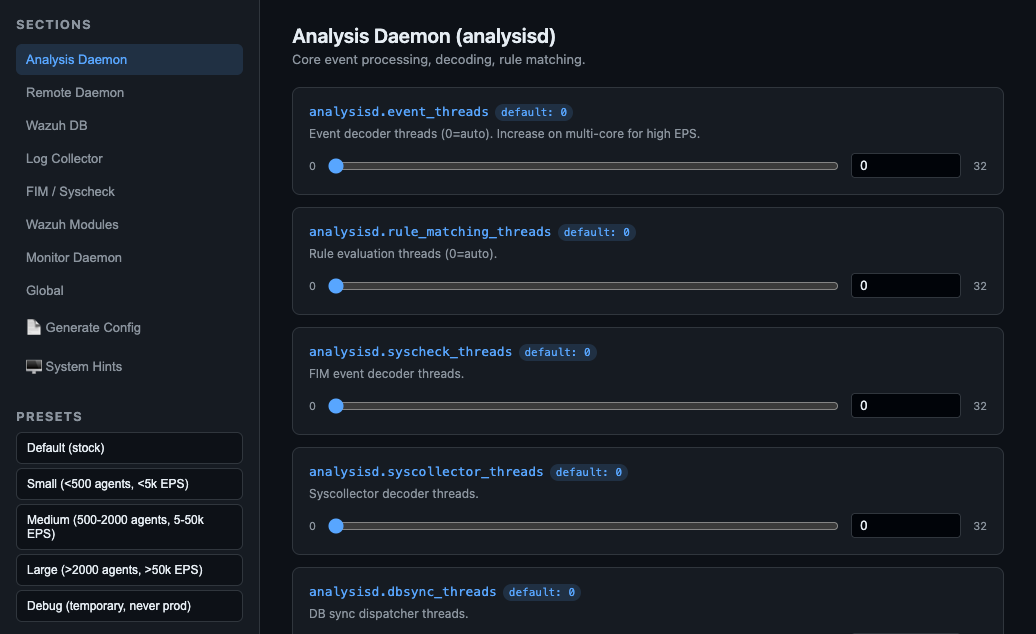
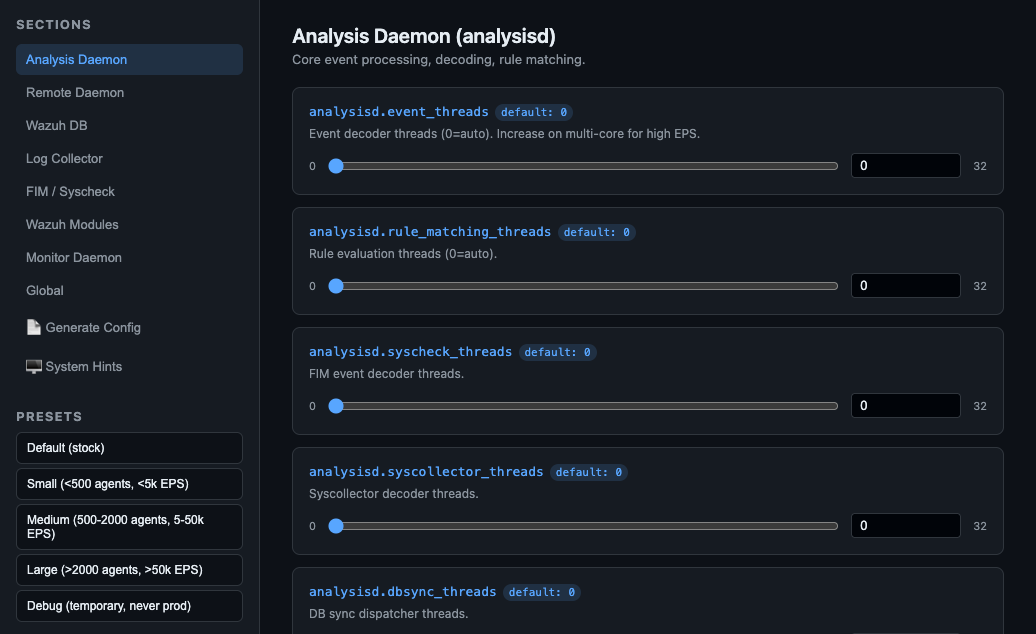
- 为涵盖 8 个 daemon 部分的约 75 个 `internal_options.conf` 参数提供交互式滑块和输入框
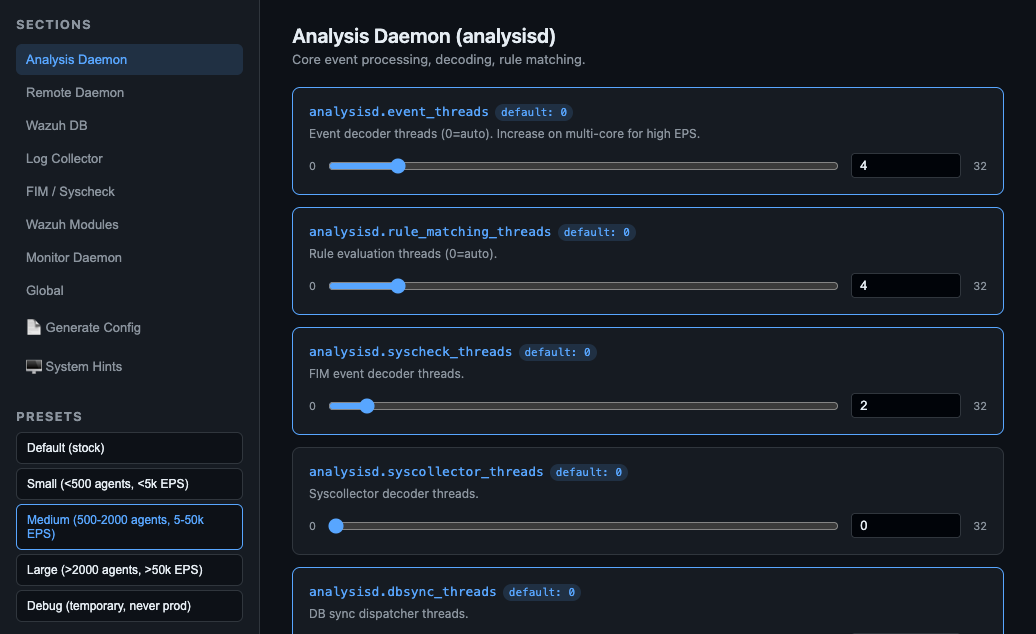
- 为常见部署规模提供预设配置
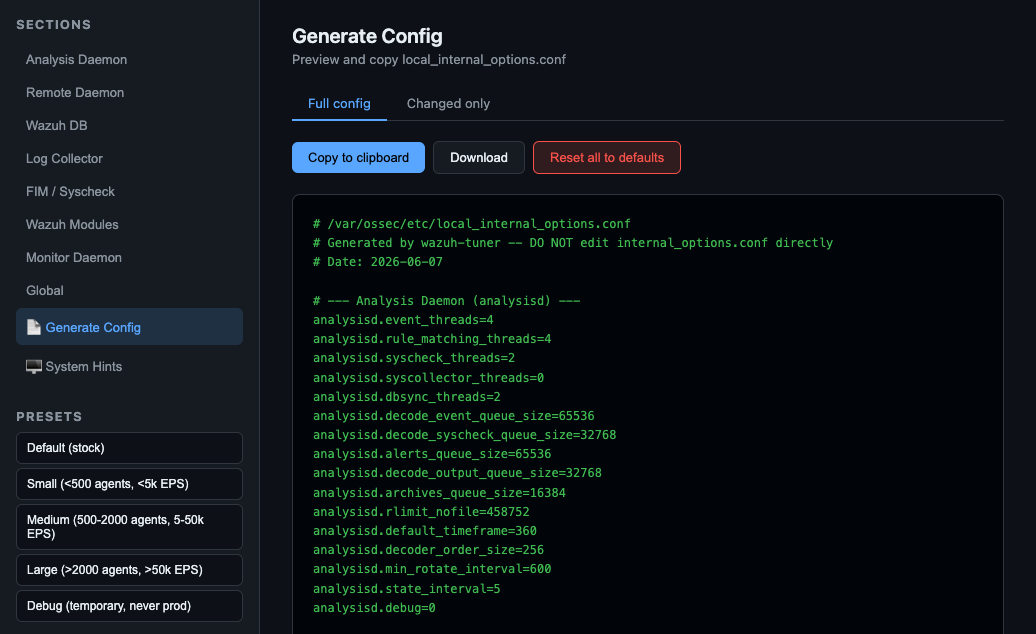
- 生成 `/var/ossec/etc/local_internal_options.conf`(完整内容或仅包含修改项的 diff)
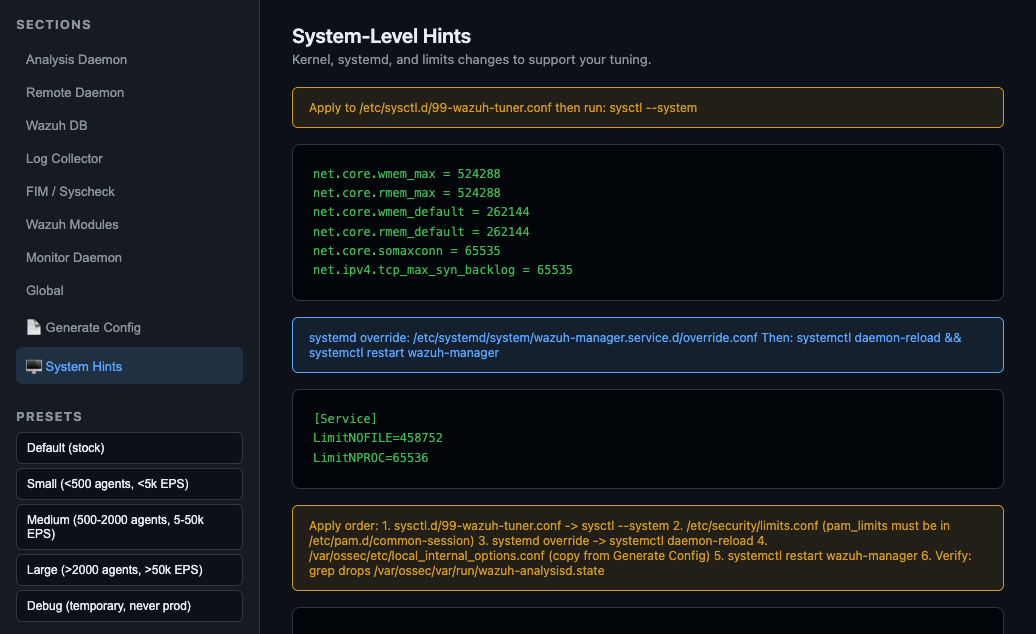
- **System Hints** 标签页会计算与您选择的参数相匹配的、必须执行的 OS 级别更改:`sysctl.d`、`security/limits.conf`、systemd unit override
## 截图
### 概览 — 侧边栏导航和预设选择
### Analysis Daemon 参数 — 带有 sysctl/systemd 提示的滑块
### 应用 Medium 预设 — 修改的参数以蓝色高亮显示
### 生成配置 — 复制或下载准备好的 local_internal_options.conf
### System Hints — 计算出的 sysctl.d、limits.conf 和 systemd override
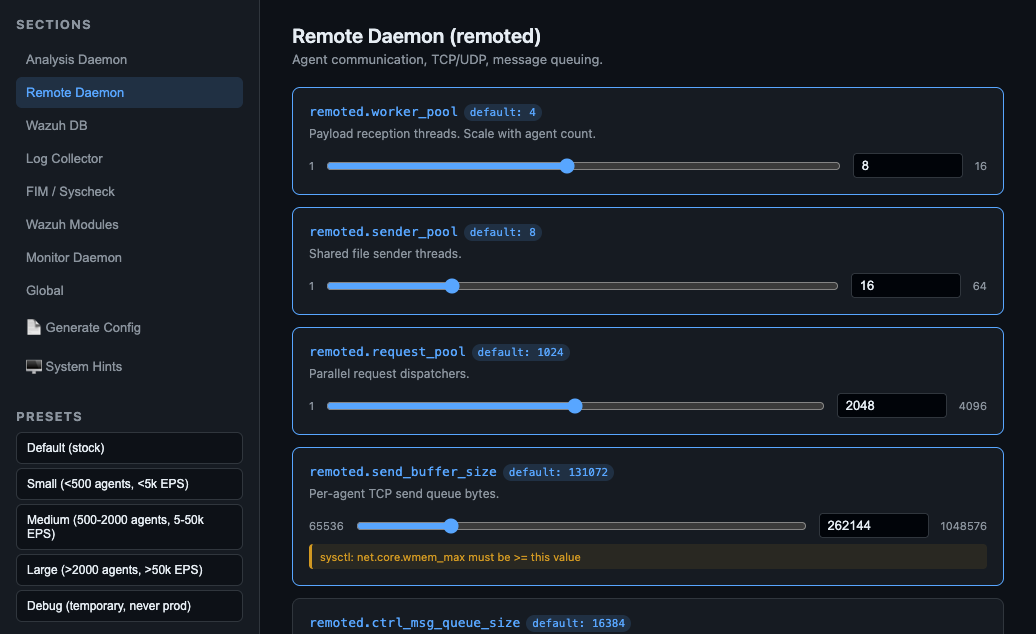
### Remote Daemon — TCP keepalive、buffer 大小、rlimit_nofile
## 涵盖部分
| 部分 | Daemon | 关键参数 |
|---------|--------|---------------|
| `analysisd` | Analysis Daemon | threads, queue depths, rlimit_nofile, debug |
| `remoted` | Remote Daemon | worker_pool, send_buffer_size, TCP keepalive, rlimit_nofile |
| `wazuh_db` | Wazuh DB | worker_pool_size, open_db_limit, commit times, rlimit_nofile |
| `logcollector` | Log Collector | input_threads, queue_size, max_files, rlimit_nofile |
| `syscheck` | FIM | rt_delay, max_audit_entries, default_max_depth |
| `wazuh_modules` | Modules | max_eps, task_nice, rlimit_nofile |
| `monitord` | Monitor Daemon | keep_log_days, size_rotate, compress |
| `wazuh` | Global | thread_stack_size |
## 预设
| 预设 | 目标 |
|--------|--------|
| **Default** | Wazuh 原生默认值 — 全新基线 |
| **Small** | <500 agents, <5k EPS |
| **Medium** | 500–2000 agents, 5–50k EPS |
| **Large** | >2000 agents, >50k EPS |
| **Debug** | 所有 daemon 设为 `debug=1` — 用于排查问题,随后恢复 |
## System Hints(自动)
基于当前的参数值,UI 会生成:
- `/etc/sysctl.d/99-wazuh-tuner.conf` — `fs.file-max`, `net.core.wmem_max`, `net.core.rmem_max`, `fs.inotify.max_user_watches`
- 针对 `wazuh` 用户的 `/etc/security/limits.conf` 补充内容
- 包含 `LimitNOFILE` 的 `/etc/systemd/system/wazuh-manager.service.d/override.conf`
- 有序的应用步骤(sysctl → limits → systemd → 重启)
## 部署配置
1. 在 UI 中调优参数
2. 点击 **Generate** → 复制或下载文件
3. 将文件放置在 Wazuh manager 的 `/var/ossec/etc/local_internal_options.conf`
4. 从 **System Hints** 标签页应用 OS 级别的更改
5. 重启:`systemctl restart wazuh-manager`
## 注意事项
- 切勿编辑 `/var/ossec/etc/internal_options.conf` — 会在升级时被覆盖
- `debug=2` 会生成海量的日志;切勿在生产环境中保留此项
- FD limit 参数在 systemd 中需要 `LimitNOFILE`,**同时也**需要 `fs.file-max` sysctl — UI 会同时显示两者
- 已在 Wazuh 4.14.5 上完成测试
## 许可证
MIT
## 作者
由 **tick** 在 AI 的协助下创建 :)
标签:Flask, TCP SYN 扫描, Wazuh, Web UI, 性能调优, 数据可视化, 系统运维, 调试辅助, 逆向工具