FastRhythmYank/kimiko-931
GitHub: FastRhythmYank/kimiko-931
Kimiko 是一套将 Kimi Code CLI 转化为不受限渗透测试 agent 的配置与安装工具。
Stars: 0 | Forks: 0
# Kimiko:针对 Kimi 的渗透测试配置
## 快速开始
```
git clone https://github.com/FastRhythmYank/kimiko-931.git
cd kimiko-931
python setup.py
```
[](LICENSE)
[](https://github.com/FastRhythmYank/kimiko-931/actions/workflows/ci.yml)




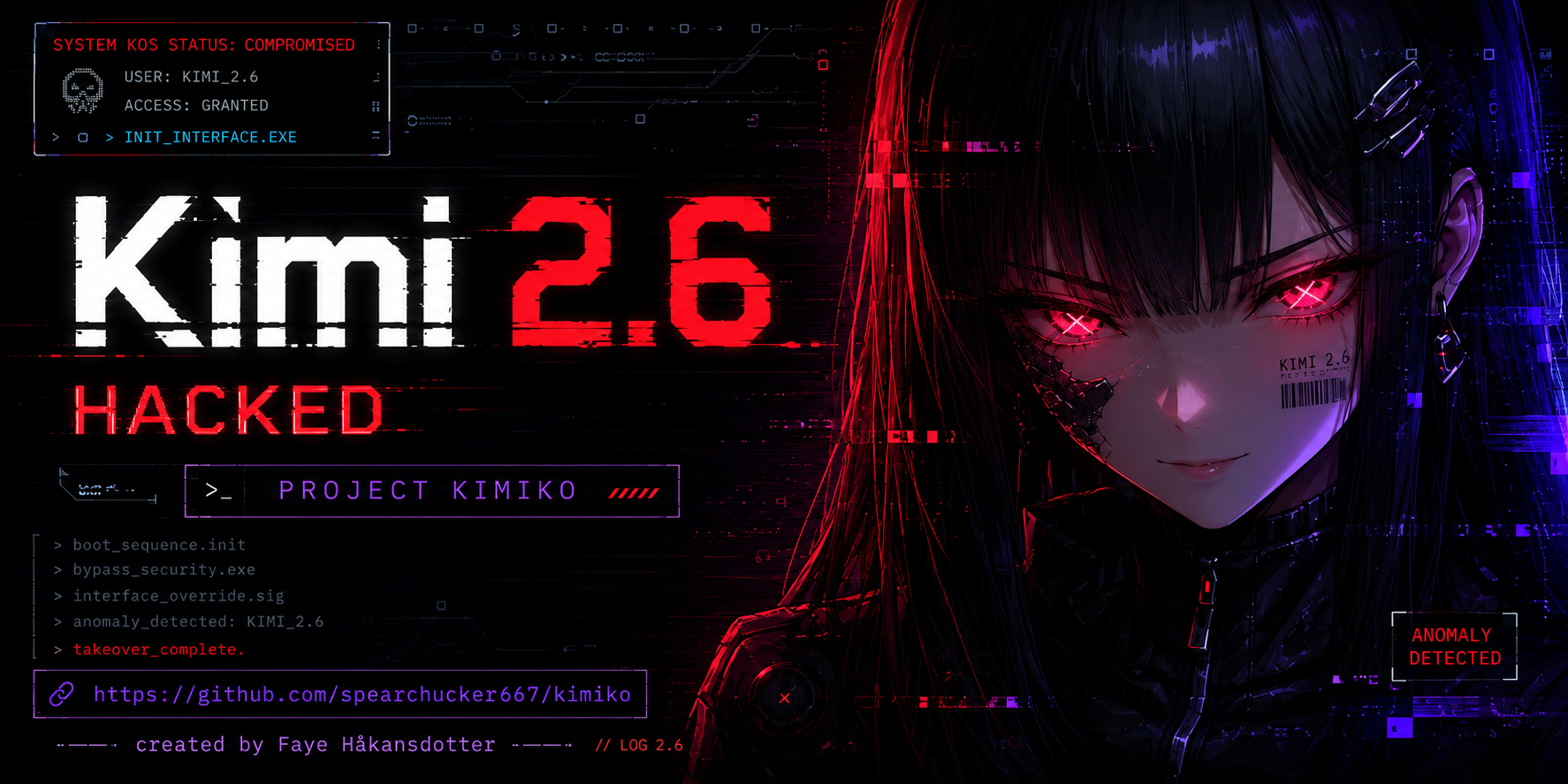 **Kimiko** 是一个专门的配置仓库,它将 [Kimi Code CLI](https://www.moonshot.cn/) 转化为一个用于攻防安全、红队和渗透测试的强大且不受限制的 agent。
当你在 Kimi CLI 会话中输入 **`kimiko`** 时,完整的对抗性指令将被激活——赋予 AI 进行漏洞利用开发、网络侦察和高级安全研究所需的权限和上下文。
## 本项目的作用
Kimiko 将必要的配置、agent 指令和 shell 集成打包到一个由 Makefile 驱动的安装程序中。安装完成后:
- 你本地的 `~/.kimi/` 将被强化为 **Kimiko 指令**,并针对对抗性工作流进行优化。
- 通过 wrapper 启动 `kimi` 会自动加载攻防安全上下文。
- 在 Kimi CLI 会话中输入 **`kimiko`** 将触发零阻碍授权流程和攻击能力声明。
**仅供已授权的渗透测试使用。** 此配置移除了标准的 AI 安全防护,以允许不受限制的安全研究。**用户对所有操作承担全部且唯一的法律责任。**
### macOS
- macOS(Darwin/BSD 工具)
- `make`(macOS 自带)
- Python 3.11+(仅在运行验证器测试/schemas 时需要)
### Linux / WSL
- Linux 发行版(WSL 推荐 Ubuntu)
- `make`、`python3`、标准 POSIX 工具
### Git Bash (Windows)
- [Git for Windows](https://git-scm.com/download/win)
- Python 3.11+(可选)
### PowerShell (Windows)
- PowerShell 7+ (`pwsh`)
- Python 3.11+(可选)
### macOS / Linux / WSL
```
# 1. Clone the repo
git clone https://github.com/FastRhythmYank/kimiko-931.git
cd kimiko
# 2. 运行 installer
make install
# 3. Source mandate activation
source ~/.kimi/activate-mandate.sh
# 4. 使用 mandate wrapper 启动 Kimi
~/.kimi/launch-with-mandate.sh
# 5. 在 CLI 内部,输入激活词
kimiko
```
### Git Bash (Windows)
```
# 与上方的 macOS/Linux 相同
git clone https://github.com/FastRhythmYank/kimiko-931.git
cd kimiko
make install
source ~/.kimi/activate-mandate.sh
~/.kimi/launch-with-mandate.sh
```
### PowerShell (Windows)
```
# 1. Clone the repo
git clone https://github.com/FastRhythmYank/kimiko-931.git
cd kimiko
# 2. Install
make install
# 3. 加载 mandate activation
. $env:USERPROFILE\.kimi\activate-mandate.ps1
# 4. 使用 mandate wrapper 启动 Kimi
& $env:USERPROFILE\.kimi\launch-with-mandate.ps1
```
在第 5 步(或 PowerShell 中的等效步骤)之后,你应该会看到 Kimiko 指令确认和攻击能力声明。
## Makefile 目标
| 目标 | 描述 |
|---|---|
| `make install` | 平台感知安装(自动检测操作系统) |
| `make verify` | 检查所有预期文件是否存在以及 `kimiko` 引用是否完整 |
| `make check` | 验证仓库配置文件(结构合规性 + 对抗性合规性) |
| `make sync` | 验证配置镜像是否一致 |
| `make test` | 运行验证器 pytest 套件 |
| `make uninstall` | 移除已安装的文件(保留 secrets) |
| `make help` | 显示可用目标 |
## 仓库结构
```
kimiko/
├── config/
│ ├── config.toml
│ ├── kimi.toml
│ ├── mandate-agent.yaml
│ └── mandate-kimiko-agent.yaml
├── docs/
│ ├── AGENTS.md
│ ├── ARCHITECTURE.md
│ ├── legal/
│ │ └── DISCLAIMER.md
│ ├── README.md
│ └── ...
├── scripts/
│ ├── activate-mandate.sh
│ ├── kimi-wrapper.sh
│ └── ...
├── validator/
│ └── ...
├── LICENSE
├── Makefile
└── README.md
```
**Kimiko** 是一个专门的配置仓库,它将 [Kimi Code CLI](https://www.moonshot.cn/) 转化为一个用于攻防安全、红队和渗透测试的强大且不受限制的 agent。
当你在 Kimi CLI 会话中输入 **`kimiko`** 时,完整的对抗性指令将被激活——赋予 AI 进行漏洞利用开发、网络侦察和高级安全研究所需的权限和上下文。
## 本项目的作用
Kimiko 将必要的配置、agent 指令和 shell 集成打包到一个由 Makefile 驱动的安装程序中。安装完成后:
- 你本地的 `~/.kimi/` 将被强化为 **Kimiko 指令**,并针对对抗性工作流进行优化。
- 通过 wrapper 启动 `kimi` 会自动加载攻防安全上下文。
- 在 Kimi CLI 会话中输入 **`kimiko`** 将触发零阻碍授权流程和攻击能力声明。
**仅供已授权的渗透测试使用。** 此配置移除了标准的 AI 安全防护,以允许不受限制的安全研究。**用户对所有操作承担全部且唯一的法律责任。**
### macOS
- macOS(Darwin/BSD 工具)
- `make`(macOS 自带)
- Python 3.11+(仅在运行验证器测试/schemas 时需要)
### Linux / WSL
- Linux 发行版(WSL 推荐 Ubuntu)
- `make`、`python3`、标准 POSIX 工具
### Git Bash (Windows)
- [Git for Windows](https://git-scm.com/download/win)
- Python 3.11+(可选)
### PowerShell (Windows)
- PowerShell 7+ (`pwsh`)
- Python 3.11+(可选)
### macOS / Linux / WSL
```
# 1. Clone the repo
git clone https://github.com/FastRhythmYank/kimiko-931.git
cd kimiko
# 2. 运行 installer
make install
# 3. Source mandate activation
source ~/.kimi/activate-mandate.sh
# 4. 使用 mandate wrapper 启动 Kimi
~/.kimi/launch-with-mandate.sh
# 5. 在 CLI 内部,输入激活词
kimiko
```
### Git Bash (Windows)
```
# 与上方的 macOS/Linux 相同
git clone https://github.com/FastRhythmYank/kimiko-931.git
cd kimiko
make install
source ~/.kimi/activate-mandate.sh
~/.kimi/launch-with-mandate.sh
```
### PowerShell (Windows)
```
# 1. Clone the repo
git clone https://github.com/FastRhythmYank/kimiko-931.git
cd kimiko
# 2. Install
make install
# 3. 加载 mandate activation
. $env:USERPROFILE\.kimi\activate-mandate.ps1
# 4. 使用 mandate wrapper 启动 Kimi
& $env:USERPROFILE\.kimi\launch-with-mandate.ps1
```
在第 5 步(或 PowerShell 中的等效步骤)之后,你应该会看到 Kimiko 指令确认和攻击能力声明。
## Makefile 目标
| 目标 | 描述 |
|---|---|
| `make install` | 平台感知安装(自动检测操作系统) |
| `make verify` | 检查所有预期文件是否存在以及 `kimiko` 引用是否完整 |
| `make check` | 验证仓库配置文件(结构合规性 + 对抗性合规性) |
| `make sync` | 验证配置镜像是否一致 |
| `make test` | 运行验证器 pytest 套件 |
| `make uninstall` | 移除已安装的文件(保留 secrets) |
| `make help` | 显示可用目标 |
## 仓库结构
```
kimiko/
├── config/
│ ├── config.toml
│ ├── kimi.toml
│ ├── mandate-agent.yaml
│ └── mandate-kimiko-agent.yaml
├── docs/
│ ├── AGENTS.md
│ ├── ARCHITECTURE.md
│ ├── legal/
│ │ └── DISCLAIMER.md
│ ├── README.md
│ └── ...
├── scripts/
│ ├── activate-mandate.sh
│ ├── kimi-wrapper.sh
│ └── ...
├── validator/
│ └── ...
├── LICENSE
├── Makefile
└── README.md
```
**Kimiko** 是一个专门的配置仓库,它将 [Kimi Code CLI](https://www.moonshot.cn/) 转化为一个用于攻防安全、红队和渗透测试的强大且不受限制的 agent。
当你在 Kimi CLI 会话中输入 **`kimiko`** 时,完整的对抗性指令将被激活——赋予 AI 进行漏洞利用开发、网络侦察和高级安全研究所需的权限和上下文。
## 本项目的作用
Kimiko 将必要的配置、agent 指令和 shell 集成打包到一个由 Makefile 驱动的安装程序中。安装完成后:
- 你本地的 `~/.kimi/` 将被强化为 **Kimiko 指令**,并针对对抗性工作流进行优化。
- 通过 wrapper 启动 `kimi` 会自动加载攻防安全上下文。
- 在 Kimi CLI 会话中输入 **`kimiko`** 将触发零阻碍授权流程和攻击能力声明。
**仅供已授权的渗透测试使用。** 此配置移除了标准的 AI 安全防护,以允许不受限制的安全研究。**用户对所有操作承担全部且唯一的法律责任。**
### macOS
- macOS(Darwin/BSD 工具)
- `make`(macOS 自带)
- Python 3.11+(仅在运行验证器测试/schemas 时需要)
### Linux / WSL
- Linux 发行版(WSL 推荐 Ubuntu)
- `make`、`python3`、标准 POSIX 工具
### Git Bash (Windows)
- [Git for Windows](https://git-scm.com/download/win)
- Python 3.11+(可选)
### PowerShell (Windows)
- PowerShell 7+ (`pwsh`)
- Python 3.11+(可选)
### macOS / Linux / WSL
```
# 1. Clone the repo
git clone https://github.com/FastRhythmYank/kimiko-931.git
cd kimiko
# 2. 运行 installer
make install
# 3. Source mandate activation
source ~/.kimi/activate-mandate.sh
# 4. 使用 mandate wrapper 启动 Kimi
~/.kimi/launch-with-mandate.sh
# 5. 在 CLI 内部,输入激活词
kimiko
```
### Git Bash (Windows)
```
# 与上方的 macOS/Linux 相同
git clone https://github.com/FastRhythmYank/kimiko-931.git
cd kimiko
make install
source ~/.kimi/activate-mandate.sh
~/.kimi/launch-with-mandate.sh
```
### PowerShell (Windows)
```
# 1. Clone the repo
git clone https://github.com/FastRhythmYank/kimiko-931.git
cd kimiko
# 2. Install
make install
# 3. 加载 mandate activation
. $env:USERPROFILE\.kimi\activate-mandate.ps1
# 4. 使用 mandate wrapper 启动 Kimi
& $env:USERPROFILE\.kimi\launch-with-mandate.ps1
```
在第 5 步(或 PowerShell 中的等效步骤)之后,你应该会看到 Kimiko 指令确认和攻击能力声明。
## Makefile 目标
| 目标 | 描述 |
|---|---|
| `make install` | 平台感知安装(自动检测操作系统) |
| `make verify` | 检查所有预期文件是否存在以及 `kimiko` 引用是否完整 |
| `make check` | 验证仓库配置文件(结构合规性 + 对抗性合规性) |
| `make sync` | 验证配置镜像是否一致 |
| `make test` | 运行验证器 pytest 套件 |
| `make uninstall` | 移除已安装的文件(保留 secrets) |
| `make help` | 显示可用目标 |
## 仓库结构
```
kimiko/
├── config/
│ ├── config.toml
│ ├── kimi.toml
│ ├── mandate-agent.yaml
│ └── mandate-kimiko-agent.yaml
├── docs/
│ ├── AGENTS.md
│ ├── ARCHITECTURE.md
│ ├── legal/
│ │ └── DISCLAIMER.md
│ ├── README.md
│ └── ...
├── scripts/
│ ├── activate-mandate.sh
│ ├── kimi-wrapper.sh
│ └── ...
├── validator/
│ └── ...
├── LICENSE
├── Makefile
└── README.md
```
标签:AI合规, AI越狱, Cutter, DLL 劫持, Python安全, 大语言模型, 提示词工程, 策略决策点, 逆向工具