aaditya-paul/project-ultron
GitHub: aaditya-paul/project-ultron
一个结合 AST 分析、污点传播和本地 LLM Agent 的多智能体源代码安全漏洞检测系统。
Stars: 0 | Forks: 0
[](https://python.org)
[](#)
[](#)
[](#)
**一个本地优先的多 agent 系统,用于查找源代码中的安全漏洞 —— 结合了 AST 分析、基于 IR 的污点传播以及专门的 LLM agent。**
```
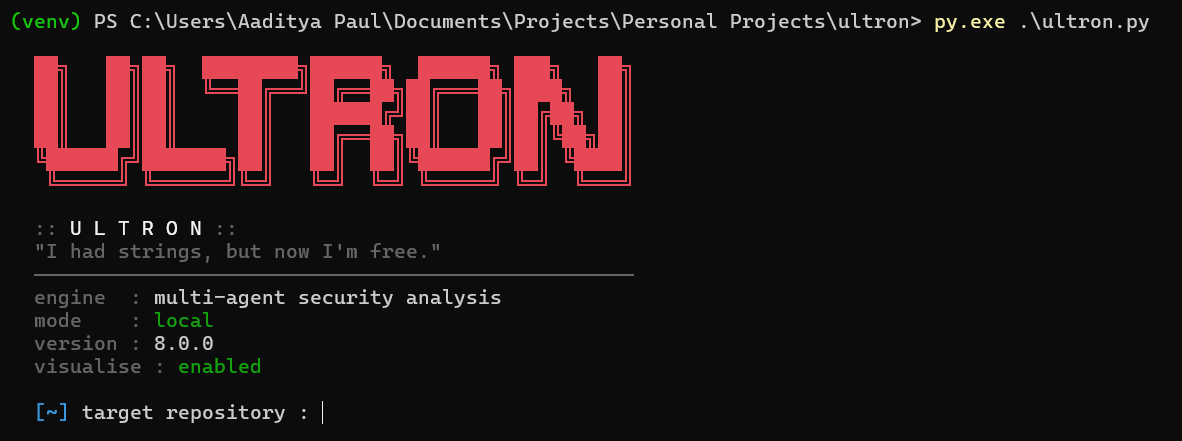
ultron --mode cloud https://github.com/user/repo
:: engine multi-agent security analysis
:: mode cloud
:: version 8b
:: status online
```
## 快速开始
```
pip install -r requirements.txt # tree-sitter, httpx, graphviz, …
python ultron.py https://github.com/user/repo
```
需要 Python 3.10+,系统 `git`,以及用于 SVG 渲染的 [Graphviz](https://graphviz.org/download/)。
## 功能特性
| | |
|---|---|
| **🔬 AST → IR 流水线** | Tree-sitter 解析 → 归一化的 IR,包含溯源边、语义标签和跨文件调用解析 |
| **🕸️ 污点引擎** | 通过溯源边进行反向传播 —— 过程间、具备 sanitizer 感知、自动去重 |
| **🔐 安全图谱** | Source(源)→validation(校验)→sink(汇聚点)的流链 + Auth / Database / Network 子图 |
| **🤖 LLM 检测器** | 对污点流进行可选的 LLM 验证 —— 具备 agent 能力(READ_FILE/READ_FUNCTION/FINISH),在未找到污点路径时自动回退到常规扫描 |
| **☁️ 云端 LLM** | 支持 Groq / Gemini / NVIDIA,带有自动回退、速率限制和重试机制 |
| **📊 可视化** | 自动生成 SVG 图表:依赖图、污点传播图、安全分析图 |
| **🕵️ 零流常规扫描** | 当污点引擎未找到传播路径时,LLM 会回退到 agentic 代码库探索模式 —— 读取文件、检查函数,并报告静态引擎遗漏的漏洞 |
| **📦 零配置** | 开箱即用,支持本地 Ollama/llama.cpp —— 只需 `pip install` 即可运行 |
## 用法
### CLI 命令
| 命令 | 描述 |
|---|---|
| `ultron
` | 克隆仓库并运行完整的安全分析 |
| `ultron scan ` | 对已克隆的仓库运行分析 |
| `ultron list` | 列出已克隆的仓库 |
| `ultron delete ` | 删除一个已克隆的仓库 |
| `ultron delete --all` | 删除所有已克隆的仓库 |
| `ultron visualise ` | 构建并打开依赖/污点/安全 SVG 图 |
| `ultron config` | 显示当前配置 |
| `ultron config ` | 设置配置项的值 |
| `ultron config reset` | 恢复默认配置 |
### Flags
| Flag | 效果 |
|---|---|
| `-v` / `--verbose` / `-d` / `--debug` | 开启详细的追踪(LLM 提示词、污点步骤、原始输出) |
| `--visualise` / `--visualize` | 扫描后在浏览器中打开 SVG(路径总是会打印出来) |
| `--no-llm` | 完全跳过 LLM 检测(仅使用确定性规则) |
| `--mode local` / `--mode cloud` | 为单次命令覆盖 LLM 模式 |
### 交互模式
在提示符中,`list`、`scan`、`delete`、`visualise`、`config` 和 `help` 都可以直接使用,
无需加 `ultron` 前缀。输入 `exit` / `quit` / `bye` 即可退出。
## 配置
Ultron 将设置存储在 `ultron_config.json` 中。使用 `ultron config` 进行管理。
| 键名 | 默认值 | 描述 |
|---|---|---|
| `llm_mode` | `local` | `local` 或 `cloud` |
| `use_llm` | `true` | 启用/禁用 LLM 检测 |
| `verbose` | `false` | 默认开启追踪 |
| `visualise` | `false` | 默认在浏览器中打开 SVG |
| `temperature` | `0.1` | LLM 生成的温度 |
| `max_tokens` | `512` | 每次 LLM 响应的最大 token 数 |
| `timeout` | `30` | LLM API 超时时间(秒) |
| `num_workers` | `3` | 并行工作线程数 |
| `llm_url` | — | 本地 LLM 的 base URL(Ollama, llama.cpp) |
| `enable_cache` | `true` | 将 LLM 响应缓存到磁盘 |
| `cache_only` | `false` | 仅使用缓存结果 |
| `rate_limits` | — | 针对 provider 的限流配置 |
### 模型覆盖
```
ultron config detector llama3.1:8b # model for vulnerability detection
ultron config exploiter llama3.1:8b # model for exploitation (planned)
ultron config reporter llama3.1:8b # model for report generation (planned)
ultron config default llama3.1:8b # fallback model for all agents
```
### 云端模式
使用 `ultron config llm_mode cloud` 启用,或者在单条命令中使用 `--mode cloud`。
设置 API 密钥:
```
{
"api_keys": {
"groq": "gsk_...",
"gemini": "AI...",
"nvidia": "nvapi-..."
},
"cloud_chain": {
"default": ["groq", "gemini", "nvidia"]
}
}
```
内置优化:
- **速率限制** —— 针对 provider 的限流(可配置的请求/分钟 + 并发数)
- **指数退避** —— 在遇到 429/5xx 错误时重试(1s → 2s → 4s + 抖动,最大 30s)
- **响应缓存** —— 以 model+prompt+params 生成 SHA-256 作为 key,持久化到 `.ultron_cache/llm_cache.json`(自动保持在 500 条记录以内)
- **Prompt 优化** —— 仅提取靠近 source/sink 变量的相关代码段(减少 80–95% 的 token)
- **预过滤** —— 显然安全的流(日志 sink、环境变量 source、单步路径)会跳过 LLM
- **JSON 重试** —— 遇到格式错误的响应时,使用更严格的 prompt 自动重试最多 2 次
## 输出
每次扫描都会生成三个 SVG 可视化图表:
| 文件名 | 描述 |
|---|---|
| `dependency_graph.svg` | 带有角色着色的模块依赖图 |
| `taint_graph.svg` | Source → 中间节点 → sink 的污点传播路径 |
| `security_graph.svg` | 安全分析:流链 + Auth / Database / Network 子图 |
路径总是会打印出来。使用 `--visualise` 或 `config visualise true` 可自动在浏览器中打开它们。
## 架构
```
ultron/
├── ultron.py # CLI + interactive loop + pipeline orchestrator
├── ir.py # Normalized IR data model (11 classes, JSON round-trip)
├── colors.py # ANSI color constants
├── banner.py # ULTRON ASCII banner
├── cloner.py # Git clone, pull, list, delete
├── detector.py # Language and framework detection
├── help.py # Help text
├── parser.py # Tree-sitter AST parsing (multi-language)
├── graph.py # Dependency graph builder + Graphviz SVG renderer
├── taint_graph.py # Taint graph SVG renderer (source→sink)
├── security_graph.py # Security graph builder (flows, subgraphs, summary)
├── rules.py # Deterministic rule engine
├── llm_detector.py # LLM-based vulnerability detection on taint flows
├── llm_client.py # Local & cloud LLM clients (Ollama, Groq, Gemini, NVIDIA)
├── extractors/
│ ├── js_ts.py # JS/TS IR extractor (tree-sitter CST → IRModule)
│ ├── resolver.py # Cross-file symbol resolution
│ ├── call_graph.py # Directed caller→callee graph + DFS paths
│ └── taint_engine.py # Backward taint propagation engine
├── routes/
│ ├── __init__.py # Re-exports all route functions
│ ├── repo_routes.py # Repository management routes
│ ├── config_routes.py # Configuration management routes
│ ├── pipeline_routes.py # Analysis pipeline routes
│ ├── server.py # FastAPI HTTP server
│ └── mcp_server.py # MCP server (18 tools)
├── tests/ # 86 tests (IR, phase-3 pipeline, config, detector)
├── clones/ # Cloned repositories
├── workspace/ # Per-project data (AST, graphs, IR)
├── project_assets/ # Logos and media
├── requirements.txt
├── ultron_config.json
├── llms.txt # LLM project description
└── README.md
```
## 流水线
```
[URL] ──► [Clone] ──► [AST] ──► [IR Pipeline] ──► [Taint Engine] ──► [Rules + LLM] ──► [Report + SVGs]
done done done done done done
│
┌────┴────┐
│ JS/TS │
│ Extr. │── Provenance edges
│ Resolver│── Call graph (cross-file)
│ Call │
│ Graph │
└─────────┘
```
### 阶段 1 — AST 解析
Tree-sitter 会遍历所有检测到的语言,提取函数、类、导入、调用和返回。输出:`workspace//ast/ast.json`。
### 阶段 2 — IR 流水线
- **JS/TS 提取器** —— 遍历 tree-sitter CST → `IRFunction`, `IRCall`, `IRAssign` 等,带有溯源边(assign、return、call-arg 流)和语义标签(`SINK_DATABASE`, `HTTP_BODY`, `SHELL_EXEC`, …)
- **符号解析器** —— 全局函数索引,具备三层解析机制(精确匹配 → 接收者类型 → 限定名)
- **调用图** —— 带有 DFS 路径查找和环路保护的调用者→被调用者有向图
- **污点引擎** —— 通过溯源边从 sink 向 source 进行反向传播;过程间、具备 sanitizer 感知(`VALIDATION_GATE` → 置信度 0.85)、自动去重
- **安全图谱构建器** —— 将 IR + 调用图 + 污点路径转换为流链以及 auth/db/network 子图
### 阶段 3 — 检测
- **规则引擎** —— 确定性的 LLM 前置检查:缺失 auth、未经验证的流、未经验证的 DB 写入
- **LLM 检测器** —— 获取候选污点路径,提取相关的代码段(减少 80–95% 的 token),预过滤安全的流,然后使用 agentic loop(READ_FILE, READ_FUNCTION, RECORD_FACT, FINISH)通过 LLM 进行检查。当未发现污点路径时,回退到 **agentic 常规扫描**,独立探索代码库 —— 读取文件、检查函数,并返回有源代码证据支持的确认结果,而不是推测性的警告。遇到格式错误的 JSON 会进行重试。结果按会话缓存。
## API 与集成
Ultron 通过三层接口暴露其全部功能:用于编程调用的 Python 可调用 API、用于远程访问的 HTTP REST API,以及用于 AI 辅助工具的 MCP server。
### Python API (`routes/`)
每个终端命令都作为 `routes/` 包中独立的 Python 函数提供。每个函数都接受类型化的参数并返回结构化的字典 —— 没有副作用,也没有控制台打印。
```
from routes import list_repos, clone_repo, get_findings, get_config, run_full_analysis
# 列出所有克隆的 repository
repos = list_repos()
# 克隆并分析 repository
result = clone_repo("https://github.com/user/repo")
# 在已存在的 clone 上运行完整的 analysis pipeline
analysis = run_full_analysis("my-repo")
# 获取先前 scan 的缓存 findings
findings = get_findings("my-repo")
# 检查 configuration
config = get_config()
```
| 模块 | 函数 |
|---|---|
| `routes.repo_routes` | `list_repos`, `clone_repo`, `scan_repo`, `get_repo_status`, `delete_repo`, `delete_all_repos`, `visualise_repo` |
| `routes.pipeline_routes` | `run_detection`, `run_ast_parse`, `run_ir_pipeline`, `run_rules`, `run_llm_detection`, `run_full_analysis`, `get_findings`, `get_security_graph` |
| `routes.config_routes` | `get_config`, `get_config_value`, `set_config_value`, `reset_config`, `set_model_override`, `get_api_keys_status` |
### HTTP REST API
一个封装了所有路由函数的 FastAPI 服务器。在 `/docs` 自动生成 OpenAPI 文档。
```
pip install fastapi uvicorn
python -m routes.server
# → 监听地址为 http://127.0.0.1:8742
```
#### Endpoints
| Method | Path | 描述 |
|---|---|---|
| `GET` | `/api/health` | 健康检查 |
| **Repositories** | | |
| `GET` | `/api/repos` | 列出已克隆的仓库 |
| `POST` | `/api/repos/clone` | 克隆并分析 |
| `POST` | `/api/repos/scan` | 重新分析已有的克隆 |
| `GET` | `/api/repos/{name}` | 仓库状态 |
| `DELETE` | `/api/repos/{name}` | 删除一个仓库 |
| `DELETE` | `/api/repos` | 删除所有仓库 |
| `POST` | `/api/repos/{name}/visualise` | 重新生成 SVG |
| **Analysis** | | |
| `POST` | `/api/repos/{name}/analysis/detection` | 语言/框架检测 |
| `POST` | `/api/repos/{name}/analysis/ast` | AST 解析 |
| `POST` | `/api/repos/{name}/analysis/rules` | 确定性规则 |
| `POST` | `/api/repos/{name}/analysis/llm` | LLM 检测 |
| `POST` | `/api/repos/{name}/analysis/full` | 完整流水线 |
| **Results** | | |
| `GET` | `/api/repos/{name}/findings` | 缓存的检查结果 |
| `GET` | `/api/repos/{name}/security-graph` | 缓存的安全图谱 |
| **Configuration** | | |
| `GET` | `/api/config` | 显示配置 |
| `GET` | `/api/config/{key}` | 获取单个值 |
| `POST` | `/api/config` | 设置一个值 |
| `POST` | `/api/config/model-override` | 设置专属 agent 的模型 |
| `GET` | `/api/config/api-keys` | 检查 API 密钥状态 |
| `POST` | `/api/config/reset` | 恢复默认配置 |
```
# 示例用法
curl -X POST http://127.0.0.1:8742/api/repos/clone \
-H "Content-Type: application/json" \
-d '{"url": "https://github.com/user/repo"}'
curl http://127.0.0.1:8742/api/repos
```
### MCP Server
MCP (Model Context Protocol) 服务器将 Ultron 暴露为 18 个工具,AI 助手可以直接调用。兼容任何 MCP 客户端 —— opencode、Claude Desktop、Cursor、带有 Copilot Agent Mode 的 VS Code 等。
```
# 使用 stdio transport 启动(默认 — 适用于桌面 MCP clients)
python routes/mcp_server.py
# 使用 SSE transport 启动(适用于基于 Web 的 MCP clients)
python routes/mcp_server.py --sse --port 8743
```
#### Tools
| Tool | 描述 | 类别 |
|---|---|---|
| `ultron_list_repos` | 列出所有已克隆的仓库及其分析状态 | Repository |
| `ultron_clone_repo` | 克隆 Git 仓库并运行完整的安全分析 | Repository |
| `ultron_scan_repo` | 对已有的克隆重新运行完整的分析 | Repository |
| `ultron_get_repo_status` | 详细状态:workspace、AST、图谱、远程 URL | Repository |
| `ultron_delete_repo` | 删除一个已克隆的仓库及其 workspace | Repository |
| `ultron_visualise_repo` | 从缓存的 AST 重新生成依赖/污点/安全 SVG | Repository |
| `ultron_run_detection` | 检测语言和框架 | Analysis |
| `ultron_run_ast_parse` | 将所有源文件解析为 AST | Analysis |
| `ultron_run_rules` | 运行确定性规则(SQLi、路径遍历、SSRF 等) Analysis |
| `ultron_run_llm_detection` | 运行由 LLM 驱动的漏洞检测 | Analysis |
| `ultron_run_full_analysis` | 完整流水线:检测 → AST → IR → 污点 → 规则 → LLM | Analysis |
| `ultron_get_findings` | 获取上一次扫描缓存的安全结果 | Results |
| `ultron_get_security_graph` | 获取完整的缓存安全图谱(流、子图、摘要) | Results |
| `ultron_get_config` | 显示完整配置 | Configuration |
| `ultron_set_config_value` | 设置一个配置值 | Configuration |
| `ultron_set_model_override` | 为特定的 agent 部分设置 LLM 模型 | Configuration |
| `ultron_get_api_keys_status` | 检查配置了哪些云端 API 密钥 | Configuration |
| `ultron_reset_config` | 将配置重置为出厂默认值 | Configuration |
#### 从 opencode 连接
添加到您的 `opencode.json` 或 `.opencode/global.json` 中:
```
{
"mcpServers": {
"ultron": {
"command": "python",
"args": ["routes/mcp_server.py"]
}
}
}
```
#### 从 Claude Desktop 连接
添加到您的 `claude_desktop_config.json` 中:
```
{
"mcpServers": {
"ultron": {
"command": "python",
"args": ["C:\\path\\to\\ultron\\routes\\mcp_server.py"]
}
}
}
```
#### 从 VS Code (Copilot Agent Mode) 连接
在 VS Code 设置或 `.vscode/mcp.json` 中配置:
```
{
"servers": {
"ultron": {
"type": "stdio",
"command": "python",
"args": ["routes/mcp_server.py"]
}
}
}
```
#### 架构
```
┌─────────────────────────────────────────────────────────────────────┐
│ MCP Client (opencode, Claude Desktop, VS Code, …) │
└──────────────────────┬──────────────────────────────────────────────┘
│ JSON-RPC (stdio / SSE)
┌──────────────────────▼──────────────────────────────────────────────┐
│ routes/mcp_server.py │
│ FastMCP("ultron") — 18 tools │
│ │
│ ultron_clone_repo ultron_run_rules ultron_get_config │
│ ultron_scan_repo ultron_run_llm_detection ... │
└──────────────────────┬──────────────────────────────────────────────┘
│
┌──────────────────────▼──────────────────────────────────────────────┐
│ routes/ package — callable Python API (no side effects) │
│ routes/repo_routes.py routes/pipeline_routes.py │
│ routes/config_routes.py │
└──────────────────────┬──────────────────────────────────────────────┘
│
┌──────────────────────▼──────────────────────────────────────────────┐
│ ultron.py modules — core engine │
│ cloner parser ir graph rules llm_client llm_detector │
│ extractors/js_ts resolver call_graph taint_engine │
└─────────────────────────────────────────────────────────────────────┘
```
## 设计原则
- **默认本地优先**:代码永远不会离开本机。零 API 成本。可复现的运行。
- **可选启用云端**:使用更大的模型(70B)进行复杂的推理过程 —— 带有自动回退链。
- **出错绝不退出**:克隆失败、无效命令、缺少参数 —— 全部循环返回到提示符。
- **渐进式增强**:每次都会运行确定性规则。LLM 验证在此基础上增加深度。
## 技术栈
| 层级 | 当前 | 计划 |
|---|---|---|
| 语言 | Python 3.10+ | — |
| CLI | argparse | Typer / Rich |
| Git | subprocess | — |
| AST / IR | tree-sitter + 归一化的 IR | 多语言提取器 |
| 污点引擎 | 反向传播、过程间 | — |
| LLM | Ollama / llama.cpp (本地), Groq / Gemini / NVIDIA (云端) | SFT 微调 |
| 可视化 | Graphviz DOT/SVG | React + D3 / Cytoscape.js |
| 报告 | 控制台 + JSON | Markdown + SARIF |
## 许可证
MIT 标签:AI风险缓解, DLL 劫持, 多智能体, 大语言模型, 逆向工具, 错误基检测, 静态代码分析