diffusionstudio/lottie
GitHub: diffusionstudio/lottie
一个通过 AI 编程代理从自然语言生成生产级 Lottie 动画的开源 skill 工具套件。
Stars: 5005 | Forks: 272

[](https://discord.com/invite/zPQJrNGuFB)
[](https://x.com/diffusionhq)
[](https://www.ycombinator.com/companies/diffusion-studio)
**Text-to-lottie** 是一个开源工具套件,用于通过 claude code/codex 或任何其他支持 skills 的编程代理生成可用于生产环境的 Lottie 动画。
## 使用 Text-to-Lottie 创建
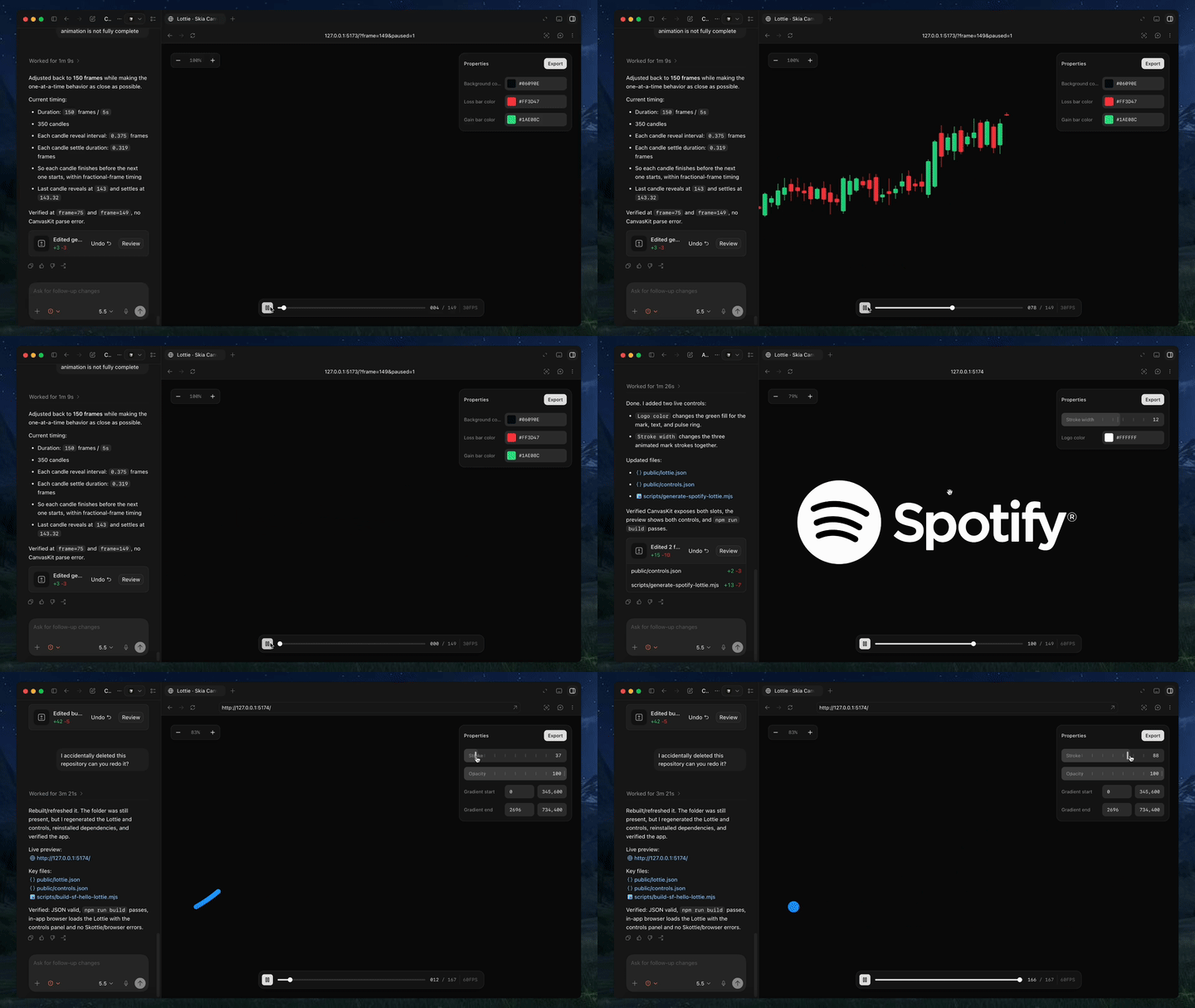
|
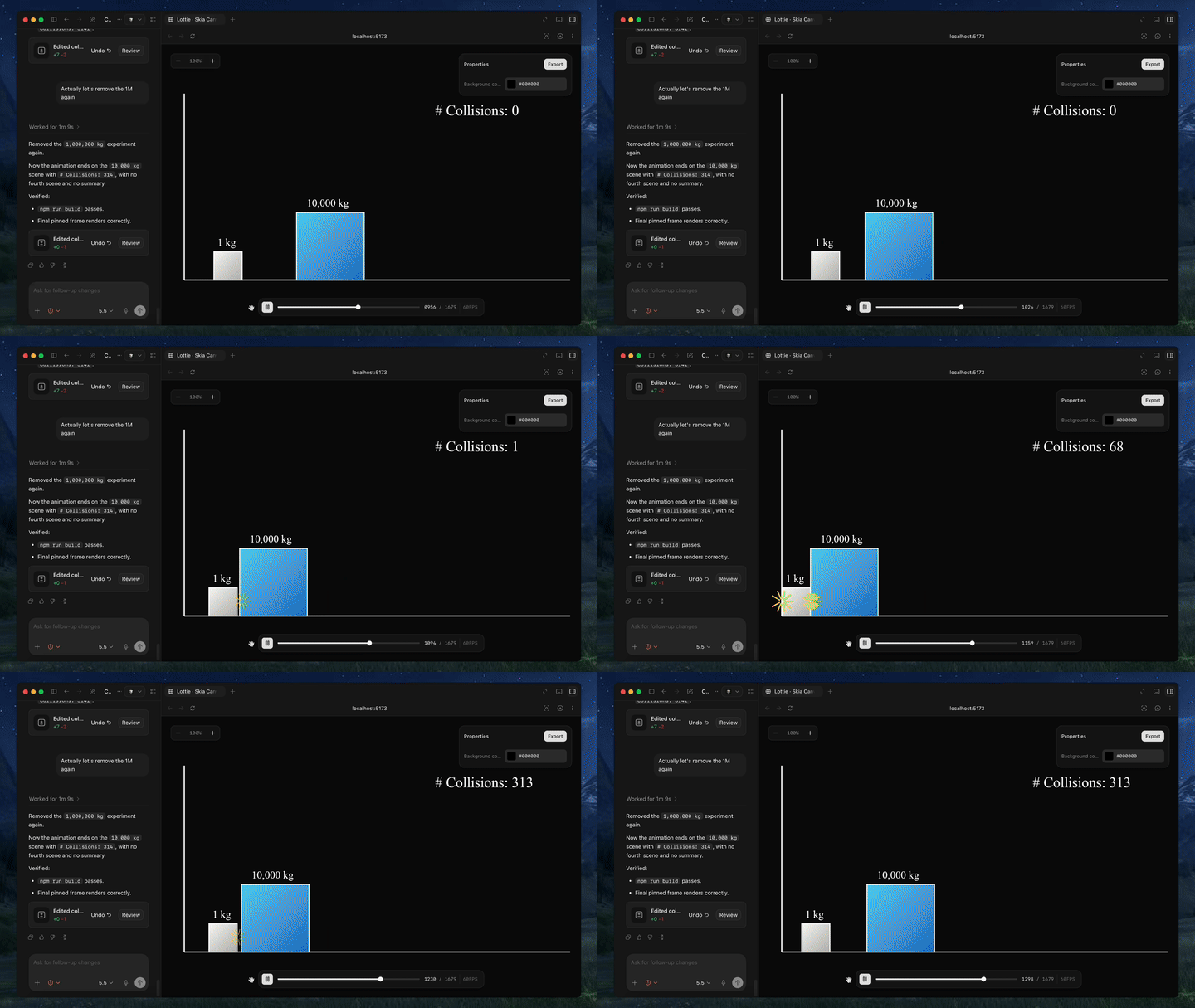
|
## 快速开始
安装 skill:
```
npx skills add diffusionstudio/lottie
```
然后要求你的编程代理使用 `text-to-lottie` 生成 Lottie 动画。
示例 prompt:
代理将设置一个工具套件,让你可以使用内置的播放器检查/编辑生成的 lottie。
## Prompt 指南
### 1. 奠定模型基础
尽可能提供 SVG、真实数据或截图。当动画基于具体资源时,效果会显著提升。
### 2. 使用动态设计术语
使用动态设计语言(如 ease-in、ease-out 和 ease-in-out)来描述时间和运动。
### 3. 像摄像师一样思考
专业的动态图形通常依赖于摄像机的运动。在你的 prompt 中加入摄像机推拉、平移、缩放和类似云台的运动。代理可以通过 group transforms 来模拟这些操作。
### 4. 请求你需要的控件
默认情况下,输出通常只公开背景颜色控件。如果你想自定义其他属性,请明确要求代理为其创建控件。
### 5. 指定 FPS 和持续时间
如果你的动画需要特定的帧率或长度,请在 prompt 中包含所需的 FPS 和总帧数。
## 使用生成的动画
生成的动画可以直接作为 Lottie JSON 文件使用,或导入 After Effects 进行进一步优化。
### Web / 原生 HTML
```
```
### React Native
```
import LottieView from "lottie-react-native";
export default function Loader() {
return (
);
}
```
此外,[React Native Skia](https://shopify.github.io/react-native-skia/docs/skottie/) 也可以通过其 Skottie 模块渲染 Lottie 动画,包括在 Web 端。它允许你在运行时自定义动画属性、资源和字体,并且由于 `Skottie` 是一种常规的 Skia 绘图,它可以与着色器、效果和遮罩一起组合成更大的 Skia 场景。
```
import { Skia, Canvas, Skottie, useClock } from "@shopify/react-native-skia";
import { useDerivedValue } from "react-native-reanimated";
const animation = Skia.Skottie.Make(JSON.stringify(require("./animation.json")));
export default function Loader() {
const clock = useClock();
const frame = useDerivedValue(
() => ((clock.value / 1000) % animation.duration()) * animation.fps()
);
return (
);
}
```
### iOS Swift
```
import Lottie
let animationView = LottieAnimationView(name: "animation")
animationView.frame = view.bounds
animationView.contentMode = .scaleAspectFit
animationView.loopMode = .loop
view.addSubview(animationView)
animationView.play()
```
### Android Kotlin
```
val view = findViewById
(R.id.animationView)
view.setAnimation(R.raw.animation)
view.loop(true)
view.playAnimation()
```
### Flutter
```
dependencies:
lottie: ^latest
```
```
import 'package:lottie/lottie.dart';
Lottie.asset('assets/animation.json')
```
标签:AI编程助手, Claude, CVE检测, Lottie, 前端动效, 动画生成, 自动化攻击