Tunahanyrd/goiface
GitHub: Tunahanyrd/goiface
goiface 是一个 Go 语言命令行工具,用于扫描代码库并展示接口与其具体实现类型之间的映射关系。
Stars: 0 | Forks: 0
# goiface
[](https://github.com/tunahanyrd/goiface/actions/workflows/ci.yml)
[](https://goreportcard.com/report/github.com/tunahanyrd/goiface)
[](https://pkg.go.dev/github.com/tunahanyrd/goiface)
go 的 interface 是隐式的。`goiface` 让它们的实现变得可见。
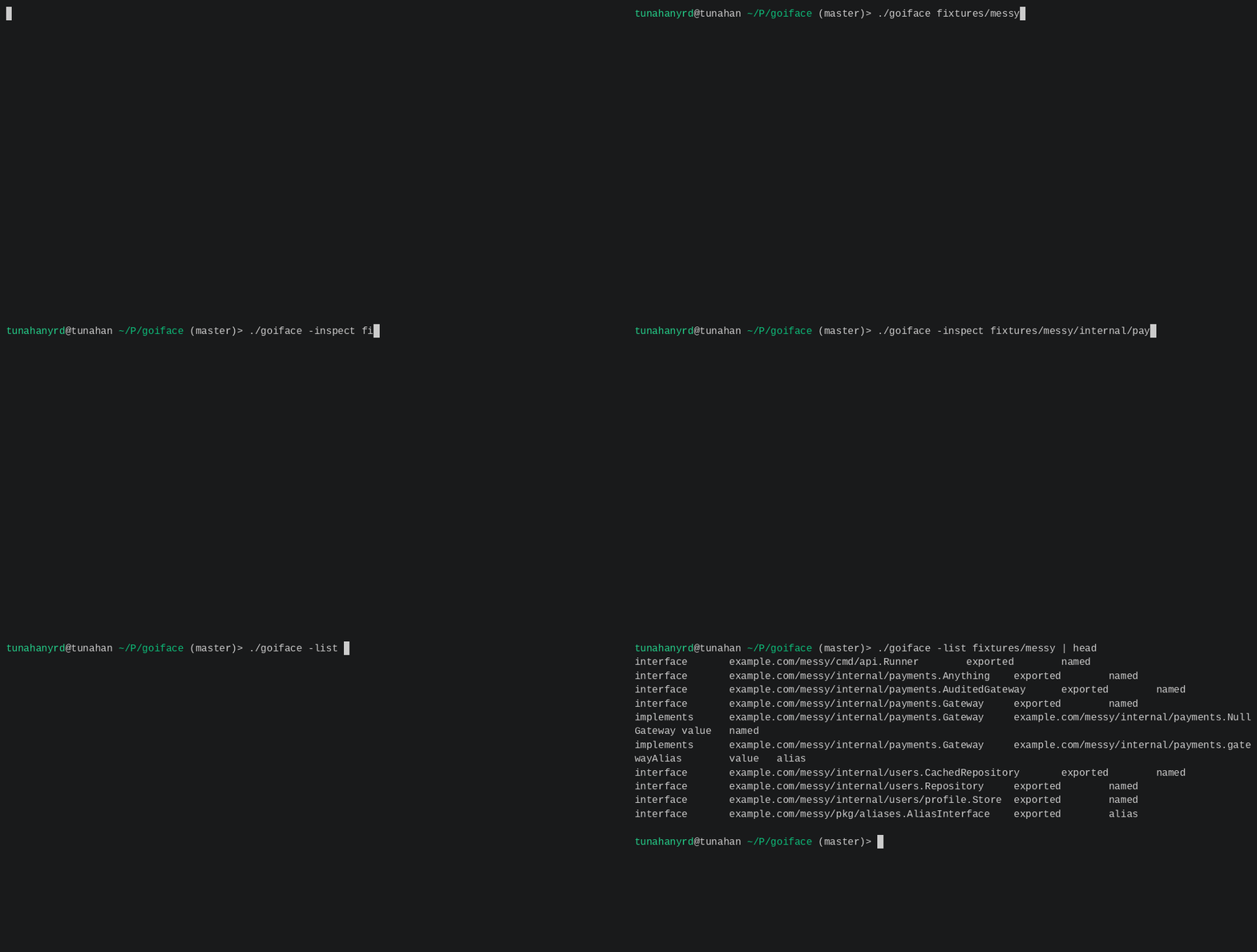
当你打开一个不熟悉的 go 代码库时,通常很难回答以下问题:
```
which concrete types implement this interface?
```
`goiface` 会直接在你的终端中打印出该映射。
```
goiface .
```
```
example.com/messy/internal/payments
|-- AuditedGateway interface
| `-- no implementations
`-- Gateway interface
|-- example.com/messy/internal/payments.NullGateway
`-- example.com/messy/internal/payments.gatewayAlias alias
```
它的设计初衷是像一个小巧的 unix 工具:默认输出纯文本,为脚本提供稳定的结构化输出,带有实用的退出码,并且不需要 daemon。
## 安装
```
go install github.com/tunahanyrd/goiface@latest
```
## 用法
```
goiface [options] [path|pattern ...]
```
不带参数时,`goiface` 会扫描 `./...`。传入 `.` 也会达到同样的效果。
```
goiface
goiface .
goiface ./internal/payments
goiface ./...
goiface -C ../other-module ./...
```
当匹配到多个 package 时,输出会按 import 路径排序,并且重复的 package 只会报告一次。
## 模式
默认模式会打印出一棵紧凑的 interface 到实现的树状图:
```
goiface ./internal/payments
```
当你还需要查看方法和具体类型详细信息时,请使用 `-inspect`:
```
goiface -inspect ./internal/payments
```
当其他程序需要稳定的结构化输出时,请使用 `-json`:
```
goiface -json ./internal/payments
```
在 shell pipeline 中请使用 `-list`:
```
goiface -list ./... | awk -F '\t' '$1 == "implements" { print $3 }'
```
当你只关心是否找到了 interface 时,请使用 `-q`:
```
goiface -q ./...
```
## 选项
```
-json print machine-readable json instead of the default tree
-list print tab-separated interface and implementation records
-inspect print methods and concrete type details
-q suppress output and use exit status only
-color=mode colorize tree output: auto, always, or never
-C dir change to dir before scanning
-version print version and exit
```
也可以接受 `-color mode` 和 `--color=mode` 这种形式。当颜色模式为 `auto` 时,`NO_COLOR` 会禁用颜色。
## 输出
默认输出会按 package 对 interface 进行分组:
```
example.com/messy/internal/payments
`-- Gateway interface
|-- example.com/messy/internal/payments.NullGateway
`-- example.com/messy/internal/payments.gatewayAlias alias
```
空 interface 会被列出,但不会展开它们的实现,因为每一个具体类型都会与之匹配。
## 列表格式
`-list` 会打印出以制表符分隔的记录:
```
interfacequalified-interfaceexported|unexportedalias|named
implementsqualified-interfacequalified-typevalue|pointeralias|named
errorpackage-pathmessage
```
示例:
```
# 统计 interfaces
goiface -list ./... | awk -F '\t' '$1 == "interface" { n++ } END { print n }'
# 显示具体 implementation types
goiface -list ./... | awk -F '\t' '$1 == "implements" { print $3 }'
# 查找拥有大量 implementations 的 interfaces
goiface -list ./... |
awk -F '\t' '$1 == "implements" { count[$2]++ } END { for (i in count) print count[i], i }' |
sort -nr |
head
```
## 退出码
```
0 packages loaded and reported without package errors
1 package loading failed, no packages matched, or a package reported errors
2 command-line usage error
```
在静默模式下,退出码 `1` 也表示没有找到任何 interface。
## 大型仓库冒烟测试
在本地的一份 kubernetes 浅克隆上,`goiface -list ./...` 找到了:
```
523 interfaces
2530 implementations
0 package errors
```
在作者机器上的热运行(warm runs)结果:
```
9.69s
9.09s
9.07s
```
在大型仓库上的首次运行可能会将大部分时间花在 go package 加载和构建缓存预热上。热运行对于日常使用来说是更有参考价值的指标。
## 版本控制
release 构建可以通过以下方式注入版本号:
```
go build -ldflags "-X main.version=v0.1.0" ./cmd/goiface
```
## 仓库布局
```
cmd/goiface command entry point
internal/app cli, loader, report builder, and renderers
fixtures integration test modules
```
## 开发
运行测试:
```
go test ./...
```
运行 benchmark:
```
go test -bench=. -run=^$ ./...
```
本地构建:
```
go build -o goiface ./cmd/goiface
```
标签:EVTX分析, Go, Ruby工具, SOC Prime, 云安全监控, 代码审查, 开发工具, 文档结构分析, 日志审计, 静态分析