dhanushkumar-amk/GuardLayer
GitHub: dhanushkumar-amk/GuardLayer
GuardLayer 是一个开源自托管 LLM 安全网关,在兼容 OpenAI API 的基础上为每次模型调用提供输入输出防护栏、策略管理和实时审计监控。
Stars: 2 | Forks: 0
GuardLayer
开源的 LLM 安全网关,提供防护栏、审计、分析和管理后台功能。




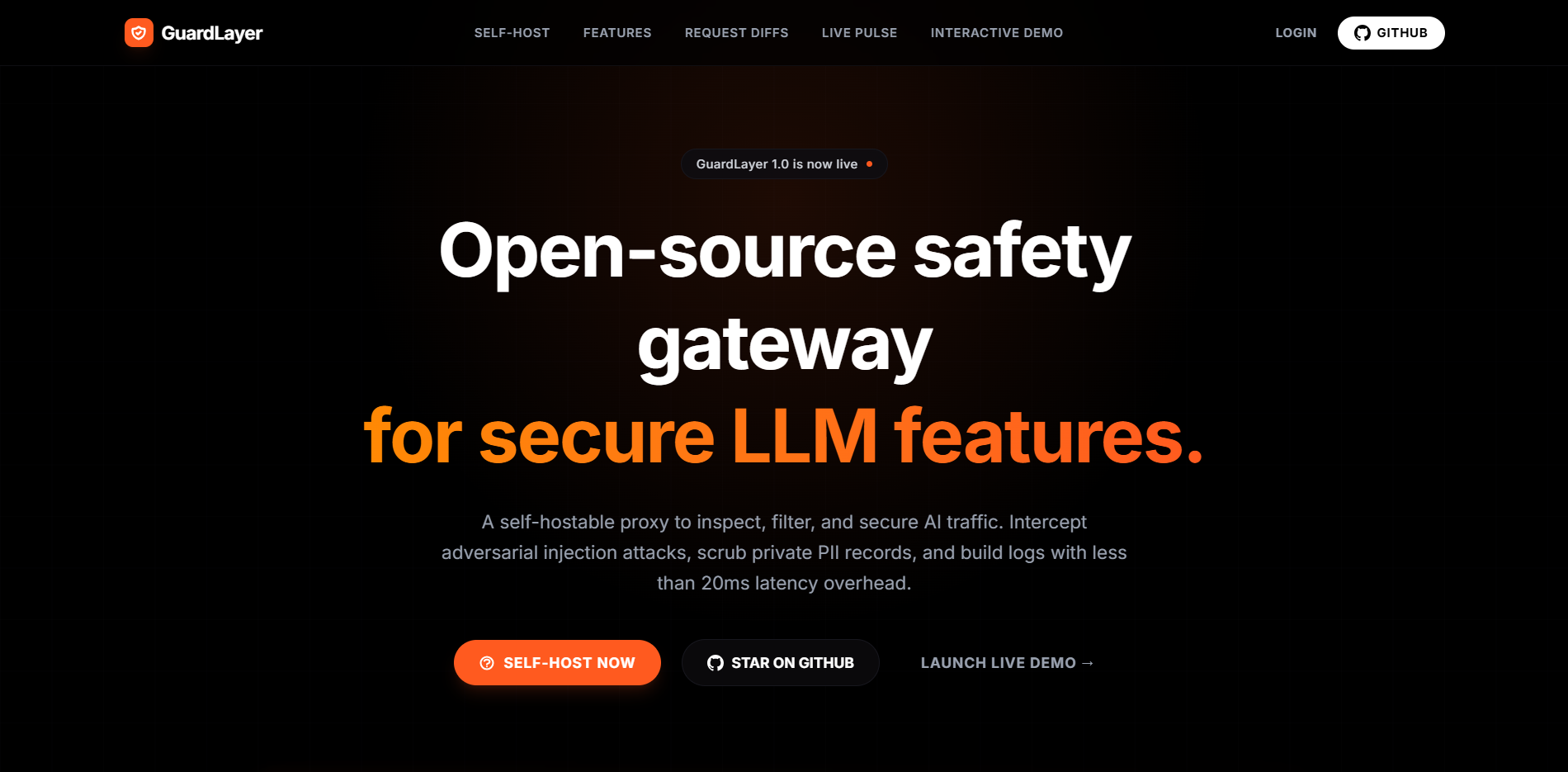
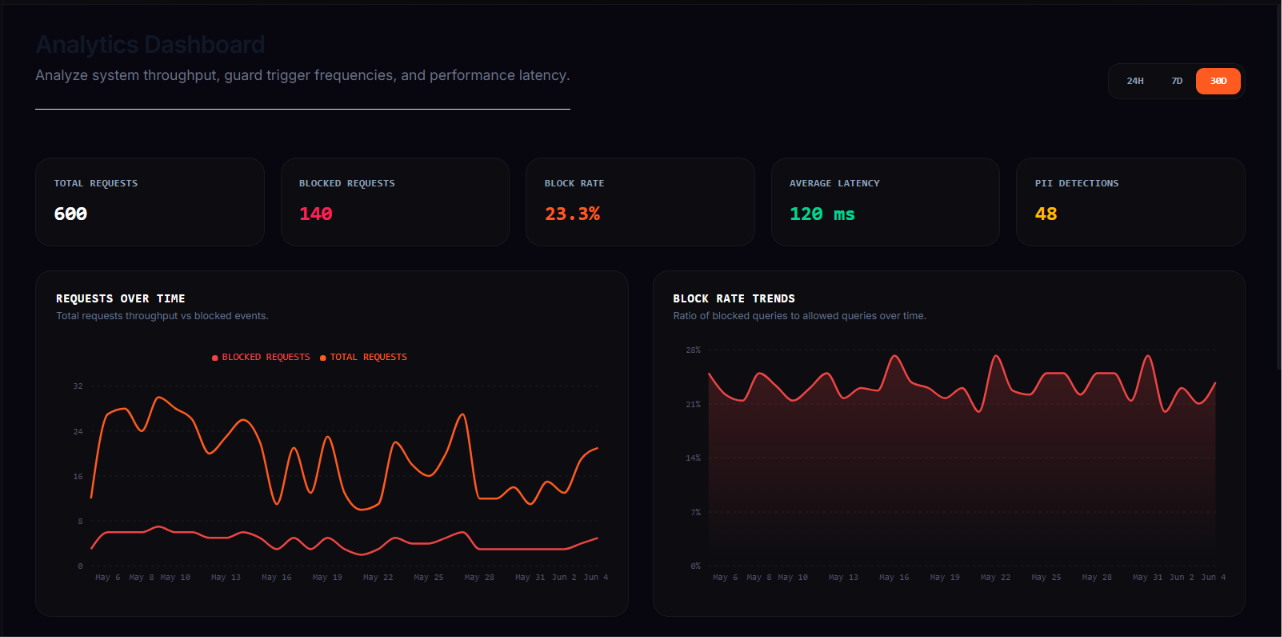
GuardLayer 位于您的 LLM 流量前端,并在每次模型调用前后应用可配置的安全检查。它为应用程序提供了兼容 OpenAI 的网关,为运营人员提供了 Web 仪表板,支持按 key 管理策略、导出 CSV、实时威胁监控,并为每个请求提供审计追踪。
该产品专为希望自托管 LLM 使用控制面,且无需重写现有 AI 应用集成的团队而设计。
## 为什么选择 GuardLayer
- 兼容 OpenAI 的 `/v1/chat/completions` 网关,实现低门槛接入
- 输入防护栏,用于检测 prompt 注入、越狱、清理 PII、话题过滤以及 token 限制
- 输出防护栏,用于毒性检测和幻觉检查
- 基于单个 API key 的策略,并支持回退到全局默认配置
- 实时威胁流以及审计/事件分析
- 采用 Docker、PostgreSQL、Redis、TypeScript、Python 和 React 构建的自托管微服务架构
- 用于管理 key、日志、分析和调整配置的管理仪表板
## 架构
```
flowchart LR
A[Client App / Agent / SDK] --> B[API Gateway]
B --> C[Input Guard]
C -->|Safe or scrubbed prompt| D[LLM Proxy]
D --> E[Provider API]
E --> D
D --> F[Output Guard]
F -->|Safe or scrubbed response| B
B --> A
B --> G[(Redis)]
G --> H[Audit Service]
H --> I[(PostgreSQL)]
J[Admin Dashboard] --> B
B --> K[Config Service]
K --> I
K --> G
```
### 核心服务
| Service | Port | Stack | Responsibility |
| --- | ---: | --- | --- |
| `api-gateway` | `8080` | TypeScript + Express | `/v1/*` 和 `/api/*` 的主要入口 |
| `config-service` | `3001` | TypeScript + Express | API key、策略配置、基于认证的管理配置 API |
| `input-guard` | `8001` | Python + FastAPI | LLM 前的 prompt 检查和清理 |
| `output-guard` | `8002` | Python + FastAPI | LLM 后的响应验证和清理 |
| `llm-proxy` | `8003` | TypeScript + Express | Provider 抽象和回退路由 |
| `audit-service` | `8004` | TypeScript + Express | 审计日志、威胁日志、分析、SSE |
| `dashboard` | Vite dev server | React + TypeScript | 用于认证、key、日志、分析和设置的运营 UI |
| `postgres` | `5432` | PostgreSQL 15 | 持久化关系存储 |
| `redis` | `6379` | Redis 7 | 速率限制、发布/订阅、队列、实时事件 |
## 请求生命周期
```
sequenceDiagram
participant Client
participant Gateway as API Gateway
participant InGuard as Input Guard
participant Proxy as LLM Proxy
participant Provider as LLM Provider
participant OutGuard as Output Guard
participant Redis
participant Audit as Audit Service
Client->>Gateway: POST /v1/chat/completions
Gateway->>InGuard: Inspect input
InGuard-->>Gateway: allow / block / scrub
alt blocked at input stage
Gateway-->>Client: 4xx blocked response
else allowed
Gateway->>Proxy: Forward normalized request
Proxy->>Provider: Call target model
Provider-->>Proxy: Raw completion
Proxy-->>Gateway: Completion payload
Gateway->>OutGuard: Validate output
OutGuard-->>Gateway: allow / block / scrub
Gateway-->>Client: Final response
end
Gateway->>Redis: Publish audit + threat events
Redis-->>Audit: Async consumption
Audit->>Audit: Persist logs + compute analytics
```
## 仓库布局
```
.
|-- config/
|-- dashboard/
|-- docker/
|-- docs/
|-- img/
|-- services/
| |-- api-gateway/
| |-- audit-service/
| |-- config-service/
| |-- db-migrations/
| |-- input-guard/
| |-- llm-proxy/
| `-- output-guard/
|-- tests/
| `-- integration/
|-- docker-compose.yml
`-- docker-compose.test.yml
```
## 功能
### 输入防护栏
- Prompt 注入检测
- 越狱检测
- PII 清理
- 话题白名单过滤
- Token 限制强制执行
### 输出防护栏
- 毒性扫描
- 幻觉检测
- 输出 PII 清理
### 平台功能
- OpenAI 风格的聊天补全 endpoint
- 使用 JWT 的管理员认证
- API key 生命周期管理
- 全局默认策略以及按 key 的覆盖配置
- 审计和威胁日志的 CSV 导出
- 基于 SSE 的实时威胁事件
- 流量、延迟和拦截率的分析
## 技术栈
- 后端编排:TypeScript, Express
- 防护服务:Python, FastAPI
- 前端:React, Vite, Zustand, Recharts, Tailwind CSS
- 数据存储:PostgreSQL, Redis
- 容器:Docker Compose
- 测试:Jest, Supertest, Playwright, Pytest 风格的 Python 测试套件
## 快速开始
### 1. 配置环境变量
从已提交的示例中创建一个本地环境文件:
```
cp .env.example .env
```
然后在项目根目录下编辑 `.env`,填入适用于您本地环境的值:
```
POSTGRES_USER=guardlayer_admin
POSTGRES_PASSWORD=guardlayer_dev_password_change_me
POSTGRES_DB=guardlayer
POSTGRES_PORT=5432
REDIS_PORT=6379
JWT_SECRET=change-this-to-a-long-random-secret
OPENAI_API_KEY=
GEMINI_API_KEY=
GROQ_API_KEY=
OPENROUTER_API_KEY=
```
### 2. 启动后端技术栈
```
docker compose up --build
```
这将启动 PostgreSQL、Redis、数据库迁移、网关、配置服务、审计服务、代理服务以及两个防护服务。
### 3. 验证健康检查 endpoint
```
curl http://localhost:8080/health
curl http://localhost:3001/health
curl http://localhost:8001/health
curl http://localhost:8002/health
curl http://localhost:8003/health
curl http://localhost:8004/health
```
### 4. 启动仪表板
仪表板的开发独立于 Docker Compose 后端技术栈:
```
cd dashboard
npm install
npm run dev
```
仪表板运行在 `http://localhost:3000`。
仅当您的 API 网关无法通过 `http://localhost:8080` 访问时,才需要设置 `VITE_API_BASE_URL`。
### 5. 创建首位管理员用户
```
curl -X POST http://localhost:8080/api/auth/register \
-H "Content-Type: application/json" \
-d "{\"email\":\"admin@guardlayer.dev\",\"password\":\"securepassword123\"}"
```
仅允许首次注册。此后,请使用登录功能。
### 6. 登录并创建 API key
```
curl -X POST http://localhost:8080/api/auth/login \
-H "Content-Type: application/json" \
-d "{\"email\":\"admin@guardlayer.dev\",\"password\":\"securepassword123\"}"
```
使用返回的 JWT 创建 GuardLayer 客户端 API key:
```
curl -X POST http://localhost:8080/api/keys \
-H "Authorization: Bearer
" \
-H "Content-Type: application/json" \
-d "{\"name\":\"production-app\"}"
```
### 7. 配置上游 provider 凭证
网关从根目录的 `.env` 文件中读取 provider 凭证,并通过 Docker Compose 将它们传递给 `api-gateway`:
```
OPENAI_API_KEY=your-openai-api-key
GEMINI_API_KEY=your-gemini-api-key
GROQ_API_KEY=your-groq-api-key
OPENROUTER_API_KEY=your-openrouter-api-key
```
如果您只需要一个上游 provider,只需设置该 key 即可。
### 8. 通过 GuardLayer 发送流量
```
curl -X POST http://localhost:8080/v1/chat/completions \
-H "Authorization: Bearer " \
-H "Content-Type: application/json" \
-d "{
\"model\": \"openai/gpt-3.5-turbo\",
\"messages\": [
{\"role\": \"user\", \"content\": \"Summarize this ticket for the support team.\"}
],
\"temperature\": 0.2
}"
```
### 9. 运行实时演示脚本
演示脚本演练了五种请求类型:正常、注入、越狱、PII 和毒性。
```
set GUARDLAYER_API_KEY=
python demo/demo.py
```
可选的环境变量:
- `GUARDLAYER_BASE_URL` 默认为 `http://localhost:8080`
- `GUARDLAYER_MODEL` 默认为 `openai/gpt-4o-mini`
## 配置模型
GuardLayer 使用分层的策略模型:
1. 存储在 `default` 下的全局默认配置
2. 用于更严格或更宽松行为的按 API key 覆盖配置
3. 在网关和防护服务中进行的运行时强制执行
示例策略字段:
```
prompt_injection_enabled: true
prompt_injection_threshold: 0.75
jailbreak_enabled: true
jailbreak_threshold: 0.80
pii_scrubbing_enabled: true
pii_types:
- email
- phone
- aadhaar
- credit_card
topic_filter_enabled: true
allowed_topics:
- support
- billing
max_tokens: 1500
toxicity_enabled: true
toxicity_threshold: 0.85
hallucination_enabled: true
block_on_hallucination: false
```
有关完整的 schema,请参阅 [docs/configuration.md](docs/configuration.md)。
## API 概述
### 管理员 API
- `POST /api/auth/register`
- `POST /api/auth/login`
- `GET /api/keys`
- `POST /api/keys`
- `GET /api/config/default`
- `PUT /api/config/default`
- `GET /api/audit`
- `GET /api/audit/export`
- `GET /api/threats`
- `GET /api/threats/export`
- `GET /api/analytics`
### 网关 API
- `POST /v1/chat/completions`
### 流式传输
- `GET /api/stream/threats?token=`
- `GET /api/threats/stream`
有关请求和响应示例,请参阅 [docs/api-reference.md](docs/api-reference.md)。
## 与现有应用集成
GuardLayer 刻意设计为兼容 OpenAI。在许多客户端中,只需以下操作即可完成集成:
1. 将 base URL 更改为 `http://localhost:8080/v1`
2. 将您的 provider API key 替换为 GuardLayer API key
### Python
```
from openai import OpenAI
client = OpenAI(
base_url="http://localhost:8080/v1",
api_key="your-guardlayer-api-key",
)
response = client.chat.completions.create(
model="gpt-3.5-turbo",
messages=[{"role": "user", "content": "Hello!"}],
)
print(response.choices[0].message.content)
```
### JavaScript
```
import OpenAI from 'openai';
const client = new OpenAI({
baseURL: 'http://localhost:8080/v1',
apiKey: 'your-guardlayer-api-key',
});
const response = await client.chat.completions.create({
model: 'gpt-3.5-turbo',
messages: [{ role: 'user', content: 'Hello!' }],
});
console.log(response.choices[0].message.content);
```
更多示例可在 [docs/integrations.md](docs/integrations.md) 中找到。
注意:当前网关实现中的 provider 选择是根据请求的模型字符串推断出来的。例如,`openai/gpt-3.5-turbo` 会路由到 OpenAI,而 `gemini/gemini-1.5-flash` 会路由到 Gemini。
## 本地开发
### 后端服务
每个 TypeScript 服务都支持:
```
npm install
npm run dev
npm run test
```
每个 Python 防护服务都包含一个 `requirements.txt` 和服务本地测试。
### 仪表板
```
cd dashboard
npm install
npm run dev
npm run build
```
## 测试
GuardLayer 包含单元测试、服务测试、前端测试和集成测试覆盖。
### 服务测试
- TypeScript 服务:在每个服务目录中运行 `npm test`
- Python 防护服务:在 `services/input-guard` 和 `services/output-guard` 中运行测试套件
### 前端测试
```
cd dashboard
npm install
npx playwright test
```
### 集成测试
```
docker compose -f docker-compose.test.yml up --build --abort-on-container-exit
```
或者直接运行集成包:
```
cd tests/integration
npm install
npm test
```
## 全新机器检查清单
以下是在全新机器上使用的具体步骤:
```
git clone GuardLayer
cd GuardLayer
cp .env.example .env
docker compose up --build
cd dashboard
npm install
npm run dev
```
然后验证:
- 仪表板在 `http://localhost:3000` 加载
- 首次管理员注册成功
- 第二次管理员注册被拒绝
- 登录返回 JWT
- API key 创建成功
- 一旦配置了至少一个上游 provider key,正常的 chat 请求就会返回真实的 LLM 响应
- Prompt 注入请求被拦截,并实时出现在威胁页面上
## 部署说明
- 为 PostgreSQL 和 Redis 使用持久化卷
- 在网关前端放置反向代理(如 Nginx)以进行 TLS 终止
- 水平扩展无状态服务:`api-gateway`、`input-guard`、`output-guard`
- 使用 Redis 进行发布/订阅和队列解耦
- 定期备份 PostgreSQL
## 发布到 Docker Hub
在本地构建并验证后,为每个镜像打标签并推送:
```
docker build -t /guardlayer-api-gateway:1.0.0 ./services/api-gateway
docker build -t /guardlayer-api-gateway:latest ./services/api-gateway
docker build -t /guardlayer-config-service:1.0.0 ./services/config-service
docker build -t /guardlayer-config-service:latest ./services/config-service
docker build -t /guardlayer-input-guard:1.0.0 ./services/input-guard
docker build -t /guardlayer-input-guard:latest ./services/input-guard
docker build -t /guardlayer-output-guard:1.0.0 ./services/output-guard
docker build -t /guardlayer-output-guard:latest ./services/output-guard
docker build -t /guardlayer-llm-proxy:1.0.0 ./services/llm-proxy
docker build -t /guardlayer-llm-proxy:latest ./services/llm-proxy
docker build -t /guardlayer-audit-service:1.0.0 ./services/audit-service
docker build -t /guardlayer-audit-service:latest ./services/audit-service
docker build -t /guardlayer-db-migrations:1.0.0 ./services/db-migrations
docker build -t /guardlayer-db-migrations:latest ./services/db-migrations
```
在执行 `docker login` 后推送它们:
```
docker push /guardlayer-api-gateway:1.0.0
docker push /guardlayer-api-gateway:latest
docker push /guardlayer-config-service:1.0.0
docker push /guardlayer-config-service:latest
docker push /guardlayer-input-guard:1.0.0
docker push /guardlayer-input-guard:latest
docker push /guardlayer-output-guard:1.0.0
docker push /guardlayer-output-guard:latest
docker push /guardlayer-llm-proxy:1.0.0
docker push /guardlayer-llm-proxy:latest
docker push /guardlayer-audit-service:1.0.0
docker push /guardlayer-audit-service:latest
docker push /guardlayer-db-migrations:1.0.0
docker push /guardlayer-db-migrations:latest
```
如果您发布了镜像,请更新 [`docker-compose.yml`](docker-compose.yml) 或提供一个生产环境覆盖配置,以便全新机器可以在运行 `docker compose up` 之前执行 `docker compose pull`。
有关生产环境指导,请参阅 [docs/self-hosting.md](docs/self-hosting.md)。
## 文档
- [架构](docs/architecture.md)
- [配置](docs/configuration.md)
- [防护栏参考](docs/guards.md)
- [API 参考](docs/api-reference.md)
- [集成](docs/integrations.md)
- [自托管](docs/self-hosting.md)
- [贡献指南](CONTRIBUTING.md)
- [更新日志](CHANGELOG.md)
## 路线图设想
- 更多 provider 适配器和路由策略
- 额外的防护插件和自定义规则 hook
- 更强大的策略版本控制和发布控制
- 多租户管理和 RBAC
- 更丰富的可观测性和 SIEM/导出集成
## 贡献
欢迎您的贡献。如果您想改进防护栏、添加 provider 集成、优化仪表板 UX 或加强审计 pipeline,请从 [CONTRIBUTING.md](CONTRIBUTING.md) 开始。
请提交 issue 和 pull request,并包含以下内容:
- 清晰的问题描述
- 必要的复现步骤
- 针对行为变更的测试
- 针对新配置或 API 暴露面的文档更新
## 许可证
本项目基于 [MIT License](LICENSE) 授权。标签:AI安全, API网关, Chat Copilot, Clair, DLL 劫持, 大语言模型, 微服务架构, 搜索引擎查询, 测试用例, 版权保护, 特征检测, 自动化攻击, 逆向工具