pirateape/ape-guard
GitHub: pirateape/ape-guard
ApeGuard是一款一键式安全态势评估工具。
Stars: 0 | Forks: 0
# ApeGuard
**一键安全态势评估** — 层次化扫描、[统一零信任框架](https://github.com/pirateape/unified-zero-trust-framework)映射、多受众报告。
[](https://github.com/pirateape/ape-guard/actions/workflows/ci.yml)
[](https://github.com/pirateape/ape-guard/releases)
[](LICENSE)
```
# 单命令 — 全面评估
apeguard scan
# 三份报告,一次扫描:
# 📋 technical.md → 供工程师使用
# 📊 executive.md → 供领导使用
# 🗺️ roadmap.md → 供工程经理使用
```
## 功能
- **7层扫描管道** — 密钥 → SAST → SCA → 容器 → DAST → IaC → SBOM,一键完成
- **统一零信任框架映射** — 每个发现都与8个支柱的[UZTF](https://github.com/pirateape/unified-zero-trust-framework)映射,并具有成熟度评分(基线 → 高级 → 自适应)。以CISA零信任成熟度模型为基础。
- **多受众报告** — 技术(工程师)、执行(领导)、路线图(EMs)
- **多格式输出** — Markdown、JSON、SARIF、HTML
- **攻击链分析** — 在扫描器之间交叉引用发现以检测多阶段利用路径
- **架构风险图** — 自动生成的Mermaid组件风险图
- **缓存** — SQLite支持的扫描缓存,基于TTL修剪以避免重新扫描未更改的目标
- **LLM修复** — Ollama驱动的修复建议(本地,无数据泄露)
- **MCP服务器** — 模型上下文协议(MCP)服务器用于AI代理集成
- **100%本地** — 无SaaS、无遥测、无数据离开您的机器
- **零成本工具链** — Gitleaks(MIT)+ Semgrep CE(LGPL-2.1)+ Trivy(Apache 2.0)+ Nuclei(MIT)
## 安装
### 前置条件
安装至少一个扫描工具。ApeGuard在运行时自动检测它们:
```
# 秘密扫描(第1层)
brew install gitleaks
# 或:https://github.com/gitleaks/gitleaks/releases
# SAST / 静态分析(第2层)
pip install semgrep
# 或:brew install semgrep
# SCA / 漏洞扫描(第3层 + 第4层)
brew install trivy
# 或:https://github.com/aquasecurity/trivy/releases
# DAST / 动态扫描(第5层 — 可选)
brew install nuclei
# 或:https://github.com/projectdiscovery/nuclei/releases
# IaC 配置错误扫描(第6层 — 可选)
pip install checkov
# 或:brew install checkov
# SBOM 库存(第7层 — 可选)
brew install syft
# 或:https://github.com/anchore/syft/releases
```
### 从源码(Rust)
```
cargo install apeguard
```
### 从GitHub发布版
从[发布页面](https://github.com/pirateape/ape-guard/releases)下载您平台上的预构建二进制文件。
```
# 示例:Linux x86_64
curl -LO https://github.com/pirateape/ape-guard/releases/latest/download/apeguard-x86_64-unknown-linux-gnu
chmod +x apeguard-x86_64-unknown-linux-gnu
sudo mv apeguard-x86_64-unknown-linux-gnu /usr/local/bin/apeguard
```
### Docker
```
docker pull ghcr.io/pirateape/ape-guard:latest
docker run --rm -v "$PWD:/target" ghcr.io/pirateape/ape-guard scan /target
```
## 快速入门
```
# 初始化配置
apeguard init
# 运行全面安全扫描(所有可用层)
apeguard scan
# 仅运行特定层
apeguard scan --layers 1,2,3
# 扫描容器镜像
apeguard scan --container nginx:latest
# 扫描网络目标(启用 Nuclei 的 DAST)
apeguard scan --web https://example.com
# 生成 HTML 报告而不是 Markdown
apeguard scan --format md,html
# 如果发现高严重性发现则失败 CI
apeguard scan --fail-on high
# 查看缓存结果
apeguard cache stats
# 从缓存重新生成报告
apeguard report
```
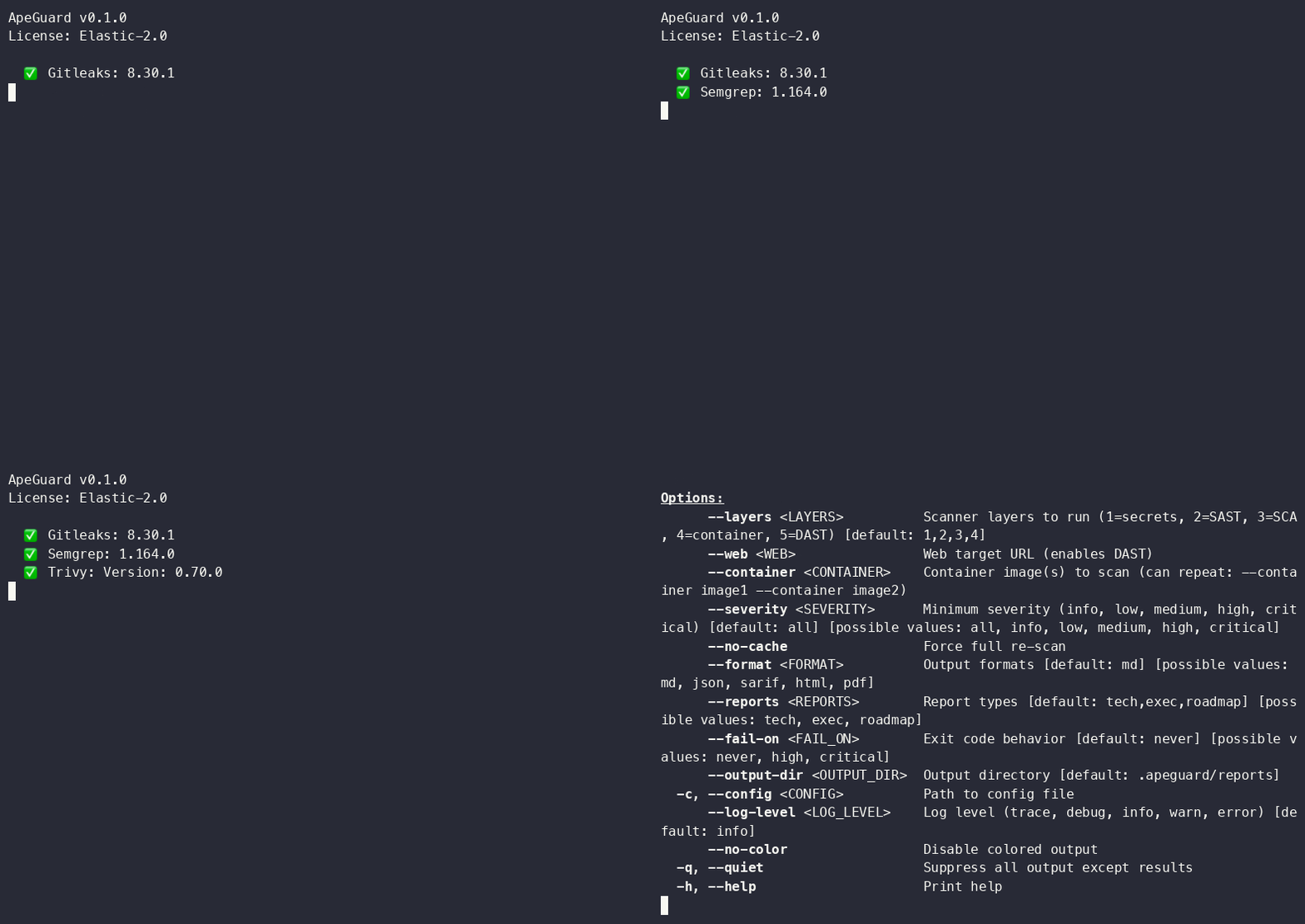
Demo GIF generated with VHS. Regenerate via vhs demo.tape.
标签:可视化界面, 日志审计, 请求拦截, 逆向工具, 通知系统