miladrezanezhad/api-security-auditor-pro
GitHub: miladrezanezhad/api-security-auditor-pro
一款轻量级 API 安全审计命令行工具,用于检测 REST API 的速率限制缺失与安全配置错误。
Stars: 2 | Forks: 0
#
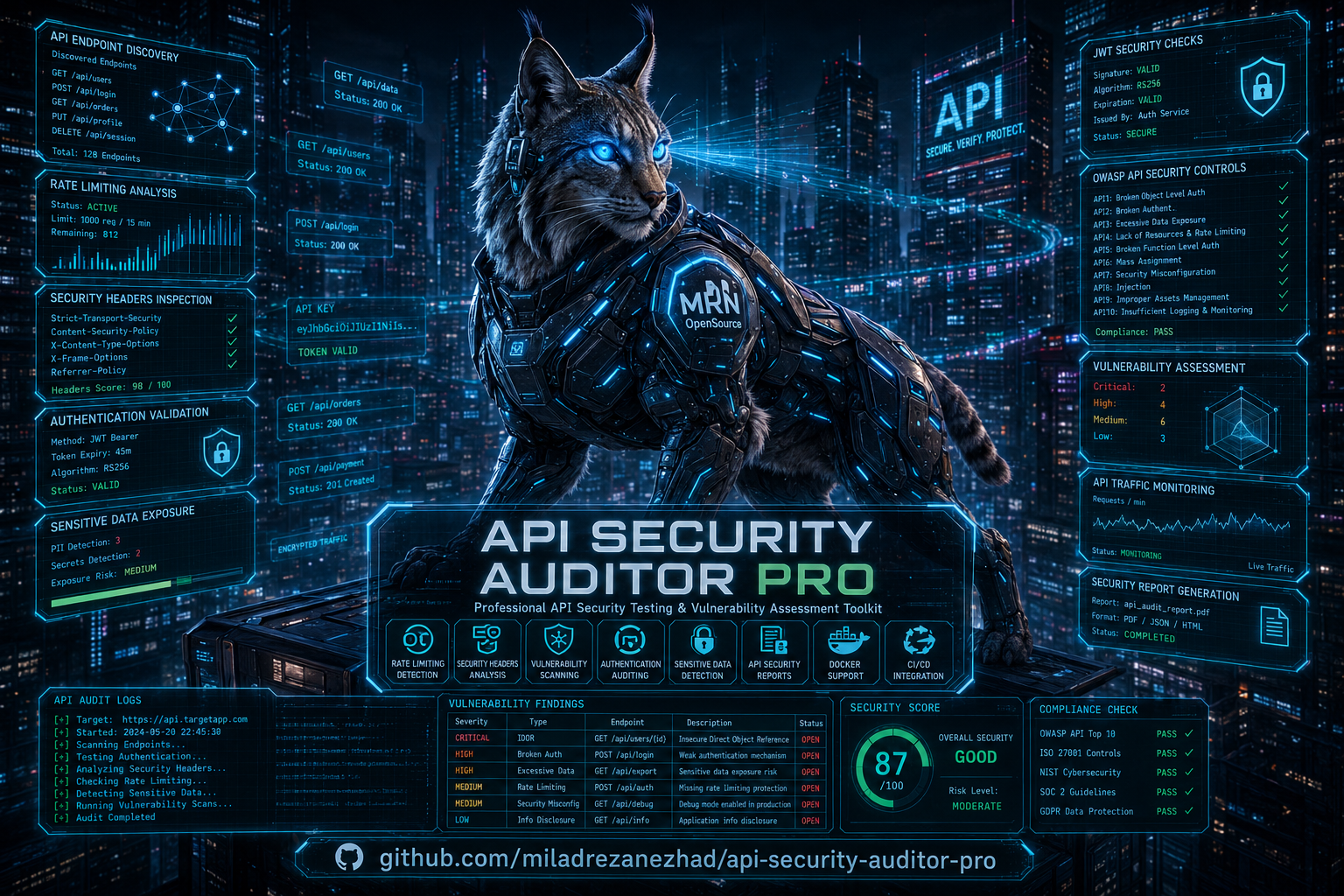 # 🔒 API Security Auditor Pro
高级开源 **API Security Auditor Pro**
[](https://pypi.org/project/api-security-auditor-pro/)
[](https://pypi.org/project/api-security-auditor-pro/)
[](https://pypi.org/project/api-security-auditor-pro/)
[](https://opensource.org/licenses/MIT)
[](https://github.com/psf/black)
## 🎯 什么是 API Security Auditor Pro?
**API Security Auditor Pro** 是一款专业的命令行工具,旨在帮助开发者和安全工程师测试其 API 的安全性。它能自动检测常见的安全漏洞和配置错误。
### 主要功能
- ✅ **速率限制检测** - 测试您的 API 能否抵御暴力破解攻击
- 🔍 **安全标头检查** - 识别缺失的安全标头
- 🚨 **漏洞扫描** - 检测常见的 API 漏洞
- 📊 **多种输出格式** - 支持 JSON、HTML、CSV 报告
- 🐳 **Docker 支持** - 无需安装,随处运行
- ⚡ **快速且轻量** - 依赖极少,性能拉满
## 📋 目录
- [安装](#-installation)
- [快速开始](#-quick-start)
- [命令参考](#-commands-reference)
- [示例](#-examples)
- [安全检查](#-security-checks)
- [Docker 使用](#-docker-usage)
- [CI/CD 集成](#-cicd-integration)
- [输出格式](#-output-formats)
- [常见问题](#-faq)
- [贡献](#-contributing)
## 🚀 安装
### 通过 PyPI 安装(推荐)
```
pip install api-security-auditor-pro
```
### 通过源码安装
```
git clone https://github.com/miladrezanezhad/api-security-auditor-pro.git
cd api-security-auditor-pro
pip install -e .
```
### 使用 Docker
```
docker pull miladrezanezhad/api-security-auditor-pro
docker run miladrezanezhad/api-security-auditor-pro --help
```
## 🎬 快速开始
### 1. 扫描 API 端点
```
api-auditor scan https://jsonplaceholder.typicode.com/users
```
**输出:**
```
🔍 Starting security scan on: https://jsonplaceholder.typicode.com/users
Security Scan Results
┏━━━━━━━━━━━━━━━┳━━━━━━━━━━━━━━━┳━━━━━━━━━━┓
┃ Check ┃ Status ┃ Severity ┃
┡━━━━━━━━━━━━━━━╇━━━━━━━━━━━━━━━╇━━━━━━━━━━┩
│ Rate Limiting │ ⚠️ VULNERABLE │ MEDIUM │
└───────────────┴───────────────┴──────────┘
⚠️ Found 1 vulnerabilities!
```
### 2. 测试速率限制
```
api-auditor test-rate-limit https://api.github.com/users/octocat
```
**输出:**
```
🚦 Testing rate limiting on: https://api.github.com/users/octocat
Rate Limiting Test Results
┏━━━━━━━━━━━━━━━━━━━━━━━┳━━━━━━━━┓
┃ Metric ┃ Value ┃
┡━━━━━━━━━━━━━━━━━━━━━━━╇━━━━━━━━┩
│ Total Requests │ 50 │
│ Successful (200) │ 0 │
│ Rate Limited (429) │ 50 │
│ Errors │ 0 │
│ Rate Limiting Present │ ✅ Yes │
└───────────────────────┴────────┘
```
### 3. 将结果保存到文件
```
api-auditor scan https://api.example.com --output report.json --format json
api-auditor report report.json --output final_report.html
```
## 📚 命令参考
### `scan` - 安全扫描
扫描单个 API 端点以查找漏洞。
```
api-auditor scan URL [OPTIONS]
```
**选项:**
| 选项 | 描述 | 默认值 |
|--------|-------------|---------|
| `-v, --verbose` | 启用详细输出 | False |
| `-o, --output` | 输出文件路径 | None |
| `-f, --format` | 输出格式 (json/html) | json |
| `-t, --timeout` | 请求超时时间(秒) | 30 |
**示例:**
```
# 基础扫描
api-auditor scan https://api.example.com/users
# 使用 verbose 输出扫描
api-auditor scan https://api.example.com/users --verbose
# 保存为 HTML 报告
api-auditor scan https://api.example.com/users --output report.html --format html
# 为慢速 API 增加超时时间
api-auditor scan https://slow-api.com --timeout 60
```
### `test-rate-limit` - 速率限制测试
测试您的 API 是否实现了正确的速率限制。
```
api-auditor test-rate-limit URL [OPTIONS]
```
**选项:**
| 选项 | 描述 | 默认值 |
|--------|-------------|---------|
| `-r, --requests` | 要发送的请求数 | 50 |
| `-c, --concurrency` | 并发连接数 | 5 |
| `-d, --delay` | 请求之间的延迟(秒) | 0.05 |
**示例:**
```
# 标准测试
api-auditor test-rate-limit https://api.example.com/login
# 激进测试(100 个请求,10 个并发)
api-auditor test-rate-limit https://api.example.com/login --requests 100 --concurrency 10
# 慢速测试(保持礼貌)
api-auditor test-rate-limit https://api.example.com/login --delay 0.5
```
### `report` - 生成报告
根据之前的扫描结果生成格式化的报告。
```
api-auditor report INPUT_FILE [OPTIONS]
```
**选项:**
| 选项 | 描述 | 默认值 |
|--------|-------------|---------|
| `-o, --output` | 输出文件路径 | None |
**示例:**
```
# 从 JSON 结果生成摘要
api-auditor report scan_result.json
# 保存格式化报告
api-auditor report scan_result.json --output formatted_report.json
```
## 💡 示例
### 实际场景
#### 1. 对生产环境 API 进行安全审计
```
# 步骤 1:测试登录 endpoint 的 rate limiting
api-auditor test-rate-limit https://your-api.com/api/login --requests 100 --concurrency 20
# 步骤 2:扫描用户 endpoint
api-auditor scan https://your-api.com/api/users --output users_scan.json
# 步骤 3:生成报告
api-auditor report users_scan.json --output security_report.html
```
#### 2. 测试不同环境
```
# Development
api-auditor scan https://dev-api.example.com --output dev_report.json
# Staging
api-auditor scan https://staging-api.example.com --output staging_report.json
# Production
api-auditor scan https://api.example.com --output prod_report.json
```
#### 3. 批量扫描多个端点
创建一个批处理脚本 `scan_all.bat`:
```
@echo off
echo Scanning API Endpoints...
api-auditor scan https://api1.example.com --output report1.json
api-auditor scan https://api2.example.com --output report2.json
api-auditor scan https://api3.example.com --output report3.json
echo All scans complete!
```
#### 4. 测试公共 API
```
# GitHub API(有 rate limiting)
api-auditor test-rate-limit https://api.github.com/users
# JSONPlaceholder(无 rate limiting)
api-auditor scan https://jsonplaceholder.typicode.com/posts
# Agify API(简单 demo API)
api-auditor scan https://api.agify.io?name=michael
# Chuck Norris API
api-auditor test-rate-limit https://api.chucknorris.io/jokes/random
```
## 🛡️ 安全检查
| 检查 ID | 检查名称 | 严重程度 | 描述 |
|----------|------------|----------|-------------|
| RATE001 | 缺失速率限制 | 中 (MEDIUM) | API 未限制请求速率,容易受到暴力破解攻击 |
| HEAD001 | 缺失安全标头 | 低 (LOW) | 缺少 HSTS、CSP、X-Frame-Options 标头 |
| DATA001 | 敏感数据暴露 | 高 (HIGH) | API 在响应中返回了敏感信息 |
| AUTH001 | 身份验证薄弱 | 高 (HIGH) | JWT 密钥薄弱或缺少身份验证 |
## 🐳 Docker 使用
### 拉取并运行
```
# 拉取镜像
docker pull miladrezanezhad/api-security-auditor-pro:latest
# 运行扫描
docker run miladrezanezhad/api-security-auditor-pro scan https://api.example.com
# 本地保存输出
docker run -v $(pwd)/output:/output miladrezanezhad/api-security-auditor-pro \
scan https://api.example.com --output /output/report.json
```
### 构建自定义镜像
```
# Clone repository
git clone https://github.com/miladrezanezhad/api-security-auditor-pro.git
cd api-security-auditor-pro
# 构建镜像
docker build -t api-auditor:custom .
# 运行
docker run api-auditor:custom scan https://api.example.com
```
## 🔄 CI/CD 集成
### GitHub Actions
```
name: API Security Scan
on:
push:
branches: [main]
schedule:
- cron: '0 2 * * *' # Daily at 2 AM
jobs:
security-scan:
runs-on: ubuntu-latest
steps:
- uses: actions/checkout@v3
- name: Install API Auditor
run: pip install api-security-auditor-pro
- name: Run Security Scan
run: |
api-auditor scan https://api.example.com --output security-report.json
- name: Upload Results
uses: actions/upload-artifact@v3
with:
name: security-report
path: security-report.json
```
### GitLab CI
```
security-scan:
stage: test
script:
- pip install api-security-auditor-pro
- api-auditor scan https://api.example.com --output report.json
- api-auditor report report.json
artifacts:
paths:
- report.json
reports:
junit: report.xml
```
### Jenkins Pipeline
```
pipeline {
agent any
stages {
stage('API Security Scan') {
steps {
sh 'pip install api-security-auditor-pro'
sh 'api-auditor scan https://api.example.com --output security-report.json'
}
}
}
post {
always {
archiveArtifacts artifacts: 'security-report.json'
}
}
}
```
## 📊 输出格式
### JSON 格式(机器可读)
```
{
"target": "https://api.example.com",
"timestamp": "2026-05-30T05:20:57.186710",
"vulnerabilities": [
{
"check": "Rate Limiting",
"severity": "MEDIUM",
"finding": "No rate limiting detected",
"remediation": "Implement rate limiting to prevent brute force attacks"
}
],
"scan_summary": {
"duration_seconds": 2.34,
"checks_performed": 1
}
}
```
### 控制台表格(人类可读)
```
Security Scan Results
┏━━━━━━━━━━━━━━━┳━━━━━━━━━━━━━━━┳━━━━━━━━━━┓
┃ Check ┃ Status ┃ Severity ┃
┡━━━━━━━━━━━━━━━╇━━━━━━━━━━━━━━━╇━━━━━━━━━━┩
│ Rate Limiting │ ⚠️ VULNERABLE │ MEDIUM │
└───────────────┴───────────────┴──────────┘
```
## ❓ 常见问题
### 问:我可以测试哪些 API?
**答:** 任何 HTTP/HTTPS API —— REST、GraphQL、SOAP。包括公共 API、内部 API、微服务。
### 问:这会攻击我的 API 吗?
**答:** 不会!它只发送安全的测试请求。它会检查配置和行为,但不会利用漏洞。
### 问:它会发送多少请求?
**答:** 默认每次测试发送 30-50 个请求。您可以使用 `--requests` 参数进行控制。
### 问:我可以在企业代理后使用它吗?
**答:** 可以!请设置环境变量:
```
set HTTP_PROXY=http://proxy.company.com:8080
set HTTPS_PROXY=https://proxy.company.com:8080
```
### 问:它支持带有身份验证的 API 吗?
**答:** 当前版本支持基本扫描。未来版本将添加身份验证支持。
### 问:结果的准确性如何?
**答:** 速率限制检测非常准确。其他检查功能正在持续改进中。
### 开发环境设置
```
# Clone repository
git clone https://github.com/miladrezanezhad/api-security-auditor-pro.git
cd api-security-auditor-pro
# 创建虚拟环境
python -m venv venv
source venv/bin/activate # Windows: venv\Scripts\activate
# 安装开发依赖
pip install -e ".[dev]"
# 运行测试
pytest
# 运行 linting
black src tests
flake8 src tests
```
## 📄 许可证
MIT 许可证 - 有关详细信息,请参阅 [LICENSE](LICENSE) 文件。
## 🙏 致谢
- OWASP 的 API 安全指南
- Python 开源社区
- 所有贡献者和用户
## 📞 支持
- **问题反馈**: [GitHub Issues](https://github.com/miladrezanezhad/api-security-auditor-pro/issues)
- **讨论交流**: [GitHub Discussions](https://github.com/miladrezanezhad/api-security-auditor-pro/discussions)
- **电子邮件**: miladvf2014@gmail.com
## ⭐ 为此项目加星
如果您觉得这个工具很有用,请在 GitHub 上为它加星!
```
https://github.com/miladrezanezhad/api-security-auditor-pro
```
**用 ❤️ 打造 API 安全**
## 🚀 快速命令参考卡
```
# 帮助
api-auditor --help
api-auditor scan --help
# 扫描
api-auditor scan https://api.example.com
api-auditor scan https://api.example.com --verbose
api-auditor scan https://api.example.com --output report.json
# Rate Limit 测试
api-auditor test-rate-limit https://api.example.com
api-auditor test-rate-limit https://api.example.com --requests 100 --concurrency 10
# 报告
api-auditor report scan_result.json
api-auditor report scan_result.json --output final.html
```
**从今天开始保护您的 API!🎯**
# 🔒 API Security Auditor Pro
高级开源 **API Security Auditor Pro**
[](https://pypi.org/project/api-security-auditor-pro/)
[](https://pypi.org/project/api-security-auditor-pro/)
[](https://pypi.org/project/api-security-auditor-pro/)
[](https://opensource.org/licenses/MIT)
[](https://github.com/psf/black)
## 🎯 什么是 API Security Auditor Pro?
**API Security Auditor Pro** 是一款专业的命令行工具,旨在帮助开发者和安全工程师测试其 API 的安全性。它能自动检测常见的安全漏洞和配置错误。
### 主要功能
- ✅ **速率限制检测** - 测试您的 API 能否抵御暴力破解攻击
- 🔍 **安全标头检查** - 识别缺失的安全标头
- 🚨 **漏洞扫描** - 检测常见的 API 漏洞
- 📊 **多种输出格式** - 支持 JSON、HTML、CSV 报告
- 🐳 **Docker 支持** - 无需安装,随处运行
- ⚡ **快速且轻量** - 依赖极少,性能拉满
## 📋 目录
- [安装](#-installation)
- [快速开始](#-quick-start)
- [命令参考](#-commands-reference)
- [示例](#-examples)
- [安全检查](#-security-checks)
- [Docker 使用](#-docker-usage)
- [CI/CD 集成](#-cicd-integration)
- [输出格式](#-output-formats)
- [常见问题](#-faq)
- [贡献](#-contributing)
## 🚀 安装
### 通过 PyPI 安装(推荐)
```
pip install api-security-auditor-pro
```
### 通过源码安装
```
git clone https://github.com/miladrezanezhad/api-security-auditor-pro.git
cd api-security-auditor-pro
pip install -e .
```
### 使用 Docker
```
docker pull miladrezanezhad/api-security-auditor-pro
docker run miladrezanezhad/api-security-auditor-pro --help
```
## 🎬 快速开始
### 1. 扫描 API 端点
```
api-auditor scan https://jsonplaceholder.typicode.com/users
```
**输出:**
```
🔍 Starting security scan on: https://jsonplaceholder.typicode.com/users
Security Scan Results
┏━━━━━━━━━━━━━━━┳━━━━━━━━━━━━━━━┳━━━━━━━━━━┓
┃ Check ┃ Status ┃ Severity ┃
┡━━━━━━━━━━━━━━━╇━━━━━━━━━━━━━━━╇━━━━━━━━━━┩
│ Rate Limiting │ ⚠️ VULNERABLE │ MEDIUM │
└───────────────┴───────────────┴──────────┘
⚠️ Found 1 vulnerabilities!
```
### 2. 测试速率限制
```
api-auditor test-rate-limit https://api.github.com/users/octocat
```
**输出:**
```
🚦 Testing rate limiting on: https://api.github.com/users/octocat
Rate Limiting Test Results
┏━━━━━━━━━━━━━━━━━━━━━━━┳━━━━━━━━┓
┃ Metric ┃ Value ┃
┡━━━━━━━━━━━━━━━━━━━━━━━╇━━━━━━━━┩
│ Total Requests │ 50 │
│ Successful (200) │ 0 │
│ Rate Limited (429) │ 50 │
│ Errors │ 0 │
│ Rate Limiting Present │ ✅ Yes │
└───────────────────────┴────────┘
```
### 3. 将结果保存到文件
```
api-auditor scan https://api.example.com --output report.json --format json
api-auditor report report.json --output final_report.html
```
## 📚 命令参考
### `scan` - 安全扫描
扫描单个 API 端点以查找漏洞。
```
api-auditor scan URL [OPTIONS]
```
**选项:**
| 选项 | 描述 | 默认值 |
|--------|-------------|---------|
| `-v, --verbose` | 启用详细输出 | False |
| `-o, --output` | 输出文件路径 | None |
| `-f, --format` | 输出格式 (json/html) | json |
| `-t, --timeout` | 请求超时时间(秒) | 30 |
**示例:**
```
# 基础扫描
api-auditor scan https://api.example.com/users
# 使用 verbose 输出扫描
api-auditor scan https://api.example.com/users --verbose
# 保存为 HTML 报告
api-auditor scan https://api.example.com/users --output report.html --format html
# 为慢速 API 增加超时时间
api-auditor scan https://slow-api.com --timeout 60
```
### `test-rate-limit` - 速率限制测试
测试您的 API 是否实现了正确的速率限制。
```
api-auditor test-rate-limit URL [OPTIONS]
```
**选项:**
| 选项 | 描述 | 默认值 |
|--------|-------------|---------|
| `-r, --requests` | 要发送的请求数 | 50 |
| `-c, --concurrency` | 并发连接数 | 5 |
| `-d, --delay` | 请求之间的延迟(秒) | 0.05 |
**示例:**
```
# 标准测试
api-auditor test-rate-limit https://api.example.com/login
# 激进测试(100 个请求,10 个并发)
api-auditor test-rate-limit https://api.example.com/login --requests 100 --concurrency 10
# 慢速测试(保持礼貌)
api-auditor test-rate-limit https://api.example.com/login --delay 0.5
```
### `report` - 生成报告
根据之前的扫描结果生成格式化的报告。
```
api-auditor report INPUT_FILE [OPTIONS]
```
**选项:**
| 选项 | 描述 | 默认值 |
|--------|-------------|---------|
| `-o, --output` | 输出文件路径 | None |
**示例:**
```
# 从 JSON 结果生成摘要
api-auditor report scan_result.json
# 保存格式化报告
api-auditor report scan_result.json --output formatted_report.json
```
## 💡 示例
### 实际场景
#### 1. 对生产环境 API 进行安全审计
```
# 步骤 1:测试登录 endpoint 的 rate limiting
api-auditor test-rate-limit https://your-api.com/api/login --requests 100 --concurrency 20
# 步骤 2:扫描用户 endpoint
api-auditor scan https://your-api.com/api/users --output users_scan.json
# 步骤 3:生成报告
api-auditor report users_scan.json --output security_report.html
```
#### 2. 测试不同环境
```
# Development
api-auditor scan https://dev-api.example.com --output dev_report.json
# Staging
api-auditor scan https://staging-api.example.com --output staging_report.json
# Production
api-auditor scan https://api.example.com --output prod_report.json
```
#### 3. 批量扫描多个端点
创建一个批处理脚本 `scan_all.bat`:
```
@echo off
echo Scanning API Endpoints...
api-auditor scan https://api1.example.com --output report1.json
api-auditor scan https://api2.example.com --output report2.json
api-auditor scan https://api3.example.com --output report3.json
echo All scans complete!
```
#### 4. 测试公共 API
```
# GitHub API(有 rate limiting)
api-auditor test-rate-limit https://api.github.com/users
# JSONPlaceholder(无 rate limiting)
api-auditor scan https://jsonplaceholder.typicode.com/posts
# Agify API(简单 demo API)
api-auditor scan https://api.agify.io?name=michael
# Chuck Norris API
api-auditor test-rate-limit https://api.chucknorris.io/jokes/random
```
## 🛡️ 安全检查
| 检查 ID | 检查名称 | 严重程度 | 描述 |
|----------|------------|----------|-------------|
| RATE001 | 缺失速率限制 | 中 (MEDIUM) | API 未限制请求速率,容易受到暴力破解攻击 |
| HEAD001 | 缺失安全标头 | 低 (LOW) | 缺少 HSTS、CSP、X-Frame-Options 标头 |
| DATA001 | 敏感数据暴露 | 高 (HIGH) | API 在响应中返回了敏感信息 |
| AUTH001 | 身份验证薄弱 | 高 (HIGH) | JWT 密钥薄弱或缺少身份验证 |
## 🐳 Docker 使用
### 拉取并运行
```
# 拉取镜像
docker pull miladrezanezhad/api-security-auditor-pro:latest
# 运行扫描
docker run miladrezanezhad/api-security-auditor-pro scan https://api.example.com
# 本地保存输出
docker run -v $(pwd)/output:/output miladrezanezhad/api-security-auditor-pro \
scan https://api.example.com --output /output/report.json
```
### 构建自定义镜像
```
# Clone repository
git clone https://github.com/miladrezanezhad/api-security-auditor-pro.git
cd api-security-auditor-pro
# 构建镜像
docker build -t api-auditor:custom .
# 运行
docker run api-auditor:custom scan https://api.example.com
```
## 🔄 CI/CD 集成
### GitHub Actions
```
name: API Security Scan
on:
push:
branches: [main]
schedule:
- cron: '0 2 * * *' # Daily at 2 AM
jobs:
security-scan:
runs-on: ubuntu-latest
steps:
- uses: actions/checkout@v3
- name: Install API Auditor
run: pip install api-security-auditor-pro
- name: Run Security Scan
run: |
api-auditor scan https://api.example.com --output security-report.json
- name: Upload Results
uses: actions/upload-artifact@v3
with:
name: security-report
path: security-report.json
```
### GitLab CI
```
security-scan:
stage: test
script:
- pip install api-security-auditor-pro
- api-auditor scan https://api.example.com --output report.json
- api-auditor report report.json
artifacts:
paths:
- report.json
reports:
junit: report.xml
```
### Jenkins Pipeline
```
pipeline {
agent any
stages {
stage('API Security Scan') {
steps {
sh 'pip install api-security-auditor-pro'
sh 'api-auditor scan https://api.example.com --output security-report.json'
}
}
}
post {
always {
archiveArtifacts artifacts: 'security-report.json'
}
}
}
```
## 📊 输出格式
### JSON 格式(机器可读)
```
{
"target": "https://api.example.com",
"timestamp": "2026-05-30T05:20:57.186710",
"vulnerabilities": [
{
"check": "Rate Limiting",
"severity": "MEDIUM",
"finding": "No rate limiting detected",
"remediation": "Implement rate limiting to prevent brute force attacks"
}
],
"scan_summary": {
"duration_seconds": 2.34,
"checks_performed": 1
}
}
```
### 控制台表格(人类可读)
```
Security Scan Results
┏━━━━━━━━━━━━━━━┳━━━━━━━━━━━━━━━┳━━━━━━━━━━┓
┃ Check ┃ Status ┃ Severity ┃
┡━━━━━━━━━━━━━━━╇━━━━━━━━━━━━━━━╇━━━━━━━━━━┩
│ Rate Limiting │ ⚠️ VULNERABLE │ MEDIUM │
└───────────────┴───────────────┴──────────┘
```
## ❓ 常见问题
### 问:我可以测试哪些 API?
**答:** 任何 HTTP/HTTPS API —— REST、GraphQL、SOAP。包括公共 API、内部 API、微服务。
### 问:这会攻击我的 API 吗?
**答:** 不会!它只发送安全的测试请求。它会检查配置和行为,但不会利用漏洞。
### 问:它会发送多少请求?
**答:** 默认每次测试发送 30-50 个请求。您可以使用 `--requests` 参数进行控制。
### 问:我可以在企业代理后使用它吗?
**答:** 可以!请设置环境变量:
```
set HTTP_PROXY=http://proxy.company.com:8080
set HTTPS_PROXY=https://proxy.company.com:8080
```
### 问:它支持带有身份验证的 API 吗?
**答:** 当前版本支持基本扫描。未来版本将添加身份验证支持。
### 问:结果的准确性如何?
**答:** 速率限制检测非常准确。其他检查功能正在持续改进中。
### 开发环境设置
```
# Clone repository
git clone https://github.com/miladrezanezhad/api-security-auditor-pro.git
cd api-security-auditor-pro
# 创建虚拟环境
python -m venv venv
source venv/bin/activate # Windows: venv\Scripts\activate
# 安装开发依赖
pip install -e ".[dev]"
# 运行测试
pytest
# 运行 linting
black src tests
flake8 src tests
```
## 📄 许可证
MIT 许可证 - 有关详细信息,请参阅 [LICENSE](LICENSE) 文件。
## 🙏 致谢
- OWASP 的 API 安全指南
- Python 开源社区
- 所有贡献者和用户
## 📞 支持
- **问题反馈**: [GitHub Issues](https://github.com/miladrezanezhad/api-security-auditor-pro/issues)
- **讨论交流**: [GitHub Discussions](https://github.com/miladrezanezhad/api-security-auditor-pro/discussions)
- **电子邮件**: miladvf2014@gmail.com
## ⭐ 为此项目加星
如果您觉得这个工具很有用,请在 GitHub 上为它加星!
```
https://github.com/miladrezanezhad/api-security-auditor-pro
```
**用 ❤️ 打造 API 安全**
## 🚀 快速命令参考卡
```
# 帮助
api-auditor --help
api-auditor scan --help
# 扫描
api-auditor scan https://api.example.com
api-auditor scan https://api.example.com --verbose
api-auditor scan https://api.example.com --output report.json
# Rate Limit 测试
api-auditor test-rate-limit https://api.example.com
api-auditor test-rate-limit https://api.example.com --requests 100 --concurrency 10
# 报告
api-auditor report scan_result.json
api-auditor report scan_result.json --output final.html
```
**从今天开始保护您的 API!🎯**
# 🔒 API Security Auditor Pro
高级开源 **API Security Auditor Pro**
标签:API安全, CISA项目, Docker, JSON输出, Python, RESTful API, 安全防御评估, 提示词优化, 无后门, 聊天机器人, 请求拦截, 逆向工具