bathiatuss/QGIS-OSINT-satellite-imagery
GitHub: bathiatuss/QGIS-OSINT-satellite-imagery
一款 QGIS Python 脚本,通过网格切片方式将选定区域的 Bing 卫星影像批量导出为带地理参考信息的 TIFF 文件。
Stars: 0 | Forks: 0
### 法律免责声明
通过此脚本收集的所有卫星数据及衍生产品,必须严格遵守适用的当地和国际法律、数据隐私法规以及平台服务条款。
# QGIS 卫星影像
此仓库包含一个 QGIS Python 脚本,该脚本通过将选定区域拆分为多个切片(网格)并生成带有坐标信息的输出文件,从而导出 Bing 卫星影像。
## 环境要求
- QGIS(桌面版)
- QuickMapServices 插件
## 设置说明
1. 安装 QGIS。
2. 进入 Plugins -> Manage and Install Plugins 并安装 **QuickMapServices**。
3. 使用 QuickMapServices 添加 **Bing Satellite** 图层。
## 使用说明
1. 在 QGIS 中选择工作区域(使用当前画布范围)。
2. 打开 QGIS Python Console。
3. 运行 [scripts/QGIS_stitch_script.py](scripts/QGIS_stitch_script.py)。
- 此脚本会渲染 TIFF 切片并创建匹配的 .tfw 坐标文件。
## 配置说明
脚本中可调整的参数:
- `OUTPUT_FOLDER`:输出目录
- `TILE_SIZE`:切片大小(以像素为单位)。默认值:1024
- `MAP_UNITS_PER_PIXEL`:输出分辨率(每个像素的地图单位)
根据需要更新这些值,并重新运行脚本。
## 输出内容
- TIFF + TFW(包含坐标的世界文件)
- 示例:`tile_r0_c0.tif`、`tile_r0_c0.tfw`
## 输出示例
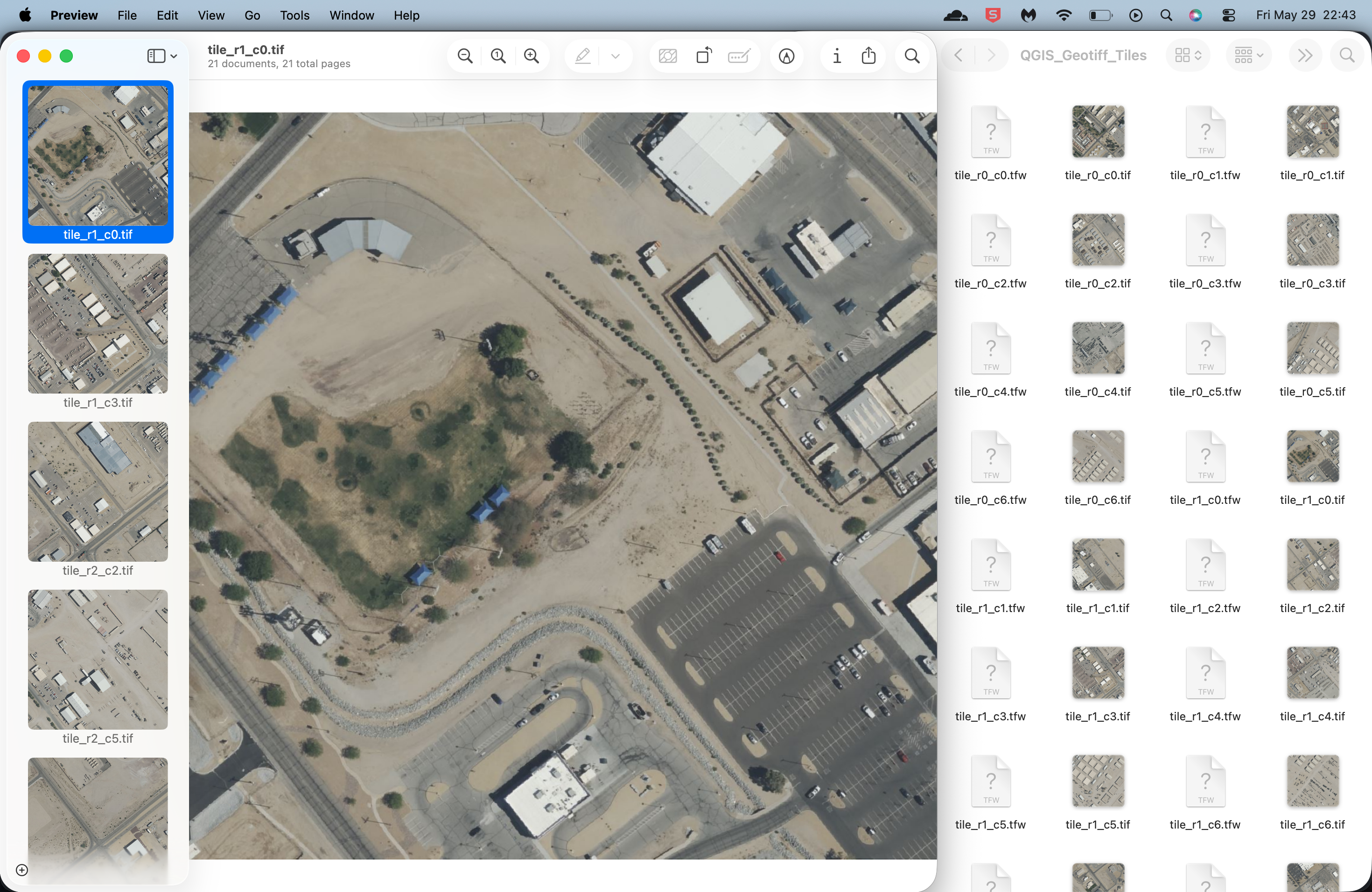
拼接脚本以 0.30 米分辨率导出的切片示例。
## 流程图
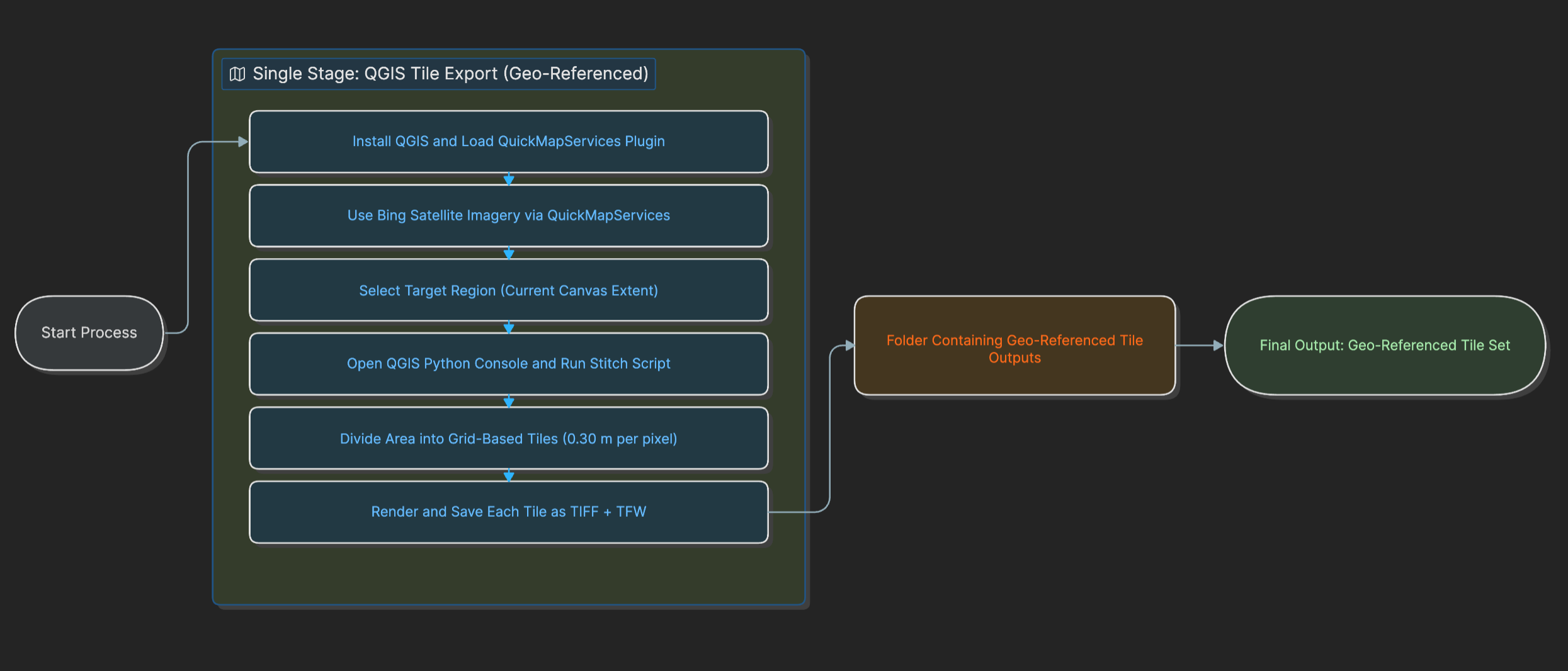
此流程图展示了当前的单阶段工作流程:打开 QGIS,通过 QuickMapServices 加载 Bing Satellite,选择目标画布范围,运行 `scripts/QGIS_stitch_script.py`,并将带有地理参考的切片输出导出为 TIFF + TFW 文件。
## 提示
- 确保范围和项目 CRS 设置正确。
- 如果希望减少输出文件的数量,请增加 `TILE_SIZE`。
- 对于大面积区域,处理时间可能会很长,具体取决于网络速度。
标签:ESC4, GIS, OSINT, Python, QGIS, 卫星图像, 地图切片, 地理空间情报, 无后门, 逆向工具