dkshahzohaib/log-sentinel
GitHub: dkshahzohaib/log-sentinel
一款 Windows 端点日志分析与安全健康检查工具,通过通俗易懂的报告和 MITRE ATT&CK 映射帮助用户完成本地安全审查与事件调查。
Stars: 0 | Forks: 0
# Log Sentinel
用于本地安全审查、SOC 实践、事件分类和系统健康检查的 Windows 端点和日志分析工作站。
Log Sentinel 收集 Windows 日志和主机遥测数据,运行检测规则,用通俗易懂的语言解释发现,在相关情况下将安全检测映射到 MITRE ATT&CK,并导出易于阅读的报告以供审查或交接。
## 项目目的
它不是防病毒软件的替代品。它是一个本地调查和报告工具,旨在帮助回答以下问题:
- 这台 Windows 机器上发生了什么?
- 是否有失败的登录、可疑的服务、高风险的端口或持久化更改?
- 哪些发现最重要?
- 非技术用户下一步应该采取什么行动?
- 该系统能否为客户、买家或支持案例提供文档记录?
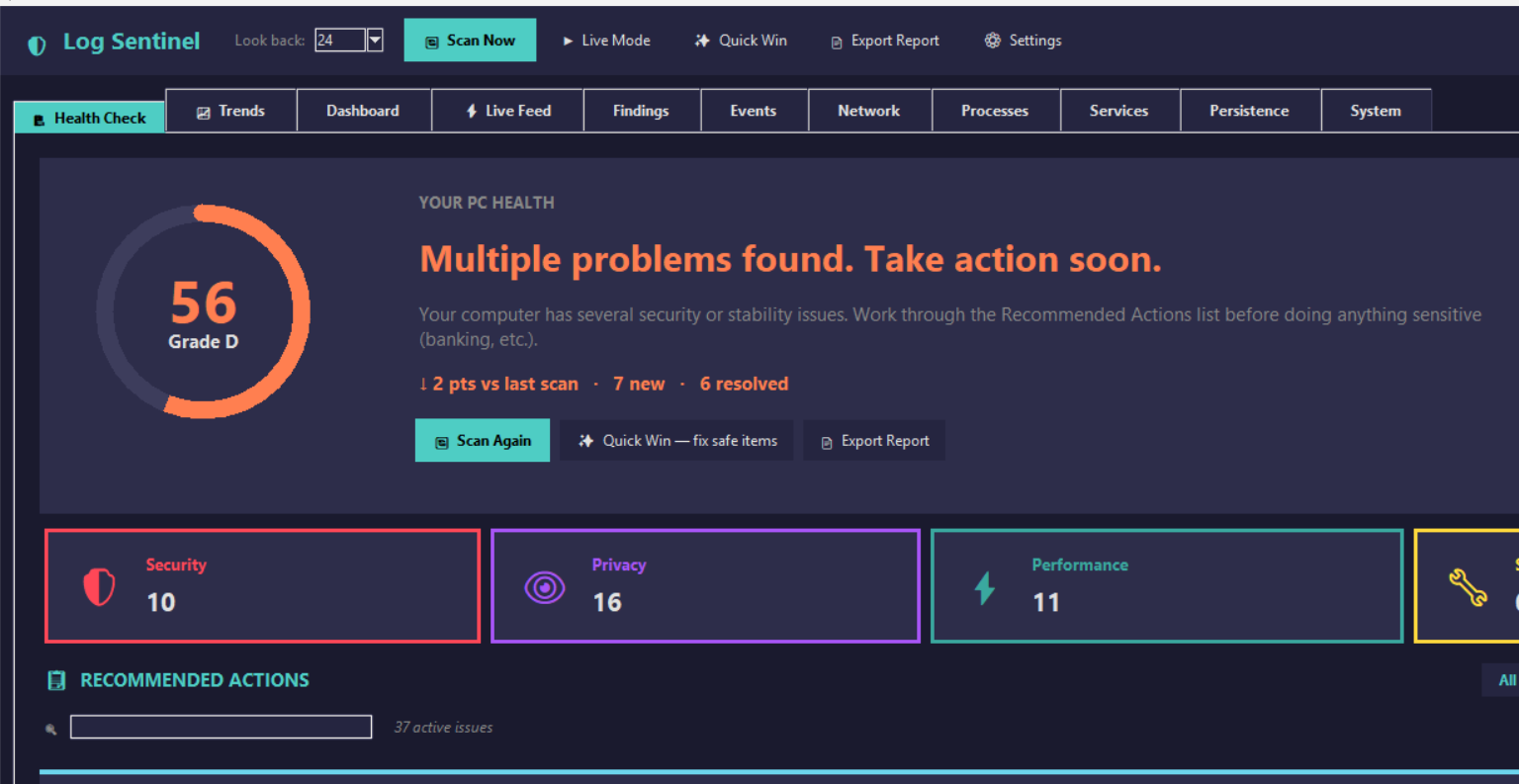
## 截图
### 健康检查

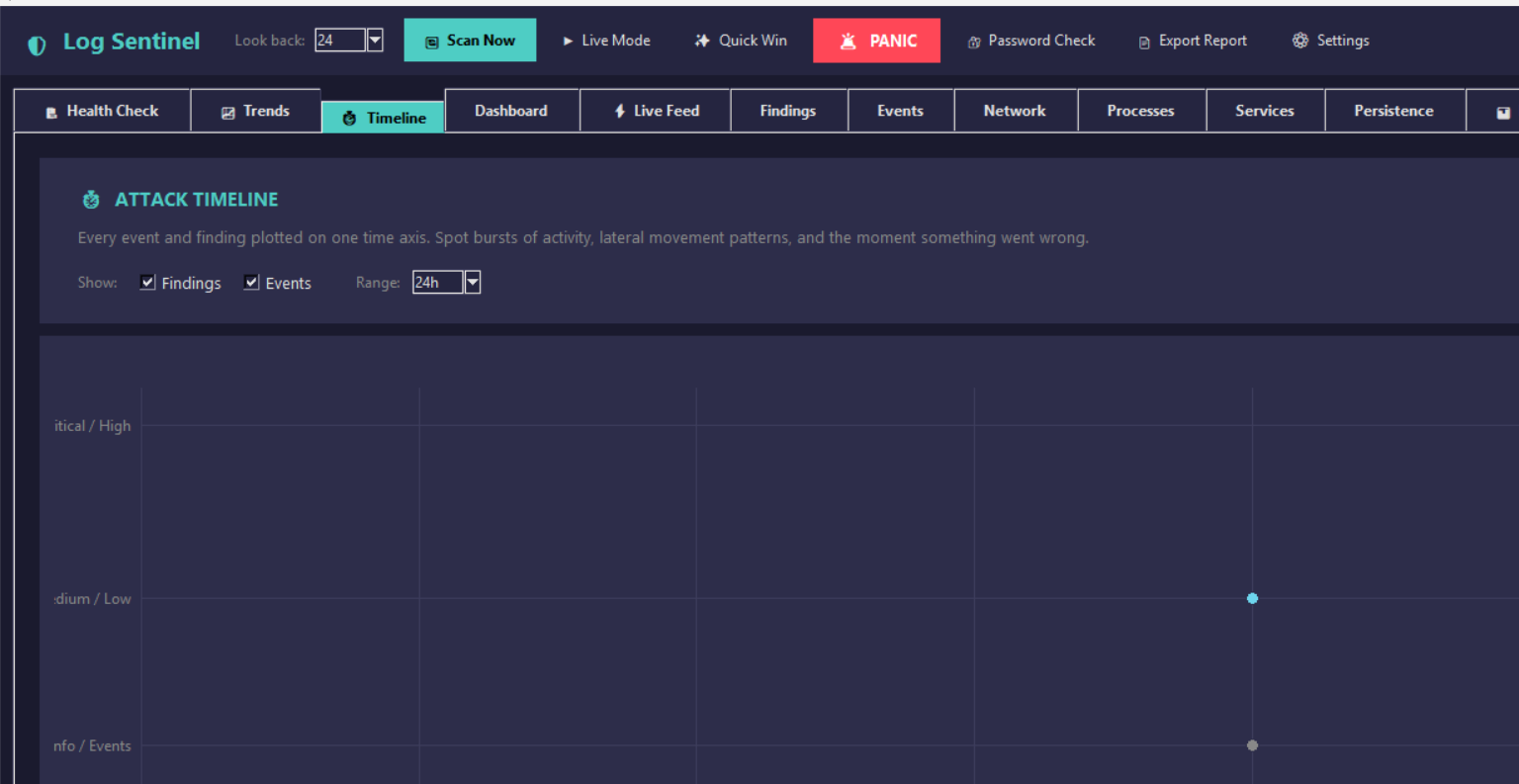
### Windows 日志和时间线
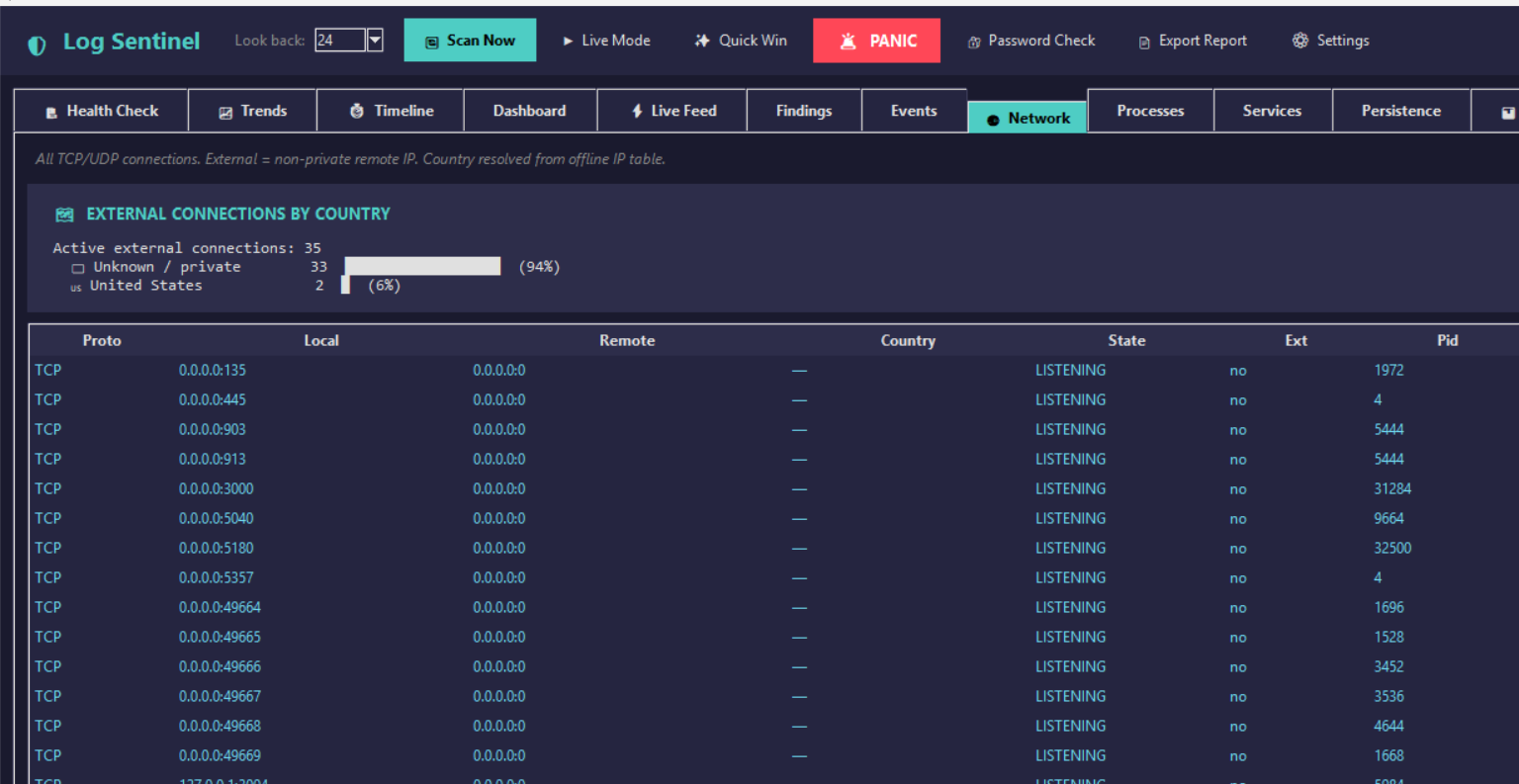
### 网络和 GeoIP
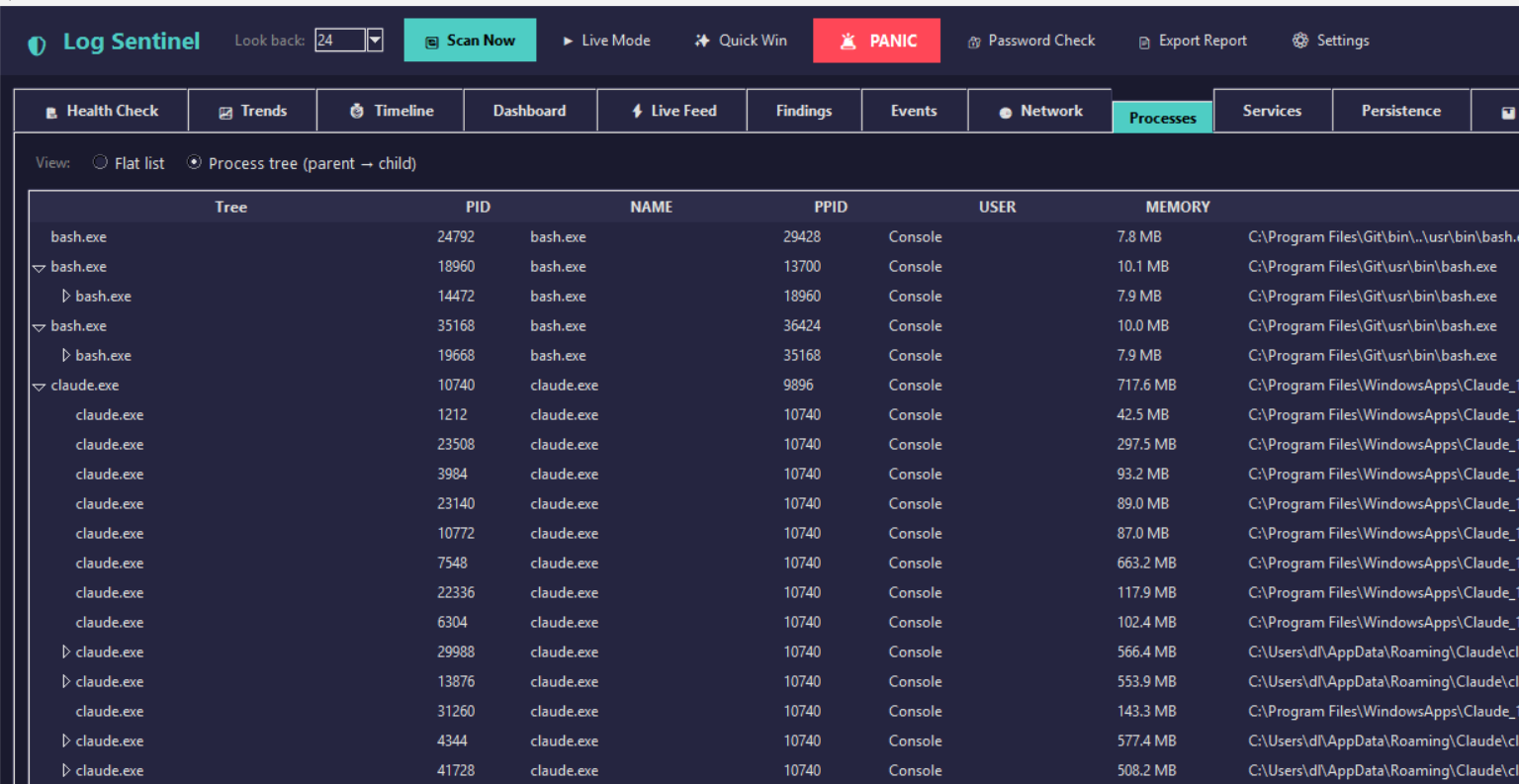
### 进程树
### 生成的报告
该应用程序可以导出 HTML、JSON 和 PDF 报告。
- [HTML 报告示例](reports/demo_report.html)
- [PDF 报告示例](reports/demo_report.pdf)
## 主要功能
- 从 Security、System 和 Application 通道收集 Windows 事件日志
- 专属日志选项卡,提供针对密码错误、成功登录、账户更改、特权事件、系统启动/停止和审计篡改的筛选器
- 具有基于严重程度的建议操作的健康评分
- 按 Security、Privacy、Performance 和 Stability 分组的发现
- 针对支持的检测提供 MITRE ATT&CK 映射
- 进程清单和父子进程树
- 包含外部 IP 和离线 GeoIP 上下文的网络连接清单
- 服务、计划任务、autoruns、DNS 缓存、USB 历史记录、已安装的软件和最近使用的文件
- 针对新服务、autoruns、任务和监听端口的基线比较
- 用于可疑实验样本和 EICAR 风格测试标记的文件扫描器
- Windows Defender、Task Manager、Settings、防火墙和 hosts 文件修复辅助工具
- 用于本地网络隔离的紧急按钮
- 用于买家检查的系统信息视图:CPU、RAM、磁盘空间、分区、GPU、电池、BIOS、型号和序列号
- 报告导出为 HTML、JSON 和 PDF
- 可搜索的帮助中心
- 30 天本地试用和绑定设备的月度许可证密钥
## 检测范围
| 领域 | 示例 |
|---|---|
| 身份验证 | 登录失败、暴力破解模式、账户锁定、非工作时间登录 |
| 特权活动 | 管理员登录、特权升级事件、账户/组更改 |
| 持久化 | 新服务、计划任务、autoruns、启动影响 |
| 进程行为 | 可疑名称、高风险位置、已知工具指示器、进程模拟 |
| 网络 | 可疑的监听端口、非常见端口、外部连接、GeoIP 上下文 |
| PowerShell | 编码命令和可疑的脚本块活动 |
| 防御规避 | 审计日志清除、防火墙更改、基线漂移 |
| 勒索软件演练 | 蜜罐诱饵和文件完整性检查 |
| 隐私 | 相机/麦克风访问检查和浏览器扩展审查 |
| 系统健康 | RAM 压力、启动臃肿、崩溃/关机事件、硬件摘要 |
## 快速开始
### 要求
- Windows 10 或 Windows 11
- Python 3.10 或更高版本
- PowerShell 或命令提示符
大多数功能无需管理员权限即可运行。要读取 Security 事件日志并使用防火墙/hosts 隔离功能,请以管理员身份运行。
### 从源码运行
```
git clone https://github.com/dkshahzohaib/log-sentinel.git
cd log-sentinel
py -3 app.py
```
### 以管理员身份运行
以管理员身份打开 PowerShell:
```
cd "C:\path\to\log-sentinel"
py -3 app.py
```
Security 日志事件(例如密码尝试失败)需要管理员模式:
- `4625` - 登录失败 / 密码错误
- `4771` - Kerberos 预身份验证失败
- `4776` - 凭据验证失败
### 运行无头扫描
```
py -3 app.py --scan
```
### 构建便携版 EXE
```
BUILD.bat
```
有关构建、签名和发布说明,请参阅 [BUILD.md](BUILD.md)。
## 如何安全地测试检测
此存储库在 `fake_malware_lab/` 中包含了无害的测试样本,并提供了本地端口监听器测试。
### 可疑端口测试
```
TEST-THREAT-PORT-4444.bat
```
然后运行扫描。Log Sentinel 应该会标记围绕端口 `4444` 的活动。
### 文件扫描器测试
使用应用程序的文件夹扫描功能并选择:
```
fake_malware_lab
```
包含的文件是安全的测试样本,不是真正的恶意软件。
## 许可证演练
该项目包含本地 30 天试用和绑定设备的月度密钥系统,用于产品化实践。
生成 30 天的密钥:
```
py -3 tools\make_license_key.py customer@example.com --days 30 --device MACHINE_ID
```
机器 ID 显示在激活窗口中。这适用于受控演示和作品集工作。商业生产版本应将密钥创建和激活检查移至私有服务器。
## 存储库结构
```
log-sentinel/
├── app.py # Tkinter desktop application
├── main.py # CLI/report entry point
├── demo.py # Synthetic demo data
├── BUILD.bat # Portable build script
├── src/
│ ├── collector.py # Windows Event Log collection
│ ├── system_collector.py # Processes, network, services, tasks, system info
│ ├── analyzer.py # Event-based detections
│ ├── system_analyzer.py # Host snapshot detections
│ ├── detection_pipeline.py # Shared GUI/headless detection flow
│ ├── baseline.py # Baseline comparison
│ ├── reporter.py # HTML, JSON, PDF, help output
│ ├── licensing.py # Local trial and key handling
│ └── ...
├── tests/ # Unit tests
├── reports/ # Screenshots and sample reports
├── fake_malware_lab/ # Harmless test artifacts
├── outreach/ # Product-page/support material drafts
└── tools/ # Admin helper scripts
```
## 测试套件
```
py -3 -m unittest discover -s tests -v
py -3 -m compileall -q app.py main.py demo.py src tests tools
```
当前覆盖范围包括:
- 事件分析器规则
- 系统分析器规则
- 健康评分
- 基线检测
- 文件扫描器
- 报告生成
- 许可证密钥处理
- 首选项筛选
- 验证辅助工具
## 作品集说明
该项目展示了:
- 使用 `wevtutil` 进行 Windows 日志收集和解析
- 针对常见 SOC 工作流的安全事件解读
- 使用基于规则的分析进行检测工程
- 主机遥测数据的收集和丰富
- MITRE ATT&CK 映射
- 面向非技术用户的 GUI 设计
- 用于分析师交接的报告生成
- 检测和报告逻辑的测试驱动强化
- 没有真正恶意软件的安全恶意软件实验室风格测试
## 安全说明
- 仅在需要 Security 日志、防火墙、hosts 文件或隔离功能时,才以管理员身份运行。
- 请勿将生成的发现视为最终的入侵证明。请审查证据和上下文。
- 包含的可疑文件是无害的测试样本。
- 仅限本地的许可证强制实施并非防篡改。生产级许可证应使用在线激活和服务器端签名。
## License
请参阅 [LICENSE](LICENSE)。
标签:AI合规, 逆向工具