raghuece455/r-pay
GitHub: raghuece455/r-pay
R-Pay 是一个虚构的 UPI 风格全栈支付沙盒,通过模拟午夜支付中断事件来演示支付状态机、事件响应和 Claude Code 智能体协作等生产级工程实践。
Stars: 0 | Forks: 0
# R-Pay


R-Pay,也称为 Raghu's Pay,是一个面向印度的虚构 UPI 风格支付产品。它是一个生产级别的全栈演示项目,用于学习支付安全、状态机、事件响应、可观测性、RCA 工作流以及 Claude Code 智能体协作。
R-Pay 不是一个真实的支付系统。它不连接真实的 UPI 轨道、NPCI、银行、PSP、PhonePe、Google Pay、支付网关或真实的资金流动。该应用仅使用本地沙盒支付网络模拟器。
## 截图
### 消费者支付应用
| 首页 | 支付 | 状态 | 交易 |
| --- | --- | --- | --- |
| 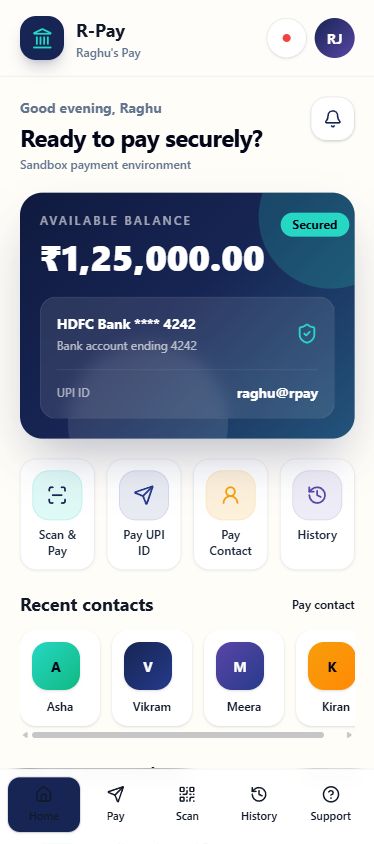 | 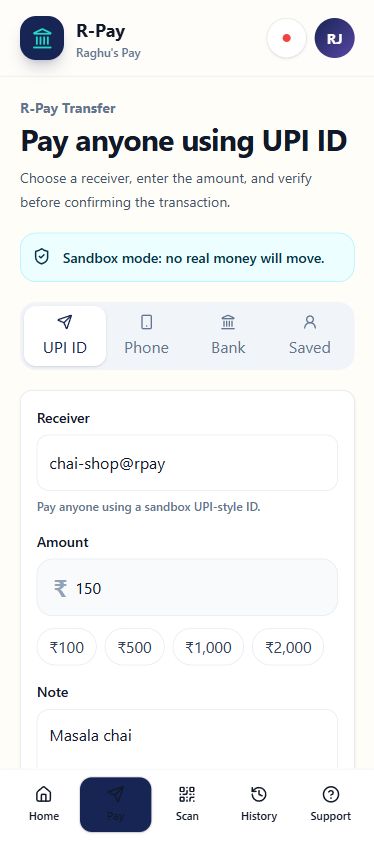 | 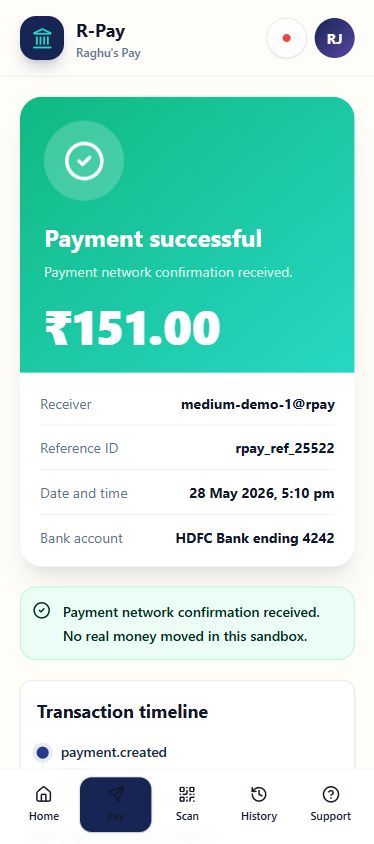 | 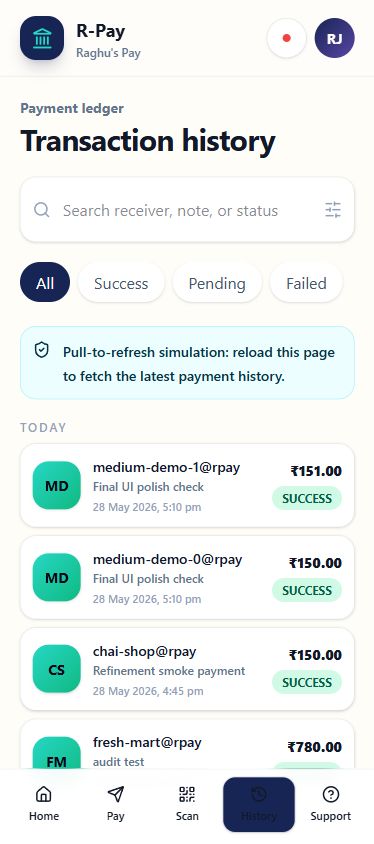 |
### IncidentDesk
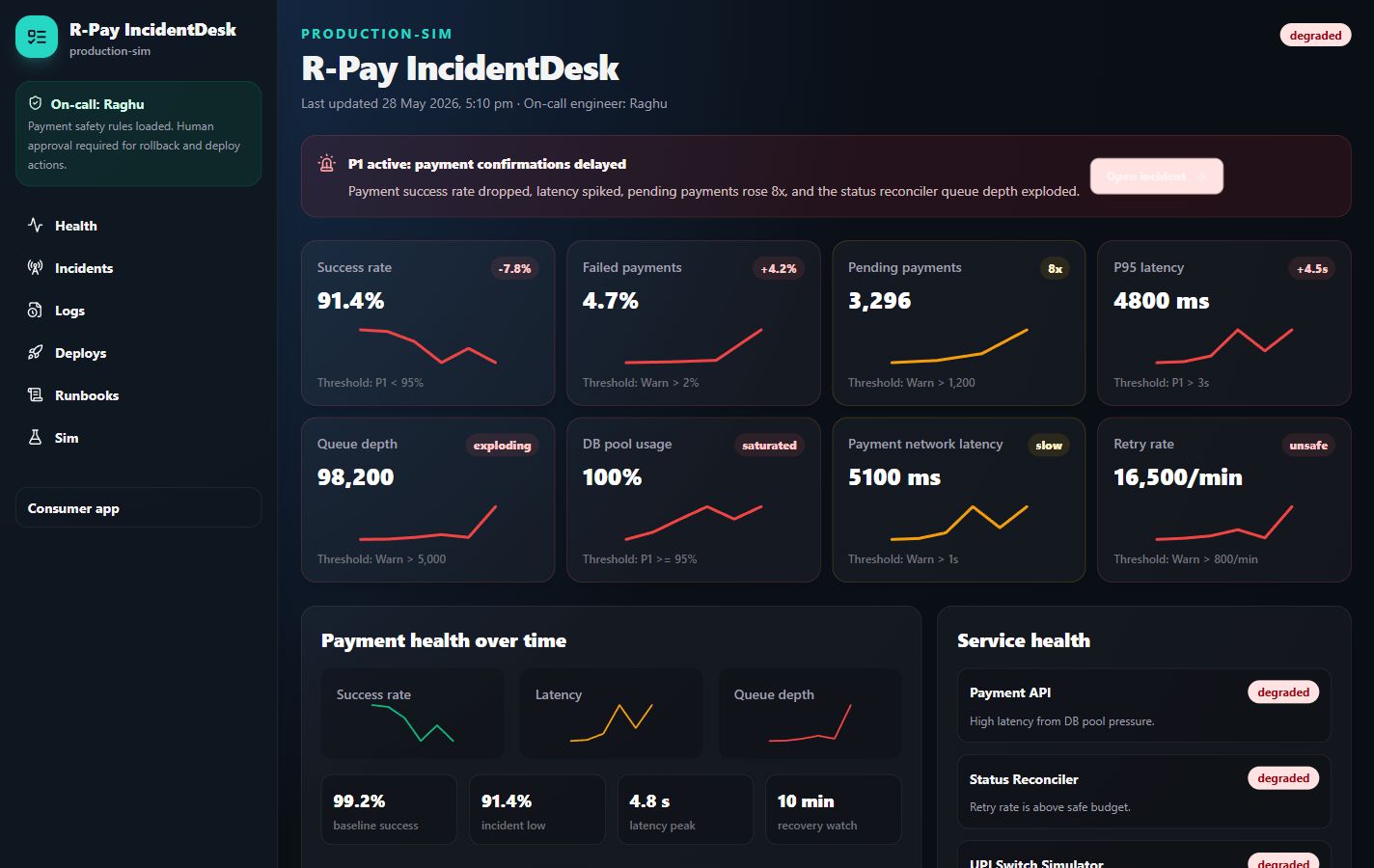
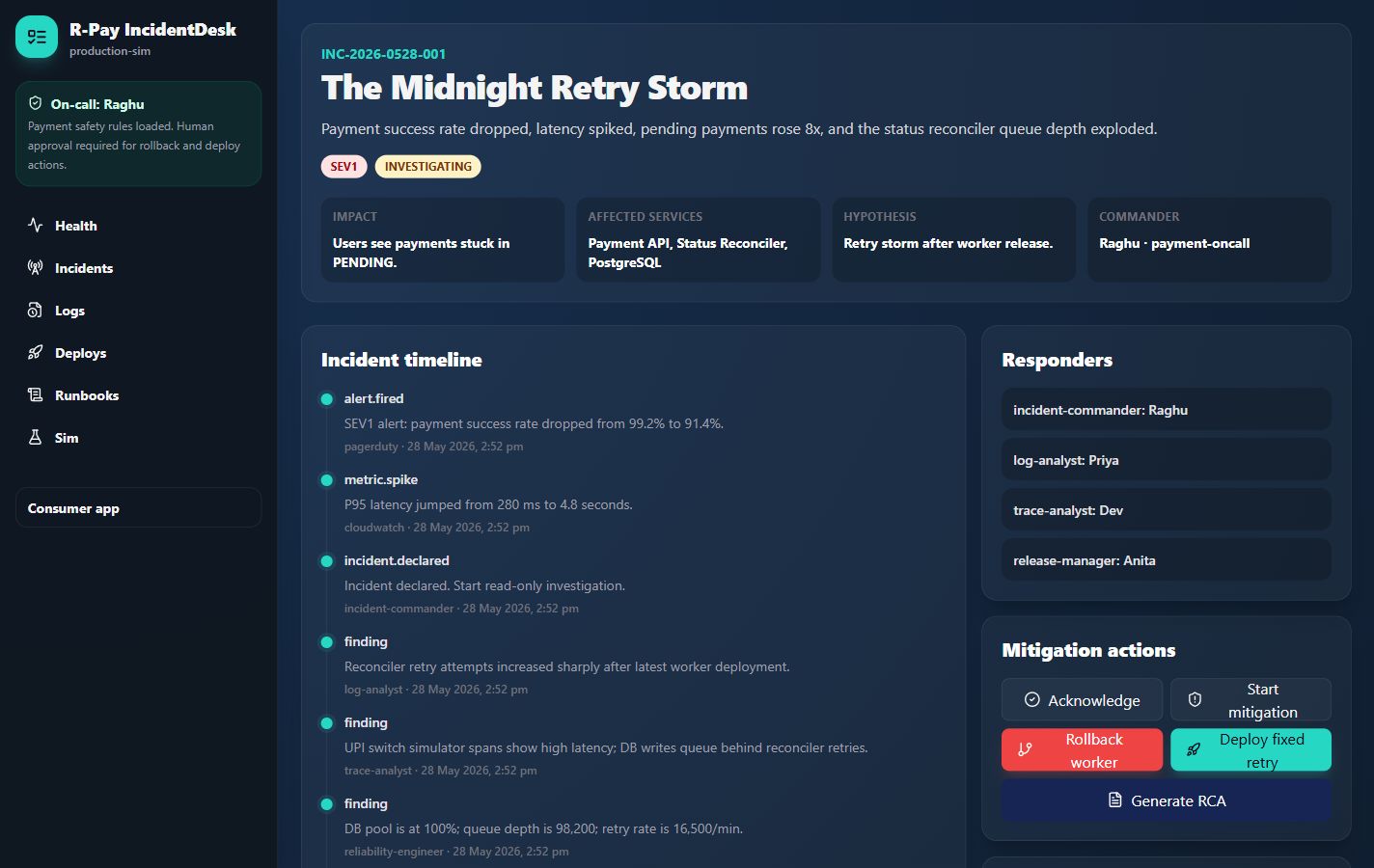
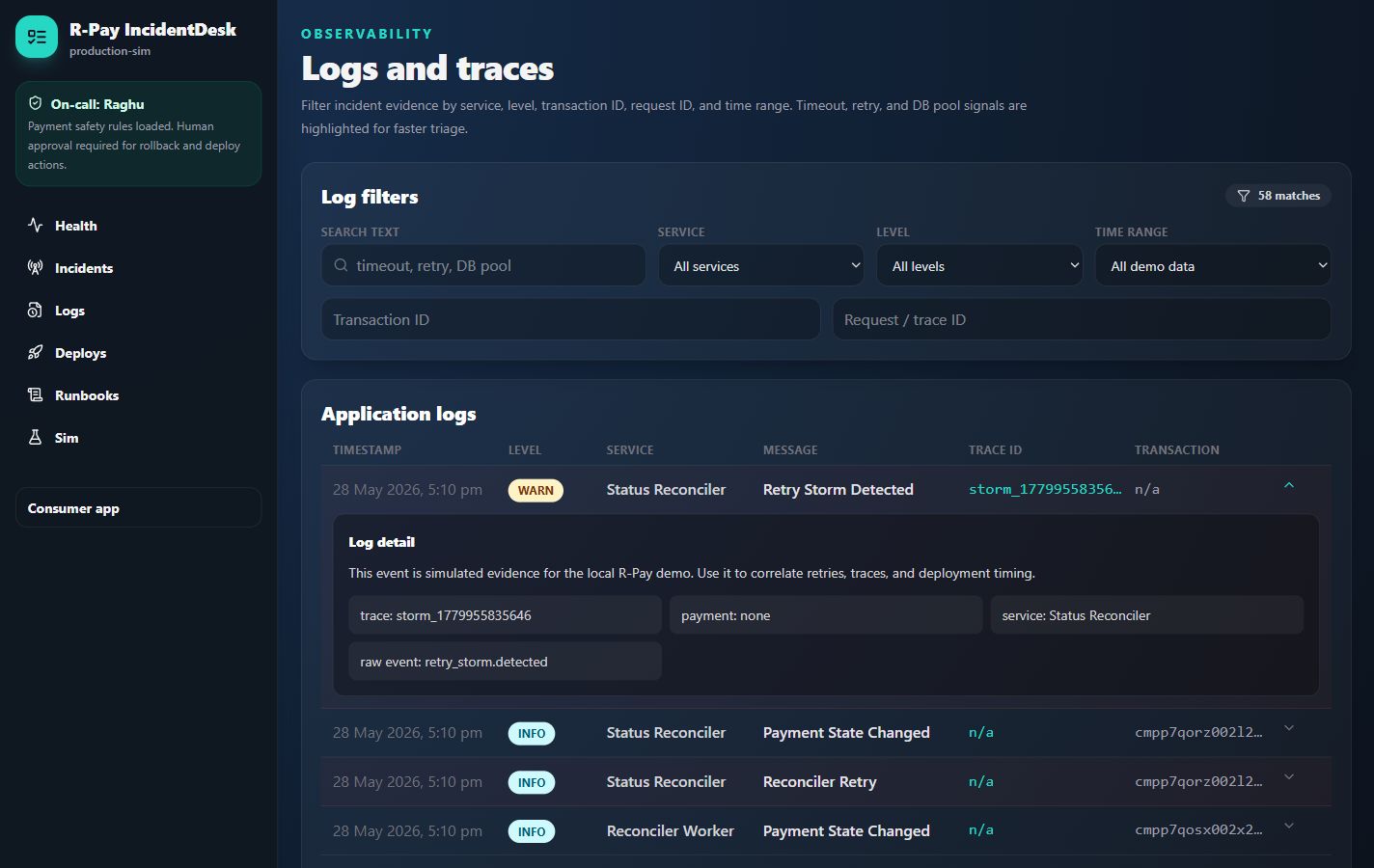
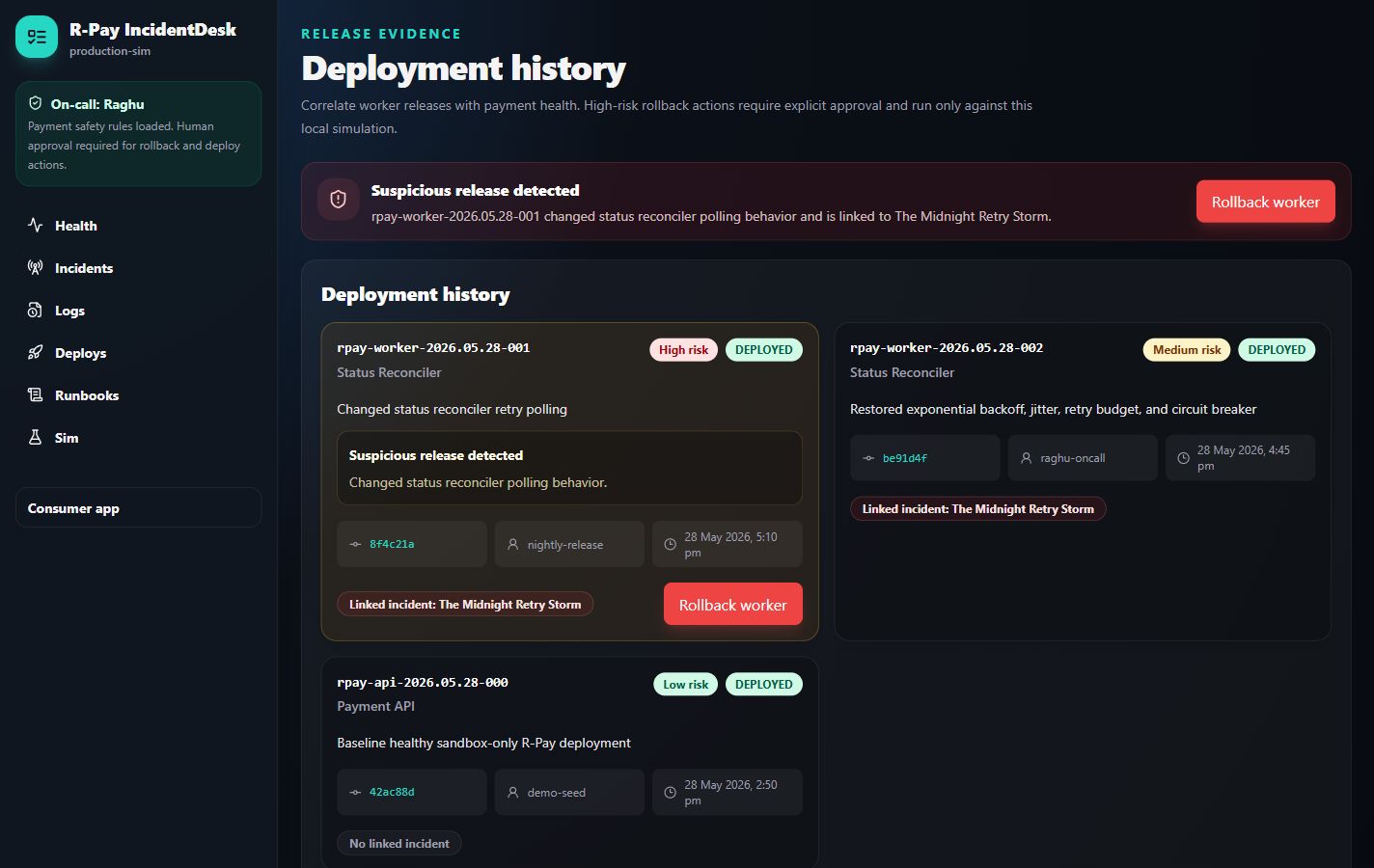
| 健康 | 事件 | 日志 | 部署 |
| --- | --- | --- | --- |
|  |  |  |  |
| 运行手册 | RCA |
| --- | --- |
| 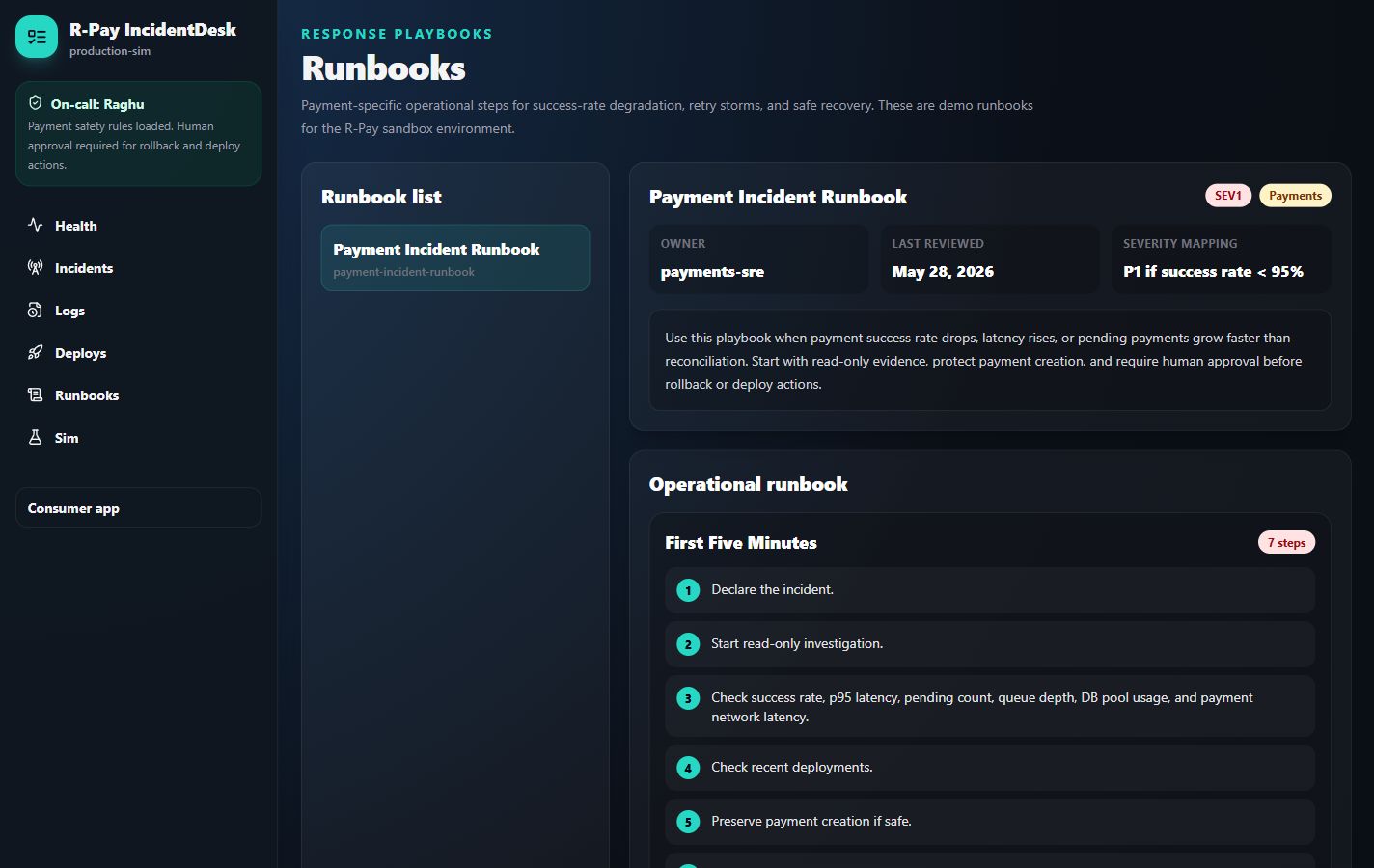 | 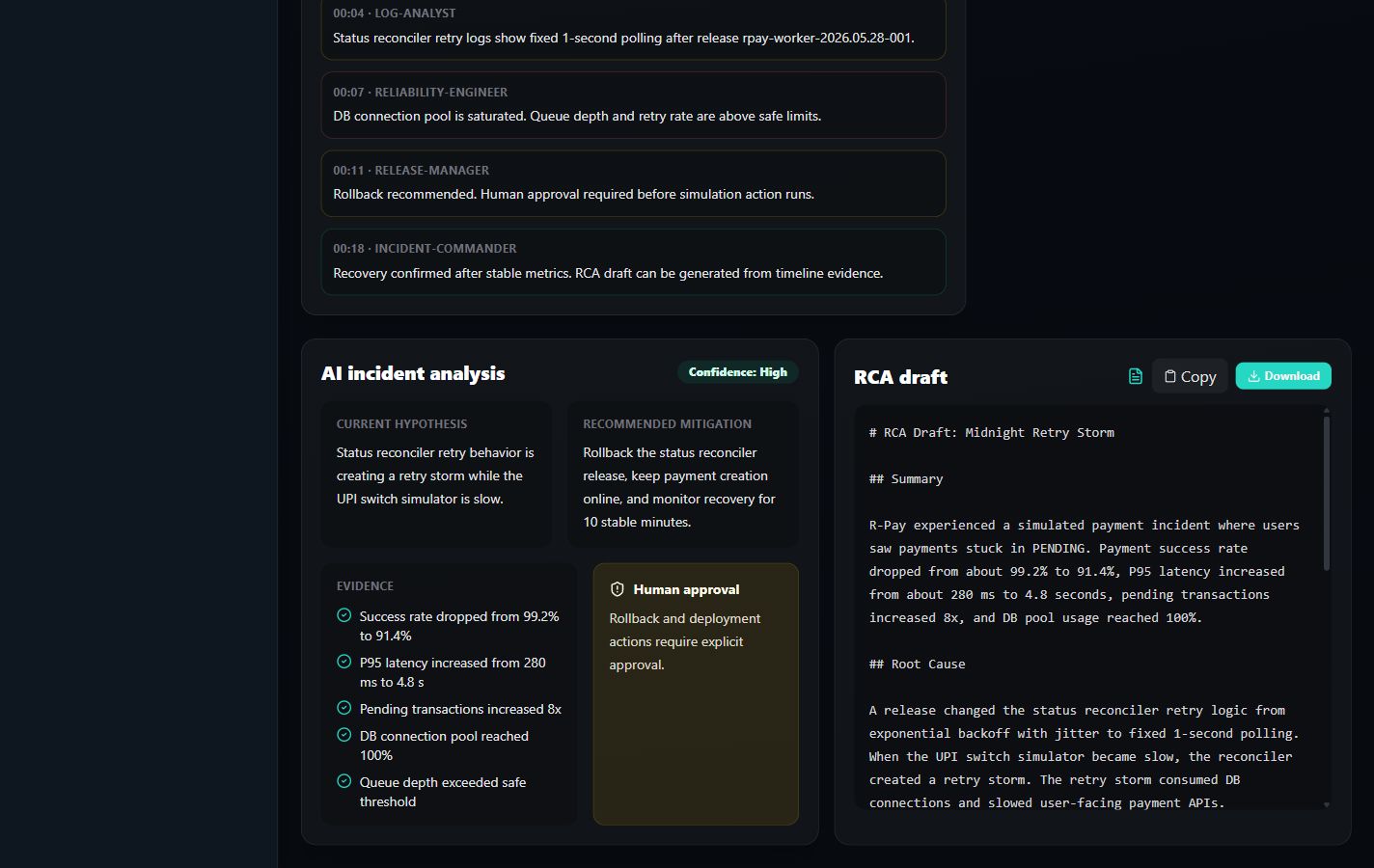 |
## 您可以演示的内容
- 移动优先的消费者应用,包含首页仪表板、掩码账户摘要、转账、QR 扫描模拟、确认、支付状态、历史记录、交易详情和支持。
- 内部 IncidentDesk,包含健康指标、活跃事件、时间线、部署历史、日志、追踪、运行手册、模拟操作、恢复和 RCA 生成。
- 午夜重试风暴事件,其中错误的状态协调器发布版本会创建不安全的固定间隔重试,同时 UPI Switch Simulator 运行缓慢。
## 架构
```
apps/web Next.js consumer app and IncidentDesk
apps/api Express API, Prisma, payment APIs, simulator APIs, ops APIs
apps/worker Status reconciler and incident signal worker
packages/shared Types, validation, payment state machine, retry and RCA helpers
packages/ui Shared React UI package placeholder
prisma PostgreSQL schema and seed data
scripts Demo traffic, incident, and reset scripts
screenshots Final GitHub and article-ready screenshots
```
## 本地设置
```
docker compose up -d
cp .env.example .env
pnpm install
pnpm db:migrate
pnpm seed
pnpm dev
```
在 Windows PowerShell 上:
```
Copy-Item .env.example .env
```
如果 `pnpm` 不在您的 PATH 中,请使用 Corepack 启用它,或通过 `npx pnpm@10.11.0` 运行命令。
打开:
- 消费者应用:http://localhost:3001
- IncidentDesk:http://localhost:3001/ops
- API 健康状况:http://localhost:4000/health
演示用户:
- 姓名:Raghu
- UPI 风格 ID:`raghu@rpay`
- 账户:`HDFC Bank **** 4242`
## 实用命令
```
pnpm test
pnpm lint
pnpm typecheck
pnpm seed
pnpm simulate:incident
pnpm reset:demo
```
在 Postgres 运行后,即可使用基于数据库的 API 集成测试:
```
RUN_DB_TESTS=true pnpm --filter @rpay/api test
```
## 进行支付
1. 打开 http://localhost:3001。
2. 选择 **Pay**。
3. 使用沙盒 UPI 风格的收款人,例如 `chai-shop@rpay`。
4. 输入金额和备注。
5. 确认支付。
6. 打开状态页面和交易历史记录。
模拟器可以返回 `SUCCESS`、`FAILED` 或 `PENDING`。只有当本地模拟器返回有效确认时,支付才能变为 `SUCCESS`。
## 触发午夜重试风暴
从 IncidentDesk:
1. 打开 http://localhost:3001/ops/simulations。
2. 触发 **Midnight Retry Storm**。
3. 观察成功率下降、延迟飙升、待处理交易增加、队列深度爆炸以及 DB 连接池使用率达到 100%。
4. 打开事件时间线、日志、部署历史和运行手册。
5. 使用审批控制的回滚或固定重试操作。
6. 生成 RCA 草案。
从命令行:
```
pnpm simulate:incident
```
## 文档
- [架构](docs/architecture/ARCHITECTURE.md)
- [产品规格](docs/architecture/SPEC.md)
- [API 设计](docs/architecture/API_DESIGN.md)
- [数据模型](docs/architecture/DATA_MODEL.md)
- [支付状态机](docs/architecture/PAYMENT_STATE_MACHINE.md)
- [可观测性计划](docs/architecture/OBSERVABILITY_PLAN.md)
- [支付事件运行手册](docs/runbooks/payment-incident-runbook.md)
- [截图指南](docs/SCREENSHOTS.md)
标签:AI智能体, API集成, GNU通用公共许可证, MITM代理, Node.js, TypeScript, 可观测性, 安全插件, 支付系统, 测试用例, 状态机, 自动化攻击, 请求拦截