murariguna/SECLAB
GitHub: murariguna/SECLAB
一个基于 Python 的网络安全学习与模拟框架,通过交互式 CLI 为学生和初学者提供密码学、蜜罐、钓鱼防范和 SQL 注入等安全实验模块。
Stars: 0 | Forks: 0
# 🛡️ SecLab 工具包
## 📖 简介
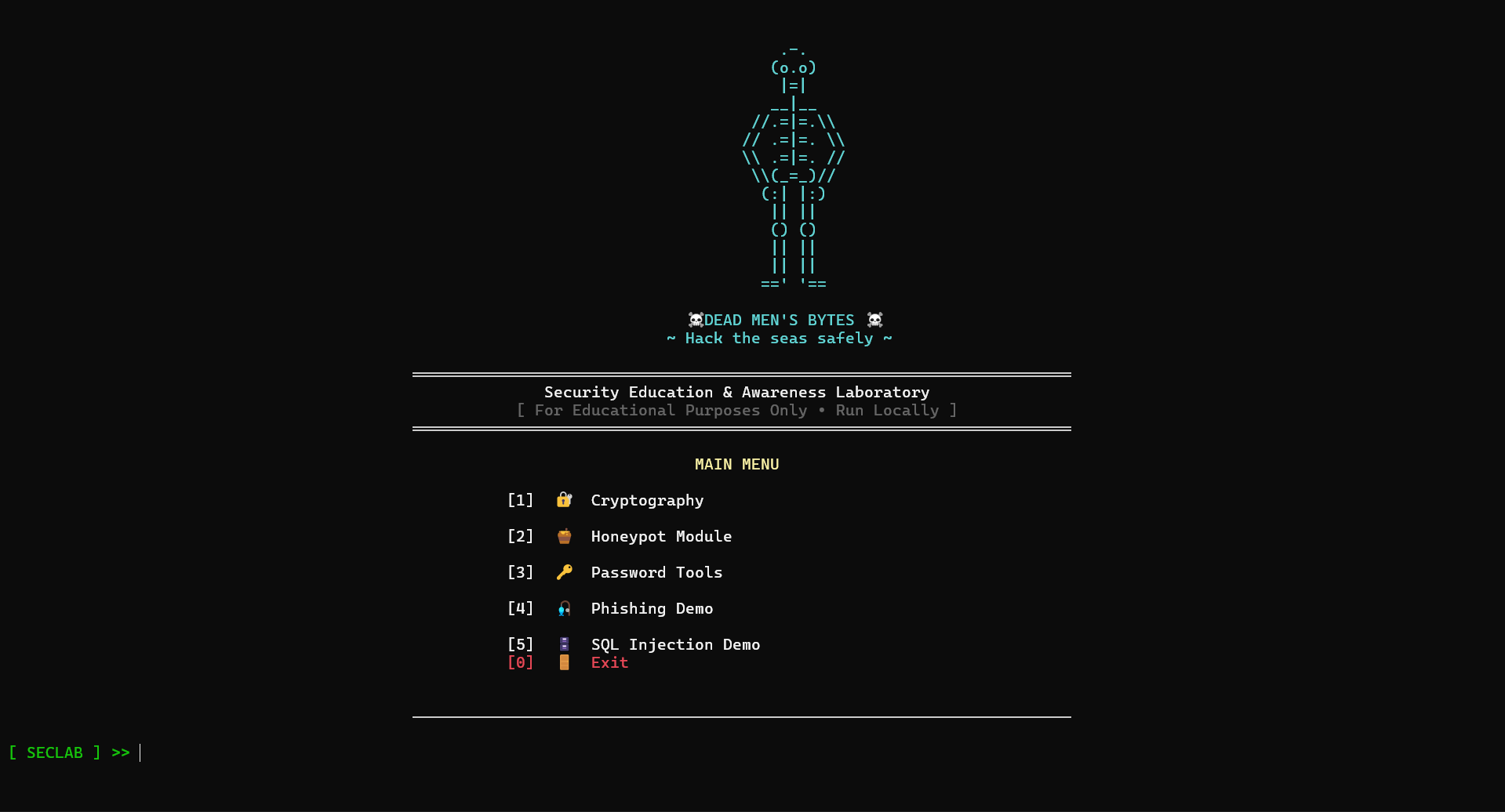
**SecLab Toolkit (Security Labs Toolkit)** 是一个基于 Python 的网络安全学习与模拟框架,专为学生、初学者和安全爱好者设计。
该工具包将多个网络安全概念整合到一个单一的命令行界面 (CLI) 平台中,旨在提供以下方面的实践经验:
* 密码学
* 密码安全
* Honeypot 模拟
* 钓鱼防范意识
* SQL 注入演示
* 日志记录与监控
* 道德黑客概念
本项目侧重于通过交互式演示和模拟安全环境来进行动手实践学习。其仅严格用于教育、研究和网络安全实践目的。
# ✨ 功能
* 模块化网络安全工具包
* 交互式 CLI 界面
* 密码学演示
* 密码分析与生成工具
* SSH honeypot 模拟
* 安全日志记录与监控
* 教育性钓鱼演示
* SQL 注入练习环境
* 对初学者友好的实现
* 真实世界的网络安全概念
# ⚙️ 使用的技术
* Python
* Paramiko
* Socket 编程
* PyCryptodome
* OpenCV
* 日志记录
* 线程
* 文件处理
# 📂 项目结构
```
SecLab-Toolkit/
│
├── cryptography/
│ ├── aes_demo.py
│ ├── rsa_demo.py
│ ├── digital_signature_demo.py
│ ├── secure_file_encryptor.py
│ ├── caesar_cipher.py
│ ├── vigenere_cipher.py
│ ├── base64_encoder_decoder.py
│ ├── hex_encoder_decoder.py
│ ├── url_encoder_decoder.py
│ ├── hash_generator.py
│ ├── hash_identifier.py
│ ├── file_hash_checker.py
│ └── Steganography.py
│
├── password_tools/
│ ├── generator.py
│ ├── strength.py
│ ├── password_entropy_calculator.py
│ ├── commonpassworddetector.py
│ └── attack_simulator.py
│
├── honeypot/
│ ├── honeypot.py
│ ├── audits.log
│ ├── cmd_audits.log
│ └── server_key
│
├── phishing_demo/
│
├── sql_injection_demo/
│
├── main.py
└── README.md
```
# 🚀 安装说明
## 1. 克隆仓库
```
git clone https://github.com/murariguna/SECLAB.git
cd SECLAB
```
## 2. 安装依赖
```
pip install -r requirements.txt
```
# ▶️ 运行项目
运行主工具包界面:
```
python main.py
```
你也可以直接运行单个工具:
```
python aes_demo.py
```
# 🧩 主要模块
| 模块 | 描述 |
| -------------------- | ------------------------------------------- |
| 密码学 | 加密、哈希、编码、数字签名、隐写术 |
| 密码安全 | 密码生成、熵分析、强度测试 |
| Honeypot | SSH honeypot 模拟与监控 |
| 钓鱼演示 | 教育性钓鱼模拟 |
| SQL 注入演示 | SQL 注入攻击与防范演示 |
| 日志与监控 | 跟踪活动与模拟攻击 |
# 🔐 密码学模块
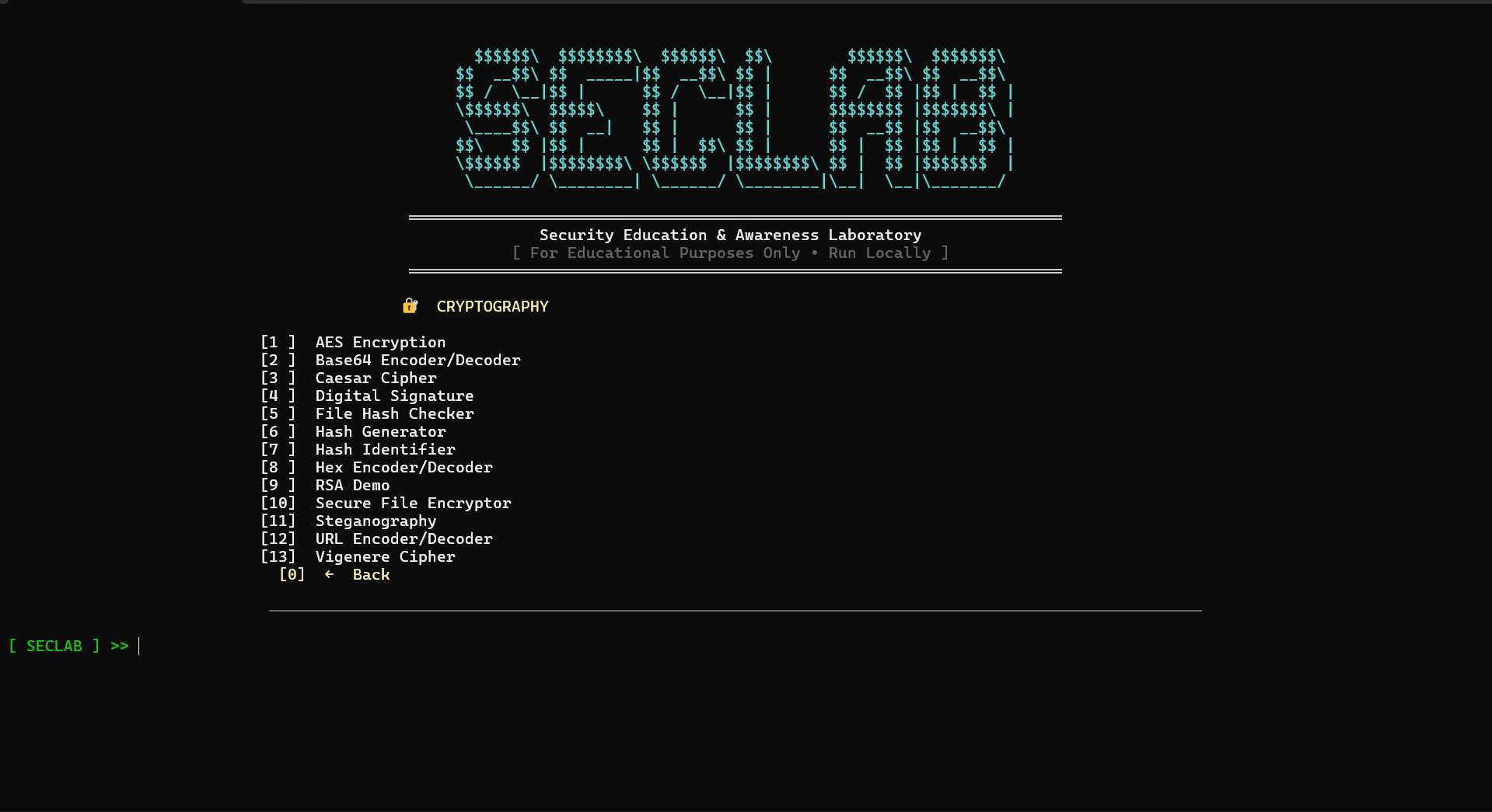
密码学模块演示了经典和现代密码学技术,包括加密、哈希、编码、数字签名和隐写术。
## 📜 密码学模块中的程序
### 1. AES 加密演示
演示使用 CBC 模式的 AES (Advanced Encryption Standard) 对称加密与解密。
#### 功能
* AES 加密
* AES 解密
* 16 字符密钥验证
* CBC 模式实现
#### 应用场景
* 安全通信
* 文件保护
* 学习对称加密
### 2. RSA 加密演示
演示使用公钥和私钥的 RSA 非对称加密。
#### 功能
* RSA 密钥生成
* 公钥加密
* 私钥解密
#### 应用场景
* 安全密钥交换
* 学习公钥密码学
* 加密演示
### 3. 数字签名演示
演示如何使用 RSA 和 SHA-256 实现数字签名。
#### 功能
* RSA 密钥生成
* 消息签名
* 签名验证
* SHA-256 哈希
#### 应用场景
* 学习数字签名
* 数据真实性验证
* 完整性校验
### 4. 安全文件加密器
使用 AES 加密对文件进行安全加密与解密。
#### 功能
* 文件加密
* 文件解密
* AES-CBC 加密模式
* 安全的文件处理
#### 应用场景
* 文件保护
* 安全数据存储
* 加密练习
### 5. Caesar Cipher (凯撒密码)
实现了经典的 Caesar 替换密码。
#### 功能
* 编码消息
* 解码消息
* 可调节的偏移值
#### 应用场景
* 学习经典密码学
* 密码分析实践
### 6. Vigenère Cipher (维吉尼亚密码)
使用基于关键字的加密方式实现了 Vigenère 多表密码。
#### 功能
* 基于关键字的加密
* 支持编码与解码
#### 应用场景
* 学习经典密码学
* 加密分析
### 7. Base64 编码/解码器
对 Base64 文本数据进行编码与解码。
#### 功能
* Base64 编码
* Base64 解码
#### 应用场景
* 数据传输
* 将二进制数据编码为文本
### 8. Hex 编码/解码器
对十六进制字符串进行编码与解码。
#### 功能
* Hex 编码
* Hex 解码
#### 应用场景
* 二进制分析
* 底层数据表示
### 9. URL 编码/解码器
执行 URL 安全的编码与解码。
#### 功能
* URL 编码
* URL 解码
#### 应用场景
* Web 应用测试
* HTTP 请求分析
### 10. 哈希生成器
为密码或文本生成 SHA-256 哈希。
#### 功能
* SHA-256 哈希
#### 应用场景
* 密码哈希
* 完整性验证
### 11. 哈希识别器
根据特征和长度识别常见的哈希算法。
#### 功能
* MD5 检测
* SHA-1 检测
* SHA-256 检测
* SHA-512 检测
#### 应用场景
* 哈希分析
* 数字取证学习
### 12. 文件哈希检查器
计算文件的哈希值以进行完整性验证。
#### 功能
* MD5 哈希
* SHA-1 哈希
* SHA-256 哈希
#### 应用场景
* 文件完整性校验
* 恶意软件分析
* 数字取证
### 13. 隐写术工具
使用 LSB (Least Significant Bit,最低有效位) 隐写术将秘密信息隐藏在图像中。
#### 功能
* 在图像中隐藏信息
* 受密码保护的提取
* LSB 编码技术
#### 应用场景
* 隐蔽通信
* 学习隐写术
* 网络安全演示
# 🔑 密码安全模块
密码安全模块侧重于密码生成、密码审计、强度分析以及密码攻击模拟。
## 📜 密码安全模块中的程序
### 1. 密码生成器
根据用户偏好生成安全的随机密码。
#### 功能
* 自定义密码生成
* 随机密码生成
* 可配置的字符集
#### 应用场景
* 创建安全密码
* 密码管理实践
### 2. 密码强度检查器
分析密码复杂性并确定其安全等级。
#### 功能
* 弱/中/强分类
* 常见密码检测
#### 应用场景
* 密码审计
* 安全意识培训
### 3. 密码熵计算器
以 bit 为单位计算密码的熵。
#### 功能
* 熵值计算
* 字符集分析
#### 应用场景
* 衡量密码安全性
* 密码学教育
### 4. 常见密码检测器
检查密码是否存在于常见密码字典中。
#### 功能
* 基于字典的密码分析
#### 应用场景
* 弱密码检测
* 安全意识教育
### 5. 密码攻击模拟器
出于教育目的模拟密码猜测和暴力破解行为。
#### 功能
* 密码猜测模拟
* 随机化攻击尝试
* 演示暴力破解原理
#### 应用场景
* 道德黑客演示
* 密码安全意识教育
* 网络安全教育
# 🍯 Honeypot 模块
Honeypot 模块模拟 SSH 服务器以监控并记录攻击者的活动。
## 📜 SSH 蜜罐
一个模拟的 SSH 服务器,用于记录登录尝试及攻击者执行的命令。
### 功能
* SSH 服务器模拟
* 虚假 shell 环境
* 凭据记录
* 命令记录
* 实时监控
* 轮转审计日志
### 记录的信息
* IP 地址
* 用户名
* 密码尝试
* 执行的命令
### 生成的文件
* `audits.log`
* `cmd_audits.log`
* `server_key`
### 支持的命令
* `pwd`
* `whoami`
* `ls`
* `cat jumpbox1.conf`
* `exit`
### 应用场景
* 威胁监控
* 攻击分析
* 网络安全教育
* Honeypot 研究
# 🎣 钓鱼防范意识演示
钓鱼防范意识模块演示了钓鱼网站如何诱骗用户泄露敏感信息。
## ✨ 功能
* 虚假登录页面模拟
* 凭据抓取演示
* 基于防范意识的学习
* 社会工程学模拟
* 教育性警告信息
## 💡 应用场景
* 网络安全意识培训
* 社会工程学演示
* 钓鱼攻击教育
* 道德黑客演示
# 💉 SQL 注入演示
SQL 注入演示展示了不安全的数据库查询是如何被利用的,以及安全的编码实践如何防止攻击。
## ✨ 功能
* 存在漏洞的登录模拟
* SQL 注入 payload 测试
* 身份验证绕过演示
* 安全查询对比
* 输入清理示例
## 💡 应用场景
* Web 安全教育
* 安全编码演示
* 道德黑客实践
* 漏洞分析学习
# 📊 日志记录与监控
该工具包包含日志系统,用于监控模拟活动和攻击者的行为。
## 📁 日志文件
| 文件 | 用途 |
| -------------- | ---------------------- |
| audits.log | 连接和活动日志 |
| cmd_audits.log | 命令执行日志 |
# ⚠️ 教育目的声明
本工具包仅严格用于:
* 教育目的
* 道德黑客实践
* 网络安全学习
* 安全研究
* 演示环境
请勿将此工具包用于未拥有或未获得测试授权的系统。
# 🔮 未来改进
* 基于 GUI 的界面
* Web 仪表盘
* 网络扫描器集成
* Packet sniffer 模块
* 恶意软件分析沙箱
* 高级日志仪表盘
* AI 辅助威胁分析
* 多用户支持
# 👨💻 作者
由 Satya Murari Guna 开发
标签:CISA项目, Python, 安全实验室, 安全教学, 密码学, 手动系统调用, 无后门, 网络安全, 蜜罐, 证书利用, 逆向工具, 隐私保护