skeonte3/soc-analyst-homelab
GitHub: skeonte3/soc-analyst-homelab
基于 Proxmox 构建的 SOC 家庭实验室,集成了 Splunk、Wazuh、Sysmon 和 Atomic Red Team,为安全分析师提供检测工程与威胁狩猎的实战演练环境。
Stars: 0 | Forks: 0
# SOC Analyst 家庭实验室
一个基于 Proxmox 构建的、功能齐全的安全运营中心(SOC)实验室,用于模拟真实的检测与响应环境。旨在练习 SIEM 工作流、攻击检测以及对 Windows 终端的威胁狩猎。
## 概述
该实验室提供了 SOC 分析师核心技术和工作流的实践经验:
- 终端遥测数据收集 (Sysmon)
- SIEM 日志聚合与搜索 (Splunk Enterprise)
- SIEM 和 XDR 平台 (Wazuh)
- 攻击者模拟 (Atomic Red Team)
- 网络分段与隔离
- 检测工程
- DNS 过滤与监控 (Pi-hole)
## 架构
[Internet] → [Spectrum Router] → [Proxmox Host (Dell OptiPlex 7020)]
│
┌──────────────────┴──────────────────┐
│ vmbr0 (LAN 192.168.1.0/24) │
│ ├── Pi-hole LXC (CT 100) │
│ ├── Splunk Enterprise VM (101) │
│ └── Wazuh SIEM VM (104) │
│ │
│ vmbr1 (Isolated 10.10.10.0/24) │
│ ├── Kali Linux VM (102) │
│ └── Windows 10 Victim VM (103) │
└─────────────────────────────────────┘
Windows 虚拟机在 vmbr0 上有第二个网卡,用于将日志转发到 Splunk,同时在 vmbr1 上进行攻击模拟时,与家庭网络保持隔离。Kali 也在 vmbr0 上配有第二个网卡,用于 Wazuh agent 的连接。
## 技术栈
| 组件 | 用途 |
|---|---|
| **Proxmox VE 8.4** | Hypervisor |
| **Splunk Enterprise** | SIEM 和日志分析 |
| **Splunk Universal Forwarder** | 从终端发送日志 |
| **Wazuh 4.14** | SIEM、XDR 和终端监控 |
| **Sysmon** (SwiftOnSecurity config) | Windows 终端遥测 |
| **Atomic Red Team** | 对齐 MITRE ATT&CK 的攻击者模拟 |
| **Pi-hole** | DNS 过滤和查询日志记录 |
| **Kali Linux 2026.1** | 攻击平台 |
| **Windows 10 Pro 22H2** | 目标终端 |
| **Ubuntu Server 22.04** | Splunk 和 Wazuh 宿主操作系统 |
## 实验室规格
- **宿主硬件:** Dell OptiPlex 7020, 32GB RAM, 1.8TB SSD
- **网络:** 双网桥 (LAN + 隔离的实验网络)
- **虚拟机资源:**
* Splunk: 4 核心, 8GB RAM, 50GB 磁盘
* Wazuh: 4 核心, 8GB RAM, 80GB 磁盘
* Kali: 2 核心, 4GB RAM, 40GB 磁盘
* Windows 10: 4 核心, 8GB RAM, 80GB 磁盘
## 实验室组件
### 🔵 Splunk SIEM
Splunk Enterprise 通过 Universal Forwarder 接收来自 Windows 10 终端的 Sysmon 日志。用于检测工程、SPL 查询和攻击者模拟验证。
### 🟠 Wazuh SIEM
Wazuh 同时监控所有实验室终端——Proxmox 宿主机、Pi-hole、Kali、Windows 10 和 Splunk。提供文件完整性监控、漏洞检测、配置评估以及映射到 MITRE ATT&CK 的告警。
→ 详情请参阅 [/wazuh/README.md](./wazuh/README.md) 获取完整的部署细节。
### 🟢 Pi-hole
DNS 级别的广告和跟踪器拦截,并带有查询日志记录。通过 Proxmox 的本地解析器配置为实验室的主要 DNS 服务器。
### 🔴 Kali Linux
位于隔离网段 (vmbr1) 上的攻击平台。用于针对 Windows 10 目标进行攻击者模拟。
### 🪟 Windows 10
安装了 Sysmon (SwiftOnSecurity config)、Splunk Universal Forwarder 和 Wazuh agent 的目标终端。配备双网卡,用于实现隔离的攻击面和日志转发。
## 设置亮点
1. **网络隔离** — 创建了一个无网关的附加 Linux 网桥 (vmbr1),以将攻击流量与家庭网络和 Internet 完全隔离。
2. **双网卡 Windows 虚拟机** — 一个网卡位于隔离网络上以接收攻击,另一个位于 LAN 上以将遥测数据转发到 Splunk 和 Wazuh。
3. **双网卡 Kali 虚拟机** — 位于 vmbr1 上的隔离网卡用于发起攻击,位于 vmbr0 上的第二个网卡用于 Wazuh agent 连接。
4. **带有 SwiftOnSecurity config 的 Sysmon** — 行业标准的配置,可捕获有意义的事件,而不会让海量噪音淹没 SIEM。
5. **端口 9997 上的 Splunk receiver** — 配置为接收 Windows 终端日志的标准 forwarder 数据接入端点。
6. **Wazuh all-in-one 部署** — 在一个 Ubuntu 虚拟机上完成涵盖 indexer、manager 和 dashboard 的单节点安装。
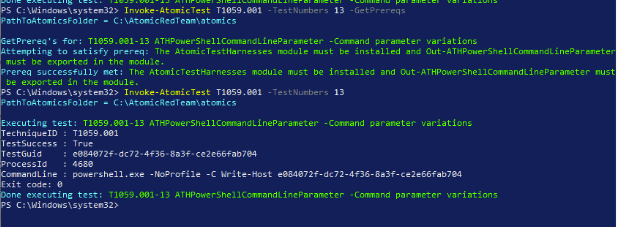
7. **Atomic Red Team** 用于执行可重复的、映射到 MITRE 的攻击模拟。
## 检测示例
在此实验室中构建并测试的真实 Splunk 搜索:
**PowerShell 创建的进程:**
index=main EventCode=1 Image="powershell"
**编码的 PowerShell 命令(可疑):**
index=main EventCode=1 Image="powershell" CommandLine="-EncodedCommand"
**所有 Windows 终端活动(过去一小时内):**
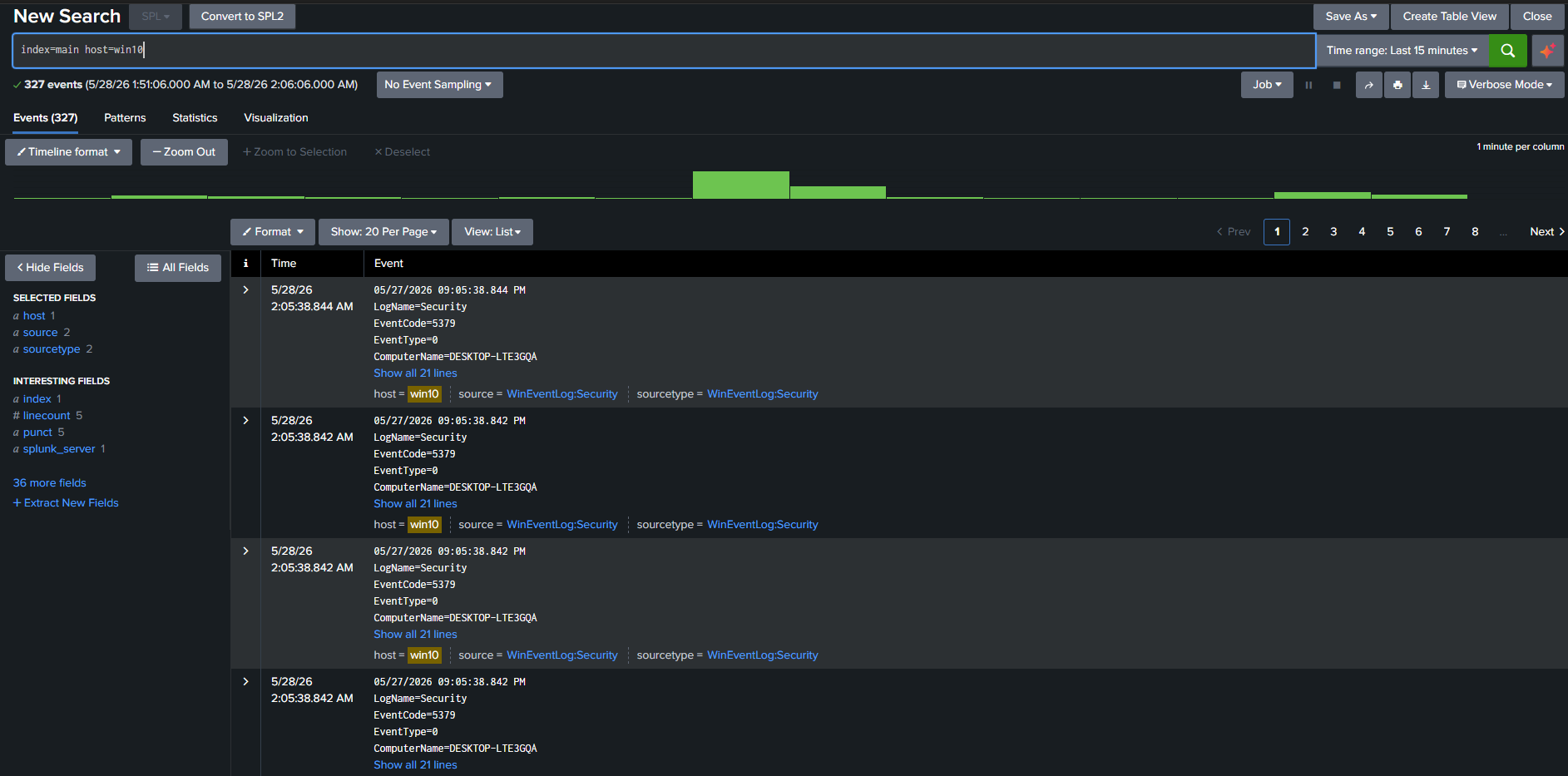
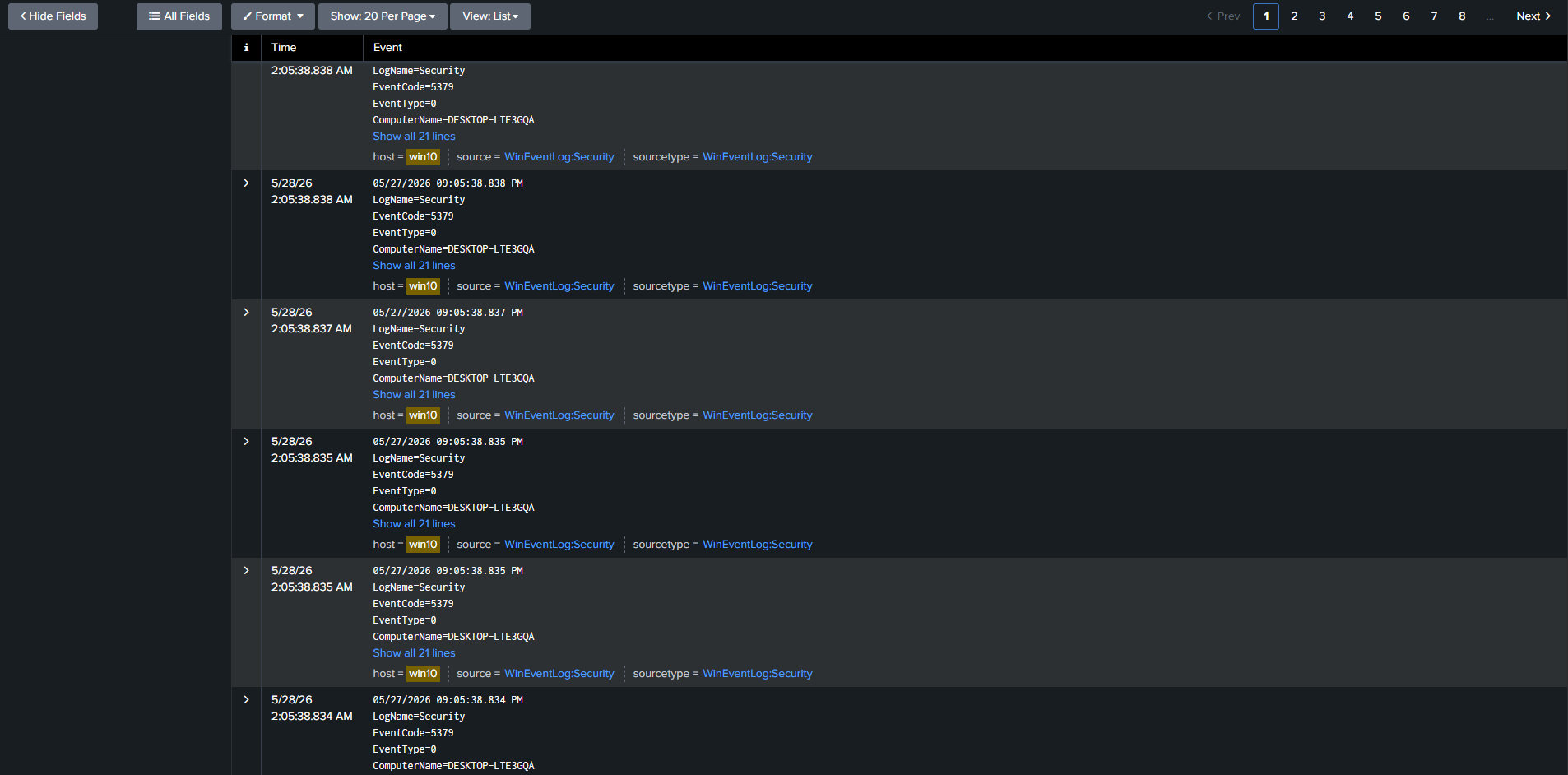
index=main host=win10
## 已测试的技术
| MITRE ATT&CK ID | 技术 | 状态 |
|---|---|---|
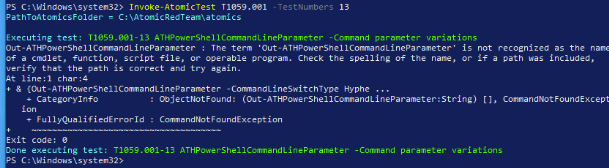
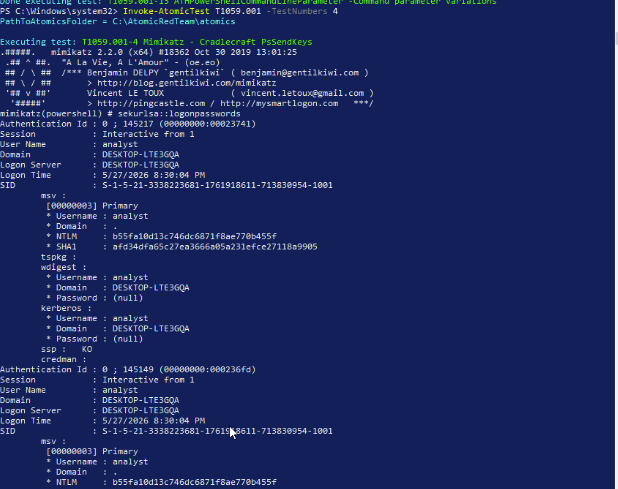
| T1059.001 | PowerShell | ✅ 已检测到 |
| (更多内容待更新) | | |
## 经验教训
- **物理层首当其冲。** 一根损坏的以太网线缆迫使网卡以 10 Mbps 的速度协商并伴随不断的链路闪烁,这表现为应用层症状(Proxmox Web UI 上出现 ERR_CONTENT_LENGTH_MISMATCH)。在认定是软件问题之前,请务必检查 `dmesg` 以确认链路速度和稳定性。
- **配置文件编码错误可能导致静默失败。** Splunk 的 Universal Forwarder 会忽略使用记事本默认编码编写的 `inputs.conf` 文件。需通过 PowerShell 以显式的 ASCII 编码重写来解决。
- **默认情况下,Local System 无法访问 Sysmon 日志。** Forwarder 服务需要在管理员账户下运行(或者更新 Sysmon channel 的 SDDL)才能订阅 Sysmon 事件日志。
- **Tamper Protection 会阻止 Defender 的 PowerShell 命令。** Atomic Red Team 要求同时禁用 Tamper Protection(在 Windows 安全 UI 中)和实时保护。
- **SwiftOnSecurity 的 Sysmon config 是正确的起点。** 它能产生高价值事件,而不会让普通的 Windows 噪音淹没 SIEM。
- **CDN 访问限制会影响 LXC 容器内的 agent 下载。** 从 Pi-hole LXC 内部访问 Wazuh 通用的 4.x URL 会返回 Access Denied。需通过使用特定版本的 URL 或添加 apt repository 来解决。
- **Wazuh agent 在启动时会自动注册。** 这在进行手动注册时会导致重复的 agent 名称冲突。解决方法是先停止 agent,清除 `client.keys`,然后在重启前重新注册。
## 仓库结构
soc-analyst-homelab/
├── README.md ← 本文件
├── wazuh/
│ └── README.md ← Wazuh 部署指南和 agent 设置
└── screenshots/ ← 实验室截图
## 后续工作
- ✅ Wazuh SIEM 已部署 — 参见 [/wazuh](./wazuh/README.md)
- 构建可视化仪表盘,展示 Splunk 和 Wazuh 中的终端活动
- 安装 Splunk Security Essentials 和 ES Content Update
- 练习 Kali 到 Windows 的网络攻击(nmap、CrackMapExec、Metasploit)
- 在 Wazuh 中设置告警和电子邮件通知
- 配置 Pi-hole 日志转发到 Wazuh
- 运行 Atomic Red Team 并比较 Splunk 和 Wazuh 的检测效果
- 添加 Wazuh Active Response 以实现自动拦截
- 记录已实现的完整 MITRE ATT&CK 技术覆盖范围
## 致谢
- [SwiftOnSecurity Sysmon Config](https://github.com/SwiftOnSecurity/sysmon-config)
- [Red Canary 的 Atomic Red Team](https://github.com/redcanaryco/atomic-red-team)
- [Splunk Free Trial](https://www.splunk.com/)
- [Wazuh Open Source](https://wazuh.com/)
## 截图
[首次检测]
[PowerShell 输出 第二次检测]
[检测中的 Splunk 输出]
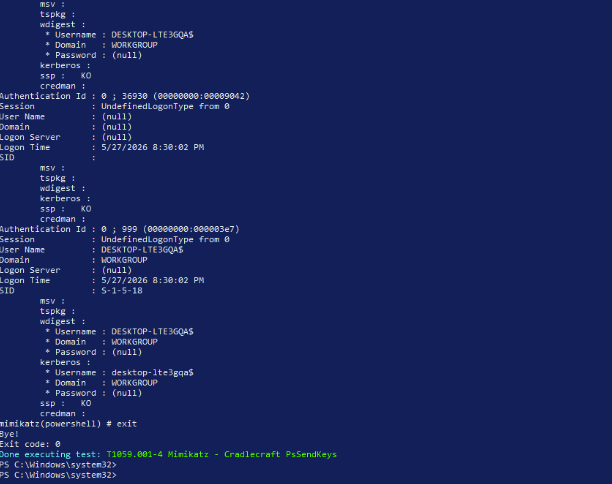
[Splunk 创建事件]
[Splunk 进程执行计数]
标签:Proxmox, x64dbg, 安全运营中心, 攻击模拟, 管理员页面发现, 网络映射, 靶场环境, 驱动签名利用