rahatislamanik-spec/EntraID-AWS-SAML-SSO-Integration
GitHub: rahatislamanik-spec/EntraID-AWS-SAML-SSO-Integration
该项目是一个跨云身份联合实验室,演示了通过 SAML 2.0 实现 Microsoft Entra ID 到 AWS 的单点登录与零信任访问控制。
Stars: 1 | Forks: 0
# Microsoft Entra ID 至 AWS SAML 2.0 SSO 集成
🌐 **[查看实时演示](https://rahatislamanik-spec.github.io/EntraID-AWS-SAML-SSO-Integration/)**
## 场景说明
一家不断发展的金融科技公司将其内部工具和用户身份运行在 **Microsoft 365 和 Entra ID** 上,但其工程和 DevOps 团队还需要访问 **Amazon Web Services** 以进行云基础设施工作。
问题在于:为每位工程师管理单独的 AWS 用户名和密码存在安全风险。当有人离职时,IT 部门必须记得单独将他们从 AWS 中移除。如果忘记,就会留下一个安全漏洞。
解决方案:**使用 SAML 2.0 SSO 通过 Entra ID 联合 AWS 访问**。工程师使用 Microsoft 凭据进行身份验证,AWS 信任来自 Entra ID 的已签名 SAML 断言。这减少了单独的 AWS 密码使用,降低了孤儿账号风险,并集中了身份提供商的登录证据。
这就是实践中的 **零信任** —— *身份即边界*。
## 架构范围
本仓库演示了 Microsoft Entra ID 中的 **AWS Single-Account Access 企业应用程序** 模式以及 AWS IAM SAML 角色联合。
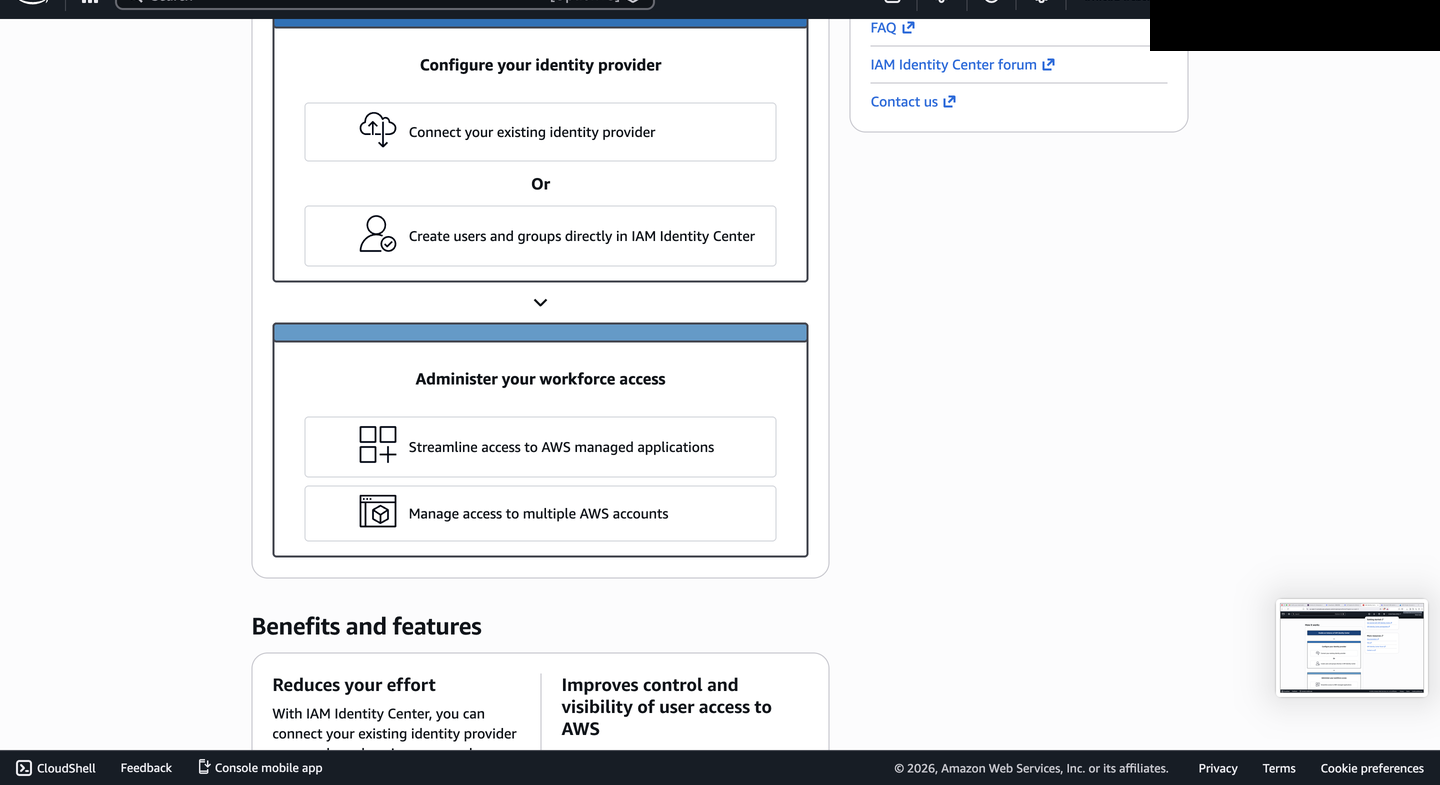
它**不**声称完成了完整的 AWS IAM Identity Center 多账户部署。一些 AWS 控制台界面引用了 IAM Identity Center 指南,因为 AWS 会在控制台中显示相关的身份选项,但已记录的实现路径为:
1. Microsoft Entra ID 企业应用程序
2. 基于 SAML 的登录配置
3. AWS IAM SAML 身份提供商
4. AWS IAM 角色信任关系
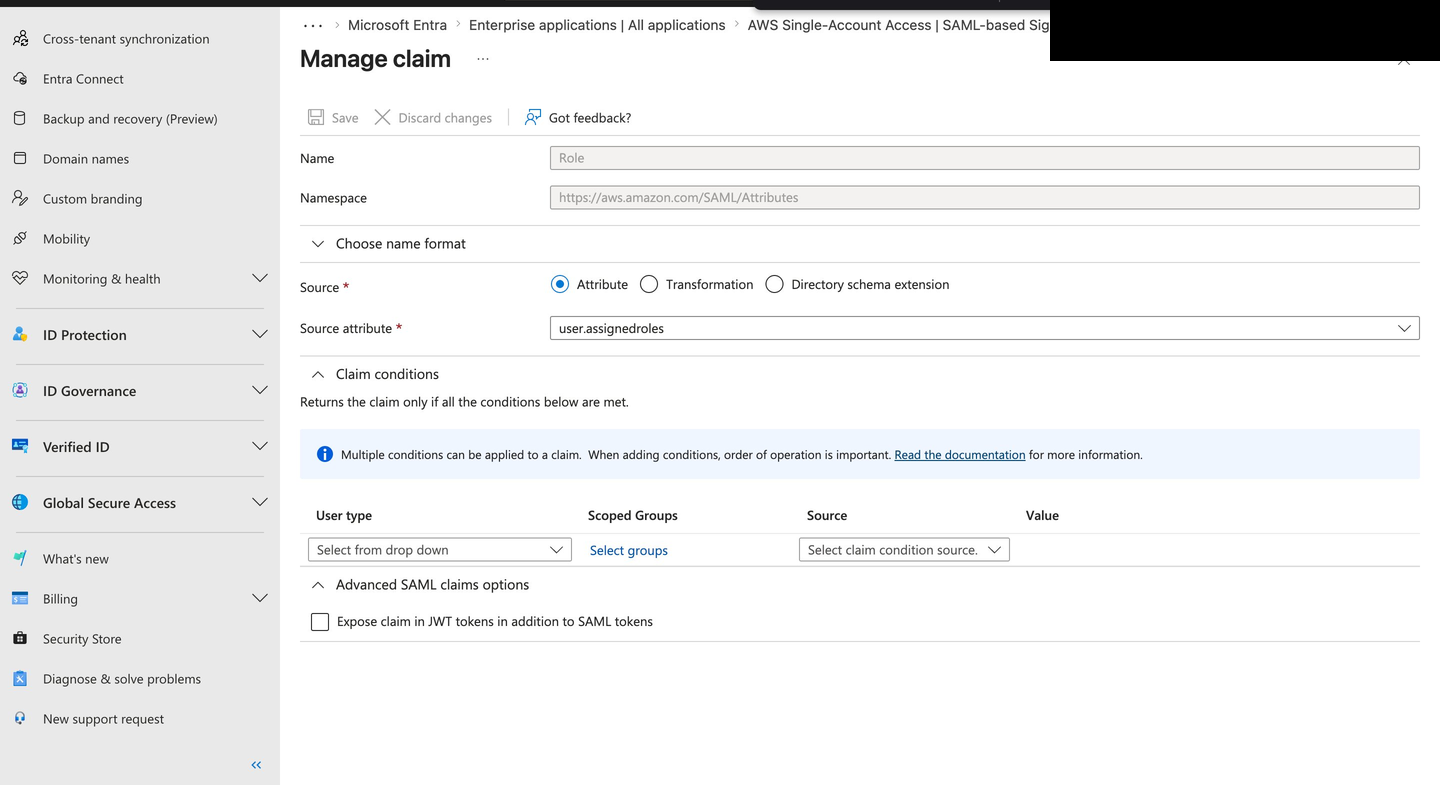
5. Entra ID 角色声明映射
6. 通过联合角色担任访问 AWS 控制台
## 构建内容
### Microsoft Entra ID 端(身份提供商)
- 添加 **AWS Single-Account Access** 作为企业应用程序
- 通过 Microsoft Entra 库工作流配置 AWS Single-Account Access SAML 2.0 设置:
- **标识符 / Entity ID:** 由 AWS 库工作流固定
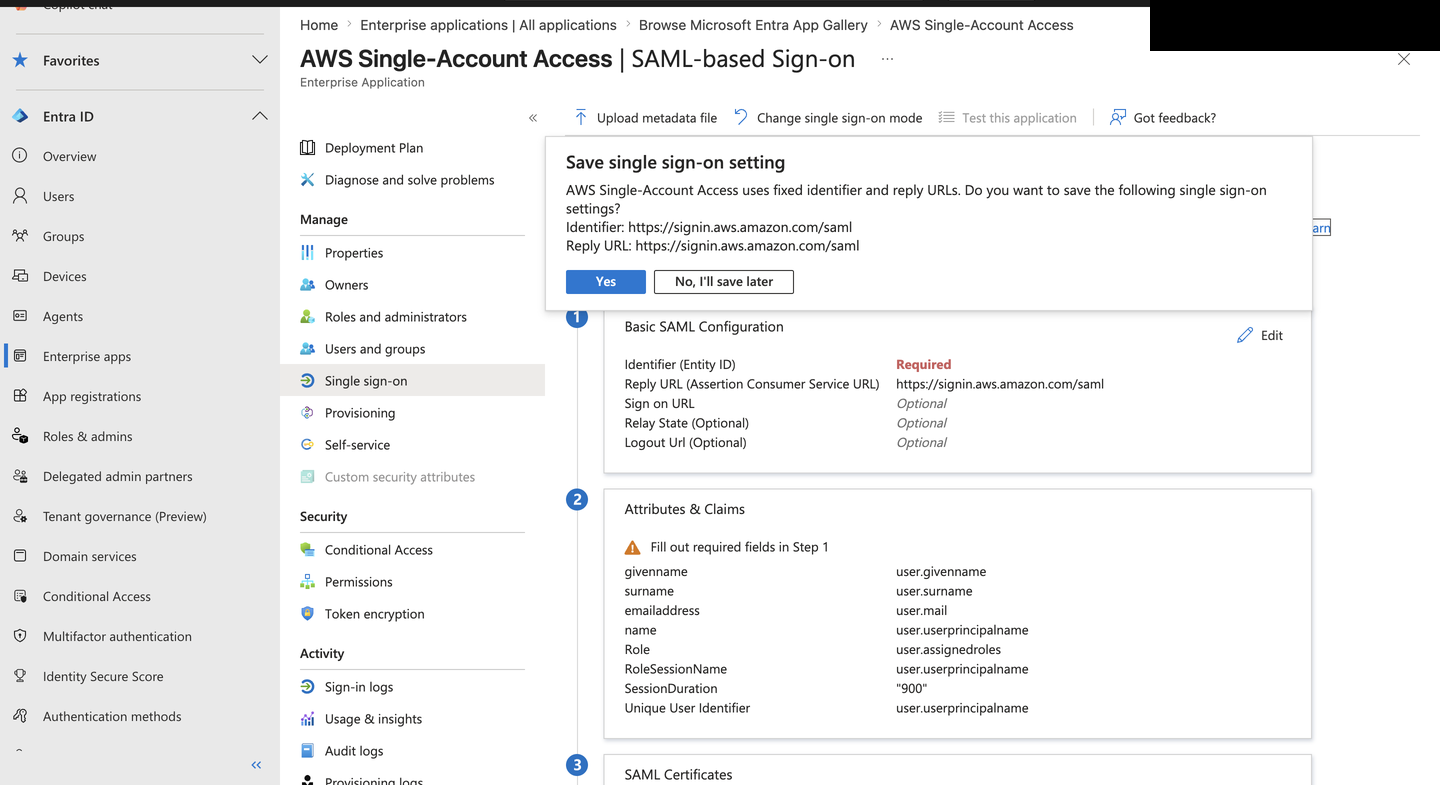
- **回复 URL (ACS):** `https://signin.aws.amazon.com/saml`
- 映射在 SAML 断言中发送的用户属性:
- UPN 作为唯一用户标识符
- 名字、姓氏、电子邮件作为用户配置文件
- 将 **Role ARN** 直接映射到用户担任的 AWS IAM 角色
- 会话持续时间设置为 900 秒,以缩短联合会话时间
- 管理 **Token Signing Certificate** 生命周期(RS256,2029 年到期)
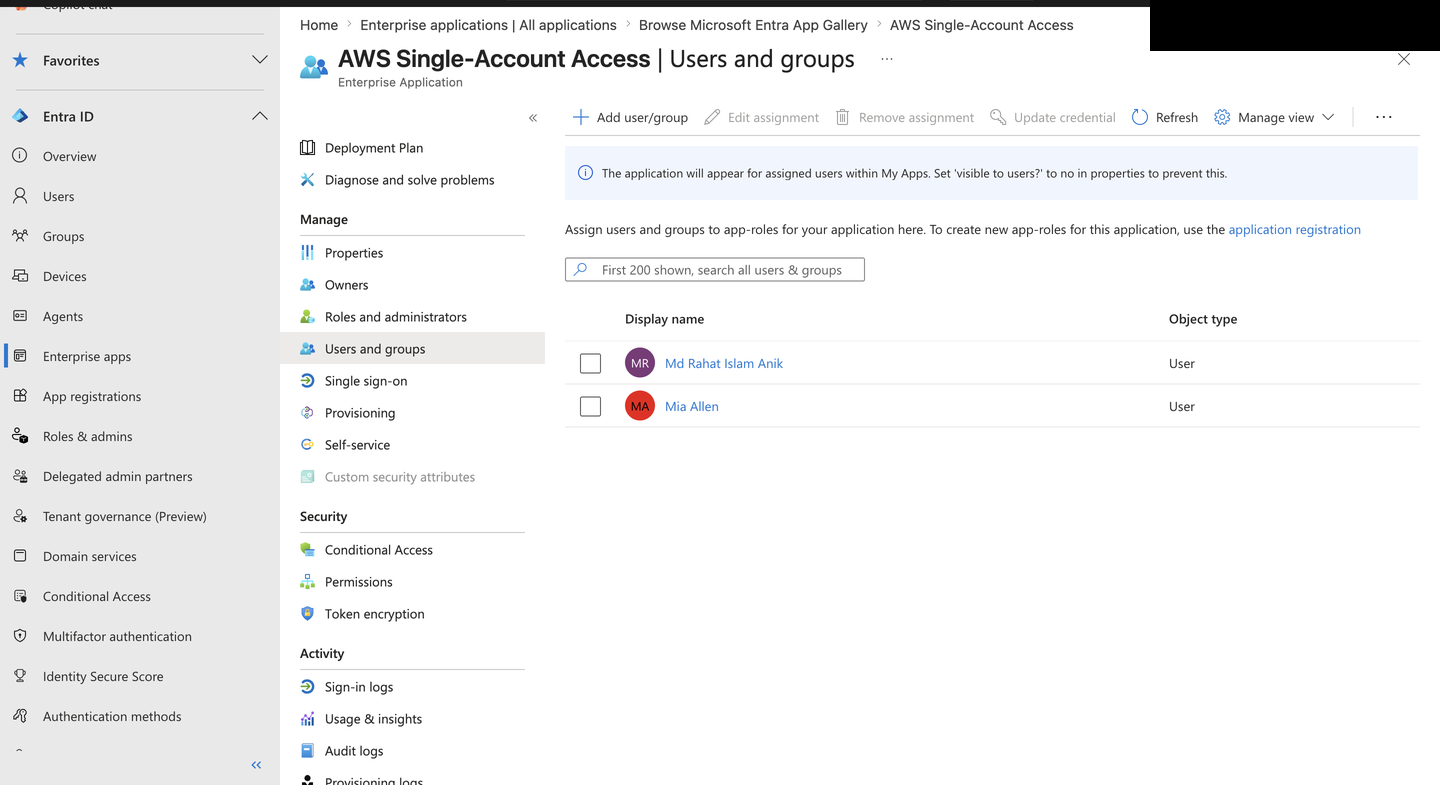
- 为用户分配应用程序以进行访问控制
- 导出 **Federation Metadata XML** 用于 AWS 信任配置
### Amazon Web Services 端(服务提供商)
- 在 AWS IAM 中将 **EntraID** 注册为受信任的 **SAML 2.0 Identity Provider**
- 上传 Federation Metadata XML 以建立加密信任
- 创建带有 SAML 2.0 联合信任策略的 **EntraID-ReadOnly** IAM 角色
- 将完整的 Role ARN 映射回 Entra ID 属性声明
## SSO 流程的工作原理
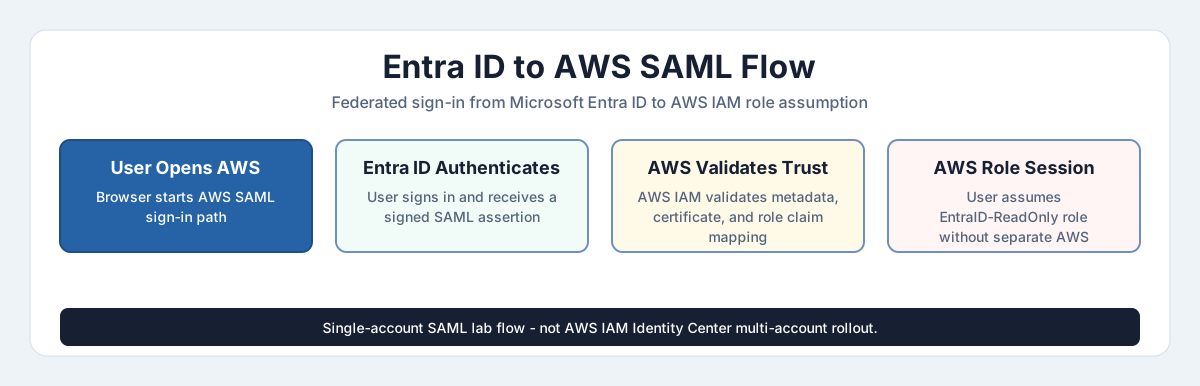
此流程展示了从用户通过 Entra ID 登录、发出 SAML 断言、AWS IAM 信任验证、角色担任到访问 AWS 控制台的实验室联合路径。
[查看交互式 HTML 版本](https://rahatislamanik-spec.github.io/EntraID-AWS-SAML-SSO-Integration/docs/entra-aws-saml-authentication-flow.html)
```
User opens AWS in their browser
|
v
Redirected to Microsoft Entra ID login
|
v
User authenticates (password + MFA if required)
|
v
Entra ID generates a signed SAML assertion
(contains user identity + assigned AWS role ARN)
|
v
Assertion posted to AWS ACS URL
|
v
AWS validates signature against EntraID metadata
|
v
User assumes EntraID-ReadOnly IAM Role
|
v
AWS Console opens -- no separate AWS credentials used
```
## 结果
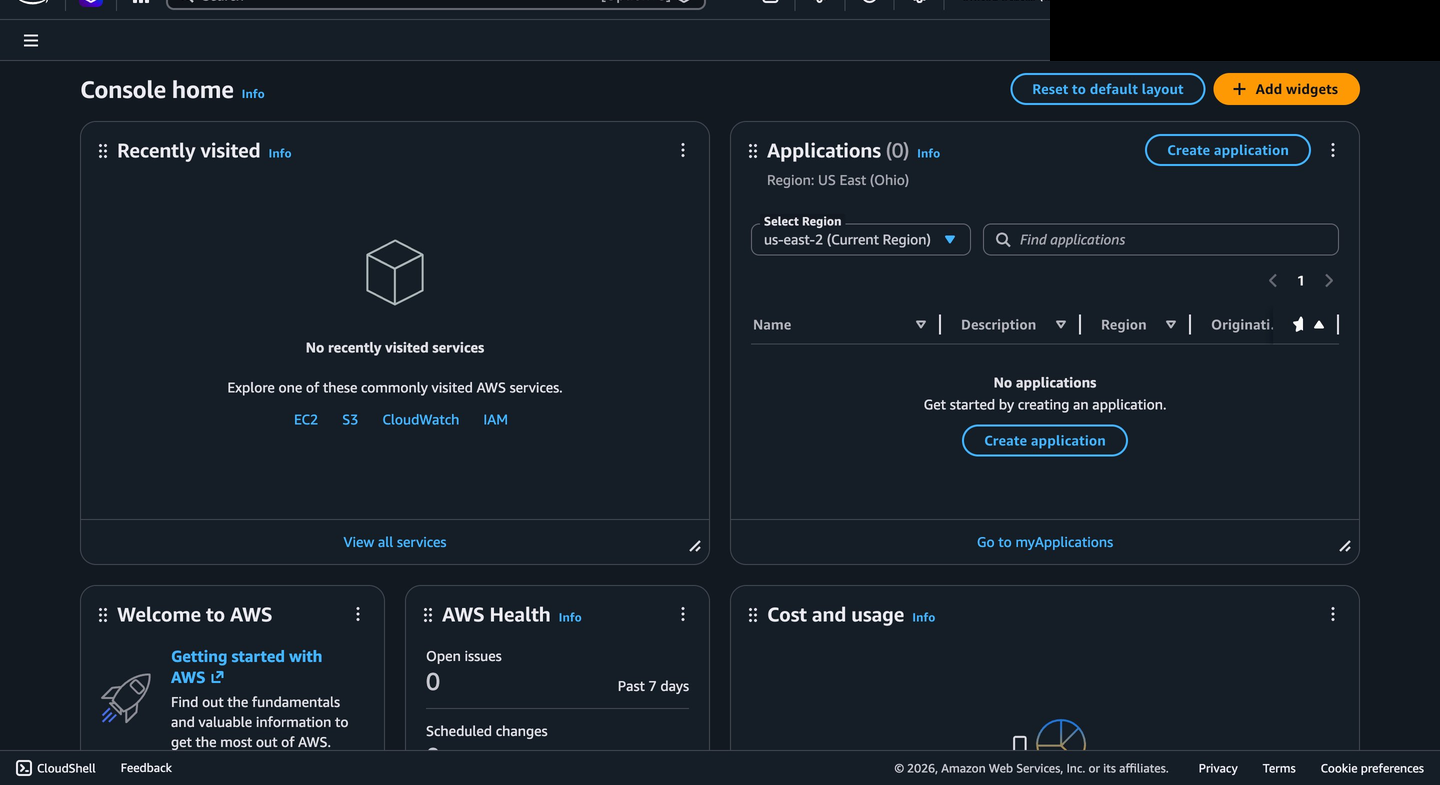
- 用户通过 Entra ID 认证并直接登录到 AWS 控制台
- 角色路径记录为 `EntraID-ReadOnly/user@example.com`
- 联合用户路径不需要单独的长期 AWS 用户凭据
- Entra ID 登录证据集中在身份提供商处;AWS CloudTrail 验证列为未来的证据
## 与受监管行业的相关性
在 OSFI E-21 和 FINTRAC 预期下运营的加拿大金融机构中,跨平台身份联合是减少非托管访问的常见控制模式。当工程和 DevOps 团队使用单独的凭据访问 AWS 基础设施时,组织面临三种风险:员工离职时的孤儿账号、两个平台上分裂的审计跟踪,以及不一致的 MFA 或 Conditional Access 执行。
通过 Microsoft Entra ID 联合 AWS 访问有助于解决这些风险,方法是使 Entra ID 成为身份验证的前门。在生产部署中,分配移除、Conditional Access、会话生命周期、AWS 角色信任和 CloudTrail 监控都需要一起验证。本实验室演示了联合路径,并记录了生产级保证所需的后续证据。
## 技术栈
| 组件 | 技术 |
|-----------|-----------|
| 身份提供商 (IdP) | Microsoft Entra ID (Azure AD) |
| 服务提供商 (SP) | Amazon Web Services IAM |
| 联合协议 | SAML 2.0 |
| 角色映射 | 通过 SAML 属性声明映射 IAM Role ARN |
| 证书 | RS256 Token Signing Certificate |
| 访问策略 | AWS ReadOnlyAccess (托管) |
## 演示的关键概念
**SAML 2.0 联合** - 云平台之间企业 SSO 的行业标准
**零信任身份** - 没有隐式信任,每个访问请求都通过中央身份提供商进行验证
**最小权限访问** - ReadOnlyAccess 策略授予最低限度的所需权限
**证书生命周期管理** - 追踪 token 签名证书并进行到期监控
**基于属性的访问控制** - 通过 Entra ID 属性声明驱动 AWS 角色分配
**审计跟踪** - 身份提供商登录证据集中在 Entra ID 中;AWS 端的 CloudTrail 证据是计划中的验证项
## 验证边界
| 领域 | 状态 | 备注 |
|---|---|---|
| Entra 企业应用程序 | 已配置 | 在 Entra ID 中显示 AWS Single-Account Access 应用程序 |
| SAML 登录设置 | 已配置 | 记录了 AWS 库工作流和 ACS URL |
| AWS IAM 身份提供商 | 已配置 | 显示了 AWS IAM SAML 提供商和信任路径 |
| AWS IAM 角色 | 已配置 | 为联合访问创建了 ReadOnlyAccess 角色 |
| 联合控制台访问 | 已测试 | SSO 流程后显示了 AWS 控制台访问 |
| Conditional Access / MFA 策略 | 未提供证据 | 未来增强功能 |
| 取消配置测试 | 未提供证据 | 未来增强功能 |
| CloudTrail 登录证据 | 未提供证据 | 未来增强功能 |
| 生产部署 | 未声明 | 自主实验室案例研究 |
有关逐张截图的证据摘要,请参见 [docs/evidence-map.md](docs/evidence-map.md)。
## 截图 - 构建证据
### Entra ID 配置
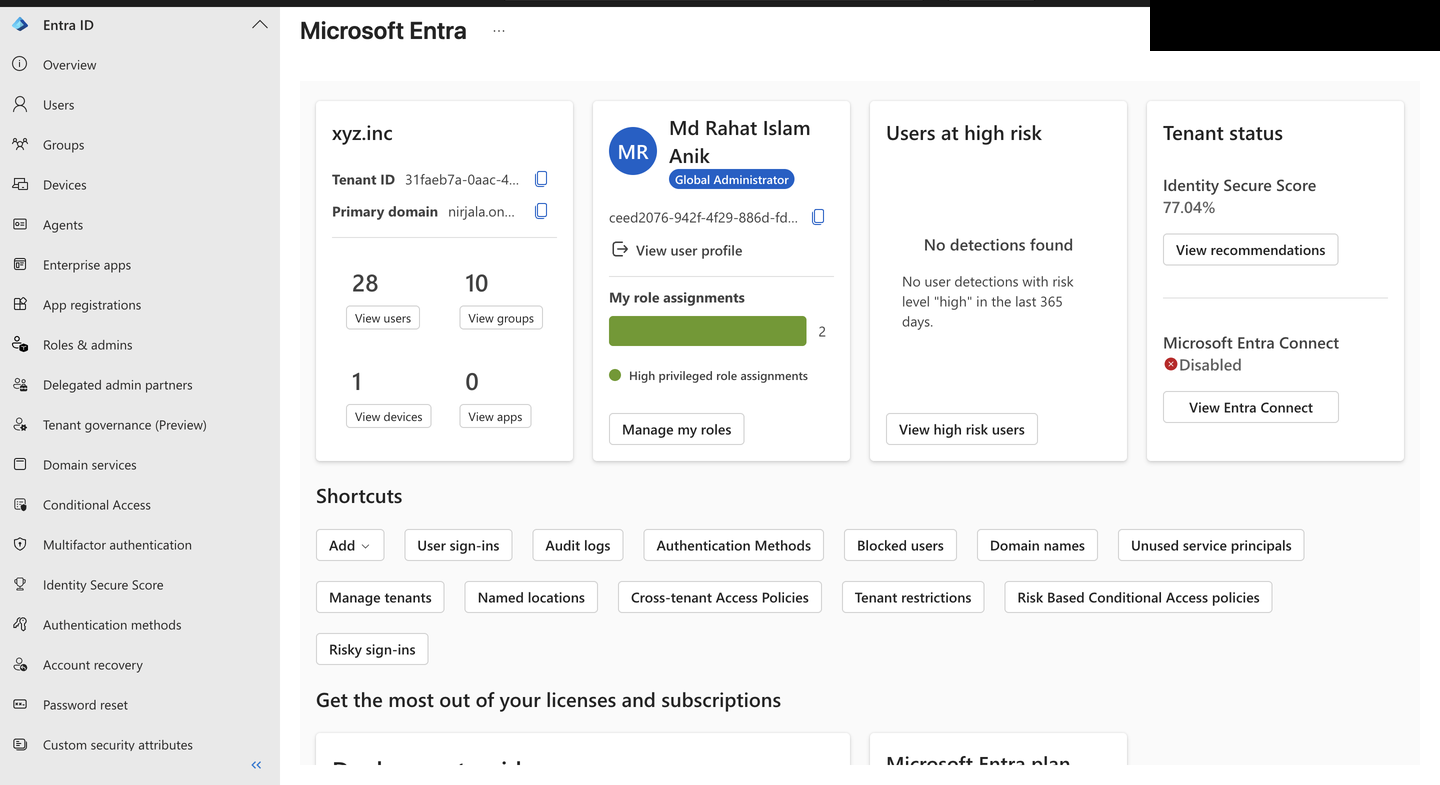
**步骤 1 - Entra 租户与管理员上下文**
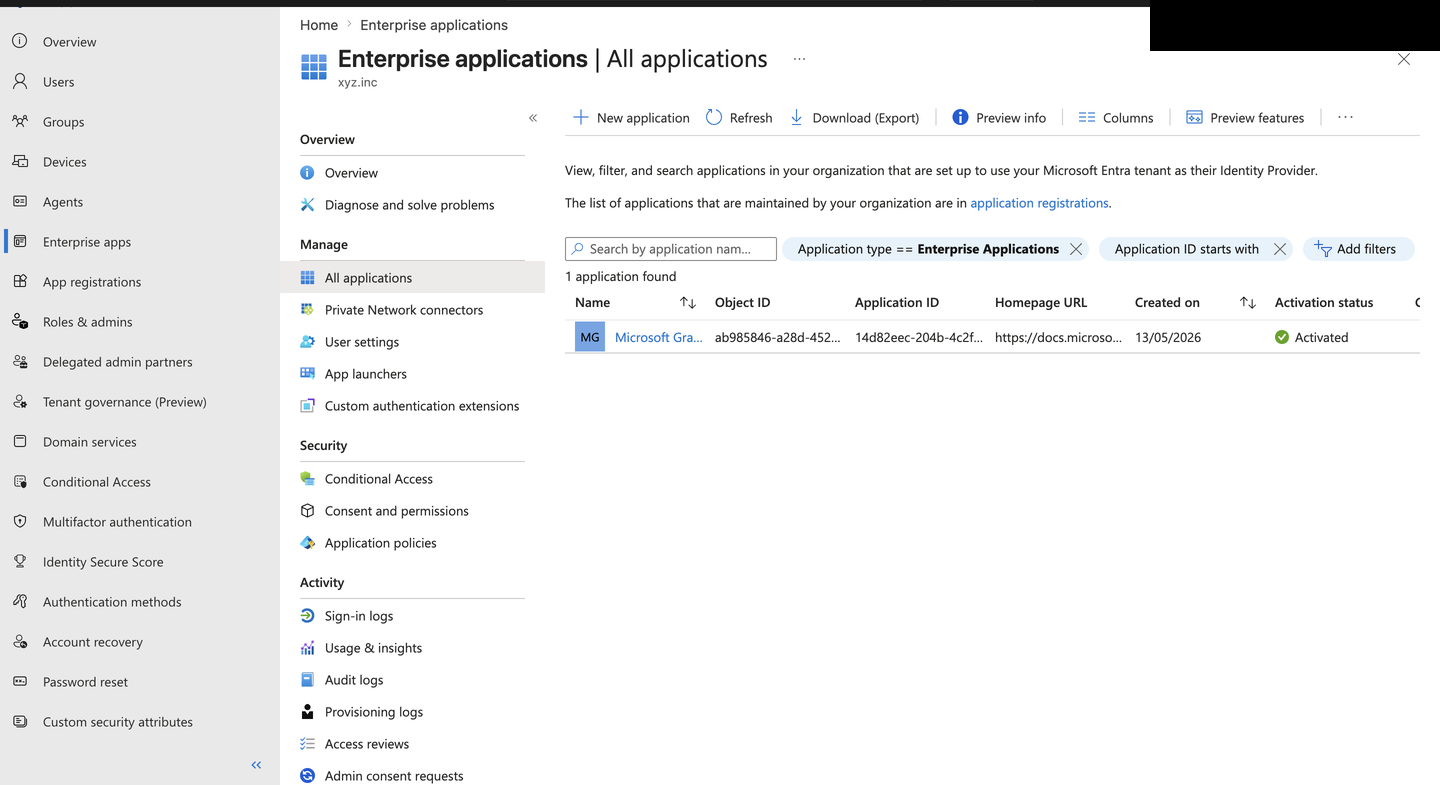
**步骤 2 - 企业应用程序视图**
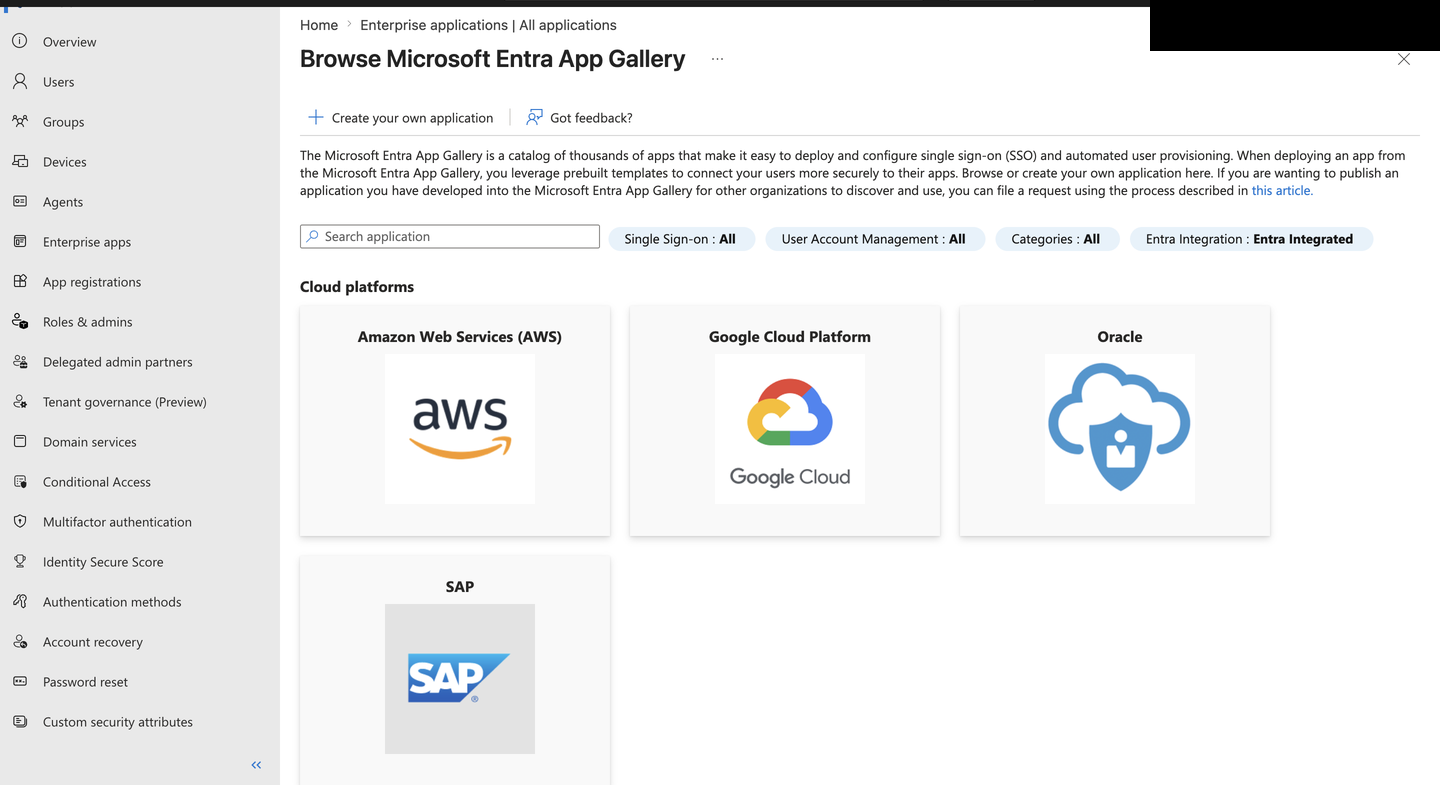
**步骤 3 - 浏览 Microsoft Entra 应用库**
**步骤 4 - AWS Single-Account Access 应用程序概览**
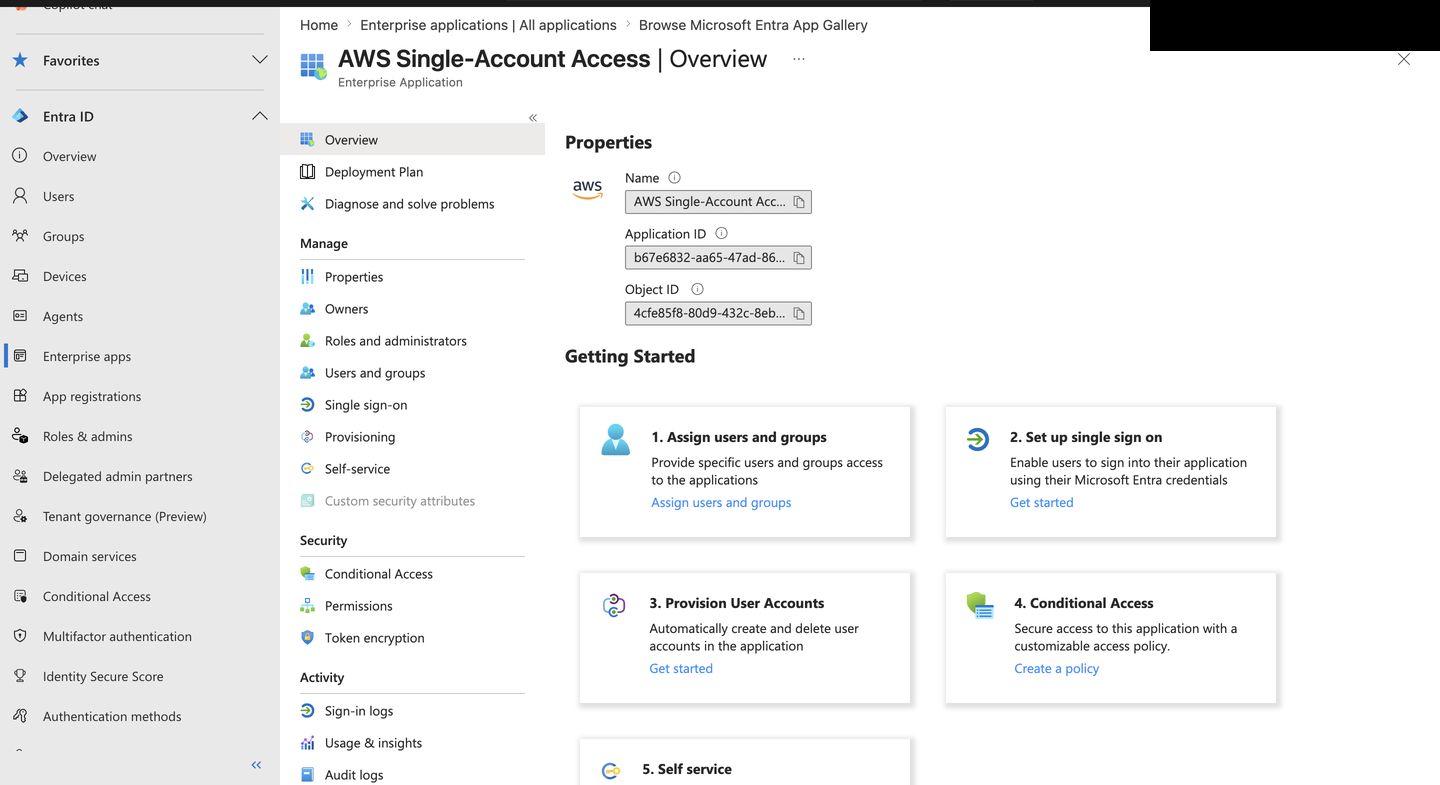
**步骤 5 - 用户和组分配视图**
**步骤 6 - SAML 设置保存提示和属性声明**
**步骤 7 - 用户和组部分**
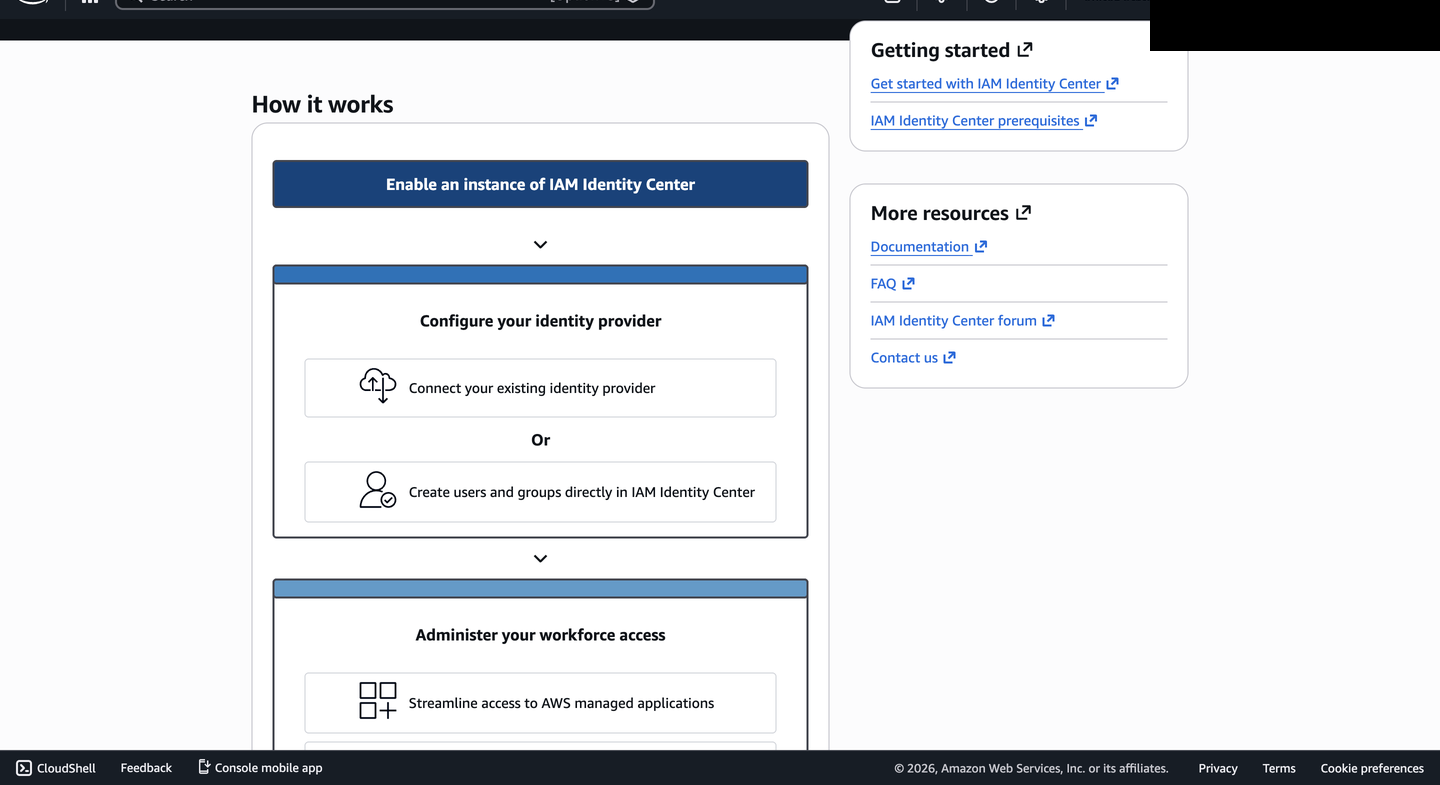
**步骤 8 - AWS IAM Identity Center 指导界面**
**步骤 9 - Entra 分配确认**
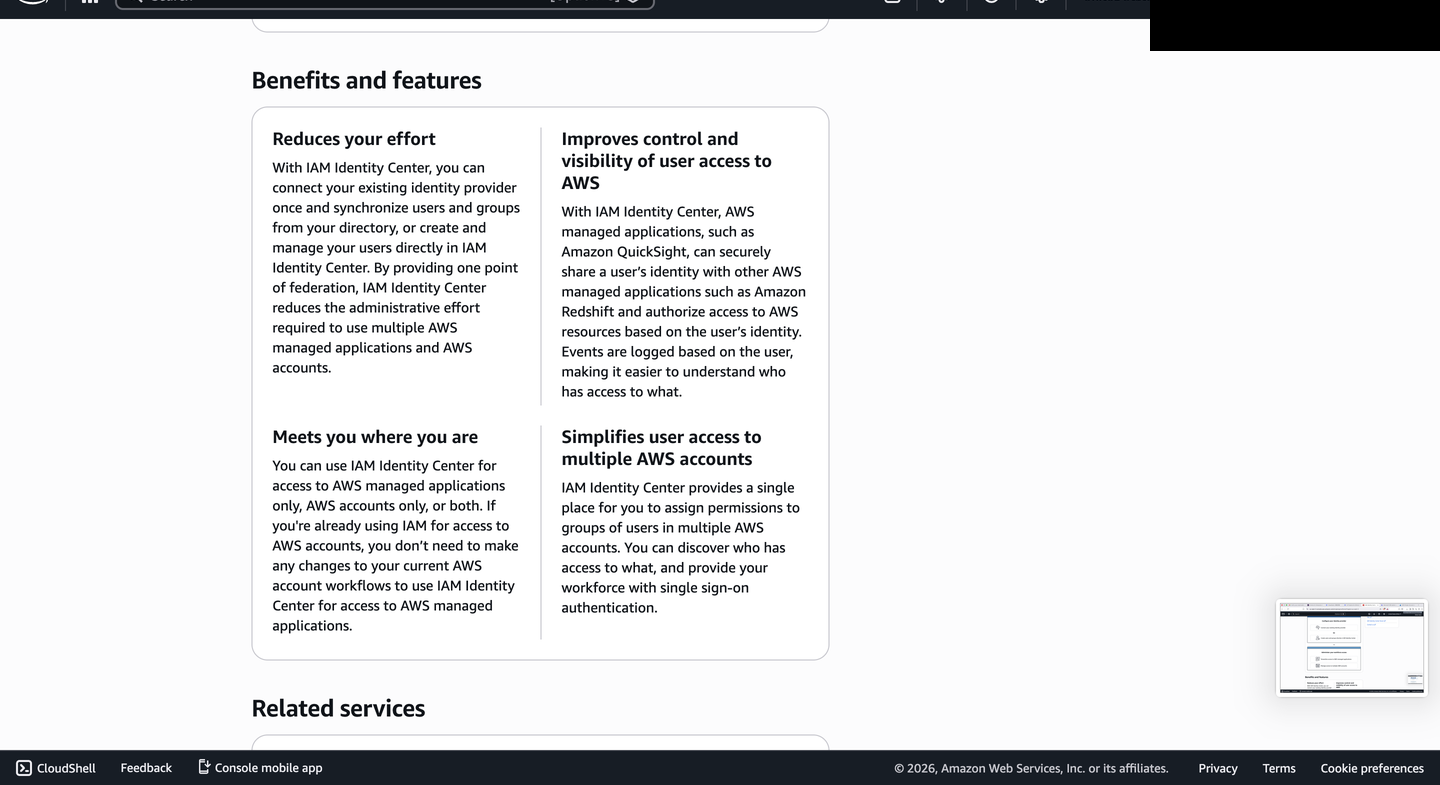
**步骤 10 - AWS IAM Identity Center 相关服务界面**
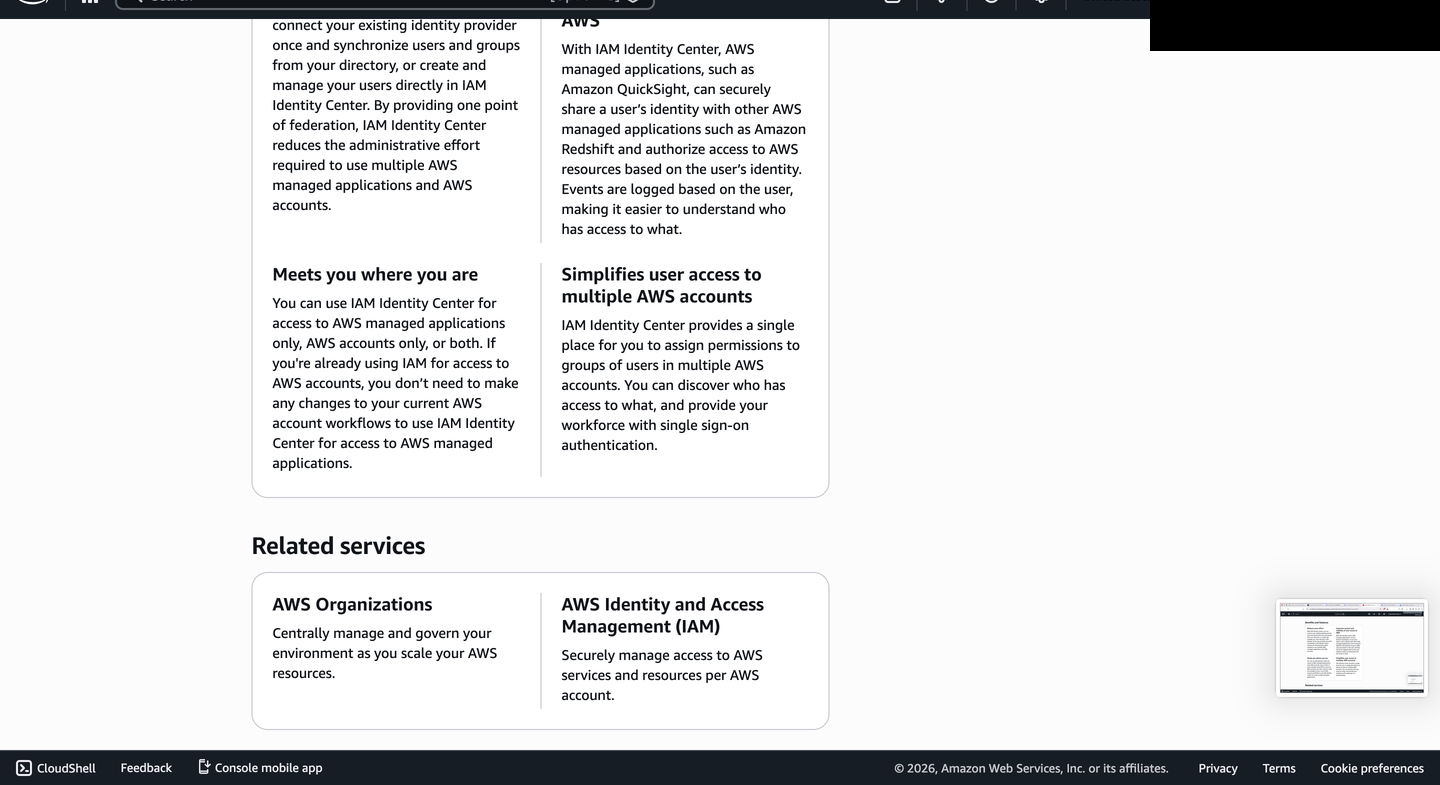
### AWS IAM 配置
**步骤 11 - AWS IAM 仪表板**
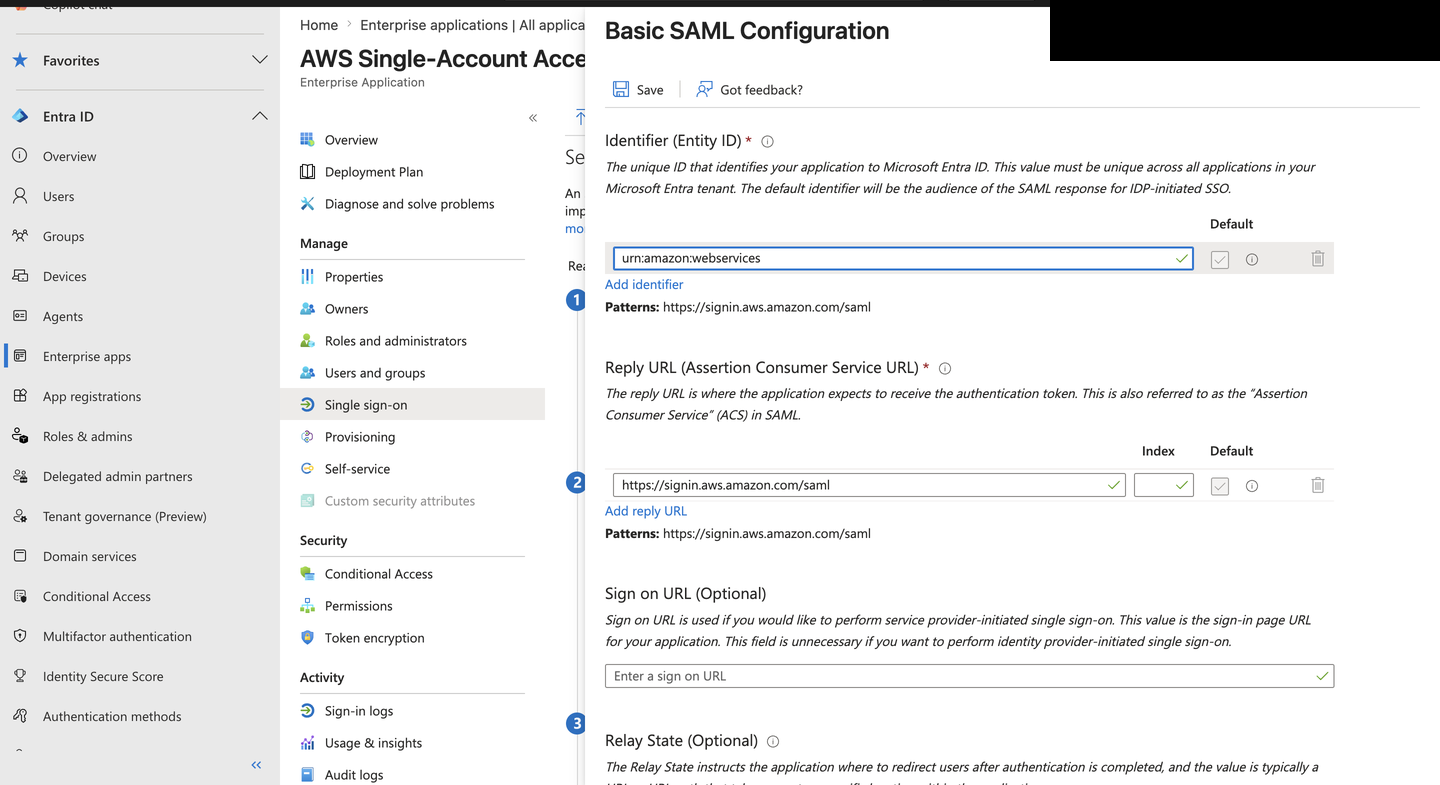
**步骤 12 - Entra 基础 SAML 配置界面**
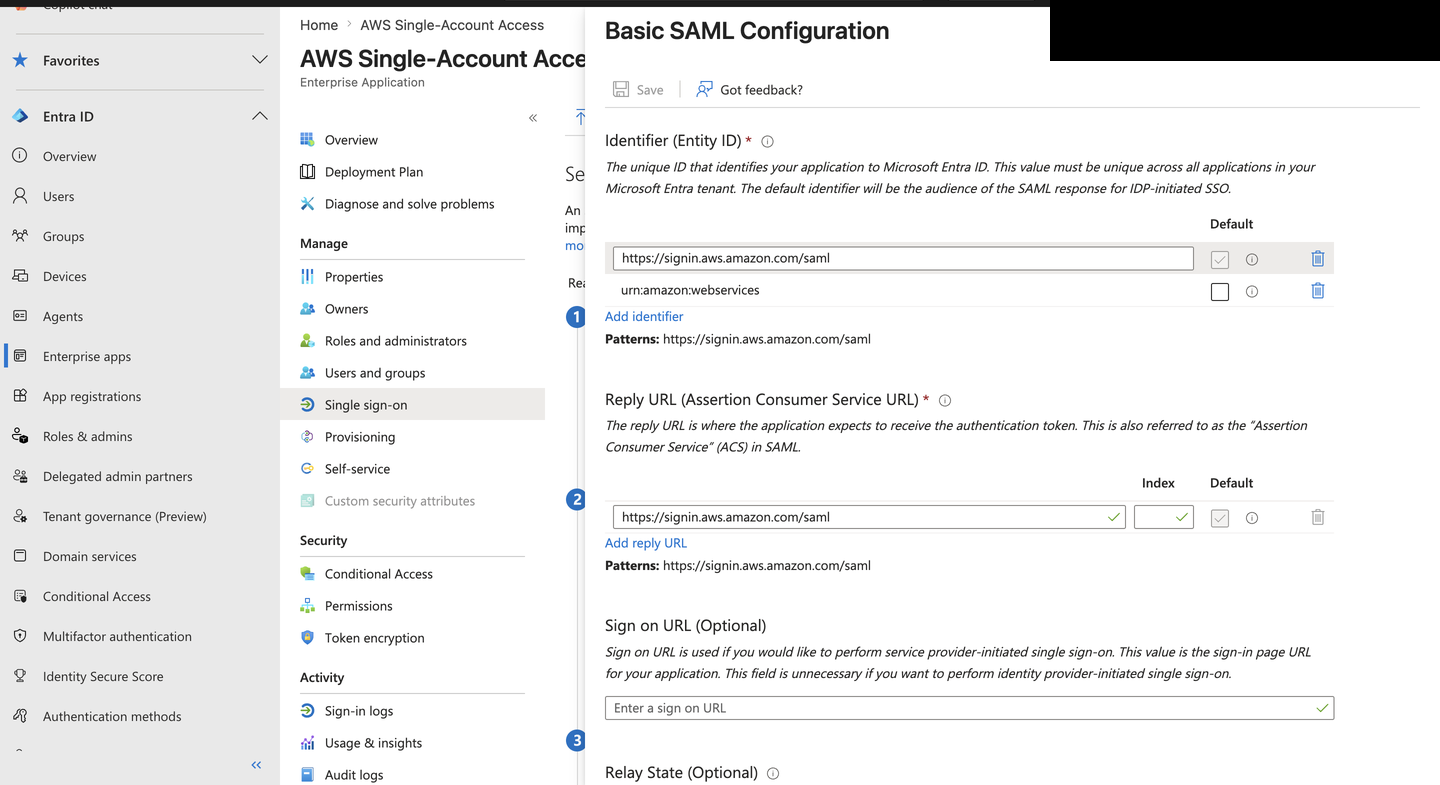
**步骤 13 - 使用 SAML 联合创建 AWS 角色**
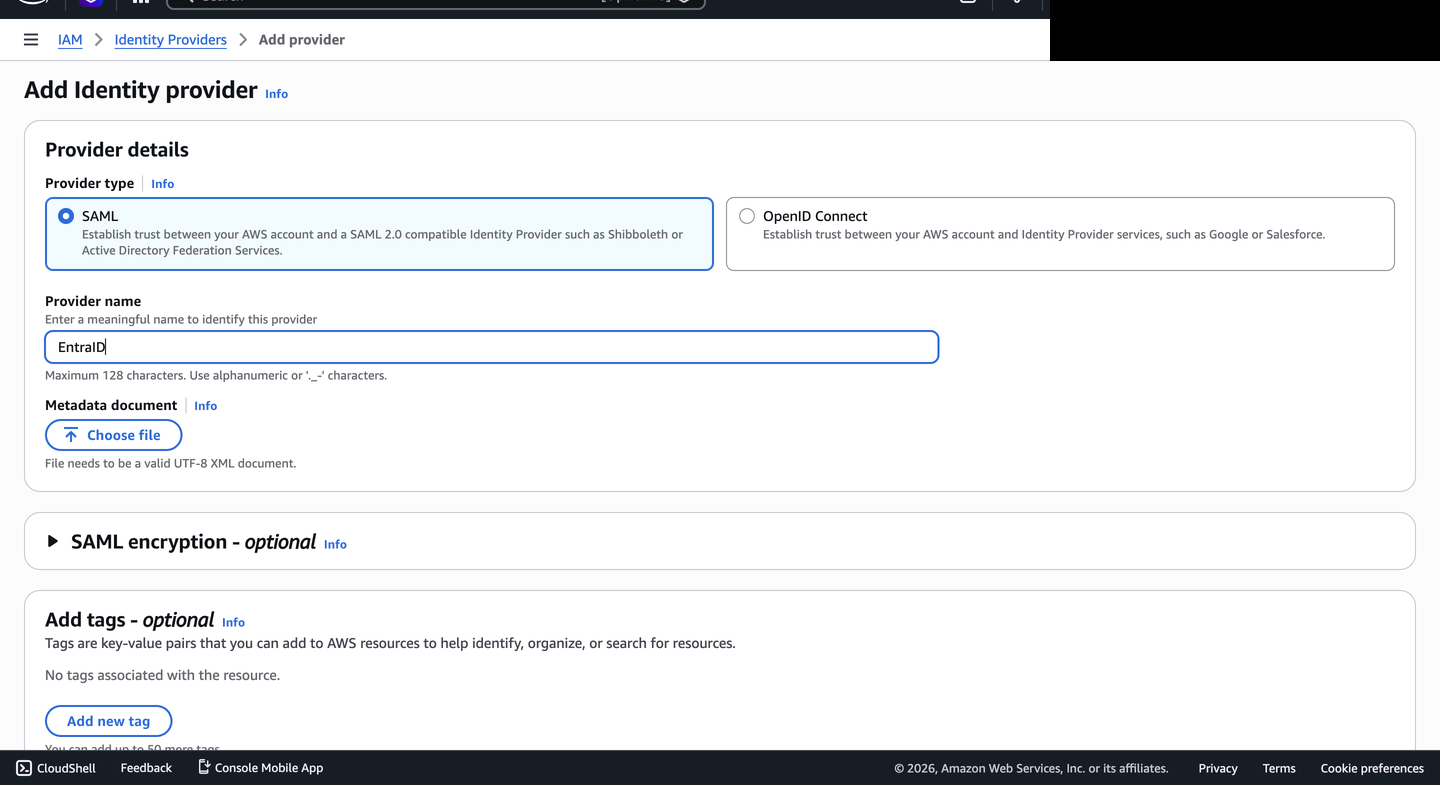
**步骤 14 - 选择 ReadOnlyAccess 策略**
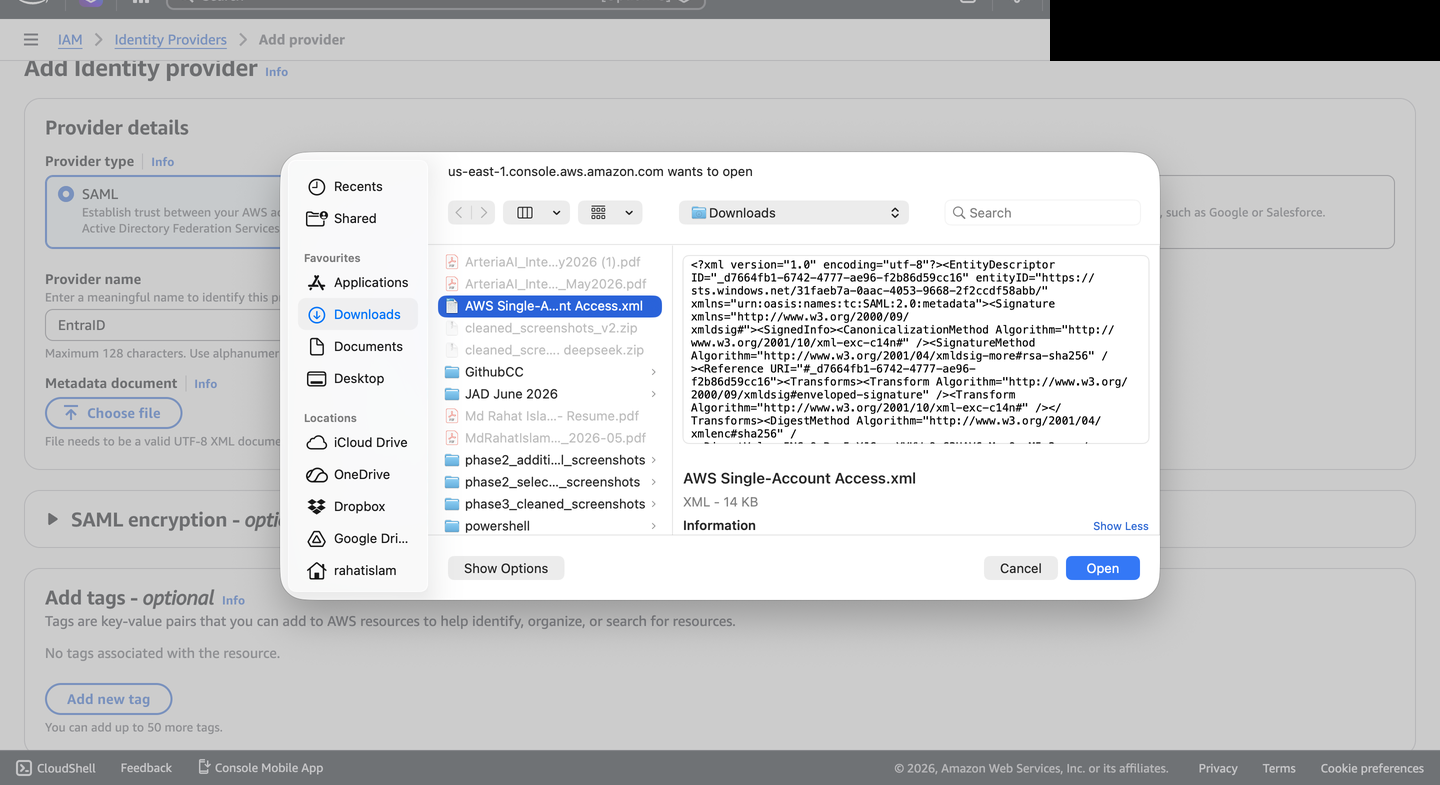
**步骤 15 - 角色名称和审查**
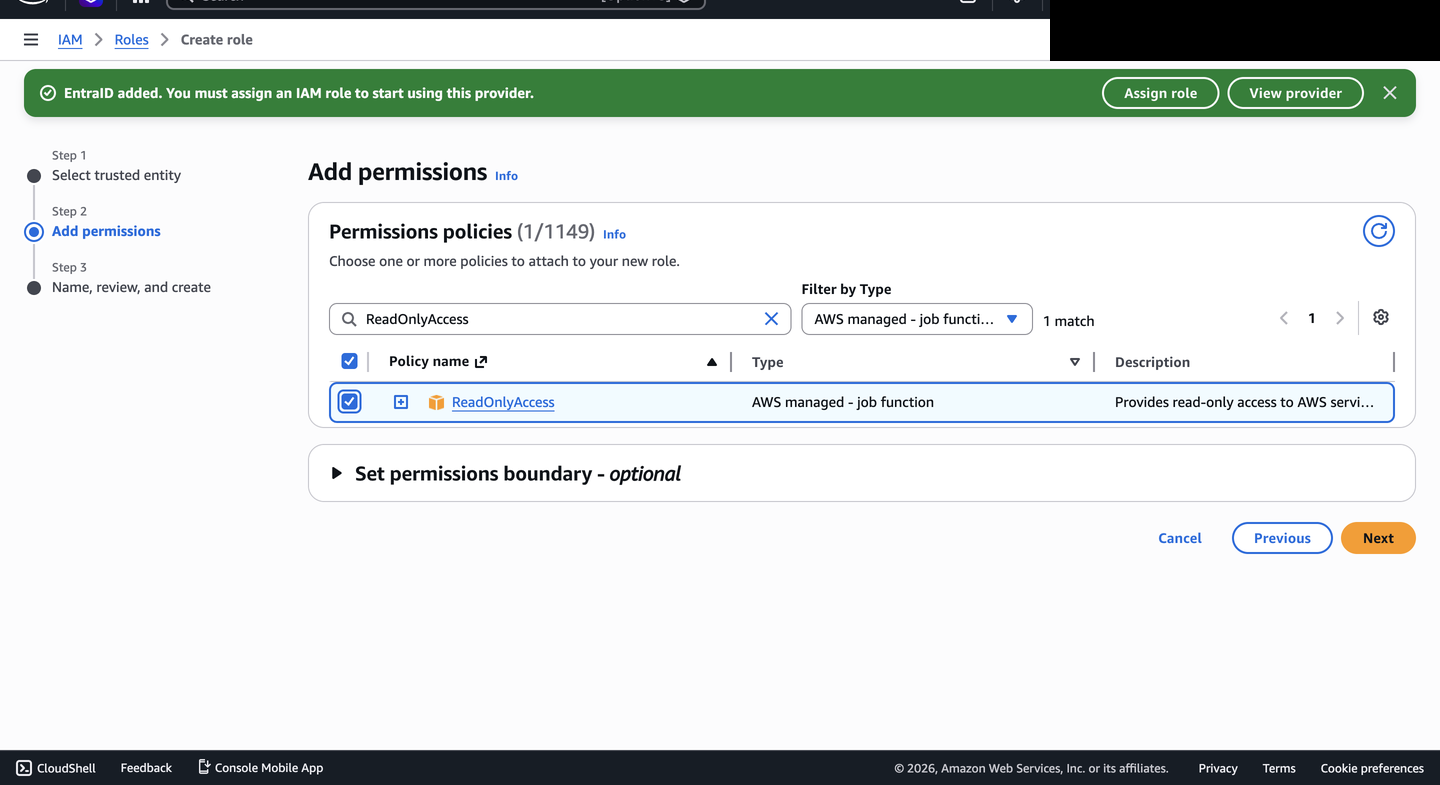
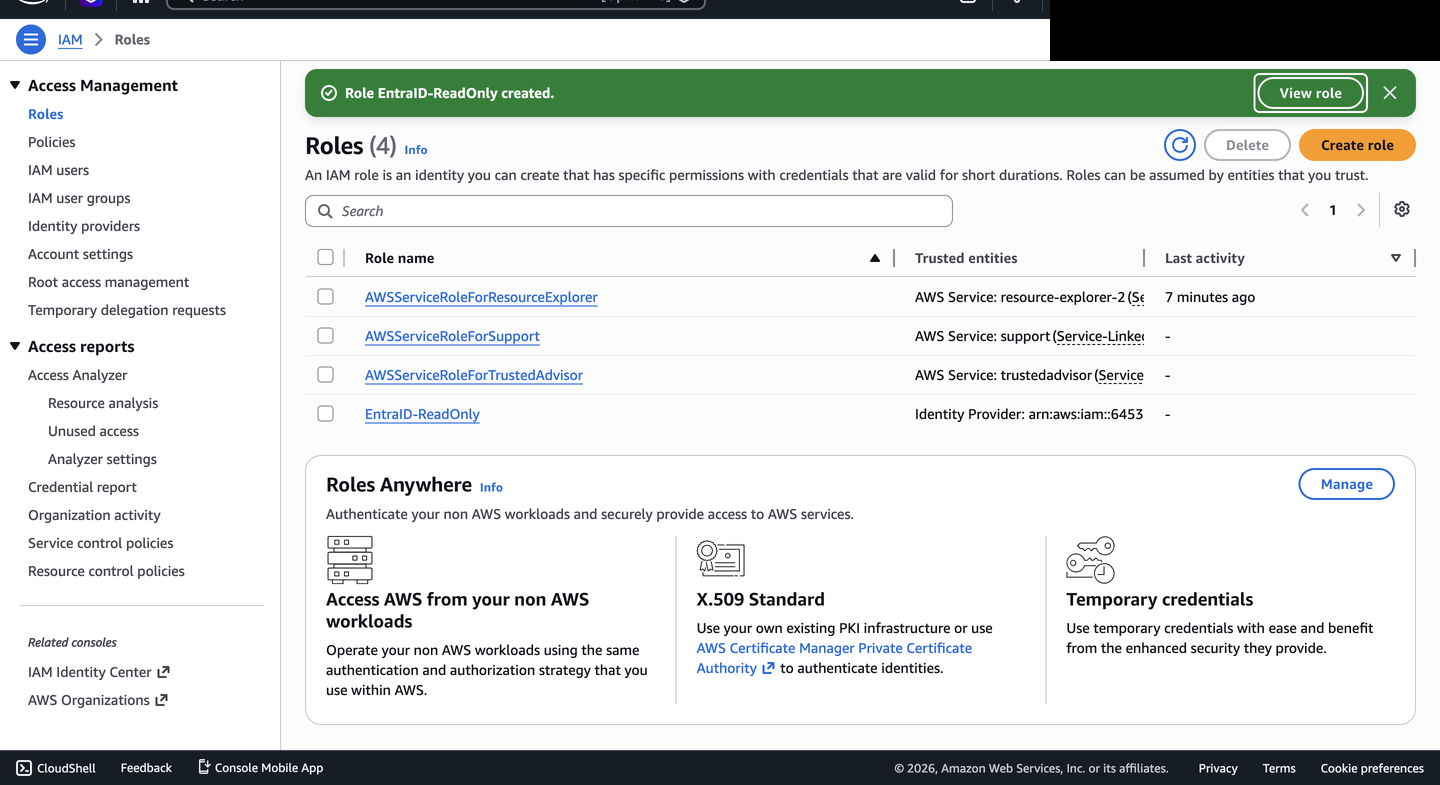
**步骤 16 - 创建 EntraID-ReadOnly 角色**
### 最终配置和证明
**步骤 17 - Entra ID 中的角色声明映射**
**步骤 18 - SSO 流程后的 AWS 控制台访问**
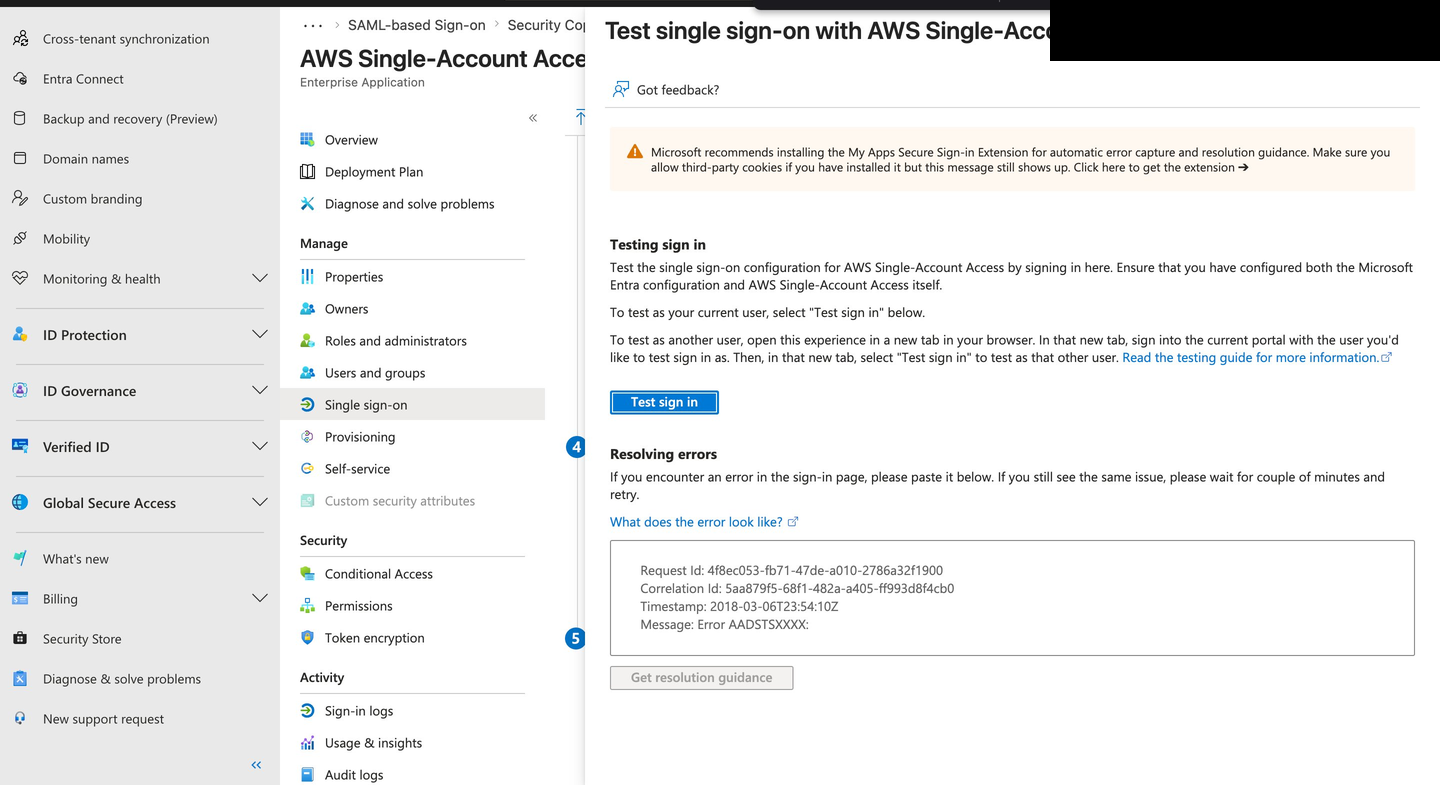
**步骤 19 - Entra ID SSO 测试面板**
## 安全提示
本集成中使用的 Federation Metadata XML 不包含在此仓库中。它包含租户特定的配置数据,包括身份提供商 URL、证书信息和目录标识符,这些内容不适合公开在公共仓库中。如有需要,可索取 Federation Metadata XML。
## 下一步计划
- 添加针对 AWS 访问的 Conditional Access 策略证据
- 根据Entra ID 组成员身份扩展到多个 AWS 角色
- 通过 PowerShell 和 Microsoft Graph API 自动化用户分配
- 添加联合登录事件的 AWS CloudTrail 证据
- 添加取消配置验证,显示分配移除和会话行为
## 作者
**Md Rahat Islam Anik**
身份与云运营专家 · 加拿大多伦多
[linkedin.com/in/rahatislamanik](https://linkedin.com/in/rahatislamanik) - [github.com/rahatislamanik-spec](https://github.com/rahatislamanik-spec)
标签:JSONLines, SAML 2.0, 云计算, 单点登录, 后端开发, 系统集成, 规则引擎, 身份与访问管理, 零信任